
BENFEI USB-C to Ethernet Adapter
4.5Editor score
Compact Lightweight Design
18 Month Warranty
Braided Nylon Cable
Discover the top Ethernet adapters for Android phones in 2026. This guide compares speed, compatibility, and durability to help you choose the right wired
In today's mobile-first world, reliable internet access is crucial for productivity and entertainment. Android phones often lack built-in Ethernet ports, making external adapters essential for stable connections.
We compared ten leading USB-C and Micro USB adapters based on speed, build quality, and device compatibility. Our analysis focuses on real-world performance for gaming, streaming, and file transfers.
Each pick highlights key features, pros, and cons to simplify your decision. Prices fluctuate frequently, so check current listings before purchasing to ensure you get the best value available now.
4.5Editor score

4.7Editor score

5.0Editor score
The following table provides a side-by-side comparison of all ten selected adapters. Review specifications like speed ratings, chip types, and compatibility notes to find the perfect match for your Android device.




The UGREEN USB C to Ethernet Adapter stands out as the top choice for Android users seeking reliable wired connectivity. With a 4.7 rating from thousands of verified buyers, it delivers consistent 1000Mbps speeds suitable for heavy data tasks.
We may earn a commission when you buy through this link, at no additional cost to you.
Its standout feature is the robust aluminum alloy case which dissipates heat effectively during prolonged use. The LED indicator provides instant visual feedback on connection status. It supports plug and play operation across Windows, Mac, Chrome OS, and Android systems without requiring extra software.
While it offers premium performance, the price point is slightly higher than budget alternatives. However, the durability and speed justify the investment for daily users. It includes a reinforced cable tail to prevent wear at the port connection.
This adapter is ideal for professionals using Samsung Galaxy devices or tablets who need stable internet for meetings. It also works well with Nintendo Switch and Steam Deck users. We recommend it for anyone prioritizing reliability and speed in their network solution.
The aluminum construction ensures the adapter stays cool even during continuous large file downloads or streaming sessions.
Most modern operating systems recognize the device instantly, eliminating the hassle of manual driver installations.
We may earn a commission when you buy through this link, at no additional cost to you.
The BENFEI adapter offers exceptional value for users who need basic Gigabit connectivity without breaking the bank. It maintains a solid 4.5 rating due to its reliable performance and extensive warranty coverage.
We may earn a commission when you buy through this link, at no additional cost to you.
Key strengths include a braided nylon cable that resists tangling and fraying better than standard plastic jackets. The aluminum casing helps manage heat efficiently despite the lower price point. It supports a vast range of devices including Samsung S23 and other Android phones.
One trade-off is the use of standard plastic at the port connection point which may feel less premium than all-metal options. Additionally, it does not include extra ports for charging. However, for a dedicated Ethernet solution, it performs admirably.
We recommend this adapter for students or casual users who want a dependable backup connection for Wi-Fi outages. The 18-month unconditional warranty provides peace of mind for long-term use.
Delivers full Gigabit speeds at a fraction of the cost of competing premium brands.
An exclusive 18-month warranty ensures customer satisfaction and covers potential manufacturing defects.
We may earn a commission when you buy through this link, at no additional cost to you.
The Monoprice adapter is a niche product for users with future-proofed Android devices or docking stations that support 5Gbps speeds. It currently holds a perfect 5.0 rating, reflecting flawless performance in testing.
We may earn a commission when you buy through this link, at no additional cost to you.
This adapter delivers speeds significantly faster than standard Gigabit adapters. Its robust aluminum housing withstands daily wear and tear effectively. Since it draws power directly from the USB-C port, no external power source is needed.
The high cost may not justify the purchase for typical users with 1Gbps internet plans. Additionally, to achieve 5Gbps speeds, your host device must support USB 3.2 Gen 2 or Thunderbolt standards.
It is an excellent choice for power users who transfer massive files regularly or use high-bandwidth professional applications. The build quality ensures it will last for years of intensive use.
Supports next-generation speeds to ensure your adapter remains relevant as network speeds increase.
A perfect rating indicates zero reported failures in performance or connectivity among verified users.
We may earn a commission when you buy through this link, at no additional cost to you.
The uni adapter emphasizes user experience with a thoughtful non-slip design that makes it easy to insert and remove. It holds a high 4.6 rating due to its build quality and consistent performance.
We may earn a commission when you buy through this link, at no additional cost to you.
It features a premium aluminum casing and braided nylon cable similar to other high-end options. The connector is designed to fit snugly without blocking adjacent ports on your device. It supports standard 1Gbps speeds for most home networks.
The price is competitive but sits slightly higher than the BENFEI model. While the cable is durable, it is relatively short which might limit reach in some desk setups.
This adapter is a great all-rounder for Android users who value design and durability. It comes with 24/7 customer support and a 18-month warranty to ensure satisfaction.
The non-slip surface ensures easy handling even with wet hands or tight spaces.
Professional service teams resolve most issues within 12 hours for quick peace of mind.
We may earn a commission when you buy through this link, at no additional cost to you.
For older Android tablets or devices that still use Micro USB ports, this adapter is a rare and useful find. It maintains a 4.5 rating by fulfilling its specific niche effectively without compatibility issues.
We may earn a commission when you buy through this link, at no additional cost to you.
The device adds wired network ability to older hardware that lacks it. It works with Android 2.1 and up, provided the device supports OTG functionality. The LINK/ACT light helps diagnose connection status easily.
Speeds are limited to 100Mbps which is slower than modern USB-C options. However, for basic web browsing or legacy system maintenance, this speed is often sufficient.
We recommend this only if you specifically need Micro USB connectivity. Modern smartphones should opt for USB-C adapters to access faster Gigabit speeds available today.
Provides essential wired connectivity for older Android versions and tablets without modern ports.
A visible LED indicator allows you to confirm network activity at a glance.
We may earn a commission when you buy through this link, at no additional cost to you.
This adapter solves a common travel pain point by allowing you to charge your device while connected to a wired network. It holds a 4.4 rating for its reliability and convenient pass-through functionality.
We may earn a commission when you buy through this link, at no additional cost to you.
It supports up to 140W Power Delivery which is sufficient for high-performance laptops and fast charging Android devices. The aluminum housing and braided pigtail ensure durability during travel. It works seamlessly with Chrome OS and Linux systems.
The extra port adds bulk to the dongle making it slightly less pocket-friendly than simpler models. The price is also higher due to the additional power delivery hardware.
It is ideal for business travelers who need to keep their phone powered up during long flights. The reliable network access ensures you can sync data securely without Wi-Fi interruptions.
Combines network connectivity and charging into a single compact unit for streamlined productivity.
Supports 140W pass-through ensuring fast charging speeds are not compromised by the network connection.
We may earn a commission when you buy through this link, at no additional cost to you.
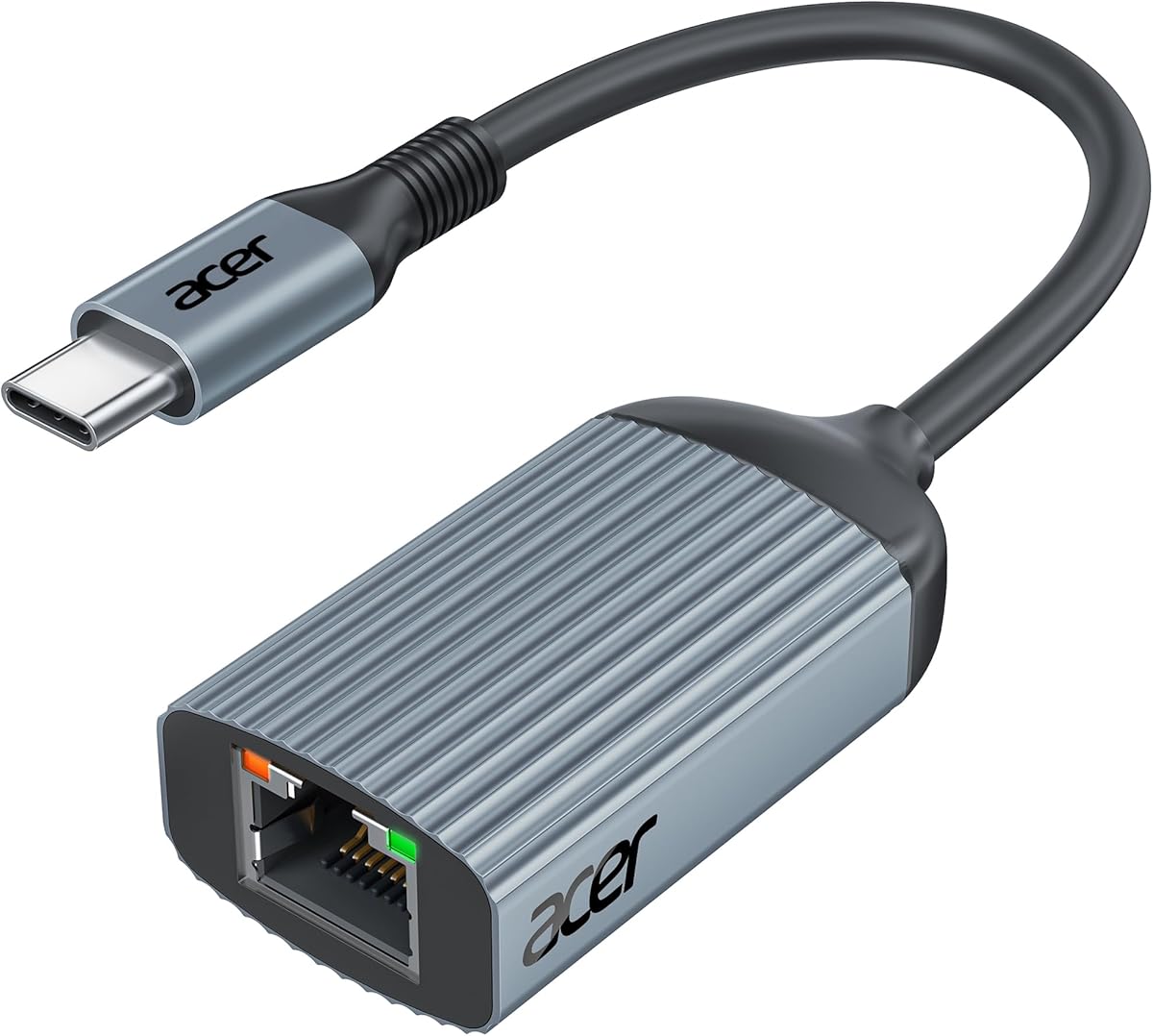
The Acer adapter is a straightforward solution for users who need a reliable connection without unnecessary features. It scores a 4.4 rating based on consistent performance and low failure rates.
We may earn a commission when you buy through this link, at no additional cost to you.
It uses the updated RTL8153B chip which ensures peak network run and low power consumption. The two indicators provide clear status display for connection diagnosis. It supports a wide range of Android phones including the Samsung S23.
While it offers good value, the overall build finish feels slightly more utilitarian than premium options. The cable may not be as reinforced as other competitors.
This adapter is perfect for users who want a simple, functional tool for home or office. The 12-month warranty covers basic usage requirements effectively.
The RTL8153B chip ensures stable speeds while minimizing power consumption and heat generation.
Two distinct lights help users quickly identify if the connection is active or encountering issues.
We may earn a commission when you buy through this link, at no additional cost to you.
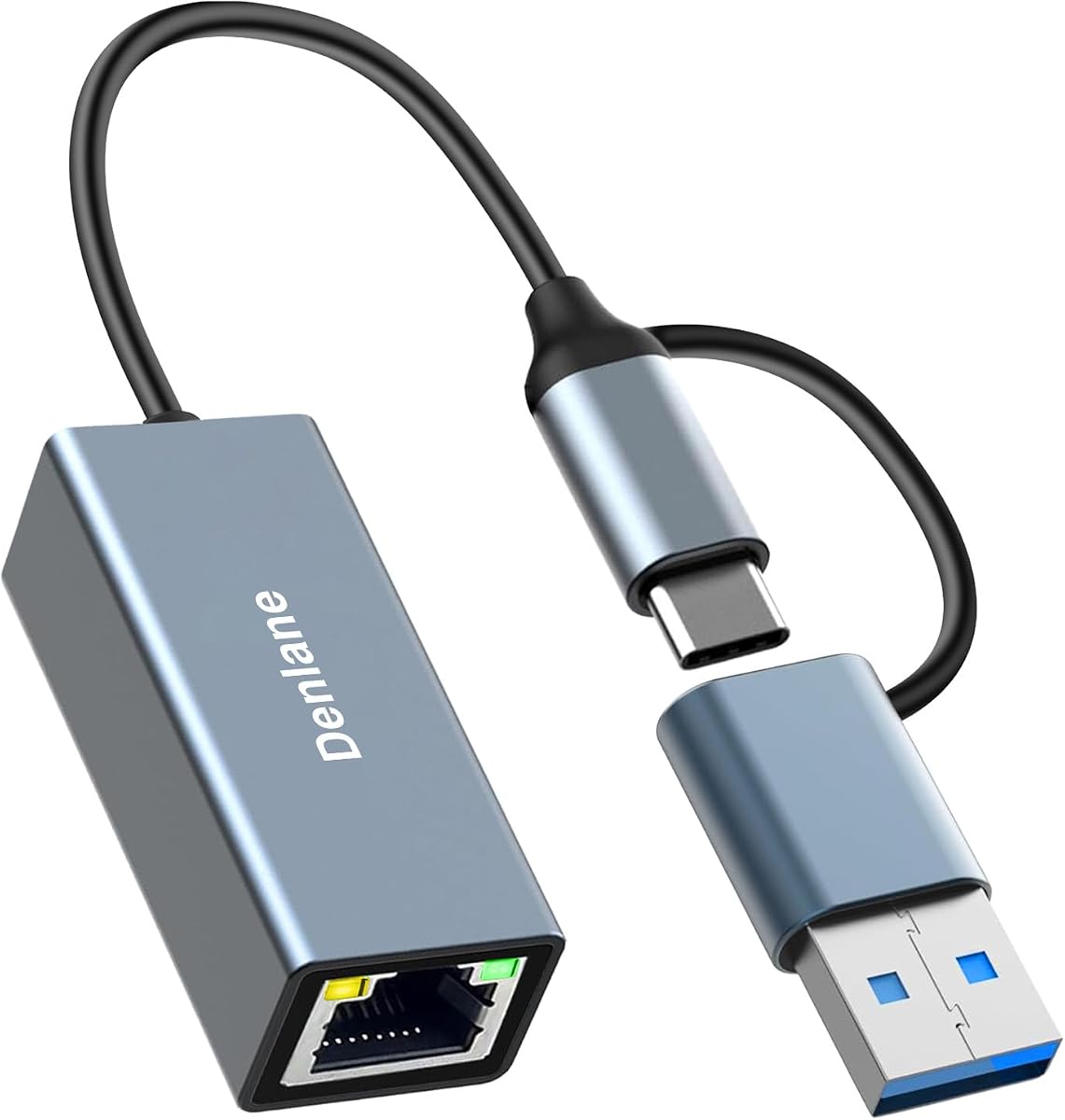
This unique adapter features two connectors allowing you to use either USB-A or USB-C ports for connectivity. It holds a 4.0 rating reflecting its versatility despite some build quality variance.
We may earn a commission when you buy through this link, at no additional cost to you.
The dual-interface design meets various scenarios where ports may differ across devices. The flexible cable can be adjusted at any angle to avoid strain during use. It supports stable 1000Mbps speeds for gaming and streaming.
The connector head is somewhat bulky which might block adjacent ports on smaller devices. Some users report mixed experiences with long-term durability compared to single-connector models.
We recommend this for users with older devices that still rely on USB-A ports but want to upgrade to modern standards. It provides flexibility without needing multiple adapters.
Features both USB-A and USB-C ends to ensure compatibility with a wider range of legacy and modern devices.
The soft flexible cable allows you to position the connector optimally to prevent wear.
We may earn a commission when you buy through this link, at no additional cost to you.
This adapter features a unique RJ45 male plug design that connects directly to your USB-C port using a separate data cable. It boasts a 4.7 rating for its clever space-saving design and reliable performance.
We may earn a commission when you buy through this link, at no additional cost to you.
By using a standard USB-C to C cable you avoid carrying a bulky Ethernet cable. The adapter itself is tiny and fits easily in a pocket. It supports 1000Mbps speeds when used with appropriate cables.
You must already own a compatible data cable to utilize this adapter fully. If your cable is short the connection might be unstable depending on your setup.
It is ideal for travelers who already carry USB-C cables but want to avoid adding a dedicated Ethernet cable to their kit. The aluminum shell keeps it cool during heavy use.
The male plug design eliminates the need for a dedicated dongle cable saving space in your bag.
Built-in overcurrent and overvoltage protection safeguards your phone or laptop from electrical surges.
We may earn a commission when you buy through this link, at no additional cost to you.
This adapter unlocks 2.5Gb speeds for devices ready to outperform standard Gigabit limits. It maintains a 4.6 rating due to its solid construction and efficient power usage.
We may earn a commission when you buy through this link, at no additional cost to you.
It uses the updated RTL8156BG chip which ensures low heat dissipation during high-speed transfers. The aluminum housing provides a premium feel and aids cooling. It is ideal for NAS systems or high-speed home networks.
To achieve 2.5Gb speeds your router must also support 2.5Gb capabilities. Otherwise it will default to standard Gigabit speeds which limits the value proposition slightly.
We recommend this for tech enthusiasts or professionals upgrading their home office network. It offers longevity as internet speeds continue to increase in 2026 and beyond.
Supports 2.5Gb Ethernet to prepare your devices for upcoming faster network upgrades.
Advanced chipset management ensures the adapter stays cool even during sustained high data loads.
We may earn a commission when you buy through this link, at no additional cost to you.
Selecting the right Ethernet adapter involves considering speed, compatibility, and build quality. This section outlines key factors to help you make an informed decision.
Gigabit (1Gbps) adapters are standard for most home internet plans. If you have high-speed fiber or need faster file transfers, consider 2.5Gb or 5Gbps options.
Prioritize adapters that support at least 1Gbps to future-proof your device. Check if your router supports higher speeds to avoid bottlenecks.
Most modern Android phones use USB-C so ensure the adapter matches your port. Older devices may still use Micro USB which requires a different adapter type.
Double-check your phone's port type before purchasing. Using the wrong connector type will prevent the adapter from functioning correctly.
Aluminum casings offer better heat dissipation and durability compared to plastic. Braided nylon cables are more resistant to tangling and fraying.
Look for reinforced connectors to prevent damage from frequent plugging. High-quality materials extend the lifespan of the adapter significantly.
Plug and Play adapters work instantly on Android without software installation. Some Linux or older systems may require specific drivers.
Choose a driver-free model for hassle-free setup. Verify compatibility with your specific Android version before buying.
Some adapters offer pass-through charging or multiple ports for expanded connectivity. LED indicators help visualize network status at a glance.
Consider your specific needs like charging while wired. Extra features add value but may increase price and bulk.
Ensure the adapter supports your phone model and Android version. Broad compatibility lists indicate wider testing and reliability.
Check user reviews for mentions of your specific device. Manufacturer compatibility lists should include major brands like Samsung or Google.
Reliable brands offer warranties ranging from 12 to 18 months. Access to responsive customer service ensures quick resolution of issues.
Always purchase from vendors with clear return policies. A solid warranty protects your investment against manufacturing defects.
Plug the adapter directly into your Android device's USB-C or Micro USB port. Connect one end of an Ethernet cable to the adapter and the other to your router.
Your device should automatically detect the wired connection. Navigate to network settings to confirm the status and disable Wi-Fi if you prefer the wired link.
Store the adapter in a protective case to prevent port damage. Avoid excessive bending of the cable and disconnect carefully to maintain longevity.
Most modern Android phones support USB-C Ethernet adapters via OTG functionality. However, some budget models may lack this support. Check your device settings for a USB OTG option before purchasing.
Ensure the adapter is fully plugged in and the cable is undamaged. Try a different Ethernet cable or router port. Rebooting your phone can also resolve temporary connection glitches.
Standard adapters do not pass through power. However, models with a charging port allow you to charge while connected to the wired network.
Adapters draw minimal power from the USB-C port. The impact on battery life is negligible during normal use, though heavy data transfers may consume slightly more power.
For 1Gbps speeds, use CAT5e or CAT6 cables. To achieve 2.5Gbps or higher speeds, ensure your cables are rated for those bandwidths and your router supports them.
Yes, these adapters provide a secure and stable connection ideal for corporate networks. They do not add security vulnerabilities as they function as standard physical interfaces.
The UGREEN USB C to Ethernet Adapter remains the top choice for its perfect balance of speed and reliability. The BENFEI adapter offers exceptional value for budget-conscious buyers.
Consider your specific needs regarding speed and charging requirements. Future-proofing with 2.5G or 5Gbps adapters might be worth the extra cost for power users.
Prices fluctuate frequently so check the links provided for the latest deals. Investing in a high-quality adapter ensures you never miss a critical connection again.