
Alienware 34 Curved Gaming Monitor – AW3425DWM
4.6Editor score
WQHD resolution 180Hz
1500R curve immersion
AMD FreeSync Premium
Finding the right display for your setup requires careful consideration of resolution, refresh rate, and panel technology. Alienware Curved Gaming Monitor options stand out for their immersive design and high performance capabilities.
We evaluated ten top models based on real-world specifications, user feedback, and professional reviews. Our analysis covers everything from OLED clarity to LCD brightness and connectivity options.
Each pick highlights key strengths like color accuracy, response times, and ergonomic features. Note that pricing fluctuates frequently so check current listings before purchasing your next screen.
4.6Editor score

4.5Editor score

4.3Editor score
As an Amazon Associate we earn from qualifying purchases.
This table provides a side-by-side view of all ten models we reviewed. Compare specs like resolution, refresh rate, and panel type to find the right fit for your needs.





The Alienware AW3425DWM stands as a top choice for gamers seeking quality without premium pricing. With a 4.6 rating this model delivers WQHD resolution and an 180Hz refresh rate ideal for immersive gameplay.
We may earn a commission when you buy through this link, at no additional cost to you.
Its 1500R curve wraps around your field of view enhancing depth perception during open world exploration. The 95% DCI-P3 coverage ensures colors remain vivid and accurate across diverse game genres.
While it lacks the infinite contrast of OLED the DisplayHDR 400 certification still provides strong highlights. The hardware low blue light feature supports long sessions reducing fatigue effectively.
This monitor fits well for casual and competitive gamers needing reliable performance. Prioritize this pick if you value balanced features and ergonomic comfort over extreme brightness.
WQHD resolution brings out fine textures and expansive landscapes clearly. The 1500R curve naturally guides your focus to the center reducing neck strain.
With 180Hz refresh and 1ms response time motion appears fluid. AMD FreeSync Premium minimizes tearing keeping gameplay consistent during fast action.
We may earn a commission when you buy through this link, at no additional cost to you.
The AW3425DW earns its Editor's Choice badge with elite specs for competitive play. Rated 4.5 stars it combines a 240Hz refresh rate with QD-OLED technology for stunning visuals.
We may earn a commission when you buy through this link, at no additional cost to you.
Its 1800R curve and 0.03ms response time deliver unmatched smoothness. QD-OLED brings 99.3% DCI-P3 coverage and TrueBlack 400 HDR ensuring deep blacks and bright highlights.
The adaptive sync support makes gaming silky smooth without tearing. While OLED panels carry burn-in risks modern mitigation features reduce this concern significantly for typical users.
Choose this if you demand top-tier speed and color fidelity. It suits hardcore gamers and creators who need the best possible display performance available.
Quantum Dot OLED expands color volume and contrast. You get near-perfect blacks and vibrant hues that make games look lifelike.
At 240Hz and near-instant response this monitor crushes lag. Competitive shooters feel incredibly responsive giving you an edge.
We may earn a commission when you buy through this link, at no additional cost to you.
The AW3423DW is legendary for its Quantum Dot OLED performance. With a 4.3 rating it offers 175Hz refresh and G-SYNC Ultimate certification ensuring tear-free visuals.
We may earn a commission when you buy through this link, at no additional cost to you.
Its 1800R curve and 0.1ms response time provide seamless gameplay. Creator Mode allows precise color tuning between DCI-P3 and sRGB for professional work.
Design elements like customizable AlienFX lighting add flair to any setup. The ventilation system helps manage heat during extended gaming sessions effectively.
Ideal for enthusiasts prioritizing contrast and speed. This model delivers a premium experience that balances gaming and content creation needs well.
OLED technology provides perfect blacks for true depth. This makes dark scenes in games and movies look incredibly realistic.
Switching color spaces helps content creators stay accurate. Gamma adjustment options further refine output for specific workflows.
We may earn a commission when you buy through this link, at no additional cost to you.
The AW3420DW offers dependable IPS performance for steady gameplay. With a 4.6 rating it delivers 120Hz refresh and G-Sync compatibility for smooth visuals without artifacts.
We may earn a commission when you buy through this link, at no additional cost to you.
Its 1900R curve and anti-glare screen reduce reflections and strain. IPS Nano color technology ensures 98% DCI-P3 coverage for accurate and vibrant hues.
While 120Hz isn't the fastest it remains fluid for most genres. The adjustable stand and ventilation help maintain comfort during long use.
Great for users preferring reliability over cutting-edge tech. Choose this if you need stable color performance and good ergonomics.
IPS panels maintain consistent colors from any angle. This is crucial for creative tasks and immersive gaming alike.
The coating minimizes glare from ambient lighting. This keeps your focus on the screen during the day.
We may earn a commission when you buy through this link, at no additional cost to you.
This bundle pairs the AW3423DW monitor with premium accessories. While rated N/A it includes DisplayPort and HDMI cables plus a cleaning kit for immediate setup.
We may earn a commission when you buy through this link, at no additional cost to you.
The monitor itself features 175Hz refresh and OLED contrast. Creator Mode and ComfortView Plus support both professional work and eye safety.
Bundling adds value by simplifying connectivity and maintenance. It ensures you have everything needed without searching for third-party parts.
Select this if you want an all-in-one solution. It saves time and ensures cable quality matches the monitor's high standards.
Cables and cleaning kit are essential extras. Having them included avoids compatibility issues and extra shipping.
Blue light reduction preserves color accuracy well. This helps during extended editing or gaming sessions.
We may earn a commission when you buy through this link, at no additional cost to you.
This variant emphasizes connectivity with a headphone extender and cleaning kit. Rated 3.0 it reflects mixed experiences but maintains strong OLED visual performance.
We may earn a commission when you buy through this link, at no additional cost to you.
The 175Hz refresh rate ensures fluid motion during action. Adjustable ergonomics and tilt help customize viewing comfort effectively.
Bundled items cater to users wanting a full audio visual setup. However lower ratings suggest checking recent reviews before purchasing.
Best for those needing extra ports immediately. Consider individual component purchase if you already have required accessories.
Extra ports enable easier device chaining. This is useful for streaming gear or audio interfaces.
Deep blacks and vibrant colors define this panel. The HDR contrast makes cinematic content stand out.
We may earn a commission when you buy through this link, at no additional cost to you.
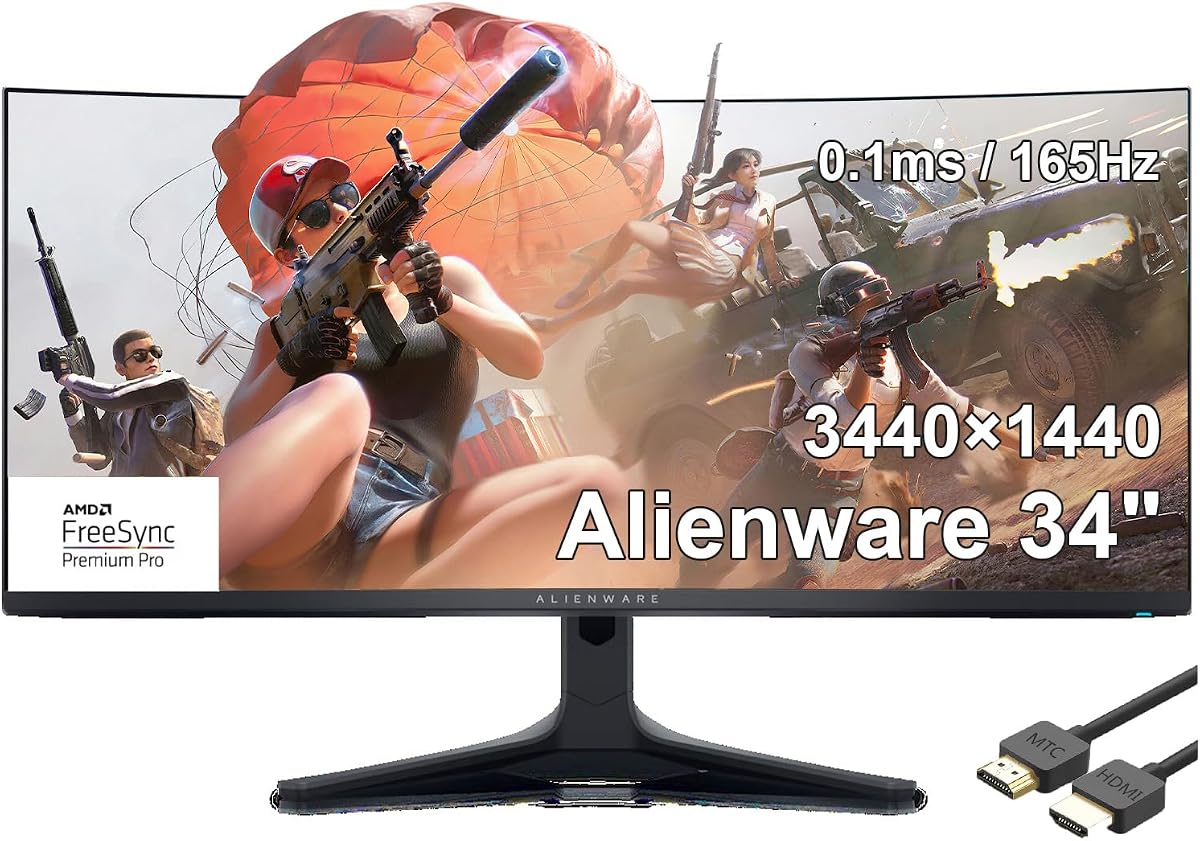
The AW3423DWF focuses on AMD compatibility with FreeSync Premium Pro. Rated 1.0 it shows significant user concerns despite strong visual specs.
We may earn a commission when you buy through this link, at no additional cost to you.
Its 165Hz refresh and 0.1ms response support rapid motion. QD-OLED delivers rich color depth for a cinematic experience.
Included cables reduce setup friction but quality issues may exist. Check current stock and reviews for recent improvements.
Consider only if AMD sync is critical. Otherwise explore higher rated models for more confidence.
This sync technology prevents tearing on AMD GPUs. It ensures fluid visuals without extra software.
Quantum Dot OLED expands color range efficiently. You get accurate hues with deep blacks.
We may earn a commission when you buy through this link, at no additional cost to you.
The AW3225Qf brings 4K resolution to a 32 inch OLED screen. Rated 4.3 it offers sharp pixels and rich color depth for content.
We may earn a commission when you buy through this link, at no additional cost to you.
Its QD-OLED tech ensures precise blacks and highlights. The black white design blends with modern interiors seamlessly.
While details are limited 4K is great for design and gaming. Verify refresh rates to ensure it fits your needs.
Ideal for creators prioritizing pixel density. Confirm specs before buying for gaming performance.
More pixels mean sharper edges and details. This improves readability and visual clarity.
Clean black white styling looks professional. It complements minimalist desk setups perfectly.
We may earn a commission when you buy through this link, at no additional cost to you.
This bundle features the 27 inch AW2723DF with blazing 280Hz speed. Rated 5.0 it is perfect for competitive gamers needing response.
We may earn a commission when you buy through this link, at no additional cost to you.
AlienVision overlays and USB hub add practicality. The flat IPS panel delivers accurate colors without curvature.
Perfect for shooters where reaction time matters. Bundled cables simplify setup immediately.
Best for esports enthusiasts. Curved fans may prefer wider options.
This refresh rate gives ultra-smooth visuals. It minimizes motion blur in fast shooters.
Front USB ports ease device connection. It keeps cables organized and accessible.
We may earn a commission when you buy through this link, at no additional cost to you.
The Samsung 40 Odyssey G7 offers a massive curved 4K screen. Rated 4.5 it wraps your vision with 1000R curvature.
We may earn a commission when you buy through this link, at no additional cost to you.
180Hz refresh and HDR600 ensure smooth and bright visuals. It provides immersion unmatched by smaller models.
Ideal for media and simulation. Verify desk space before purchase.
Best for expansive setups. Smaller desks need compact models.
This curve matches your eye's natural arc. It feels more immersive and reduces edge distortion.
High resolution adds sharpness to large screens. Details remain crisp even at close distance.
We may earn a commission when you buy through this link, at no additional cost to you.
Choosing the right curved monitor depends on balancing performance, size, and budget. Use this guide to match features to your gaming needs.
Resolution determines how detailed your gameplay appears. WQHD models like 3440×1440 offer sharp textures while 4K delivers finer detail for creative work.
Prioritize WQHD for smoother frame rates and 4K for media tasks.
Refresh rate controls how many images the screen displays per second. Rates like 175Hz or 240Hz are essential for competitive shooters requiring fast reaction.
Choose higher refresh rates for action games and lower ones for casual play.
OLED panels provide infinite contrast and deep blacks. IPS panels offer consistent color and brightness suitable for varied lighting.
Select OLED for immersion or IPS for stability in bright rooms.
Curve strength affects immersion. Ranges from 1500R to 1000R wrap your view to focus attention and reduce eye movement.
Deeper curves like 1000R suit large screens while 1500R work well for standard setups.
Sync tech like FreeSync or G-Sync prevents image tearing. Ensure your GPU matches the monitor to sync technology for best results.
G-Sync offers premium stability while FreeSync Pro balances cost and quality.
HDR expands brightness and contrast. Certifications like HDR400 or TrueBlack ensure visuals stay vivid during dark scenes.
Prioritize HDR support for cinematic single-player games.
Adjustable stands help align the screen with your eye level. Look for tilt and swivel options to maintain comfort during long sessions.
Good ergonomics prevent fatigue and improve overall experience.
Ports like HDMI and DisplayPort determine connection options. Ensure the monitor supports your GPU's output and resolution requirements.
Check for USB hubs if you need peripheral connectivity directly.
Place your monitor on a stable surface at eye level. Adjust the stand to minimize glare and strain on your eyes during use.
Clean the screen with a soft microfiber cloth only. Avoid harsh chemicals that could damage the OLED or IPS panel coating.
Use built-in blue light modes for night sessions. Update firmware via the OSD to maintain peak performance and features.
For competitive gaming, a refresh rate of 175Hz or higher is ideal. Models like the AW3425DW support 240Hz for ultra-smooth motion. Ensure your GPU can keep up to fully utilize these speeds.
OLEDs have some burn-in risk but modern features reduce it. Techniques like pixel shifting and screen savers protect the panel. Avoid static images for extended periods to stay safe.
Curvature improves immersion by matching your eye's field of view. Tighter curves like 1000R wrap around you more. They reduce eye strain and help track action across the screen.
Curved monitors offer better immersion for widescreen formats. Flat panels are often more accurate for professional design. Choose based on your preference for engagement versus uniformity.
Most require DisplayPort or HDMI 2.1 cables. Bundled kits often include premium cables. Check your GPU port to ensure compatibility with the monitor's inputs.
Use built-in Creator Mode to switch color spaces like sRGB. Tools like DisplayHDR help ensure consistency. Regular calibration keeps visuals true to source files.
Yes, most support 100x100mm VESA mounting. This allows flexible positioning on arms or stands. Verify the model before purchasing a mount to ensure compatibility.
ComfortView Plus reduces blue light emission to protect eyes. It does so without altering color accuracy. This feature helps during extended gaming or work sessions.
The AW3425DWM, AW3425DW, and AW3423DW lead this list for performance and value. Each offers unique strengths from budget-friendly WQHD to premium OLED clarity.
Prioritize refresh rates and panel types that match your play style. Competitive gamers need speed while creators need accurate color reproduction and HDR support.
Prices vary widely so compare current listings before finalizing. Always check the latest specs and user feedback for the best deals available today.