
Lenovo V15 Business Laptop
4.3Editor score
Intel N100 Processor
4GB LPDDR5 RAM
128GB UFS Storage
Lightweight Design
Discover the 10 Best Lenovo Laptop for Home Use models ranked by performance, display quality, and value for students and remote workers in October 2026.
Choosing the right laptop for home use requires balancing performance, portability, and price. Lenovo offers a wide range of options suitable for students, remote workers, and families needing reliable computing for daily tasks.
We compared ten real Lenovo laptops based on processor power, memory, storage, display quality, and connectivity. Each model was evaluated for its ability to handle web browsing, document editing, streaming, and light multitasking efficiently.
This guide shows detailed specs, pros, cons, and expert recommendations for each pick. Prices and availability change frequently so verify current deals before purchasing to ensure you get the best value for your specific needs.
4.3Editor score

4.6Editor score

5.0Editor score
This table provides a side-by-side comparison of all ten Lenovo laptops reviewed in this guide. Look at key specifications like processor type, memory, storage capacity, and display size to find the model that best fits your home computing needs.


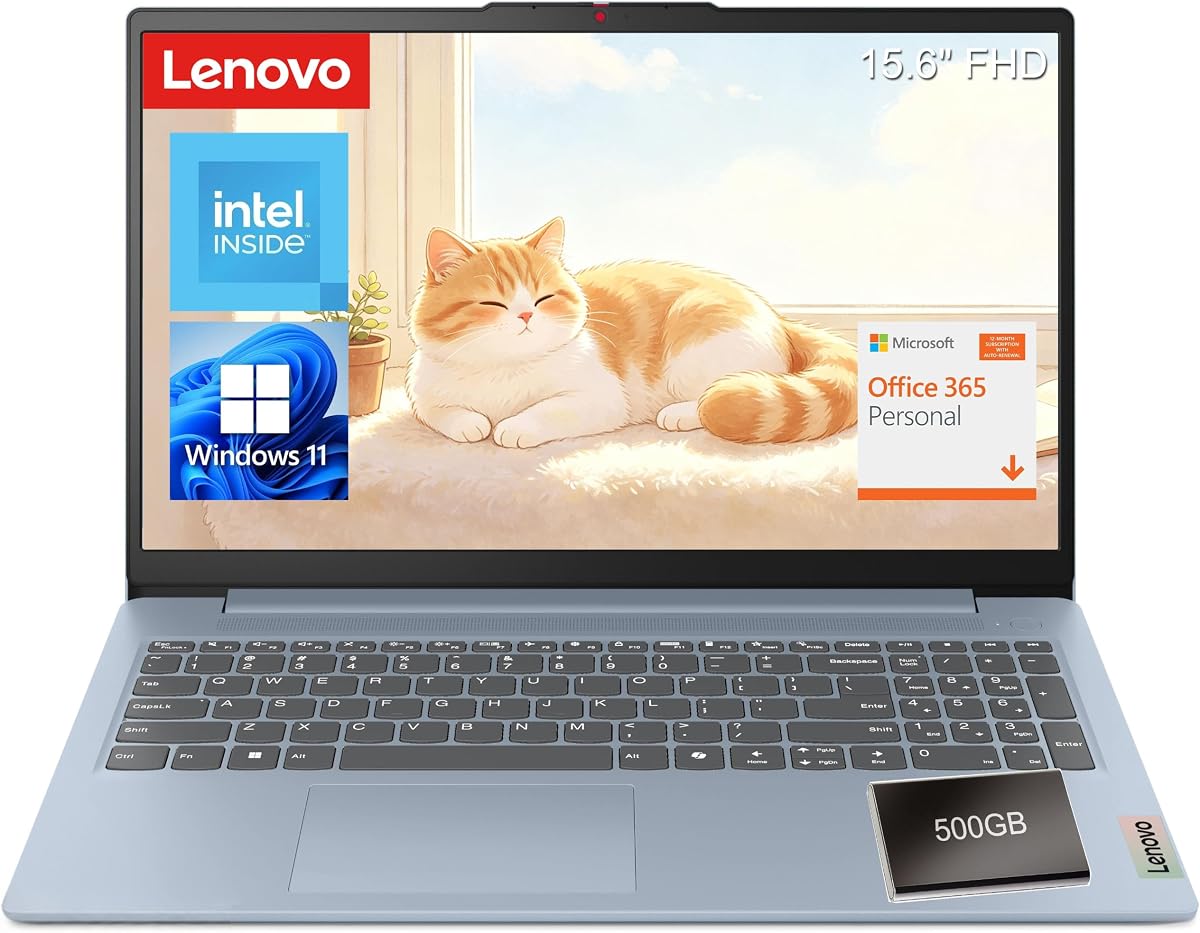


The Lenovo Business 15.6 FHD Laptop earns our Editor's Choice for its balance of performance and value. It offers a capable Intel N150 processor, 8GB of DDR5 RAM, and a 15.6 inch Full HD display making it suitable for most home tasks.
We may earn a commission when you buy through this link, at no additional cost to you.
Its standout quality is the included one-year Microsoft 365 Personal subscription which saves money on software costs immediately. The 8GB DDR5 RAM ensures smooth multitasking for web browsing and document editing while the 128GB UFS storage provides fast boot times.
Trade-offs include the 128GB storage which may fill quickly with large media files and the TN panel which has limited color accuracy compared to IPS screens. These are acceptable for budget focused buyers who prioritize speed and software value over creative work.
Home users needing a reliable machine for school or remote work should buy this model. Its MIL-STD durability and comprehensive port selection make it a versatile choice for daily computing needs in any household.
The bundled Microsoft 365 gives instant access to Word Excel and OneDrive cloud storage right out of the box.
DDR5 RAM offers faster data processing than older DDR4 options improving overall system responsiveness for multitasking.
We may earn a commission when you buy through this link, at no additional cost to you.
This model is an excellent alternative to the top pick with nearly identical specs and a sleek Arctic Grey finish. It delivers reliable performance for everyday computing and comes with Windows 11 Home pre-installed for a modern user experience.
We may earn a commission when you buy through this link, at no additional cost to you.
Its key strength is the consistent performance from the Intel N150 chip paired with 8GB DDR5 RAM. This combination handles multiple browser tabs and office apps efficiently. The privacy shutter on the HD webcam adds an extra layer of security for home users.
The main limitations are the 128GB storage and the TN display panel which may not appeal to creative users. However for general productivity and streaming these trade-offs are minor given the competitive price point and build quality.
Buy this if you want a stylish reliable laptop for home office tasks without breaking the bank. It is particularly well suited for students or professionals who need portability and solid connectivity options.
The Arctic Grey finish and PC ABS construction offer a professional look and feel that resists daily wear.
A physical privacy shutter on the camera ensures your privacy is protected when video calls are not active.
We may earn a commission when you buy through this link, at no additional cost to you.
This 2026 edition stands out because it includes a 500GB portable external hard drive which solves the storage limitation of the internal 128GB drive. It offers the same solid performance as other models in this price range.
We may earn a commission when you buy through this link, at no additional cost to you.
The bundled external drive is the biggest benefit providing immediate expansion for photos videos and documents without extra cost. The Dolby Audio enhanced speakers also deliver rich sound for entertainment making it a well rounded home laptop.
While the internal storage is small the external drive compensates well. The only drawback is carrying the extra drive for travel but for home use it is a valuable addition that many competitors do not offer.
Home users who need extra storage space should buy this bundle. It removes the immediate need to purchase additional storage hardware making it a convenient plug and play solution.
The 500GB external hard drive allows you to backup files and store media effortlessly.
Dolby Audio technology enhances stereo speakers for clearer sound during movies and video calls.
We may earn a commission when you buy through this link, at no additional cost to you.
This model focuses on reliability and includes the valuable Microsoft Office 365 Personal subscription. It provides all the essentials for home users including web browsing media streaming and document creation with ease.
We may earn a commission when you buy through this link, at no additional cost to you.
The inclusion of Office 365 is a major plus for students and families needing Word Excel and Outlook. The Precision TouchPad offers accurate navigation while the Low Blue Light software helps reduce eye strain during long sessions.
Trade-offs involve the small 128GB internal storage and lack of backlight on the keyboard. However these are common in budget laptops and do not significantly hinder basic daily tasks like checking email or streaming videos.
If you need a no fuss laptop with essential software included this is a great choice. It is ideal for users who want a streamlined setup without worrying about installing software separately.
The complimentary 1-Year Office 365 subscription saves money on essential productivity tools immediately.
TÜV Rheinland Low Blue Light certification ensures the display reduces harmful light for better comfort.
We may earn a commission when you buy through this link, at no additional cost to you.
This is our pick for the best budget laptop offering essential features at a very competitive price. It is powered by an Intel N100 processor and weighs just 3.42 lbs making it easy to carry around the house.
We may earn a commission when you buy through this link, at no additional cost to you.
Its strength lies in affordability and portability. Despite the lower RAM it handles basic tasks like web browsing and document editing smoothly. The MIL-STD durability testing ensures it can withstand everyday wear and tear better than many plastic laptops.
The 4GB RAM and Windows 11 S mode are limitations for heavy multitasking but can be managed for light users. If you stay within the store apps and avoid too many open tabs performance remains acceptable for daily use.
Buy this if you need a cheap reliable laptop for basic tasks or as a secondary home machine. It is perfect for kids school work or checking emails without spending too much money.
The N100 processor delivers efficient performance for essential tasks without draining the battery quickly.
Passed MIL-STD-810H military-grade testing to ensure reliability in various conditions.
We may earn a commission when you buy through this link, at no additional cost to you.
This laptop adds a unique AI Copilot hotkey for quick access to productivity tools which sets it apart from standard models. It shares the same robust hardware as other business class Lenovo laptops in this list.
We may earn a commission when you buy through this link, at no additional cost to you.
The AI Copilot feature is a standout for those interested in using modern productivity aids. The 8GB DDR5 RAM and efficient processor ensure smooth performance for typical home tasks without lag during multitasking sessions.
Storage remains a constraint at 128GB and the screen is a standard TN panel. These are expected trade-offs at this price point but do not hinder the device's ability to handle daily work or entertainment tasks.
Choose this if you want an AI enabled laptop for efficient home computing. It is a reliable choice for users who appreciate convenient access to software shortcuts and a durable build.
Dedicated AI Copilot hotkey allows instant access to advanced productivity tools and assistance.
Energy efficient architecture helps extend battery life for all-day use without frequent charging.
We may earn a commission when you buy through this link, at no additional cost to you.
This 2026 edition stands out for its 256GB SSD which is double the storage of many competitors. It also includes a Gigabit Ethernet port which is rare in modern laptops but useful for stable home office connections.
We may earn a commission when you buy through this link, at no additional cost to you.
The larger SSD means more room for applications and files without needing external drives immediately. The Ethernet port ensures a reliable network connection for video conferencing which is critical for remote work scenarios.
The trade-off is the N100 processor which is slightly less powerful than the N150 models but still sufficient for most tasks. The weight is also a bit higher making it less ideal for frequent travel but great for a home desk.
If you need more storage and a wired network connection this is the best choice. It is ideal for users who prefer stability and extra space for files over maximum portability.
256GB PCIe 4.0 SSD provides lightning fast boot times and ample room for files.
Gigabit Ethernet port ensures stable internet speeds for video calls and large downloads.
We may earn a commission when you buy through this link, at no additional cost to you.
This Everyday Laptop is designed for simple tasks at a low price point. It features a sleek Arctic Grey finish and comes with Windows 11 Home pre-installed making it ready to use right out of the box.
We may earn a commission when you buy through this link, at no additional cost to you.
Its main strength is the simplicity and ease of setup. The Wi-Fi 6 connectivity ensures modern network speeds while the SD card reader allows for quick file transfers from cameras which is handy for home users.
The 4GB RAM and 128GB storage are limitations for heavy multitasking or large media libraries. However for casual browsing and document work these specs are manageable and keep the price low.
Buy this if you want a no frills device for basic home tasks. It is perfect for students or anyone needing a secondary computer for light use without spending much money.
Includes SD card reader for easy photo transfers from digital cameras or mobile devices.
Slim Arctic Grey finish with lightweight design makes it easy to move around the house.
We may earn a commission when you buy through this link, at no additional cost to you.
This IdeaPad model is known for its slim profile and responsive Windows 11 experience. It offers 8GB of RAM and an N150 processor which provides a good balance for general home use and school work.
We may earn a commission when you buy through this link, at no additional cost to you.
The included Microsoft 365 subscription adds value immediately by providing access to Office apps. The responsive OS ensures that everyday tasks like web browsing and video calls run smoothly without unnecessary lag.
Storage is limited to 128GB and the display is standard which may not suit creative professionals. However for general consumers this model offers a premium look and feel at an accessible price point.
If you value a slim portable design and ready-to-use software this is a strong choice. It is great for users who want a modern laptop that looks good on a home desk.
Slimmer design makes it easier to fit in small spaces or carry between rooms at home.
Pre-installed Windows 11 and Office apps ensure you can start working right away.
We may earn a commission when you buy through this link, at no additional cost to you.
This laptop is our Best Premium pick because it offers a complete bundle including an external CD/DVD drive and a 256GB SD card. It has the highest user rating of five stars indicating strong customer satisfaction.
We may earn a commission when you buy through this link, at no additional cost to you.
The included accessories make it ready for any task without needing extra purchases. Whether you need to install software from discs or store files on the SD card this bundle covers those needs effectively.
The price is higher than other models but the added value of the accessories justifies the cost. It is especially useful for those who still rely on optical media or need significant storage expansion.
Buy this if you want a comprehensive home laptop setup. It is ideal for families or professionals who need all the accessories included in one convenient purchase.
Includes wireless mouse SD card and external CD/DVD drive for total convenience.
Five star rating reflects high satisfaction from customers regarding value and functionality.
We may earn a commission when you buy through this link, at no additional cost to you.
Selecting the right Lenovo laptop involves considering key factors like processor speed memory storage and display quality. These elements determine how well the device handles your specific daily tasks.
The processor is the brain of the laptop and determines how fast it can run programs. Models like the Intel N150 or N100 are efficient for basic tasks like browsing and document editing. For smooth multitasking look for at least an N150 chip to avoid lag when switching apps.
Prioritize the N150 processor for better overall responsiveness in home computing tasks.
RAM allows your laptop to keep multiple programs open at once. 8GB is recommended for smooth multitasking with browser tabs and Office apps. 4GB may struggle if you run many programs simultaneously so aim for 8GB if your budget allows.
Always choose 8GB RAM for the best balance of speed and affordability.
Storage holds your files apps and the operating system. Many budget models have 128GB which can fill up quickly with photos and videos. Look for models with 256GB or those that include external drives to manage your files effectively.
Ensure you have enough storage for your media needs or plan to use cloud options.
A good display makes a big difference in comfort during long sessions. Full HD 1920×1080 resolution is standard and provides clear text. Anti-glare coatings help reduce eye strain in bright rooms while IPS panels offer better colors than TN panels.
Look for anti-glare screens to protect your eyes during extended use.
Modern laptops need fast and reliable internet. Wi-Fi 6 is the standard you should look for as it offers faster speeds and better range. Check for enough USB ports and an HDMI connection to connect peripherals and external monitors easily.
Confirm the laptop has Wi-Fi 6 and essential ports for your setup.
If you move around the house or travel often weight matters. Most models in this guide weigh around 3.42 lbs which is portable enough for daily transport. Thin designs also help with fitting the device into bags or backpacks.
Choose a lightweight model if you plan to carry the laptop regularly.
Some laptops come with Microsoft 365 subscriptions included which adds significant value. Others include external hard drives or SD cards that save you money on accessories. Always check what software and extras are bundled with the purchase.
Look for bundles that include software or storage to maximize value.
A laptop used at home should withstand daily use. Many Lenovo models are MIL-STD-810H tested meaning they can survive drops and bumps. This durability ensures the device lasts longer even in busy households with multiple users.
Prioritize models with military-grade testing for long-term reliability.
To get the best performance always keep your operating system and drivers up to date. Use the Windows update tool regularly to ensure you have the latest security patches and feature improvements for your Lenovo device.
Proper handling is crucial for longevity. Avoid placing the laptop on soft surfaces like beds where it can block air vents and cause overheating. Use a hard flat surface like a desk or a laptop stand to keep it cool during use.
Protect your privacy and hardware by using the built-in camera shutter when not video conferencing. Store the device in a protective bag when moving it around the house to prevent scratches and accidental drops.
Yes most models here are ideal for students. They offer enough RAM and processing power for research writing papers and attending online classes. The included Office 365 subscriptions are particularly beneficial for academic work.
Most of these models have soldered RAM which means it cannot be upgraded later. It is important to buy the model with enough RAM from the start to ensure long-term performance.
Yes all models come with Windows 11 Home pre-installed and activated. You do not need to buy a separate license to use the operating system legally on these devices.
For basic web browsing and document editing it is sufficient. However if you store many photos or videos you might run out of space quickly. Consider models with external drives or cloud storage.
Battery life varies by usage but generally these models offer several hours of continuous use on a single charge. For heavy video playback or multitasking expect less time so always keep the charger handy.
Yes all models include HDMI ports and USB-C ports that support external displays. You can connect a monitor for a larger workspace which is helpful for productivity and multitasking at home.
The Lenovo Business 15.6 FHD Laptop stands out as the overall best choice for its balance of performance and included software. It is followed closely by the 2026 Edition with its valuable external storage bundle.
When prioritizing consider your main use case. If storage is a concern the V15 G6 or the Bundle offer more space. If budget is the main factor the V15 Business provides the most affordable entry point.
Prices and availability change frequently so check current deals before buying. Always verify the specifications on the product page to ensure you get the exact configuration you need for your home.