
HP 14 inch Laptop
4.5Editor score
Intel N150 Processor
14 inch anti-glare display
Multiple connectivity ports
Finding the right device for virtual meetings is essential for modern professionals and students alike. A good laptop ensures clear audio and video making your online presence strong and reliable during every scheduled interaction.
We compared ten real products focusing on camera resolution microphone quality and overall processing power. This list covers budget-friendly options and mid-range machines designed to handle multiple tabs and video streams without lagging.
Each pick shows specific strengths like battery life portability or screen clarity tailored for video work. Please note that prices and availability change frequently so verify current details before making your final purchase decision.
4.5Editor score

5.0Editor score

5.0Editor score
As an Amazon Associate we earn from qualifying purchases.
This side-by-side comparison highlights the key specifications of each laptop and accessory to help you choose the right tool for your specific video conferencing needs and budget constraints.





The HP Everyday Slim Laptop stands out as the top choice for virtual meetings thanks to its focused design for clarity and portability. It holds a perfect 5.0 rating and delivers exactly what remote workers need without unnecessary bulk or cost.
We may earn a commission when you buy through this link, at no additional cost to you.
Its HP True Vision 720p HD camera features temporal noise reduction which keeps your image sharp even when lighting varies. Dual array microphones ensure your voice comes through clearly while filtering out background noise like typing or traffic.
While it has modest 4GB RAM and 128GB SSD storage, the Intel N150 processor handles typical video call tasks smoothly. You won't face lag during standard one-on-one calls or small group meetings which is what most users require daily.
This laptop is ideal for students or professionals who travel frequently and need reliable video performance. The combination of a strong camera system and light weight makes it the best overall pick for daily Zoom usage.
The temporal noise reduction technology significantly improves image quality during low light conditions common in home offices.
Dual array microphones work together to isolate your voice from background noise ensuring clear communication.
We may earn a commission when you buy through this link, at no additional cost to you.
This model offers excellent value for those needing a capable machine for video conferencing without breaking the bank. Its strong 4.5 rating reflects consistent performance for everyday tasks like online classes and remote work meetings.
We may earn a commission when you buy through this link, at no additional cost to you.
The 14 inch anti-glare display ensures your screen remains visible even in well-lit rooms which is crucial for seeing shared content during calls. With 1TB of cloud storage included you can access files without filling up the small internal drive.
Although local storage is limited to 128GB SSD the cloud integration helps offset this limitation for most users. The Intel N150 processor provides enough power for browser-based meetings and document work simultaneously without freezing.
It is the best budget choice for students or startups needing reliable access to video tools. While the webcam is standard the overall package delivers stability and features needed for effective virtual communication at a low cost.
Included 1TB cloud storage allows ample file access without stressing limited local disk space.
Multiple USB ports including Type-C allow easy connection to external peripherals like webcams or mice.
We may earn a commission when you buy through this link, at no additional cost to you.
The NIMO 15.6 laptop delivers premium performance with 16GB RAM and a large FHD screen perfect for multitasking during meetings. It boasts a 5.0 rating and supports up to 20 browser tabs alongside video calls without any lag or slowdown.
We may earn a commission when you buy through this link, at no additional cost to you.
The 15.6 inch screen offers sharp visuals making it easier to read documents while on a call. With up to 8.5 hours of battery life you can attend multiple meetings throughout the day without needing to hunt for an outlet.
While it costs more than basic models the extra memory and storage justify the expense for power users. The Intel N150 CPU handles heavy workloads efficiently and the fingerprint unlock adds a layer of security for sensitive data.
This is the best premium option for professionals who need reliable multitasking and screen real estate. The combination of hardware and longevity ensures it remains a useful tool for years of video conferencing and productivity.
Sixteen gigabytes of RAM enable seamless switching between video calls and heavy application usage.
The 1920×1080 resolution provides clear text and sharp images essential for detailed work during calls.
We may earn a commission when you buy through this link, at no additional cost to you.
Designed specifically for business environments this laptop includes essential tools like Office 365 and reliable connectivity for calls. It scores a solid 4.1 rating and provides the stability needed for daily corporate virtual interactions without excessive cost.
We may earn a commission when you buy through this link, at no additional cost to you.
The inclusion of one year of Microsoft Office 365 adds immediate value for professionals needing document tools. Multiple ports including USB-C and HDMI allow easy connection to docking stations or projectors during in-person hybrid meetings.
While the screen resolution is standard and storage is modest it handles video calls and email efficiently. The anti-glare coating ensures visibility in office environments and the SD card reader supports file transfers from other devices.
This model suits business users who prioritize software inclusion and connectivity over raw speed. It delivers a reliable experience for virtual teams and remote staff who need a consistent tool for communication tasks.
Pre-installed Office 365 ensures you can create and share documents immediately after setup.
Multiple USB ports and HDMI allow seamless integration with office peripherals and presentation gear.
We may earn a commission when you buy through this link, at no additional cost to you.
This model combines modern features like Copilot AI with practical tools for students who rely on video classes daily. It has a 3.3 rating but offers a unique mix of AI support and portability that appeals to younger users.
We may earn a commission when you buy through this link, at no additional cost to you.
The dedicated Copilot key on the keyboard provides quick access to AI tools that can help draft emails or summaries during study sessions. With 7.5 hours of battery life you can attend lectures and take notes without carrying a charger.
While user ratings are lower than other HP models the cloud storage integration helps manage files effectively. The lightweight chassis makes it easy to carry between classes and the design is visually appealing for personal use.
It is a strong candidate for students needing AI assistance and mobility. While performance may not match premium models it offers a balanced feature set for basic video conferencing and general study tasks.
The Copilot key provides instant access to AI features helping with productivity and content creation.
Up to 7.5 hours of wireless streaming ensures you stay connected throughout a full day of classes.
We may earn a commission when you buy through this link, at no additional cost to you.
Good lighting is often more important than the laptop itself for appearing professional on Zoom. This kit receives a 4.3 rating and provides even illumination that reduces shadows on your face during video meetings.
We may earn a commission when you buy through this link, at no additional cost to you.
With three color temperatures and five brightness levels you can match your room's ambient light to avoid looking washed out. The clip-on design attaches securely to your monitor screen and adjusts easily to direct light where needed.
It runs on USB power which means no extra outlets are required and it works with most monitors. The even ring design eliminates harsh shadows that often occur with standard room lighting improving your video clarity significantly.
This accessory is essential for anyone wanting to improve video quality without buying a new camera. It is a cost-effective upgrade that makes a noticeable difference in how you appear to clients and colleagues online.
Three color settings allow you to match your lighting to your environment for a natural look.
Simple clip design requires no tools and can be set up in seconds for immediate use.
We may earn a commission when you buy through this link, at no additional cost to you.
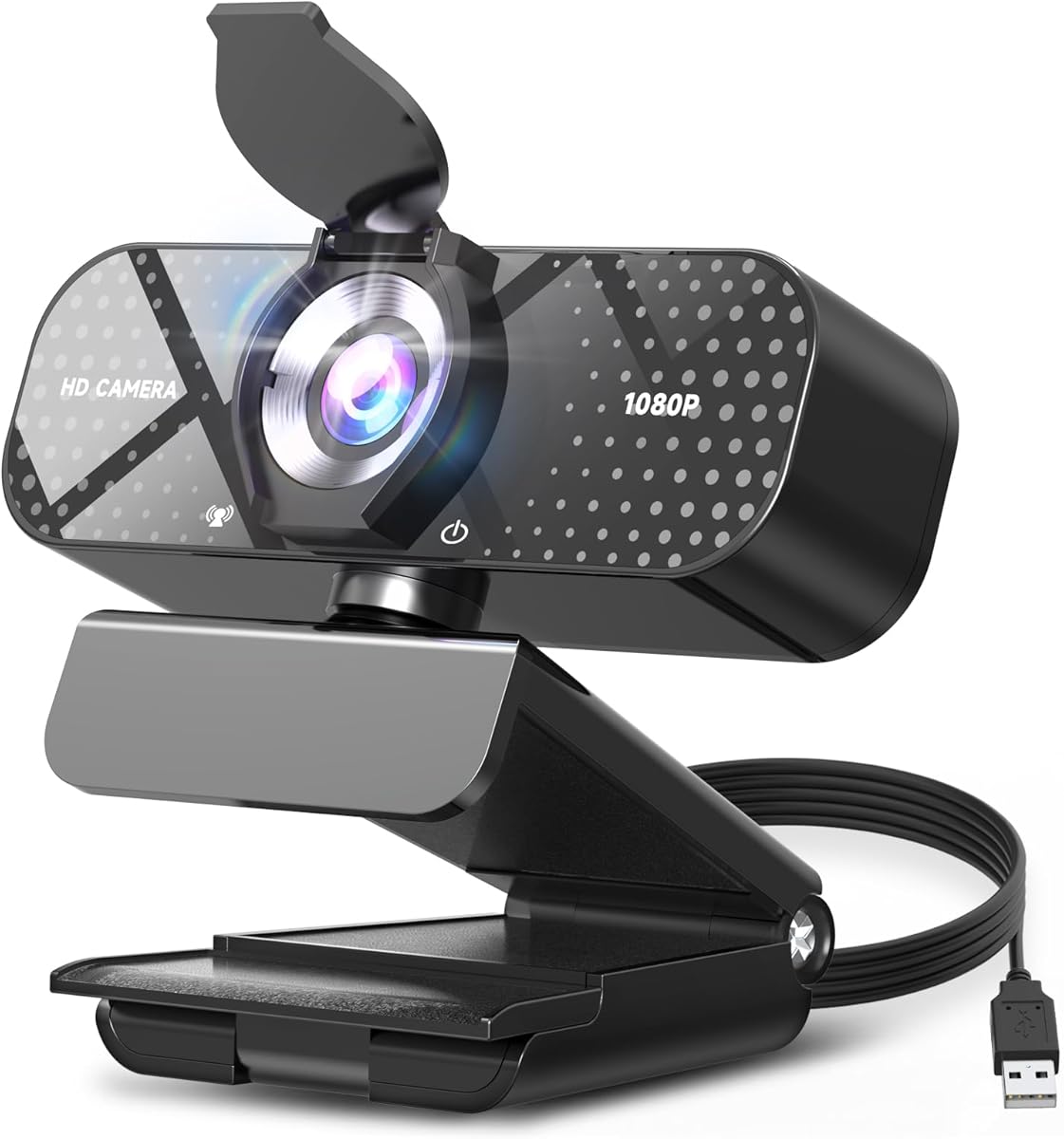
If your laptop camera is lacking this external webcam provides a significant upgrade in clarity and audio quality. It holds a 4.6 rating and offers 1080p video with an auto light correction feature that adapts to dark rooms automatically.
We may earn a commission when you buy through this link, at no additional cost to you.
The built-in noise-canceling microphone ensures your voice is crisp even if the room has background noise. A wide angle lens captures more of your surroundings which is useful for group calls or showing physical items during a meeting.
Privacy is addressed with a slide cover that blocks the lens when the camera is not in use. The plug and play setup means no drivers are needed and it works instantly with any laptop via a standard USB connection.
This is the best choice for improving video quality on older laptops with weak cameras. It offers professional-grade features at a low cost and is a reliable addition to any remote work setup.
Dynamically adjusts brightness and color to maintain high visual quality in any lighting condition.
Included shield cover allows you to block the lens when not in use for peace of mind.
We may earn a commission when you buy through this link, at no additional cost to you.
This desk ring light offers a different approach to video lighting by sitting on your desk instead of clipping to the monitor. It has a 4.4 rating and uses edge-lit technology to create soft illumination that reduces eye strain during long calls.
We may earn a commission when you buy through this link, at no additional cost to you.
The high CRI rating of 97.8 ensures colors appear true to life which is helpful for tasks like makeup or product showcases. You can adjust the height and rotate the head to find the perfect angle for your setup and comfort.
It is sturdy with a metal base that prevents slipping and protects your desk surface from scratches. The 360 degree rotation allows you to direct light exactly where you need it whether on your face or your workspace.
This option is best for those who want a dedicated lighting solution that doubles as a reading lamp. It provides professional quality light that improves your video presence while adding a functional lamp to your desk.
High CRI ensures accurate color reproduction making you and your surroundings look natural on video.
Adjustable height and rotation allow you to position the light perfectly for any seating arrangement.
We may earn a commission when you buy through this link, at no additional cost to you.
This lighting option focuses on brightness and color accuracy to ensure you look your best on video. It holds a 4.4 rating and offers a high CRI for accurate color reproduction which is useful for content creators.
We may earn a commission when you buy through this link, at no additional cost to you.
The curved design helps avoid glare and protects your eyes compared to flat lampshades. With ten levels of dimming you can fine-tune the brightness to match any environment ensuring a professional look every time.
It includes a mix of warm cool and natural light modes that can be cycled easily through a switch. The clip-on mechanism keeps it stable on most monitors and it remains lightweight enough to move around as needed.
This is a great choice for streamers or professionals needing flexible lighting without a bulky footprint. It balances affordability with performance and provides the tools needed for clear and inviting video presence.
The curved shade reduces glare and directs light evenly to protect eyes during long sessions.
Ten brightness levels allow precise adjustment to suit any room lighting condition perfectly.
We may earn a commission when you buy through this link, at no additional cost to you.
This dual-lamp system offers more light than single bar options making it ideal for larger spaces or professional podcasts. It has a 4.2 rating and includes two control modes remote and touch for convenient adjustments during calls.
We may earn a commission when you buy through this link, at no additional cost to you.
The dual bars provide a wider lighting area and even distribution that minimizes shadows effectively. You can rotate both lights to find the perfect angle and adjust them vertically or horizontally to fit your monitor or desk.
Remote control functionality saves you from reaching for the light mid-meeting to change brightness or color. The two modes allow you to switch between settings quickly ensuring your video remains polished throughout the session.
It is the best choice for those needing strong and flexible lighting without buying a large studio setup. The added brightness and control make a noticeable difference in video quality for streaming and professional conferencing.
Two light bars provide brighter and more even illumination compared to standard single-light kits.
Remote allows easy adjustments without interrupting the flow of your video call or meeting.
We may earn a commission when you buy through this link, at no additional cost to you.
Choosing the right device requires considering several key factors that impact your video conferencing experience and productivity.
A high-resolution camera ensures you appear clear and sharp on video. Look for 720p or 1080p sensors with noise reduction features to handle various lighting conditions.
Prioritize cameras with good low-light performance to avoid grainy images in dim rooms.
Audio quality is just as important as video. Dual array microphones help isolate your voice and reduce background noise effectively.
Test mic sensitivity to ensure you are heard clearly without static or distortion.
A bright anti-glare screen is essential for reading shared content during calls. FHD resolution helps maintain sharp text and images.
Choose a display with enough brightness to compete with ambient office light.
Long battery life ensures you can attend meetings without hunting for outlets. Look for at least 8 hours of usage for a full work day.
Portable models should prioritize battery capacity to support remote work anywhere.
A capable processor prevents lag when running video apps alongside other tools. Intel N-series chips generally handle basic conferencing tasks well.
Ensure the CPU supports multiple browser tabs and apps simultaneously without freezing.
Weight matters if you move between locations. Lightweight designs under 3.5 pounds make commuting easier.
Balance portability with screen size to meet your visual and comfort needs.
Sufficient USB ports allow you to connect external webcams or mice. HDMI ports help with external monitors for hybrid setups.
Check for USB-C and Bluetooth support to future-proof your connection capabilities.
Windows 11 offers native support for modern conferencing tools and apps. Compatibility with Zoom and Teams should be verified.
Update your OS regularly to ensure security and performance improvements.
Always position your laptop screen at eye level to avoid looking down which creates unflattering angles. Use books or stands to raise the device for better posture and framing.
Clean your webcam lens regularly with a soft microfiber cloth to remove smudges. Dust can block sensors and degrade image quality during critical meetings.
Manage background noise by moving away from noisy appliances or windows. If possible use a dedicated quiet room to ensure professional audio and video presentation.
Not necessarily. Any modern laptop with a working camera and microphone can run Zoom. However a dedicated device ensures consistent performance without interference from other applications or tasks.
You need at least 4GB RAM and a decent processor like Intel N-series. A stable internet connection is also crucial. Most budget laptops handle 720p calls without issues.
Blurry images often come from poor lighting or a low-resolution camera. Clean your lens and add a ring light to improve clarity. Check your internet speed to rule out compression artifacts.
Yes most external webcams connect via USB and work plug-and-play. Ensure your laptop has a free USB port and the necessary drivers installed for smooth operation.
Use a headset with a built-in mic to reduce echo. Place the device close to your mouth and enable noise suppression in Zoom settings for clearer communication.
Yes video files take up space but cloud storage and local recordings help. For just meetings 128GB is sufficient if you manage files and use external drives when needed.
We have reviewed ten options ranging from budget laptops to premium machines and essential accessories. The HP Everyday Slim stands out for its camera quality and portability for most users.
If you need more power consider the NIMO 15.6 with its high RAM and large screen. For those on a tight budget the HP 14 inch offers solid basics with cloud storage included.
Remember that lighting and audio accessories can elevate even a basic laptop setup. Always check current prices before buying as values may change depending on sales and promotions.