
Anker Prime Charging Station
4.6Editor score
250W high capacity output
Smart control dial interface
Six port desktop solution
Compare the top 10 GaN chargers with smart displays for 2026. Find the best high power fast charging blocks for laptops and phones.
Modern laptops and phones demand faster charging speeds while users seek cleaner desktops with fewer cables. A GaN charger with display solves both by offering high power density and real time monitoring in one compact block.
We evaluated ten leading models based on output wattage, port count, display clarity, and safety features. Our analysis focuses on how well each unit handles simultaneous charging while keeping temperatures low for long term reliability.
Each pick below shows specific strengths like travel size or desktop power. Prices and availability change often so verify current offers before buying to ensure you get the best value for your setup today.
4.6Editor score

4.7Editor score
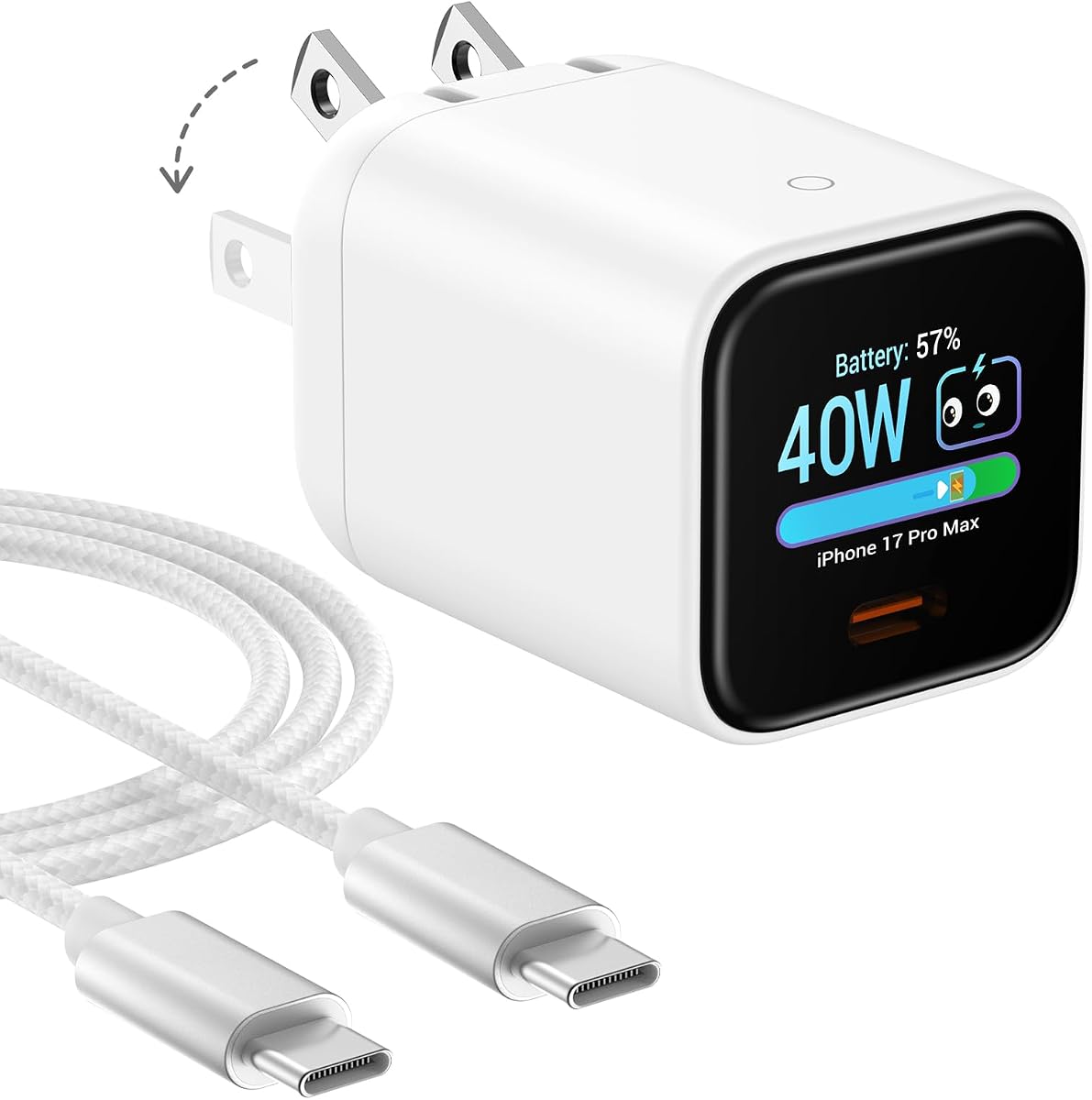
4.5Editor score
The following table compares all ten models side by side to help you identify which unit matches your power needs and port requirements.




The UGREEN Nexode Pro Charger stands out as the top choice for users needing high power and visual feedback. With a 4.7 rating it delivers 160W across five ports while showing real time wattage and temperature on its rotatable screen.
We may earn a commission when you buy through this link, at no additional cost to you.
Its standout feature is the smart display which rotates and uses touch controls to show active protocols and port data. The foldable plug and automatic power allocation make it ideal for travel despite the high wattage capacity.
The tradeoff is the cost which is higher than basic models but justified by the premium build and safety features. Overheat and overvoltage protection ensure your devices stay safe during long charging sessions at home or office.
Buy this if you need to charge multiple laptops and phones quickly without losing monitoring visibility. It replaces bulky adapters with a single compact unit that adapts to your power needs dynamically.
The display shows total output and per port data so you know exactly how much power each device receives.
Foldable prongs and compact GaN construction save space in luggage while maintaining high speed charging capabilities.
We may earn a commission when you buy through this link, at no additional cost to you.
Anker Prime Charger offers premium power density in a case as small as an AirPods Pro case. It maintains 160W total output with a 140W single port cap that speeds up MacBook charging without derating during heavy loads.
We may earn a commission when you buy through this link, at no additional cost to you.
The AnkerSense View feature lets you monitor power and switch modes via Bluetooth app. This integration provides smart control over energy distribution that adapts to your workflow automatically.
While the three port limit may not suit heavy multi device users the speed and efficiency are unmatched for laptop focused setups. The 24 month warranty adds peace of mind for this investment.
Choose this for a clean desktop setup where speed and app control matter most. It balances portability with raw power better than most competitors in the premium tier.
PowerIQ 5.0 manages load across ports so you do not lose speed when charging multiple devices together.
Connect to the app to unlock custom modes and view detailed power stats on your phone screen.
We may earn a commission when you buy through this link, at no additional cost to you.
This charger delivers 45W with AI driven temperature management that keeps batteries cooler than standard adapters. Its pocket size and included braided cable make it a great value for light users needing daily power.
We may earn a commission when you buy through this link, at no additional cost to you.
The display controls are simple with taps to rotate and view status. TÜV certification ensures safety while Care Mode lowers heat by 9°F for overnight charging which protects long term battery health.
It lacks multi port support but the price and efficiency make it ideal for single phone or tablet charging. The cable included is durable and resists tangles better than cheap alternatives.
Select this if you need an entry level smart charger without breaking the bank. It provides essential display features and care tech at a fraction of the cost of high end models.
Intelligent monitoring adjusts speed based on battery level to reduce heat and extend overall lifespan.
Foldable prongs and lightweight frame slip easily into pockets for on the go charging sessions.
We may earn a commission when you buy through this link, at no additional cost to you.
Anker 140W Max offers four ports to power a MacBook Air and multiple phones at once. It charges a 15 inch MacBook Air to 50% in 30 minutes using either of its high speed USB C ports.
We may earn a commission when you buy through this link, at no additional cost to you.
The display shows temperature and port details clearly with HD color. Active shield 4.0 monitors heat millions of times daily to ensure devices remain safe during intensive charging cycles.
This unit weighs more than compact travel options but fits well on a desk as a permanent hub. The included cable simplifies setup for USB C laptops without extra purchases.
Buy this for home or office use where four ports are needed consistently. It balances high power with safety features that protect expensive laptops and phones from overheating.
Temperature sensors run millions of checks daily to prevent overheating and maintain device integrity.
Either USB C port can deliver up to 140W for rapid laptop charging without sharing power.
We may earn a commission when you buy through this link, at no additional cost to you.
This charger delivers 100W steadily on any USB C port and maintains performance twice as long as average models. Its small frame and foldable plug make it easy to slip into a coat pocket.
We may earn a commission when you buy through this link, at no additional cost to you.
The smart display shows charging status and temperature instantly for quick verification. Low current mode switches to 95W plus 5W for earbuds to prevent damage to low power devices.
While not the highest wattage available it offers reliability and portability in equal measure. The 18 month warranty adds confidence for daily travelers needing consistent power.
Choose this for balanced travel needs where 100W suffices for laptops and phones. It is light enough for carry on bags while providing clear visibility into charging progress.
The frame is 330 percent smaller than standard blocks and fits easily in backpacks.
Automatically detects small devices and reduces current to safely charge earbuds without overheating.
We may earn a commission when you buy through this link, at no additional cost to you.
This station provides 250W output to power six devices simultaneously with a dial for quick energy adjustments. It reaches 50 percent on a 16 inch MacBook Pro in 25 minutes using the primary port.
We may earn a commission when you buy through this link, at no additional cost to you.
The dial and LCD screen allow precise control over power distribution without needing a phone app. It is designed strictly for desktop use and weighs around 22 ounces.
While bulky for travel it excels as a permanent home office hub. Wi-Fi connectivity enables IoT features when registered with the Anker application for smart home integration.
Buy this if you run many high power devices like workstations and servers. The dial interface and massive wattage make it unmatched for centralized power management.
Instantly adjust energy output with a physical dial for precise control over device charging speeds.
Highest capacity in the lineup allowing simultaneous charging of multiple laptops and peripherals.
We may earn a commission when you buy through this link, at no additional cost to you.
MOKiN 70W fits easily into handbags and carry on luggage with foldable prongs. It charges a 14 inch MacBook Pro to 50% in 35 minutes and includes an interactive HD display for real time stats.
We may earn a commission when you buy through this link, at no additional cost to you.
Tapping the screen switches views while long pressing rotates orientation for flexible viewing. A charging summary appears after five minutes of use to help track performance and efficiency.
The lack of an included cable means you must buy one separately but the compact design saves space elsewhere. Its 90 percent size reduction compared to standard adapters makes it a top travel pick.
Choose this for frequent travelers needing a smart display in a tiny block. It provides transparency and speed while fitting easily into crowded bags.
Touch screen lets you switch between total wattage and port details or rotate for better angles.
Measures 2.15 inches wide and folds flat for minimal space usage during transit.
We may earn a commission when you buy through this link, at no additional cost to you.
This MOKiN unit delivers 140W with two high speed USB C ports capable of full power laptop charging. It supports PD3.1 efficiency to power four devices at once without losing speed.
We may earn a commission when you buy through this link, at no additional cost to you.
The live screen shows real time status and power details per port instantly. Active monitoring checks temperature millions of times daily to protect devices and the charger from heat stress.
While not as sleek as premium models it offers solid performance for the price. The included cable and dedicated support add value for users needing reliable desktop power.
Buy this for home workstations needing high wattage and four ports on a budget. It balances cost and power well for those who prioritize raw output over aesthetics.
Advanced power delivery protocols ensure optimal charging speed for compatible devices.
Charge laptops and phones simultaneously without needing extra adapters on your desk.
We may earn a commission when you buy through this link, at no additional cost to you.
DJI Power 140W includes a digital display cable that shows charging status on the wire itself. It delivers 140W to laptops and phones while supporting 7A current for fast charging visibility.
We may earn a commission when you buy through this link, at no additional cost to you.
The combo prioritizes DJI devices for stable charging and uses GaN tech for cool operation. The LED indicator on the charger confirms connection status with clear light patterns.
This is ideal for drone users and those needing a display on the cable instead of the block. It keeps your desk clean with just one block showing power on the line.
Choose this if you value cable visibility or need high current for power hungry devices. It offers a unique approach to monitoring power directly at the device end.
The cable itself shows real time power readout so you know charging status immediately.
Supports high current flow for fast charging of laptops and batteries without voltage drop.
We may earn a commission when you buy through this link, at no additional cost to you.
Anker Nano Charger is the smallest option in this lineup with dual foldable prongs for tight spaces. It reaches 45W max and recognizes supported iPhone models to adjust power for safety.
We may earn a commission when you buy through this link, at no additional cost to you.
Tap once to view charging status or press for two seconds to rotate the screen. Care Mode lowers temperature by 9°F for overnight charging to extend battery life significantly.
It does not rotate 90 degrees and has no touchscreen but remains effective for simple tasks. The 180 degree foldable prongs make it easy to use near furniture.
Select this for minimal setups needing one fast iPhone charger. Its size and care tech make it perfect for bedside tables and travel bags.
Automatically detects supported iPhone models to adjust power and protect battery health.
Dual 90 and 180 degree prongs allow use in tight spaces without blocking sockets.
We may earn a commission when you buy through this link, at no additional cost to you.
Choosing the right charger requires balancing output power port count and display usability for your specific setup.
Check the total wattage to ensure it matches your heaviest device. High power laptops need 100W or more while phones work fine with 45W or 65W options.
Prioritize at least 100W if you plan to charge a laptop and phone simultaneously for reliable performance.
Displays vary from simple text to HD color screens showing temperature and port stats. Choose a model that offers the data you need most like real time power flow.
Rotatable screens add flexibility so you can read the display no matter where the charger sits on your desk.
Count how many devices you charge at once to decide on port numbers. Three ports suit most daily setups while four or more work best for desktop hubs.
Ensure the charger offers the mix of USB C and USB A ports your devices require to avoid adapter needs.
Travelers need compact blocks with foldable plugs while desktop users can tolerate heavier units. GaN tech helps keep sizes small even for high wattage models.
Check dimensions against your bag or pocket limits to confirm portability before buying.
Look for certifications like TÜV and built in protections against overheat and overvoltage. These features keep devices safe during long charging sessions.
Active monitoring systems that check temperature millions of times daily offer added peace of mind for valuable tech.
Some models include touch screens or app connectivity for advanced power management. These features let you tweak modes or view stats remotely.
Decide if you need extra control options or if basic display data is enough for your workflow.
Some units come with high speed cables while others do not. Check what is in the box to avoid extra costs after purchase.
If a cable is included ensure it supports the wattage of your charger to prevent speed loss.
Check warranty length and support options to understand your protection coverage. Most brands offer 18 to 24 months for these products.
A strong warranty ensures you can replace a faulty unit quickly without losing investment value.
Place the charger on a hard flat surface to avoid heat buildup under soft covers. Keep vents clear to maintain cool operation and safe temperatures during use.
Use only USB C cables that support your charger rated wattage to prevent speed drops. Ensure cables are fully connected for accurate display readings on the screen.
If you plan to travel fold the prongs gently after unplugging to avoid damage. Clean the display with a dry cloth to keep readings visible and avoid scratching.
Yes they include temperature sensors and overheat protection that adjust power to keep things safe. Look for models with Care Mode or active monitoring for extra safety.
Most support PD 3.1 so they work with both Mac and Windows devices. Check the wattage to ensure your laptop needs are met by the single port output.
The display typically shows current wattage temperature and port status. Some also show charging protocols or animated status icons for better clarity.
Yes chargers automatically limit power for smaller devices to prevent damage. The display will show the lower wattage when a phone is connected.
Quality GaN chargers often last 3 to 5 years with proper use. Avoid overloading ports and keep vents clean for maximum lifespan.
It depends on the model. Check the box contents before buying because some include high speed cables while others do not.
Most models auto off after a set time to save energy. You can also toggle it off or rotate the screen to turn it off manually.
Yes they replace multiple adapters and reduce clutter on your wall. One plug supports many devices which keeps your setup clean and organized.
Our top picks include the UGREEN Nexode Pro for all round power and Anker Prime for premium app control. Each model offers unique strengths for travel or desktop needs.
Prioritize wattage and port count based on your heaviest device. Choose a display size that gives you the data you want without cluttering your desk.
Check current prices and availability since deals change often. Verify the bundle contents to make sure you get the cable you need for setup.