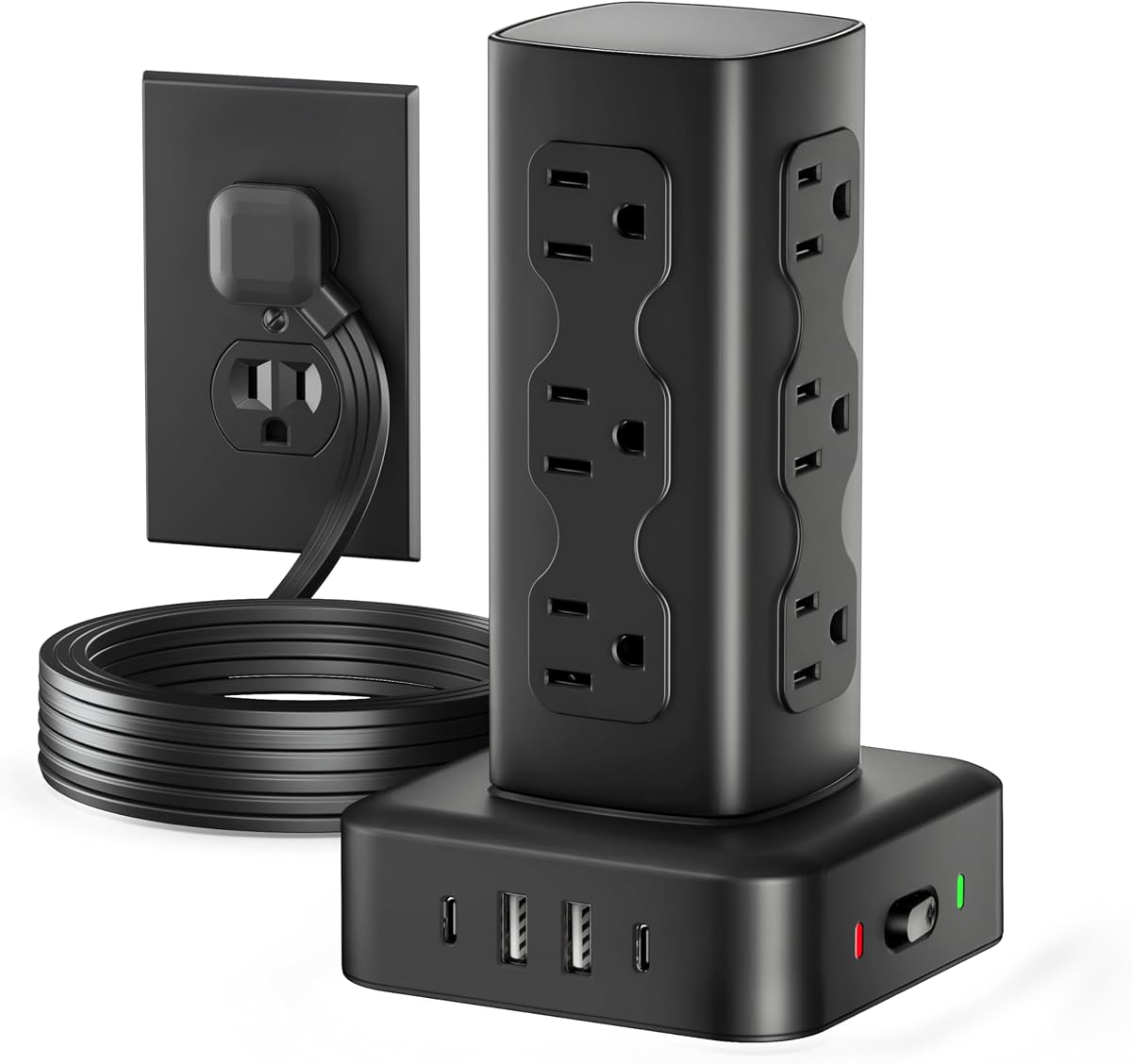
Power Strip Tower with 12 AC Outlets
4.7Editor score
2000 joule surge protection
12 AC outlets total
Ultra thin flat plug design
This expert guide compares the top ten charging tower models available in October 2026 to help you find the perfect vertical power solution for your home or
Finding the right charging tower can transform how you manage power in your home or office. These vertical solutions combine multiple outlets and ports into one compact unit, reducing clutter while keeping devices powered up efficiently.
We evaluated ten top-rated charging towers based on safety features, outlet spacing, USB capabilities, and overall design. Our comparison focuses on real-world usability, durability, and how well each model fits into modern workspaces.
Each pick below highlights key strengths and potential trade-offs to help you decide quickly. Keep in mind that availability and pricing can fluctuate frequently, so checking current listings is always recommended before finalizing your purchase decision.
4.7Editor score

4.7Editor score

4.7Editor score
The following table provides a side-by-side overview of all ten charging towers reviewed in this guide. Each entry highlights essential specifications so you can quickly identify which model aligns best with your specific power requirements.


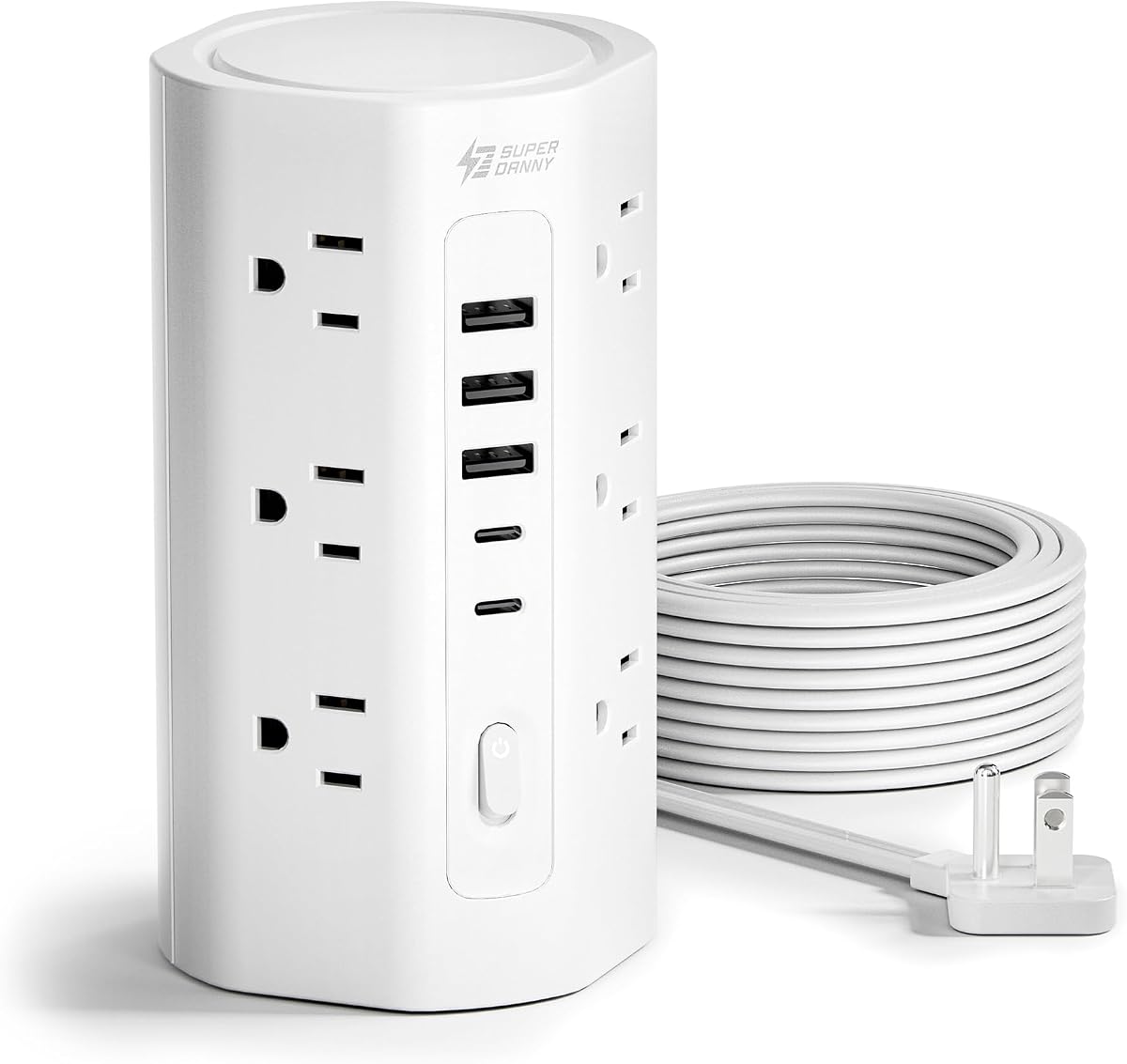
The JACKYLED Power Strip Tower stands out as a top contender for anyone needing extensive power access without sacrificing desk space. With a solid 4.7 rating from thousands of users, it consistently delivers reliable performance for home and office setups.
We may earn a commission when you buy through this link, at no additional cost to you.
Its 12 AC outlets are spaced generously at 2.2 inches apart, allowing bulky adapters to plug in without blocking neighboring sockets. The inclusion of six USB ports, including two USB-C options, ensures your modern devices charge efficiently without extra bricks.
While the retractable cord is a huge convenience feature for tidying up, some users note the tower feels slightly heavier than basic flat strips. However, this weight contributes to its stability, preventing tipping when multiple devices are plugged in.
For households or offices with many devices, this tower offers an ideal balance of capacity and safety. Its independent switches let you control power flow per layer, making it a practical choice for energy management and safety.
Independent switches on each layer allow precise control over which devices stay powered on at any given time.
With 1050 joules of surge protection and multiple safety certifications, this unit guards expensive electronics against power spikes.
We may earn a commission when you buy through this link, at no additional cost to you.
This kakyanill model delivers a robust combination of AC outlets and USB ports in a vertical format designed to save space. Users appreciate the retractable cord mechanism, which keeps cables neat when not in full use.
We may earn a commission when you buy through this link, at no additional cost to you.
The flat plug design measures just 0.35 inches thick, fitting easily behind furniture without blocking lower outlets. This thoughtful engineering allows for flexible placement in tight spaces like behind sofas or bedside tables.
While the retractable feature is convenient, it adds some bulk to the base compared to fixed cord models. Additionally, the price point is higher than standard strips, reflecting the added complexity of the mechanical cord system.
Ideal for users who value cable management and high power capacity, this tower handles high-wattage appliances well. Its industrial-grade safeguards provide peace of mind for powering printers, mini-fridges, and multiple electronics simultaneously.
Rotate the base to retract the cord for storage or pull it out for extended reach up to six feet.
Supports up to 1875 watts with individual outlet switches for managing high-demand appliances safely.
We may earn a commission when you buy through this link, at no additional cost to you.
Focusing heavily on USB charging capabilities, this Kakyanill tower offers significant PD output through its dedicated ports. It is particularly suited for users with multiple laptops and phones needing fast charge speeds without extra adapters.
We may earn a commission when you buy through this link, at no additional cost to you.
The six-foot retractable cord allows you to adjust length based on your room layout, helping to reduce tangles. Four-sided compact design ensures minimal desk footprint while still accommodating a wide array of devices.
One consideration is that total USB power is shared across ports, so charging multiple high-demand devices simultaneously may slow speeds. This is standard for multi-port stations but worth noting if you need max speed on all devices at once.
For tech-heavy setups, this tower organizes charging cables effectively while providing ample outlet space. Its anti-slip rubber feet keep it firmly in place even when connecting or disconnecting multiple plugs regularly.
Dual 65W PD USB-C ports deliver rapid charging for laptops and tablets directly without extra bricks.
Rubber feet prevent sliding or tipping, ensuring stability on smooth desks or nightstands during use.
We may earn a commission when you buy through this link, at no additional cost to you.
Offering excellent value, this tower provides twelve AC outlets and four USB ports at a competitive price point. It is a strong choice for budget-conscious buyers who still need surge protection and USB convenience.
We may earn a commission when you buy through this link, at no additional cost to you.
The ultra-thin flat plug design at 0.31 inches allows it to sit flush against walls, preventing obstruction of lower outlets. A six-foot cord gives plenty of reach for placement without needing an extra extension.
The 2000 joule surge protection rating exceeds many competitors in this price range, adding significant safety for connected devices. Users report high satisfaction with its reliability and straightforward design for daily use.
If you prioritize outlet count and surge protection over advanced USB features, this model is hard to beat. It keeps costs low while maintaining essential safety certifications and solid build quality for home use.
With 2000 joules of protection, this budget-friendly model defends electronics from voltage spikes effectively.
The slim 45-degree right-angle plug design ensures lower outlets remain accessible even when plugged in.
We may earn a commission when you buy through this link, at no additional cost to you.
This TenTrend tower emphasizes high-power USB charging with a total output of 230W, ideal for power users with multiple laptops and tablets. It fits easily on compact desks while keeping cables organized in a single vertical unit.
We may earn a commission when you buy through this link, at no additional cost to you.
The flat plug sits only 0.31 inches thick, avoiding interference with nearby wall fixtures. A five-foot flat cord lies flush on the floor, reducing tripping hazards compared to round cable options.
While AC outlet count is lower at six, the focus on USB power compensates for those who rely heavily on modern gadgets. Users appreciate the color-coded ports indicating different charging speeds for various device types.
For smaller spaces needing rapid device charging, this tower excels at organization and speed. Its robust safety features protect against overcurrent and overheating, ensuring secure operation during intensive charging sessions.
Total 230W USB output allows rapid charging of multiple high-demand devices simultaneously without slowdown.
Compact dimensions keep clutter minimal while still accommodating six AC and eight USB charging ports.
We may earn a commission when you buy through this link, at no additional cost to you.
Featuring a ten-foot extension cord, this tower is perfect for setups where the wall outlet is far from your desk. Its ultra-thin plug and lightweight build make it easy to position and move as needed around the room.
We may earn a commission when you buy through this link, at no additional cost to you.
The tower supports twenty devices simultaneously with twelve AC outlets and eight USB ports, though total USB wattage is lower than premium models. This configuration suits standard phone and tablet charging rather than high-power laptop needs.
Built with fire-resistant ABS material, it offers reliable safety protection against overheating. The on/off switch adds convenience for cutting power completely when leaving home or office for extended periods.
If reach and flexibility are your main priorities, this model delivers without compromise. Its simple design and long cord make it versatile for travel or large rooms where power outlets are inconveniently located.
The ten-foot pure copper cord reaches distant outlets easily while maintaining safe current carrying capacity.
Fire-resistant ABS housing rated up to 1382F protects devices and surroundings from potential electrical hazards.
We may earn a commission when you buy through this link, at no additional cost to you.
This Anker desktop charger is designed for professionals needing high-speed USB-C charging on a clean desk. With a robust 4.7 rating, it delivers premium build quality and reliable performance for laptops and mobile devices.
We may earn a commission when you buy through this link, at no additional cost to you.
The standout feature is the 100W USB-C output, allowing full-speed charging for most modern laptops without a dedicated power brick. Its compact footprint keeps desktop real estate open while still providing multiple charging options.
The lower number of AC outlets means it focuses heavily on USB power, which is ideal for tech setups but less so for appliance-heavy environments. The price reflects the premium features and brand reliability associated with Anker.
For those prioritizing charging speed and desk aesthetics, this unit is worth the investment. Its safety systems guard against risks effectively, ensuring your expensive electronics stay protected during daily use.
Compact 100W USB-C output supports laptops directly without bulky external power adapters cluttering the desk.
Backed by a trusted brand, this charger includes an eight-point safety system for consistent, safe performance.
We may earn a commission when you buy through this link, at no additional cost to you.
This tower excels at providing a dedicated 20W PD port for phones, ideal for quick iPhone charges without extra bricks. The ten-foot cord ensures flexibility in placement, reaching across rooms without straining the outlet.
We may earn a commission when you buy through this link, at no additional cost to you.
Twelve widely spaced AC outlets prevent bulky adapter blocking, accommodating large chargers and plugs comfortably. The weighted non-slip base adds stability, keeping the unit secure even when frequently unplugging devices.
While most USB ports offer standard speeds, the dedicated PD port adds significant value for mobile users. Overall construction is solid, with flame-retardant housing providing peace of mind against overheating risks.
For families needing to charge many devices spread across a large room, this tower offers excellent reach and capacity. Its practical design balances safety, convenience, and value effectively for everyday use.
Dedicated 20W PD port charges compatible phones from zero to fifty percent in just thirty minutes.
1.5 inch spacing between outlets ensures bulky adapters fit without blocking adjacent sockets on the tower.
We may earn a commission when you buy through this link, at no additional cost to you.
Combining twelve wide-spaced AC outlets with four USB ports, this tower is a compact powerhouse for small spaces. The ultra-thin flat plug sits flush against the wall, avoiding obstruction of lower sockets behind furniture.
We may earn a commission when you buy through this link, at no additional cost to you.
Protection ratings include 1800 joules of surge protection and automatic shutdown on overload, ensuring safety for your electronics. The reset/off switch provides easy control over power status without unplugging the unit.
The six-foot cord is sufficient for most desk setups but may fall short in larger rooms. While USB ports are fewer than some rivals, they offer fast charging speeds that save time for daily device needs.
Ideal for bedrooms or dorms where space is limited, this tower keeps charging organized and safe. Its simple, reliable design focuses on essential features that work well for standard home office needs.
Compact 3.15 inch width minimizes desk footprint while still supporting up to sixteen devices simultaneously.
Reset off switch helps save energy by cutting power completely when devices are not in use.
We may earn a commission when you buy through this link, at no additional cost to you.
Designed for flexibility, this tower offers a ten-foot flat cord that lays neatly along walls to eliminate tripping hazards. Its vertical layout keeps desks tidy while supporting up to seventeen devices simultaneously without clutter.
We may earn a commission when you buy through this link, at no additional cost to you.
Wide spacing between outlets prevents bulky adapters from blocking neighboring sockets. Safety features include 1700 joule surge protection and V-0 fire-retardant casing for reliable performance under various conditions.
Users appreciate the three-year maintenance plan included with purchase, adding long-term value. Anti-slip rubber feet ensure the tower stays stable even when plugging or unplugging devices frequently throughout the day.
For those needing extensive reach and outlet capacity in a single unit, this model is a solid choice. Its practical design and warranty support make it a dependable addition to any home or office setup.
Three-year maintenance or replacement plan provides added peace of mind for long-term reliability and support.
Flat 10-foot cord tucks neatly along corners, keeping floors clear and maintaining a clean aesthetic look.
We may earn a commission when you buy through this link, at no additional cost to you.
Selecting the right charging tower requires understanding your specific power needs, space constraints, and safety priorities.
Look for a model with enough AC outlets to handle your current devices plus any you might add later. Wide spacing between outlets is crucial to ensure bulky adapters do not block adjacent sockets.
Prioritize towers that list outlet dimensions clearly, ideally over 1.5 inches apart for maximum flexibility with large plugs.
Modern towers often include USB-A and USB-C ports to eliminate the need for wall adapters. Check total USB wattage to ensure it meets your fast-charging requirements for laptops and phones.
A mix of PD ports and standard ports provides versatility, allowing you to charge different device types at optimal speeds.
Surge protection is vital for safeguarding electronics from power spikes. Look for ratings of at least 1000 joules, with higher numbers offering better defense for expensive equipment.
Ensure the tower has additional safety features like overload and short-circuit protection to prevent hazards during use.
Cord length determines where you can place the tower relative to wall outlets. Standard options range from 5 to 10 feet, with longer cords providing more placement flexibility.
Flat cords reduce tripping hazards and lie flatter against floors, making them preferable for homes with high traffic.
A flat plug design helps the tower sit closer to the wall, preventing obstruction of lower outlets behind furniture.
Ensure the plug angle is right-angled to allow vertical stacking without interfering with nearby fixtures or furniture.
Vertical towers take up less desk space than traditional strips, but dimensions vary. Measure your available space to ensure the tower fits comfortably on your desk or floor.
Lightweight models are easier to move for travel, while heavier bases offer more stability when plugged in.
High-quality ABS or PC materials with fire resistance ratings ensure durability and safety. Look for certifications like UL or FCC to guarantee tested standards.
Robust construction protects against heat and electrical faults, giving peace of mind for long-term daily use.
Reliable customer service can resolve issues quickly if something goes wrong with your tower. Check for warranties ranging from one to three years for added value.
Brands offering responsive support often indicate higher quality control and product reliability overall.
Always plug your charging tower directly into a wall outlet rather than another extension cord to maintain safety ratings. Ensure the outlet is grounded to prevent electrical hazards during use.
Avoid overloading the tower by calculating total wattage needs before plugging in high-power appliances like heaters or mini-fridges. Monitor the load to stay within the rated capacity.
Keep the tower in a well-ventilated area and avoid covering it with materials that trap heat. Regularly inspect cords for wear and replace the unit if any damage is visible.
Most towers are designed for electronics and low-power devices. Check the wattage rating before connecting appliances like printers or mini-fridges. Exceeding limits can trigger safety shut-offs.
Some premium models offer 65W or higher USB-C power delivery suitable for many laptops. Standard USB-C ports usually provide less power and may charge laptops slower.
Surge protection guards against voltage spikes but does not provide backup power during an outage. For that, you would need a battery backup or UPS unit.
Inspect your tower every few years for cord damage or wear. Replace it immediately if you notice fraying or overheating signs.
Flat plugs are designed to sit flush, minimizing blockage. However, verify your wall outlet layout to ensure lower sockets remain accessible.
Most indoor towers are not weatherproof. Use outdoor-rated equipment outside to prevent moisture damage and safety hazards.
Use cable ties or clips to secure excess cord length against walls. Retractable models help by allowing cord adjustment to match your needs.
Many towers share total USB power across ports. Check specs to see if each port gets dedicated power or if speeds drop when multiple devices are used.
We highlighted ten reliable charging towers ranging from budget picks to premium options. Models like the JACKYLED Power Strip Tower excel in balance, while others prioritize USB power or cord length.
Prioritize surge protection and outlet spacing if you have many devices. USB charging needs depend on your laptop and phone requirements.
Prices and availability can shift quickly. Check current listings for your chosen model to confirm details before purchasing.