
Seagate 8TB BarraCuda Internal Hard Drive
4.7Editor score
190MB/s sustained transfer rate
Proven BarraCuda reliability
Ideal for PC gaming setups
Choosing the right hard drive for RAID 0 is critical for maximizing performance in gaming and creative work. You need drives that can sustain high speeds without bottlenecks during intense read write operations.
We evaluated top models from Seagate and Western Digital focusing on RPM cache size and workload ratings. Our analysis highlights which drives deliver consistent throughput for striped storage configurations.
Each pick shows key specs and real world performance notes to simplify your decision. Remember that drive prices fluctuate frequently so check current listings before making your final purchase decision.
4.7Editor score

4.7Editor score

4.6Editor score
As an Amazon Associate we earn from qualifying purchases.
The table below lists key specifications for all ten drives to help you compare capacity cache and performance metrics side by side for your specific RAID 0 needs.





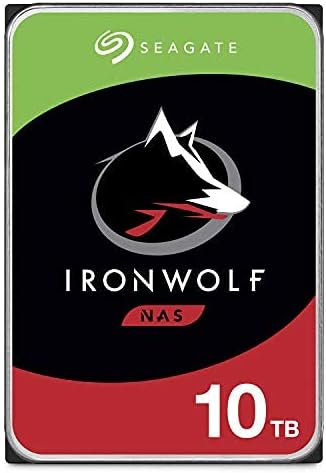

The Seagate IronWolf 10TB stands out as a top choice for RAID 0 configurations needing reliable speed and capacity. With a 4.7 rating and CMR tech it delivers consistent performance for multiuser environments.
We may earn a commission when you buy through this link, at no additional cost to you.
Its 210MB/s sustained transfer rate ensures rapid data streaming during heavy workloads. The 256MB cache helps manage data flow efficiently which is critical for striped arrays.
While the price is higher than desktop drives the reliability benefits justify the cost. Users note minimal vibration and noise even during prolonged operation periods.
This drive is ideal for creative pros and gamers building fast local storage. We recommend it for anyone prioritizing data integrity alongside raw throughput.
AgileArray technology balances load across drives to reduce wear and improve error recovery times significantly.
IronWolf Health Management provides actionable insights to prevent failures before they impact your system operations.
We may earn a commission when you buy through this link, at no additional cost to you.
The Seagate BarraCuda offers a budget friendly entry into high capacity storage for RAID 0 setups. It delivers solid performance for basic gaming and media use cases.
We may earn a commission when you buy through this link, at no additional cost to you.
With 190MB/s transfer speeds it handles large file transfers adequately. The 8TB capacity provides ample space for extensive libraries without breaking the bank.
Keep in mind this is a desktop drive not optimized for continuous operation. It may generate more heat and noise in multi drive enclosures.
Choose this if you need quick storage expansion on a tight budget. Ensure your cooling is adequate to maintain drive longevity during peak loads.
This drive supports a wide range of applications from video editing to general PC gaming with consistent results.
Backed by 20 years of innovation users can expect proven technology that performs reliably over time.
We may earn a commission when you buy through this link, at no additional cost to you.
The IronWolf Pro 4TB is excellent for smaller RAID arrays requiring high throughput. Its design minimizes vibration which benefits RAID 0 performance and drive lifespan.
We may earn a commission when you buy through this link, at no additional cost to you.
Speed is a highlight with 214MB/s sustained rates. The included rescue data recovery service adds peace of mind for critical data storage.
The lower capacity means you might need more drives to reach large storage goals. This can increase total cost compared to larger single drives.
Ideal for small offices or home labs needing reliable performance. It balances speed and dependability effectively for professional workloads.
Integrated monitoring helps you track drive health and prevent unexpected downtime in critical environments.
Designed for 24-bay environments it handles multiple users simultaneously without latency issues.
We may earn a commission when you buy through this link, at no additional cost to you.
WD Red Plus 12TB provides a balanced solution for those needing significant storage without enterprise price tags. It uses CMR technology which is essential for RAID stability.
We may earn a commission when you buy through this link, at no additional cost to you.
The 512MB cache aids in handling data bursts efficiently. NASware firmware ensures compatibility across various enclosure types for seamless integration.
Some users report average performance compared to Pro models. This is acceptable for lighter workloads but may lag under constant heavy writes.
Best for home media servers or casual RAID setups. Prioritize this if you need more space than smaller drives offer.
This drive uses Conventional Magnetic Recording to avoid the write slowdowns typical of SMR drives in RAID arrays.
Rated for 180TB/year workload it suits small businesses needing consistent daily data transfer rates.
We may earn a commission when you buy through this link, at no additional cost to you.
The IronWolf Pro 16TB delivers enterprise-grade performance for large RAID arrays needing minimal downtime. Its 550TB/year workload rating ensures durability during intense usage.
We may earn a commission when you buy through this link, at no additional cost to you.
Features like AgileArray and rotational vibration sensors protect data integrity in multi-bay environments. This prevents read errors common in high-density arrays.
Setup may require specific NAS compatibility checks to avoid performance issues. Users should verify hardware support before purchase.
Recommend this for studios or businesses with massive storage needs. The cost is justified by the reliability and capacity it offers.
Rated for 550TB/year this drive handles heavy daily writes better than standard NAS drives.
Includes three years of complimentary recovery services to protect valuable data in case of failure.
We may earn a commission when you buy through this link, at no additional cost to you.
The Ultrastar DC HC580 offers unmatched capacity for large-scale RAID 0 configurations. Its 24TB size reduces the number of drives needed for massive arrays.
We may earn a commission when you buy through this link, at no additional cost to you.
Designed for hyperscale environments it ensures predictable performance under load. The 512MB cache helps buffer large datasets for faster access.
Buying renewed may limit warranty terms depending on the seller. Ensure you check return policies before purchasing used enterprise hardware.
Ideal for advanced users building home labs or private clouds. This drive delivers data center performance at a lower cost than new units.
Reliable Conventional Magnetic Recording ensures consistent performance for critical server workloads.
Perfect for scale-out storage systems requiring high density without compromising speed or reliability.
We may earn a commission when you buy through this link, at no additional cost to you.
This IronWolf variant provides solid performance for users needing reliable NAS storage. It balances price and capacity for moderate RAID workloads effectively.
We may earn a commission when you buy through this link, at no additional cost to you.
The 1M hours MTBF rating and health management features help maintain drive longevity. It reduces noise which is beneficial for home office setups.
Performance may vary compared to Pro models under extreme loads. Users should monitor health status regularly to catch early warning signs.
Best for home NAS users needing a mix of speed and space. It is a practical choice for personal media libraries.
Integrated software tracks drive health and alerts you to issues before they cause failures.
Designed for efficiency it uses lower power than many enterprise drives to reduce operational costs.
We may earn a commission when you buy through this link, at no additional cost to you.
The ST10000VN0008 variant is a reliable workhorse for small business or home RAID systems. Its high rating suggests strong user satisfaction and durability.
We may earn a commission when you buy through this link, at no additional cost to you.
Features like TLER and rotational vibration sensors enhance performance in multi-drive bays. This reduces head crashes and improves overall stability.
It is slightly more expensive than standard drives but worth it for critical data. Users appreciate the included rescue data recovery service.
Choose this if you need stable storage for a small team. It offers the right balance for growing storage needs.
Time Limited Error Recovery prevents timeouts in RAID arrays by limiting error correction attempts.
Balances load across the drive to minimize wear and improve reliability over time.
We may earn a commission when you buy through this link, at no additional cost to you.
WD Red Pro 16TB is built for high-intensity environments needing large storage and speed. Its workload rating supports demanding tasks like video editing or virtualization.
We may earn a commission when you buy through this link, at no additional cost to you.
Designed for 24×7 operation it minimizes downtime risks in professional settings. The 512MB cache helps manage large data streams smoothly.
Average ratings reflect mixed experiences under extreme stress. Users should ensure adequate cooling to maintain optimal operating conditions.
Best for professionals requiring large, reliable storage arrays. It justifies its cost through robust performance capabilities.
Extensively tested with NAS vendors to ensure seamless integration and performance.
Rated for 550TB/year to handle heavy daily data transfers without degradation.
We may earn a commission when you buy through this link, at no additional cost to you.
WD Red Plus 14TB balances capacity and efficiency for moderate workloads. The 5400 RPM class delivers lower power consumption compared to faster models.
We may earn a commission when you buy through this link, at no additional cost to you.
CMR technology ensures data integrity without the slowdowns of SMR drives. This makes it ideal for storage where read speeds are not critical.
Speed is limited compared to higher RPM drives. Avoid for applications requiring rapid video editing or frequent large file transfers.
Best for home users prioritizing quiet, efficient storage. It provides large space for minimal energy usage.
Lower RPM reduces heat and energy use for longer lifespan and quieter operation.
Ensures stable performance and data safety in RAID configurations without write penalties.
We may earn a commission when you buy through this link, at no additional cost to you.
Selecting drives for RAID 0 requires careful attention to speed capacity and reliability metrics to ensure optimal performance and data safety.
Conventional Magnetic Recording (CMR) is essential for RAID 0 to avoid write slowdowns that occur with Shingled Magnetic Recording (SMR) during heavy writes. Always verify CMR status in product specs.
Choose CMR drives to ensure consistent data transfer rates and stability across your RAID array.
Higher RPM drives like 7200 RPM offer faster seek times and sustained transfer rates crucial for RAID performance. Lower RPM drives may suffice for archival but lag in speed.
Prioritize 7200 RPM models for best performance unless power efficiency is your primary concern.
Larger cache sizes help buffer data streams during intense read write operations. This reduces latency and improves overall responsiveness in multi task scenarios.
Look for drives with at least 256MB cache for optimal throughput in RAID configurations.
Mean Time Between Failures (MTBF) indicates expected drive longevity while workload ratings define safe annual data transfer volumes. Higher ratings suggest better durability for 24×7 use.
Select drives with high MTBF and workload ratings to minimize downtime risks in active setups.
NAS-optimized drives feature firmware and sensors for vibration resistance in multi-bay enclosures. Desktop drives may struggle in such environments causing errors or noise.
Opt for NAS drives if your RAID array resides in a multi-drive enclosure or server.
Some premium drives include complimentary data recovery services which can save significant costs after failure. This adds a layer of insurance for critical data.
Consider models offering recovery plans if you cannot afford data loss risks.
Ensure the drive is compatible with your RAID controller and system interface. Longer warranties indicate manufacturer confidence in product durability and quality.
Verify compatibility and seek longer warranty periods for better long term support.
When setting up RAID 0 ensure all drives are the same capacity and speed to prevent bottlenecks. Match your drives for best synchronization and performance.
Maintain proper ventilation in your system to avoid overheating. Overheating shortens drive life especially in continuous operation environments.
Regularly monitor drive health via manufacturer tools and back up critical data. RAID 0 offers no redundancy so backups are mandatory.
Choose capacity based on your storage needs but ensure matched sizes. Larger capacities reduce drive count and complexity. 10TB or 16TB offers good balance for performance and space.
NAS drives offer better vibration resistance and firmware tuning for multi-drive setups. Desktop drives may work but risk instability. NAS drives improve longevity in arrays.
Yes speed impacts RAID performance directly. Faster RPM and higher cache yield better results. Look for 7200 RPM drives to maximize throughput.
CMR writes data in standard tracks while SMR shingles them to save space. SMR causes slowdowns under heavy writes. Always choose CMR for RAID arrays.
Use manufacturer tools like IronWolf Health Management or vendor utilities. These tools alert you to potential failures. Regular checks help prevent unexpected downtime.
It is not recommended as mismatched speeds cause bottlenecks. Always use identical drives for best synchronization. Mixing reduces performance and stability risks.
Yes RAID 0 offers no data redundancy. Failure of one drive loses all data. Regular backups are essential to protect critical files.
MTBF means Mean Time Between Failures and estimates drive lifespan. Higher numbers indicate greater durability. Choose drives with high MTBF ratings.
Our top picks include the Seagate IronWolf 10TB for balanced performance and the WD Ultrastar DC HC580 for maximum capacity. These models deliver speed and reliability.
Prioritize drives with CMR technology and NAS optimization for best results. Ensure compatibility and adequate cooling to maintain drive health.
Always check current prices and availability before buying to get the best deal available for your setup needs.