
Cable Matters 3-Pack 15-Pin SATA Power Y-Splitter
4.8Editor score
15-Pin Splitter
8-Inch Length
3-Pack Value
Discover the top hard drive power cables for reliable connections. We compare splitters, extensions, and adapters to help you choose the right power solution
Hard drive power cables are essential components for any computer system requiring stable energy delivery to storage devices. Choosing the right cable ensures your HDDs and SSDs operate without interruption or risk of failure due to poor connectivity.
We evaluated ten top-rated power cables based on durability, compatibility, and design. Our analysis covers splitters, extensions, and legacy adapters to help you find the best solution for your specific build needs.
Each pick highlights unique features like connector types and lengths. Prices and availability may vary over time, so verify current listings before purchasing to ensure you get the best value for your upgrade project.
4.8Editor score

4.7Editor score

4.7Editor score
This comparison table provides a side-by-side view of all ten selected hard drive power cables. Review the key specifications and features to identify the best match for your power supply and storage needs.



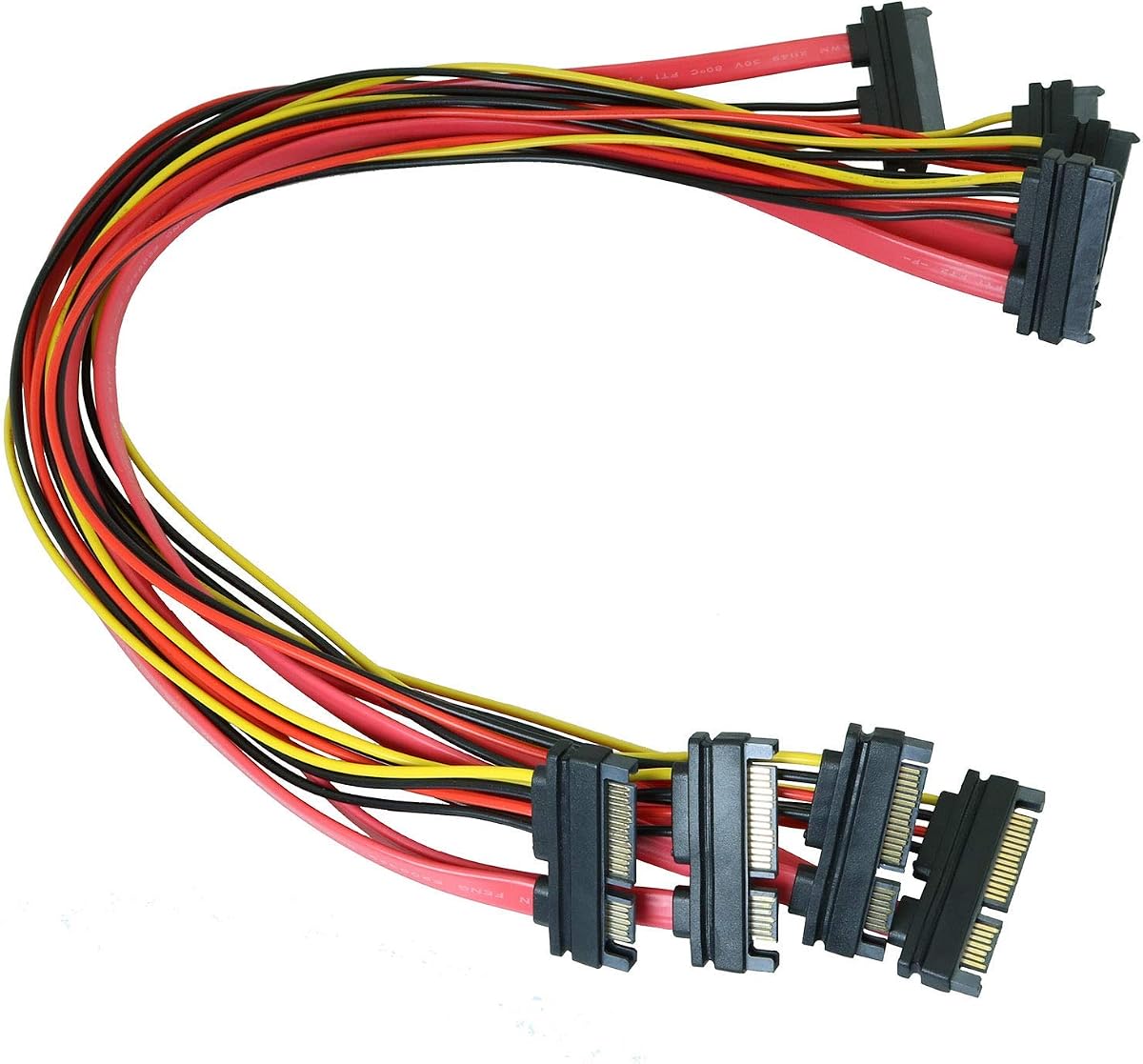


The SATA Power Splitter Cable 6 Way offers a robust solution for expanding storage in your system. Rated highly by users, it provides reliable connectivity for multiple drives simultaneously.
We may earn a commission when you buy through this link, at no additional cost to you.
This cable splits one 15 Pin SATA connector into six separate ports, enabling you to power HDDs, SSDs, and optical drives efficiently. Its high-quality materials ensure stable power delivery without interruptions.
While the cable performs well for most setups, it may not offer variable lengths for complex cable routing. The single black design is functional but lacks aesthetic variety for custom builds.
Ideal for users needing to maximize drive count from a single power port, this splitter is a practical choice. We recommend it for anyone looking to expand storage capacity easily.
This splitter allows up to six devices to connect to one power source, ideal for extensive storage arrays.
Stable transmission prevents interruptions ensuring each connected drive receives consistent power for optimal operation.
We may earn a commission when you buy through this link, at no additional cost to you.
This kit offers exceptional value by combining SATA data and power cables. It is perfect for PC upgrades or new storage expansion builds where both connection types are needed.
We may earn a commission when you buy through this link, at no additional cost to you.
The inclusion of straight and right-angle data cables aids in tidy wiring, especially in small form factor cases. Dual power splitters ensure legacy and new PSUs are accommodated effectively.
While the copper conductors provide fast transfer speeds, the cable lengths might be restrictive for larger cases. Users should measure their internal space before purchasing.
For builders seeking a complete solution in one box, this kit is an excellent choice. It covers most needs for connecting multiple drives with reliable performance.
Includes both data and power cables plus splitters making it a comprehensive package for system upgrades.
SATA III 6Gbps support ensures blazing-fast data transfer between drives and your system efficiently.
We may earn a commission when you buy through this link, at no additional cost to you.
This adapter is designed for upgrading older PC systems that lack native SATA power connectors. It connects modern drives to legacy 4 pin Molex power supplies effectively.
We may earn a commission when you buy through this link, at no additional cost to you.
The 6-inch length helps keep internal cable management neat while ensuring efficient connection between devices. Including three cables provides ample spares for repairs or multi-drive setups.
While effective for legacy systems, the short length may limit placement options in larger cases. It is best used when the PSU is near the drive bays.
Users maintaining older systems or repurposing parts will find this adapter invaluable. It extends the life of functional power supplies without costly hardware replacements.
Reuses older PSUs with Molex outputs as a SATA power supply for modern drives eliminating the need to replace a fully functional power unit.
Compact 6-inch SATA power cable design provides ideal length for internal routing reducing clutter inside PC cases.
We may earn a commission when you buy through this link, at no additional cost to you.
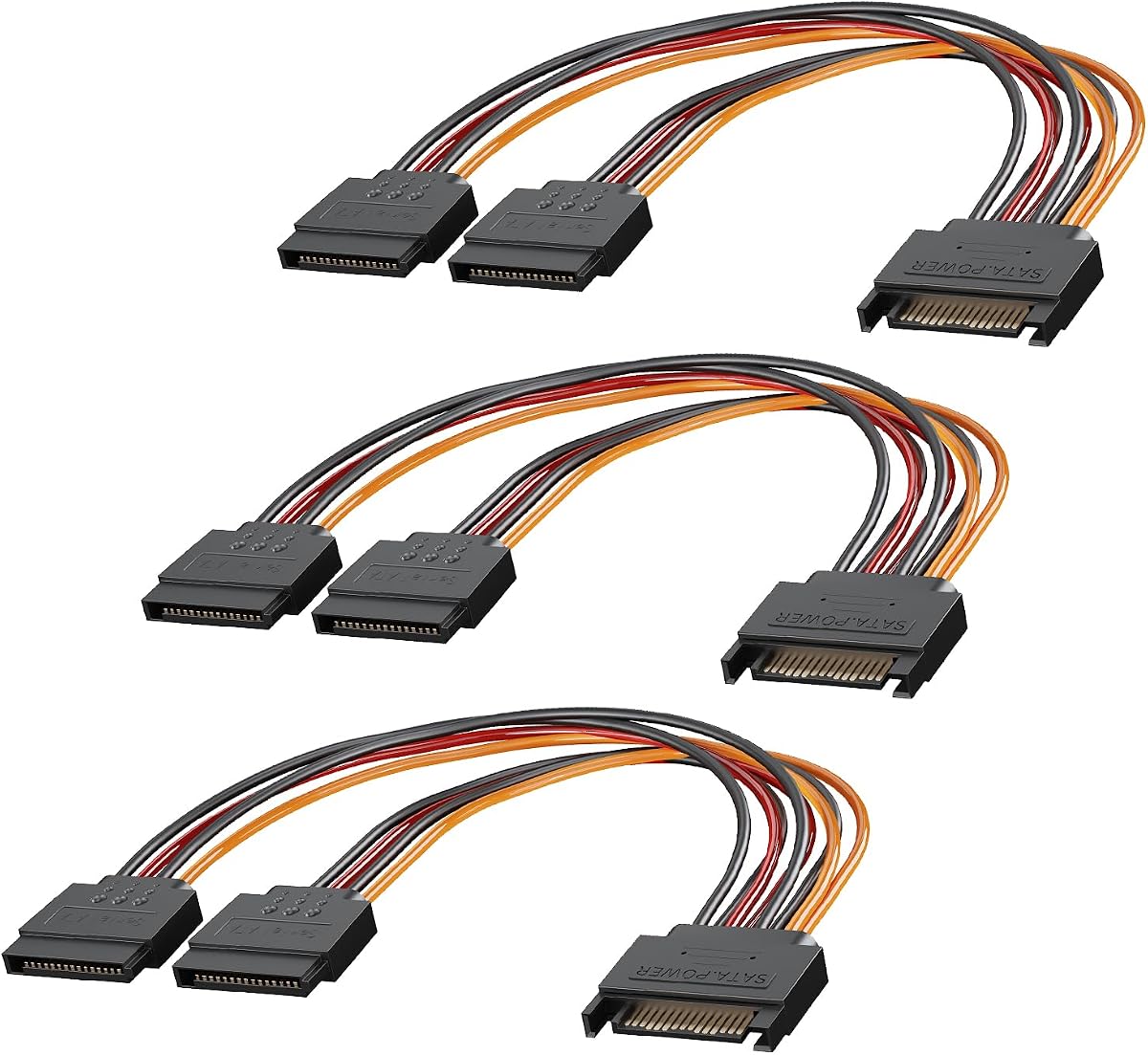
This cable offers a straightforward solution for connecting two drives from one power port. It is a solid choice for standard PC builds needing extra connectivity without complexity.
We may earn a commission when you buy through this link, at no additional cost to you.
The 8-inch length balances flexibility and neat internal routing effectively. Durable materials ensure the cable lasts through regular use in desktop environments.
While reliable, the design lacks advanced features like right-angle connectors or premium shielding. It serves basic needs well but may not suit enthusiasts seeking aesthetics.
For general users expanding storage with a few drives, this splitter is efficient. It provides a cost-effective way to utilize existing power ports without issues.
Splits one 15 Pin SATA connector into two separate connectors allowing easy connection of multiple drives to your system.
Made with high-quality materials this cable is built to last ensuring long-lasting durability for your power supply needs.
We may earn a commission when you buy through this link, at no additional cost to you.
This splitter provides excellent value with three reliable cables included in the package. Its high rating reflects consistent performance across various drive types and build scenarios.
We may earn a commission when you buy through this link, at no additional cost to you.
The connectors feature channel guides ensuring a safe connection that won't accidentally disconnect during transport or maintenance. Heavy-duty conductors support 3.3V, 5V, and 12V safely for all SATA devices.
While the straight design may require careful routing in tight spaces, the quality compensates for this minor drawback. It is a dependable choice for both DIY and IT professionals.
We recommend this splitter for anyone needing stable power delivery for multiple drives. The 3-pack offers flexibility for repairs and upgrades alike.
Snug-fitting connectors with channel guides ensure a safe connection that won't accidentally disconnect reliably.
Heavy-duty conductors support 3.3V, 5V, and 12V safely ensuring reliable performance for all SATA-powered components.
We may earn a commission when you buy through this link, at no additional cost to you.
StarTech.com delivers a premium splitter designed for environments requiring robust reliability. The 4x receptacle design allows significant expansion from a single power source.
We may earn a commission when you buy through this link, at no additional cost to you.
At 15.7 inches, the cable offers substantial reach for complex server or workstation configurations. Durable construction ensures it withstands professional use over time.
While the price is higher than generic options, the quality justifies the cost for critical systems. It may be unnecessary for home users with simple storage needs.
This adapter is ideal for IT technicians or advanced builders needing maximum flexibility. It provides peace of mind for mission-critical storage setups.
1x SATA Power Plug to 4x SATA Power Receptacle allows powering multiple devices from one source.
Durable construction ensures the cable withstands professional use and maintains integrity over time.
We may earn a commission when you buy through this link, at no additional cost to you.
This extension cable is perfect when the PSU connector falls short of the drive bay. It bridges the gap efficiently without compromising power quality or system stability.
We may earn a commission when you buy through this link, at no additional cost to you.
The 12-inch length offers a balance between flexibility and space-saving design. Built with durable conductors, it ensures reliable transmission for HDDs, SSDs, and optical drives.
While adding extension points theoretically increases failure risk, the quality here minimizes that chance. It effectively reduces strain on tight motherboard and PSU connections.
For users needing extra reach, this extension is a smart investment. It helps achieve clean cable routing and better internal airflow in desktop builds.
Designed as a SATA power extender, this cable helps reduce strain on tight motherboard and PSU connections.
Each SATA extension cable 12 inch length offers an ideal balance between flexibility and space-saving design.
We may earn a commission when you buy through this link, at no additional cost to you.
This combo cable simplifies connections by combining data and power into a single thin unit. It is highly rated for its convenience and neat appearance inside the chassis.
We may earn a commission when you buy through this link, at no additional cost to you.
The 50cm length provides generous reach for routing cables from front connectors to rear drives. Thin design helps reduce clutter and increase airflow for optimal system performance.
While convenient, the combined cable limits independent routing of data and power lines. This might restrict positioning in tight or unconventional case layouts.
Users prioritizing clean aesthetics and simplified cabling will appreciate this option. It is effective for standard builds where distance is not a major constraint.
SATA data cable and SATA power cable combined into one makes direct device and hard disk connection convenient.
The thin cable design helps reduce clutter and increase airflow in the computer chassis for optimal performance.
We may earn a commission when you buy through this link, at no additional cost to you.
Be Quiet cables are known for their premium materials and integration with their silent PC ecosystem. This specific model ensures consistent power delivery with high reliability.
We may earn a commission when you buy through this link, at no additional cost to you.
Users often choose these cables to match other silent components in their build. The quality control ensures durability and minimal signal interference over time.
The price point is significantly higher than generic alternatives, which may not be justified for all users. It is best suited for high-end or enthusiast systems.
For those invested in the Be Quiet ecosystem, this cable is a logical extension. It complements high-performance builds where quality and aesthetics matter.
Be Quiet cables integrate with silent PC components providing consistent aesthetics and performance.
High quality materials and construction ensure reliable power delivery and longevity.
We may earn a commission when you buy through this link, at no additional cost to you.
Monoprice offers exceptional value with a lifetime warranty on all cables. This adapter converts legacy Molex to four SATA ports, accommodating many drives efficiently.
We may earn a commission when you buy through this link, at no additional cost to you.
The rugged design and rigid quality control standards ensure durability. While the net jacket is functional, it may be prone to wear in high-traffic cable areas.
The 2-foot length provides adequate reach for most standard ATX cases. It supports the Serial ATA standard with 15-pin connectors replacing older Molex.
Buyers seeking long-term support and fair pricing should consider this option. It balances cost and reliability effectively for general PC upgrades.
Monoprice offers a lifetime warranty on all cables giving you rest assured they stand behind their products.
Plugs into a 4-pin Molex power plug and provides four 15-pin SATA power connectors.
We may earn a commission when you buy through this link, at no additional cost to you.
Selecting the right hard drive power cable requires attention to connector types, length, and durability. This guide breaks down key factors to consider before making a purchase.
Ensure the cable matches both your power supply and drive requirements. Common types include 15-pin SATA, 4-pin Molex, and combo connectors. Mismatched connectors can prevent connections or cause damage.
Check your PSU output ports and drive inputs before buying. This ensures physical compatibility without needing extra adapters.
Measure the distance between your power supply and drive bays. Cables that are too short can strain connections, while overly long cables create clutter and reduce airflow.
Choose a length that allows comfortable routing with slight slack for future maintenance. 6 to 12 inches is typical for internal use.
If using a splitter, verify how many devices it supports. Some splitters divide one port into two, while others offer four or six connections. Overloading a single PSU rail can be risky.
Select a splitter that meets your drive count without exceeding PSU capabilities. Distribute heavy loads across multiple PSU cables.
Look for cables with durable insulation and solid conductors. High-quality materials reduce resistance and heat buildup, ensuring stable power delivery over time.
Prioritize brands with reputations for reliability. Cheap cables may degrade faster or cause intermittent connection issues.
Some connectors feature latching locks to prevent accidental disconnection. This is beneficial for moving cases or systems subject to vibration.
If your case requires frequent access, consider cables with locking connectors for secure connections.
Thin or right-angle connectors help keep internal areas tidy. Neat routing improves airflow and makes future component changes easier.
Check if the cable design suits your specific case layout. Straight cables may block airflow in tight spaces.
Cables range from budget-friendly to premium. Higher prices often reflect better materials or warranties. A lifetime warranty can provide peace of mind for long-term builds.
Balance cost with reliability needs. For critical systems, investing in quality cables is often worth it.
Older PSUs may only have Molex ports. Ensure you have the correct adapter to power modern SATA drives. This bridges the gap between legacy hardware and modern components.
Check your PSU specifications to see what legacy connectors are available before buying adapters.
Always power down and unplug your system before connecting or disconnecting cables. This prevents electrical shorts or damage to components during installation.
Route cables carefully to avoid pinching or blocking airflow. Use cable ties to secure loose lengths and keep the interior of your case organized.
Inspect cables periodically for signs of wear or fraying. Replacing damaged cables promptly can prevent system failures or hardware damage.
A SATA power splitter is a cable that divides one 15-pin SATA power connector into multiple outputs. This allows you to connect several hard drives or SSDs to a single power source efficiently.
Most modern SSDs use standard 15-pin SATA power connectors directly. Adapters are only needed if your power supply uses legacy Molex ports or lacks sufficient SATA connectors.
Yes, quality extension cables are safe when they match the correct specifications. They help reduce strain on connectors and improve routing without compromising power stability.
Typically, one SATA power port is designed for a single device. Using a splitter allows multiple devices, but you should ensure your power supply can handle the combined load safely.
Cheap cables may have poor conductors or insulation leading to resistance and heat. This can cause unstable power delivery or even damage to your storage drives over time.
Yes, Molex to SATA adapters work for most SATA hard drives and optical drives. Ensure your power supply has available Molex ports before purchasing these adapters for upgrades.
We reviewed ten top hard drive power cables ranging from basic splitters to premium adapters. Each option offers unique benefits for different build requirements and legacy systems.
Prioritize connector compatibility and cable length to ensure a smooth installation. Investing in durable materials prevents future connectivity issues and maintains system stability.
Prices and availability may change over time so verify current listings before purchasing. Choosing the right cable today ensures your storage setup remains reliable for years to come.