
Brother HL-L2405W
4.1Editor score
Compact wireless design
Manual feed slot for envelopes
Up to 30ppm print speed
This guide compares the top laser printers with envelope feeders for home and office use, evaluating speed, connectivity, and paper handling to find the best
Finding a reliable laser printer that handles envelopes efficiently is crucial for small businesses and home offices. These devices ensure crisp text and professional formatting for mailing tasks without jams or misfeeds.
We evaluated ten top-rated models based on print speed, connectivity options, and envelope handling capabilities. Our analysis focuses on real-world performance, cost efficiency, and user feedback to guide your purchase decision effectively.
Each selection highlights key strengths and potential limitations to help you choose wisely. Prices and availability fluctuate frequently, so verify current details before buying to ensure you get the best value available today.
4.1Editor score

4.3Editor score

4.5Editor score
The following table provides a side-by-side comparison of all selected models. Review key specifications like print speed, connectivity, and paper handling to identify the model that aligns best with your specific workflow needs and budget constraints.





The Brother HL-L2405W is an excellent entry-level option for home offices needing envelope printing without breaking the bank. It delivers sharp black-and-white output at 30 pages per minute while maintaining a compact footprint. Users appreciate the straightforward setup and the ability to print from mobile devices via the Brother Mobile Connect app.
We may earn a commission when you buy through this link, at no additional cost to you.
Its manual feed slot is the standout feature for envelope handling, allowing you to print on various paper types without worrying about jamming in the main tray. The built-in dual-band wireless ensures stable connections for multiple devices, and the Alexa integration offers hands-free control for common print tasks. Brother also offers a subscription trial to keep toner levels topped up.
While it lacks automatic duplex printing, which means manual flipping for double-sided documents, this trade-off keeps the price low and the device small. The 250-sheet tray is adequate for light to moderate use but may require frequent refills in busy environments. Toner costs can add up if not managed via subscription services.
This model is ideal for freelancers or small home offices that print envelopes occasionally and prioritize cost savings over high-volume features. Its simplicity and reliability make it a strong choice for basic document and mailing needs. Consider the subscription service to maximize value over time.
The manual feed slot allows direct insertion of envelopes and specialty paper, ensuring jams-free output for address labels and business mailings.
Print remotely from smartphones and use voice commands via Alexa to send documents or check toner status instantly.
We may earn a commission when you buy through this link, at no additional cost to you.
The Brother MFC-L5915DW is a powerhouse designed for busy offices that need speed and efficiency. It prints at up to 50 pages per minute, drastically reducing wait times for large job runs. The 70-page auto document feeder supports single-pass two-sided scanning, making it perfect for digitizing contracts or envelopes quickly.
We may earn a commission when you buy through this link, at no additional cost to you.
Its robust connectivity includes Gigabit Ethernet and dual-band wireless, ensuring reliable performance even in high-traffic networks. The device supports high-yield toner cartridges which significantly lower the cost per page compared to standard options. Duplex printing is automatic, saving paper and effort when producing multi-page documents.
The main drawback is the size and cost, which may be excessive for a home office or small workspace. It requires dedicated desk space and a budget that accounts for both purchase price and consumables. Manual feed slots are present but less prominent than the main trays.
This printer is best suited for medium to large businesses where productivity and speed justify the investment. It handles high-volume printing and scanning with ease. If you need fast envelope processing alongside regular documents, this model delivers professional results consistently.
The 70-page auto document feeder scans two-sided pages in a single pass, saving time when processing batches of mail or contracts.
Gigabit Ethernet provides a stable connection for wired networks, while dual-band Wi-Fi ensures wireless reliability across the office.
We may earn a commission when you buy through this link, at no additional cost to you.
The Brother HL-L2460DW strikes a balance between speed and compact design for small teams. It prints up to 36 pages per minute and includes automatic duplex printing to save paper and ink usage. This model is great for households that need reliable black-and-white output without complex setup.
We may earn a commission when you buy through this link, at no additional cost to you.
Its manual feed slot enables envelope printing, making it versatile for mailing tasks. Connectivity options include dual-band wireless and USB, ensuring flexibility for various devices. The Brother Mobile Connect app allows remote management of supplies and print jobs from anywhere.
While the 250-sheet tray reduces refills, it is still limited compared to larger office models. You must manually feed envelopes via the slot, which can slow down bulk mailings. The lack of scanning features makes it a printer-only solution.
This printer is ideal for small teams that prioritize duplexing and speed over all-in-one functionality. It fits well on a desk while handling moderate volumes efficiently. Choose this if you need to save paper and print envelopes occasionally.
Automatic two-sided printing reduces paper usage by half, saving both resources and money over time.
Use the mobile app to check toner levels and print from anywhere, enhancing productivity for remote workers.
We may earn a commission when you buy through this link, at no additional cost to you.
The HP LaserJet MFP M234sdw is perfect for small teams needing print, scan, and copy capabilities. It offers fast single-sided printing up to 30 pages per minute and includes an auto document feeder for hands-free copying. Its dual-band Wi-Fi with self-reset ensures you stay online without frequent interruptions.
We may earn a commission when you buy through this link, at no additional cost to you.
Security features protect your data from potential network attacks, which is critical for shared offices. The HP Smart app simplifies setup and scanning tasks, allowing you to send documents to the cloud directly from your smartphone. This reduces clutter and improves workflow efficiency.
Two-sided printing is slower than single-sided, which might impact high-volume duplex needs. The paper tray capacity is moderate, meaning you may refill it often if printing large batches. Manual feed is available for specialty paper.
Choose this model if you need a reliable all-in-one for a team of five or fewer. Its security and connectivity features are strong points. It balances cost and performance well for small business needs.
Scan documents directly to cloud storage apps, eliminating the need to email files or save locally.
Self-resetting dual-band Wi-Fi automatically resolves connection drops, keeping your office network smooth.
We may earn a commission when you buy through this link, at no additional cost to you.
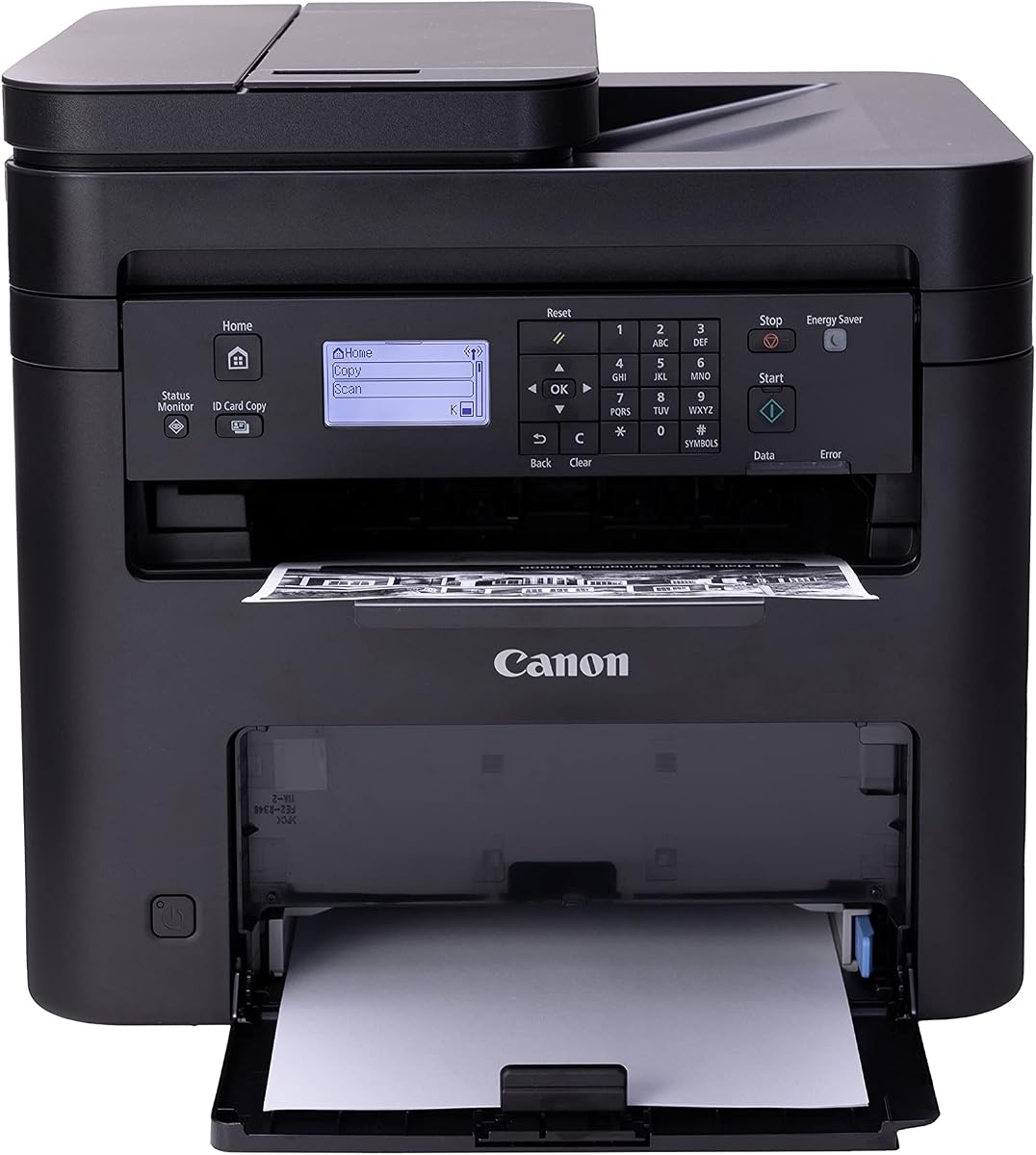
The Canon imageCLASS MF273dw is a space-saving all-in-one that handles print, copy, and scan tasks efficiently. It delivers up to 30 pages per minute and first print times around 5.3 seconds. Automatic duplex printing helps reduce paper waste significantly in daily operations.
We may earn a commission when you buy through this link, at no additional cost to you.
Its auto document feeder allows you to copy or scan multiple pages without manual input. The wireless setup is straightforward, allowing you to connect quickly to networks. It uses standard toner cartridges that are easy to replace.
The auto document feeder capacity is smaller than competitors, which might slow bulk scanning. Envelope handling relies on manual feed, requiring attention to paper type to avoid jams. It is best for light to moderate office use.
This model suits small offices or work-from-home setups needing multifunction capabilities in a small footprint. It balances speed and cost well. Consider it for routine document tasks and occasional envelope printing.
Quick first print time reduces wait, making it efficient for urgent document needs during busy days.
Two-sided printing helps reduce paper usage, contributing to a greener office environment.
We may earn a commission when you buy through this link, at no additional cost to you.
The Brother MFC-L2820DW stands out as an all-in-one that balances cost and performance. It offers print speeds up to 36 pages per minute and automatic duplexing. The touchscreen simplifies navigation, and the Brother Mobile Connect app manages supplies efficiently.
We may earn a commission when you buy through this link, at no additional cost to you.
With a 50-page auto document feeder, you can scan or copy multi-page documents easily. Faxing is supported if needed for business communication. The manual feed slot is designed for envelopes and specialty paper, ensuring versatility.
While it lacks color, this is a monochrome-focused device ideal for text-heavy documents. The footprint is compact enough for desks but robust for daily tasks. Envelope printing is straightforward when using the manual slot.
This is a top pick for small offices needing fax, print, scan, and copy without high costs. The mobile connectivity makes it convenient for remote work. Choose it for a reliable workhorse in mixed environments.
Built-in fax capability provides a backup for traditional business communication without extra hardware.
An intuitive touchscreen interface simplifies accessing cloud apps and managing print queues easily.
We may earn a commission when you buy through this link, at no additional cost to you.
The Canon imageCLASS MF462dw II is a robust printer with print speeds up to 37 pages per minute. Its 5-inch color touchscreen allows customizable shortcuts for frequent tasks. The expandable paper capacity ensures minimal refills, making it suitable for busy offices.
We may earn a commission when you buy through this link, at no additional cost to you.
It includes faxing and duplex printing with a 50-sheet auto document feeder. This reduces manual handling and improves workflow. Toner options are high-capacity, which lowers long-term costs. Mobile device printing via Canon PRINT app works seamlessly.
The larger footprint means it requires dedicated desk space. The price is higher than entry-level models, but the features justify it for business use. Envelope handling is supported via the standard multipurpose tray.
Select this model if you need high volume and flexibility in one device. Its expandability allows you to scale paper capacity as needs grow. It is a powerful choice for teams.
Create custom shortcuts on the touchscreen for frequent tasks, reducing clicks and saving time.
Add optional paper cassettes to increase tray capacity, keeping the printer running longer without refills.
We may earn a commission when you buy through this link, at no additional cost to you.
The Brother MFC-L8930CDW is a premium color laser all-in-one designed for professional environments. It produces sharp color and black prints at speeds up to 33 pages per minute. The 80-page auto document feeder supports legal-size glass scanning.
We may earn a commission when you buy through this link, at no additional cost to you.
Its advanced security features protect network devices and documents in transit. Triple Layer Security includes NFC card readers for badge authentication. It is EPEAT Gold rated and uses recycled materials, aligning with sustainability goals.
The cost is high, and color toners are expensive compared to monochrome units. Manual feed slots are designed for custom printing, but you must load carefully. It offers a large footprint requiring significant desk space.
This printer is for businesses needing high-quality color output and strict security. The cloud and email scanning options streamline workflow. Consider it if you require both color and advanced features in one device.
Integrated security protocols safeguard your network and documents, protecting sensitive business data effectively.
EPEAT Gold certification and recycled materials reduce environmental impact, supporting green office initiatives.
We may earn a commission when you buy through this link, at no additional cost to you.
The HP LaserJet Pro MFP 3101sdw is designed for small teams needing professional black-and-white output. With speeds up to 35 pages per minute, it handles large jobs efficiently. The 250-sheet input tray reduces refills for daily work.
We may earn a commission when you buy through this link, at no additional cost to you.
Its duplex printing and auto document feeder make scanning and copying easy. Wireless connectivity is dependable, ensuring consistent access for devices. HP Security features protect against unauthorized access and firmware updates maintain safety.
The proprietary cartridge chips mean you must use HP chips for operation. This can limit third-party cartridge options. Envelope printing requires manual feed, but the tray holds paper securely.
This model is reliable for offices prioritizing uptime and consistent quality. It is a solid choice for daily printing tasks. Ensure you understand the cartridge requirements before purchase.
Award-winning reliability ensures the printer is ready for high demands without unexpected downtime or errors.
Built-in security features protect your data, helping keep your network safe from threats.
We may earn a commission when you buy through this link, at no additional cost to you.
The Brother MFC-L2690DW is a premium compact all-in-one printer for offices with limited space. It offers print speeds up to 26 pages per minute and a 250-sheet tray. Manual feed slots support card stock and envelopes easily.
We may earn a commission when you buy through this link, at no additional cost to you.
Its sturdy construction ensures durability over time. Wireless printing is seamless for desktop and mobile devices. The footprint saves desk space without sacrificing performance. Legal sizes are supported in the tray.
The 26ppm speed is slower than other models, which may not suit high-volume needs. The cost is higher, but the build quality reflects this. Manual envelope handling requires attention to avoid jams.
Choose this if space is tight and you need an all-in-one with manual feed versatility. It balances premium build with essential features. Great for small offices with specific space requirements.
Space-saving footprint allows you to fit a capable all-in-one printer on a crowded desk.
Handles legal-size paper natively, which is useful for contracts and larger documents.
We may earn a commission when you buy through this link, at no additional cost to you.
Selecting the right printer involves weighing speed, connectivity, and manual feed features. This guide breaks down key factors to help you find a model that handles envelopes reliably while meeting your daily print demands.
Look for models with a dedicated manual feed slot designed for specialty paper. This prevents jams when printing on envelopes or card stock. Ensure the slot accepts the envelope sizes you plan to use regularly.
Prioritize printers with adjustable guides in the manual feed slot to handle different thicknesses securely.
Speed matters for efficiency. Aim for at least 30 pages per minute if you print large batches. Check if duplex printing is automatic or manual to save time.
Choose faster models if your office handles hundreds of pages daily.
Wireless connectivity ensures flexibility for mobile users. Look for dual-band Wi-Fi or Ethernet to avoid connection drops. Check compatibility with your operating system and printing apps.
Ensure the printer supports your preferred mobile printing solutions.
A larger paper tray reduces refills and downtime. Consider the main tray capacity alongside any optional cassettes. For high volume, look for expandable options.
Choose a model with at least 250 sheets to handle busy periods efficiently.
Evaluate toner costs and page yields. Some models offer subscription services to manage costs. Check if the device uses high-yield cartridges to lower the cost per page.
Calculate total expenses over three years to understand real costs.
If you need scanning and copying, choose a multifunction printer. Check if the auto document feeder handles multiple pages. Ensure the scan resolution meets your needs for digitizing documents.
Select all-in-one models if you process both digital and physical mail.
A durable build ensures longevity in busy environments. Check warranty terms and support options. Look for devices backed by reliable customer service channels.
Choose models with standard warranties and easy support access.
Business printers need protection against unauthorized access. Look for models with built-in security features like encryption or secure printing. This is vital for sensitive document handling.
Ensure the printer supports secure printing modes if confidentiality is needed.
Always load envelopes into the manual feed slot with the address side up or according to the guide. Check the printer settings to specify the paper type as envelopes to ensure correct heat settings.
Regularly clean the rollers and feed paths to prevent jams. Use a soft cloth to remove dust and toner residue from the inside of the machine.
Store envelopes in a dry place to prevent curling or moisture issues. Replace toner cartridges when the printer notifies low levels to maintain consistent print quality.
Yes, laser printers can handle thick envelopes when using the manual feed slot. Ensure the printer supports the weight and size you plan to use. Adjust settings to avoid jams and ensure proper fusion.
No, most models support local USB connections for printing. Wireless features are optional. You can print envelopes using a direct cable connection to your computer without internet access.
Adjust the paper guides to fit the envelope snugly without squeezing. Ensure the printer settings match the paper type. Remove any stuck paper gently if jams occur to prevent damage.
High-yield toner models like the Brother MFC-L2820DW offer good value. Toner subscriptions can also reduce costs. Compare page yields to determine the most economical option for your volume.
Not all models support duplex printing on envelopes. Most require manual feeding for single-side. Check specifications if double-sided printing on envelopes is a critical requirement for you.
The Brother HL-L2405W and MFC-L2820DW are top choices for small offices. They balance affordability with reliability and envelope handling features suitable for daily tasks.
Most printers work with third-party toners, but some models restrict them via chips. Check if your model allows generic cartridges to reduce costs. Verify compatibility before purchasing.
Use the printer software or mobile apps to check toner levels. Many models display status on the touchscreen or via dashboard. This ensures you replace toner before it runs out.
We have reviewed ten top models that balance speed, reliability, and envelope handling. The Brother HL-L2405W remains the budget-friendly leader, while the MFC-L2820DW offers great value for small businesses needing fax and scan features.
Consider your specific workflow needs when selecting a printer. If volume is high, prioritize speed and larger trays. For small spaces, compact models with manual feed slots work best.
Prices fluctuate, so verify current offers before purchasing. Always check warranty terms and toner compatibility to ensure long-term satisfaction with your device choice.