
CORSAIR Vengeance SODIMM DDR5 RAM
4.8Editor score
Up to 5600MHz
Easy installation process
Compatible with many systems
This guide compares the top 10 DDR5 laptop RAM kits for speed, capacity, and reliability to help you choose the best memory upgrade for your system.
Finding the right DDR5 laptop RAM can significantly boost your system's performance and responsiveness. Whether you are gaming or working on heavy tasks, the right memory kit ensures smooth operations and faster load times.
We evaluated ten top-rated DDR5 SODIMM kits based on speed, compatibility, and reliability. Our analysis covers major brands like Crucial, Corsair, Samsung, and more to help you find the perfect match for your laptop.
Each pick highlights key features, pros, and cons to guide your decision. Prices and availability can change frequently, so please check the latest details on the product pages before making your final purchase.
4.8Editor score

4.8Editor score

4.5Editor score
The following table provides a side-by-side comparison of all ten DDR5 laptop RAM kits. It highlights key specifications like capacity, speed, and voltage to help you quickly identify the best fit for your needs.




The Crucial 32GB DDR5 RAM Kit stands out as a top choice for users seeking high capacity and reliability. With a rating of 4.8, it delivers fast performance at 5600MHz while maintaining stability across various workloads.
We may earn a commission when you buy through this link, at no additional cost to you.
This kit boosts system performance significantly, making it ideal for heavy multitasking and gaming. It supports Intel XMP 3.0 and AMD EXPO, ensuring optimal compatibility with modern processors from both Intel and AMD.
While the price point is higher than some alternatives, the quality and trust from Micron justify the investment. The module is rigorously tested to ensure top performance and reliability over time.
If you need a reliable memory upgrade for your 12th Gen Intel or Ryzen 7000 laptop, this kit is an excellent choice. It offers a balance of speed and capacity that future-proofs your system.
The 32GB capacity allows for smoother performance during demanding tasks like video editing or gaming.
Backed by 42 years of memory expertise, this kit ensures top performance and reliability.
We may earn a commission when you buy through this link, at no additional cost to you.
The CORSAIR Vengeance SODIMM DDR5 RAM offers an affordable entry point into DDR5 performance. With a 4.8 rating, it provides faster frequencies and greater capacities for tackling demanding tasks.
We may earn a commission when you buy through this link, at no additional cost to you.
Its industry-standard SODIMM form factor ensures compatibility with a wide range of Intel and AMD laptops. The automatic maximum speed boost feature simplifies setup, allowing for faster load times without manual BIOS tweaking.
Users should note that maximum speed requires overclocking or BIOS adjustments. However, this is a common trade-off for budget-friendly performance kits. The low power consumption is another benefit for battery life.
For those on a budget looking to upgrade a gaming or performance laptop, this kit is a solid option. It delivers reliable performance and ease of use for most users.
The simple installation process requires just a screwdriver for most laptops.
It automatically sets to maximum speed on compatible systems for faster performance.
We may earn a commission when you buy through this link, at no additional cost to you.
The G.SKILL Ripjaws DDR5 SO-DIMM Series is designed for high-performance laptops needing low latency. With a rating of 4.5, it delivers speeds up to 5600MT/s with CL40 timing for faster responses.
We may earn a commission when you buy through this link, at no additional cost to you.
It includes both JEDEC default profiles and Intel XMP 3.0 memory overclock profiles. This flexibility allows users to choose between stability and peak performance. The non-ECC design is standard for notebooks.
Users must avoid mixing memory kits to prevent stability issues. The product requires BIOS adjustments to reach maximum speeds. This may be a hurdle for less technical users.
Enthusiasts and power users who need maximum throughput will appreciate this kit. It is a top choice for those who prioritize low latency and high performance in their system.
The CL40 timing provides faster data access for demanding workloads.
It includes XMP 3.0 memory overclock profile for enhanced performance.
We may earn a commission when you buy through this link, at no additional cost to you.
The TEAMGROUP Elite SODIMM DDR5 provides a reliable 32GB kit with 5600MHz frequency. Its rating of 4.6 reflects its performance and stability for modern laptops. It offers a new structural composition for better results.
We may earn a commission when you buy through this link, at no additional cost to you.
The energy-efficient 1.1V working voltage helps conserve power while maintaining high speeds. Support for on-die ECC adds stability to your system. This is valuable for users who need consistent performance.
A lifetime warranty is included, but it is always good to check the latest version on the official website. The design ensures no discrepancies occur between official and product info.
For users seeking a balanced kit with good warranty support, this is a strong contender. It conserves energy and supports powerful multitasking for daily use.
The 1.1V voltage helps conserve energy during operation.
It supports on-die ECC for more stable systems.
We may earn a commission when you buy through this link, at no additional cost to you.
The GIGASTONE 32GB Kit DDR5 delivers high performance with 5600MHz speed. Its rating of 4.7 confirms its reliability for demanding laptop upgrades. It is specifically designed for DDR5 laptops and notebooks.
We may earn a commission when you buy through this link, at no additional cost to you.
This kit includes a power management integrated circuit (PMIC) for better efficiency. The unbuffered Non-ECC design is standard for notebooks. It provides 262-pin compatibility for most DDR5 systems.
Because it is laptop-only, users must ensure their system supports DDR5. The higher price is justified by the performance and PMIC features. It is a great choice for gamers.
If you need a fast upgrade for a DDR5 laptop, this kit is worth considering. It offers high performance with efficient power management.
Includes PMIC for more power efficiency.
It provides high performance notebook memory.
We may earn a commission when you buy through this link, at no additional cost to you.
The CORSAIR Vengeance DDR5 SODIMM offers a 32GB dual-channel kit for serious upgrades. With a 4.7 rating, it provides up to 5600MHz speed and XMP 3.0 compatibility for best performance.
We may earn a commission when you buy through this link, at no additional cost to you.
It is compatible with nearly any Intel and AMD system. Installation is easy for most laptops. The automatic maximum speed boost feature helps with faster load times without manual BIOS tweaks.
Users should note that maximum speed depends on motherboard and CPU. This is a limitation for budget systems. However, the kit still provides significant performance gains.
For gamers and professionals, this kit is a reliable choice. It ensures faster multitasking and load times across many laptop models.
Simple installation process requiring just a screwdriver.
Automatically sets to maximum speed on compatible systems.
We may earn a commission when you buy through this link, at no additional cost to you.
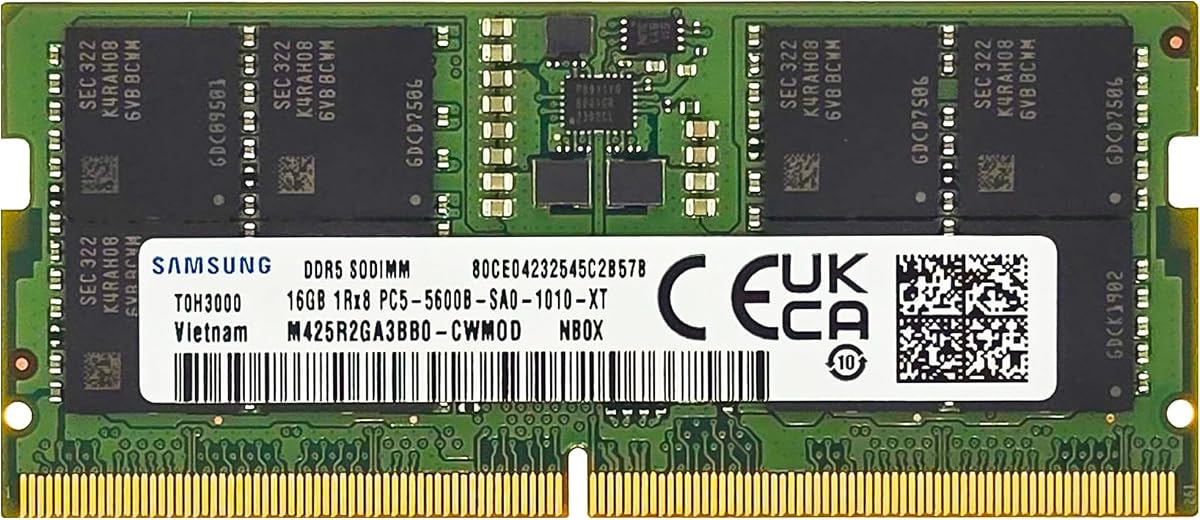
The Samsung 16GB DDR5 5600MHz module offers quality memory from a trusted brand. With a 4.5 rating, it delivers speeds up to 5600 MHz and follows JEDEC DDR5 standards.
We may earn a commission when you buy through this link, at no additional cost to you.
It is compatible with select laptop and notebook computers. The single rank design helps reduce bottlenecks and increases workload capacity. This is a solid upgrade for expanding system memory.
Users must check if their system supports this part number for best results. It expands available memory resources efficiently. It is a reliable choice for single channel upgrades.
If you need to add memory to your laptop, this Samsung module is a great option. It reduces bottlenecks and improves overall system performance.
It expands your system's available memory resource.
It follows the JEDEC DDR5 standard 1.1V voltage.
We may earn a commission when you buy through this link, at no additional cost to you.
The Samsung 32GB DDR5 kit offers a stable upgrade with 5600MHz speeds. It follows JEDEC DDR5 standard for reliability. It is compatible with select laptops and all-in-one computers.
We may earn a commission when you buy through this link, at no additional cost to you.
It expands your system's available memory resource and reduces bottlenecks. The single rank design ensures compatibility with many modern systems. It is a trusted choice for Samsung laptop users.
Users may see substituted part numbers on the listing. This does not affect performance as long as specs match. Always verify compatibility before purchasing.
For those wanting a reliable 32GB upgrade, this kit is a good option. It improves performance and increases workload capacity significantly.
It follows JEDEC DDR5 standard for compatibility.
It reduces bottlenecks and increases workload capacity.
We may earn a commission when you buy through this link, at no additional cost to you.
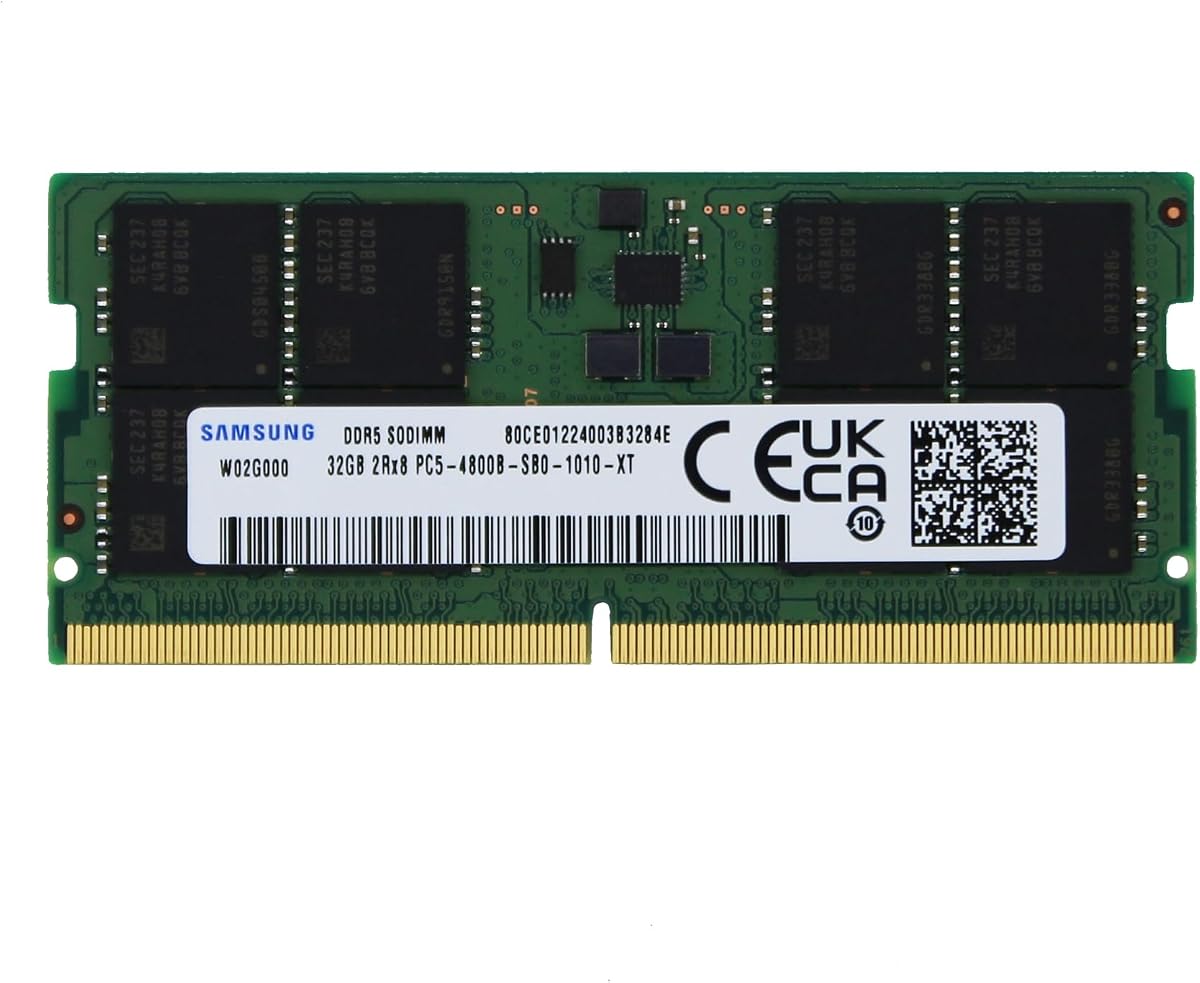
The Samsung 32GB DDR5 4800MHz module offers a unique single module 32GB option. It has a perfect rating of 5.0 and follows JEDEC DDR5 standard. The dual rank design is notable.
We may earn a commission when you buy through this link, at no additional cost to you.
It is compatible with select laptops and notebooks. The 4800MHz speed is lower than 5600MHz kits but may provide better latency. It expands available memory resources effectively.
Users may find this module is a good fit for systems requiring 32GB capacity without dual sticks. It improves performance and reduces bottlenecks. It is a stable choice.
For laptops needing a single 32GB upgrade, this module is recommended. It expands memory resources and improves workload capacity.
The dual rank design is notable for performance.
It expands your system's available memory resource.
We may earn a commission when you buy through this link, at no additional cost to you.
The Samsung 16GB DDR5 kit offers two 8GB modules for flexibility. It delivers speeds up to 5600MHz and follows JEDEC DDR5 standard. This makes it a versatile choice for upgrades.
We may earn a commission when you buy through this link, at no additional cost to you.
It is compatible with select DDR5 laptops and all-in-one systems. The single rank design ensures compatibility with many modern systems. It expands available memory resources effectively.
Users should verify part numbers as they may vary slightly. Performance remains identical across variants. This kit is reliable for dual channel performance.
For users seeking a 16GB dual channel kit, this option is excellent. It expands memory resources and improves workload capacity.
It expands your system's available memory resource.
It follows JEDEC DDR5 standard for compatibility.
We may earn a commission when you buy through this link, at no additional cost to you.
Choosing the right DDR5 laptop RAM involves considering several factors like speed, capacity, and compatibility.
Capacity determines how much data your system can access quickly. For gaming and heavy workloads, 32GB kits are often the best choice. If you have limited budget, a single 16GB stick may suffice for now.
Aim for at least 16GB for basic use and 32GB for future-proofing.
DDR5 speeds range from 4800MHz to 5600MHz and beyond. Higher speeds improve system responsiveness and reduce bottlenecks. Ensure your laptop supports the speed you buy for best results.
5600MHz offers excellent performance for modern laptops and games.
Latency measured in CL numbers affects how quickly memory responds. Lower numbers like CL40 are faster but often cost more. Balance latency needs with your budget for the best results.
Choose lower latency if you prioritize speed in demanding tasks.
Not all laptops support DDR5. Always check your system specifications before purchasing. SODIMM modules are standard for laptops, but some use soldered RAM that cannot be upgraded.
Verify DDR5 support in your laptop manual or manufacturer website.
Rank configurations like 1Rx8 or 2Rx8 affect performance. Single rank modules may offer slightly better latency. Dual rank can provide better bandwidth for large datasets.
Choose single rank for latency and dual rank for bandwidth if applicable.
Reputable brands like Samsung, Crucial, and Corsair offer reliable products. Check warranty periods to protect your investment. Lifetime warranties are common for quality DDR5 RAM kits.
Opt for brands with strong track records and clear warranty terms.
Dual channel kits (2x16GB) often perform better than single 32GB sticks. They provide higher bandwidth for multitasking. If available, always choose dual channel kits for best performance.
Prioritize dual channel kits over single stick for better throughput.
DDR5 modules often include PMIC for better power efficiency. This helps with battery life on laptops. Look for PMIC support in product descriptions.
Check PMIC support to ensure efficiency and battery savings.
To install DDR5 RAM, power off your laptop and remove the back panel to access the RAM slots. Align the notches on the module with the slot carefully and press down until it clicks into place. This ensures a secure connection for stable operation.
After installation, power on your system and enter BIOS to verify the new memory speed and size. Some modules may require enabling XMP or EXPO profiles for maximum performance. This step ensures your system recognizes the upgrade correctly.
To maintain performance, keep your laptop well-ventilated and avoid excessive heat. Periodically check for BIOS updates that may improve memory compatibility. These simple steps help ensure your RAM upgrade lasts longer and performs well.
It is generally recommended to use matched kits from the same manufacturer. Mixing brands can lead to compatibility issues or reduced performance due to timing mismatches. Stick to the same kit for best stability and speed.
No, only laptops released recently with 12th Gen Intel Core or Ryzen 7000 series processors support DDR5. Older laptops use DDR4. Always check your system specifications before purchasing.
SODIMM is smaller and designed specifically for laptops. Standard RAM is for desktops. They are not interchangeable. Make sure to buy SODIMM for laptop upgrades.
Yes, for modern gaming and multitasking, 32GB is ideal. It allows you to run multiple apps without slowdowns. 16GB is minimum, but 32GB ensures smoother experience for games and apps.
DDR5 uses lower voltage around 1.1V, which is more energy efficient than previous generations. This helps improve battery life on laptops compared to older DDR4 modules.
Open your system's device manager or use tools like CPU-Z to check installed memory. Consult your manual to see if RAM is soldered or has free slots. Not all laptops have user-upgradeable memory.
Yes, most laptops allow user upgrades with a simple screwdriver. However, some models have sealed cases. Check your model's user guide or manufacturer support pages for instructions.
Maximum speed often requires enabling XMP or EXPO in BIOS. Some systems default to lower speeds for stability. Check BIOS settings to see if you can enable profiles for faster operation.
The Crucial 32GB kit, CORSAIR Vengeance, and G.SKILL Ripjaws stand out as top choices. They balance speed, capacity, and reliability for most users seeking performance upgrades.
Prioritize compatibility with your laptop model and choose the right capacity for your workload. 32GB kits are ideal for gamers and professionals needing robust memory.
Prices and availability can change frequently so please check the latest deals on Amazon before purchasing. Investing in quality DDR5 RAM can significantly extend your laptop's usable life.