
Light Gaming Laptop, AMD Ryzen 7 430U
4.6Editor score
Ryzen 7 430U CPU
16GB RAM DDR4
512GB SSD Storage
Finding the right laptop for emulators requires balancing processor speed, graphics capability, and memory. Whether you run Android games or retro console sims, the hardware must handle complex instructions without lag.
We evaluated ten models focusing on CPU core counts, integrated or dedicated GPUs, and upgrade options. Each pick offers a unique blend of portability and power tailored to emulation workloads and daily tasks.
Each review highlights specific strengths and trade-offs so you can match a device to your needs. Prices and stock change frequently, so verify current details before making your final purchase decision online.
4.6Editor score

4.4Editor score

4.4Editor score
As an Amazon Associate we earn from qualifying purchases.
This table provides a side-by-side look at the key specifications for all ten laptops, helping you quickly compare processors, memory, and graphics capabilities across different price points.

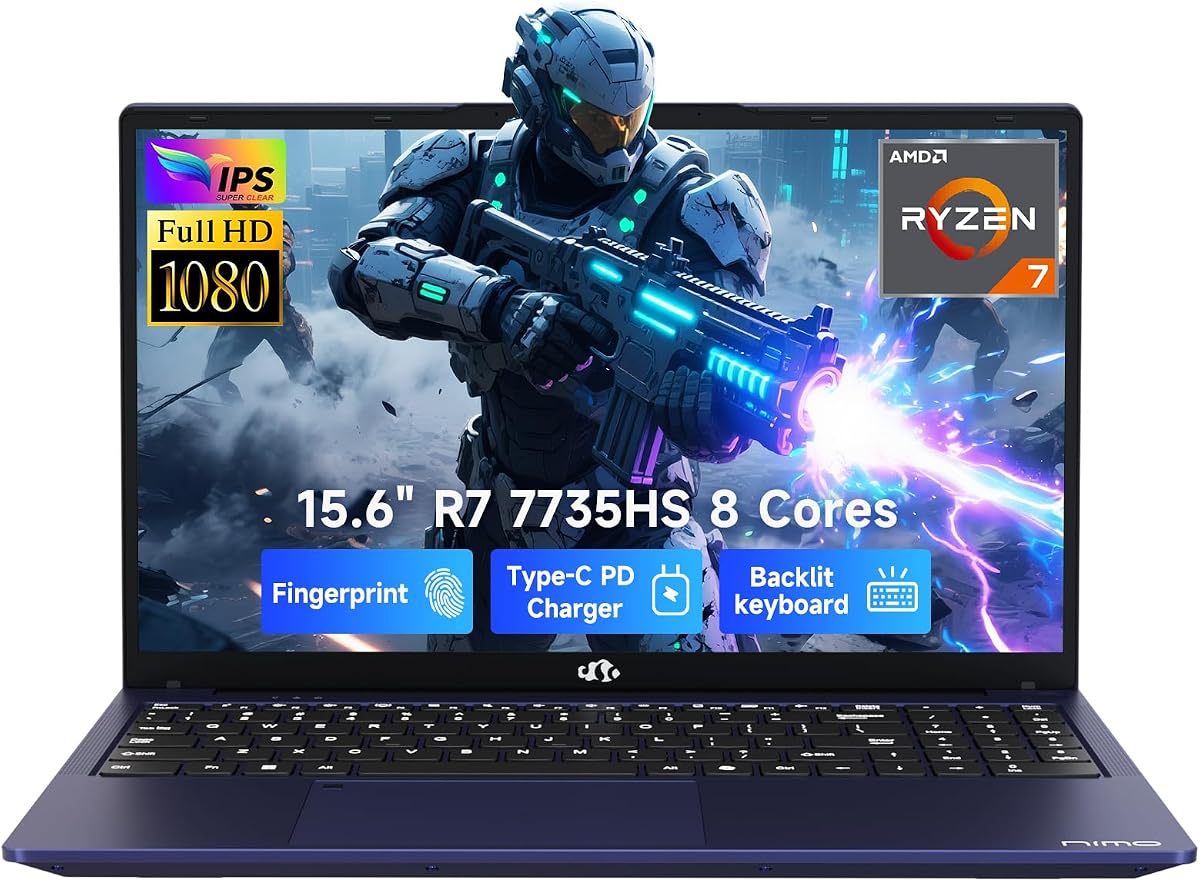


This laptop stands out for its balanced performance profile suitable for emulation. The Ryzen 7 7735HS processor provides enough raw power to handle demanding Android emulators and retro consoles efficiently.
We may earn a commission when you buy through this link, at no additional cost to you.
The inclusion of DDR5 RAM slots future-proofs the machine for growing application demands. Additionally, the Radeon 680M graphics deliver solid visual fidelity for games that require a bit more graphical horsepower.
While the screen is standard FHD, it offers clear visuals for text-based tasks and menus. The 100W PD charging ensures you can work away from an outlet for decent periods.
It is an ideal choice for users needing a portable yet powerful machine for gaming and productivity. The two-year warranty offers peace of mind for long-term usage.
The eight-core architecture ensures smooth multitasking even when running multiple emulators or background apps.
Dual DDR5 slots allow easy upgrades to handle heavier workloads as software requirements increase.
We may earn a commission when you buy through this link, at no additional cost to you.
This model offers a spacious 17.3-inch display perfect for immersive gaming sessions. The large screen real estate helps with multitasking and viewing detailed game interfaces clearly.
We may earn a commission when you buy through this link, at no additional cost to you.
It comes with 32GB of DDR5 RAM which is excellent for heavy multitasking. Users can run emulators alongside browsers and streaming tools without experiencing slowdowns.
The storage is expandable up to 4TB allowing for vast libraries of games and media. However, the laptop is less portable due to its larger chassis design.
It is best suited for home users or those with dedicated workspaces who prioritize screen size over portability. The fast charging helps mitigate battery anxiety during travel.
The wide screen reduces eye strain during long emulation sessions and improves workflow efficiency.
With ample RAM you can keep multiple emulators open simultaneously without performance drops.
We may earn a commission when you buy through this link, at no additional cost to you.
This laptop is a strong contender for budget-conscious users looking for basic emulation. It handles lighter games and older console emulation well without breaking the bank.
We may earn a commission when you buy through this link, at no additional cost to you.
The Ryzen 7 430U provides sufficient power for most daily tasks and moderate gaming. Combined with 16GB of RAM it ensures smooth operation for standard applications.
Connectivity options include WiFi 6 and various ports for peripherals. The design is compact making it easy to carry around to different locations.
It is recommended for students or casual gamers who do not need high-end graphics. The value proposition is strong given the feature set available at this price point.
Delivers reliable speeds for entry-level emulation and productivity tasks at a low cost.
Lightweight build allows for easy transport to libraries or cafes for study and play.
We may earn a commission when you buy through this link, at no additional cost to you.
This device offers a robust set of specifications for its price point. The Ryzen 7 processor ensures it can handle modern emulation needs without stuttering or lag.
We may earn a commission when you buy through this link, at no additional cost to you.
With 32GB of DDR5 RAM it is ready for heavy multitasking. Users can run virtual machines or complex software suites alongside their games comfortably.
Security features like fingerprint login add convenience and safety for your data. The USB-C charging is efficient and supports fast power delivery for quick top-ups.
It is a solid choice for professionals or power users who need a reliable workhorse. The balance of performance and security makes it a versatile daily driver.
Large RAM ensures no slowdowns when running multiple heavy applications or browser tabs.
Biometric login offers quick and secure access to your system and sensitive files.
We may earn a commission when you buy through this link, at no additional cost to you.
This laptop delivers desktop-class performance in a portable form factor. The Ryzen 7 8745HS is a powerhouse for demanding emulation and creative workloads alike.
We may earn a commission when you buy through this link, at no additional cost to you.
With 64GB of RAM it is future-proof for years of use. You can run multiple virtual environments and complex software without any resource constraints.
The 2TB SSD provides ample space for large game libraries and media files. It ensures fast loading times and smooth data access for all your applications.
It is designed for professionals and enthusiasts who need raw power. The high price is justified by the exceptional performance and build quality it offers.
Delivers speeds comparable to desktops for high-end emulation and professional tasks.
Two terabytes of space allow you to store extensive game libraries and large media files.
We may earn a commission when you buy through this link, at no additional cost to you.
This model strikes a great balance between performance and portability. It is light enough to carry around easily while still offering enough power for daily tasks.
We may earn a commission when you buy through this link, at no additional cost to you.
The Ryzen 7 5700U provides solid performance for general emulation. It handles most common games smoothly without heating up excessively during use.
Connectivity is well covered with WiFi 6 and multiple ports. The battery life is sufficient for a full day of work or travel without frequent charging.
It is ideal for students or travelers who need a reliable machine on the go. The lightweight design ensures comfort during long carrying periods.
Slim profile makes it easy to slip into a backpack for travel or commute.
Solid processor ensures smooth operation for standard applications and light gaming.
We may earn a commission when you buy through this link, at no additional cost to you.
This laptop is optimized for office work with gaming capabilities. The inclusion of Windows 11 Pro and Office makes it ready for business tasks immediately.
We may earn a commission when you buy through this link, at no additional cost to you.
The Intel Core i7 processor provides enough speed for multitasking. It handles documents and spreadsheets well while still running lighter games.
The keyboard features backlighting which is helpful in low light environments. The lightweight build ensures you can carry it to meetings without strain.
It is perfect for professionals who need a reliable work machine with casual gaming options. The integrated software suite saves setup time and costs.
Includes full office suite so you can start working right out of the box.
Easy to transport between home and office without adding bulk to your bag.
We may earn a commission when you buy through this link, at no additional cost to you.
This device offers cutting-edge hardware for gaming enthusiasts. The high refresh rate screen ensures fluid visuals which is great for responsive gameplay.
We may earn a commission when you buy through this link, at no additional cost to you.
It features a dedicated RTX 5060 GPU for powerful graphics rendering. This allows for playing modern titles and running graphically demanding emulators smoothly.
The inclusion of Wi-Fi 7 provides fast and stable internet connections. It reduces latency during online gaming sessions significantly.
It is a top pick for gamers who prioritize performance and screen quality. The advanced cooling system keeps the laptop running cool under heavy loads.
The 165Hz refresh rate delivers smooth motion for fast-paced gaming experiences.
RTX GPU supports advanced features like ray tracing for immersive visual quality.
We may earn a commission when you buy through this link, at no additional cost to you.
This laptop provides a large display at an entry-level price point. It is suitable for basic gaming and everyday computing tasks comfortably.
We may earn a commission when you buy through this link, at no additional cost to you.
The 17.3-inch screen offers comfortable viewing for media and games. It makes text and graphics look clear even for casual users.
Battery life is decent allowing for moderate usage away from an outlet. The design is sleek and modern fitting well in various environments.
It is best for users who need a large screen for media consumption on a budget. The limited RAM might require closing apps when multitasking heavily.
Big display offers great viewing comfort for movies and casual games at a low cost.
Clean aesthetics make it a versatile choice for both home and office use.
We may earn a commission when you buy through this link, at no additional cost to you.
This laptop includes practical privacy features that are often overlooked. The built-in webcam cover allows you to secure your privacy physically when not in use.
We may earn a commission when you buy through this link, at no additional cost to you.
Performance is adequate for light gaming and multitasking. The processor handles standard applications well without significant lag or stuttering.
The design is straightforward and functional without unnecessary bloat. Support services are responsive ensuring you get help when needed quickly.
It is a solid choice for users prioritizing privacy and reliability. The balance of features and price makes it a safe bet for everyday use.
Webcam slider offers physical security for your privacy during work or study.
Responsive customer service ensures quick resolution for any technical issues.
We may earn a commission when you buy through this link, at no additional cost to you.
Choosing the right laptop for emulation involves evaluating CPU power, memory, graphics capabilities, and storage speed to ensure smooth performance.
The processor is the heart of your emulation experience. Look for at least an 8-core CPU to handle the overhead of virtualization and game logic efficiently.
A strong processor ensures stable frame rates and smooth multitasking when running background applications.
RAM is critical for loading game assets and managing system resources. Aim for 16GB of RAM to prevent stuttering during complex emulation sessions.
More memory allows you to keep multiple emulators open simultaneously without performance degradation.
While many emulators rely on integrated graphics, dedicated GPUs provide better visual fidelity. Consider models with RDNA or NVIDIA RTX architecture for higher resolution output.
Good graphics performance enhances texture quality and reduces visual artifacts in modern games.
Fast storage reduces load times for games and operating system components. NVMe SSDs are essential for quick boot times and rapid data access.
Ensure the drive is expandable to accommodate large libraries of game ROMs and ISO files.
A high-quality display improves immersion and comfort during long sessions. Look for IPS panels with good color accuracy and high refresh rates for smooth motion.
Resolution should be at least Full HD to ensure text and graphics remain sharp.
Ports are vital for connecting controllers and external displays. Ensure you have enough USB ports and HDMI/DisplayPort outputs for your peripherals.
Good connectivity allows for a flexible setup without needing multiple adapters.
For portable use, battery life determines how long you can game away from an outlet. Look for laptops with efficient processors and larger battery capacities.
Extended battery life ensures uninterrupted play during travel or remote work sessions.
A durable chassis withstands daily travel and usage. Metal bodies often offer better cooling and protection compared to plastic alternatives.
Robust build quality ensures longevity and consistent thermal performance over time.
Start by updating your BIOS and drivers to ensure compatibility with modern emulators. This step often resolves performance issues and improves system stability.
Keep your system clean by clearing temporary files regularly. This helps maintain fast loading times and prevents unnecessary storage clutter.
Use a cooling pad if you play for extended periods. Proper airflow helps maintain performance and prevents thermal throttling during intense sessions.
You need at least an 8-core processor, 16GB of RAM, and a fast NVMe SSD. Dedicated graphics are helpful for higher resolution games but integrated options work well for retro titles.
Yes, modern laptops can emulate consoles up to the PS3 and Wii U era. Ensure your GPU supports Vulkan or OpenGL for best compatibility with demanding emulators.
16GB is recommended for smooth multitasking. 8GB may struggle with modern emulators or if you run multiple applications simultaneously.
Integrated GPUs like Radeon 680M work well for most games. Dedicated cards offer better performance for 4K emulation or high-fidelity graphics.
Use power saver modes and close background apps before gaming. Keep your drivers updated to ensure compatibility with the latest emulator versions.
Larger screens improve immersion and text readability. However, smaller screens are more portable so choose based on where you plan to use the laptop most.
The laptops selected offer a range of options from budget-friendly to high-performance premium devices. Each pick balances processing power, memory, and graphics to meet different needs.
Prioritize CPU core count and RAM capacity to ensure future-proof performance. A strong processor will handle increasingly demanding emulators without stuttering.
Remember to verify current prices and stock before purchasing as they change frequently. Checking current details ensures you get the best value for your investment.