
Acer KB220Q H2bi
4.6Editor score
100Hz refresh rate
ZeroFrame bezel design
Adaptive-Sync support
Finding the right display for your workspace or gaming setup requires careful consideration of resolution, refresh rate, and connectivity options. An HDMI LED monitor provides a versatile solution for both productivity and entertainment needs in modern environments.
We evaluated ten leading models based on panel technology, color gamut coverage, and feature sets like eye care and adaptive sync. Our analysis focuses on real-world usability across office, creative, and gaming scenarios.
Each selection highlights specific strengths such as budget value, premium build quality, or specialized refresh rates. Please note that availability and current offers may change over time on retailer sites.
4.6Editor score

4.7Editor score

4.6Editor score
As an Amazon Associate we earn from qualifying purchases.
The following table offers a side-by-side technical overview of all ten reviewed models. Use this data to quickly compare specs like panel type, refresh rate, and connectivity options before making your final selection.





The Sceptre E248W-19203R delivers a compelling balance of performance and cost for users seeking an HDMI LED monitor. With a 99% sRGB color gamut and 100Hz refresh rate, it offers vivid visuals and smooth motion that exceed typical entry-level expectations.
We may earn a commission when you buy through this link, at no additional cost to you.
Its multiple HDMI ports allow easy connectivity to gaming consoles and laptops. Built-in speakers provide convenience without cable clutter while FPS and RTS game modes enhance the experience by optimizing settings for specific genres.
While the stand is tilt-only and the bezels are thin, the screen quality and feature set remain strong for the price. The Blue Light Shift technology helps reduce eye strain during long sessions.
This model is ideal for budget-conscious gamers and general users who want high refresh rates and good color accuracy. It remains a solid choice for secondary setups or dorm rooms.
The 100Hz refresh rate ensures fluid visuals that reduce motion blur in gaming and video playback.
Built-in speakers deliver robust sound without needing external audio hardware for basic tasks.
We may earn a commission when you buy through this link, at no additional cost to you.
The Sceptre E275W-19203R expands the workspace with a 27-inch panel while maintaining a competitive price. It supports 99% sRGB coverage and includes adaptive sync to reduce screen tearing in supported setups.
We may earn a commission when you buy through this link, at no additional cost to you.
Its two HDMI and one VGA ports provide flexibility for connecting older and newer devices. The tiltable stand allows for basic angle adjustments to improve viewing comfort over extended periods.
Though the refresh rate is 75Hz instead of 100Hz, it still offers smoother motion than standard 60Hz displays. The built-in speakers add convenience for casual multimedia use.
This monitor suits users who prioritize screen real estate for productivity or multitasking. It remains a practical choice for secondary displays in home offices or gaming stations.
The 27-inch size offers more room for multitasking and media consumption compared to smaller units.
Adaptive sync helps synchronize the monitor with your graphics card to minimize visual artifacts.
We may earn a commission when you buy through this link, at no additional cost to you.
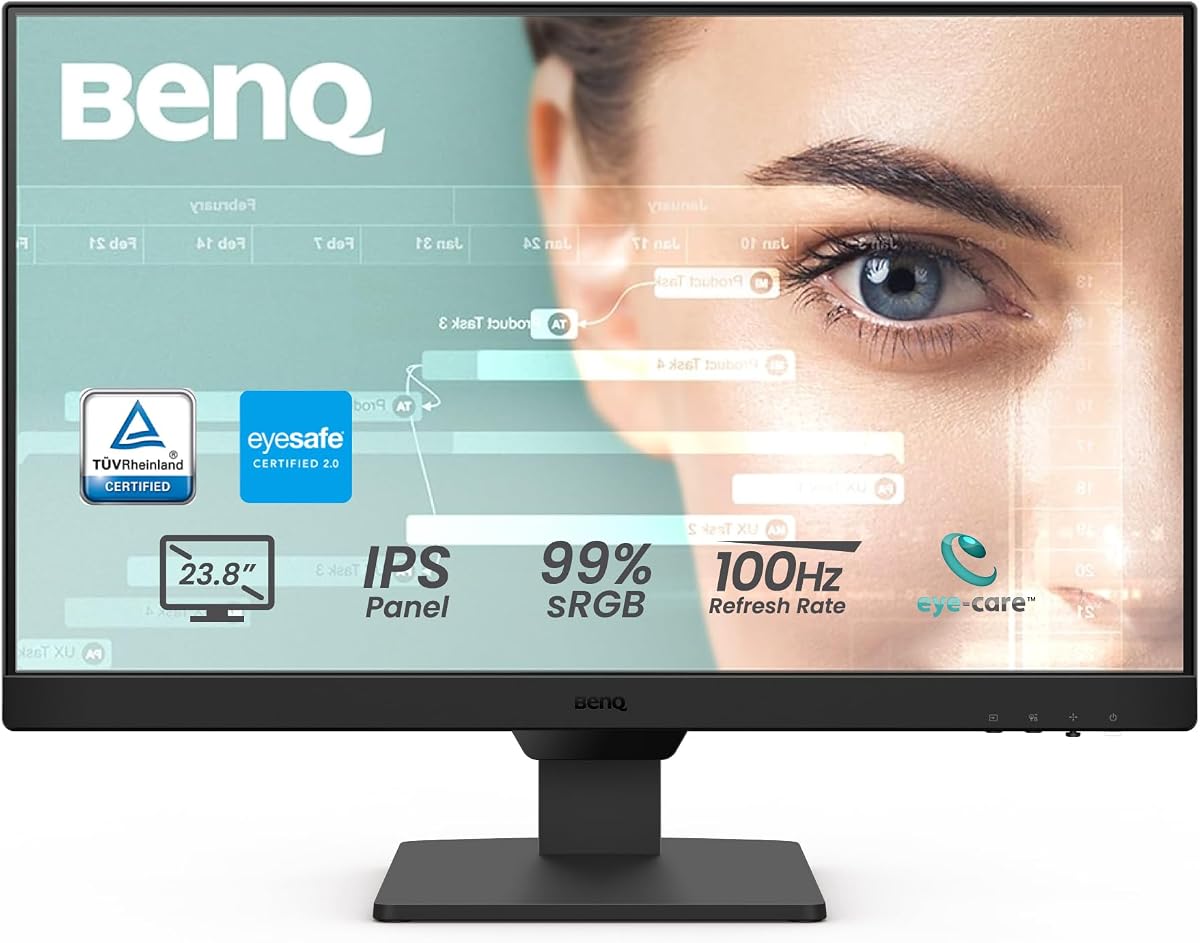
The BenQ GW2490 combines IPS technology with advanced eye care features for comfortable long-term use. Its 100Hz refresh rate ensures fluid motion while the Low Blue Light Plus filter targets harmful radiation without sacrificing color accuracy.
We may earn a commission when you buy through this link, at no additional cost to you.
The Input Hotkey allows seamless switching between connected devices with a single click. Adaptive brightness adjusts the screen based on ambient light to maintain consistent visual comfort.
Its thin bezels and VESA mount compatibility make it suitable for multi-monitor setups or wall mounting. Built-in speakers add audio convenience for calls or media viewing.
Ideal for office workers and creatives who need accurate color and eye protection. It balances performance and health features effectively in this price range.
Low Blue Light Plus technology filters harmful blue-violet radiation while preserving vivid colors.
Input Hotkey enables quick transitions between devices without navigating on-screen menus.
We may earn a commission when you buy through this link, at no additional cost to you.
The Dell SE2426H stands out with its 144Hz refresh rate and IPS panel, offering smooth motion and accurate colors. It is ideal for gaming and productivity where visual clarity and responsiveness are paramount.
We may earn a commission when you buy through this link, at no additional cost to you.
Its 1ms MPRT response time minimizes motion blur during fast action. TÜV 3-star certification ensures reduced blue light while preserving stunning color quality for long work sessions.
Ultra-thin bezels maximize the screen estate and enhance the aesthetics. The dual HDMI inputs support easy connectivity for multiple devices.
This model is perfect for gamers needing high refresh rates and professionals requiring color consistency. It delivers premium performance at a competitive price point.
144Hz refresh rate delivers fluid visuals essential for competitive gaming and fast-paced media.
TUV 3-star eye comfort certification ensures safe viewing during extended daily use.
We may earn a commission when you buy through this link, at no additional cost to you.
The Philips 241V8LB uses a VA panel to produce deeper blacks and higher contrast ratios. It supports 100Hz refresh rate and provides crisp Full HD visuals for movies and work.
We may earn a commission when you buy through this link, at no additional cost to you.
Its 178-degree viewing angle ensures color consistency across wide perspectives. The EasyRead mode offers a paper-like experience for document-heavy tasks.
Virtually bezel-free design allows for seamless multi-monitor setups. Flicker-Free technology helps reduce eye strain during long periods of use.
This monitor is ideal for media consumption and general office use where contrast and visual comfort are key. It delivers reliable performance for everyday tasks.
The VA panel delivers deeper blacks and better contrast for richer image depth.
EasyRead mode adjusts display settings to mimic paper for comfortable reading sessions.
We may earn a commission when you buy through this link, at no additional cost to you.
The Dell P2425H focuses on ergonomic features to support comfortable all-day use in professional environments. Height, tilt, and swivel adjustments allow you to position the screen perfectly for your posture.
We may earn a commission when you buy through this link, at no additional cost to you.
Its Full HD resolution and 1500:1 contrast ratio deliver clear visuals for office tasks and media. Dell's build quality ensures durability and consistent performance over time.
The stand design prioritizes usability without cluttering the desk. Cable management options help keep the workspace tidy and organized.
Ideal for office workers who need reliable performance and full adjustability. It suits corporate settings or home offices requiring stability and comfort.
Height, tilt, and swivel adjustments support better posture and reduce neck strain.
Dell's manufacturing standards ensure consistent performance and longevity for daily use.
We may earn a commission when you buy through this link, at no additional cost to you.
The BenQ BL2490 offers a reliable display with anti-glare coating for well-lit environments. It supports 100Hz refresh rate and includes both HDMI and DisplayPort inputs for flexible connectivity.
We may earn a commission when you buy through this link, at no additional cost to you.
Its 250 cd/m² brightness provides clear visibility without eye fatigue. The tilt adjustment allows for comfortable viewing angles.
With a solid performance record and 1300:1 contrast ratio, it delivers consistent visuals. The design is minimalistic and fits various desk setups.
This model suits business users needing a no-fuss monitor for documents and browsing. It provides dependable performance with essential features.
Anti-glare coating minimizes reflections for clear visibility in bright office settings.
Both HDMI and DisplayPort inputs support a wide range of devices and graphics cards.
We may earn a commission when you buy through this link, at no additional cost to you.
The LG 24U411A-B supports HDR10 to deliver rich colors and improved contrast for media. Its IPS panel ensures accurate visuals from any angle while 120Hz refresh rate keeps motion smooth.
We may earn a commission when you buy through this link, at no additional cost to you.
Dynamic Action Sync minimizes input lag for faster reactions in games. The Switch App transforms multitasking by splitting the screen into multiple sections easily.
Reader Mode lowers blue light levels for comfortable document reading. The slim bezels create a modern borderless look.
Ideal for multimedia users and casual gamers seeking color depth. It offers solid performance for content consumption and productivity.
HDR10 support enhances color depth and contrast for more immersive video experiences.
Switch App allows easy screen splitting to boost productivity without extra software.
We may earn a commission when you buy through this link, at no additional cost to you.
The Acer KB220Q H2bi packs 100Hz refresh rate into a compact 21.5-inch frame. It uses ZeroFrame design to maximize screen real estate and Adaptive-Sync for tear-free visuals.
We may earn a commission when you buy through this link, at no additional cost to you.
Fast response time minimizes motion blur for clear action. The slim design fits small desks easily while maintaining solid performance.
Its affordability makes it ideal for budget setups or secondary screens. The color quality is vibrant despite the lower price.
This model is perfect for students or gamers needing high refresh rates on a budget. It delivers essential features without compromise.
100Hz refresh rate delivers smooth visuals even in a smaller compact footprint.
Bezel-less design creates a seamless multi-monitor look and boosts screen immersion.
We may earn a commission when you buy through this link, at no additional cost to you.
The Dell S2425HSM combines 144Hz refresh with pivot and swivel adjustments for ultimate ergonomics. Its integrated speakers deliver high-quality audio while 4-star TUV eye comfort ensures safe long-term use.
We may earn a commission when you buy through this link, at no additional cost to you.
AMD FreeSync support reduces tearing for smooth gaming. The Ash White finish adds a stylish touch to modern desks.
Dell Display and Peripheral Manager optimizes settings for the entire workspace. Solid construction ensures stability during adjustments.
This monitor is ideal for power users needing full adjustability and audio convenience. It suits premium workstations and gaming setups.
Pivot and swivel enable vertical and horizontal viewing for flexible multi-tasking.
Dual 3W speakers deliver rich sound without needing external hardware.
We may earn a commission when you buy through this link, at no additional cost to you.
Selecting the right monitor involves evaluating panel type, refresh rate, and ergonomic features. This section outlines key factors to consider for your specific needs.
IPS panels provide better viewing angles and color consistency compared to VA or TN panels. For creative work, look for models with high sRGB coverage to ensure vibrant and accurate colors.
Choose IPS for color-critical tasks and VA for deeper contrast in media consumption.
Refresh rates above 60Hz such as 100Hz or 144Hz offer smoother motion for gaming and video. Lower response times minimize motion blur and ghosting during fast-paced actions.
Prioritize 100Hz or higher for gaming and 1ms response for competitive play.
Features like Low Blue Light and TÜV certifications reduce eye strain during extended use. Flicker-Free technology prevents backlight fluctuations that cause headaches.
Look for TÜV certified eye comfort for daily office work and browsing.
Multiple HDMI ports allow connecting several devices like consoles and laptops simultaneously. DisplayPort support may be needed for higher resolutions or refresh rates.
Ensure at least two HDMI inputs for multi-device setups.
Stands with height, tilt, swivel, and pivot adjustments help maintain a healthy posture. VESA mount compatibility allows third-party arm use.
Prioritize full adjustability for long hours to reduce neck and back pain.
Bezel-less designs improve aesthetics and reduce distractions. Consider screen size based on desk space and viewing distance.
Choose thin bezels for seamless multi-monitor configurations and large screens for immersive viewing.
Built-in speakers save desk space and simplify setup. Check wattage and audio quality if external speakers are not used.
Opt for monitors with integrated speakers for basic calls and casual media consumption.
Reliable brands often provide better warranties and driver support. Build materials affect durability and stability.
Check warranty terms and customer support reputation before purchasing.
Connect the monitor using HDMI cables to your devices and adjust settings through the on-screen menu. Calibrate brightness and contrast to match your environment for optimal comfort.
Keep the screen clean with a soft microfiber cloth to avoid scratches. Do not use harsh chemicals or abrasive materials on the panel or bezels.
Allow the monitor to cool down after long sessions and ensure proper ventilation. Adjust eye care settings as needed to reduce strain during daily use.
IPS panels offer wider viewing angles and better color accuracy making them ideal for creative work. VA panels provide higher contrast ratios and deeper blacks which suits media consumption better.
Many models support Adaptive-Sync or AMD FreeSync to reduce screen tearing. Check product specifications to confirm compatibility with your graphics card.
Higher refresh rates like 100Hz make scrolling and motion smoother. While not strictly necessary for basic office tasks, they improve overall visual comfort.
Models with high sRGB coverage and IPS panels are suitable for professional color work. Calibration tools can further enhance accuracy for demanding projects.
Built-in speakers are convenient for basic audio but may lack depth. External speakers are recommended for immersive media or conference calls.
A higher contrast ratio improves image depth with deeper blacks and brighter whites. This enhances the quality of photos and videos on VA panels.
The ten models reviewed offer diverse options ranging from budget-friendly compact displays to premium ergonomic units. Each delivers strong HDMI connectivity and LED performance for modern needs.
Prioritize panel type and refresh rate based on your primary use. Eye care features should be considered if you work long hours daily.
Check current availability and warranty terms before finalizing your choice. Investing in the right monitor improves productivity and comfort across the board.