
xTool F2 Ultra 60W MOPA & 40W Diode Dual Laser Engraver
4.2Editor score
MOPA Fiber and Diode Dual Laser
100+ Color Engraving on Metal
Industrial Grade Speed and Precision
Finding the right 60W laser engraver means balancing power with safety and ease of use. Whether you run a small workshop or need reliable tools for batch production, these machines offer impressive cutting and engraving speed. They handle wood, acrylic, leather, and even metal with precision, making them versatile for creators and professionals alike.
We evaluated ten top models based on their power output, safety features, workspace size, and software compatibility. Our analysis focused on real-world usability, including enclosure design, camera systems, and engraving speed. This list helps you identify which machine fits your specific materials and production needs without compromising on quality or user experience.
Each pick below highlights key strengths and trade-offs to guide your decision. We cover everything from budget-friendly diode options to industrial fiber and CO2 systems. Prices and availability change often, so check the latest listings before purchasing to ensure you get the best deal for your project requirements and budget.
4.2Editor score

4.5Editor score

4.0Editor score
As an Amazon Associate we earn from qualifying purchases.
This side-by-side comparison helps you evaluate the key features of the top 60W laser engravers available today. We compare safety ratings, laser types, workspace sizes, and special features like cameras or dual lasers to help you find the model that best fits your production goals and workspace constraints.




The Creality Falcon2 Pro stands out as a professional-grade 60W laser engraver designed for serious makers and growing businesses. It combines high power with a fully enclosed Class 1 safety design, making it safe for various workspaces. Its dual laser system and HD camera streamline complex projects with precision and speed.
We may earn a commission when you buy through this link, at no additional cost to you.
Its standout features include adjustable power levels and a powerful 60W laser for heavy-duty cutting. The integrated 1.6W laser helps with fine engraving and positioning. This system supports batch production with intelligent safety monitoring and air assist. It handles materials like wood, acrylic, leather, and coated metal with exceptional results.
While powerful, the machine is designed for commercial environments which means it is a significant investment. The enclosed structure requires some maintenance of filters and safety features. However, these trade-offs are acceptable for users prioritizing safety, speed, and professional-quality output in a single unit.
This machine is ideal for small businesses and workshops needing reliable performance for signs and batch items. If you value safety and versatility in one unit, the Falcon2 Pro delivers. It reduces setup time and ensures consistent results across multiple projects, making it a top choice for serious engraving work.
The fully enclosed design minimizes laser exposure and contains smoke. Emergency stops and safety monitoring make it safe for busy workshops.
Switch between 60W for cutting and 1.6W for fine engraving. This flexibility maximizes performance across different material thicknesses.
We may earn a commission when you buy through this link, at no additional cost to you.
The Creality Falcon2 Pro desktop diode model brings powerful 60W output to small studios with its integrated enclosure and high-speed engraving. It supports rapid batch production and features intelligent positioning tools that reduce manual work. The design prioritizes ease of installation and safety for professional players.
We may earn a commission when you buy through this link, at no additional cost to you.
This model delivers speeds exceeding 500mm/s and can cut through thick acrylic and wood in a single pass. Its camera system enables intuitive preview and batch positioning. The quick installation process and debris drawer make it convenient for small studios focused on efficiency and consistent output.
Users may find the safety features and camera setup require initial configuration to optimize performance. The desktop form factor limits it to smaller projects compared to industrial units. However, these trade-offs are acceptable for solo traders needing a reliable and fast production tool.
Ideal for sole traders or small studios requiring fast turnaround for acrylic and wood items. If you need a machine that can handle mass production with minimal setup, this model offers excellent efficiency. It balances power with safety and usability for growing craft businesses.
Engraving speeds exceeding 500mm/s allow for rapid processing. This reduces processing time significantly for high volume orders.
Shipped mostly assembled with a debris drawer for easy cleanup. This setup minimizes downtime for small studios.
We may earn a commission when you buy through this link, at no additional cost to you.
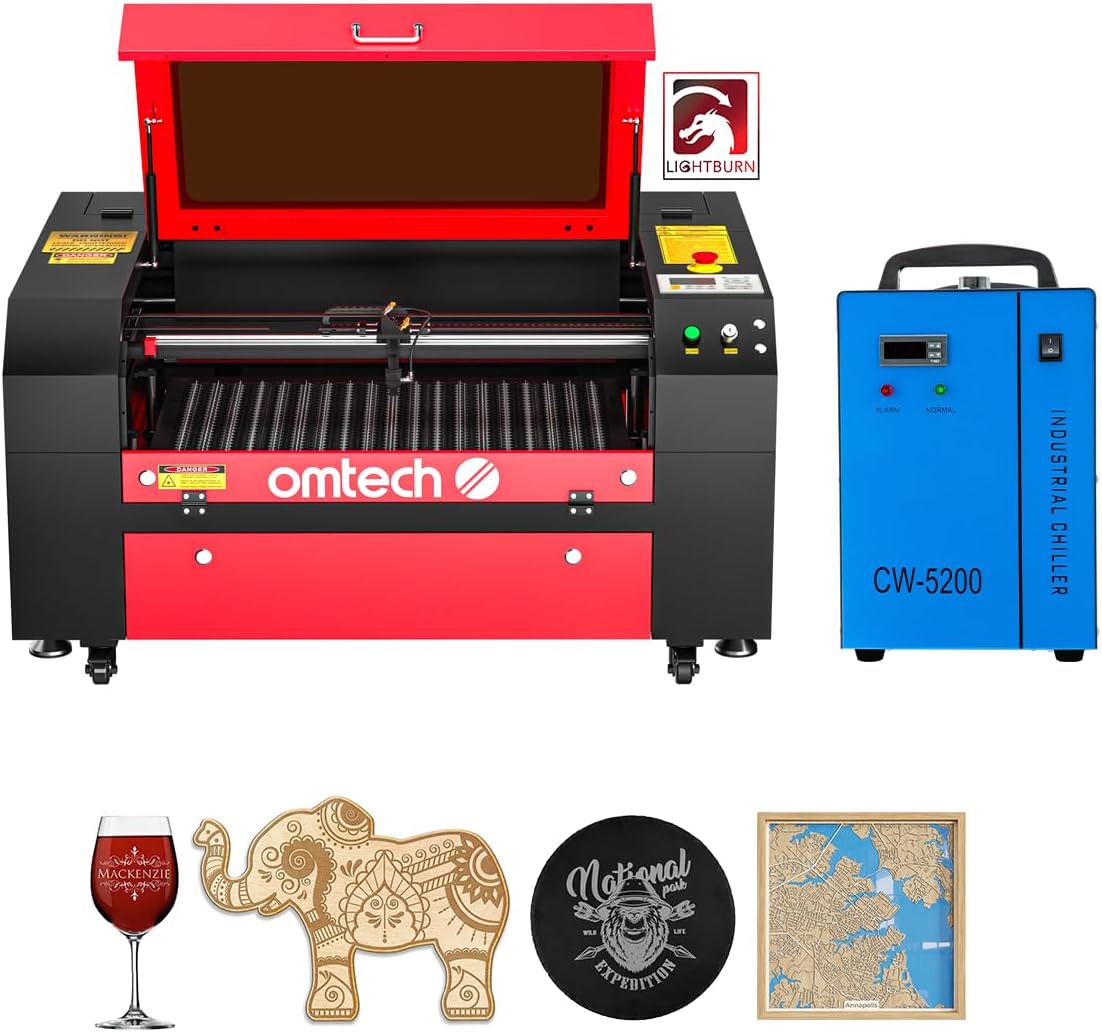
The OMTech Maker 60W CO2 laser engraver is a commercial bundle offering reliable performance for non-metal materials. It comes with LightBurn and a water chiller ensuring consistent operation. Its autofocus and large workspace make it perfect for signage and decor. It prioritizes ease of use for beginners and pros.
We may earn a commission when you buy through this link, at no additional cost to you.
Features like the 20×28 inch workbed and four-way pass-through doors handle large items with ease. The autofocus workbed eliminates guesswork in focus distance. Air assist efficiently removes smoke. This ensures cleaner cuts and protects optical components during long production runs.
While excellent for wood and acrylic, it is not designed for metal engraving. The size requires significant space and careful maintenance of the cooling system. However, these are minor trade-offs for users needing a reliable large-format cutter for diverse non-metal projects.
This machine is ideal for makers working on large wooden signs or glass engraving. If you need a commercial-grade cutter with a large workspace, this model is a top contender. It balances power, software support, and usability for consistent high-quality results.
Preinstalled autofocus finds the right focal distance automatically. This saves time and reduces manual adjustment errors.
The 20×28 inch area and pass-through doors fit large items. This supports diverse production needs without resizing projects.
We may earn a commission when you buy through this link, at no additional cost to you.
The Creality Falcon2 Pro 60W is a certified Class 1 desktop diode laser designed for safety and performance. It features a dual laser system and built-in camera to streamline engraving and cutting tasks. With efficient exhaust and safety features, it is ideal for small businesses seeking reliability and value.
We may earn a commission when you buy through this link, at no additional cost to you.
This machine cuts through 20mm wood and 30mm acrylic quickly. The 1.6W module adds precision for fine engraving. Its camera scans drawings and supports batch processing when connected to software. The exhaust system keeps the workspace clean and comfortable during operation.
While the camera needs specific software to function optimally, it provides great visual workflow. The Class 1 certification ensures safety without goggles. For businesses balancing performance with safety requirements, this machine offers a strong package that supports growth without extra costs.
Choose this if you need safe desktop operation with professional speed for signs and gifts. The dual laser and exhaust ensure consistent cuts and minimal cleanup. It is a solid choice for small businesses prioritizing safety and workflow efficiency.
Enclosed metal enclosure with auto-stop and fire-resistant features. Effective smoke filtration reduces noise and exposure.
60W laser handles cutting while 1.6W focuses on detail. This bundle offers flexibility for varied project needs.
We may earn a commission when you buy through this link, at no additional cost to you.
The xTool F2 Ultra combines a 60W MOPA fiber laser and a 40W diode laser in one powerhouse. It is ideal for those needing to engrave metals with color and cut thick materials. With AI cameras and industrial speeds, it delivers premium results on almost any material.
We may earn a commission when you buy through this link, at no additional cost to you.
It excels at deep engraving and color marking on metals like steel and brass. The diode laser handles wood and acrylic efficiently. AI auto-detection suggests settings and focus, reducing manual work. The conveyor option expands the workspace for automated batch processing.
The premium features come with a high price tag and a smaller desktop space. However, for professionals needing metal marking or color engraving, the investment pays off. The speed and accuracy justify the cost for high-volume or specialized tasks.
This machine is ideal for professionals and small shops needing all-metal and acrylic capabilities. If you need vibrant color engraving on metals and fast 3D deep engraving, this model is unmatched. It sets a new standard for versatility in desktop dual-laser engraving.
MOPA laser delivers 100+ vibrant consistent colors on metals. Pre-set color files simplify finding the right settings.
Dual cameras and AI detection boost precision and accuracy. Industrial speed reduces production time significantly.
We may earn a commission when you buy through this link, at no additional cost to you.
The Monport 60W Fiber laser engraver is a compact marking machine designed for metal etching. It features a high-speed galvanometer system and excellent accuracy. Its fiber source supports all metals and offers a long lifespan. This makes it ideal for jewelry and industrial marking tasks.
We may earn a commission when you buy through this link, at no additional cost to you.
It achieves speeds up to 10000mm/s with 0.01mm accuracy. The working area is optimized for precision and consistency. It includes free software or works with Lightburn for ease of use. The compact design saves space and is easy to transport.
While the working area is small, it is sufficient for rings, coins, and small parts. It does not cut thick metals like diodes or CO2. But for detailed metal marking, its speed and accuracy are outstanding for the price.
This machine is ideal for jewelers or metal shops needing precise and fast marking. If you want a lightweight and durable solution for engraving metal, this is a smart choice. It delivers professional quality results with minimal footprint.
Smaller size and lighter weight than standard fiber lasers. Ideal for mobile setups or small workspaces.
Customized system allows fast speeds and high accuracy. Ensures consistent results even at edges.
We may earn a commission when you buy through this link, at no additional cost to you.
The VEVOR 60W CO2 laser engraver offers a spacious workspace and reliable performance for non-metal materials. It supports multiple software options and features pass-through doors for larger projects. With air assist and manual focus, it provides control for diverse cutting and engraving tasks.
We may earn a commission when you buy through this link, at no additional cost to you.
It handles wood and acrylic up to 10mm with speed. The bed options and pass-through design make it versatile. Manual focusing allows customization for different thicknesses. The pull-out tray simplifies cleanup. This makes it a practical choice for hobbyists.
While manual focus can take time, it is simple and effective. The machine does not engrave metals. For wood and acrylic enthusiasts, the value and workspace are impressive. It provides a robust platform for signs and decor.
This machine is ideal for makers needing a large workspace on a budget. If you want reliable CO2 performance and software flexibility, VEVOR is a great option. It balances features and cost for consistent hobbyist and small business results.
Works with LightBurn, RDWorks, and CorelDRAW. Easy connectivity across Windows and macOS.
24×16 inch area and pass-through design. Handles large and long materials easily.
We may earn a commission when you buy through this link, at no additional cost to you.
The OMTech 60W CO2 laser engraver combines a large workspace with motorized autolift for ease of use. It comes with LightBurn and a chiller for consistent operation. Ideal for glass and acrylic engraving, it offers commercial performance. The design supports deep engraving and fast processing.
We may earn a commission when you buy through this link, at no additional cost to you.
Features like autolift save time on focus adjustments. The 28×20 inch bed handles large projects. The tube offers long lifespan with care. Four-way doors pass long items. This machine transforms artistic visions into precise cuts and deep engravings.
While the size and cooling need attention, the benefits for large projects are clear. It is better suited for serious makers and businesses than casual hobbyists. The motorized features and software make it a professional tool for complex work.
This machine is ideal for businesses needing large surface engraving and glass work. If you want a commercial bundle with autolift and support, OMTech is a top choice. It provides reliability and speed for diverse production needs.
Motorized beds adjust at the touch of a button. Saves time and improves workflow efficiency.
Includes LightBurn and water chiller. Consistent performance for deep engraving.
We may earn a commission when you buy through this link, at no additional cost to you.
The Aliencell X1 Lite is a photo-quality 60W laser engraver designed for precision and speed. It features a massive bed and Class 1 safety. With high frequency and auto focus, it delivers sharp details. The preview tool helps avoid waste. It supports LightBurn and offers US support.
We may earn a commission when you buy through this link, at no additional cost to you.
It achieves industrial speed and accurate results even at max acceleration. The preview simulation shows exact depth before cutting. The bed supports large projects. Auto focus locks material instantly. This machine is perfect for high detail work and batch production.
The high price may limit it for casual users. The software requires some learning but is intuitive. For makers needing photo quality and safety, these trade-offs are acceptable. It delivers unmatched precision in its class.
This machine is ideal for professionals needing photo-quality engraving on wood and acrylic. If you value safety, precision, and large workspace, X1 Lite is a top choice. It ensures consistent detail and efficiency for diverse materials.
20kHz frequency ensures clean sharp results at speed. Richer grayscale detail and smoother gradients.
Space simulates engraving with less deviation. Reduces guesswork and waste compared to trial and error.
We may earn a commission when you buy through this link, at no additional cost to you.
The Cloudray 60W JPT MOPA fiber laser engraver is portable and built for metal marking. It offers 100+ color options and deep engraving. With adjustable lenses and a long lifespan, it is practical for jewelry. The design supports small parts and detailed text with precision.
We may earn a commission when you buy through this link, at no additional cost to you.
It provides deep engraving and fast speed. The adjustable height block expands area. It includes safety goggles and lenses. Its lightweight design makes it easy to transport. This machine is ideal for rings and rods.
The small working areas limit large items. However, for detailed work, the precision is excellent. It balances portability and performance. For metal shops needing color or deep engraving, it is a smart choice.
This machine is ideal for jewelers needing detailed and colored metal work. If you want a portable solution with color marking, Cloudray is a great choice. It delivers professional results in a compact package for precise engraving.
Source offers color marking and long lifespan. Speed up to 10,000mm/s ensures efficiency.
Two working areas with manual lift. Supports rings and rods with adjustable height.
We may earn a commission when you buy through this link, at no additional cost to you.
Selecting a 60W laser engraver involves considering laser type, safety features, workspace, and material compatibility. This guide walks you through the essential factors to help you choose a machine that fits your specific production needs and budget.
The most critical choice is between diode, CO2, and fiber lasers. Diode lasers are versatile for wood and acrylic. CO2 lasers excel on non-metals with larger work areas. Fiber lasers are specialized for metals and offer high speed and durability.
Look for Class 1 enclosed models for maximum safety. These prevent laser exposure and contain smoke. Emergency stop buttons and flame detectors add extra protection. Safety is vital in shared or home workspaces.
Consider the engraving area and pass-through options. Large items require spacious beds or doors. Compact machines save space but limit size. Match the workspace to your typical project dimensions.
Ensure the machine works with software like LightBurn. Software affects workflow and ease of use. Some machines include software while others require separate purchases. Open systems offer more flexibility for design.
HD cameras enable visual positioning and batch alignment. This reduces setup time and improves accuracy. Some models use AI for auto detection. This is valuable for detailed and repeated projects.
Higher wattage translates to faster engraving and cutting. Look for models with high mm/s speed. Consistent output reduces burn marks. Performance affects production volume and efficiency.
Check for technical support and warranty coverage. Long-term support helps with troubleshooting. Reliable manufacturers offer better service and parts. This ensures minimal downtime for your business.
Different lasers handle different materials. Diodes work well on wood and coated metals. CO2 handles wood and acrylic. Fiber is best for metals. Know what you engrave before buying.
Start by setting up the machine on a stable surface. Connect the computer and install software. Ensure the enclosure is closed and sensors are active before powering on. Always wear safety goggles unless the machine is fully enclosed and rated Class 1.
Yes, if they are Class 1 enclosed models. These minimize exposure and contain fumes. Always follow safety guidelines and use ventilation to ensure a safe environment for engraving at home.
Yes, a 60W laser can cut wood such as 6mm plywood in multiple passes. It handles thinner materials in one pass. Proper speed and focus settings ensure clean cuts.
Diode models can engrave coated metal. Fiber lasers are best for bare metal. A 60W machine will etch metal well with proper settings.
Clean the lens weekly or whenever performance drops. Dust affects quality. Use soft cloth and recommended cleaner. Clean lenses ensure consistent engraving.
LightBurn works with most models and supports design files. Some include free software. Open formats ensure flexibility for your workflow.
CO2 tubes last 2000 to 5000 hours. Fiber and diode sources often last longer. Proper maintenance extends lifespan and performance.
Yes, exhaust fans remove fumes and smoke. Built-in systems help but external fans improve air quality. Always work in a ventilated space for safety.
We reviewed ten excellent 60W laser engravers with distinct strengths. From the safety-focused Creality Falcon2 Pro to the versatile OMTech CO2 and precise Cloudray fiber, each model suits different project needs and workspace requirements.