
FIREBAT Gaming Laptop Metal 15.3in
5.0Editor score
Ryzen 7 H255 processor
32GB DDR5 RAM included
WQXGA 120Hz display
Finding a reliable all metal laptop means you get superior build quality and better heat dissipation for demanding tasks. These devices combine style with substance, offering a premium feel that plastic shells simply cannot match for professionals and students alike.
We have carefully reviewed ten standout models based on their construction materials, processing power, and real-world usability. Our comparison focuses on how each machine handles daily workflows while maintaining a sleek design that withstands the rigors of travel and office use.
Each pick below highlights specific strengths like battery life, screen clarity, and connectivity options. Please note that prices and availability change frequently, so verify current details before making your final decision to ensure you get the best value for your investment.
5.0Editor score

4.4Editor score

5.0Editor score
As an Amazon Associate we earn from qualifying purchases.
This side-by-side comparison breaks down the key specifications of every model to help you decide which one fits your needs. We look at processors, memory, storage, and screen sizes to highlight the strengths of each all metal option.




The FIREBAT Gaming Laptop Metal stands out as an incredible value proposition in the all metal laptop category. With a perfect rating from users, it delivers desktop-class performance in a portable chassis that feels solid and well-built for everyday tasks.
We may earn a commission when you buy through this link, at no additional cost to you.
Its standout feature is the powerful AMD Ryzen 7 H255 processor paired with a massive 32GB of DDR5 RAM. This configuration allows for smooth multitasking, video editing, and even light gaming without the lag typically seen in lower-priced machines.
While the build is robust, the weight is slightly higher than premium ultrabooks, which might matter for frequent travelers. However, this trade-off ensures better thermal management and durability, making it acceptable for stationary or semi-mobile workspaces.
Anyone needing a high-performance machine on a budget will find this laptop ideal. It balances premium materials with cutting-edge specs, making it the top recommendation for students and professionals who do not want to compromise on power or build quality.
This model features dual slots for both RAM and storage, allowing you to upgrade up to 96GB of memory or 8TB of SSD space as your needs grow over time.
The 2560×1600 resolution screen with a 120Hz refresh rate provides crisp text and smooth scrolling, perfect for creative work and media consumption alike.
We may earn a commission when you buy through this link, at no additional cost to you.
The HP OmniBook 3 represents the future of portable computing with its focus on AI integration and extreme battery efficiency. Rated highly by users, this all metal laptop delivers a premium experience that prioritizes longevity and visual clarity.
We may earn a commission when you buy through this link, at no additional cost to you.
Its Snapdragon X processor supports up to 41 hours of battery life, which is revolutionary for all-day work without needing a charger. The 2K OLED display adds vibrant colors and deep blacks, making it perfect for media and creative tasks.
Some users might face compatibility challenges with certain x86 software due to the ARM architecture, which is a notable trade-off. Additionally, storage is fixed at 256GB, so cloud reliance is necessary for large file libraries.
This laptop is best for mobile professionals who prioritize battery life and screen quality over raw compatibility. It is an ideal choice for writers, designers, and students who value a lightweight device that lasts through long work sessions.
Built-in AI capabilities allow for automatic meeting notes, transcription, and smart task management that adapt to your workflow seamlessly.
With Fast Charge technology, you can restore 50 percent battery in just 45 minutes, ensuring you stay productive throughout your day.
We may earn a commission when you buy through this link, at no additional cost to you.
The Dell Latitude Rugged 5430 is designed for users who need maximum durability without sacrificing performance. With a perfect rating, this all metal laptop is built to withstand harsh conditions while providing professional-grade computing power.
We may earn a commission when you buy through this link, at no additional cost to you.
It features a powerful Core i7 processor and 32GB of RAM, ensuring that demanding applications run smoothly. The rugged casing offers superior protection against drops and impacts, which is essential for field work or industrial environments.
The main trade-off is the weight, which is higher than standard ultrabooks due to the reinforced chassis. However, for users in demanding environments, this extra bulk is a necessary investment for device longevity and reliability.
This model is the top pick for businesses and field workers who need a reliable workhorse. If you require a machine that can survive daily abuse while running complex software, this is the best premium option available.
Built to meet rigorous standards for shock, vibration, and temperature extremes, this laptop is engineered for the toughest work environments.
Windows 11 Pro includes advanced security features like BitLocker encryption, keeping your business data safe from unauthorized access.
We may earn a commission when you buy through this link, at no additional cost to you.
This portable laptop offers a rare combination of a large screen and massive storage in an all metal body. It appeals to users who need a primary desktop replacement that can handle media files and multiple applications easily.
We may earn a commission when you buy through this link, at no additional cost to you.
The standout feature is the 2TB SSD combined with 32GB of RAM, providing ample room for large databases and high-resolution assets. The 16-inch touchscreen allows for intuitive interaction with documents and media content directly.
While the processor is efficient for basic tasks, it may struggle with heavy computational workloads compared to higher-end chips. This is acceptable given the focus on storage and display size rather than raw processing power.
This device is perfect for office professionals who value screen real estate and storage capacity. It is an ideal choice for accountants, designers, or analysts who need to manage large files without relying on external drives.
The metal chassis helps dissipate heat effectively, ensuring stable performance even during extended periods of heavy use.
The ten-point super touchscreen enhances interaction, allowing you to navigate and edit content more naturally than a mouse.
We may earn a commission when you buy through this link, at no additional cost to you.
The HP Everyday Slim Laptop is designed for users who prioritize portability and simplicity. With a reliable rating, this all metal laptop offers a clean design that is easy to carry and use for basic productivity tasks.
We may earn a commission when you buy through this link, at no additional cost to you.
Its inclusion of Microsoft Office 365 and 1TB of OneDrive storage makes it an attractive option for students and light workers. The low weight ensures that commuting or traveling with this device is effortless and comfortable.
Local storage is limited to 128GB, which necessitates reliance on cloud services for larger files. This trade-off helps keep the device thin and affordable but requires a stable internet connection for full functionality.
This laptop is best for students or professionals who work primarily in the cloud. If you need a reliable companion for email, documents, and browsing that fits easily in a bag, this is a great option.
The included OneDrive subscription allows you to access your files from any device without worrying about local storage limits.
Wi-Fi 6 and Bluetooth 5.4 provide fast and stable connections to peripherals and networks for efficient daily use.
We may earn a commission when you buy through this link, at no additional cost to you.
This 16-inch metal laptop delivers solid performance with a Core i7 processor and ample storage for everyday use. It is highly rated for its build quality and display clarity, making it a strong contender in the mid-range market.
We may earn a commission when you buy through this link, at no additional cost to you.
The standout feature is the combination of a full metal enclosure and an IPS display that offers sharp details and vibrant colors. This combination ensures a premium look and feel that enhances both work and entertainment experiences.
While the processor is from a slightly older generation, it remains capable of handling most productivity tasks efficiently. The weight is acceptable for a 16-inch device but may be noticeable for those who travel frequently.
This laptop is ideal for general users who want a balance of power and aesthetics. It is a great choice for home office workers who need a reliable machine with a large screen and secure login features.
The built-in fingerprint reader allows for quick and secure access to your system without typing complex passwords every time.
The IPS display ensures wide viewing angles and consistent color reproduction, which is crucial for photo editing and document reading.
We may earn a commission when you buy through this link, at no additional cost to you.
This affordable all metal laptop offers a great entry point for users wanting a touchscreen experience without breaking the bank. Its rating reflects a solid performance for standard tasks like browsing and document editing.
We may earn a commission when you buy through this link, at no additional cost to you.
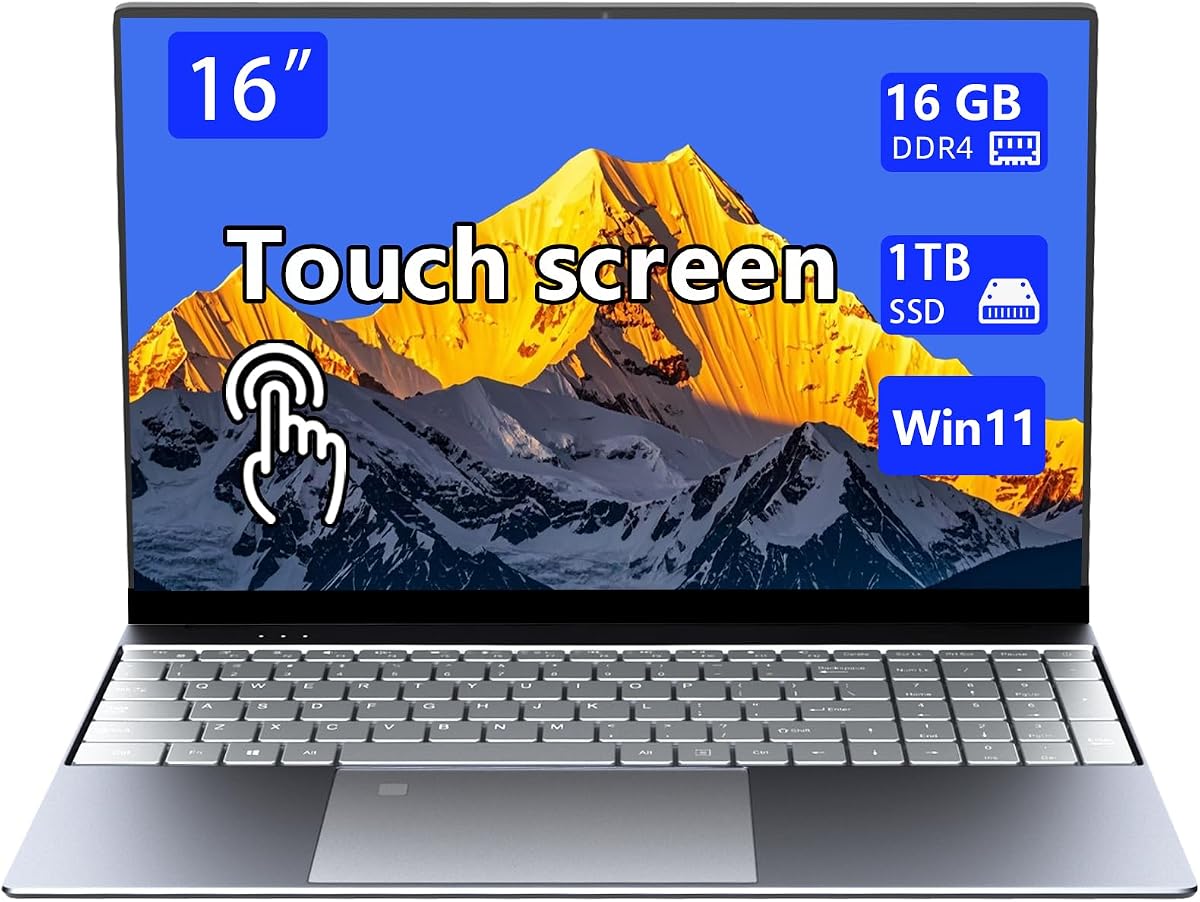
The 16-inch touchscreen is the main attraction, allowing for intuitive navigation and direct interaction with content. Combined with 1TB of storage, it provides plenty of space for personal files and media collections.
The processor is best suited for light multitasking, so heavy video editing or gaming should be avoided. This limitation is acceptable for the price, as the focus remains on usability and storage capacity.
This model is perfect for students or casual users who want a versatile device for daily tasks. It is an ideal choice for those who prioritize touch interaction and storage value over high-end processing speed.
The backlit keyboard ensures you can type accurately even in low-light conditions, adding convenience to night work sessions.
The metal body helps maintain stable performance by dissipating heat effectively during standard usage scenarios.
We may earn a commission when you buy through this link, at no additional cost to you.
The Dell 16 Touchscreen Laptop brings modern architecture with DDR5 RAM and a Ryzen 7 processor for future-proof performance. It is highly rated for its sleek design and responsive touchscreen interface.
We may earn a commission when you buy through this link, at no additional cost to you.
Its standout feature is the use of DDR5 RAM, which offers faster speeds and better efficiency than previous generations. The 16-inch display provides ample screen real estate for multitasking and productivity work.
The SSD capacity is modest at 256GB, which may require external storage for large media libraries. However, for users who rely on cloud storage, this is a minor inconvenience compared to the device speed.
This laptop is ideal for users who want a modern, responsive machine for professional tasks. It is a great choice for developers and designers who need fast system performance and a reliable touch interface.
DDR5 technology ensures that memory-intensive applications run smoother, providing a noticeable speed boost over standard systems.
Modern ports like USB-C with Power Delivery allow for fast charging and connection to external monitors easily.
We may earn a commission when you buy through this link, at no additional cost to you.
This 2026 model offers a lightweight and slim form factor with a reliable metal shell. It is popular for its balance of portability and performance, making it suitable for business and student use.
We may earn a commission when you buy through this link, at no additional cost to you.
The standout feature is the thin profile combined with a metal shell that maintains durability without adding weight. The complete port selection reduces the need for dongles during presentations or data transfers.
While the processor is adequate for daily tasks, it is not designed for heavy computational workloads. This trade-off is acceptable given the focus on thinness and battery efficiency for mobile users.
This laptop is best for professionals who travel frequently and need a reliable work machine. It is an ideal choice for business users who want a lightweight device that fits easily into a small bag.
The M.2 SSD provides high-speed data transfer rates, ensuring files load quickly and applications launch without delays.
Weighing only 3.7 pounds, this device is designed to be carried comfortably throughout the day without strain.
We may earn a commission when you buy through this link, at no additional cost to you.
The NIMO 15.6 laptop provides an affordable entry point into the all metal category with essential features. Its high rating reflects reliability and a focus on student needs and basic office tasks.
We may earn a commission when you buy through this link, at no additional cost to you.
Its standout feature is the industry-leading two-year warranty, which offers peace of mind for users concerned about longevity. The silent operation ensures that it does not disturb others in shared spaces like libraries.
Memory capacity is modest, which may limit heavy multitasking with many browser tabs and applications. This is a reasonable trade-off for a budget device focused on essential productivity and cost savings.
This laptop is perfect for students and casual users who need a reliable and affordable machine. It is an ideal choice for those who prioritize durability and warranty coverage over advanced computing power.
The efficient processor ensures minimal fan noise, making it ideal for quiet study environments and focused work sessions.
With 65W PD fast charging, you can get significant usage time from just a short charge session in between classes.
We may earn a commission when you buy through this link, at no additional cost to you.
Choosing the right all metal laptop requires balancing build quality with performance specs to ensure it meets your specific workflow needs.
Look for laptops that use aluminum or magnesium alloys for the chassis to ensure durability and better heat dissipation. A full metal body not only feels premium but also protects internal components from shock and heat better than plastic shells.
A sturdy metal build ensures longevity and maintains a professional appearance even after years of regular use.
Select a processor that matches your workload, such as an Intel Core i7 or AMD Ryzen 7 for heavy multitasking and editing tasks. Entry-level chips like N-series are sufficient for basic browsing and document editing but struggle with resource-intensive software.
A powerful processor ensures your laptop remains fast and responsive over time as software requirements increase.
Aim for at least 16GB of RAM to handle multiple applications smoothly, especially if you use modern web apps. A minimum of 512GB SSD storage is recommended to avoid constant file management and allow for quick boot times.
Sufficient RAM and storage prevent lag and keep your workspace organized without external drives.
Choose a screen with at least 1920×1200 resolution for sharper text and better productivity, preferably with IPS technology for wide viewing angles. Touchscreens are optional but can improve interaction for note-taking and media tasks.
A high-quality display reduces eye strain and enhances the overall visual experience during long work sessions.
Look for laptops offering 8 hours or more of battery life to get through a workday without frequent charging. Fast charging support is a valuable feature for quick top-ups during breaks or travel.
Long battery life ensures you remain productive without being tethered to a power outlet.
Ensure the laptop has a good selection of ports like USB-C, HDMI, and USB-A to connect peripherals without needing adapters. Wi-Fi 6 support is crucial for maintaining stable and fast internet connections in busy environments.
Robust connectivity options allow you to connect to monitors and devices effortlessly for a seamless workflow.
Consider a weight under 4 lbs if you plan to carry the laptop daily, balancing screen size with ease of transport. Thinner models may offer better portability but can be more fragile or run hotter.
A lightweight design makes daily commuting and travel less burdensome and more convenient.
Check for a manufacturer warranty of at least one year, with extended options for better protection against defects. Strong customer support ensures you can resolve hardware issues quickly without long delays.
A reliable warranty provides peace of mind and protects your investment from unexpected failures.
Use a cooling pad or keep the laptop on a hard surface to maintain optimal airflow and prevent overheating during intensive tasks.
Clean the metal chassis gently with a microfiber cloth and avoid harsh chemicals that could damage the finish or coating over time.
Regularly update your software and drivers to ensure the hardware performs at its best and remains secure against threats.
Yes, all metal laptops generally offer superior durability and resistance to physical damage. The metal chassis also dissipates heat more efficiently which helps maintain performance under load.
Not necessarily. Metal is a better conductor of heat which helps dissipate it away from internal components rather than trapping it inside the case.
Use a soft microfiber cloth to wipe the surface gently. Avoid harsh chemicals that could damage the coating or finish on the metal body.
It depends on your needs. If you value durability and aesthetics metal metal is a great investment. If you prioritize raw performance over build material plastic may be more cost-effective.
Some models allow for easy RAM upgrades via accessible panels while others have soldered memory. Check the manufacturer specifications before purchasing to confirm upgradeability.
A touchscreen adds intuitive control for navigation and note-taking. It can improve efficiency in design and media tasks without needing a mouse constantly.
We have explored ten top all metal laptop models ranging from budget-friendly options to premium powerhouses. Each pick offers a unique combination of build quality and performance to suit different user needs.
Prioritize your most important requirements such as battery life, screen size, or processing power to narrow down your choices effectively.
Prices and availability fluctuate regularly so check current details before purchasing to ensure you get the best deal possible.