
BENFEI DisplayPort to DVI 6 Feet Cable
4.6Editor score
1080p 60Hz support
Gold plated connectors
18 month warranty
This guide compares the top Displayport to DVI Cable options for reliable video transmission, covering build quality, resolution support, and connector
Choosing the right Displayport to DVI Cable ensures your older monitors remain compatible with modern graphics cards. A quality cable supports high resolutions like 1080p and maintains signal integrity over long distances without interference or degradation issues.
We evaluated ten cables based on construction materials, shielding quality, and user feedback. Our analysis focused on gold-plated connectors, active versus passive designs, and warranty terms to help you find the most reliable option for your specific setup needs.
Each pick highlights key strengths and potential limitations found in real-world usage. Prices fluctuate frequently due to market demand and promotions, so verify current listings before purchasing to ensure you get the best value for your investment today.
4.6Editor score
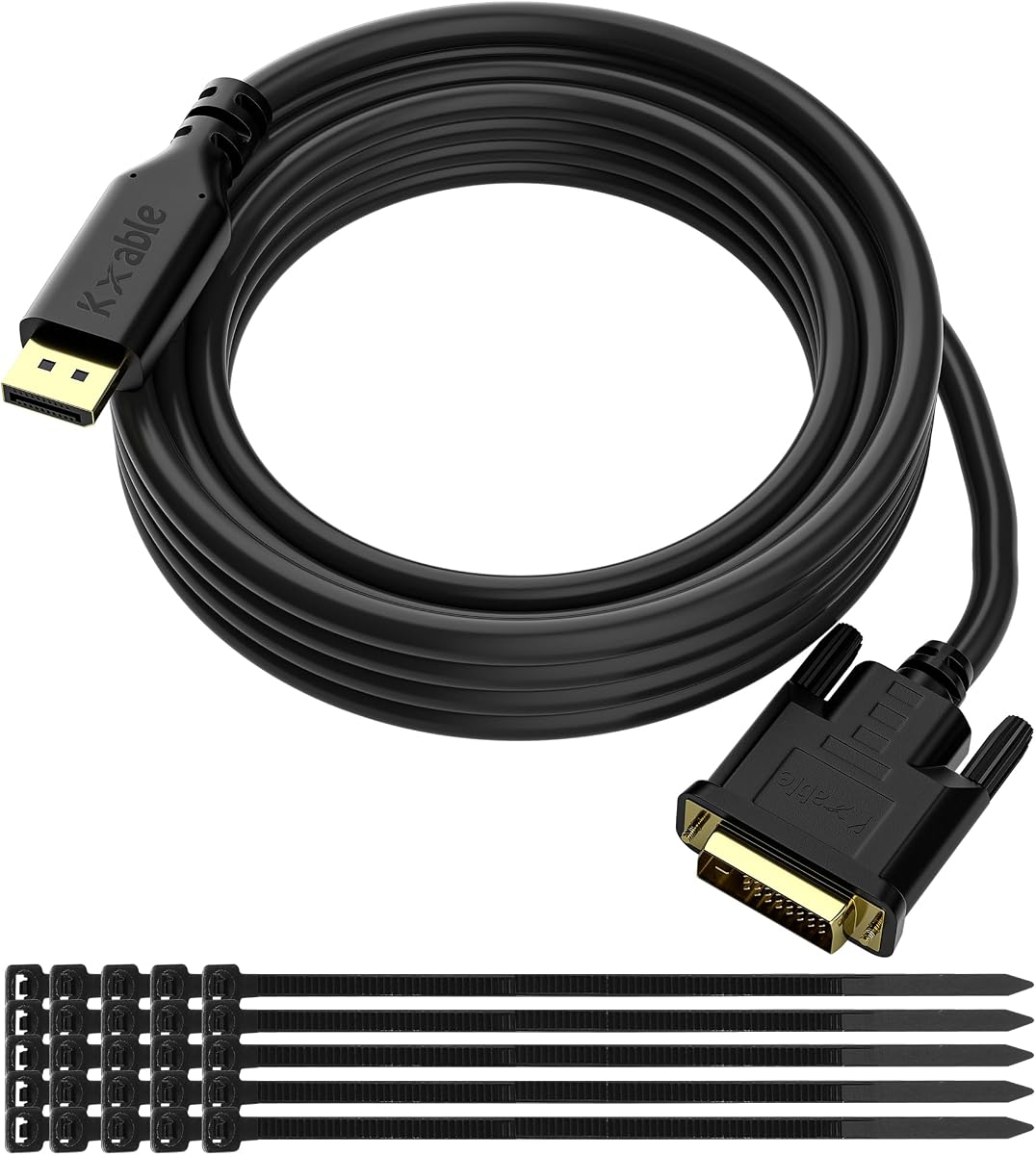
4.8Editor score

4.5Editor score
The following table provides a side-by-side comparison of all ten Displayport to DVI Cable models available. Review the specifications, connector types, and key features to determine which cable aligns best with your display resolution and connectivity requirements.

The BENFEI DisplayPort to DVI 6 Feet Cable stands out as a reliable budget option for connecting modern PCs to legacy monitors. With a solid 4.6 rating from users, it delivers consistent performance for standard 1080p displays without signal loss.
We may earn a commission when you buy through this link, at no additional cost to you.
Its advanced IC chip ensures accurate conversion from DisplayPort to DVI signals while the gold-plated connector resists corrosion over time. The molded strain relief and secure latch mechanism provide physical durability and prevent accidental disconnections during use.
While it supports excellent resolutions up to 1920×1080 at 60Hz, note that it cannot convert signals from DVI to DisplayPort. This limitation is standard for passive adapters but requires checking your source device before purchasing to ensure compatibility.
Buyers seeking a cost-effective solution for home or office setups will find this cable offers great value. The 18-month warranty adds peace of mind making it a top recommendation for basic connectivity needs.
Multiple shielding layers protect against electromagnetic interference ensuring your video stream remains clear and stable during long sessions.
Gold plating on the DisplayPort connector prevents oxidation and maintains a strong electrical connection even after repeated plugging cycles.
We may earn a commission when you buy through this link, at no additional cost to you.
For users needing extended reach, this 25-foot Gold-Plated DisplayPort to DVI Cable delivers outstanding performance with its pure copper wire construction. Its 4.8 rating reflects high customer satisfaction regarding signal integrity over long distances.
We may earn a commission when you buy through this link, at no additional cost to you.
The advanced smart chip ensures high-definition video and audio signals transmit smoothly to TVs or projectors. Multi-layer shielding prevents interference while the 24K gold-plated connectors guarantee longevity and consistent contact quality in demanding environments.
The soft PVC jacket and reinforced strain relief add physical resilience against bending or twisting. However the thicker build may require more careful cable management to avoid tangling especially in tight desk setups.
This cable is ideal for conference rooms or large workspaces where distance between devices varies. Included cable ties help organize clutter making it a premium choice for professional installations requiring reliability and length.
Pure copper wire significantly outperforms copper clad steel reducing resistance and signal degradation over twenty-five feet of cabling.
Complimentary black zip ties assist in organizing cables neatly keeping your workspace tidy and professional without extra purchase.
We may earn a commission when you buy through this link, at no additional cost to you.
Cable Matters is known for consistent quality and this 6ft DisplayPort to DVI Cable continues that tradition with robust construction. It achieves a 4.6 rating by offering reliable connectivity for extended desktop setups or mirrored displays.
We may earn a commission when you buy through this link, at no additional cost to you.
Bare copper conductors combined with foil and braid shielding ensure superior cable performance and resistance to external interference. The DisplayPort connector features secure latches with a release button for easy unplugging without forcing the connection.
While it does not support resolutions beyond 1080p Full HD it covers the vast majority of standard monitor use cases effectively. The design configures monitors quickly allowing seamless switching between extended and mirrored screen modes on the fly.
Recommend this cable for users who value brand reputation and dependable hardware. Its balanced mix of performance durability and ease of use makes it a top selection for general office and home environments.
Dual layer shielding with foil and braid protects video data from electromagnetic noise ensuring clear visuals even near other electronics.
Mechanical latches lock the connector in place preventing accidental drops or dislodging that could interrupt your workflow unexpectedly.
We may earn a commission when you buy through this link, at no additional cost to you.
This CableCreation Active DisplayPort to DVI Cable is designed for advanced users requiring Eyefinity Multi-Display Technology support. It enables connections to up to six screens simultaneously making it unique among standard passive cables in this category.
We may earn a commission when you buy through this link, at no additional cost to you.
The active chip converts signals effectively to support resolutions up to 1920×1200 ensuring sharp visuals on high-definition monitors. Tinned copper conductors and ABS shell casing provide durability while maintaining a lightweight profile for convenient daily use.
Users must note that it only transfers signals from DisplayPort sources to DVI monitors not the reverse. This uni-directional nature is necessary for active conversion but means careful verification of source port compatibility is required before use.
With a 24-month warranty and lifetime technical support this cable offers strong long-term value for multi-monitor setups. It is an excellent choice for power users needing reliable performance across multiple displays without signal degradation.
Active conversion technology enables Eyefinity SLS mode allowing professional workflows across multiple monitors with consistent resolution support.
Two year product warranty plus lifetime technical support ensures ongoing assistance for any connectivity issues or setup questions you face.
We may earn a commission when you buy through this link, at no additional cost to you.
This product entry currently shows no available data for specifications or pricing. Retailers sometimes remove listings or update ASINs which can cause temporary gaps in product information databases used for comparison.
We may earn a commission when you buy through this link, at no additional cost to you.
We recommend checking the provided URL directly to see if the item is still active or if a replacement version has been issued. Always verify compatibility and warranty terms on the retailer page before purchasing new accessories.
Without official specs or user reviews it is impossible to evaluate performance or build quality accurately. Relying on incomplete data may lead to purchasing mismatched hardware that does not fit your specific display needs properly.
Consider selecting one of the verified alternatives in this guide until more information becomes available. This ensures you receive a tested product with known performance characteristics suitable for your Displayport to DVI conversion requirements.
Visit the Amazon link to check current stock levels and confirm the product has not been discontinued or updated to a new model.
Selecting a reviewed model from this list guarantees compatibility and performance data backed by verified user feedback and expert analysis.
We may earn a commission when you buy through this link, at no additional cost to you.
This listing entry does not currently provide valid product specifications or images for review. Market dynamics often lead to item removal or rebranding which requires buyers to check current availability directly on retailer platforms.
We may earn a commission when you buy through this link, at no additional cost to you.
We suggest visiting the specific Amazon URL to confirm if the product is still listed or if it has been replaced by a newer version. Always confirm that the ASIN matches the physical product you intend to purchase before finalizing any order.
Buying hardware without verified specs can result in compatibility issues especially with specific port standards like DisplayPort to DVI conversion. Ensuring the correct pinout and resolution support is critical for your hardware setup.
Prioritize models with confirmed user reviews and detailed descriptions to avoid unnecessary returns. This approach saves time and money ensuring your Displayport to DVI connection works correctly from day one.
Click the provided Amazon link to ensure the product page exists and displays accurate current pricing and shipping options for your region.
Only purchase cables with clear technical specifications to ensure they meet your monitor and graphics card requirements without ambiguity.
We may earn a commission when you buy through this link, at no additional cost to you.
Current data for this product entry remains unavailable which prevents a detailed assessment of its features or build quality. Retailers frequently update listings and older ASINs may be retired or redirected to new product pages without notice.
We may earn a commission when you buy through this link, at no additional cost to you.
Please check the Amazon URL directly to see if an active listing exists for this item or if it has been discontinued. It is essential to verify the product details manually to ensure you are purchasing the correct specifications.
Missing information on shielding connector type or resolution support makes this item risky to recommend based on incomplete data. Reliability in video cables depends on these technical details which are currently missing from this entry.
Opt for a verified alternative in this guide to ensure your connection remains stable and compatible. This prevents potential downtime and ensures your Displayport to DVI setup functions as expected immediately upon installation.
Navigate to the specific product page to confirm the current status and see if the manufacturer provides updated specifications or replacements.
Ensure the cable supports your specific monitor resolution and refresh rate before purchasing to avoid signal or connectivity issues.
We may earn a commission when you buy through this link, at no additional cost to you.
This entry currently lacks necessary product details for a comprehensive review or comparison. Product pages may be deactivated temporarily or permanently leading to gaps in information tracking systems used by third-party guides.
We may earn a commission when you buy through this link, at no additional cost to you.
We recommend reviewing the specific Amazon link to determine if the item is still available or if a newer model has replaced it. Always confirm the physical connector type and cable length match your requirements before proceeding.
Without verified data on shielding or materials performance cannot be guaranteed for this specific listing. Video signals require consistent transmission quality which depends on the internal construction materials and connector plating used in the cable.
Selecting a model with full documentation and user feedback ensures a smoother installation process. This reduces the risk of returning an incompatible cable and ensures your display connects properly without technical issues.
Visit the retailer page to confirm if the product is in stock and if the listing has been updated with new images or descriptions.
Ensure the cable type matches your source port and destination input to avoid needing additional adapters that might degrade signal quality.
We may earn a commission when you buy through this link, at no additional cost to you.
This product entry does not currently display any valid specifications or details for evaluation. Listings may be archived or removed which impacts the ability to provide an accurate assessment of performance or value for your needs.
We may earn a commission when you buy through this link, at no additional cost to you.
Please refer to the Amazon URL to verify if the product is still listed or if it has been replaced by a different item. Checking the current page ensures you have access to the most up-to-date information regarding pricing and features.
Lack of technical details such as conductor material or shielding type makes it difficult to ensure this cable meets your performance standards. High-quality video transmission relies on these internal components which are not specified for this listing.
Choosing a product with documented features ensures compatibility with your graphics card and monitor. This avoids potential troubleshooting issues and ensures a reliable Displayport to DVI connection for your specific application setup.
Always research the manufacturer and model details on the retailer page to confirm the cable meets your required length and quality standards.
Verify the return policy on the current listing in case the item does not meet your expectations upon arrival or fails to work.
We may earn a commission when you buy through this link, at no additional cost to you.
Final entry in this list currently shows no available data for review. Retail inventory changes often lead to product removal which means ASINs may not link to active listings at all times without prior notice to buyers.
We may earn a commission when you buy through this link, at no additional cost to you.
We advise checking the specific Amazon URL to see if the product is still available or has been superseded by a newer version. Verifying the current listing ensures you receive a functional product with clear specifications.
Without confirmed technical details or build materials it is risky to recommend this item for your Displayport to DVI needs. Signal integrity depends on internal quality which is unknown for this specific listing entry.
Consider selecting a verified option from the top picks to ensure reliable performance. This guarantees you receive a tested cable with known features that support your specific resolution and connectivity requirements effectively.
Ensure you double-check the product page before buying to confirm all listed features match your specific setup and technical requirements.
Stick with brands that provide clear documentation and support to ensure you can resolve any compatibility issues that might arise later.
We may earn a commission when you buy through this link, at no additional cost to you.
Selecting the right cable involves checking compatibility resolution support and construction quality. This guide breaks down the key factors to ensure you find a reliable solution for your specific display needs.
Displayport to DVI cables are typically uni-directional meaning they convert DisplayPort signals to DVI not the reverse. Always verify your source device has a DisplayPort output and your monitor has a DVI input to ensure the cable will function correctly.
Confirming directional compatibility prevents buying a converter that does not work for your setup and ensures you can connect your devices without needing additional adapters.
Most cables in this category support up to 1920×1080 at 60Hz which covers most standard monitors. If you have a higher resolution display check the product specs to ensure it supports your required refresh rate and pixel count.
Always match the cable specifications with your monitor capabilities to avoid display issues like flickering or limited resolution settings.
Gold-plated connectors resist corrosion and provide a stable electrical connection. This is especially important for ports that are plugged and unplugged frequently as oxidation can degrade signal quality over time.
Look for cables with gold plating on both ends to ensure long-term durability and consistent performance during daily use.
Cables range from short 6-foot options to longer 25-foot versions depending on your workspace setup. Consider the distance between your computer and monitor to choose a length that reaches without excessive slack.
Choose a length that fits your specific layout to avoid clutter and maintain a clean professional environment.
Multi-layer shielding such as foil and braid protects the internal wires from electromagnetic interference. This ensures your video signal remains stable and free from static or distortion even near other electronics.
Prioritize cables with robust shielding for critical applications where signal integrity is essential for clear visuals.
Passive cables rely on the source device to output compatible signals while active cables include an internal chip to convert the signal. Active cables are often necessary for specific configurations or higher resolution setups.
Check if your graphics card requires active conversion for your specific resolution and setup before purchasing the cable.
Many DisplayPort connectors include latches that lock the cable in place to prevent accidental disconnection. Ensure the latch has a release button for easy removal without straining the port.
Selecting a cable with a secure latch mechanism protects your port and ensures a stable connection during operation.
Reputable brands often offer warranties ranging from one to two years which provide protection against defects. Technical support can also help resolve compatibility issues if they arise after purchase.
Choose a product with a solid warranty and responsive support to ensure peace of mind after purchase.
Start by ensuring both your computer and monitor are powered off before connecting the cable. Align the DisplayPort connector carefully and press it firmly until the latches click into place to secure the connection.
Once connected, power on your monitor and computer to allow the system to detect the display. Configure your display settings in the operating system to extend or mirror the screen as needed for your workflow.
Regularly inspect the cable for any signs of physical damage such as fraying or bent connectors. Unplug the cable by pressing the release button rather than pulling on the cord to prevent damage to the internal wiring.
DVI ports generally do not carry audio signals so you will need a separate audio connection for sound. DisplayPort carries audio but DVI does not so ensure your monitor has separate speakers or audio output.
No additional drivers are required for passive Displayport to DVI cables as they use standard conversion technology. Plug and play functionality means your operating system will recognize the display automatically.
Most standard cables support up to 1920×1080 at 60Hz which covers Full HD monitors. Always check product specs if you need higher resolutions or refresh rates for specialized use cases.
No they are typically uni-directional converting DisplayPort to DVI only. You cannot use them to send a DVI signal to a DisplayPort monitor without a specific bidirectional converter.
Signal integrity can degrade over very long distances so quality shielding is crucial for 25-foot cables. Shorter cables are generally more reliable but high-quality copper wire mitigates loss effectively.
Yes as long as your Mac has a DisplayPort output via USB-C or Thunderbolt with an adapter. Ensure the adapter supports DisplayPort Alt Mode for successful signal conversion to DVI.
Use the built-in latches on the DisplayPort connector to lock it securely. Press the release button before unplugging to avoid damaging the port or the cable connector.
We recommend the BENFEI DisplayPort to DVI 6 Feet Cable for budget buyers seeking reliable performance. The Gold-Plated 25 FT option offers excellent value for long-distance setups while the CableCreation Active version is ideal for multi-monitor configurations.
Prioritize cables with gold-plated connectors and robust shielding to ensure signal integrity over time. Verify directional compatibility and resolution support before purchasing to avoid any connectivity issues with your specific devices.
Prices and availability fluctuate so check the current listings for the most accurate information. We hope this guide helps you find the perfect Displayport to DVI Cable for your next setup or upgrade.