
HP 17.3 Touchscreen HD+ Business Laptop
5.0Editor score
Intel Core i7-1355U processor
32GB RAM and 1TB SSD
Large 17.3-inch display
Finding a laptop with a keypad and touchscreen combines productivity with intuitive interaction. Users need robust processors, ample memory, and responsive displays to handle multitasking efficiently throughout their workday.
We evaluated ten top models based on processing power, display clarity, battery life, and build quality. Our analysis focuses on real-world usability for business, education, and creative workflows demanding precision and speed.
Each pick highlights distinct strengths like numeric keypads for data entry or high-resolution touch panels. Prices fluctuate frequently, so verify current listings before purchasing to ensure you get the best value available today.
5.0Editor score

4.0Editor score

4.7Editor score
As an Amazon Associate we earn from qualifying purchases.
The following table provides a side-by-side comparison of all ten models, highlighting key specifications such as processor type, memory capacity, storage options, and screen size to help you identify the right fit.


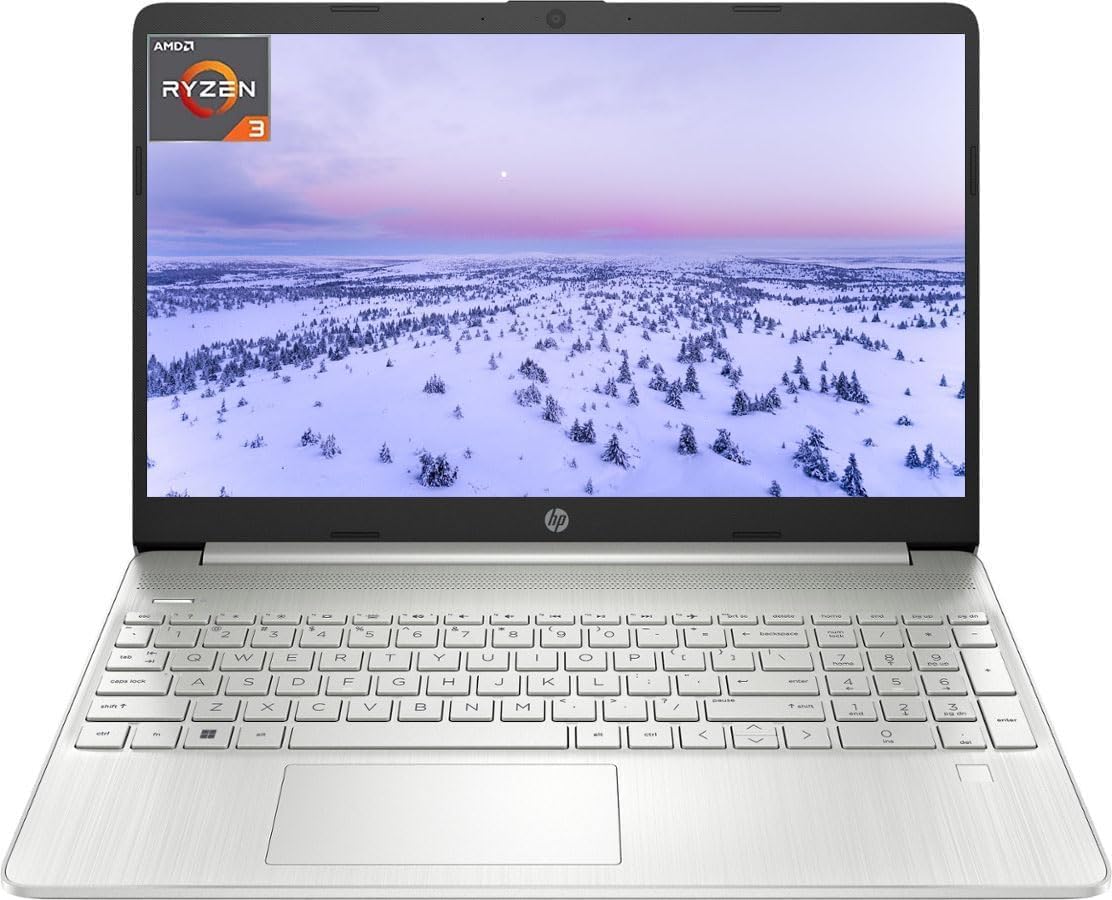

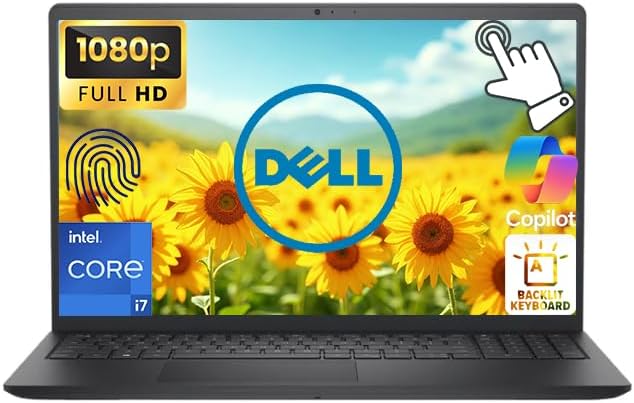


This HP laptop delivers exceptional value with a powerful Ryzen 7 processor and massive 32GB RAM. It handles multitasking seamlessly, making it ideal for professionals who juggle multiple applications simultaneously without performance drops.
We may earn a commission when you buy through this link, at no additional cost to you.
The 1TB SSD ensures quick boot times and ample storage for large files. The Full HD touchscreen offers clear visuals and intuitive navigation, while the numeric keypad supports efficient data entry for spreadsheets and financial tasks.
While the battery life is decent, heavy usage might require charging sooner than expected. The display is bright enough for indoor work but may struggle slightly in very bright environments compared to higher-end panels.
We recommend this model for students and professionals seeking a balance of power and affordability. Its combination of high RAM and storage makes it a versatile tool for productivity and daily computing needs.
The 32GB RAM allows you to run dozens of browser tabs and applications simultaneously without slowing down your workflow.
The full-size keyboard includes a dedicated numeric keypad, which is essential for accountants, students, and data analysts.
We may earn a commission when you buy through this link, at no additional cost to you.
This premium HP laptop features a stunning 17.3-inch display perfect for productivity and entertainment. The Intel Core i7 processor ensures top-tier performance for demanding tasks, while the 32GB RAM supports intensive workflows effortlessly.
We may earn a commission when you buy through this link, at no additional cost to you.
The expansive screen size provides ample space for multitasking, allowing you to view multiple windows side-by-side. The build quality is robust, and the inclusion of Microsoft 365 adds immediate value for business and educational users.
The larger screen naturally increases weight, making it less portable than 15-inch models. The higher price reflects the premium components, but it is justified for users who prioritize screen real estate and raw performance.
Ideal for professionals who need a desktop replacement with portability, this model stands out for its performance and display quality. It is a top choice for those willing to invest in a high-end laptop experience.
The 17.3-inch HD+ display offers a wider viewing area that enhances productivity for editing and multitasking.
With an Intel Core i7 and AI capabilities, this laptop handles complex software with speed and precision.
We may earn a commission when you buy through this link, at no additional cost to you.
The Dell Inspiron offers an impressive combination of performance and affordability. Its 10-Core Intel i5 processor provides enough power for everyday tasks, while the 256GB SSD ensures quick boot times and responsive performance.
We may earn a commission when you buy through this link, at no additional cost to you.
This laptop is perfect for students and light users who need a reliable device without breaking the bank. The numeric keypad is a valuable addition for data entry, and the touchscreen enhances usability for touch-based apps.
While 8GB RAM is standard for this price range, it might be limiting for users running many applications simultaneously. The storage space is also modest, so you may need external drives for large media files.
We recommend this laptop for budget-conscious buyers seeking essential features. It delivers solid performance for daily computing, web browsing, and document editing, making it a practical choice for many users.
The Intel Core i5 processor delivers reliable speed for everyday tasks at a very competitive price point.
Includes essential ports like USB-C and HDMI to connect external displays and peripherals easily.
We may earn a commission when you buy through this link, at no additional cost to you.
This Dell Inspiron model offers a solid business configuration with Windows 11 Pro. The 16GB RAM and 1TB SSD provide ample resources for productivity tasks, ensuring your system runs smoothly throughout the day.
We may earn a commission when you buy through this link, at no additional cost to you.
The Express Charge feature helps you recharge quickly, minimizing downtime during busy schedules. The Full HD touchscreen adds a layer of convenience for navigating menus and interacting with content intuitively.
The 11th Gen Intel processor is reliable but slightly older compared to newer models. Battery life is acceptable but not exceptional, so you may need to plug in for long work sessions away from an outlet.
We recommend this laptop for business users needing professional software features. The balance of RAM, storage, and Windows Pro makes it a dependable tool for office environments and daily business operations.
Windows 11 Pro offers advanced security and management features ideal for business environments and professional workflows.
Express Charge technology allows you to get up to 80% battery power in just 60 minutes of charging time.
We may earn a commission when you buy through this link, at no additional cost to you.
This HP laptop combines a large screen with essential productivity features like Microsoft 365. The Intel N100 processor handles basic tasks well, making it suitable for web browsing, streaming, and document editing.
We may earn a commission when you buy through this link, at no additional cost to you.
The fingerprint reader adds a layer of security, while the backlit keyboard allows for comfortable typing in low-light conditions. The large screen makes reading and viewing content more comfortable than smaller displays.
The 128GB storage is limited, so you will likely rely on cloud storage or external drives. The processor is designed for efficiency rather than power, so heavy software might run slower on this device.
We recommend this for casual users or students needing a large display. The inclusion of Microsoft 365 adds value, and the large screen provides an immersive experience for media and web tasks.
The fingerprint reader allows for quick and secure login without needing to type passwords repeatedly.
The 17.3-inch screen offers more room for viewing documents and videos comfortably without eye strain.
We may earn a commission when you buy through this link, at no additional cost to you.
This HP laptop offers an affordable entry point with a touchscreen and numeric keypad. The Intel Core i3 processor is sufficient for basic computing, and the privacy shutter adds a valuable security feature for video calls.
We may earn a commission when you buy through this link, at no additional cost to you.
The lightweight design makes it easy to carry for students or commuters. However, Windows 11 Home in S Mode restricts app installations to Microsoft Store apps, which may limit flexibility for some users.
The display resolution is standard for this price range but may not be as sharp as higher-end panels. It is suitable for everyday tasks but might not satisfy users requiring high-detail visual work.
We recommend this for budget buyers needing basic features. The privacy shutter and numeric keypad add practical value, making it a solid choice for home and school use where portability is key.
The integrated privacy shutter allows you to physically cover the webcam when not in use to ensure privacy.
Designed to be lightweight, this laptop fits easily into bags and is convenient for daily commuting.
We may earn a commission when you buy through this link, at no additional cost to you.
The HP OmniBook 3 stands out with its 2K IPS display, offering sharp visuals for media and productivity. The Ryzen 5 processor is efficient and capable of handling typical office tasks with ease and speed.
We may earn a commission when you buy through this link, at no additional cost to you.
The 16-inch aspect ratio provides more vertical screen space, which is great for reading and writing documents. The AI Copilot key offers quick access to intelligent features, streamlining your workflow effectively.
While the battery is smaller, the efficient processor helps balance power consumption. However, the lack of a numeric keypad might be a drawback for users who frequently enter large amounts of data.
We recommend this for users prioritizing display quality and portability. It is an excellent choice for creative work, browsing, and general productivity where screen clarity is a priority over data entry.
The 2K resolution delivers crisp text and vibrant colors for a premium viewing experience across all content.
The dedicated Copilot key provides quick access to AI tools to help you write and search more efficiently.
We may earn a commission when you buy through this link, at no additional cost to you.
This Dell laptop delivers high performance with an Intel i7 processor and 16GB RAM. The 1TB SSD ensures you have plenty of space for files while maintaining fast access to your applications and system.
We may earn a commission when you buy through this link, at no additional cost to you.
The fingerprint reader enhances security, allowing quick logins without typing passwords. The backlit keyboard is a nice touch for low-light environments, and the numeric keypad helps with efficient data entry tasks.
While the performance is strong, the build can be slightly heavier than thinner ultrabooks. Battery life is decent but may not last all day under heavy use without access to a power outlet.
We recommend this for business users needing robust performance. The combination of i7 speed and substantial storage makes it a reliable workhorse for professional tasks and demanding applications.
The Intel Core i7 processor provides the power needed for complex calculations and smooth multitasking.
The fingerprint reader offers a quick and secure way to access your computer without typing passwords.
We may earn a commission when you buy through this link, at no additional cost to you.
This Dell model prioritizes memory and storage, offering 32GB RAM and 1TB SSD capacity. It runs Windows 11 Professional, making it suitable for business environments that require specific system management features.
We may earn a commission when you buy through this link, at no additional cost to you.
The 32GB RAM is excellent for virtual machines or heavy multitasking. The carbon black finish is professional and durable, and the numeric keypad supports efficient workflow for data entry tasks daily.
The processor is an older generation which might not match the speed of newer i7 models. The display is standard brightness, which is fine indoors but may not be bright enough for outdoor use.
We recommend this for business users needing high memory capacity. The RAM and storage make it a powerful machine for handling large datasets and complex software without slowdowns.
32GB RAM allows you to run multiple virtual machines and applications simultaneously without performance drops.
Windows 11 Pro provides enhanced security and management features essential for business computing needs.
We may earn a commission when you buy through this link, at no additional cost to you.
This HP laptop offers great entry-level value with an Octa-Core processor and 8GB RAM. The Moonlight Blue finish gives it a stylish look, while the numeric keypad supports practical use for daily tasks.
We may earn a commission when you buy through this link, at no additional cost to you.
The USB-C hub included adds connectivity options for peripherals. It is a solid choice for students or home users who need a reliable machine for web browsing and document editing.
The storage is limited, so cloud storage may be necessary. The RAM is sufficient for basic multitasking but may struggle with heavy applications or gaming workloads.
We recommend this for budget buyers. Its affordability and practical features make it a good fit for everyday computing needs where high-end performance is not required.
The Moonlight Blue color finish adds a unique and modern aesthetic to the laptop's overall look and feel.
The included USB-C hub expands connectivity options, allowing you to connect more peripherals easily.
We may earn a commission when you buy through this link, at no additional cost to you.
Selecting the right laptop requires evaluating several factors to ensure the device meets your productivity and usability needs effectively.
The processor determines how fast your laptop can run applications and multitask. Look for at least an Intel Core i5 or AMD Ryzen 5 for smooth performance in daily tasks.
Prioritize multi-core processors for heavy workloads like video editing or data analysis to maintain speed.
RAM affects your ability to run multiple applications simultaneously. Aim for 16GB or more if you work with large files or many browser tabs.
SSD storage ensures faster boot times and application loading. A capacity of 512GB or more is recommended for storing files and software comfortably.
A touchscreen improves navigation and interaction with apps. Look for Full HD resolution for clear visuals and good color accuracy.
Consider screen size based on portability needs. 15-inch models balance portability and screen real estate, while larger screens offer more workspace.
The numeric keypad is essential for entering numbers quickly in spreadsheets or financial applications. Ensure your chosen model includes a full-size keyboard with this feature.
Without a keypad, you may rely on the on-screen keyboard or external devices, which slows down data entry workflows significantly.
Battery life should ideally last through a full workday. Look for models offering 8 hours or more of typical usage to stay productive on the go.
Fast charging capabilities reduce downtime significantly. Check if the laptop supports quick charge to get a significant battery percentage in under an hour.
Windows 11 offers the latest features and security updates. Ensure your model supports this system for better compatibility with modern software.
Some models include Windows 11 Pro which offers advanced management features suitable for business environments and enterprise security.
Check for USB-C, USB-A, and HDMI ports to connect peripherals and external displays easily. Adequate ports prevent the need for dongles and adapters.
Wi-Fi 6 support ensures faster and more stable internet connections, which is vital for video conferencing and cloud-based work.
A lightweight and durable design is important for those who travel frequently. Consider the weight and dimensions if you plan to carry the laptop daily.
Look for features like backlit keyboards for low-light typing and sturdy hinges that support frequent opening and closing of the screen.
To maintain touch responsiveness, keep the screen clean with a microfiber cloth and avoid excessive pressure when interacting with touch elements.
Use the numeric keypad regularly to improve speed with data entry tasks. Familiarize yourself with the Fn key combinations for accessing special functions on your keyboard.
Optimize battery life by adjusting screen brightness and closing unused applications. Store your laptop in a dry and cool environment to protect internal components from damage.
Yes, a numeric keypad significantly improves speed and accuracy when entering large sets of numbers. It is particularly useful for accountants, students, and anyone who works frequently with spreadsheets or financial data.
Full HD (1920×1080) is the standard and offers clear visuals for most users. Higher resolutions like 2K provide sharper details but consume more battery power and may increase the price.
It depends on the specific model. Some laptops allow easy upgrades, while others have soldered components that cannot be changed. Check the manufacturer specifications before purchasing to confirm upgradeability.
Most laptops with these features last between 6 to 10 hours on a single charge depending on usage intensity. Heavy tasks like video editing will reduce this time significantly compared to browsing.
Windows 11 Pro includes advanced security and management features useful for businesses. Home is sufficient for personal use, but Pro offers more control over updates and remote connections.
Modern touchscreens are quite durable and can withstand regular use. However, you should avoid using sharp objects and clean them gently to prevent scratches or damage to the glass surface.
We highlighted top options like the HP 15.6" and HP 17.3" for their excellent balance of performance and features. These models provide the power and display quality needed for professional workflows.
Prioritize RAM and processor speed if you need to multitask heavily. For budget buyers, the Dell Inspiron series offers a reliable entry point with essential productivity tools included.
Prices change frequently on online marketplaces, so verify current deals before purchasing. Choosing the right configuration now ensures your laptop remains relevant and fast for years to come.