
WSDCAM 4.3in
5.0Editor score
4.3 inch TFT screen
UTP cable testing
Compact lightweight design
Selecting the right CCTV Test Monitor is crucial for security installers and technicians who need reliable tools for field testing. These devices allow you to verify camera functionality, check cable integrity, and ensure network stability before finalizing any installation project.
We have carefully compared ten leading models based on their screen quality, connectivity options, power output capabilities, and ease of use. Our analysis focuses on real-world performance metrics that matter most during daily installation and maintenance tasks in various environments.
Each pick below highlights specific strengths and ideal use cases to help you find the perfect match for your budget and technical requirements. Please note that product availability and pricing may change over time, so verify current details before making your final purchase decision.
5.0Editor score

4.4Editor score

4.5Editor score
As an Amazon Associate we earn from qualifying purchases.
The following table provides a quick side-by-side comparison of all ten models featured in this guide, highlighting key specifications and capabilities to assist your decision-making process.


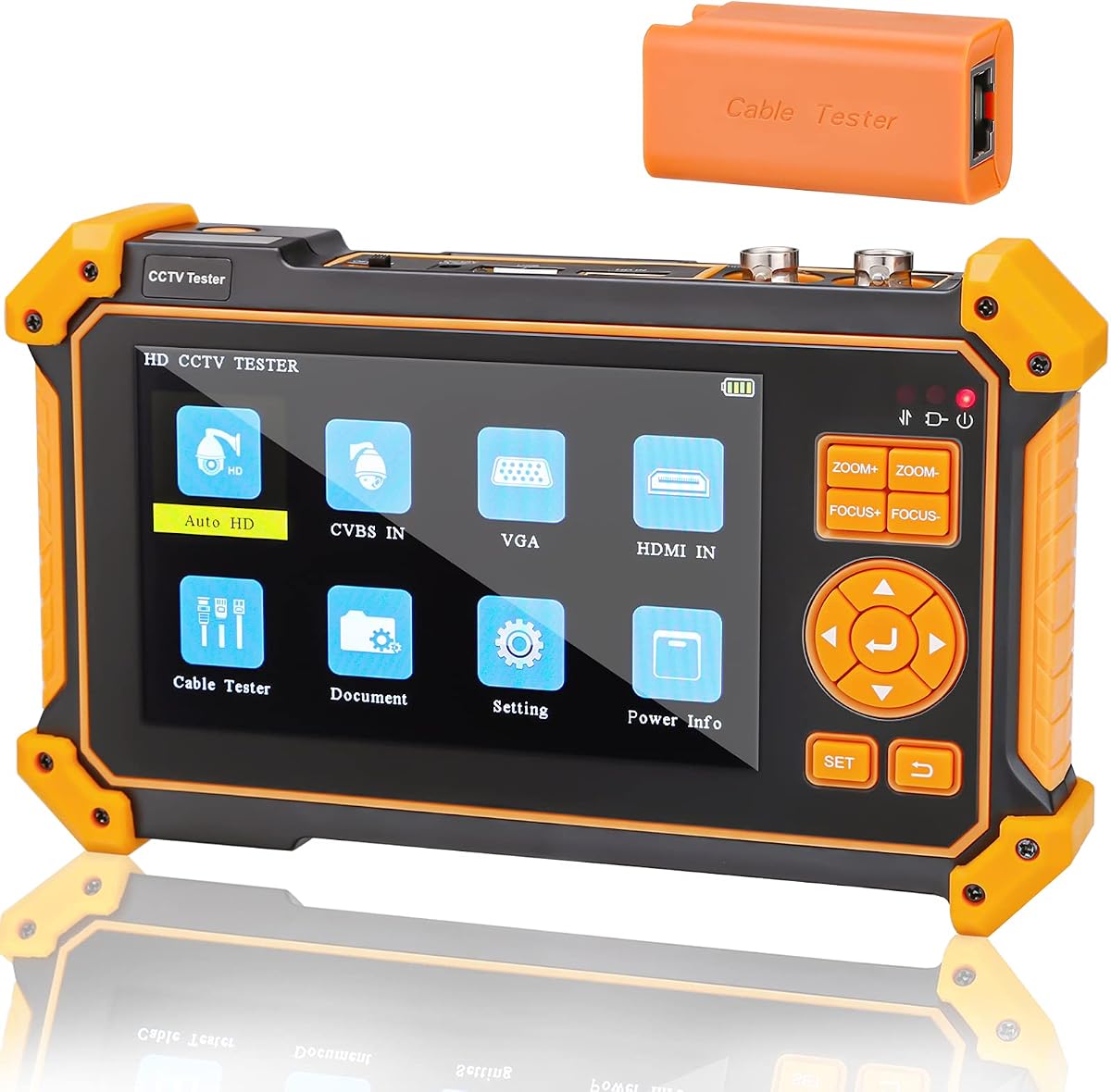
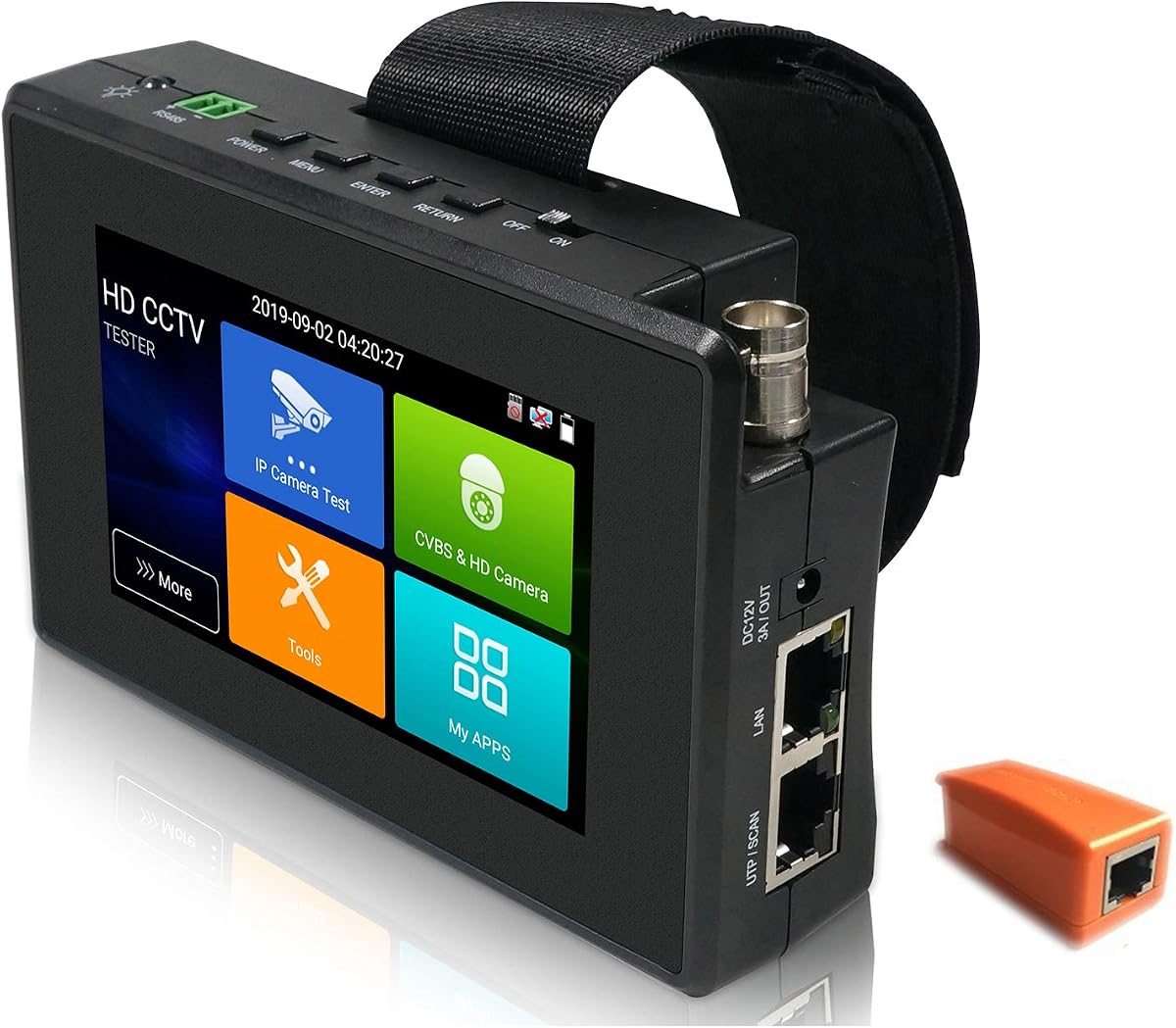
The WANLUTECH E88 stands out as a top choice for professionals who need a versatile and powerful CCTV Test Monitor. With a rated 4.4 stars, this model delivers a robust feature set that covers almost every testing scenario an installer might face in the field.
We may earn a commission when you buy through this link, at no additional cost to you.
Its 8 inch touchscreen provides ample space for viewing high definition video feeds comfortably, even in bright outdoor conditions. The device supports up to 4K 12MP IP cameras, ensuring compatibility with modern high resolution surveillance systems. Additionally, the inclusion of a gigabit SFP optical fiber module port makes it unique among competitors in this price range, allowing you to test fiber optic networks directly without extra adapters.
While the device is slightly heavier than compact 4 inch models, the trade-off is well worth it for the enhanced screen real estate and processing power. The 90W PoE output ensures you can power high demand PTZ cameras without external supplies, streamlining your workflow significantly. The only minor drawback is the price, but the value provided by its extensive toolset justifies the investment for serious technicians.
We recommend this monitor for contractors handling large scale commercial installations where fiber and high power cameras are common. Its ability to batch activate cameras and modify settings quickly saves valuable time on site. If you prioritize screen size and connectivity options, this is the model to choose for your toolkit.
The 8 inch touch screen offers high resolution visuals that make reviewing camera feeds and menus intuitive and clear during operation.
Built-in SFP support allows direct testing of fiber networks, reducing the need for separate equipment and saving time on complex projects.
We may earn a commission when you buy through this link, at no additional cost to you.
The WANLUTECH IPC-9800CADH Pro is engineered for users who demand the highest level of performance and compatibility in their testing equipment. It supports testing up to 8K 32MP IP cameras, making it future-proof for emerging high-resolution surveillance standards. This model also maintains a strong rating of 4.4 stars among professional users.
We may earn a commission when you buy through this link, at no additional cost to you.
One of its most impressive features is the integrated cable tracer, which helps you locate specific cables within bundled networks efficiently. This capability reduces the time spent tracing wires in large buildings or data centers. The 90W PoE output provides substantial power flexibility, allowing you to run heavy-duty devices directly from the unit without worrying about external power sources.
However, the advanced feature set comes with a higher price tag compared to more basic models. Some users might find the menu system slightly complex to navigate initially, though it becomes intuitive with use. The sheer breadth of supported formats, including CVBS, TVI, CVI, and AHD, ensures you won't face compatibility issues with legacy systems.
This unit is ideal for high-end installers who work with the latest IP systems and legacy analog gear alike. If you need a device that combines top-tier power output with diagnostic tools like cable tracing, this premium option is worth the investment for its reliability and versatility in demanding environments.
Support for up to 8K resolution ensures you are prepared for the next generation of IP cameras without needing an upgrade.
The built-in cable tracer simplifies locating cables in dense bundles, a common challenge in complex installations.
We may earn a commission when you buy through this link, at no additional cost to you.
The Rsrteng IPC-9800ADHS Pro earns a high rating of 4.5 stars by combining top-tier resolution support with an advanced Android operating system. It allows you to test up to 8K 32MP cameras and includes SDI support, which is a rare feature in this category. This makes it a strong candidate for professionals working with specialized broadcast-quality security setups.
We may earn a commission when you buy through this link, at no additional cost to you.
Running on Android 11, this device offers greater flexibility for installing third-party apps, enhancing its functionality beyond standard testing features. The dual gigabit Ethernet ports provide redundancy and speed, ensuring stable connections during high-data network diagnostics. The 90W PoE output remains a robust feature that powers high-performance cameras reliably in the field.
The premium pricing reflects its advanced capabilities, which may not be necessary for simple analog installations. However, for those who need to integrate advanced networking features and high-resolution video testing, the value is clear. The IPS screen ensures color accuracy, which is vital for evaluating camera image quality accurately.
We recommend this model for installers who prioritize image quality and system flexibility. If you need to run custom apps or test SDI signals alongside standard IP feeds, this device provides the necessary tools to handle complex tasks without carrying multiple units.
Running Android 11 allows for app customization and third-party integrations that expand the utility of the device significantly.
Inclusion of SDI and 8K support sets this unit apart for specialized high-definition security and broadcast monitoring needs.
We may earn a commission when you buy through this link, at no additional cost to you.
The WANLUTECH IPC-1800ADH Plus is an excellent option for installers who value portability without sacrificing essential testing features. With a compact 4 inch touchscreen, it is easy to carry in a tool bag while still offering a modern touch interface for quick navigation. It holds a rating of 4.4 stars, indicating strong user satisfaction.
We may earn a commission when you buy through this link, at no additional cost to you.
Although the 30W PoE output is lower than the 90W models, it is sufficient for most standard IP cameras and reduces the weight of the unit. The built-in WiFi hotspot functionality is a convenient addition that allows for easy network configuration without needing a laptop. It supports 4K resolution, ensuring you can test high definition feeds effectively.
The trade-off here is screen size, which might be challenging for detailed menu adjustments in bright sunlight. Additionally, the lower power limit means it cannot handle high-demand PTZ cameras. However, for routine residential or small commercial checks, this balance of features and size makes it a practical choice.
This model is best suited for technicians who move frequently between sites and need a lightweight device. If your work involves standard cameras and you prioritize easy transport over heavy power capabilities, this unit delivers solid performance and reliability for everyday tasks.
The 4-inch form factor makes this unit highly portable, fitting easily into bags for technicians who visit multiple sites daily.
Integrated WiFi hotspot simplifies network setup by allowing direct connection and configuration without extra cables or laptops.
We may earn a commission when you buy through this link, at no additional cost to you.
The Triplett 8150 CamView IP Pro brings the reputation of a well-known testing brand to the CCTV space. With a 5 inch display, it offers a good balance between screen size and portability. It rates at 4.1 stars, reflecting its focus on core functionality rather than advanced features found in other units.
We may earn a commission when you buy through this link, at no additional cost to you.
One standout feature is the integrated Ookla speed test, which allows you to verify network bandwidth directly from the device. This is particularly useful for ensuring that your internet connection is stable before installing IP cameras. The HDMI output also provides flexibility for connecting to larger external monitors if needed.
The power output is capped at 24W, which is adequate for most standard cameras but may fall short for high-end PTZ units. The interface is straightforward, but it lacks some of the sophisticated batch processing tools seen in other models. It is a reliable workhorse for general testing but not the most feature-rich option available.
We suggest this unit for professionals who prefer established brands and need a straightforward testing tool. If you require basic connectivity checks and do not need extensive power or fiber options, this device offers consistent performance and durability in the field.
The built-in speed test helps quickly validate network bandwidth availability, ensuring reliable performance for IP camera installations.
A straightforward interface reduces the learning curve, allowing technicians to start testing immediately without complex setup.
We may earn a commission when you buy through this link, at no additional cost to you.
The Anpviz 5 Inch tester is a budget-friendly option that focuses primarily on analog camera maintenance. It supports TVI, CVI, AHD, and CVBS formats, making it a versatile tool for maintaining older CCTV systems. With a rating of 4.3 stars, users appreciate its reliability for basic video verification tasks.
We may earn a commission when you buy through this link, at no additional cost to you.
This unit features a non-touch TFT screen but offers a robust battery that lasts up to 11 hours on a single charge. This longevity is ideal for full-day installation jobs where access to power outlets is limited. It also includes a PTZ controller, which allows you to adjust camera angles directly from the device.
The main limitation is its inability to test IP PoE cameras, which restricts its use to analog setups. Additionally, the lack of touch input might be slower for some users compared to touchscreen models. However, for technicians who work mostly with coaxial cable systems, the value proposition is strong.
We recommend this model for those focused on analog security systems or those needing a secondary monitor for quick checks. If your work involves legacy hardware and you need a long-lasting, affordable tool, this unit performs well within its scope.
A battery that lasts 11 hours ensures continuous use throughout a full workday without needing frequent recharging.
Optimized for analog formats like TVI and CVI, this device is perfect for maintaining existing coaxial installations.
We may earn a commission when you buy through this link, at no additional cost to you.
The EVERSECU 7 Inch tester stands out for its specialized video diagnostics capabilities. With a rating of 4.4 stars, it is well-regarded for features like the built-in video level meter, which helps verify signal quality accurately. The 7 inch touchscreen provides a comfortable viewing area for checking high resolution feeds.
We may earn a commission when you buy through this link, at no additional cost to you.
It supports up to 8K IP cameras and allows the installation of Android apps for customized functionality. The device includes standard 24W PoE output, sufficient for most cameras, and a battery that lasts around 10 hours. These features combine to offer a versatile tool for both IP and analog systems.
The power output is standard, meaning it cannot support heavy-duty PTZ cameras without external assistance. Additionally, some users report average build quality compared to more premium brands. However, the inclusion of a video level meter provides a technical edge that many other monitors in this price range lack.
We recommend this device for technicians who need to verify signal quality alongside standard testing. If you value a good screen size and specific diagnostics tools like a video meter, this model offers solid performance for professional installations.
The video level meter helps ensure optimal signal strength, which is critical for maintaining image quality in complex setups.
Android app installation allows you to add specific tools or utilities tailored to your workflow needs.
We may earn a commission when you buy through this link, at no additional cost to you.
The WSDCAM 4.3in offers a perfect 5.0 rating, making it a top choice for those focused on analog camera work. It is highly affordable and includes features like UTP cable testing, which is rare at this price point. The unit supports 4K 8MP coaxial formats, ensuring compatibility with modern HD analog systems.
We may earn a commission when you buy through this link, at no additional cost to you.
Its compact 4.3 inch screen and lightweight design make it easy to carry anywhere. It also features a bright LED light, which is helpful for working in dark spaces like closets or crawl spaces. The 12V power output allows you to power cameras directly for testing without external supplies.
The primary limitation is the lack of IP PoE support, so it cannot test network cameras. The screen size is also smaller than premium models, which might impact readability in bright light. However, for technicians working on analog systems, the value and functionality are exceptional.
We recommend this unit for installers who specialize in coaxial systems or need a secondary handheld tool. If you want an affordable, reliable device that handles basic testing tasks efficiently, this is the best option on the market.
With a low price point and perfect user rating, this unit offers excellent value for those focused on analog CCTV work.
The built-in LED light and cable testing add practical utility that enhances usability in challenging installation environments.
We may earn a commission when you buy through this link, at no additional cost to you.
The WSDCAM 3200-Plus is a versatile device that adds SDI support to the budget-friendly range. It holds a 4.3 star rating and includes HDMI and VGA inputs, allowing you to use it as a display for DVRs or NVRs. This flexibility makes it more than just a camera tester.
We may earn a commission when you buy through this link, at no additional cost to you.
It supports up to 4K 8MP coaxial cameras, covering most modern analog needs. The unit includes a UTP cable tester and PTZ control, providing a comprehensive set of tools for analog maintenance. The 12V output is useful for temporary power checks during installation.
The screen is a standard non-touch display, which might feel dated compared to newer touchscreen models. Additionally, the lack of IP support limits its use to analog setups. However, for users needing SDI compatibility or an auxiliary display, it offers good utility at a low cost.
We suggest this unit for those working with SDI or high-def coaxial cameras. If you need a portable display for debugging and basic analog testing without spending much, this device provides the necessary features effectively.
Support for HDMI and VGA inputs allows you to use the device as a monitor for NVRs, increasing its versatility.
This model makes advanced features like SDI support accessible at a price point that suits independent technicians.
We may earn a commission when you buy through this link, at no additional cost to you.
The EVERSECU 5 in 1 is a well-rounded entry-level tester that supports both IP and analog cameras. With a 4.4 star rating, it offers a good balance of features for general installation work. The 4 inch touchscreen provides a modern interface for quick navigation through menus.
We may earn a commission when you buy through this link, at no additional cost to you.
It supports up to 4K resolution and includes essential network tools like IP scanning and UTP testing. The 25.5W PoE output is sufficient for most standard IP cameras. A unique feature is the screen rotation capability, which helps when connecting cables in tight or awkward positions.
The power output is not as high as premium models, so it might struggle with high-demand cameras. However, for standard residential and small commercial projects, it covers all the necessary bases. The price is reasonable for the dual functionality it offers.
We recommend this model for those starting in the field who need both IP and analog support. If you want a compact, affordable device that handles basic testing and network checks without breaking the budget, this is a reliable choice.
By supporting both IP and analog cameras, this unit reduces the need for multiple devices in your toolkit.
The screen rotation feature allows for better visibility when accessing ports from difficult angles during installation.
We may earn a commission when you buy through this link, at no additional cost to you.
Choosing the right CCTV Test Monitor requires evaluating several technical factors to ensure the device meets your specific installation needs.
The screen size and resolution are critical for viewing detailed video feeds and navigating menus efficiently. Larger screens like 7 or 8 inches provide better visibility, especially in bright outdoor conditions, while higher resolution ensures you can spot image quality issues clearly. A high-resolution screen helps you verify 4K or 8K feeds without pixelation, which is vital for modern security systems.
Power output, specifically PoE wattage, determines what types of cameras you can power directly. Units with 90W PoE can handle high-performance PTZ cameras, while 30W units are limited to standard dome or bullet cameras. If you work with high-demand equipment, ensure the monitor supports at least 60W or 90W PoE to avoid carrying extra power supplies.
Verify that the monitor supports all the camera formats you use, including IP, CVI, TVI, AHD, and CVBS. Some models also support SDI or fiber optics, which are necessary for specialized installations. Compatibility with legacy analog systems is also important if you are maintaining older setups alongside new IP upgrades.
Look for additional ports like HDMI, VGA, and Ethernet to expand the monitor's utility. HDMI outputs allow you to connect to larger external displays, while Ethernet ports facilitate robust network testing. SFP ports are a premium feature that enables direct fiber optic testing without extra adapters.
Since you will often work in areas without power outlets, battery life is a key factor. Aim for a unit that offers at least 10 hours of operation to last a full day. Portability also matters; lighter units with compact designs are easier to carry between multiple job sites.
Advanced network tools like IP scanning, ping tests, and DHCP servers help troubleshoot connectivity issues efficiently. Units with batch activation capabilities save time by allowing you to configure multiple cameras at once. Android-based systems offer flexibility for installing third-party apps that might enhance functionality.
Field tools must withstand drops and harsh conditions. Look for units with ruggedized designs and solid construction. A durable case or protective housing can prevent damage during transport, ensuring the monitor remains functional over long-term use.
Budget-friendly units offer basic analog testing but may lack advanced features like PoE or touchscreens. Higher-end models provide more power and support for new camera standards. Evaluate your specific needs to choose a monitor that offers the best balance of features and cost for your business.
To start using your CCTV Test Monitor, ensure the battery is fully charged and the internal film is removed if provided. Connect the camera to the appropriate BNC or RJ45 port depending on the cable type. The device will automatically detect the signal, allowing you to view the feed on the screen immediately.
For network cameras, use the built-in IP discovery tool to locate devices on your network. You can then modify IP addresses or reset passwords directly from the monitor. Use the TDR or cable test functions to check the integrity of your Ethernet or coaxial cables before finalizing the installation.
To maintain the device, store it in a dry, protected environment when not in use. Avoid exposing the touchscreen to extreme temperatures or moisture to prevent damage. Regularly update the firmware to ensure compatibility with new camera models and to benefit from performance improvements.
Yes, most modern CCTV Test Monitors support both IP and analog formats. They typically include BNC ports for coaxial cables and Ethernet ports for IP cameras. This dual compatibility allows technicians to use a single device for mixed installations.
Both CVI and AHD are HD-over-coax formats used for analog video transmission. CVI is proprietary to Hikvision, while AHD is an open standard by Dahua. Most monitors support both, so you do not need separate devices for each protocol.
To test fiber optic cables, you need a monitor with a built-in SFP port. This port allows you to insert an optical transceiver module directly. Once inserted, the device can detect and display signals from fiber networks for verification.
Touchscreen models offer faster navigation and easier menu access. Non-touchscreen units often rely on physical buttons, which can be slower. However, non-touch units are sometimes cheaper and more durable, so the choice depends on your preference.
No, standard cameras usually require only 15W to 30W of power. High wattage outputs like 90W are necessary only for high-power PTZ cameras. For basic installations, a lower wattage unit is sufficient and often more portable.
Most professional monitors offer between 8 to 11 hours of battery life on a full charge. This duration is generally sufficient for a full workday. Battery life can vary based on screen brightness and active features like WiFi.
The WANLUTECH E88, IPC-9800CADH Pro, and Rsrteng IPC-9800ADHS Pro stand out as the top choices for professional installers due to their advanced features and high ratings. These models offer superior power output, support for high-resolution cameras, and extensive toolsets.
When prioritizing your purchase, consider your specific project needs regarding camera types and network complexity. If you work mostly with analog systems, budget-friendly options like the WSDCAM 4.3in provide excellent value without sacrificing essential functionality.
Always verify the latest product details and pricing on the manufacturer's website or trusted retailers before buying. Technology evolves quickly, so ensuring you have the most current model will help you stay efficient and prepared for modern security installations.