
Webcam Stand Camera Desk Mount with Phone Holder
5.0Editor score
Flexible gooseneck with 360 degree swivel
Universal 1/4 inch thread compatibility
Anti scratch clamp base protection
Foldable space saving design
Finding the right clamp on webcam arm can transform your video setup significantly. These mounts provide flexibility and stability for any desk or flat surface.
We evaluated ten leading models based on build quality, adjustability, and compatibility. Our analysis highlights key features to consider before making a final purchase decision.
Each pick below showcases unique strengths for different user needs and budgets. Please note that availability and pricing may change frequently over time.
5.0Editor score

4.4Editor score

4.4Editor score
As an Amazon Associate we earn from qualifying purchases.
This side by side comparison outlines the distinct capabilities of each model to help you find the perfect fit for your specific streaming or recording setup requirements.
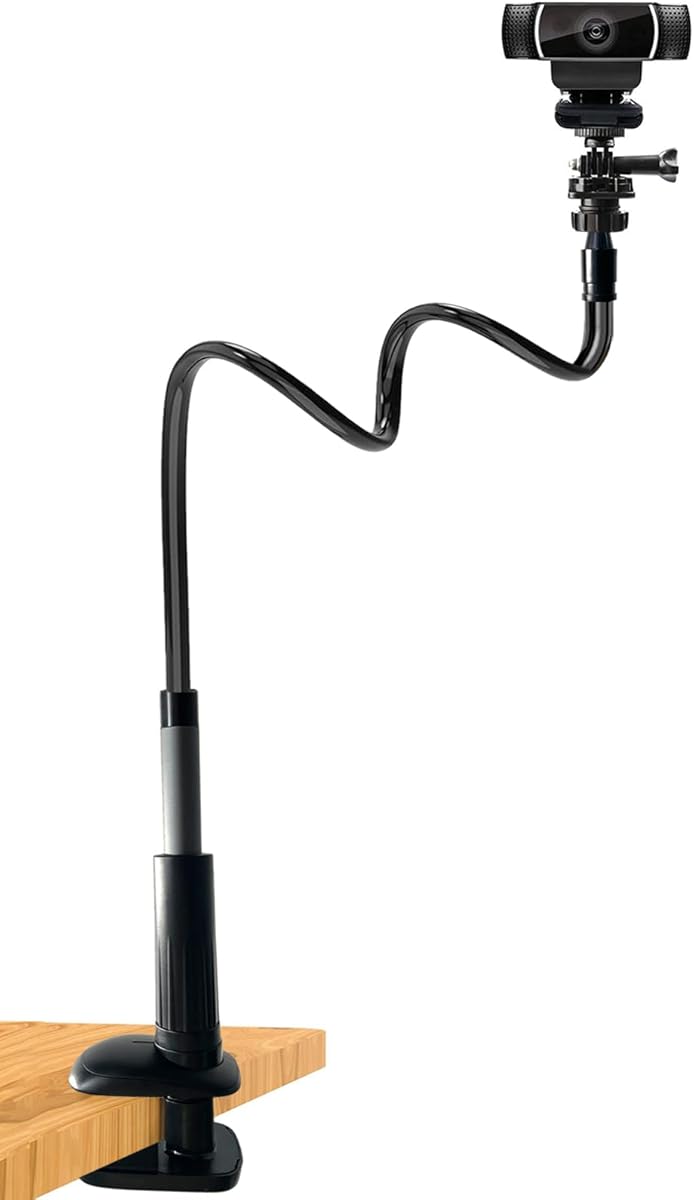

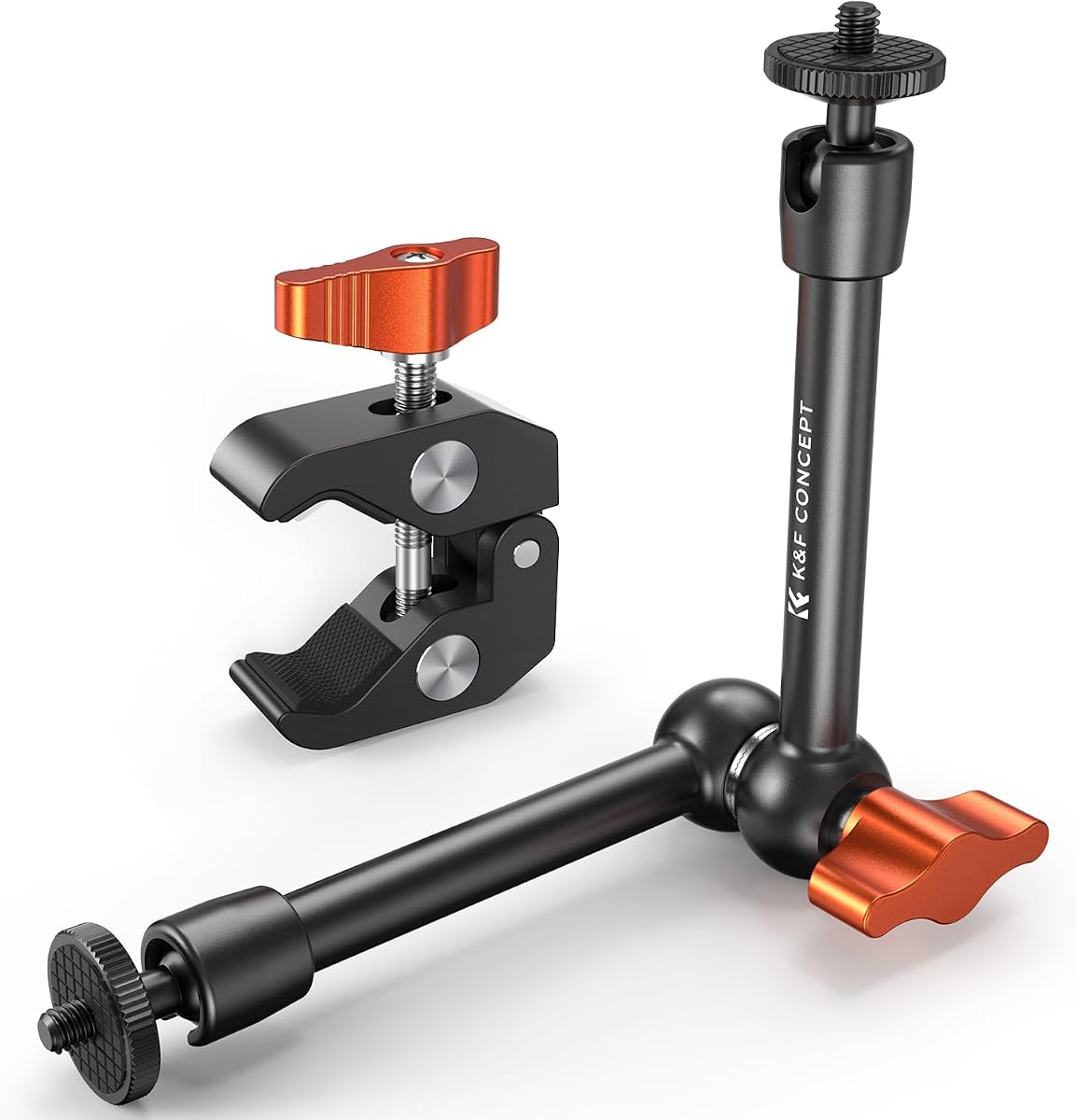


This K&F CONCEPT mount offers a robust solution for desk setups. It holds a strong 4.4 rating due to its reliable build and adjustable design that fits many standard webcams.
We may earn a commission when you buy through this link, at no additional cost to you.
The upgraded desk clamp provides superior gripping strength on flat surfaces while the gooseneck arm allows precise angle adjustments without wobbling. The silicone wrap prevents debris accumulation.
Users should ensure their table thickness fits the 5 to 45 mm range. While the arm is sturdy, heavy cameras may cause slight sagging over long periods.
It is ideal for remote workers and streamers needing a stable overhead view without complex rigging. This mount balances durability and ease of use effectively.
The aluminum alloy body ensures the arm remains rigid when positioned correctly for consistent video framing.
No tools are needed to secure the clamp, making setup quick for users switching between different desks.
We may earn a commission when you buy through this link, at no additional cost to you.
This versatile mount stands out with a perfect 5.0 rating from users who value flexibility. It supports both webcams and phones, making it a true all-in-one desk solution.
We may earn a commission when you buy through this link, at no additional cost to you.
The gooseneck arm is rigid enough to hold devices steadily yet fully bendable for custom angles. The thickened ABS base ensures durability without taking up much desk space.
However, the sheer length of 36.6 inches means it must be shaped into an S curve to prevent swaying during active sessions. The clamp fits most standard desks well.
Content creators and teachers will appreciate its portability and adjustability. It is an excellent choice for those needing a versatile mount without spending much.
The universal thread design supports a wide range of devices from action cams to smartphones.
The compact base and foldable arms allow this stand to tuck away when not in use.
We may earn a commission when you buy through this link, at no additional cost to you.
Designed for professional use, this SMALLRIG arm offers superior stability and flexibility. It scores 4.4 based on its robust build and ability to handle complex overhead setups securely.
We may earn a commission when you buy through this link, at no additional cost to you.
Each joint features double-ball clamps allowing precise independent angle adjustments. The anti-deflection design ensures the camera stays secure even if accidentally bumped during recording.
The load capacity of 600g means it is not suitable for very heavy rigs. Users should adjust the force arm length if mounting heavier phones to avoid slippage.
Streamers and photographers needing a reliable overhead solution will find this worth the investment. Its precision engineering supports high quality static shots and video conferences.
The anti-deflection interface ensures secure connections even in active filming environments.
This clamp works on round tubes and flat desks, offering maximum placement flexibility.
We may earn a commission when you buy through this link, at no additional cost to you.
This stand is designed for maximum reach with an impressive 30 inch height. Users rate it 4.1 for its ability to reach high angles while maintaining a stable base.
We may earn a commission when you buy through this link, at no additional cost to you.
The upgraded thick clamp base secures well to desks without needing extreme tightening. The 360 degree ball joint allows for quick viewing angle changes during live sessions.
To minimize bouncing, the arm should be bent into an S shape. The weight limit of 1.5 lb restricts it to lighter webcams and action cameras only.
It is best for users needing significant vertical reach on a budget. The non-slip cushion helps protect furniture from scratches effectively.
Reaching up to 76cm makes this ideal for tall setups or unique overhead angles.
The ball joint allows for easy angle changes without complex locking mechanisms.
We may earn a commission when you buy through this link, at no additional cost to you.
The Smatree clamp is a compact option rated 4.5 for flexibility. It excels in tight spaces where a standard mount might not fit due to its smaller jaw width.
We may earn a commission when you buy through this link, at no additional cost to you.
The flexible gooseneck allows precise positioning and the mini tripod head supports 360 degree rotation. It works well for DJI OSMO and various webcam models.
It should not be placed on vibrating objects or directly on screens to avoid damage. Stability is key to maintaining high quality picture effects during recording.
This is a great choice for macro work or limited desk space. Its small footprint makes it easy to integrate into existing setups.
The small jaw width allows clamping in tight spots like thin table edges.
The 360 degree rotation provides total control over camera orientation angles.
We may earn a commission when you buy through this link, at no additional cost to you.
This kit is designed for versatile mounting needs with a solid all-metal build. It holds a 4.2 rating and offers a higher load capacity than many gooseneck alternatives.
We may earn a commission when you buy through this link, at no additional cost to you.
The magic arm supports 360 degree dual ball head adjustments for flexible positioning. The super clamp can open between 15mm and 55mm for various surface types.
While the load capacity is high at 2kg, it is best suited for static scenes. Dynamic movements might cause the knob to loosen over time.
It is ideal for mounting microphones or lights alongside cameras. The anti-slip pads protect devices from wear and tear effectively.
Supporting up to 2kg allows for heavier accessories like large microphones.
The knob screw allows simultaneous tensioning and loosening for precise control.
We may earn a commission when you buy through this link, at no additional cost to you.
This NEEWER arm offers a solid overhead solution for video calls and streaming. It earns a 4.5 rating for its reliable grip and adjustable design that fits most setups.
We may earn a commission when you buy through this link, at no additional cost to you.
The low profile mount fits flat or round objects securely with the anti twist pin ensuring firm connections. The friction boom arm provides height flexibility without tools.
While it supports up to 500g, heavier setups might struggle. Users should be mindful of the weight distribution to prevent slippage during use.
It is perfect for gamers and content creators needing a stable overhead view. The multiple ball heads allow for versatile angle adjustments.
The anti twist pin ensures the mount does not rotate unexpectedly during recording.
The friction boom arm allows users to adjust height easily for different tasks.
We may earn a commission when you buy through this link, at no additional cost to you.
This comprehensive kit is designed for professional and streamers with its all-metal construction. It rates 4.3 for durability and the included accessories that simplify setup.
We may earn a commission when you buy through this link, at no additional cost to you.
The three 360 degree ball heads provide flexible adjustment for any angle. The super clamp securely grips both flat and cylindrical objects with anti-twist pins.
Foam padding protects equipment from scratches during transport or adjustment. The 1 kg limit ensures stability for lighter setups but is not for heavy gear.
It is ideal for indoor photography and outdoor content creation. Users benefit from a complete system with phone and camera adapters.
Includes phone holders and camera adapters for immediate multi-device use.
Non-slip foam padding prevents scratches on valuable equipment during use.
We may earn a commission when you buy through this link, at no additional cost to you.
This overhead mount is a budget-friendly choice for basic desk needs. It scores 4.4 for its comprehensive kit that includes various holders and adapters for different devices.
We may earn a commission when you buy through this link, at no additional cost to you.
The desktop stand allows height adjustments and the holding arm supports a 360 degree ballhead for angle flexibility. It is great for video conferences and simple streaming.
The weight limit of 0.5kg restricts it to light devices. Users should not attach heavy lights or large cameras to avoid damage.
It is perfect for teachers and students needing a simple setup. The versatility of the included parts makes it a good starter option.
The package includes adapters for lights and phones for multiple use cases.
The base stand adjusts height to fit various user comfort levels.
We may earn a commission when you buy through this link, at no additional cost to you.
This compact arm offers high ratings for its build quality. It is designed for creative angles while maintaining a small footprint on the desk for organized setups.
We may earn a commission when you buy through this link, at no additional cost to you.
The dual ball head design allows precise adjustments and the super clamp secures to various surfaces. It is suitable for static and mildly dynamic scenarios.
The 2kg capacity makes it robust for medium weight accessories like lights. However, vigorous movement should be avoided to maintain stability.
It is best for creators needing a strong yet compact solution. The ARRI thread compatibility supports a wide range of professional accessories.
The shorter arm is perfect for tight desk setups where space is limited.
The high load capacity supports heavier accessories safely during use.
We may earn a commission when you buy through this link, at no additional cost to you.
Selecting the right arm depends on your specific desk setup, camera weight, and desired flexibility. Consider these factors to find a reliable mount.
Look for arms made from aluminum alloys or high-quality ABS to ensure durability. Metal constructions often provide better stability for heavier devices.
Durable materials prevent sagging over time and ensure the arm stays secure during use.
Determine the distance you need between your desk edge and the camera position. Longer arms allow for more overhead flexibility but may require extra stabilization.
Choose a length that suits your workspace dimensions to avoid unnecessary clutter or instability.
Check the maximum weight the arm can support to match your camera or phone. Exceeding this limit can lead to drooping or potential damage.
Always select a mount with a load capacity higher than your device weight for safety.
Ensure the clamp opening matches your desk thickness. Some models fit flat surfaces while others accommodate round tubes or pipes.
A compatible clamp ensures a secure fit without damaging your furniture or sliding easily.
Features like ball joints and rotating heads allow for precise angle adjustments. More joints generally offer greater flexibility but may require more effort to secure.
Prioritize models with adjustable joints if you need frequently changing camera angles.
Some kits include adapters for microphones or lights. Having these options can streamline your setup process significantly.
Choose a model that supports the specific accessories you plan to use in your workflow.
Look for models that require no tools for installation. Quick release mechanisms make switching between devices much faster.
Simple setup saves time and makes the product more practical for daily use.
Pads or rubber cushions protect your furniture from scratches. These features are essential for maintaining the appearance of your desk.
Ensure the clamp has soft pads to prevent any accidental damage during installation.
Attach the clamp to a flat and stable surface to ensure maximum grip. Tighten the knob until it feels secure without over-tightening.
Bend the gooseneck into an S or Z shape for better support. This reduces wobble during active streaming or recording sessions.
Regularly check the joints for dust and clean them with a dry cloth. Avoid using harsh chemicals that could damage the protective coatings on the metal.
Yes, many arms come with soft pads to protect glass surfaces. Ensure the clamp is wide enough to distribute the pressure evenly to prevent cracking.
Most models support between 0.5kg and 2kg. Always check the specific product specs to ensure your device is within the safe load range.
Many models include adapters or universal 1/4 inch threads. You may need an additional phone holder adapter to secure a smartphone effectively.
Shape the arm into an S or Z curve for stability. Ensure the clamp is firmly attached to a sturdy surface to minimize movement.
Most are designed for indoor static use. Outdoor use requires checking weather resistance and ensuring the surface is stable enough to support the mount.
Check the maximum and minimum opening limits in the specs. If your desk is too thick, consider a mount with a larger clamp range.
Most modern designs are tool-free. Simply adjust the screw knob to secure the arm to the desk surface manually.
Inspect joints regularly if you move the camera often. Tighten any loose knobs to prevent drooping during important calls.
The top picks offer distinct advantages ranging from budget-friendly flexibility to premium stability for professional setups.
Prioritize build quality and load capacity to ensure your mount lasts longer and performs reliably for your daily needs.
Always verify current availability and pricing before making a final purchase to ensure the best value for your budget.