
California JOS GPU Support Bracket
4.7Editor score
Durable all aluminum build
Universal fit design
Tool free setup
Protecting your expensive graphics card from sagging is crucial for long-term system health. A solid support bracket prevents physical stress on the PCIe slot and ensures your build remains stable over time.
We evaluated ten leading Anti Sag GPU Support Brackets based on materials, adjustability, and user feedback. Our analysis highlights models that offer strong support without compromising case aesthetics or installation ease.
Each pick below shows key features, pros, cons, and detailed insights to help you choose. Note that prices and availability may change frequently, so verify current details before purchasing your preferred model.
4.7Editor score

4.8Editor score
4.7Editor score
As an Amazon Associate we earn from qualifying purchases.
This side by side comparison highlights key specifications and features across all ten models. We focus on build materials, height ranges, mounting styles, and unique selling points to help you find the right fit.
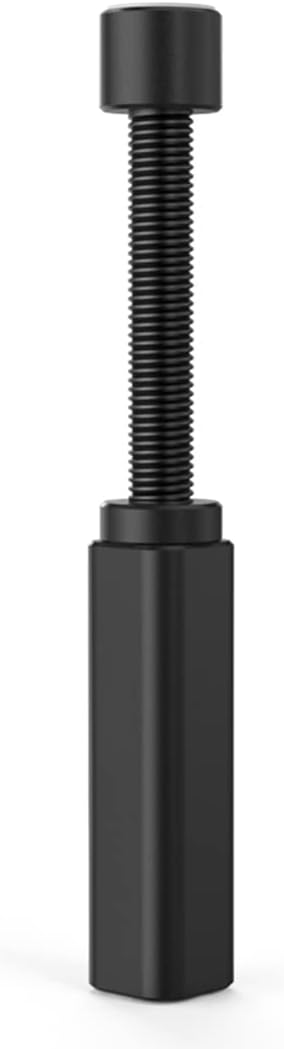
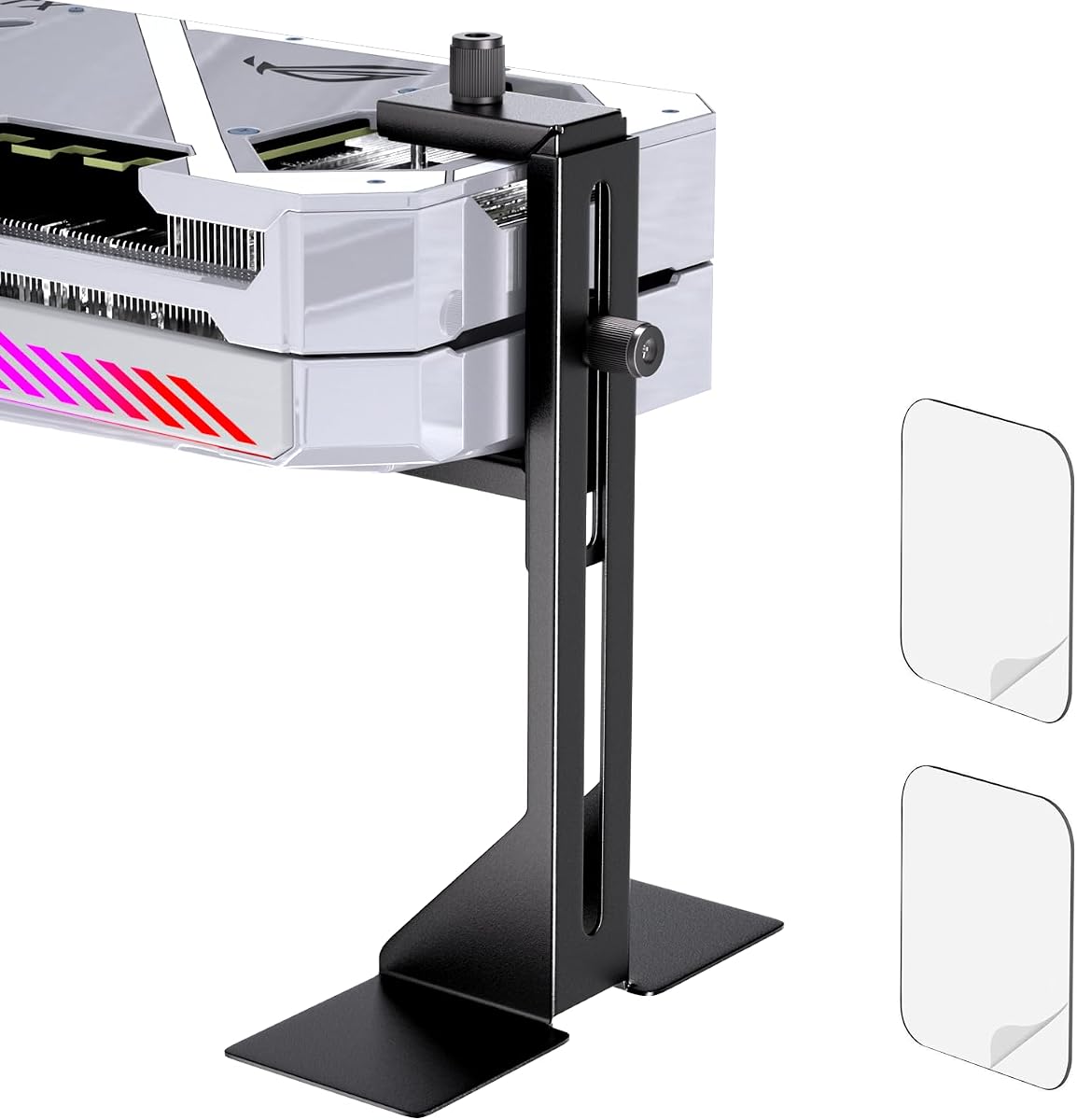


The acer GPU Support Bracket stands out as a top performer in our lineup with a 4.8 rating. Its esports grade materials and thoughtful design make it a reliable choice for heavy graphics cards.
We may earn a commission when you buy through this link, at no additional cost to you.
Constructed from high quality aluminum alloy with an anodized finish, this bracket ensures lasting support. The precise 0.5mm increments allow for perfect height calibration, while the strong magnet at the bottom keeps it firmly in place.
While the magnetic base is a strong benefit, it may not suit cases with sensitive components nearby. The premium price is higher than budget options, but the added durability and warranty justify the investment for serious builders.
This bracket is ideal for users seeking a balance of strength and adjustability. If you need a reliable stand that prevents sag without compromising stability, the acer model is our top recommendation.
The anodized aluminum finish resists rust and wear, ensuring the bracket looks new for years even with constant use in active PC builds.
With 0.5mm increments, you can fine tune the height to match your GPU thickness perfectly, reducing stress on the PCIe slot significantly.
We may earn a commission when you buy through this link, at no additional cost to you.
The California JOS GPU Support Bracket offers excellent value for money with a 4.7 rating. It is designed to prevent sag with a durable all aluminum build at a very competitive price.
We may earn a commission when you buy through this link, at no additional cost to you.
Its all aluminum build ensures superior strength compared to plastic alternatives. The height adjustable design fits most ATX, M ATX, and ITX cases, making it versatile for various setups.
While it lacks the magnetic base of premium models, its secure base provides adequate stability for most users. The adjustability is less precise than others, but it meets standard needs effectively.
Choose this if you want reliable protection without spending much. It is perfect for budget builders who need a simple, effective solution to protect their graphics card from long term damage.
Designed to work with most case configurations, this bracket adapts easily to different chassis sizes, ensuring broad compatibility across many PC builds.
The aluminum alloy resists wear and tear, providing a long term solution that withstands daily vibration and thermal expansion cycles inside your PC case.
We may earn a commission when you buy through this link, at no additional cost to you.
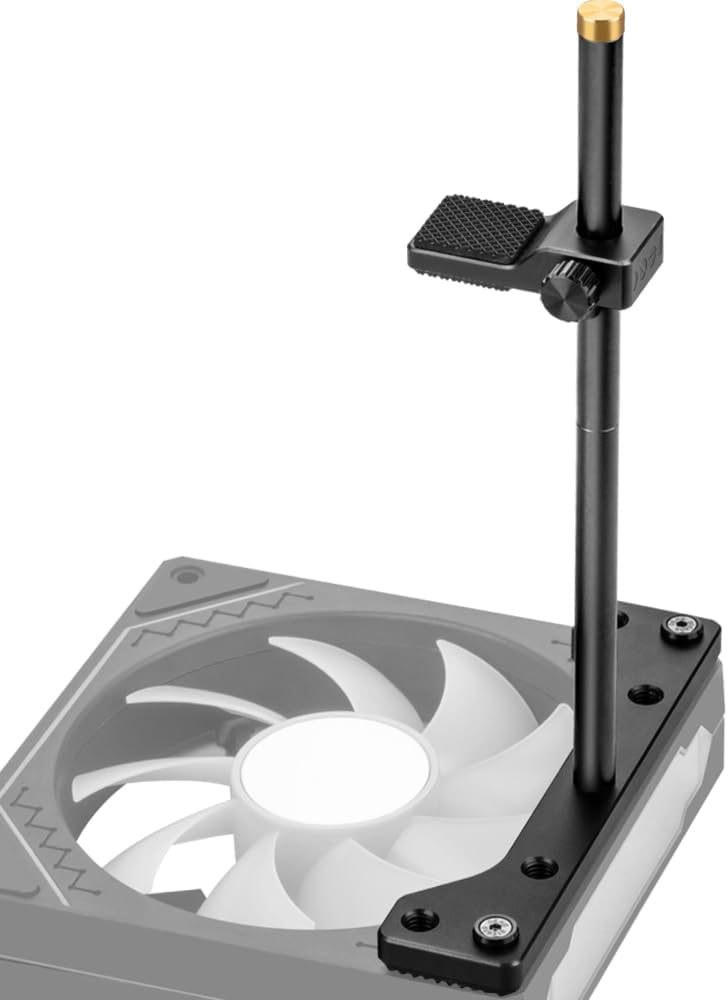
This GPU Support Bracket is specialized for 12cm fan mounts, offering a premium solution for complex builds. With CNC aluminum construction, it provides top tier durability for heavy and expensive graphics cards.
We may earn a commission when you buy through this link, at no additional cost to you.
Its CNC aluminum design ensures precision and strength. The detachable parts allow it to be mounted on fan locations, while the non slip rubber pads protect the card and case from scratches.
The fan mount focus may limit compatibility if your case lacks a suitable fan spot. The higher price reflects its specialized features, making it ideal for enthusiasts rather than casual users.
Pick this for high end builds where airflow and aesthetics are priority. If you need a robust bracket that doubles as a fan mount, this is the best premium choice available.
The CNC high speed edge washing process ensures clean lines and strong joints, delivering a professional finish that matches high end PC components perfectly.
The ability to separate into two parts allows flexibility for mounting on different fan zones, accommodating various case layouts and airflow configurations effectively.
We may earn a commission when you buy through this link, at no additional cost to you.
This Graphics Card GPU Brace Support provides a robust all aluminum solution for preventing sag. Its screw adjustment design ensures compatibility with various chassis configurations easily.
We may earn a commission when you buy through this link, at no additional cost to you.
Built with an all aluminum metal material, this bracket avoids aging issues common with plastic. The hidden magnet design offers stability, while the cushioning anti-scratch pad protects your GPU during use.
The screw adjustment may not offer fine control like some competitors. The magnet being hidden requires careful placement to ensure it works with your case material effectively.
It is a solid choice for users wanting aluminum quality without complexity. If you need a straightforward, durable stand that fits standard configurations, this model delivers reliable support.
The use of all aluminum metal ensures the bracket remains rigid and durable over time, avoiding the bending or warping that plastic stands might suffer from.
The magnet is placed in the base to keep the look clean, providing a stable foundation without visible hardware that might detract from the case aesthetic.
We may earn a commission when you buy through this link, at no additional cost to you.
This GPU Support Bracket offers a reliable design with a magnetic base for stability. It is made of aluminum alloy to provide lasting support against gravity for your graphics card.
We may earn a commission when you buy through this link, at no additional cost to you.
The aluminum alloy construction ensures durability. The magnetic base aids easy installation, and the tool-free fixing module with anti-scratch pads keeps everything secure without needing extra tools.
The fixed adjustment range may not fit all tall cards. The design is functional but lacks unique features compared to high-end models, making it a standard reliable option.
Choose this for consistent performance at a reasonable price. If you need a no-fuss bracket that provides steady support, this model is a safe choice for most builds.
Constructed from anodized aluminum alloy, this stand resists rust and wear, ensuring it remains strong and functional for many years of continuous use.
The hidden magnet combined with non-slip sheet ensures the stand stays in place, preventing any unwanted movement that could cause GPU instability during operation.
We may earn a commission when you buy through this link, at no additional cost to you.
This bracket supports heavy graphics cards including large models like the 4090. It features an adjustable design that works in both horizontal and vertical orientations for flexibility.
We may earn a commission when you buy through this link, at no additional cost to you.
The strong double-sided adhesive provides a secure attachment to the chassis. This design helps prevent wobbling, and the adhesive leaves minimal residue for easy cleaning if you change setups.
Adhesive bases are not ideal for those who frequently change hardware. The width may not suit all cases, so measure carefully before purchasing to ensure proper fit.
Ideal for users with thick GPUs or vertical orientation needs. If you need a versatile bracket that supports larger thickness without permanent screws, this is a practical choice.
This stand supports both mounting orientations, giving you flexibility to align with your build layout whether you prefer vertical or horizontal GPU placement.
With support up to 75mm thickness, this bracket accommodates larger modern graphics cards that might sag more, providing necessary structural reinforcement.
We may earn a commission when you buy through this link, at no additional cost to you.
This TEAMOLA bracket offers an extended height range for larger chassis setups. With all aluminum metal material, it provides strong support for heavy cards without bending or deformation.
We may earn a commission when you buy through this link, at no additional cost to you.
The twist nut adjustment allows easy height changes from 4.53 to 8.27 inches. This range suits tall cases, and the hidden magnet keeps the stand stable during operation.
The tall design may not fit smaller cases. It is a more specialized option, so ensure your case height accommodates it before buying to avoid fit issues.
Choose this if you need extra height for large builds. If your chassis requires a taller support, this model offers the range and durability to keep your GPU level.
The height range of 4.53 to 8.27 inches covers most large tower cases, ensuring compatibility with tall GPUs or unique mounting configurations inside the chassis.
The twist nut mechanism allows you to adjust height without extra tools, simplifying the setup process for builders who want quick and easy installation.
We may earn a commission when you buy through this link, at no additional cost to you.
This model stands out with its elegant white finish and minimalist design. It is engineered to provide long-term stability with a robust magnetic base for secure installation.
We may earn a commission when you buy through this link, at no additional cost to you.
The elegant white finish complements modern PC builds beautifully. With secure magnetic installation, setup takes just 30 seconds, making it simple for beginners and pros alike.
The fixed height design may not suit all cards. The white finish might collect dust more visibly, so regular cleaning may be needed to maintain its pristine look.
Choose this if aesthetics are a priority for your build. If you want a clean, simple look that blends with light colored cases, this bracket offers style and function.
The white finish adds a sleek visual appeal, fitting perfectly with modern light-themed cases and keeping the focus on the rest of your hardware build.
The magnetic base ensures the bracket stays firmly attached to the case floor or shroud, preventing slips and providing a stable foundation for the GPU.
We may earn a commission when you buy through this link, at no additional cost to you.
This X-Protector model offers a simple and effective solution for preventing sag. It features a solid aluminum build to ensure durability and stable contact with your GPU.
We may earn a commission when you buy through this link, at no additional cost to you.
The solid aluminum construction with a soft rubber pad prevents vibrations and protects hardware. Adjustable height from 2.9 to 5 inches allows it to fit almost any standard card.
Design aesthetics are functional rather than stylish. It may not stand out in custom builds, but it focuses purely on utility and reliability to keep your card level.
Select this for practical, straightforward support. If you prioritize function over form and want a bracket that does the job without fuss, this model delivers consistent results.
Made of solid aluminum, this bracket resists wear and deformation, providing a sturdy base that protects your GPU from long-term sag stress and bending.
With a range of 2.9 to 5 inches, it accommodates a wide variety of GPU sizes, ensuring a perfect fit for most common graphics cards on the market.
We may earn a commission when you buy through this link, at no additional cost to you.
This Aivalas bracket combines premium aluminum with a magnetic base for reliable support. It is designed to prevent sag without detracting from your computer's aesthetics.
We may earn a commission when you buy through this link, at no additional cost to you.
The premium quality aluminum ensures strong support without deformation. Magnetic placement allows easy stick to case shrouds, and rubber pads add grip to prevent slippage during use.
Adjustment is twist nut based, limiting fine tuning. It is a black standard design, which may not suit those looking for custom colors or unique visual features in their build.
Choose this for effective and unobtrusive support. If you need a solid, reliable bracket that blends in while doing its job well, this is a dependable option to consider.
The use of premium quality aluminum ensures that the bracket remains sturdy and does not deform under load, providing lasting support for your heavy graphics card.
Rubber at the ends and magnetic features work together to prevent slippage, ensuring the stand stays securely in place even during vibration or system movement.
We may earn a commission when you buy through this link, at no additional cost to you.
Selecting the right support bracket depends on build needs and case layout. We break down the key factors to help you find the perfect match for your system.
Material quality dictates longevity and strength. Aluminum is preferred for durability and resistance to corrosion. Avoid plastic models for heavy GPUs as they can bend over time under constant load.
Always look for all-aluminum or aluminum alloy construction to ensure your stand lasts the life of your graphics card.
Adjustability lets you match the stand to your GPU height. Look for screw or twist adjustments that offer range. Fixed height stands may not fit all cards, so check dimensions before buying.
Adjustable models provide better versatility for different builds and GPU sizes.
Mounting types include magnetic, adhesive, or screw base. Magnetic is easy for metal floors, adhesive for non metal surfaces, and screw for permanent installs. Consider your case shroud material when choosing.
Match the mounting type to your case features for secure and easy setup.
Appearance affects how the stand blends into your build. Matte black is common, but white or polished finishes suit themed cases. Choose a finish that complements your interior design preferences.
Pick a color and style that maintains your desired look.
Stability depends on the base design. Rubber pads, magnets, or wide feet prevent sliding. Ensure the stand remains steady when your PC is on a desk or during movement.
Stable bases prevent the stand from tipping and causing GPU damage.
Check height and width limits against your GPU size. Some supports only fit up to 75mm thickness or specific ATX sizes. Confirm compatibility to avoid buying a model that does not fit.
Measure your GPU height to ensure a proper fit before purchase.
Look for tool-free options if you want quick setup. Many models use twist nuts or magnets, requiring no extra tools. Easy installation reduces time and effort during build assembly.
Prioritize tool-free designs for a hassle-free installation experience.
A warranty ensures quality assurance. Models offering 18+18 months or lifetime coverage indicate confidence in durability. Check terms to know what is covered if the bracket fails early.
Choose a brand with good warranty terms for peace of mind.
First, measure your GPU height and case floor. Position the bracket under the card so it supports the far end without stressing the PCIe slot. Ensure it sits level for even weight distribution.
Next, secure the base using the provided magnet, adhesive, or screws. Check that the stand is stable before closing your case. If adjustable, twist to match the exact GPU height to reduce slack.
Finally, inspect your setup every few months. Clean dust from the base and rubber pads to maintain grip. Ensure the bracket has not shifted or bent over time with vibration or heat.
Not all GPUs require a bracket, but heavy models with multiple fans or large heatsinks often do. If your card sags visibly without support, using a bracket is recommended to protect the motherboard and PCIe slot from long term damage.
If installed correctly, a bracket will not damage your GPU. Ensure rubber pads touch the card gently to avoid scratches. The support should bear weight without pressing hard on components that could cause stress.
Magnets only adhere to metal surfaces like steel shrouds. If your case is plastic or glass, a magnet may not hold. Use adhesive or screw mounts for non metal cases to ensure stability and prevent falling.
Aluminum is widely considered the best material due to its strength, lightweight properties, and resistance to rust. It lasts longer than plastic and avoids bending under heavy loads, making it ideal for high end graphics cards.
Most adjustable stands use a twist nut or screw mechanism. Turn the knob gently until the stand reaches the desired height under your GPU. Ensure it is snug so the card does not shift or wobble.
Yes, most are reusable if not permanently glued. Magnet and screw types can be moved easily. Adhesive pads may lose stickiness if moved multiple times, so check manufacturer notes on residue for reuse.
A properly installed bracket does not affect airflow since it sits below the card. However, bulky designs might obstruct intake fans. Choose slim models or those designed for fan mounts to maintain optimal cooling flow.
Most standard brackets support up to 5 lbs. Heavy GPUs exceeding this may need specialized support. Check product specs for load limits and ensure the base is secure enough for your card's weight.
The top picks in this guide offer a range of solutions for all needs. From the acer model's precision to the California JOS value, each bracket provides solid protection against sag and damage.
Prioritize aluminum build, stability, and adjustability when making your choice. Ensure your case and GPU match the mounting type and size specs. A good stand protects your investment for years.
Always verify current prices and stock before buying as they may change. Choose the model that best fits your build aesthetic and technical requirements to keep your PC safe and stable.