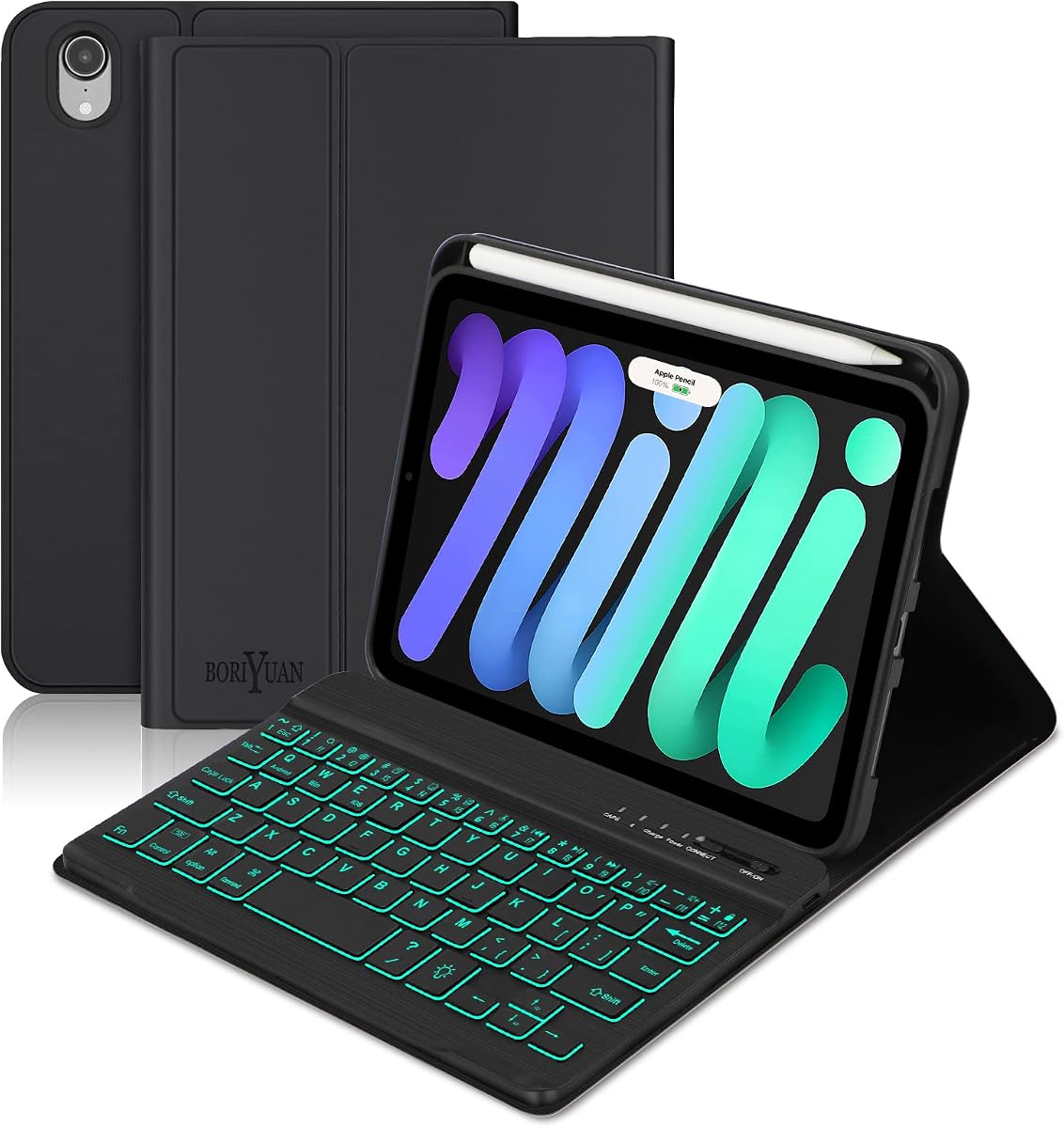
iPad mini 7th Gen 2024 (A17 Pro) & iPad mini 6 Keyboard Case 2021
4.2Editor score
Detachable wireless keyboard
Pencil holder included
Three viewing angles
Transforming your iPad Mini into a portable workstation requires the right accessories. A quality Folio case with keyboard enhances productivity by providing tactile typing and protection. These accessories cater to professionals and students seeking versatility in a compact form factor.
We evaluated ten leading options based on compatibility, build quality, and typing comfort. Each model supports the latest iPad Mini generations with dedicated keyboard layouts and protective covers. Our analysis focuses on real-world usability and durability for daily tasks.
Each selection highlights specific strengths like trackpad support or rotating hinges. Detailed reviews cover performance nuances to help you match a case to your workflow. Keep in mind that availability and pricing may fluctuate over time on retailer sites.
4.2Editor score

4.6Editor score

4.3Editor score
As an Amazon Associate we earn from qualifying purchases.
This comparison table outlines key specifications across all ten reviewed models to help you quickly identify the best fit for your specific workflow needs and device setup.
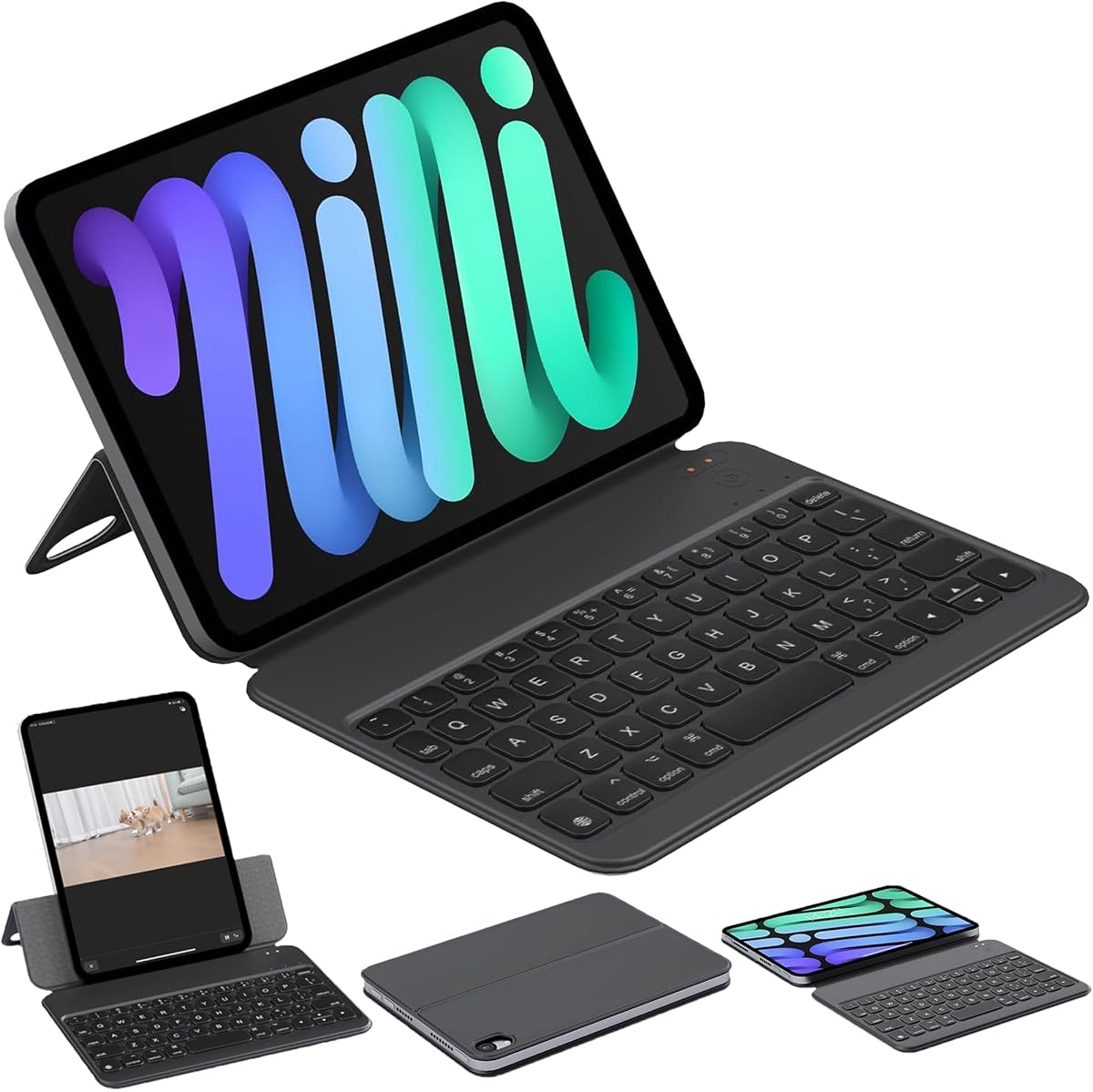


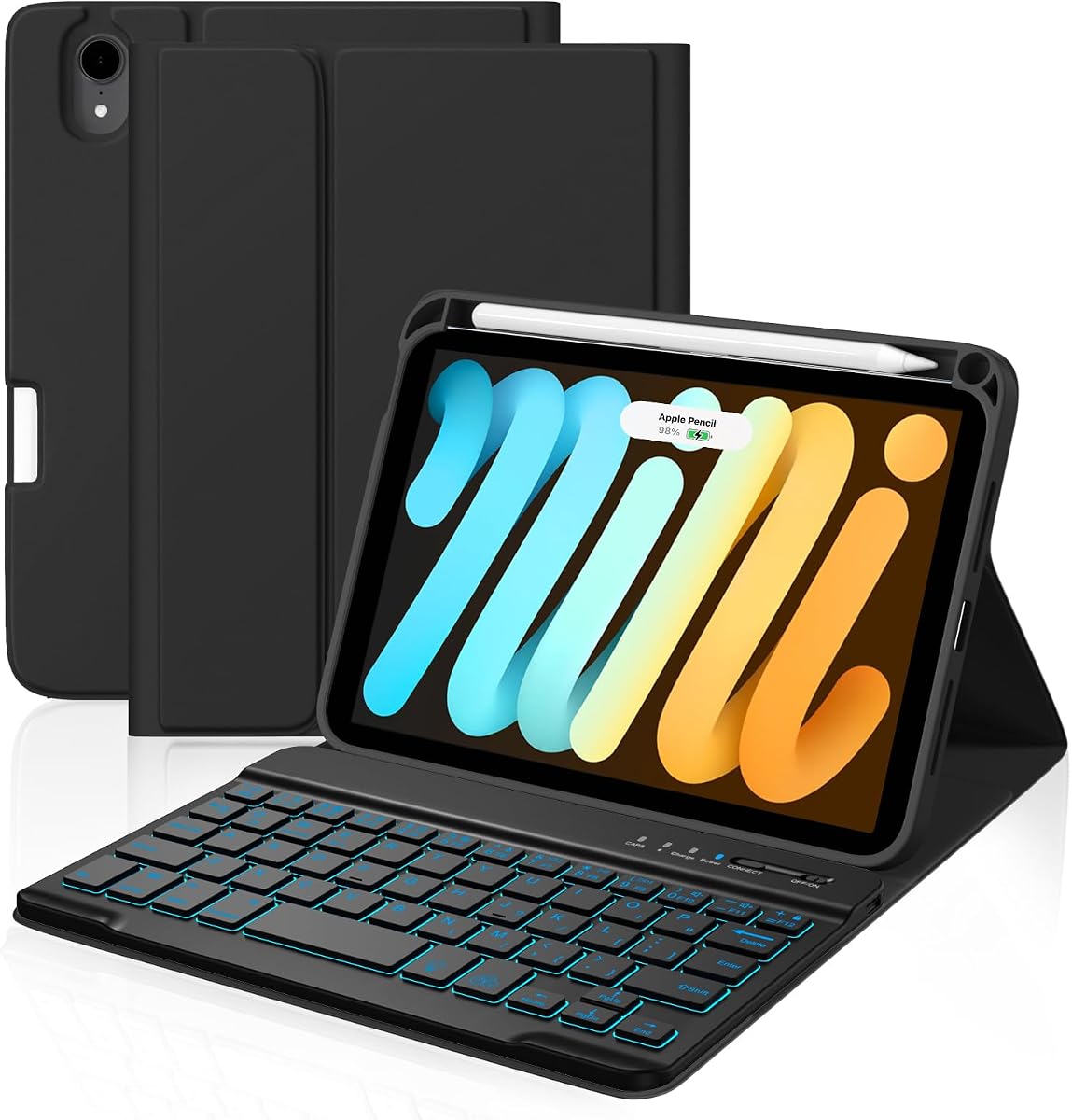
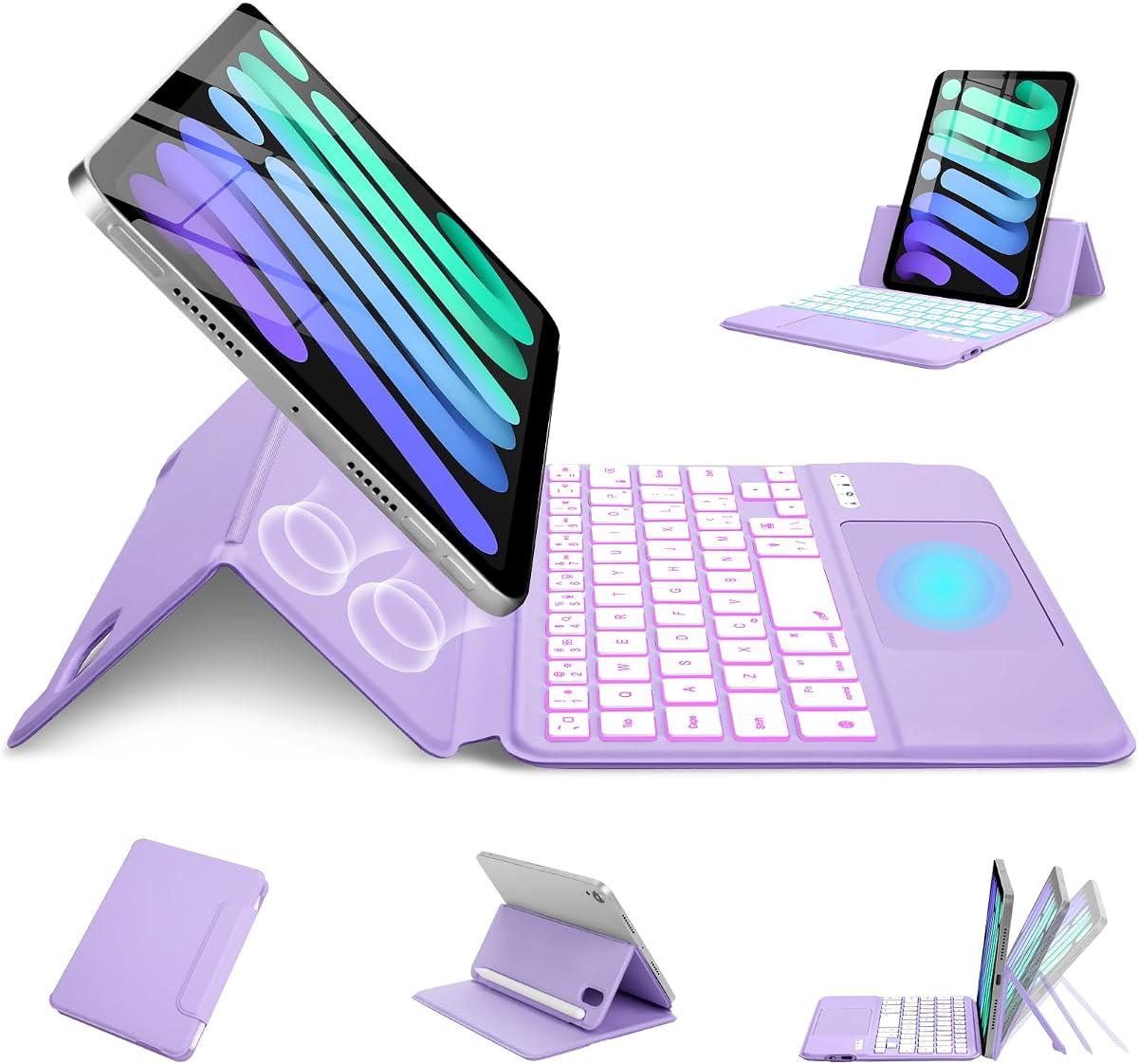
The Magic-Style Keyboard Case stands out as the top choice for users needing a laptop-like experience. Its 4.6 rating reflects consistent performance in usability and build quality.
We may earn a commission when you buy through this link, at no additional cost to you.
This model features a detachable case that allows for versatile modes like portrait and elevated screen. The smart trackpad supports multi-finger gestures making navigation intuitive and efficient.
While the design is robust the case does not support direct pencil attachment which may limit note takers. The widened hinge prevents tipping but adds slight weight.
It is ideal for professionals who prioritize typing comfort and trackpad functionality. This model offers a premium feel that justifies its investment for daily workflows.
The detachable nature allows for lightweight handling when keyboard input is not needed.
Integrated trackpad controls allow for advanced gestures like pinch to zoom.
We may earn a commission when you buy through this link, at no additional cost to you.
The Dexnor Floating Case earns the premium badge due to its robust build and advanced features. It transforms the iPad into a full workstation with a dedicated trackpad and holder.
We may earn a commission when you buy through this link, at no additional cost to you.
The floating cantilever stand ensures a comfortable typing position while the trackpad offers precise cursor control. Backlit keys provide visibility in dim environments with adjustable brightness levels.
Users may find the compact keys less comfortable for extended typing sessions. The high cost might be a barrier for budget conscious shoppers seeking basic functionality.
This model is best for power users needing advanced input tools and secure pencil storage. It delivers a sophisticated experience that bridges the gap between tablet and laptop.
The floating stand allows for ergonomic typing without needing a flat surface.
A dedicated holder keeps the pencil secure and prevents loss during travel.
We may earn a commission when you buy through this link, at no additional cost to you.
The Boriyuan Slim Case offers exceptional value for users seeking essential features at a lower cost. It balances protection and functionality well for students and casual users.
We may earn a commission when you buy through this link, at no additional cost to you.
Its detachable wireless keyboard allows for flexibility in usage modes while the pencil holder adds utility. The auto sleep wake feature helps conserve battery life during inactivity.
The absence of a trackpad limits navigation speed compared to more expensive options. The materials are functional but may not feel as premium over long term use.
This pick is ideal for those on a budget who still want reliable protection and typing. It is a practical choice for everyday tasks without high financial commitment.
This model provides essential features without the premium price tag of competitors.
The smart cover function conserves power by managing screen states automatically.
We may earn a commission when you buy through this link, at no additional cost to you.
ZAGG brings a reputable name to this category with the Slim Book mini. It focuses on typing comfort and portability for travelers who need a reliable setup.
We may earn a commission when you buy through this link, at no additional cost to you.
The detachable keyboard allows for versatile use cases such as typing at a distance. The laptop style hinge provides stable support for various viewing angles during work.
Without a trackpad users must rely on touch gestures or external mice for navigation. The design prioritizes slimness which might sacrifice some structural rigidity.
This case is recommended for those valuing brand reliability and typing quality. It offers a straightforward solution for professionals needing a lightweight typing tool.
Responsive keys are designed to reduce fatigue during long typing sessions.
The ultra-compact design fits easily into backpacks and bags for mobility.
We may earn a commission when you buy through this link, at no additional cost to you.
The typecase Keyboard Case stands out for its 360 degree rotating hinge that offers unique positioning. It caters to users who need versatile angles for drawing or presentation.
We may earn a commission when you buy through this link, at no additional cost to you.
A responsive multi-touch trackpad enhances navigation while the 11 color backlight allows for personalization. The pencil holder ensures your stylus is always ready for quick notes.
The complex hinge might feel heavy and can be tricky to adjust precisely during use. This added weight can make carrying the device less comfortable for long durations.
This option is best for creative users needing flexible viewing and drawing capabilities. It provides a unique blend of tools that support varied workflows beyond simple typing.
The 360 hinge allows for versatile viewing angles and presentation modes.
Multiple backlight colors let users match the keyboard to their personal style.
We may earn a commission when you buy through this link, at no additional cost to you.
GreenLaw offers a 360 degree rotating solution that provides freedom in device positioning. It is designed to support both typing and creative work with a flexible hinge.
We may earn a commission when you buy through this link, at no additional cost to you.
The multi-gesture trackpad enhances control while the seven color backlight adds a stylish touch. The energy saving mode helps extend battery life during long periods of inactivity.
The absence of a charging cable in the package requires you to source one separately. Over time the hinge might show wear if not handled with care during rotation.
This model is suitable for users who want a portable setup with creative flexibility. It balances functionality with design to meet the needs of versatile professionals.
The hinge allows the device to rotate fully for any desired viewing angle.
Automatic sleep functions help conserve power when the keyboard is idle.
We may earn a commission when you buy through this link, at no additional cost to you.
The Ultra Magic Case features an upgraded hinge to improve stability during typing. It aims to provide a comfortable experience with quality fabric that resists yellowing.
We may earn a commission when you buy through this link, at no additional cost to you.
A responsive touchpad and multiple backlight colors enhance usability in various environments. The hinge design shifts the center of gravity forward to prevent backward tipping.
The limited adjustment range of 130 degrees might restrict finding the perfect angle. Some users report lower satisfaction compared to competitors with more robust features.
This case is a good middle ground for those wanting specific improvements like the hinge. It offers style and utility though it may lack the polish of higher rated models.
The hinge design reduces tipping to offer a steady typing experience.
High-quality fabric resists stains and maintains its look over time.
We may earn a commission when you buy through this link, at no additional cost to you.
This model focuses on essential utilities like a long-life battery and pencil holder. It provides a clean and practical setup for basic typing tasks and protection.
We may earn a commission when you buy through this link, at no additional cost to you.
The stain-resistant material ensures the case stays looking new with minimal effort. It includes a seven color backlight to improve visibility in dim lighting conditions.
Lacking a trackpad means navigation relies on touch gestures which can be slower. The simple design might not appeal to users seeking advanced features or customization.
It is a solid choice for those prioritizing battery life and simplicity. This case works well for students or casual users who need basic keyboard functionality.
The rechargeable battery provides extended hours of continuous use.
The durable case resists dirt and spills for easy maintenance.
We may earn a commission when you buy through this link, at no additional cost to you.
The MePadKey Magic case offers a smart touchpad for easier navigation on the iPad. It supports both horizontal and vertical orientations for varied usage scenarios.
We may earn a commission when you buy through this link, at no additional cost to you.
Users can customize the typing experience with seven backlight colors and levels. The slim design makes it easy to carry without adding significant bulk to the tablet.
Initial setup requires manual tapping settings which can be tedious for new users. The lack of a hinge adjustment limits how the screen can be positioned.
This option is suitable for users needing a simple touchpad interface. It provides basic features in a slim package that fits casual productivity needs well.
Built-in touchpad supports multi-finger gestures for smoother navigation.
Strong magnetic suction allows the tablet to sit securely in either orientation.
We may earn a commission when you buy through this link, at no additional cost to you.
The HOU Keyboard Case focuses on simplicity and slimness for minimal bulk. It is ideal for users who want a light solution without heavy metal parts.
We may earn a commission when you buy through this link, at no additional cost to you.
Auto key lock prevents accidental touches in reading modes while strong magnets ensure stability. The adjustable viewing angles allow for basic ergonomic setups on a desk.
The lower rating reflects some users finding it less robust than other options available. It lacks advanced features like a trackpad which limits productivity potential.
This pick is best for travelers needing a basic light typing companion. It offers a low cost way to get keyboard functionality with minimal weight added.
Gravity sensing technology locks keys to prevent accidental inputs.
Multiple magnets keep the iPad securely attached to the keyboard base.
We may earn a commission when you buy through this link, at no additional cost to you.
Choosing the right iPad Mini Folio Case with Keyboard depends on understanding your specific workflow needs and device compatibility factors.
Ensure the case supports your specific iPad Mini generation and model number to avoid fit issues. Most cases specify compatibility with 8.3-inch models from 2021 or 2024.
Always verify model numbers like A2993 or A2567 before purchasing to ensure a perfect fit.
Evaluate key spacing and size as compact keyboards can feel cramped for long typing sessions. Full-size keys offer comfort while mini keys maximize portability.
Choose a layout that matches your typing habits to reduce fatigue during work hours.
A trackpad enhances productivity by allowing mouse-like navigation and gestures. Look for models with multi-touch support for efficient scrolling and app switching.
Prioritize cases with trackpads if you often work in environments where touch is less convenient.
Backlit keys are essential for working in dim lighting or at night. Models offering color customization and adjustable brightness levels add versatility.
Check for sufficient brightness settings to ensure visibility in your typical work environment.
A stable hinge ensures the iPad remains secure during typing. Adjustable angles provide ergonomic benefits but may add complexity to the design.
Look for designs that prevent tipping while allowing comfortable viewing positions.
Long battery life ensures uninterrupted usage without frequent recharging. Rechargeable models with USB-C ports are standard and convenient.
Prioritize cases with high capacity batteries for travel or long workdays.
An integrated holder secures your Apple Pencil preventing loss and damage. Some cases support wireless charging while the device is attached.
Select a model with a secure slot if you use a stylus regularly for notes or art.
Durable materials like PU leather or aluminum provide long-lasting protection against bumps. Stain-resistant finishes help maintain the look over time.
Invest in a robust case to ensure both the iPad and accessories stay safe during transport.
Start by pairing the keyboard via Bluetooth settings ensuring the device is in pairing mode. Use the magnetic attachment to secure the iPad to the case base for typing.
Regularly clean the keyboard and case surface with a soft cloth to prevent dust buildup. Avoid exposing the case to liquids or extreme heat to maintain material integrity.
Charge the keyboard periodically using the included or compatible USB-C cable to maintain battery health. Fold the device properly when not in use to extend hinge lifespan and protect the screen.
Most models in this guide are explicitly designed to support both the 6th and 7th generation iPad Mini 8.3-inch variants. Always check the specific model numbers in the product details to confirm compatibility.
No trackpads are not standard on every model. Only select higher-end options include a multi-touch trackpad for enhanced navigation functionality.
Most cases use a USB-C cable for charging. You should use the provided cable or a compatible one to recharge the keyboard battery fully.
Some models feature detachable keyboards allowing you to separate the typing pad from the protective cover. This adds flexibility for users who want to use the iPad as a tablet.
Many cases include a magnetic holder for the Apple Pencil and support wireless charging through the case material. Verify the product description to confirm if wireless charging is supported.
Battery life varies by model but typically ranges from 30 hours to over 100 hours depending on usage and backlight settings. Check the specific specs for accurate runtime expectations.
Most modern cases offer customizable backlights with multiple colors and brightness levels. This allows you to adjust the appearance to your personal preference or environment.
The case provides full coverage including the back and sides to guard against bumps. Keep it clean and avoid placing heavy items on top to maintain protection.
The top picks like the Magic-Style and Dexnor models offer the best blend of features and durability for most users. They provide robust trackpad support and stable hinges.
Prioritize features that align with your workflow such as trackpad integration or battery life. A good case should enhance productivity without adding unnecessary bulk.
Always verify current availability and ensure compatibility before making your purchase. Prices and stock may vary so check official product pages for the latest information.