
GLOTRENDS M.2 NVMe to PCIe 4.0 X4 Adapter with Heatsink for NVMe SSD
4.6Editor score
Works with Gen3 and Gen4
Includes low-profile brackets
Effective heatsink cooling
This guide compares the top M2 Pcie Adapter options for NVMe SSD expansion, focusing on speed, compatibility, cooling, and value for desktop upgrades.
Upgrading your storage speed often requires an M2 Pcie Adapter to connect NVMe drives to PCIe slots. These cards bridge the gap between modern SSDs and legacy motherboards, unlocking faster data access for gaming and work.
We evaluated ten adapters based on thermal performance, slot compatibility, and build quality. Our analysis covers single and multi-drive solutions, ensuring you find a reliable card that fits your system without throttling your drive.
Each pick highlights specific strengths like heatsink design or bifurcation support. Remember that availability and stock levels change frequently, so verify compatibility with your motherboard before finalizing your purchase decision today.
4.6Editor score
4.6Editor score

4.4Editor score
This comparison table lists all ten adapters side by side. Check the key specifications to see which card matches your slot type and drive count needs before making your final selection.




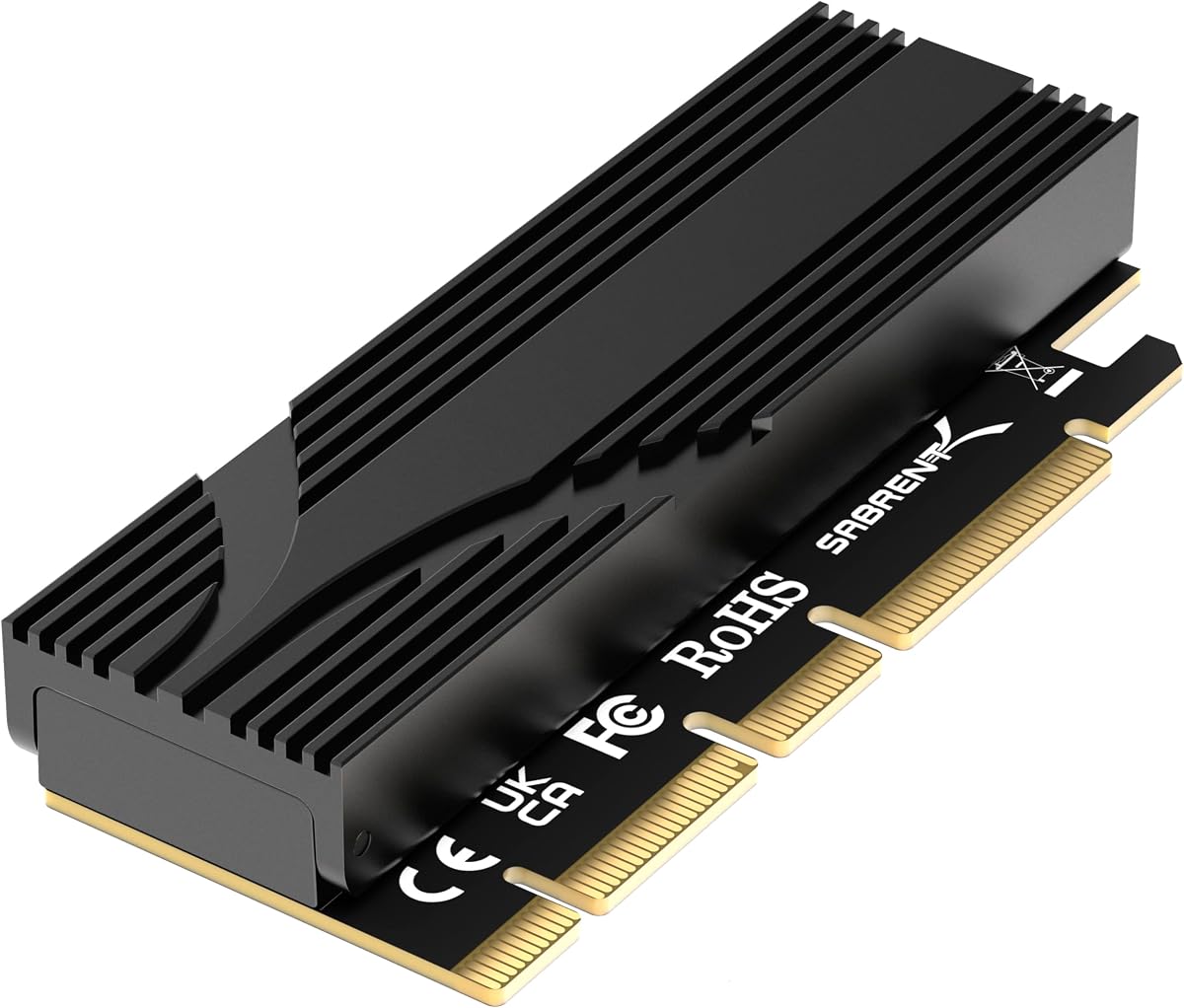
The SABRENT M.2 NVMe SSD to PCIe x16 Adapter Card stands out as the top choice for users seeking maximum performance. With support for PCIe 5.0, it unlocks the full speed potential of modern drives when paired with a compatible host system.
We may earn a commission when you buy through this link, at no additional cost to you.
Its tool-free installation mechanism removes the hassle of finding tiny screws during setup. The robust aluminum heatsink ensures the drive stays cool without needing noisy active fans, making it ideal for quiet workstations or gaming PCs.
While it is limited to a single drive slot, this simplifies the build process and removes the need for complex bifurcation settings. Users should ensure their motherboard slot supports Gen5 to take advantage of the advertised bidirectional throughput.
This adapter is the perfect pick for enthusiasts who want a future-proof connection for their fastest NVMe drive. It offers a reliable, stable, and silent way to expand storage without compromising on raw data transfer speeds.
The card supports up to PCIe 5.0 standards, ensuring your investment remains relevant as next generation hardware becomes widely available across consumer motherboards.
Installing your SSD takes seconds without tools. The locking mechanism secures the drive firmly, preventing accidental dislodging during transport or heavy system use.
We may earn a commission when you buy through this link, at no additional cost to you.
The GLOTRENDS M.2 NVMe to PCIe 4.0 X4 Adapter offers exceptional value for budget-conscious builders. It delivers solid performance with Gen4 support and includes a heatsink to maintain optimal drive temperatures under load.
We may earn a commission when you buy through this link, at no additional cost to you.
This adapter works seamlessly with both Gen3 and Gen4 slots, providing flexibility for various motherboard generations. It supports a wide range of NVMe drives from 2230 to 2280 sizes, ensuring compatibility with most modern storage options.
Although it lacks support for SATA M.2 drives, this is standard for NVMe-specific adapters. Users on older Intel platforms should verify their CPU generation to ensure full Gen4 bandwidth is available for the best performance.
For those upgrading a standard PC without breaking the bank, this is an ideal choice. It balances cost and functionality effectively, providing a reliable way to utilize existing NVMe drives in systems with available PCIe slots.
Priced competitively, this adapter provides all the essential features needed for a successful NVMe expansion without unnecessary extras that drive up the cost.
The included heatsink reduces SSD temperatures significantly. This helps prevent thermal throttling, ensuring your drive maintains high read and write speeds during extended data transfers.
We may earn a commission when you buy through this link, at no additional cost to you.
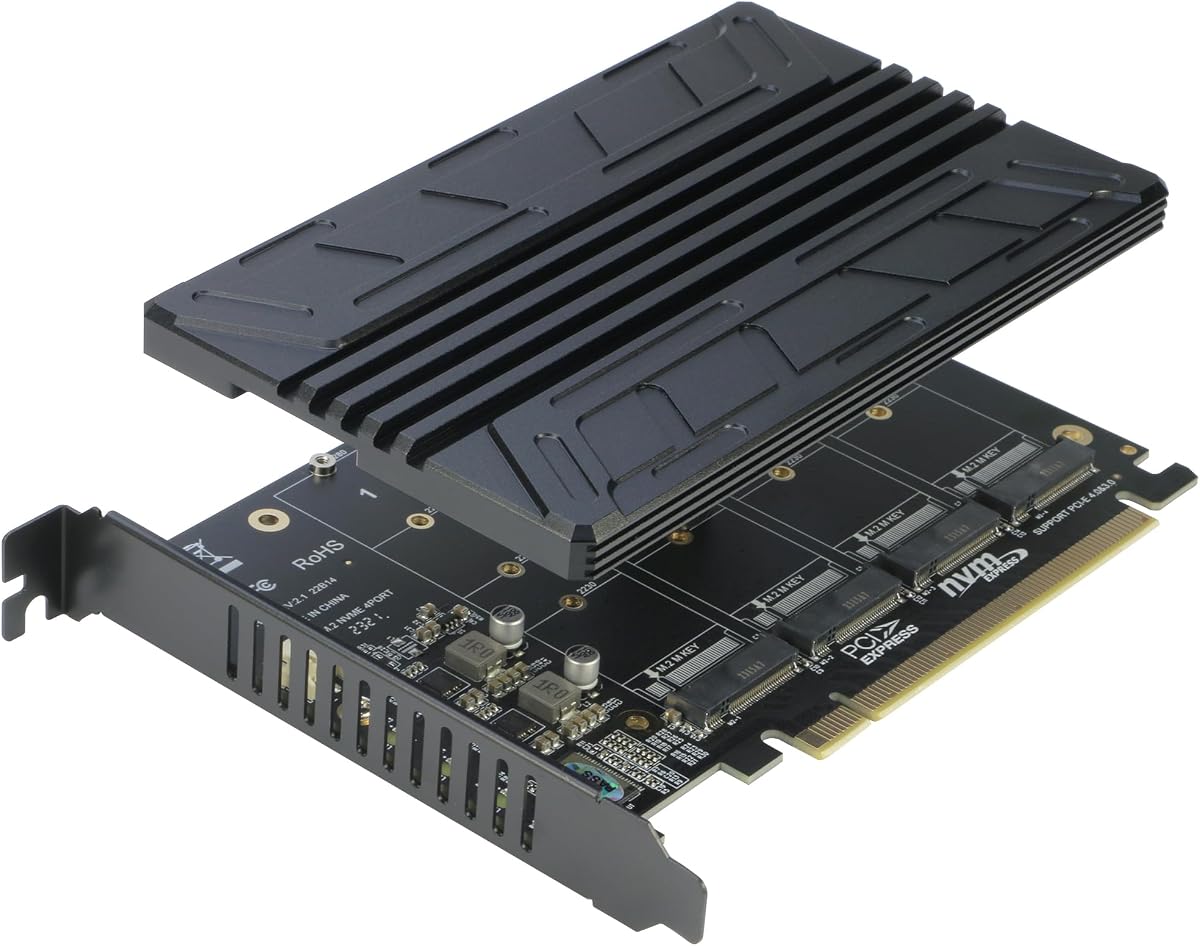
The ASUS Hyper M.2 X16 Expansion Card V2 is a powerhouse for users needing massive storage capacity. It supports four NVMe M.2 drives simultaneously, making it perfect for RAID configurations or massive media libraries.
We may earn a commission when you buy through this link, at no additional cost to you.
Equipped with a blower style fan, this card actively cools the drives to prevent overheating during intensive workloads. This active cooling is crucial when pushing four high performance SSDs to their limits without throttling issues.
Users should note that this card requires specific motherboard support for VROC and RAID, particularly on Intel and AMD Threadripper platforms. It is not a plug-and-play solution for standard consumer motherboards without proper BIOS settings.
For workstations and servers requiring extreme storage scalability, this adapter is unmatched. It combines high throughput with active thermal management, ensuring reliable performance even when all four slots are populated with top tier drives.
With four slots, you can build a storage array capable of housing terabytes of data. This is ideal for video editors and data scientists who need high capacity and speed.
The integrated fan ensures heat is expelled efficiently. This prevents the drives from slowing down due to heat, maintaining consistent speeds during heavy usage.
We may earn a commission when you buy through this link, at no additional cost to you.
This Dual M.2 PCIE Adapter is unique because it supports both SATA and NVMe interfaces on a single card. This flexibility allows users to repurpose older SATA M.2 drives while also adding a faster NVMe drive simultaneously.
We may earn a commission when you buy through this link, at no additional cost to you.
The card includes heat sinks for both slots to maintain stable temperatures. It supports various drive sizes like 2230, 2242, and 2280, making it versatile for different drive form factors you might have on hand.
While the SATA slot requires a cable connection, this setup is great for systems needing diverse storage options. However, you only get one NVMe slot, so it may not suit those needing multiple high speed drives.
It is a practical solution for mixed storage environments. If you have a spare SATA SSD you want to use in a PCIe slot, this adapter bridges that gap while still supporting one fast NVMe drive.
The ability to connect both SATA and NVMe drives makes this card versatile for users with legacy drives and modern storage needs.
Each slot has its own heatsink to manage heat effectively. This prevents one drive from overheating the other when both are in use.
We may earn a commission when you buy through this link, at no additional cost to you.
This M.2 NVMe to PCIe X4 Adapter comes with a complete kit including thermal pads, screws, and even a screwdriver. It ensures you have everything needed to install your drive without needing extra tools or parts.
We may earn a commission when you buy through this link, at no additional cost to you.
The adapter supports both Gen4 and Gen3 slots, making it compatible with a wide range of motherboards. The included aluminum heatsink helps dissipate heat effectively to keep your SSD running within safe temperature ranges.
Installation involves screwing the drive in place which is standard for most adapters. This secure mounting ensures the drive stays connected even in environments with vibration or movement.
It is a solid, reliable choice for users who want a complete package. The inclusion of accessories like the screwdriver and thermal pads adds value, making the installation process smoother for beginners.
Having a screwdriver and thermal pads included means you don't need to shop for extra parts. It simplifies the upgrade process significantly.
Supporting both Gen3 and Gen4 slots means this adapter works with almost any motherboard. It ensures you get full speed on compatible hardware.
We may earn a commission when you buy through this link, at no additional cost to you.
The RIITOP Quad NVMe PCIe Adapter allows you to add four NVMe drives to your system. It is designed for users who need massive storage capacity and want to utilize their PCIe x16 slot fully.
We may earn a commission when you buy through this link, at no additional cost to you.
It includes a thick heatsink to prevent throttling across all four drives. Individual LED indicators on the card make it easy to see which drives are active and functioning correctly without guessing.
You must ensure your motherboard supports PCIe x16 bifurcation to use all four slots. Without this BIOS setting, only one drive might be recognized, so checking your motherboard manual is essential.
For enthusiasts wanting to build a high speed storage array, this card is a strong contender. It offers good thermal management and visibility, making it a practical choice for advanced storage setups.
Connecting four drives at once expands your storage capacity exponentially. It is ideal for video editors needing multiple large video files available quickly.
The LEDs show the status of each drive. This helps you quickly diagnose if a specific drive has failed or is not seated properly.
We may earn a commission when you buy through this link, at no additional cost to you.
The ELUTENG M.2 NVMe PCIe Adapter is designed with SFF systems in mind. It includes a low profile bracket which allows installation in compact cases where standard full-height cards might not fit.
We may earn a commission when you buy through this link, at no additional cost to you.
The aluminum heatsink provides solid passive cooling. Combined with solid-state capacitors, this design helps ensure stable voltage regulation and prevents current spikes that could damage your drive.
It works with most operating systems and supports various PCIe generations. The plug and play nature means you can just insert the drive and it should be recognized without complex software installation.
For users with smaller PC cases, this is a highly recommended option. It balances form factor and cooling effectively, allowing you to upgrade storage even in constrained environments without thermal issues.
The low profile bracket is key for small form factor builds. It lets you add NVMe storage to tiny cases without blocking other components.
Solid-state capacitors protect against power fluctuations. This adds an extra layer of safety for your expensive NVMe drive during daily operation.
We may earn a commission when you buy through this link, at no additional cost to you.
This M.2 NVME to PCIe adapter is a straightforward solution for connecting NVMe SSDs to PCIe slots. It features an aluminum heatsink that helps cool the drive significantly during high-speed transfers.
We may earn a commission when you buy through this link, at no additional cost to you.
It supports a wide range of well known NVMe models including Samsung and Kingston drives. The cooling effect is noted to reduce temperatures by 5 to 20 degrees Celsius under load.
While it does not include extra brackets like some competitors, it fits standard slots well. It works with both Gen3 and Gen4 slots ensuring compatibility with most systems.
For users looking for a reliable and effective cooling solution, this adapter delivers. It keeps your drive running cool and supports top tier SSDs for a smooth upgrade experience.
The aluminum heatsink reduces drive temperatures effectively. This prevents the drive from slowing down due to heat buildup over time.
It works with many popular brands. This means you can use almost any NVMe drive you own without worrying about specific brand limitations.
We may earn a commission when you buy through this link, at no additional cost to you.
StarTech is a trusted name in IT infrastructure and this adapter reflects that quality. It supports PCIe 3.0 and is backward compatible with older standards, making it a safe choice for many workstations.
We may earn a commission when you buy through this link, at no additional cost to you.
It supports both NVMe and AHCI protocols giving you flexibility with different types of M.2 drives. The package includes both full and low profile brackets for flexible installation options.
With a two year warranty and dedicated support, this card offers long term reliability. It is designed for professionals who need a stable storage solution for critical business tasks.
If you value brand reputation and warranty support, this is an excellent pick. It may not offer Gen4 speeds but it is a rock solid reliable option for stable performance.
StarTech has been a choice for professionals for decades. This adapter is built to last and offers reliable performance in business environments.
Supporting both NVMe and AHCI means you can use older or newer drives. This flexibility extends the useful life of your existing hardware.
We may earn a commission when you buy through this link, at no additional cost to you.
The GLOTRENDS PA09-X1 adapter is designed specifically for PCIe X1 slots. It allows you to add NVMe storage without occupying a valuable X16 slot for your graphics card.
We may earn a commission when you buy through this link, at no additional cost to you.
While the bandwidth is limited compared to X4 adapters, it works well for secondary storage. It is compatible with various operating systems and includes brackets for flexible installation.
Note that this card is better for storage than booting the OS. If you need a fast boot drive you should look for a X4 adapter instead of this X1 specific version.
For users who need to add storage to a system with no free X16 slots this is a practical solution. It frees up your GPU slot for other needs while still adding solid state storage.
Using an X1 slot leaves your X16 slot open for a GPU. This is helpful for systems with limited available expansion slots.
Best used as a secondary drive for files. It allows you to add massive storage capacity even on constrained systems.
We may earn a commission when you buy through this link, at no additional cost to you.
Choosing the right adapter requires looking at PCIe generations, slot size, and thermal design. Here are the key factors to consider before buying.
Check if your motherboard supports Gen3, Gen4, or Gen5. An adapter rated for Gen5 will run at Gen3 speeds in a Gen3 slot. Ensure the adapter matches your slot for best performance.
Always verify the slot generation on your motherboard first. This ensures you get the speed you expect without unnecessary bottlenecks.
Decide if you need one drive or multiple. Single slot cards are cheaper and easier to install. Multi-slot cards need bifurcation support on the motherboard to work fully.
Select a card with the number of slots you need. Extra slots are useful if you plan to expand storage later.
Measure your available PCIe slot length. An X16 adapter will fit in an X8 or X4 slot physically but might block other ports. Check clearance with your graphics card and cooler.
Ensure your case has enough physical space for the adapter. Large cooling solutions might block the adapter from seating properly.
NVMe drives can get hot and slow down. Look for cards with aluminum heatsinks or fans. Passive cooling is quieter while active cooling handles high loads better.
Prioritize adapters with proven cooling features. This protects your SSD investment and maintains speed during heavy tasks.
If you use a multi-drive card check if your motherboard supports bifurcation. This splits one X16 slot into multiple lanes for drives. It is often required for 4-drive cards.
Confirm bifurcation support before buying multi-drive adapters. Without it you may only get one drive to work.
Standard cases need full height brackets. Small form factor cases require low profile brackets. Ensure the adapter includes the bracket you need for your case type.
Check what brackets are included. Missing brackets can mean extra costs or installation issues.
Most modern OS like Windows 11 support NVMe natively. Older systems might need drivers to boot from NVMe. Check the manufacturer page for legacy OS support.
Ensure your OS supports NVMe boot if you plan to use the drive as a system disk.
Some adapters offer tool-free installation while others need screws. Check what tools or screws are included. Tool-free options save time and reduce the risk of losing tiny screws.
Choose an installation method that suits your comfort level. Easy installation reduces setup time and frustration.
Power down your PC and unplug it from the wall. Locate an available PCIe slot on your motherboard and align the adapter edge connector. Push down gently until the retention clips lock the card in place.
Install your M.2 SSD onto the adapter. Use the provided screws or locking mechanism to secure the drive. Ensure it sits flat and does not protrude into other slots.
Install the bracket to the back of the card and secure it to the case chassis. Power on your PC and check the BIOS to ensure the drives are detected. Format new drives using disk management before use.
Most PCIe adapters only work with NVMe drives. SATA M.2 drives have a different key and protocol. Always check the product description to confirm SATA support if you have a SATA drive.
Yes you can boot from NVMe drives on an adapter. Most motherboards support booting from PCIe devices. Ensure your BIOS settings allow booting from the PCIe slot.
Speed depends on the slot generation. An adapter in a Gen3 slot will run slower than in a Gen4 slot. Ensure your motherboard slot supports the adapter speed.
Windows 10 and 11 usually detect adapters automatically. Drivers are rarely needed for the adapter itself. If issues occur check your motherboard or SSD manufacturer for updates.
Bifurcation splits a slot into multiple lanes. It is needed for multi-drive adapters. Without it a single slot only supports one drive.
Desktop adapters require internal PCIe slots which most laptops lack. Laptop storage is usually soldered or via specific slots. External adapters exist but these are internal desktop cards.
Overheated drives slow down to protect themselves. A heatsink keeps the drive cool to maintain speed. Good cooling prevents throttling during large file transfers.
We recommend the SABRENT adapter for users wanting top speed and single drive simplicity. The GLOTRENDS budget pick offers great value for general use.
Prioritize cooling and slot compatibility when deciding. A well cooled adapter ensures your drive performs at full speed without issues.
Always verify your motherboard specs before purchasing. Prices and availability change so check current stock and deals today.