
ASUS NUC 14 Pro Mini Desktop Computer Linux
4.8Editor score
Intel Ultra 7 155H Processor
64GB DDR5 RAM Support
Linux Mint Pre-installed
Discover the best Linux Mini Pcs for 2026. We compare performance, ports, and OS options to help you find the ideal compact desktop for your needs.
Linux Mini Pcs offer a powerful alternative to traditional desktops for developers and enthusiasts. These compact machines run open-source operating systems efficiently. They save space while delivering robust performance for coding, virtualization, and daily tasks without bloatware overhead.
We analyzed ten top models based on processor power, memory expandability, and Linux compatibility. Our team reviewed technical specifications and user feedback to ensure accuracy. This list covers budget-friendly options to high-end workstations suitable for professional environments.
Each pick highlights specific strengths like dual network ports or triple display support. You will find detailed insights on hardware capabilities and real-world usage scenarios. Please note that prices and availability can change quickly online so verify details before purchasing.
4.8Editor score

4.0Editor score

4.5Editor score
This side-by-side comparison highlights key hardware differences across all ten selected mini PCs. We focus on processor generations, memory types, and storage options to help you compare value quickly.


The TK Node Mini PC stands out for its pre-installed Zorin OS Core Linux environment. It offers a smooth transition from Windows with a familiar desktop interface. This model is ideal for users seeking immediate usability without manual OS configuration.
We may earn a commission when you buy through this link, at no additional cost to you.
It features an AMD Ryzen R2314 processor capable of handling multitasking efficiently. The dual NVMe SSD slots allow you to expand storage up to 4TB total. Connectivity is robust with triple 4K display support via HDMI, DisplayPort, and USB-C.
While the base RAM is 8GB, it supports upgrades to 64GB which adds flexibility. The compact design fits well in small workspaces or behind monitors via VESA mount. It is designed for continuous operation making it suitable for server tasks.
This mini PC is perfect for developers or home users who want Linux ready to use. Its US-based warranty adds peace of mind for long-term reliability. Consider this if you value ease of setup and solid connectivity options.
Zorin OS provides a user-friendly experience that simplifies the switch to open-source computing.
Dual M.2 slots let you install multiple high-speed drives for massive storage capacity.
We may earn a commission when you buy through this link, at no additional cost to you.
The Beelink SER3 Mini PC delivers excellent value with its 16GB RAM configuration. This memory amount ensures smooth multitasking for typical office and development workloads. The Ryzen 3 3200U processor balances performance and power efficiency well.
We may earn a commission when you buy through this link, at no additional cost to you.
It includes a fast 500GB PCIe SSD that speeds up boot times and file access. The integrated Radeon Vega 3 graphics handle light design tasks and video playback competently. Connectivity includes dual HDMI and multiple USB ports for versatile setups.
Users appreciate the compact form factor which saves desk space significantly. The cooling system manages heat effectively even during sustained usage periods. This makes it a reliable choice for 24/7 operation in home labs.
Choose this model if you need reliable performance without spending a fortune. It is well-suited for general computing and Linux environments requiring decent memory. The lifetime after-sales service adds confidence to your purchase decision.
With 16GB RAM you can run multiple applications simultaneously without slowdowns.
Multiple USB ports and dual HDMI outputs support diverse peripheral connections.
We may earn a commission when you buy through this link, at no additional cost to you.
The ASUS NUC 14 Pro sets a high standard for Linux mini PCs with its powerful hardware. It features the latest Intel Ultra 7 155H processor offering exceptional compute power. The Linux Mint pre-install ensures a clean environment for professional development work.
We may earn a commission when you buy through this link, at no additional cost to you.
With 64GB DDR5 RAM you can handle intensive tasks like AI research or heavy virtualization. The 2TB PCIe SSD provides ample storage for large datasets and projects. Connectivity is top-tier with Thunderbolt 4 and WiFi 6E support.
This device is built for 24/7 operation with advanced cooling to prevent overheating. The aluminum chassis looks premium and dissipates heat efficiently. It supports up to four 4K HDR displays for expansive workspace setups.
Ideal for power users and businesses needing top performance in a small footprint. The included wireless mouse and keyboard bundle adds immediate utility. While expensive it delivers workstation-level capabilities in a mini PC form.
The Intel Ultra 7 155H processor handles complex tasks with ease.
Thunderbolt 4 and WiFi 6E ensure fast data transfer and wireless speeds.
We may earn a commission when you buy through this link, at no additional cost to you.
The Beelink Mini S12 Pro is an excellent choice for low-power Linux tasks. Its Intel N100 processor is energy efficient yet capable of handling office workflows. This mini PC is perfect for digital signage or light server applications.
We may earn a commission when you buy through this link, at no additional cost to you.
It comes with 16GB RAM and a fast 500GB SSD out of the box. The dual HDMI ports allow you to connect two 4K displays for better productivity. Support for AV1 decoding ensures smooth modern video streaming.
The cooling system is designed to be silent even under load conditions. It supports NAS functions and acts as a soft router for home networks easily. WiFi 6 connectivity provides stable internet performance for all connected devices.
Select this model for daily tasks where power saving is a priority. It is cost-effective and reliable for general computing needs. The 3-year warranty offers additional protection for your investment.
The N100 CPU delivers solid performance while consuming minimal power.
WiFi 6 and Bluetooth 5.2 ensure fast and stable wireless connections.
We may earn a commission when you buy through this link, at no additional cost to you.
The KAMRUI Pinova P2 leverages the efficient Zen 3 architecture for strong performance. It is a powerful mini PC capable of handling heavy multitasking and coding tasks. The triple 4K display support is rare at this price point.
We may earn a commission when you buy through this link, at no additional cost to you.
With 16GB LPDDR4X RAM it ensures fluid application switching and responsiveness. The integrated Radeon graphics deliver better visual performance than many competitors. You can expand storage easily via the available M.2 slots inside.
Its compact silver case is perfect for business travel or remote work. The VESA mount option allows you to hide it behind a monitor seamlessly. Cooling is optimized to keep noise levels low during operation.
Choose this for work environments needing multiple screens and portable computing. The 10Gbps USB-C port supports fast data transfer and video output. It balances power and portability effectively for professionals on the go.
Connect three monitors simultaneously for an immersive multi-tasking workspace.
USB-C with 10Gbps speed speeds up file movements significantly.
We may earn a commission when you buy through this link, at no additional cost to you.
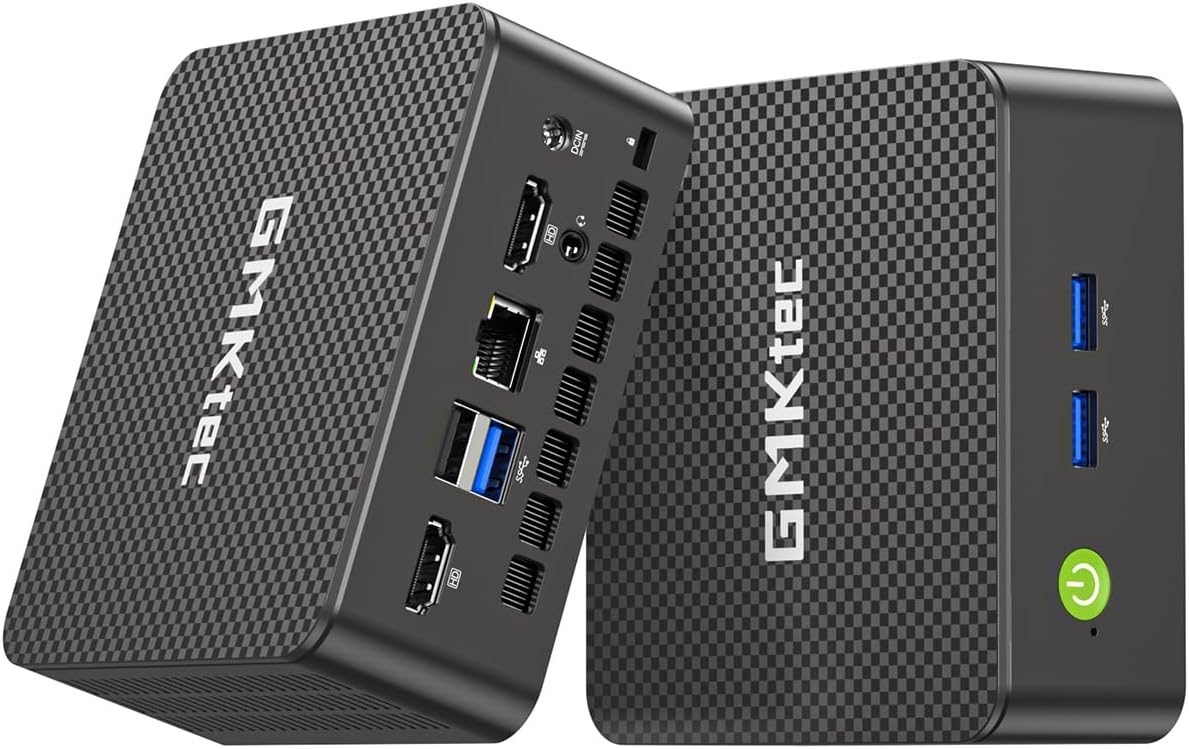
The GMKtec G11 is engineered for networking enthusiasts and server admins. It features dual 2.5GbE Ethernet ports which allow it to act as a firewall or router. This makes it ideal for home labs and complex network configurations.
We may earn a commission when you buy through this link, at no additional cost to you.
The Ryzen Embedded R2514 processor offers strong performance compared to entry-level Intel chips. With dual-channel 16GB RAM it ensures smooth operation across multiple tasks. The GPU supports triple 4K displays for visual productivity.
It supports high-intensity tasks like CAD and data visualization without throttling. The cooling design ensures reliable performance during continuous operation periods. WiFi 6E and Bluetooth 5.2 provide modern wireless connectivity options.
Select this if you need robust networking capabilities in a small unit. It is built for reliability and performance in demanding environments. The warranty covers design defects offering peace of mind for users.
Two Ethernet ports let you segregate traffic for secure network setups.
Outperforms standard entry-level CPUs in graphical workloads and rendering.
We may earn a commission when you buy through this link, at no additional cost to you.
The CyberGeek Mini PC Gaming brings high-end compute power to a compact Linux system. Its i9-11900H processor provides significant speed for coding and virtual machines. Ubuntu Linux comes pre-loaded so you can start working immediately.
We may earn a commission when you buy through this link, at no additional cost to you.
With 32GB RAM and a 1TB PCIe SSD it handles large projects efficiently. The triple display support lets you monitor multiple windows or streams at once. Six USB ports ensure you can connect all your peripherals easily.
Dual LAN ports are a unique feature for advanced network setups. It is ideal for users who need desktop power without the bulk of a tower. The advanced cooling system manages heat to maintain performance.
Choose this if you want raw CPU power in a Linux mini PC. It is perfect for development and light gaming workloads. Verify the cooling system matches your environment for best results.
The i9 processor delivers desktop-class performance in a small chassis.
Pre-installed Ubuntu saves you time on OS installation and configuration.
We may earn a commission when you buy through this link, at no additional cost to you.
The BOSGAME E5 is designed for efficient daily workflows and network tasks. It features dual 2.5GbE LAN ports which are excellent for NAS or firewall setups. The Ryzen 3 5300U processor handles office tasks and light media smoothly.
We may earn a commission when you buy through this link, at no additional cost to you.
With 16GB DDR4 RAM and a 512GB NVMe SSD boot times are quick. You can expand storage via an additional M.2 slot without removing the main drive. The full-function USB-C port supports both data and video output.
Triple 4K display support allows you to maximize your screen real estate. This setup is ideal for financial tracking or document editing across multiple monitors. The cooling system keeps noise levels low for quiet workspaces.
Pick this if you need professional networking features at a budget price. It is reliable for server applications and general office use. Check the warranty details before buying for long-term support assurance.
Two Ethernet ports provide redundancy and better network segmentation options.
Dual NVMe slots let you add storage without replacing existing drives.
We may earn a commission when you buy through this link, at no additional cost to you.
The BOSGAME E4 Air offers reliable daily computing at an accessible price. Its Ryzen 5 3500U processor handles web browsing and spreadsheet work easily. Triple 4K display support ensures you can multitask across multiple screens comfortably.
We may earn a commission when you buy through this link, at no additional cost to you.
It includes 8GB DDR4 RAM which is standard for this class of mini PC. The dual Gigabit LAN ports make it versatile for network testing or NAS duties. Bluetooth 5.0 connects peripherals reliably for wireless setups.
The compact design saves space and fits on any desk or shelf. It is pre-installed with a clean system for immediate use after unpacking. Cooling is optimized to reduce noise during typical work hours.
Choose this for basic home or office computing needs. It is a solid entry point into Linux mini PC ownership. The 3-year warranty parts coverage adds value to the purchase.
Great balance of price and power for everyday productivity tasks.
Bluetooth 5.0 ensures stable connections for keyboards and mice.
We may earn a commission when you buy through this link, at no additional cost to you.
The GMKtec G3S Mini PC is a versatile compact solution for routine tasks. Its Intel N95 processor offers a significant speed boost over older budget chips. This makes it suitable for web browsing and streaming media efficiently.
We may earn a commission when you buy through this link, at no additional cost to you.
It comes with 8GB DDR4 RAM and a 256GB M.2 SSD for quick starts. Dual HDMI 2.0 ports support 4K displays for enhanced visual work. WiFi 5 and Bluetooth 5.0 provide stable wireless connectivity.
The chassis is designed to be portable and fit in tight spaces. It supports AV1 decoding for modern video streaming standards. This ensures smooth playback of high-quality content without stuttering.
Select this for general home use or as a media center. It is affordable and reliable for standard Linux applications. Check current availability before ordering to ensure stock levels.
AV1 decoding support ensures smooth streaming of modern video formats.
Compact size makes it easy to fit into any workspace setup.
We may earn a commission when you buy through this link, at no additional cost to you.
Selecting the right Linux Mini PC depends on your specific workflow needs. We break down the key factors to consider before making your final purchase decision.
The processor determines how well the system handles multitasking and compute-heavy tasks. Look for newer AMD Ryzen or Intel Core generations for better efficiency. Avoid older dual-core CPUs if you plan to run multiple applications simultaneously.
Prioritize processors with multiple cores and threads for smoother Linux performance.
RAM is critical for Linux systems running development environments or containers. Ensure the model supports upgrades so you can increase memory later. Storage should ideally be NVMe SSDs for faster boot and load times.
Check for available slots for RAM and SSD expansion before buying to future-proof your device.
Some models come with a Linux distro installed which saves setup time. Others require you to install the OS manually which gives you more control. Verify if the vendor offers support for your preferred distribution like Ubuntu or Mint.
Choosing a pre-installed option reduces initial setup friction for beginners.
Linux users often benefit from multiple monitors for coding or productivity. Confirm that the mini PC supports triple 4K output if you need high-resolution displays. Integrated graphics should be compatible with your Linux drivers for best performance.
Ensure HDMI and DisplayPort capabilities match your monitor requirements.
Ethernet speed matters for data transfers and server usage. Dual Gigabit or 2.5GbE ports are valuable for advanced networking tasks. Wi-Fi standards should be at least WiFi 6 for stable wireless connections in 2026.
Look for models with multiple LAN ports if you plan to use it as a router.
Sufficient USB ports are needed for peripherals and storage devices. USB-C with video output adds versatility for connecting modern screens. Ensure the power adapter and physical ports suit your desk layout requirements.
Count the ports you need to avoid using expensive dongles for connections.
Small PCs can run hot under load so cooling design is important. Look for models with copper heat pipes and silent fans. A quiet system improves comfort when working in shared or home offices.
Check reviews regarding thermal performance during long-term usage sessions.
Manufacturer support varies widely so check warranty terms carefully. US-based support can speed up repairs for hardware issues. Lifetime technical support can be a valuable asset for complex Linux setups.
Opt for brands with reliable after-sales service to protect your investment.
Place your Linux Mini PC in a well-ventilated area to maintain optimal performance. Avoid blocking the air intake or exhaust vents on the chassis. Use the included VESA mount to attach it securely behind a monitor if needed.
Install necessary Linux drivers and updates immediately after booting the system. This ensures hardware components like Wi-Fi and graphics work correctly from the start. Run regular system updates to keep security patches current.
Monitor storage usage and clean up unused files periodically to maintain speed. Use external drives for backups to prevent data loss in case of hardware failure. Avoid keeping the unit in dusty environments to extend its lifespan.
Most models support Ubuntu, Linux Mint, or Fedora out of the box. We recommend Linux Mint for users transitioning from Windows due to its familiarity. Always check specific driver compatibility before installing a custom distribution.
Many models like the TK Node and BOSGAME E5 support RAM upgrades up to 64GB. However some compact units have soldered memory so verify the specs before purchasing. Check the user manual for upgrade instructions.
Yes models with dual LAN and strong CPU support like the GMKtec G11 are great for servers. They can run home servers or virtualization stacks efficiently. Ensure you select a model designed for continuous 24/7 operation.
Several models support triple 4K output via HDMI DisplayPort and USB-C. This makes them ideal for multi-screen setups common in development and trading. Verify port availability on the specific model you choose.
Energy-efficient models like the Beelink S12 Pro use minimal power for daily tasks. Expect consumption between 10W and 60W depending on load and CPU class. Lower power units are better for always-on scenarios.
Pre-installed models offer a smooth transition with familiar desktop interfaces. For custom installs you may need to configure drivers for Wi-Fi and graphics. Most hardware is well-supported in modern Linux distributions today.
We explored ten powerful Linux Mini Pcs ranging from budget to premium options. The ASUS NUC 14 Pro leads in raw power while the TK Node offers excellent OS integration. Each choice serves distinct user needs from home labs to offices.
Prioritize memory and connectivity features that match your specific workflow requirements. Investing in expandability ensures your device remains useful as tasks grow. Also consider the warranty support available to protect your purchase.
Remember to verify current availability and shipping times before finalizing orders. Technology evolves quickly so always check for the latest reviews. Your perfect compact desktop awaits with the right Linux Mini PC.