
Wathai 2 Pack 120mm PC Fan Dust Filter Cover Computer Mess
4.7Editor score
Standard 120mm size fit
PVC material durability
Reduces fan noise levels
Keeping your computer running smoothly starts with managing airflow and dust. Dust filters act as the first line of defense, trapping particles before they reach sensitive components like fans and heatsinks. Choosing the right filter ensures your system stays cool without compromising ventilation.
We compared ten top-rated dust filters based on material quality, mesh fineness, ease of installation, and overall durability. Our analysis covers magnetic strips, DIY cut-to-fit sheets, and rigid screw-on frames to help you find the perfect match for your case.
Each pick highlights specific strengths, such as airflow efficiency or custom sizing options. Prices and availability change frequently, so check current listings before purchasing. Read on to discover how these small accessories can extend the life of your hardware significantly.
4.7Editor score

4.5Editor score

4.5Editor score
As an Amazon Associate we earn from qualifying purchases.
The following table provides a side-by-side look at all ten selected dust filters. It highlights key specifications like dimensions, material type, and mounting method to help you quickly identify the right product for your build.




This MoKo DIY filter stands out as a versatile solution for custom PC builds. With a rating of 4.6, users appreciate the large 400x300mm sheets that can be cut to fit any intake port.
We may earn a commission when you buy through this link, at no additional cost to you.
The included magnetic strips make installation tool-free and secure. The 1mm hole size balances dust protection with airflow, ensuring components stay cool. This flexibility makes it ideal for unique cases without standard filters.
The main trade-off is the need to measure and cut the mesh. While simple, it requires a bit more effort than pre-sized options. However, the ability to tailor it perfectly to your build makes this worth the extra time.
We recommend this for anyone needing custom-sized protection without spending heavily. Its durability and washable nature ensure long-term value for your system.
The large sheet size allows you to cover unconventional intakes or multiple ports with a single purchase.
Strong magnetic strips adhere to steel cases, allowing quick removal for cleaning without screws or glue.
We may earn a commission when you buy through this link, at no additional cost to you.
The Wathai filter offers a premium experience with its solid construction and high user satisfaction. Rated at 4.7, it is a reliable choice for standard 120mm fan ports in most cases.
We may earn a commission when you buy through this link, at no additional cost to you.
Made from durable PVC, these filters are designed to last. They help minimize noise by preventing debris from hitting fan blades, which can cause rattling. This contributes to a quieter overall computing environment.
Since these are fixed size, they are best suited for standard intake fans. Non-standard cases may need adapters or cutting. However, for most users with typical towers, the perfect fit makes this hassle-free.
This is an excellent choice for those prioritizing quality and noise reduction. It ensures your PC stays clean and quiet with minimal effort.
The solid mesh prevents debris from hitting spinning blades, reducing rattling and extending fan life.
High-quality PVC resists deformation over time, ensuring the filter stays flat and effective.
We may earn a commission when you buy through this link, at no additional cost to you.
This filter boasts the highest rating of 4.8, highlighting exceptional user satisfaction. Its unique 360x120mm size is perfect for long radiators or wide intake grills in modern cases.
We may earn a commission when you buy through this link, at no additional cost to you.
The magnetic frame ensures it stays in place without screws. The ultra-fine mesh blocks dust effectively while maintaining airflow. The premium PVC material offers durability and flexibility for everyday use.
The only limitation is its specific dimensions. If your case does not have a matching port, it may not fit. However, for those needing a long filter, this is the most reliable option available.
We recommend this for owners of cases with long radiator mounts. It provides top-tier protection and ease of use at a budget-friendly price point.
The 360mm length specifically targets radiators, offering full coverage where dust often accumulates.
The fine mesh design blocks small particles, ensuring your cooling components stay pristine.
We may earn a commission when you buy through this link, at no additional cost to you.
These grills offer a robust build quality with their thickened aluminum frames. Rated at 4.7, they are known for their sturdiness and ability to protect against physical hazards like fingers and cables.
We may earn a commission when you buy through this link, at no additional cost to you.
The stainless steel mesh ensures long-term durability and prevents rust. The included screws make mounting secure, ensuring the grill does not move or fall during operation. This is ideal for high-airflow cases.
The main difference is the requirement for screw installation. It is less convenient than magnetic filters but provides a more permanent and secure fit. This is a trade-off worth considering for heavy-duty builds.
This option is best for those wanting maximum protection and durability. It keeps components safe and ensures a secure fit for years of use.
The combination of aluminum and stainless steel ensures the grill remains sturdy and corrosion-resistant.
The grill prevents fingers and cables from touching fan blades, avoiding accidents and damage.
We may earn a commission when you buy through this link, at no additional cost to you.
This 2-pack offers a flexible solution for various devices. Rated at 4.5, it is praised for its ability to fit custom SFF builds and even gaming consoles. The waterproof PVC makes cleaning simple.
We may earn a commission when you buy through this link, at no additional cost to you.
The magnetic strips allow for secure attachment without tools. It balances dust filtration with airflow, ensuring cooling efficiency is not compromised. This versatility makes it suitable for many projects beyond PCs.
Cutting the mesh to size requires precision to avoid gaps. However, the ability to reuse and wash the filters makes up for the initial effort. It is a cost-effective way to protect multiple devices.
We suggest this for hobbyists and custom builders. It provides robust protection while adapting to your specific needs.
Beyond PCs, these filters protect speakers, consoles, and electronics from dust and debris.
Simply remove and rinse under water to restore performance, saving on replacement costs.
We may earn a commission when you buy through this link, at no additional cost to you.
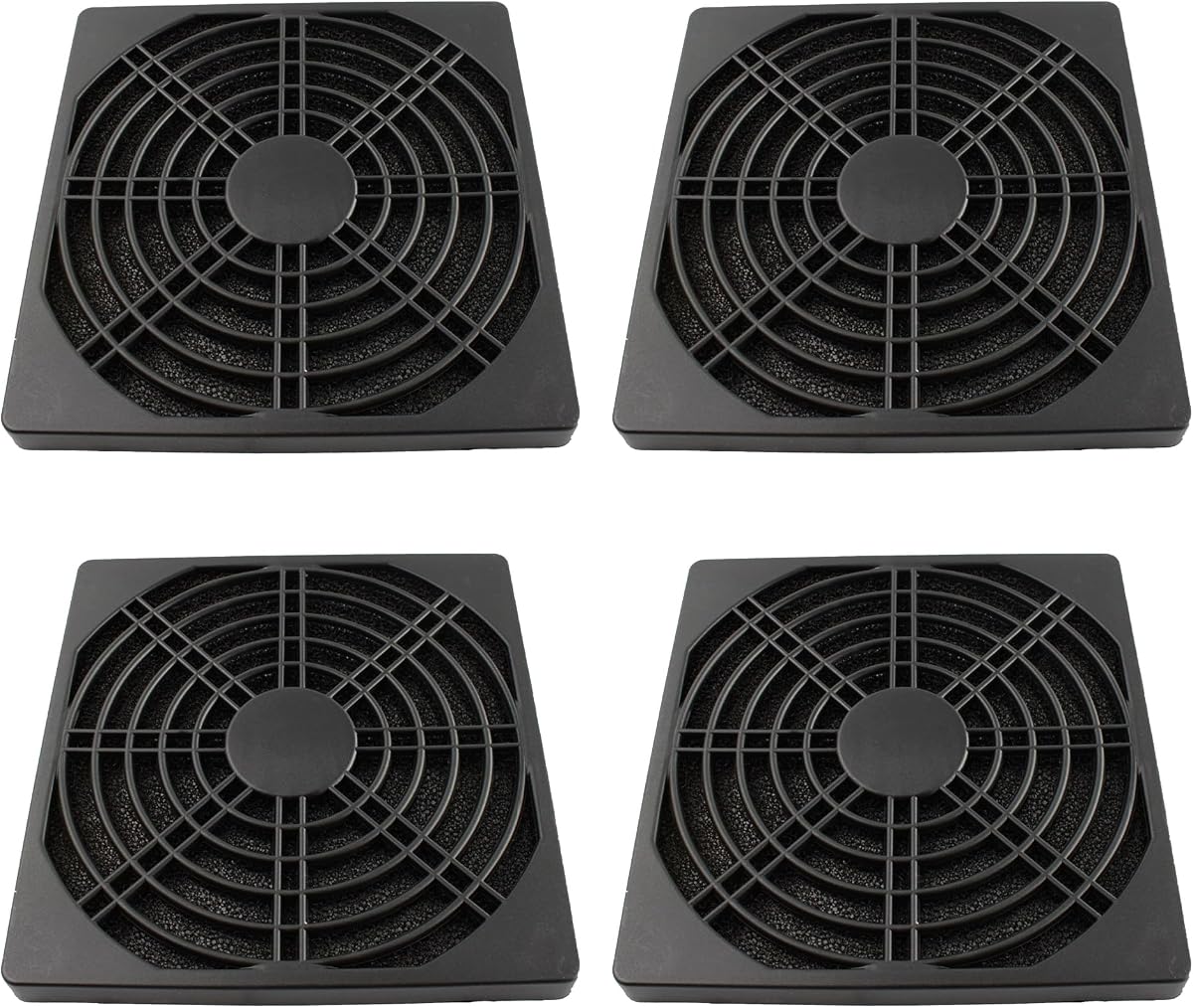
This set provides a straightforward solution for standard fans. Rated at 4.4, it is a cost-effective option for users needing multiple filters for a full tower setup. The plastic build is lightweight yet durable.
We may earn a commission when you buy through this link, at no additional cost to you.
The square shape ensures easy installation on standard fans. It effectively traps dust, improving airflow and system performance. This makes it a practical choice for everyday desktop computers.
Plastic may not be as durable as metal options over time. However, at this price point, it offers great value. It is perfect for those who want basic protection without spending much.
This is recommended for general users seeking an affordable fix. It keeps your system dust-free and running smoothly.
With four filters included, this set covers all intake ports in a standard case for a low price.
The square design matches standard fan mounts, making it easy to snap or screw in place.
We may earn a commission when you buy through this link, at no additional cost to you.
This bulk pack offers excellent value for users with multiple systems. Rated at 4.5, it provides twelve filters that fit standard 120mm fans. The PVC material helps keep components clean effectively.
We may earn a commission when you buy through this link, at no additional cost to you.
It protects fans from dust, minimizing noise and extending lifespan. It can also be used on speaker grilles for added protection. This versatility adds value beyond just PC cooling.
The material is basic, so you might need extra adhesive for a secure fit. However, the quantity ensures you have spares for future needs. It is a smart choice for bulk buyers.
We recommend this for offices or multi-PC setups. It ensures all devices stay protected with minimal cost.
Twelve filters allow you to cover every possible intake port and still have replacements ready.
Beyond PCs, these filters work well on speakers and other electronics to prevent dust buildup.
We may earn a commission when you buy through this link, at no additional cost to you.
This 5-pack targets 140mm fans specifically. Rated at 4.4, it provides ample coverage for large cases. The magnetic frame allows for easy installation on compatible surfaces.
We may earn a commission when you buy through this link, at no additional cost to you.
The 0.5mm hole diameter captures fine dust effectively. The PVC material is washable, making maintenance simple. This ensures long-term use without replacement. It is ideal for systems with large intakes.
The fit is limited to 140mm fans. Smaller cases may need to adapt or cut. However, the five-pack ensures you have enough for all intakes. It is a practical choice for large setups.
This is recommended for users with 140mm fans. It offers reliable protection and easy maintenance at a good value.
The 0.5mm holes are small enough to trap fine dust that larger holes miss.
The magnetic frame attaches easily, allowing quick removal for washing.
We may earn a commission when you buy through this link, at no additional cost to you.
This 10-pack is ideal for homes with pets. Rated at 4.5, it traps fur effectively without clogging fans. The 0.8mm mesh balances airflow and hair capture well.
We may earn a commission when you buy through this link, at no additional cost to you.
The included screws ensure permanent mounting, making it vibration-proof. It is washable, allowing you to rinse out fur easily. This helps maintain cooling efficiency in humid climates.
The mesh is slightly larger than ultra-fine options. However, this prevents moisture trapping. For pet owners, this is a significant benefit. It ensures fans remain hair-free longer.
We recommend this for pet owners and homes with shedding animals. It provides robust protection and easy cleaning.
The 0.8mm grid traps fur effectively, preventing jams and overheating.
Larger holes prevent moisture buildup, ensuring stable performance in humid environments.
We may earn a commission when you buy through this link, at no additional cost to you.
This MoKo 4-pack is a great value choice. Rated at 4.5, it covers standard 120mm fans easily. The magnetic frame simplifies installation, making it perfect for quick upgrades.
We may earn a commission when you buy through this link, at no additional cost to you.
The ultra-fine mesh effectively blocks dust. It is washable and reusable, extending its life. This ensures you keep your case clean without buying new filters often. It is practical for most users.
The magnetic frame requires a metal surface. If your case is non-metallic, you may need adhesive. However, most cases are steel, so this is rarely an issue. It is a solid all-rounder.
We recommend this for general users seeking a balanced option. It combines quality, convenience, and value effectively.
The mesh design ensures maximum dust protection while maintaining airflow.
Easy cleaning makes these filters last for years, offering great long-term value.
We may earn a commission when you buy through this link, at no additional cost to you.
Selecting the right dust filter involves several key factors. Consider dimensions, material quality, and mounting style to ensure a secure fit.
Ensure the filter matches your fan or intake size. Standard sizes include 120mm and 140mm, while DIY options offer custom fits.
Always measure your intake port before purchasing to avoid compatibility issues.
Filters use screws, magnets, or adhesive. Magnetic filters are easy to install but require a steel surface.
Choose a method that fits your case structure and your installation preference.
Finer mesh blocks smaller dust but may restrict airflow slightly. Larger holes allow more air but let in larger particles.
Look for a balance that protects components without overheating your system.
PVC and plastic are common for DIY and magnetic filters, while aluminum and steel offer durability for rigid frames.
Higher quality materials resist degradation and ensure long-term use.
Filters should be easy to remove and clean. Washable PVC options save money and effort compared to disposable ones.
Prioritize filters that can be rinsed and dried quickly.
Consider how many fans need protection. Multi-packs provide value and cover multiple intakes in one purchase.
Buying in bulk is cost-effective for full tower setups.
In humid climates, look for filters that do not trap moisture. Mesh design affects clogging and mold growth.
Select options that allow airflow to pass through to prevent dampness.
Filters often come in black to match standard cases. Some options offer specific frames or finishes for a cleaner look.
Choose a design that blends with your build for a professional appearance.
Install the filter on the intake side of your fan to catch dust before it enters the case. Secure it firmly using screws or magnetic strips to prevent vibration.
Clean filters every few weeks by removing them and rinsing with water. Let them dry completely before reinstalling to avoid moisture buildup inside the case.
Replace filters if they become deformed or damaged. Regular maintenance ensures your PC remains cool and dust-free for years.
High-quality filters with fine mesh may slightly reduce airflow, but the impact is minimal. The trade-off is worth the protection against dust buildup.
Yes, but you may need adhesive or screws instead of magnetic strips. Check your case material before choosing a magnetic option.
Clean filters every few weeks depending on your environment. Dustier rooms may require more frequent cleaning to maintain performance.
DIY filters offer flexibility for custom sizes, while pre-cut ones save time. Choose based on your case requirements and patience for cutting.
Yes, filters can reduce noise by preventing debris from hitting fan blades. This creates a smoother and quieter fan operation.
Rigid aluminum or steel frames typically last longer than flexible PVC. However, washable PVC options are also durable if maintained properly.
We reviewed ten top options ranging from magnetic DIY sheets to rigid screw-on grills. Each offers unique benefits depending on your case and needs.
Prioritize fit and airflow balance when selecting a filter. Proper maintenance ensures long-term performance and component protection.
Prices fluctuate frequently, so check current listings for the best deals. Investing in quality filters protects your hardware for years.