
ASRock DeskMini X300 2.5G Series
4.2Editor score
1.92L Ultra Compact Size
AMD AM4 Socket Support
Triple Display Output
This guide compares the top 10 barebone mini PCs of October 2026, evaluating performance, connectivity, expandability, and cooling for DIY builders.
Barebone mini PCs offer a flexible foundation for custom desktop builds without the bulk of traditional towers. These compact systems let you choose your own RAM, storage, and operating system to match specific performance needs.
We compared ten leading models based on processor power, port selection, thermal design, and expandability options. Our analysis covers everything from entry-level office units to high-end gaming rigs capable of external GPU support.
Each pick highlights unique strengths and potential trade-offs to help you decide which barebone kit fits your workflow. Prices fluctuate regularly so verify current listings before making your final purchase decision today.
4.2Editor score

4.0Editor score

5.0Editor score
The following table provides a side-by-side overview of all ten barebone mini PCs analyzed in this guide. Use this reference to quickly identify key specifications and distinguish between similar models.




The AOOSTAR MACO stands out as a top-tier barebone mini PC featuring the AMD Ryzen 7 PRO 8845HS processor. It scores a solid 4.0 rating due to its robust performance and extensive connectivity options.
We may earn a commission when you buy through this link, at no additional cost to you.
Its Ryzen 7 PRO 8845HS CPU delivers 8 cores and 16 threads with up to 5.1GHz turbo speed. Paired with Radeon 780M graphics it handles 4K video editing and AAA gaming effectively. The OCuLink port allows external GPU connections with lower latency than USB4.
While the system requires you to buy RAM and storage separately this DIY approach lets you customize capacity. The recycled aluminum chassis is eco-friendly and cooling is efficient thanks to VC heat spreaders.
Choose this model if you need a compact workstation or gaming rig with upgrade flexibility. It supports up to 128GB RAM and 16TB storage making it scalable for heavy workloads.
The OCuLink port provides PCIe bandwidth with minimal performance loss for external GPUs like RTX 4070.
Built with 100 percent recycled aluminum this model reduces carbon emissions significantly compared to standard plastic cases.
We may earn a commission when you buy through this link, at no additional cost to you.
ASUS NUC 15 Pro brings premium build quality and top-tier processing power in a tiny package. It earns a perfect 5.0 rating for reliability and advanced features appealing to professionals.
We may earn a commission when you buy through this link, at no additional cost to you.
Powered by Intel Core Ultra 5 225H it features integrated Arc 130T graphics. Wi-Fi 7 support ensures fast wireless speeds. The tool-less chassis simplifies upgrades and MIL-STD-810H certification proves durability in harsh conditions.
It connects to four 4K displays simultaneously making it ideal for multi-monitor setups. New sync power-off feature boosts energy efficiency during inactivity periods.
Buy this if you value durability and latest wireless tech. It suits enterprise environments where 24/7 reliability matters and upgrade speed is critical.
Wi-Fi 7 offers up to 2.4x faster transfer rates for seamless streaming and file sharing.
MIL-STD-810H certification ensures the chassis survives extreme conditions without performance loss.
We may earn a commission when you buy through this link, at no additional cost to you.
The ASRock DeskMini X300 delivers exceptional value for budget-conscious builders needing a tiny desktop. It holds a 4.2 rating thanks to its versatile AMD AM4 platform and small form factor.
We may earn a commission when you buy through this link, at no additional cost to you.
It supports Ryzen 5000 series CPUs up to 65W. The 1.92L volume fits anywhere on a desk. Triple display support helps multitasking without extra hardware. Dual M.2 slots plus two 2.5in drive bays offer flexible storage.
Memory uses DDR4 SO-DIMM slots up to 128GB. Networking includes Dragon 2.5G LAN for fast wired connections. A dedicated M.2 slot lets you add Wi-Fi easily.
This model suits home offices or lightweight workstations where space is limited. It remains a top pick for affordable builds without sacrificing essential features.
With two M.2 and two 2.5-inch bays you can balance speed and capacity easily.
Support for Ryzen 5000 series extends system life without needing new motherboard.
We may earn a commission when you buy through this link, at no additional cost to you.
MINISFORUM X1 Lite 255 offers strong performance with AMD Ryzen 7 255 CPU and 780M graphics. It rates 3.9 overall with a focus on expandability and display options.
We may earn a commission when you buy through this link, at no additional cost to you.
This mini PC supports DDR5 memory up to 128GB and dual M.2 SSD slots up to 4TB each. Triple display via HDMI 2.1 USB4 and DP1.4 allows up to 8K outputs. OCuLink support enables external GPUs for gaming.
Cooling uses PCM phase-change material for memory and SSD. Airflow design pulls cool air from bottom and expels from rear. This keeps performance smooth under load.
Choose this for multimedia or light gaming needs. It is ideal for users who want high speed data transfer and multi-screen productivity tools.
Full-blood USB4 port delivers 40Gbps data transfer and supports 100W PD power input.
HDMI and DP ports allow three independent displays for collaborative work environments.
We may earn a commission when you buy through this link, at no additional cost to you.
ASRock DeskMeet X300 is designed for those who need desktop-level upgradeability in a small case. It earns a 4.8 rating for its flexibility and included power supply.
We may earn a commission when you buy through this link, at no additional cost to you.
Supports AMD AM4 Ryzen CPUs up to 65W. Includes a PCIe 3.0 x16 slot for expansion cards. DDR4 memory slots allow up to 128GB RAM. Dual M.2 slots offer fast storage options.
Multiple USB ports provide ample connectivity for peripherals. The included 500W PSU simplifies setup. Display outputs include HDMI DisplayPort and D-Sub.
This unit suits small business offices needing expansion. It is best for users wanting desktop CPU power without a large tower footprint.
PCIe x16 slot allows adding dedicated graphics or capture cards easily.
A 500W PSU reduces extra costs and simplifies assembly for buyers.
We may earn a commission when you buy through this link, at no additional cost to you.
The AOOSTAR GEM12+ features the powerful Ryzen 7 PRO 8845HS processor with dedicated OCuLink channel for external GPUs. It holds a 4.5 rating for performance and display flexibility.
We may earn a commission when you buy through this link, at no additional cost to you.
This mini PC supports DDR5 RAM up to 128GB and dual M.2 SSD slots up to 8TB combined. Quad 4K display output helps creative work. Vapor chamber cooling ensures thermal stability under load.
BIOS offers Silent Balanced and Performance modes for power control. The OCuLink port connects GPUs with minimal performance loss. HDMI2.1 and DP1.4 ports enable triple screen setups.
Select this for professional gaming or content creation. It is a robust choice for users demanding high graphical power in compact form.
The OCuLink port does not occupy M.2 slots allowing simultaneous storage and GPU expansion.
Vapor chamber transfers heat evenly reducing temperature spikes during prolonged high load usage.
We may earn a commission when you buy through this link, at no additional cost to you.
ASUS NUC 15 Pro Core Ultra 7 brings top processing power with Core Ultra 7 255H and Arc 140T graphics. It rates 5.0 for premium build and advanced features.
We may earn a commission when you buy through this link, at no additional cost to you.
Tool-less chassis allows quick upgrades without tools. Supports four 4K displays for multi-monitor productivity. MIL-STD-810H certification ensures ruggedness. Wi-Fi 7 ensures fast wireless speeds.
Sync power-off feature improves energy efficiency. It is built for enterprise reliability. The chassis is compact and designed for easy maintenance.
Ideal for business users seeking robust performance. It excels in environments where uptime and durability are priorities.
Core Ultra 7 provides enhanced AI performance with up to 20 TOPS processing power.
Tool-less design simplifies upgrades and reduces setup time for technical staff.
We may earn a commission when you buy through this link, at no additional cost to you.
AOOSTAR GEM12+ PRO features Ryzen 7 PRO 8845HS with fingerprint unlock and dedicated OCuLink port. It scores 4.1 for premium usability and cooling.
We may earn a commission when you buy through this link, at no additional cost to you.
It includes fingerprint recognition for quick access. Display settings are customizable via software. OCuLink connects external GPUs efficiently. Vapor chamber cooling keeps temps low. VAT architecture saves 5-20% power.
Supports DDR5 up to 128GB RAM and 8TB storage. Quad 4K display output supports multi-screen office needs. Includes VESA mount for flexible placement.
Choose this for home offices needing security. It is great for users wanting premium features and external GPU capability.
Fingerprint recognition provides secure login without complex passwords for enhanced privacy.
Advanced VAT architecture reduces energy consumption by up to 20% over standard units.
We may earn a commission when you buy through this link, at no additional cost to you.
ASUS NUC 15 Pro Core Ultra 5 is a reliable version of the premium line. It rates 5.0 for consistent build quality and feature set.
We may earn a commission when you buy through this link, at no additional cost to you.
Core Ultra 5 225H delivers efficient performance. Arc 130T graphics handle daily tasks well. Tool-less chassis simplifies maintenance. MIL-STD-810H ensures durability in harsh conditions.
Wi-Fi 7 provides fast wireless. Four 4K displays allow multi-screen work. Sync power-off feature improves energy efficiency.
Best for professionals needing dependable compact systems. It suits workstations requiring longevity and quick access.
Rigorous MIL-STD-810H testing ensures the chassis withstands extreme environments.
Sync power-off feature automatically shuts screens to save energy when idle.
We may earn a commission when you buy through this link, at no additional cost to you.
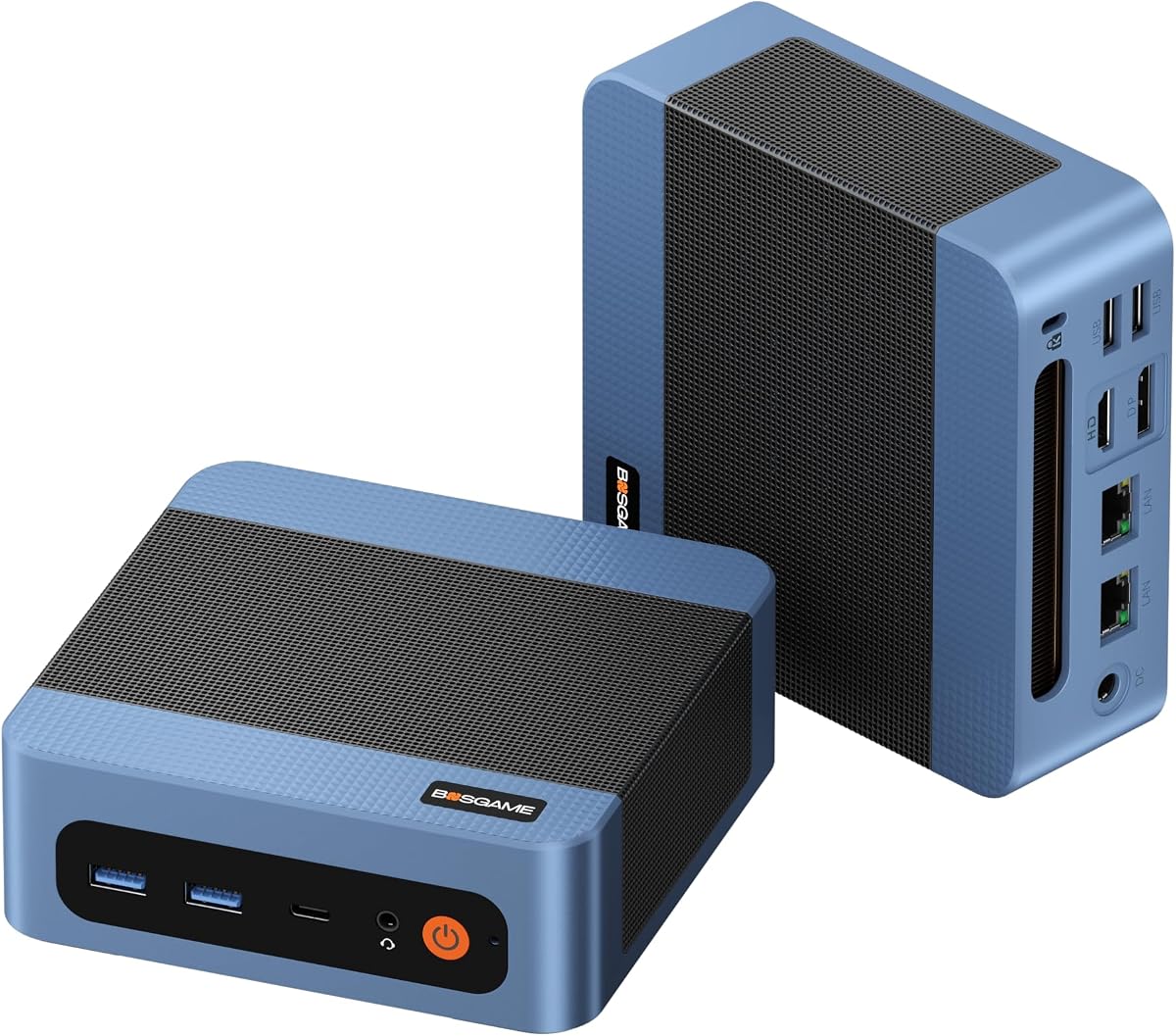
BOSGAME E5 11 Pro offers excellent value with AMD Ryzen 3 5300U and dual LAN ports. It scores 4.3 for business networking and affordability.
We may earn a commission when you buy through this link, at no additional cost to you.
Ryzen 3 5300U handles office apps well. Dual 2.5GbE LAN supports networking tasks. Full Function Type-C allows single cable connectivity. 8GB DDR4 RAM supports smooth multitasking.
Quiet cooling keeps noise under 25dB. Pre-installed Windows 11 Pro helps quick setup. Warranty includes 1-year full and 3-year parts.
Ideal for small offices needing basic computing. It is perfect for networking enthusiasts wanting dual LAN ports.
Dual LAN ports support software routers and firewall configurations easily.
Full Function Type-C supports data video and power delivery via one cable.
We may earn a commission when you buy through this link, at no additional cost to you.
Selecting the right barebone mini PC depends on your performance needs and expansion plans. This guide outlines key factors to consider before purchasing.
The processor determines raw computational power. AMD Ryzen 7 PRO 8845HS offers high multi-threaded performance ideal for video editing. Intel Core Ultra 5 brings AI features and efficient power use for business tasks. Match CPU choice to workload intensity.
Choose CPUs with higher core counts if you handle heavy multitasking.
DDR5 memory provides faster speeds and efficiency compared to DDR4. Look for dual-channel slots allowing up to 64GB or 128GB capacity. Sufficient RAM ensures smooth operation when running multiple applications simultaneously.
Prioritize dual-slot designs to maximize future upgrade potential.
Multiple M.2 SSD slots allow flexible storage combinations. PCIe 4.0 slots offer faster data transfer rates for large files. Check if the model supports RAID configurations for redundancy.
Ensure at least two M.2 slots exist for system and data drives.
Integrated Radeon 780M or Intel Arc graphics handle light gaming and rendering. If you require AAA gaming, OCuLink support enables external GPU connections. This bypasses internal GPU limits.
Choose OCuLink capable models for maximum graphics flexibility.
USB4 ports support 40Gbps data and video output simultaneously. Look for HDMI 2.1 and DisplayPort 1.4 for high resolution displays. Dual Ethernet ports improve network reliability.
Verify USB4 presence if using external displays or docks.
Vapor chamber cooling spreads heat efficiently to prevent thermal throttling. Ensure fans are replaceable or the design allows easy cleaning. Silent modes help noise-sensitive environments.
Prioritize units with VC cooling for sustained performance.
Recycled aluminum chassis improves sustainability and durability. MIL-STD certification indicates resistance to shock and vibration. Tool-less design simplifies upgrades.
Check warranty terms to ensure long-term reliability.
Wi-Fi 7 offers faster speeds and lower latency than older standards. Bluetooth 5.2 supports modern peripherals. Dual 2.5G LAN supports routing setups.
Ensure the latest Wi-Fi standard is present for best wireless performance.
Install compatible RAM and SSDs carefully by matching notch positions to avoid damage. Follow manufacturer guides for slot configurations to maximize speed.
Connect peripheral devices like monitors and drives using provided cables. Secure the unit with VESA mounts if mounting to monitor rear.
Maintain cooling by dusting vents regularly. Keep firmware updated to ensure stability and security over time.
A barebone mini PC is a compact computer chassis sold without RAM, storage, or OS. Users purchase and install these components separately to customize performance and cost according to specific needs.
Barebone models allow you to select exact RAM and storage capacity. This flexibility reduces cost and enables upgrades as technology evolves without replacing the whole unit.
Most barebone PCs use integrated CPUs soldered to the board. However some models like ASRock DeskMeet support AM4 socket CPUs allowing future processor changes.
Some models include OCuLink ports that support external GPUs with minimal performance loss. Check product specs for OCuLink or Thunderbolt support to confirm compatibility.
Most barebone kits do not include operating systems. You must install Windows or Linux separately unless the product listing specifies otherwise or includes a key.
Most newer models use DDR5 SO-DIMM RAM for higher speed. Older models may use DDR4. Verify memory type and max capacity in product specs before buying.
Yes especially those with powerful integrated graphics or OCuLink support. Models like AOOSTAR GEM12+ handle casual gaming or connect to external GPUs for better performance.
The AOOSTAR MACO and ASUS NUC 15 Pro lead our list with strong performance and connectivity. They suit users needing high speed data transfer and external GPU support.
Prioritize thermal management and port selection when choosing. Models with OCuLink and DDR5 offer better longevity and future proofing for demanding tasks.
Verify current pricing and compatibility before buying since components vary. These picks cover most needs from budget office setups to premium workstations.