
Thermaltake Pure 20 Series
4.5Editor score
High performance thick design
Anti vibration mounting system
Long life sleeve bearing
Choosing the right cooling solution is essential for maintaining optimal performance in any computer system. Large case fans offer superior airflow capabilities that smaller units simply cannot match for demanding setups.
We evaluated ten top rated models based on airflow performance, acoustic noise levels, and overall build quality. Our analysis focuses on real world specifications from trusted manufacturers.
Each pick highlights unique strengths and potential trade offs you should consider before buying. Product details and availability can change so verify current listings before placing your order today.
4.5Editor score
4.8Editor score

4.6Editor score
As an Amazon Associate we earn from qualifying purchases.
This side by side comparison outlines key specifications across all ten featured fans to help you quickly identify which model fits your specific case requirements and cooling needs.


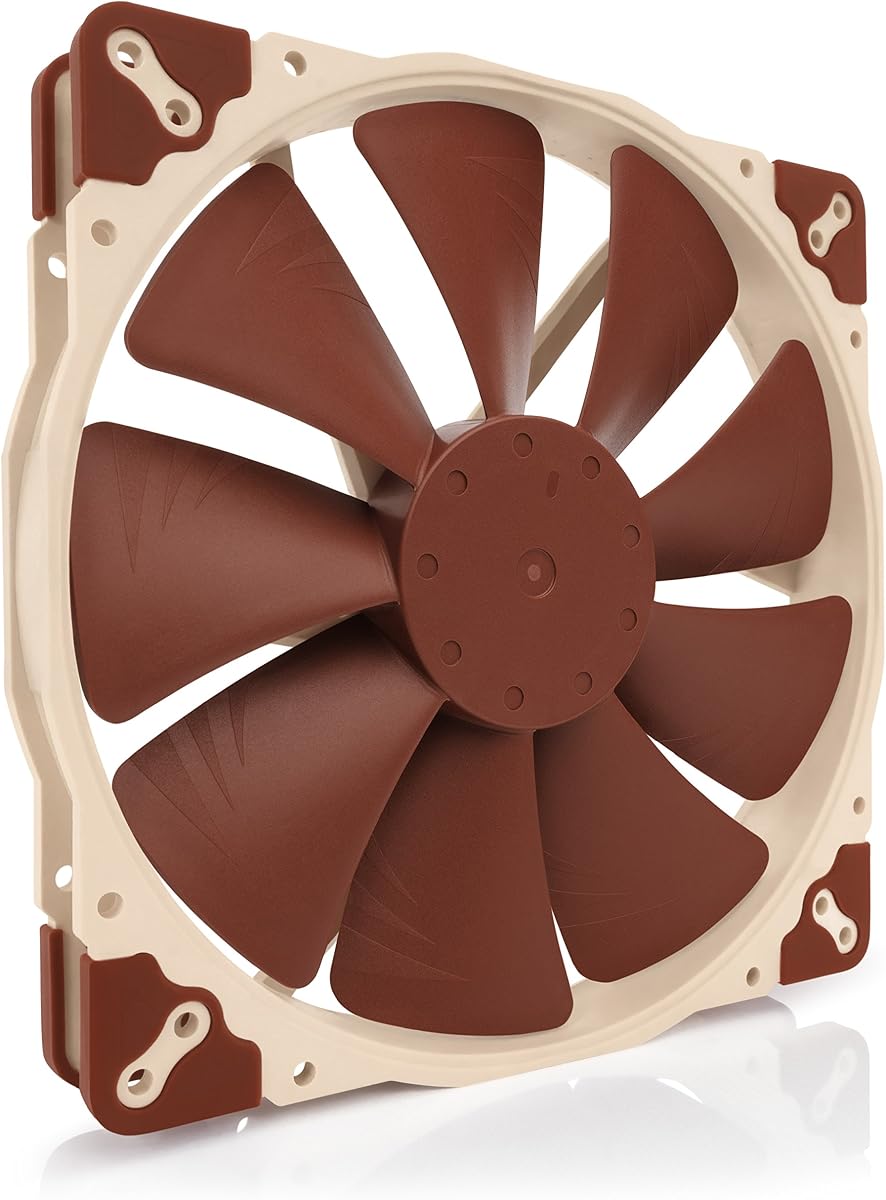
This Noctua model ranks as our top pick due to its exceptional balance of quiet performance and high airflow. It holds a strong rating from users who prioritize silence.
We may earn a commission when you buy through this link, at no additional cost to you.
The award-winning A-series design features flow acceleration channels and an advanced acoustic optimisation frame. These elements reduce noise while maintaining superior cooling efficiency.
While the price is higher than budget options the included accessories like the low noise adaptor justify the cost. The three sets of mounting holes ensure broad case compatibility.
Buyers seeking a reliable silent fan for critical cooling spots will find this model worth the investment. It is ideal for builds where noise reduction is a primary goal.
The advanced frame design minimizes turbulence and noise without sacrificing essential airflow for your components.
Three sets of mounting holes allow installation in cases with varied 200mm fan support configurations.
We may earn a commission when you buy through this link, at no additional cost to you.
The chromax.black.swap edition offers the same proven performance as the standard model with a sleek all-black finish. It is rated highly for silent operation and build quality.
We may earn a commission when you buy through this link, at no additional cost to you.
Swappable anti-vibration pads allow you to customize the color scheme to match your case or components. This adds a premium touch without compromising the quiet cooling function.
The 4-pin PWM version enables automatic speed control via your motherboard headers. While slightly more expensive than basic fans it delivers consistent and efficient airflow.
Choose this fan for high-end builds that require top-tier silence and a unified black aesthetic. It is perfect for users who value customization and reliability.
Swap included red, black, white, blue, yellow, or green pads to match your specific build theme easily.
Use 4-pin PWM headers to adjust fan speeds dynamically based on system temperature needs.
We may earn a commission when you buy through this link, at no additional cost to you.
This Thermaltake fan delivers excellent value with high airflow and quiet operation at a budget-friendly price. It is a top choice for cost-conscious builders needing big cooling.
We may earn a commission when you buy through this link, at no additional cost to you.
The thick 200x30mm design focuses airflow effectively while reducing excess noise. Anti-vibration mounting helps minimize noise and improve overall system stability during use.
It includes a long life sleeve bearing that extends the fan's operational lifespan. Installation is straightforward with a shaved frame for better fit in chassis.
Select this option when you need reliable cooling without spending a lot. It is ideal for cases that support large fans and budget-conscious system builds.
The thick fan blade design focuses air efficiently to provide high performance without creating excess noise.
Shaved frame allows for more installation flexibility especially with Thermaltake chassis designs.
We may earn a commission when you buy through this link, at no additional cost to you.
The CT200 PWM fan is designed to complement the existing Thermaltake CT lineup for a cohesive build. It offers optimized airflow and silent hydraulic bearing operation.
We may earn a commission when you buy through this link, at no additional cost to you.
With 131.6 CFM of airflow this fan moves a significant amount of air quietly. The daisy chain connectors allow quick installation without needing multiple headers.
Hydraulic bearings ensure reliable and silent operation while maintaining performance when needed. The optimized blades reduce noise and push air efficiently through the system.
Choose this fan to match a CT series build while getting high cooling performance. It is a smart choice for those prioritizing aesthetics and airflow.
Quick installation is possible with daisy chainable 4-Pin PWM connectors and included extension cables.
Nine optimized blades push high CFM with minimal noise thanks to hydraulic bearing stability.
We may earn a commission when you buy through this link, at no additional cost to you.
This fan is engineered for cases supporting 200mm RGB fans with vibrant Gen2 lighting. It balances airflow efficiency with quiet operation and durability.
We may earn a commission when you buy through this link, at no additional cost to you.
The frosted blade design enhances light dispersion for a vibrant luminous effect. PBT frame and hybrid design provide stability and minimize noise from vibration.
Dynamic PWM control allows you to balance noise and airflow from zero to eight hundred RPM. Bearing sealant prevents dust leakage to extend fan lifespan.
Pick this fan if you want vibrant lighting without sacrificing cooling performance. It suits builds focused on aesthetics and customizable illumination.
Frosted blades disperse aRGB lighting to create a vibrant and customizable luminous effect.
The flexible anti-resonance mounting minimizes noise for quieter overall performance.
We may earn a commission when you buy through this link, at no additional cost to you.
The FLX version provides 800 or 550 RPM speed settings via a low noise adaptor. It is ideal for setups without PWM headers or needing manual control.
We may earn a commission when you buy through this link, at no additional cost to you.
It shares the award-winning A-series design and advanced acoustic optimisation frame for superior quiet cooling. Three sets of mounting holes ensure broad compatibility with various cases.
The 3-pin Molex connection offers flexibility for powering fans directly from power supplies. It includes an extension cable and adapter for versatile installation options.
Choose this fan for builds needing reliable cooling without motherboard speed control. It suits silent systems where simple fan connections are preferred.
Use the Low-Noise Adaptor to switch between 800 and 550 RPM for maximum airflow or silent operation.
The 3:4-pin adaptor allows powering the fan directly from the power supply easily.
We may earn a commission when you buy through this link, at no additional cost to you.
This fan supports 5V PWM applications with polarity protection for devices using lower voltage. It maintains high performance with a maximum speed of 800 RPM.
We may earn a commission when you buy through this link, at no additional cost to you.
The included USB power adaptor cable allows running the fan on USB host ports or power banks. This makes it versatile for non-standard power setups or portable rigs.
OmniJoin adaptor set enables connection to proprietary fan headers which adds compatibility. The award-winning design ensures superior quiet cooling performance regardless of voltage.
Pick this fan if you have devices supporting 5V PWM or need USB power. It is ideal for custom setups requiring specialized power options.
USB adaptor cable allows the fan to run on USB host ports or power banks easily.
Connect to proprietary fan headers with the included OmniJoin adaptor set for broader compatibility.
We may earn a commission when you buy through this link, at no additional cost to you.
This fan is certified compatible with Asus Aura and other major RGB controllers. It delivers high airflow while maintaining silent cooling with sound absorbing pads.
We may earn a commission when you buy through this link, at no additional cost to you.
The hybrid design applies the right static pressure without sacrificing airflow efficiency. A smart fan sensor automatically stops the motor if jammed by objects.
Noise reduction technology ensures low noise levels around 28 decibels during operation. It requires an RGB controller to fully utilize the color features.
Choose this fan for builds needing certified RGB sync without breaking the bank. It suits cases requiring moderate airflow with reliable lighting.
Certified compatible with Asus Aura, Gigabyte Fusion, and MSI RGB ecosystems for easy sync.
Smart fan sensor automatically stops the motor to protect the fan if jammed.
We may earn a commission when you buy through this link, at no additional cost to you.
This fan features 34 RGB lamp beads for vibrant lighting with motherboard sync support. It delivers 95CFM of airflow with hydraulic bearing design for long life.
We may earn a commission when you buy through this link, at no additional cost to you.
The translucent nine blade design optimizes airflow and diffuses light for a uniform glow. It supports 5V 3pin ARGB synchronization with major motherboard brands.
Hydraulic bearings reduce lubricant leakage and ensure stable performance over time. The 200mm standard size fits most cases with a simple installation process.
Pick this fan for budget-friendly RGB performance and reliable cooling. It is ideal for builds needing bright lighting and efficient heat dissipation.
Optimized nine blade design ensures efficient heat dissipation for your PC components.
Immerse your build in illumination with 34 RGB lamp beads and sync support.
We may earn a commission when you buy through this link, at no additional cost to you.
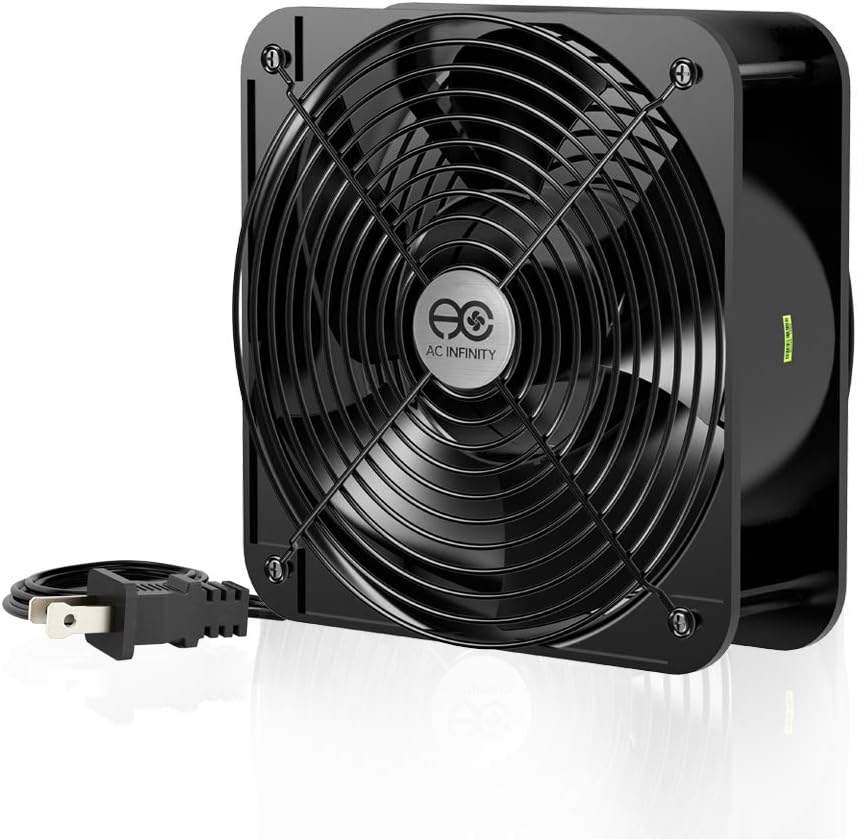
This muffin fan is designed for industrial cooling with 425 CFM airflow capacity. It operates on standard 120V AC power for direct connection without adapters.
We may earn a commission when you buy through this link, at no additional cost to you.
Dual-ball bearings ensure a lifespan of 67000 hours and allow versatile mounting options. The aluminum housing provides durability for rigorous ventilation and cooling projects.
The 60mm thickness means it requires significant space compared to standard 30mm fans. Noise levels are high at 65 dBA making it unsuitable for quiet rooms.
Choose this fan for high-performance industrial or workshop cooling where noise is not a concern. It suits projects needing maximum ventilation.
This model is designed to maximize airflow and can be too loud for standard rooms.
Dual-ball bearings allow the fans to be laid flat or stand upright with long life.
We may earn a commission when you buy through this link, at no additional cost to you.
Selecting the right fan involves balancing airflow, noise, and power requirements. This section explains the key factors to consider before purchasing.
Look for high CFM ratings to ensure effective cooling for your components. Fans with optimized blade designs move more air efficiently without increasing turbulence.
Prioritize high airflow numbers if your case runs warm or has tight component spacing.
Check the decibel rating to ensure the fan operates quietly. Advanced acoustic optimisation frames reduce noise while maintaining high performance.
Choose lower dB(A) values for bedroom or office setups where silence is critical.
Hydraulic and dual-ball bearings offer longer lifespans and quieter operation. Sleeve bearings are cheaper but may have reduced durability over time.
Opt for hydraulic bearings to ensure reliable operation for many years.
Ensure the fan matches your motherboard header type such as 3-pin or 4-pin PWM. PWM fans allow automatic speed control while 3-pin offers manual options.
Verify connector compatibility to avoid needing additional adapters.
Confirm that your case supports 200mm fans with the correct depth size. Some cases support 30mm thick fans while others require 25mm.
Measure available space before buying to ensure proper fit.
If visual appeal is important consider fans with ARGB or standard RGB features. Sync protocols must match your motherboard controller or software.
Select certified RGB fans for easy color synchronization across components.
Hybrid or anti-vibration frames reduce resonance and noise during operation. Look for models with rubber pads to minimize case vibration.
A well-designed frame improves stability and acoustic performance significantly.
Compare features against the price point to find the best value. Premium brands offer higher durability while budget models still provide decent airflow.
Choose a model that meets your performance needs without overspending.
Install the fan securely using the included screws and anti-vibration pads to reduce noise. Ensure the airflow direction pushes air toward heat sources or out of the case.
Keep the fan clean by gently dusting the blades every few months. This prevents buildup that can reduce performance and increase noise levels.
Check the connector regularly to ensure it is seated properly. Secure connections prevent intermittent operation or system errors.
Check your case manual or manufacturer specifications for fan mount sizes. Many modern cases list support for 200mm intake or exhaust locations. Ensure space clearance is available for 30mm thick models.
A 3-pin fan provides constant speed or fixed speed control via voltage. A 4-pin PWM fan allows precise automatic speed control via motherboard signals. Most modern motherboards support PWM headers.
Not all cases support 200mm fans. Some only accept 120mm or 140mm. Verify your case dimensions and mounting hole patterns before purchasing a large fan.
Quality models operate between 18 and 30 decibels. This is generally quiet enough for most rooms. Industrial fans may reach 65 decibels.
Hydraulic and dual-ball bearings offer the best lifespan. They are designed for continuous operation over years. Sleeve bearings are less durable but more affordable.
Most RGB fans require a motherboard header or external controller. Some models include controllers. Ensure your board supports ARGB or standard RGB protocols.
Use the included screws and align the fan arrows with airflow direction. Rubber pads help reduce vibration. Ensure the mounting is tight to prevent rattling.
Yes they provide superior airflow and noise compared to smaller fans. If your case supports them they are a great upgrade. Consider the cooling needs before buying.
The top picks highlight the best balance of quiet cooling and high performance. Noctua models lead in reliability and noise reduction for most users.
Consider your budget and RGB needs before deciding. Budget options like Thermaltake provide solid value for standard builds.
Prices and availability change so check current listings before purchase. Verify your case compatibility to ensure the best fit for your system.