
Thermalright TL-B6B
4.6Editor score
S-FDB bearing
20dB noise level
60mm size fit
This guide compares the top 60mm cooling fans for quiet operation, high airflow, and durability across PC builds, 3D printers, and industrial equipment.
Finding the right 60mm cooling fan can transform your system's thermal performance. Whether you need quiet operation for home media or high airflow for industrial gear, quality matters.
We evaluated ten top-rated models based on airflow, noise levels, bearing type, and build quality. Our analysis focuses on real-world reliability and cooling efficiency.
Each pick includes key specs, pros, and cons to help you decide. Note that pricing and stock fluctuate, so verify current offers before purchasing any fan.
4.6Editor score

4.8Editor score
4.9Editor score
Below is a side-by-side look at all ten fans. Check dimensions, airflow, noise, and features to find the perfect match for your 60mm cooling needs.


The Noctua NF-A6x25 PWM stands out as the top pick for anyone prioritizing quiet cooling. With a rating of 4.8 stars, it delivers reliable performance for PC cases, NAS devices, and small appliances.
We may earn a commission when you buy through this link, at no additional cost to you.
Its Flow Acceleration Channels and Advanced Acoustic Optimisation frame ensure minimal noise while maximizing airflow. The 4-pin PWM interface allows seamless speed control via motherboard headers.
While it carries a higher price than budget fans, the included low-noise adaptor and vibration mounts justify the cost. Noise levels stay under 19.3dB even at full speed.
Buy this fan if you need silent cooling for sensitive environments. It replaces noisy OEM fans in DVRs, printers, and network gear with ease.
Advanced frame design minimizes turbulence and vibration for near-silent operation.
4-pin PWM supports automatic speed adjustment based on system temperature.
We may earn a commission when you buy through this link, at no additional cost to you.
The NF-A6x25 FLX offers the same premium build as the PWM version but uses a 3-pin connection. It delivers exceptional cooling with three fixed speed settings via Low-Noise Adaptors.
We may earn a commission when you buy through this link, at no additional cost to you.
Perfect for devices without PWM headers, this fan provides 3000, 2400, or 1600 RPM. Acoustic performance remains outstanding, under 19.3dB.
You sacrifice automatic speed control, but the included adaptors allow manual tuning. It works great for older systems or standalone ventilation setups.
Choose this if your hardware uses 3-pin headers. It retains Noctua's legendary reliability for NAS or industrial fan replacements.
Includes adaptors for selecting between high, medium, or low speed.
Works with older 3-pin headers and direct 12V power supplies.
We may earn a commission when you buy through this link, at no additional cost to you.
This EC axial fan runs directly on AC mains power from 90V to 270V. It provides efficient ventilation without needing a DC power supply.
We may earn a commission when you buy through this link, at no additional cost to you.
Dual ball bearings ensure a 67,000-hour lifespan. Operating at 4800 RPM, it delivers 24.8CFM airflow for industrial cabinets or project ventilation.
Wires are not pre-connected, so DIY wiring is needed. While loud at full speed, it excels in stationary exhaust applications.
Ideal for small cabinets or DIY projects requiring AC power. Mount flat or upright thanks to its dual-ball design.
Eliminates need for 12V adapter or DC power supply.
4800 RPM ensures strong ventilation for enclosed spaces.
We may earn a commission when you buy through this link, at no additional cost to you.
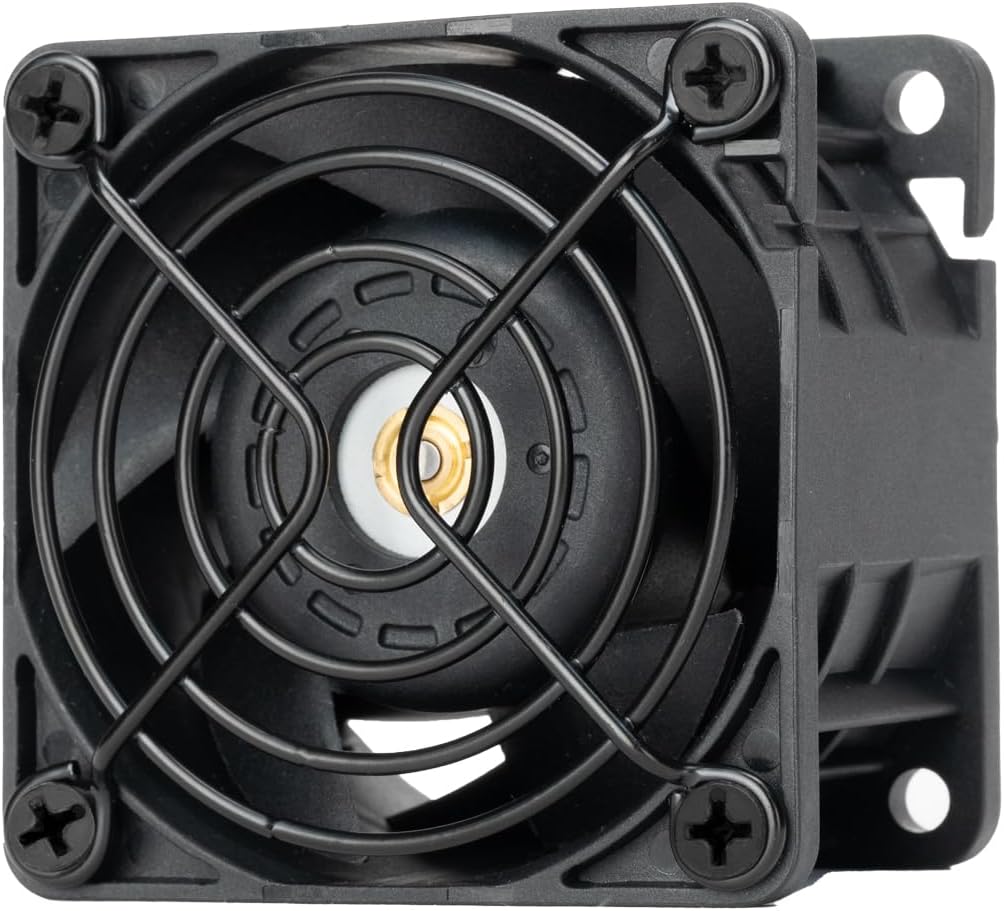
Thermalright's TL-B6B delivers impressive value at an accessible price. With S-FDB V2 bearings, it handles hoisting modes and offers stable cooling.
We may earn a commission when you buy through this link, at no additional cost to you.
Seven blades push 16.17CFM of air while keeping noise near 20.17dB. Double-sided silicone pads reduce vibration effectively.
Screw holes are non-threaded, requiring careful installation. Despite this, it performs reliably for case cooling or small appliance needs.
Buy this for tight budgets needing quiet performance. Ideal for replacing failing case fans or cooling compact enclosures.
Silicone pads absorb shocks to keep noise levels minimal.
Solves hoisting issues and extends service life.
We may earn a commission when you buy through this link, at no additional cost to you.
This pack offers two 60x60x15mm fans at a great value. Dual ball bearings ensure durability with 4000 RPM speed and 17.6CFM airflow.
We may earn a commission when you buy through this link, at no additional cost to you.
Slim profile suits tight spaces like routers or modems. Wires are 7.87 inches with 2-pin connectors.
Quality is good for the price, though connectors are basic. It is a cost-effective solution for bulk replacements.
Choose this for projects needing multiple fans. Perfect for server rack ventilation or DIY enclosure cooling.
15mm thickness fits narrow slots and compact electronics.
Two fans for a fraction of premium single-fan prices.
We may earn a commission when you buy through this link, at no additional cost to you.
Three 6015 fans provide reliable cooling for 3D printer extruders. Plastic blades are lightweight and spin at 3600 RPM.
We may earn a commission when you buy through this link, at no additional cost to you.
Sleeve bearings limit longevity compared to ball bearings, but cost is minimal. Airflow reaches 22.7CFM per unit.
Best for hobbyist projects where budget matters most. Mounting holes match standard 60mm spacing.
Use these for nozzle cooling or enclosure exhaust. Replace every few years due to sleeve bearing wear.
Plastic design reduces motor load for low power use.
22.7CFM per fan supports rapid cooling needs.
We may earn a commission when you buy through this link, at no additional cost to you.
This 2-pack runs on universal AC voltage from 90V to 270V. Dual ball bearings support a 67,000-hour lifespan.
We may earn a commission when you buy through this link, at no additional cost to you.
Fans are ideal for small campers or keezers needing ventilation. Airflow reaches 24.8CFM with 4800 RPM speed.
Noise can be high but acceptable for industrial use. Wiring is needed for connection.
Select this for portable ventilation or large enclosures. Two fans ensure redundancy or better coverage.
Works globally without voltage converters or adapters.
Dual ball design allows flexible mounting orientation.
We may earn a commission when you buy through this link, at no additional cost to you.
Slim design fits tight cases without sacrificing quality. This PWM fan reaches 3500 RPM and stays under 19.8dB.
We may earn a commission when you buy through this link, at no additional cost to you.
Flow Acceleration Channels optimize airflow within a narrow frame. Perfect for small form factor PC builds or slim appliances.
Airflow is lower than 25mm models, but noise is minimal. Includes low-noise adaptor.
Buy for space-constrained setups needing quiet cooling. Ideal for routers or mini-PC enclosures.
15mm thickness fits narrow enclosures easily.
Optimized blades and frame reduce noise effectively.
We may earn a commission when you buy through this link, at no additional cost to you.
This server-grade fan delivers extreme airflow up to 65.74CFM. Operating at 15000 RPM, it cools high-performance systems efficiently.
We may earn a commission when you buy through this link, at no additional cost to you.
Thick 38mm frame increases pressure to push air through dense heatsinks. Metal grille offers safety and protection.
Noise reaches 61.5dBA, so use in ventilated spaces. Best for industrial racks.
Choose for high-demand server cooling. Its static pressure handles restrictive environments well.
65.74CFM supports intensive cooling needs.
Metal grille and dual ball bearings ensure reliability.
We may earn a commission when you buy through this link, at no additional cost to you.
This fan works with 5V power sources like Raspberry Pi or USB hubs. It maintains Noctua's quiet standards at 3000 RPM.
We may earn a commission when you buy through this link, at no additional cost to you.
Includes OmniJoin adaptor for proprietary headers. Polarity protection prevents damage during setup.
Ideal for low-voltage electronics. Cooling performance matches 12V model.
Buy for single-board computers or USB-powered setups. Silent and reliable for sensitive electronics.
Works with low-voltage devices and USB power.
Connects to various proprietary fan headers easily.
We may earn a commission when you buy through this link, at no additional cost to you.
Selecting a 60mm fan requires balancing airflow, noise, and compatibility. Below are key factors to consider.
Fans run on 5V, 12V DC or AC 110-240V. Check your device's power supply before buying.
Match voltage to your hardware. DC fans suit PCs; AC fans fit industrial gear.
PWM fans allow automatic speed control via motherboard headers. Fixed-speed fans use connectors like Molex.
Choose PWM for silent PC builds. Fixed fans work for simple replacements.
60mm fans come in 15mm, 25mm, or 38mm thickness. Measure available space.
Slim fans fit tight spots; thick fans move more air.
Ball bearings last longer than sleeve bearings. Look for dual ball bearings in industrial fans.
Use ball bearings for continuous operation. Sleeve is okay for short tasks.
Noise is measured in dBA. Quiet fans stay under 20dB; industrial fans may reach 60dB.
Prioritize low noise for home setups. Use high-noise fans in ventilated areas.
CFM indicates airflow; static pressure matters for restricted spaces like radiators.
Choose high CFM for open enclosures. High pressure suits dense heatsinks.
Many fans include screws and anti-vibration mounts. Verify what is included in the box.
Check screw spacing matches your chassis. Vibration mounts reduce noise.
Look for MTTF ratings. Premium fans offer over 150,000 hours; others may be lower.
High MTTF ensures long service. Consider warranties for additional protection.
Install fans securely using provided screws. Ensure airflow direction matches exhaust or intake needs.
Dust buildup reduces cooling. Clean blades with compressed air monthly to maintain performance.
Check wiring connections regularly. Loose wires can cause failure or noise.
No. Ensure the replacement matches original size exactly. Larger fans require more airflow and mounting space.
Dual ball bearings offer the longest lifespan and are ideal for continuous operation in industrial settings.
PWM fans allow slower speeds when cooling is low, reducing noise. Fixed-speed fans run at full RPM constantly.
Airflow direction is usually marked on the frame. Air enters the open side and exits through the motor side.
Most modern fans are sealed and do not require lubrication. Only serviceable types need occasional oiling.
60mm fans are too small for direct CPU coolers. They fit cases, routers, or compact electronics only.
DC fans run on low-voltage DC power supplies. AC fans plug directly into mains voltage for industrial use.
Yes, if they support 5V. Use PWM models with USB power and ensure proper ventilation setup.
From silent Noctua models to industrial-grade Silverstone fans, the right choice depends on your specific needs and power requirements.
Prioritize noise levels, dimensions, and bearing type to ensure compatibility and long-lasting performance in your setup.
Always verify current pricing and availability on retailer sites before finalizing your purchase decision.