
Lenovo V15 Business Laptop
4.4Editor score
RJ-45 Gigabit Ethernet
Intel N150 Quad-Core
Windows 11 Pro
Finding a laptop with a built-in Ethernet port is crucial for professionals who need stable and secure network connections. These devices eliminate the need for dongles and ensure consistent performance during critical tasks.
We compared ten real products based on connectivity, performance, and build quality to help you choose the right machine. Each selection includes detailed specs and honest insights into their networking capabilities.
Every pick highlights specific strengths like port variety and processor speed to match your workflow. Note that availability and stock levels may change frequently so verify details before purchasing.
4.4Editor score

5.0Editor score

4.2Editor score
As an Amazon Associate we earn from qualifying purchases.
This table provides a side-by-side comparison of all ten selected models highlighting their key specifications and networking features to simplify your decision-making process.


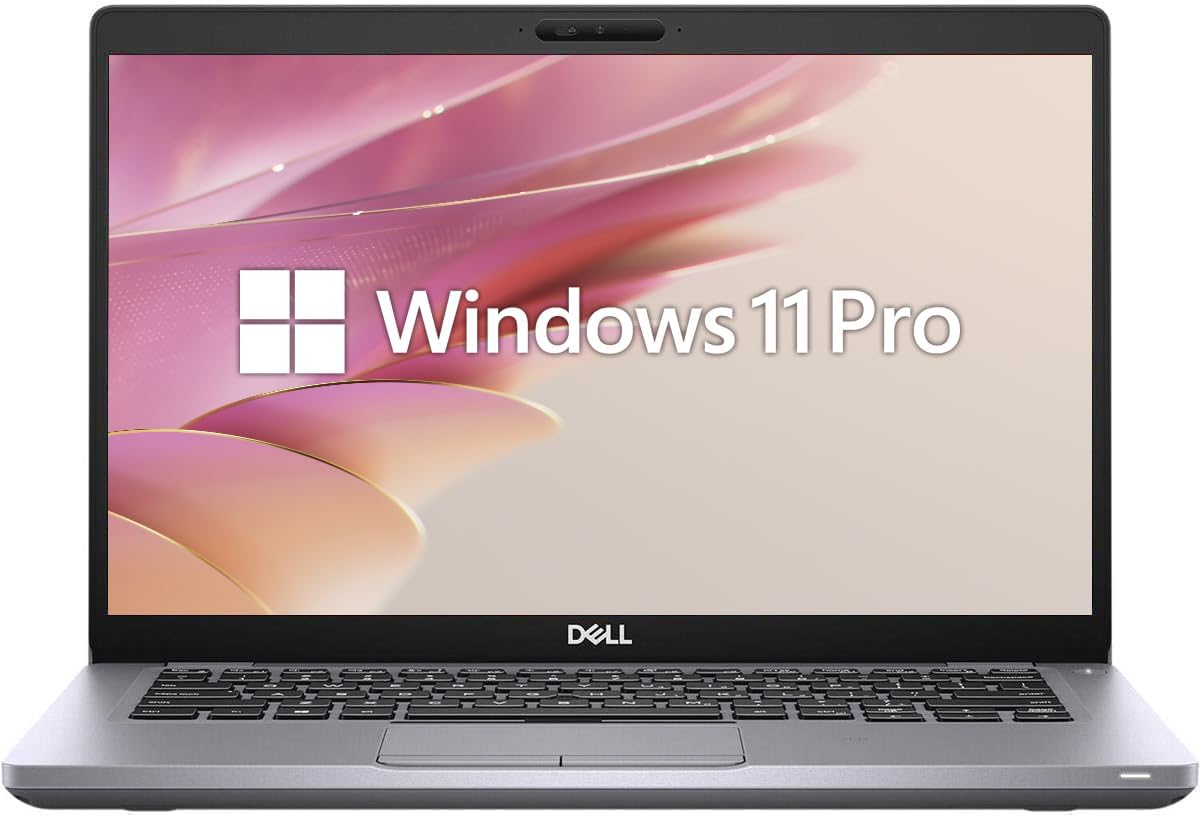



The Lenovo V15 Business Laptop stands out as an affordable option for users needing reliable wired networking without extra adapters. Its integrated RJ-45 port ensures stable connections essential for office environments and secure data transfers.
We may earn a commission when you buy through this link, at no additional cost to you.
This model delivers smooth performance for everyday tasks thanks to the Intel N150 processor and DDR5 RAM. The 15.6-inch Full HD display offers clear visuals while the full-size keyboard with numeric keypad aids productivity.
While storage is limited on this base configuration the system supports expansion for future needs. The inclusion of Windows 11 Pro adds enterprise-grade security features that are often missing in consumer laptops.
Ideal for students and entry-level professionals this laptop balances cost and functionality effectively. It remains a solid choice for those prioritizing network reliability on a tight budget.
The built-in RJ-45 Ethernet port allows for direct wired connections that reduce latency and improve security during file transfers.
Windows 11 Pro provides advanced security tools like BitLocker encryption that protect sensitive business data effectively.
We may earn a commission when you buy through this link, at no additional cost to you.
This Lenovo V15 Gen 4 model offers a robust mid-range solution for business users who need both speed and stability. The AMD Ryzen 3 processor paired with LPDDR5 RAM ensures responsive performance during daily workflows.
We may earn a commission when you buy through this link, at no additional cost to you.
Connectivity remains a strong point with the inclusion of a physical Ethernet port alongside modern wireless options. The 512GB storage provides ample space for documents and applications without immediate upgrade needs.
Security features like the firmware TPM chip and privacy shutter webcam address common enterprise concerns. These elements make it suitable for remote work where data protection is paramount.
Professionals seeking a balance of price and performance will appreciate this configuration. It handles multitasking well while maintaining a professional build quality.
The LPDDR5 RAM technology offers faster data access speeds compared to standard DDR4 improving overall system responsiveness significantly.
A manual webcam shutter gives users direct control over camera access ensuring visual privacy during meetings or idle times.
We may earn a commission when you buy through this link, at no additional cost to you.
The Dell Latitude 3420 represents a smart choice for those looking for enterprise-grade hardware at a reduced cost through renewal. Its Intel Core i5 processor handles demanding tasks efficiently while the Ethernet port maintains network reliability.
We may earn a commission when you buy through this link, at no additional cost to you.
With 16GB of RAM this device supports heavy multitasking without lag. The compact 14-inch form factor makes it easy to transport between meetings or offices while still offering a comfortable viewing experience.
Buying renewed units can carry some uncertainty regarding wear but Dell often refurbishes these models rigorously. The inclusion of Windows 11 Pro ensures access to the latest security and management tools.
This laptop serves well for office environments needing reliable machines on a budget. The direct Ethernet connection is a key advantage for stable internet access.
Refurbished laptops often come with tested components and warranties offering significant savings over brand-new equivalents.
The smaller 14-inch chassis reduces weight and bulk making it ideal for frequent travelers and mobile workers.
We may earn a commission when you buy through this link, at no additional cost to you.
This Dell Latitude model offers a dependable platform for daily office tasks with the convenience of wired networking. The 512GB SSD ensures quick boot times and rapid access to files which boosts overall productivity.
We may earn a commission when you buy through this link, at no additional cost to you.
The 16GB RAM allows for smooth multitasking across multiple applications and browser tabs. Its Full HD display provides clear text and images essential for long working sessions.
While the processor is an older generation it remains capable for general business use. The renewed status helps keep costs down while maintaining core functional requirements.
It is a practical choice for organizations needing straightforward reliable machines with Ethernet support. Users benefit from a stable environment for essential computing tasks.
The high-capacity SSD storage delivers fast read and write speeds ensuring applications launch quickly without delay.
Dell Latitude laptops are built to withstand daily use with sturdy chassis design suited for demanding professional settings.
We may earn a commission when you buy through this link, at no additional cost to you.
The Lenovo V15 G6 brings updated connectivity options to the business class with its Gigabit Ethernet port. This ensures high-speed wired networking essential for reliable cloud access and large file transfers.
We may earn a commission when you buy through this link, at no additional cost to you.
Its Intel N100 processor offers efficient power consumption making it suitable for extended use without draining the battery quickly. The DDR5 RAM contributes to smoother system performance compared to older generations.
The compact design weighs only 3.33 lbs which makes it easy to carry to different work locations. The anti-glare coating on the display reduces eye strain during long hours.
Users looking for a lightweight and connected business laptop will find this model appealing. It balances portability with necessary networking features effectively.
The Gigabit Ethernet port supports faster data transfer rates over cable compared to standard 100Mbps connections.
The professional black finish and textured construction provide a sleek look appropriate for corporate environments.
We may earn a commission when you buy through this link, at no additional cost to you.
This configuration of the V15 Gen 4 highlights the importance of robust connectivity in a business laptop. The RJ-45 Ethernet port ensures that users remain connected even when Wi-Fi signals are weak or insecure.
We may earn a commission when you buy through this link, at no additional cost to you.
The 16GB LPDDR5 RAM provides substantial headroom for multitasking allowing users to run multiple programs simultaneously. This speed is beneficial for professionals working with large spreadsheets or databases.
Durability is enhanced through MIL-SPEC testing which certifies the device can withstand harsh conditions. This reliability makes it a sound choice for field work or rugged environments.
It offers a comprehensive set of features for standard business needs. The combination of wired networking and strong performance makes it a trustworthy partner.
Multiple USB and HDMI ports alongside Ethernet allow for easy connection to various peripherals and displays without dongles.
Firmware TPM 2.0 hardware encrypts data at rest protecting sensitive information from unauthorized physical access.
We may earn a commission when you buy through this link, at no additional cost to you.
The ThinkPad P14s is a top-tier business laptop designed for professionals who demand reliability and speed. Its native Gigabit Ethernet port ensures secure and fast network connections without relying on external adapters.
We may earn a commission when you buy through this link, at no additional cost to you.
Equipped with the AMD Ryzen AI 7 Pro processor this machine handles complex tasks like editing and engineering software efficiently. The 32GB of RAM supports heavy multitasking and future-proofs the system.
ISV certification means it is tested and approved for industry-standard applications ensuring stability and compatibility. This feature is crucial for businesses that rely on specific software tools for their workflow.
While expensive this model delivers premium build quality and features that justify the investment for critical users. It stands out as a leader for those needing robust connectivity and power.
The AMD NPU accelerates local AI workflows reducing the need for cloud processing and improving privacy.
Compatibility with specialized software ensures smooth operation for CAD and design professionals.
We may earn a commission when you buy through this link, at no additional cost to you.
This HP model targets entry-level users who need basic computing capabilities with a modern design. However it lacks a built-in Ethernet port relying instead on Wi-Fi for connectivity which may limit reliability.
We may earn a commission when you buy through this link, at no additional cost to you.
The Intel N150 processor handles light tasks like web browsing and document editing adequately. With only 4GB of RAM it struggles with heavy multitasking but suits simple single-purpose work.
The inclusion of Office 365 adds value for users needing productivity software immediately. The 128GB storage is sufficient for essential files but may require cloud expansion.
It serves well as a secondary device for casual use. Users requiring stable wired connections would need an external adapter.
A full year of Office 365 provides access to essential tools like Word and Excel right out of the box.
The rose gold finish offers a stylish look distinguishing it from traditional black business laptops.
We may earn a commission when you buy through this link, at no additional cost to you.
This laptop stands out with its powerful Intel Core i5 processor delivering performance that rivals higher-end chips. The physical RJ45 Ethernet port ensures a direct and stable network connection for demanding tasks.
We may earn a commission when you buy through this link, at no additional cost to you.
The combination of 16GB RAM and 512GB SSD provides a balanced setup for smooth multitasking and ample storage. This configuration supports productivity without the need for immediate upgrades.
Windows 11 Pro adds enterprise features like remote desktop which are useful for professional environments. The numeric keypad further enhances data entry efficiency for accounting or analysis work.
Ideal for professionals needing speed and stability this model delivers strong value. The wired connection is a key differentiator for reliability.
The 13th Gen Core i5 processor boosts speed and efficiency making it capable of handling complex workloads.
The dedicated numeric keypad on the full-size keyboard speeds up number entry tasks significantly.
We may earn a commission when you buy through this link, at no additional cost to you.
The HP 17 Business Laptop offers a massive display that enhances productivity for users who need extensive screen real estate. The RJ-45 Ethernet port ensures stable connectivity for streaming and file transfers.
We may earn a commission when you buy through this link, at no additional cost to you.
Powered by the AMD Ryzen 5 processor it handles daily tasks with speed and efficiency. The 17.3-inch FHD display provides vivid visuals that are comfortable for long work sessions.
With Windows 11 and Copilot integration users can leverage AI tools to streamline workflows and optimize productivity. This modern software layer adds significant value to the hardware package.
While less portable it serves as an excellent desktop replacement for stationary office environments. The combination of large screen and wired network makes it ideal for focused work.
The 17.3-inch screen offers ample workspace for multitasking and detailed viewing of documents.
Copilot features help automate tasks and simplify complex processes for enhanced efficiency.
We may earn a commission when you buy through this link, at no additional cost to you.
Selecting the right laptop with an Ethernet port requires careful consideration of various factors to ensure it meets your specific network and performance needs.
The processor determines how quickly your laptop can handle tasks and manage multiple applications simultaneously. Look for Intel Core i5 or higher for demanding workloads or AMD Ryzen equivalents for balanced efficiency.
Choose a processor that matches your daily workload to avoid bottlenecks and ensure smooth operation.
RAM affects multitasking capabilities while storage speed impacts boot times and file access. Aim for at least 16GB of DDR5 RAM for modern performance and an SSD over 256GB.
Higher memory and storage capacities provide better longevity and reduce the need for future upgrades.
Ensure the laptop includes a standard RJ-45 port that supports Gigabit speeds for fast data transfer. This physical connection is crucial for stable network access without relying on Wi-Fi.
A built-in Ethernet port eliminates the need for external dongles and ensures consistent connectivity.
Windows 11 Pro offers advanced security features like BitLocker and domain joining suitable for business users. Home versions are sufficient for basic tasks but lack enterprise management tools.
Select the OS version that aligns with your security and management requirements.
Look for laptops with military-grade testing like MIL-STD-810H which indicates resistance to shocks and drops. A durable chassis ensures the device survives regular transport and daily use.
Investing in a robust build protects your investment and extends the lifespan of the machine.
Extended battery life is vital for professionals who work away from power sources. Aim for models that offer at least 8 hours of real-world usage to support a full work day.
Longer battery life ensures uninterrupted productivity regardless of where you work.
Besides Ethernet consider the availability of USB-C HDMI and headphone jacks to connect various peripherals. A versatile selection of ports reduces reliance on adapters.
Ensure the laptop has enough ports to meet your peripheral and display requirements easily.
Balance the features you need with your budget constraints to find the best value. Higher-end models offer better performance but may exceed necessary requirements for basic tasks.
Assess your specific needs to avoid overspending on unnecessary capabilities.
Connect an Ethernet cable directly into the RJ-45 port to establish a wired network connection. This setup provides a stable and secure link for data transfers and internet access.
Keep the Ethernet port free from dust and debris to prevent connection issues over time. Use a soft brush or compressed air to clean the port gently if needed.
Avoid bending the cable sharply near the connector to maintain the integrity of the wires inside. Proper cable management ensures long-term functionality and reliability.
An Ethernet port provides a stable and secure wired connection that reduces latency and improves data transfer speeds. It is essential for environments where Wi-Fi signals are weak or unreliable.
Many older laptops still feature built-in Ethernet ports but newer ultrabooks may require adapters. Check the specifications before purchasing to ensure compatibility with your network needs.
Yes using Ethernet often results in faster and more consistent internet speeds compared to Wi-Fi. It eliminates interference and packet loss common in wireless connections.
Most modern laptops use Gigabit Ethernet ports which support speeds up to 1000 Mbps. Older models might only support Fast Ethernet at 100 Mbps which is slower.
A standard Cat5e or Cat6 Ethernet cable is sufficient for most home and office connections. These cables are widely available and easy to find.
Ethernet connections are generally more secure because they require physical access to the network. This reduces the risk of unauthorized access compared to wireless networks.
Yes many hotels and offices still provide Ethernet jacks for reliable internet access. Carrying a short cable can be convenient for stable connections on the go.
The ten laptops reviewed offer a range of options from budget-friendly models to high-performance workhorses. Each includes a built-in Ethernet port to ensure stable networking for professional use.
Prioritize performance and durability based on your specific work requirements to find the best match. Security features like TPM chips are also critical for business environments.
Always check current availability and verify your specific needs before making a purchase decision. Technology updates frequently so confirm the latest model details.