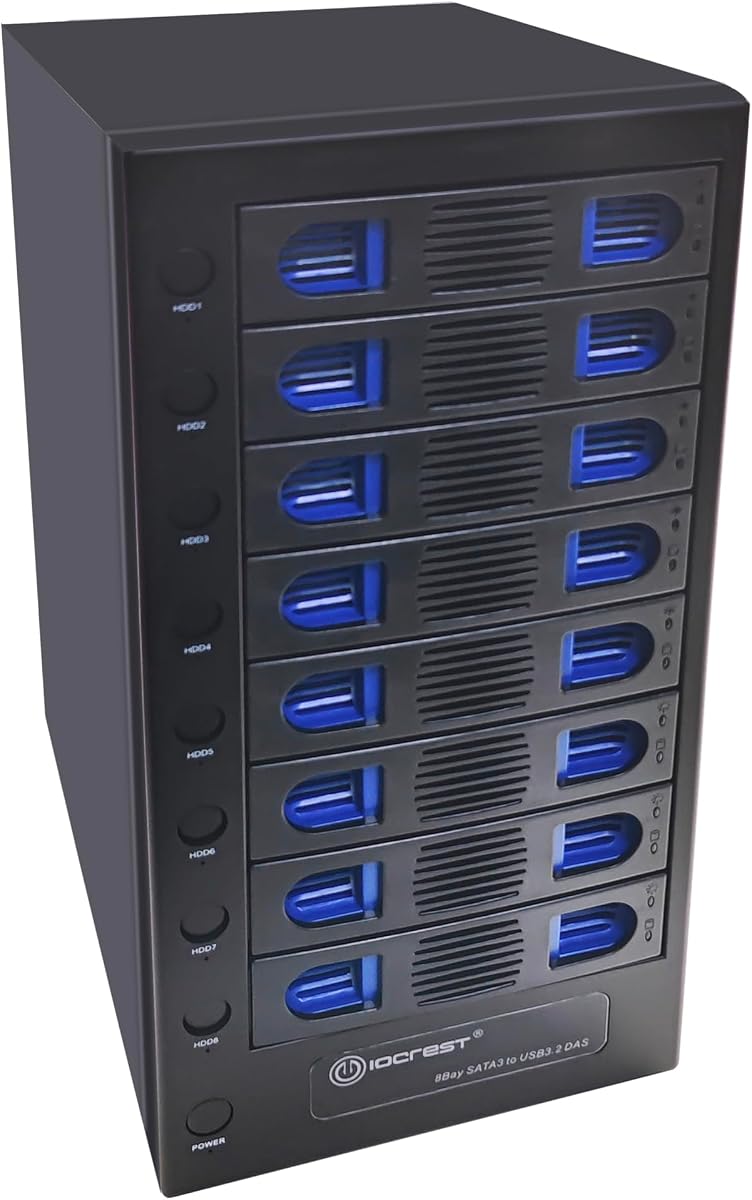
10 Best 8 Bay Hardware RAID Enclosures (November 2026) Expert Guide
Written by Ellen · Updated November 2026
Finding the right storage solution is critical for modern workflows. An 8 Bay Hardware RAID Enclosure provides massive capacity and redundancy for data-intensive tasks like video editing and server backup.
We compared leading models based on connection speed, drive compatibility, cooling efficiency, and RAID flexibility. This list covers diverse options from budget-friendly DAS units to high-performance Thunderbolt arrays.
Each pick highlights unique strengths and trade-offs to help you choose wisely. Product availability and pricing vary by region and time so check current details before purchasing.
Top 3 Picks for Best 8 Bay Hardware RAID Enclosures
Best Budget
CENMATE Aluminum 8 Bay Hard Drive Enclosure with Cooling Fan for 2.5/3.5 SATA HDD/SSD with USB A/C 3.0 Support Hot Swappable Tool-Free HDD Enclosure DAS(NO RAID/NAS)
As an Amazon Associate we earn from qualifying purchases.
Top 10 Best 8 Bay Hardware RAID Enclosures in 2026 Compared
This side-by-side comparison highlights the key specifications of each model to help you decide quickly. Consider your needs for speed capacity and feature set when selecting.
CENMATE Aluminum 8 Bay Hard Drive RAID Enclosure with Cooling Fan for 2.5/3.5 SATA HDD/SSD with USB A/C 3.0, Tool-Free HDD Enclosure, 8 Modes
8 RAID modes supported
USB 3.0 speeds
160TB max capacity
Dual 2.9 inch fans
This CENMATE enclosure offers solid RAID capabilities without the high cost of enterprise gear. With a 3.8 rating it balances performance and affordability for personal and small business users.
Pros
Affordable price point
Tool-free installation design
Supports many drive sizes
Multiple RAID configurations
Stable power supply
Cons
Fan noise can be loud
Setup requires careful reading
We may earn a commission when you buy through this link, at no additional cost to you.
It supports eight distinct RAID modes including RAID 5 and RAID 00 which provides redundancy or speed options. The aluminum alloy build helps dissipate heat while two fans keep drives cool under load.
Users should note the fan noise averages 40 to 50 decibels which may be distracting in quiet spaces. Also setup instructions require careful adherence to avoid data loss during configuration.
Anyone needing a budget-friendly way to consolidate multiple drives into a single array will find this compelling. It is an excellent choice for media backups where cost efficiency matters most.
Flexible RAID Configurations
Choose from modes like CLONE LARGE and RAID 5 to balance performance and data protection based on your needs.
High Capacity Support
Accommodates up to 160TB total with support for 20TB drives allowing room for massive data archives.
SanDisk Professional G-RAID Shuttle 8-Bay Thunderbolt 3 RAID Array with 160TB (8x 20TB) Removable HDD
Thunderbolt 3 interface
1900MB/s read speed
Removable drives
Daisy chain capable
The SanDisk G-RAID Shuttle stands out with its Thunderbolt 3 speed and removable enterprise drives. Its 5.0 rating reflects exceptional performance for video editors needing massive fast storage.
Pros
Ultra-fast data transfer
Removable drives
Daisy chain expansion
USB-C Power Delivery
Enterprise-class reliability
Cons
High cost
Specialized interface needed
We may earn a commission when you buy through this link, at no additional cost to you.
Read speeds reach 1900MB/s and writes hit 2000MB/s enabling smooth handling of 8K footage. The removable Ultrastar drives let you swap storage easily for location shoots.
Its premium price and Thunderbolt requirement mean it is not for casual users. However for professionals who need reliability and speed on the go the investment pays off quickly.
If you edit high resolution video regularly and need portable high capacity storage this model is unmatched. It combines speed reliability and flexibility in a transportable chassis.
Thunderbolt 3 Speed
Achieve up to 40Gbps throughput ideal for multi-stream 4K and 8K video editing workflows without bottlenecks.
Removable Drive Design
Swap out drives easily for location work or backups without opening the unit or using tools.
CENMATE Aluminum 8 Bay Hard Drive Enclosure with Cooling Fan for 2.5/3.5 SATA HDD/SSD with USB A/C 3.0, Support Hot Swappable, Tool-Free HDD Enclosure, DAS(NO RAID/NAS)
USB 3.0 connection
Hot swappable bays
No RAID support
Aluminum build
This CENMATE model offers a simple and cheap way to access eight drives without complex RAID setup. Its 4.3 rating highlights reliability for basic storage needs.
Pros
Very affordable
Tool-free installation
Hot swap capability
Daisy chain expansion
Plug and play
Cons
No hardware RAID
Fan noise reported
We may earn a commission when you buy through this link, at no additional cost to you.
Hot swappable bays let you add or remove drives while the unit runs which is great for backups. The aluminum casing and fans keep temperatures in check during operation.
Because it lacks RAID you must manage backups manually. Still the price point makes it accessible for anyone needing extra space without breaking the bank.
Ideal for hobbyists or small offices needing simple DAS storage this enclosure gets the job done. It prioritizes affordability and ease of use over advanced features.
Hot Swap Functionality
Replace drives on the fly without powering down which speeds up maintenance and data transfers significantly.
Daisy Chain Expansion
Add up to three devices to expand total capacity up to 480TB for growing storage needs.
The OWC ThunderBay 8 delivers reliable Thunderbolt performance for both Mac and Windows users. A 3.9 rating suggests it performs well though some users find setup straightforward.
Pros
Fast Thunderbolt speeds
Universal drive bay
Tool-free tray swaps
Mac and Windows support
Plug and play
Cons
Moderate rating
Price higher than USB
We may earn a commission when you buy through this link, at no additional cost to you.
Eight universal bays accept any mix of 2.5 or 3.5-inch drives. The included Thunderbolt cable and quick tray swaps make it user-friendly right out of the box.
While not the cheapest it offers good value for those needing Thunderbolt speeds without complex configurations. Daisychaining up to six units allows massive expandability if needed.
Users needing a versatile high-speed enclosure for creative work will appreciate its simplicity. It is a solid middle ground between budget USB and high-end arrays.
Universal Compatibility
Supports both SSDs and HDDs in multiple sizes ensuring you can mix and match drives freely.
Scalable Storage
Chain multiple units together to reach up to 1152TB of total storage for large archives.
CENMATE Aluminum 8 Bay 10Gbps Hard Drive Enclosure with Cooling Fan for 2.5/3.5 SATA HDD/SSD with USB A/C 3.2 Gen 2, Support Hot Swappable, Tool-Free HDD Enclosure, DAS(NO RAID/NAS)
USB 3.2 Gen 2
10Gbps transfer
Hot swappable bays
Daisy chain ready
This version of the CENMATE enclosure upgrades to USB 3.2 Gen 2 for double the speed of standard USB 3.0. With a 4.1 rating it appeals to those wanting faster file transfers on a budget.
Pros
Fast USB 3.2 speeds
Hot swap support
Affordable design
Aluminum cooling
Plug and play
Cons
No RAID capability
Fan noise similar to others
We may earn a commission when you buy through this link, at no additional cost to you.
It maintains the hot swappable feature and aluminum build while increasing transfer rates up to 10Gbps. This helps when moving large datasets quickly without needing Thunderbolt.
Trade-offs include the lack of RAID which means no automatic redundancy. Still for pure DAS needs the speed boost is notable and the price remains competitive.
If you want better USB performance without the Thunderbolt cost this is a smart pick. It suits users needing quick access to large volumes of data regularly.
Enhanced Transfer Speed
Experience transfers up to 10Gbps which is twenty times faster than USB 2.0 for efficient workflows.
Future-Ready Connectivity
The Type-C interface supports Thunderbolt 3 and 4 ensuring compatibility with modern laptops and desktops.
8 Bay Tool Less Tray Hot Swapable 2.5 and 3.5 SATA Hard Drive External USB-C 3.2 (10Gbps) Hard Drive Enclosure. Support up to 8X 22TB Capacity.
USB-C 3.2 10Gbps
Independent drive switch
Smart fan function
Steel housing
This enclosure brings USB-C speeds and individual drive controls to an affordable package. A 4.3 rating points to reliable operation for everyday storage tasks.
Pros
Individual drive power
Speed fan modes
USB-C interface
Strong build quality
Wide OS support
Cons
No RAID features
Branding is generic
We may earn a commission when you buy through this link, at no additional cost to you.
Independent switches allow you to power off specific drives which reduces heat and noise. The smart fan adjusts speed automatically based on temperature for efficiency.
Steel housing adds durability though it might feel heavier than aluminum alternatives. Support for various operating systems ensures it works across different environments without issues.
Ideal for users who want granular control over their drives this unit delivers practicality. It balances cost and features well for general purpose storage expansion.
Independent Drive Control
Toggle power for each drive individually to manage heat or isolate specific drives easily.
Smart Thermal Management
Auto fan modes adjust speed based on temperature keeping drives cool without constant noise.
The OWC ThunderBay Flex 8 combines storage with expansion capabilities via PCIe slots. A 3.7 rating reflects its specialized nature and premium feature set.
Pros
PCIe expansion slot
Front card readers
NVMe SSD support
Advanced RAID software
Thunderbolt connectivity
Cons
Higher price point
Complex setup potential
We may earn a commission when you buy through this link, at no additional cost to you.
It includes front USB and SD card readers for quick access to media. The PCIe slot supports capture cards or networking upgrades making it a true workstation hub.
U.2 NVMe support enables blazing fast speeds when paired with compatible drives. However its cost and complexity suit only advanced users with specific expansion needs.
Professionals needing both storage and peripheral expansion will find it valuable. It is a versatile tool for video editors and engineers needing a flexible workstation setup.
PCIe Expansion Capabilities
Add extra GPUs network cards or storage controllers to the x16 slot for customizable hardware.
Advanced RAID Management
SoftRAID software provides detailed drive monitoring and RAID management for data integrity and safety.
This QNAP enclosure integrates seamlessly with QNAP NAS systems while also supporting direct DAS mode. A 4.0 rating indicates solid performance for NAS users.
Pros
Great QNAP NAS
DAS mode available
Health monitoring
Direct expand storage
Software included
Cons
Best with QNAP
Higher cost than USB
We may earn a commission when you buy through this link, at no additional cost to you.
JBOD management utilities let you monitor drive health and configure storage easily. The USB 3.2 Gen 2 Type-C port ensures fast data access for media and backups.
It may be less useful outside QNAP ecosystems compared to generic units. Still for those already invested in QNAP it offers seamless expansion without extra cost.
If you have a QNAP NAS needing more space this is a natural upgrade. It adds reliability and management features tailored to that ecosystem.
Seamless NAS Integration
Expand your QNAP NAS storage without needing to buy a whole new system.
Drive Health Monitoring
Use included tools to check drive status and prevent data loss through proactive management.
8 Bay Mini ITX Micro ATX NAS Case, Hot Swap Drive Bays DIY Storage Enclosure, Dual Independent Air Channel, Support 3.5/2.5 HDD SSD for Home Media Server Small Business Data Backup
Micro ATX support
Dual air ducts
Hot swap bays
Steel chassis
This case lets you build a custom NAS or storage server with full control over components. A 4.0 rating reflects its utility for DIY enthusiasts and small business owners.
Pros
Custom hardware choice
Separate cooling zones
Hot swap drive bays
Indicator lights
Quiet fans included
Cons
Requires assembly
No electronics included
We may earn a commission when you buy through this link, at no additional cost to you.
Dual air channels separate CPU and drive cooling for better airflow. Hot swap bays allow easy drive changes without opening the chassis during operation.
You must supply motherboard power and CPU which adds to total cost and effort. Still it offers flexibility that prebuilt units cannot match for specific needs.
For hobbyists wanting a tailored storage server this case is ideal. It supports Plex or private clouds with high customization potential.
Custom Hardware Freedom
Choose your motherboard and power supply to match specific performance or power goals.
Effective Cooling Design
Independent air ducts ensure drives stay cool while avoiding interference with mainboard cooling.
ICY DOCK MB998SK-B 8 Bay 2.5" SATA HDD & SSD Backplane Cage with Locking Trays
2.5 drive bays
Full metal build
Locking trays
SATA SAS support
The ICY DOCK MB998SK-B is optimized for 2.5-inch drives with robust metal construction. A perfect 5.0 rating highlights its reliability and build quality.
Pros
Perfect for 2.5 drives
Locking security
Durable metal design
High compatibility
Compact form factor
Cons
Smaller 2.5 focus
Less common size
We may earn a commission when you buy through this link, at no additional cost to you.
Locking trays ensure drives stay secure during transport or vibration. It fits into a 5.25-inch bay making it ideal for desktop upgrades or rack cases.
If you use standard 3.5 drives this cage is not suitable. Its specialty focus makes it a niche but excellent choice for SSD or laptop drive arrays.
Users needing secure compact 2.5 drive storage will love this cage. It brings enterprise-level protection to smaller form factor drives.
Secure Tray Design
Locking trays prevent accidental ejection ensuring your drives stay in place safely.
Metal Durability
Full metal construction protects drives from physical damage and aids heat dissipation.
We may earn a commission when you buy through this link, at no additional cost to you.
Buying Guide – How to Choose the Best 8 Bay Hardware RAID Enclosures
Choosing the right enclosure depends on speed needs drive type and budget. This guide explains key factors to help you pick the best model.
Connection Interface
USB 3.0 is affordable but limited to 5Gbps speeds. USB 3.2 Gen 2 offers 10Gbps which is faster for large files. Thunderbolt 3 reaches 40Gbps but costs more and requires compatible ports.
Select an interface that matches your computer's ports and performance needs to avoid bottlenecks.
RAID vs DAS
RAID enclosures provide redundancy and speed through hardware arrays. DAS units offer simple direct storage without redundancy but are cheaper. Decide if you need automatic backup protection.
Choose RAID for critical data and DAS for temporary or redundant external storage.
Drive Compatibility
Check if the unit supports 2.5 or 3.5-inch drives or both. Some models only take SSDs while others support high-capacity HDDs. Ensure your drives match the enclosure specs.
Verify drive size and capacity support before purchasing to avoid incompatibility issues.
Cooling System
Eight drives generate heat which can damage data if not cooled. Look for aluminum bodies and fans with adjustable speeds. Ensure the fan noise level suits your environment.
Proper cooling extends drive lifespan so prioritize models with effective thermal management.
Hot Swap Capability
Hot swap lets you change drives while the unit is powered on. This feature is useful for backups and quick repairs. Not all models support it so check specifications carefully.
Choose hot swap if you frequently replace drives or need minimal downtime.
Build Quality
Metal chassis like aluminum or steel protect drives better than plastic. It also helps with heat dissipation. Look for sturdy construction if the unit will be moved often.
Invest in a durable case to protect expensive drives from physical damage.
Expansion Options
Daisy chain support lets you connect multiple units to increase total capacity. Some models offer PCIe slots for extra peripherals. Consider future growth when selecting an enclosure.
Check expansion features to ensure the enclosure can grow with your storage needs.
Budget and Value
Prices range widely from budget USB models to premium Thunderbolt arrays. Assess your real needs to avoid overspending. Sometimes a mid-range option provides the best balance.
Balance features with cost to find the best value for your specific use case.
How to Use and Care for Your 8 Bay Hardware RAID Enclosures
First always back up important data before configuring RAID settings since setup can erase drives. Follow the manufacturer's instructions carefully to avoid accidental data loss.
Second ensure proper airflow around the enclosure by placing it in a well-ventilated space. Clean dust from fans regularly to maintain cooling efficiency and prevent overheating.
Third monitor drive health using included software tools or system utilities. Replace failing drives promptly and keep firmware updated for optimal performance and security.
Frequently Asked Questions
What is the difference between DAS and RAID enclosures?
DAS provides direct access to individual drives without redundancy while RAID combines drives for speed or data protection. RAID requires configuration and can erase data but offers better fault tolerance.
Can I mix different drive sizes in an 8 bay enclosure?
Most enclosures accept mixed sizes but RAID arrays usually require matching drive capacities for optimal performance. Using mismatched drives may limit total usable space or cause compatibility issues.
Do I need special software to manage RAID settings?
Many enclosures allow hardware RAID configuration via physical switches or built-in firmware without extra software. However using management tools like SoftRAID can offer advanced monitoring and configuration options.
Is Thunderbolt worth the extra cost over USB 3.2?
Thunderbolt offers much higher speeds ideal for video editing or large data transfers. If your workflow requires fast file access it is worth the investment otherwise USB 3.2 saves money.
How do I prevent overheating in an 8 bay enclosure?
Ensure all fans are working and keep the unit away from enclosed spaces. Regularly clean dust filters and avoid overloading the drives with continuous heavy operations to reduce heat build-up.
Can I use these enclosures with Mac and Windows?
Most models support both Mac and Windows out of the box via USB or Thunderbolt. Verify file system compatibility especially if sharing drives between operating systems regularly.
What happens if one drive fails in a RAID setup?
In RAID 1 or 5 setups the system can keep running after a single drive failure. You should replace the failed drive promptly to rebuild redundancy and avoid potential data loss.
Are these enclosures suitable for 24/7 operation?
Many enterprise-grade models support continuous operation but consumer units may have shorter lifespans under constant use. Check rated duty cycles and ensure adequate cooling for round-the-clock tasks.
Final Thoughts on Choosing the Best 8 Bay Hardware RAID Enclosures
We reviewed ten models ranging from budget-friendly DAS units to premium Thunderbolt arrays for diverse needs. The top picks offer excellent balance of speed capacity and reliability for most users.
Consider your primary use case whether it is video editing backups or simple storage expansion when choosing. Speed redundancy and budget should guide your final decision to meet goals.
Always check current prices and availability since these factors can change quickly. Select the enclosure that offers the best long-term value for your specific workflow needs.