
AI Voice Sticker Printer
5.0Editor score
Compact portable design
Color preview screen
Ink-free printing
This guide compares the top AI sticker printer maker models for kids and creators, reviewing voice control, printing quality, and creative features.
AI sticker printer maker devices transform spoken ideas into physical art instantly. These innovative tools use thermal technology and artificial intelligence to help children and creators print custom designs without ink or mess. Selecting the right model depends on your specific needs for portability, screen size, and creative modes.
We evaluated ten leading AI sticker printer maker systems based on their voice recognition accuracy, printing speed, and ease of use. Our analysis covers essential factors like battery life, included paper rolls, and privacy features to ensure safe operation for young users. Each product offers unique capabilities for journaling, crafting, and educational activities.
Every pick highlights core strengths and potential limitations to help you make an informed decision. We detail what makes each unit stand out in terms of design, connectivity, and creative output. Please note that prices and availability may fluctuate over time as retailers adjust their listings regularly.
5.0Editor score

4.8Editor score

4.2Editor score
This side-by-side comparison details the key specifications and features of all ten AI sticker printer maker models to help you find the perfect match.
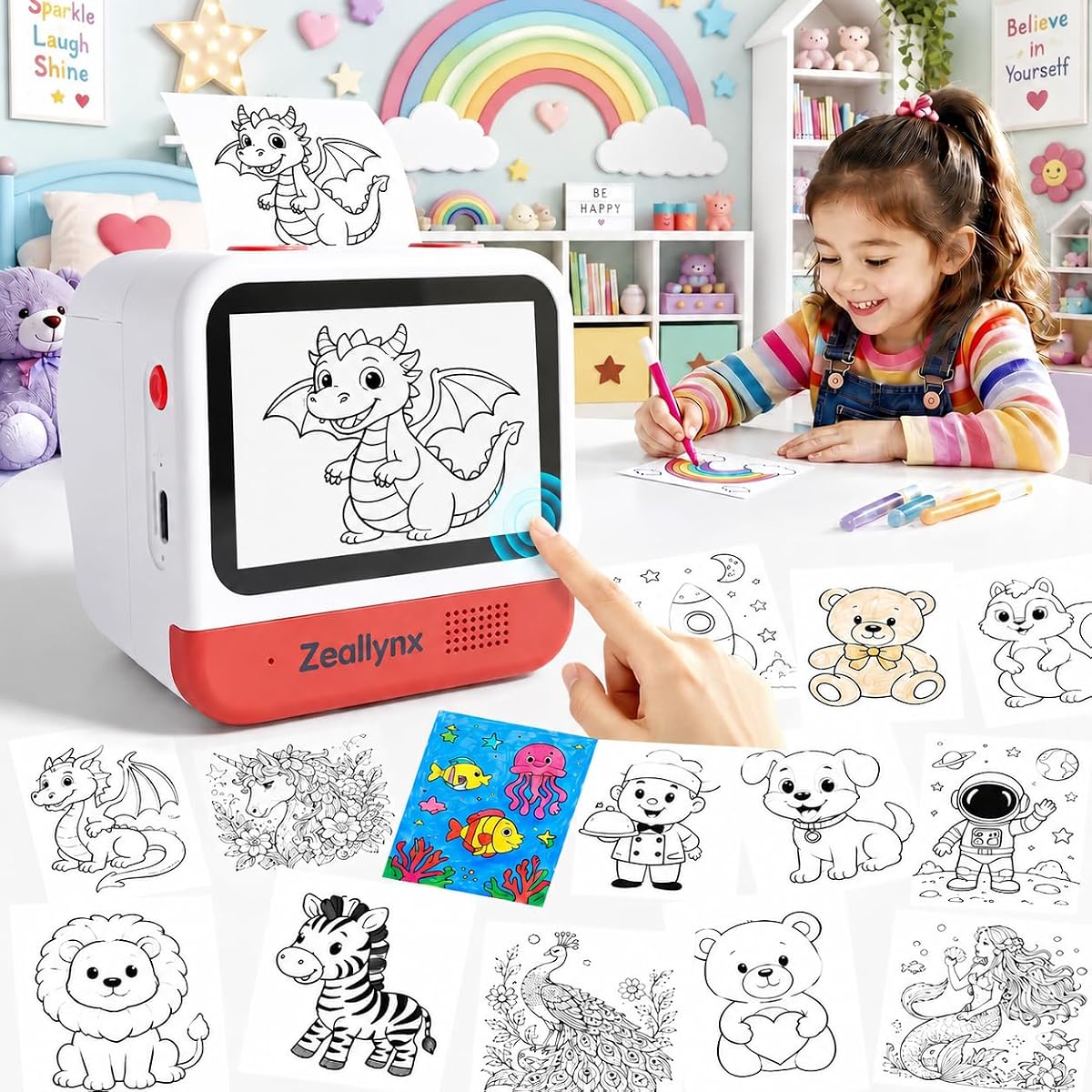

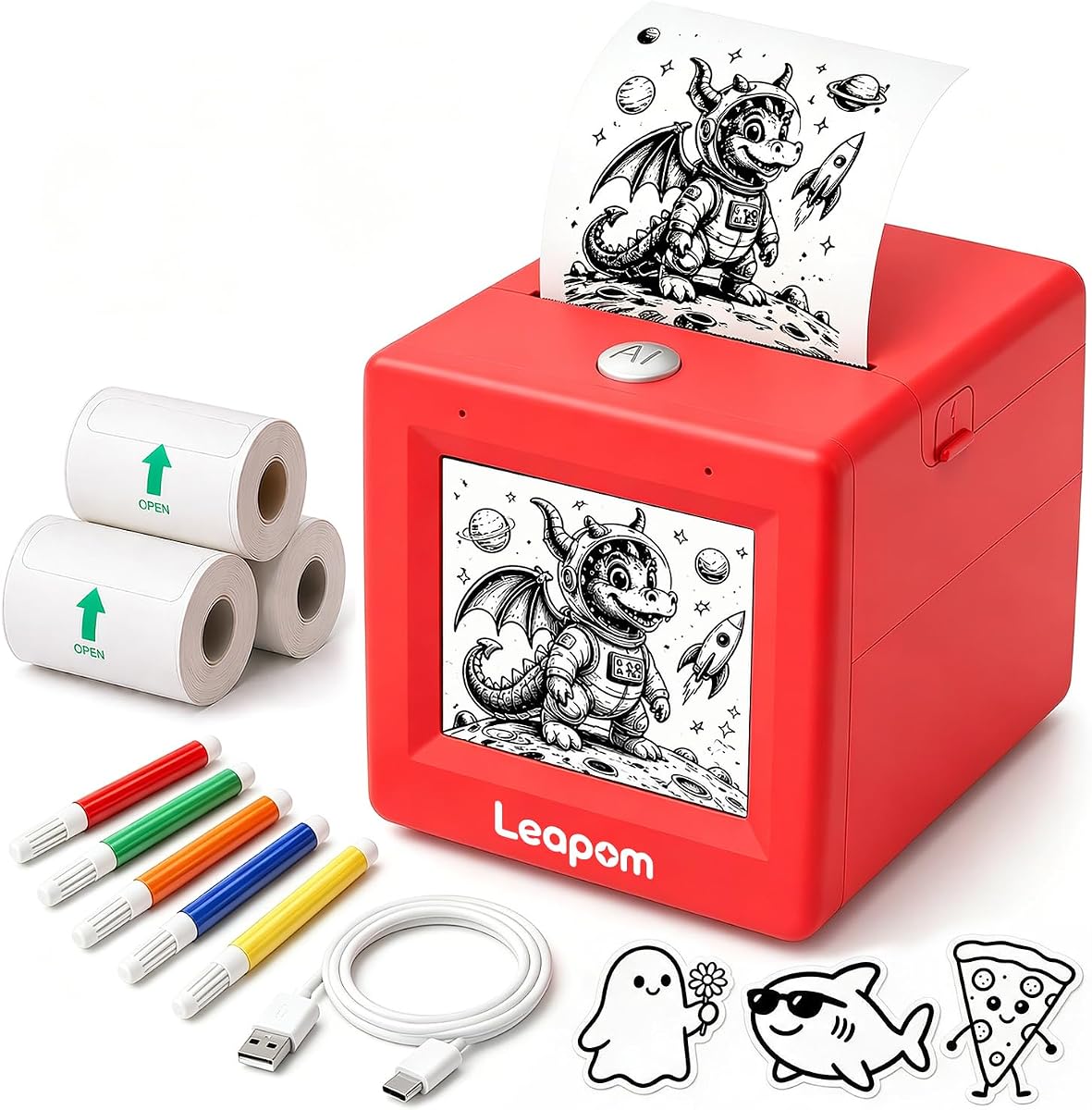


The AI Sticker Maker for Kids stands out as a top choice for families seeking a secure and engaging creative tool. It earned a high rating for its ability to turn voice commands into sticker art instantly. This model prioritizes privacy and ease of use, making it ideal for young children.
We may earn a commission when you buy through this link, at no additional cost to you.
Its voice-to-image technology allows kids to speak ideas and see them printed within seconds. The touchscreen interface is intuitive, letting children select styles without parental help. It connects via Wi-Fi without storing data, ensuring a safe environment for creative exploration.
While it only prints in black and white, the included watercolor pens encourage further artistic expression. The lack of ink cartridges means no mess and lower long-term costs. However, the paper size is fixed, which may limit larger project ideas.
This device is perfect for parents who want a screen-free creative outlet that still uses advanced AI. It fosters imagination and communication skills effectively. We recommend it for any child who loves storytelling and drawing.
It transforms spoken thoughts into tangible stickers effortlessly. The device is easy to set up and use right out of the box.
Its privacy features ensure peace of mind for parents concerned about data collection.
The creative kit promotes hands-on art and reduces screen time significantly.
Built-in content filters ensure all output remains age-appropriate and safe for kids.
Watercolor pens and thermal paper rolls let children color and customize prints immediately.
We may earn a commission when you buy through this link, at no additional cost to you.
The Liene PixCut S1 is the ultimate choice for serious crafters needing professional-grade sticker output. It delivers full-color prints with dye-sublimation technology that lasts over time. This all-in-one device handles both printing and cutting, streamlining the DIY process effectively.
We may earn a commission when you buy through this link, at no additional cost to you.
Its AI image extraction feature recognizes subjects and cuts around them with pinpoint accuracy. The 300 DPI resolution ensures every detail is captured sharply in vibrant hues. Users can edit and cut directly from their smartphones for seamless workflow.
While it requires an app for operation, the results justify the extra step. The stickers are waterproof and scratch-resistant, making them durable for daily use. The higher cost reflects the premium build and advanced features included.
We recommend this for hobbyists who want high-quality custom stickers for projects or gifts. It offers unmatched versatility in the home crafting space. The learning curve is worth the professional results achieved.
Dye-sublimation ensures colors stay true and do not fade easily over time.
Precision cutting saves time and creates clean edges for professional-looking stickers.
The app interface provides extensive templates and design elements for creativity.
High-resolution dye-sublimation prints produce vibrant, true-to-life colors that resist fading.
Integrated printing and cutting reduce steps needed to create finished stickers.
We may earn a commission when you buy through this link, at no additional cost to you.
The AI Voice Sticker Printer offers exceptional value for its low price and high feature count. It received a perfect rating for its reliability and user-friendly design. This mini printer is perfect for on-the-go creative projects and personal journaling.
We may earn a commission when you buy through this link, at no additional cost to you.
It features a color preview screen that helps users avoid wasting paper on unwanted prints. The device includes seven art styles to suit different creative needs. Voice control is accurate and responsive for quick sticker generation.
Battery life is decent but not the strongest in its class. The print size is compact, which limits large designs. However, for casual use and gifts, it exceeds expectations in performance and quality.
This is an ideal pick for budget-conscious buyers who want modern AI features. It is lightweight and easy to carry anywhere. We suggest it for kids who need an affordable creative toy.
The preview screen saves materials by showing designs before printing.
Seven art styles provide variety without needing complex software.
It includes four rolls to start creating immediately without extra purchases.
Low entry price makes advanced AI printing accessible to everyone.
Color LED display ensures prints are satisfactory before they are created.
We may earn a commission when you buy through this link, at no additional cost to you.
The Sticker Printer AI shines with its seamless touchscreen interface that simplifies operation. It achieved a perfect score for ease of use and direct functionality. Users can create stickers without needing any external apps or accounts.
We may earn a commission when you buy through this link, at no additional cost to you.
Its touchscreen allows for quick selection of modes like drawing and storytelling. Voice input works smoothly alongside touch for hybrid control options. Wi-Fi connectivity makes setup straightforward for any household.
It lacks some advanced app-based features but gains reliability and privacy. The print quality is sharp and consistent for thermal technology. This unit is great for classrooms or home use.
We recommend this for families who want a no-fuss creative device. It eliminates app installation and keeps focus on creation. It is a solid choice for quick DIY projects.
Touchscreen controls make navigation easy for children of all ages.
No app requirement ensures faster start times and less distraction.
Voice and touch modes offer flexible ways to generate art.
Touchscreen interface allows for immediate selection of modes and styles.
Wi-Fi connection and no app requirement reduce technical barriers.
We may earn a commission when you buy through this link, at no additional cost to you.
The Stickerbox AI Voice stands out for its screenless design that encourages focused play. It uses voice commands to print stickers without any visual distractions. This device is designed to foster creativity through listening and speaking.
We may earn a commission when you buy through this link, at no additional cost to you.
It is KidSAFE certified and stores no personal data for safety. The thermal printing is clean and quick for various projects. Children can color the prints afterward to customize them further.
The lack of a screen means no visual feedback during creation. The price is higher than some comparable models. However, the focus on mental creativity justifies the design choice.
We suggest this for parents wanting to limit screen time for kids. It provides a tactile creative experience that feels unique. It is a great alternative to digital drawing apps.
Screenless design reduces distractions during playtime.
KidSAFE certification ensures a secure environment for children.
Voice prompts help develop communication and language skills.
Screenless design helps kids focus on imagination rather than digital interaction.
Built with privacy-first philosophy to keep personal data safe.
We may earn a commission when you buy through this link, at no additional cost to you.
The AI Voice Sticker Maker is an excellent portable tool for journaling and travel crafts. It is compact and lightweight enough to fit in a backpack. The app support adds extra versatility for custom designs.
We may earn a commission when you buy through this link, at no additional cost to you.
It uses inkless thermal printing for clean and easy operation. The voice-to-image feature makes creation quick and simple for young kids. Free templates in the app provide endless possibilities.
The app requires download for full functionality. The print size is small and limited to certain shapes. These are minor drawbacks for such a portable unit.
We recommend this for kids who enjoy scrapbooking and travel journals. It is a fantastic gift for creative children on the go. Its size makes it easy to share or carry.
Compact design fits easily into bags for travel.
Inkless printing keeps hands clean and reduces maintenance.
Free app provides templates to extend creative potential.
Lightweight and small form factor makes it ideal for travel.
Free app offers templates to expand beyond voice commands.
We may earn a commission when you buy through this link, at no additional cost to you.
The AI Voice Activated Sticker Printer offers a clear HD screen for precise design viewing. It is designed to encourage parent-child activities through shared creative tasks. This unit is sturdy and easy to carry for daily use.
We may earn a commission when you buy through this link, at no additional cost to you.
Its voice-to-image feature allows instant sticker generation. The screen lets users tweak ideas before printing. Inkless technology ensures a clean environment for kids.
It lacks advanced connectivity options but works well for basic needs. The controls are simple and intuitive for all ages. It is a reliable tool for consistent output.
We recommend this for families looking for a shared creative toy. It helps parents engage with children in creative fun. It is a solid option for classroom activities.
HD screen ensures clear visibility for all designs.
Sturdy build withstands daily handling by children.
Simple voice activation makes printing accessible for everyone.
HD screen provides clear previews to help plan creative ideas.
Designed to foster parent-child interaction during sticker making.
We may earn a commission when you buy through this link, at no additional cost to you.
The Mini Sticker Printer is a versatile tool for students and small businesses. It offers AI functions to enhance printing capabilities. Its pocket size makes it easy to store in a drawer.
We may earn a commission when you buy through this link, at no additional cost to you.
It connects via Bluetooth for easy printing from phones. The AI sticker mode helps create fun labels quickly. It supports both sticky and non-sticky paper types.
It relies on a phone for full app functionality. The print size is small but suitable for notes. This is ideal for students needing quick study aids.
We suggest this for learners who need study aids or planners. It adds fun to organizing materials. It is a practical tool for daily tasks.
Compact size allows it to be stored anywhere.
AI features enhance creative and study outputs.
Bluetooth connection supports easy phone integration.
Ideal for printing flashcards and study notes instantly.
Works with both adhesive and standard paper for different tasks.
We may earn a commission when you buy through this link, at no additional cost to you.
The UtechSmart AI Voice printer offers both Wi-Fi and Bluetooth connectivity. It provides six distinct art styles for different creative outcomes. This device balances voice commands with manual app controls.
We may earn a commission when you buy through this link, at no additional cost to you.
Its voice-to-image feature works well for quick sticker creation. The app adds more design possibilities. It is portable and easy to carry for travel.
Initial setup might take some time for full use. The thermal paper is standard but effective. It is a strong choice for tech-savvy families.
We recommend this for kids who want options in how they print. It bridges voice and app control effectively. It is a solid gift for birthdays.
Dual connectivity options provide flexible setup choices.
Six art styles offer diverse creative possibilities.
App support extends functionality beyond voice commands.
Wi-Fi and Bluetooth options give users choice in connectivity.
Six art styles allow kids to explore different visual effects.
We may earn a commission when you buy through this link, at no additional cost to you.
The AI Voice Sticker Maker features a 3.5-inch touchscreen for easy navigation. It includes a built-in voice companion for guidance and inspiration. This model focuses on privacy and independent use.
We may earn a commission when you buy through this link, at no additional cost to you.
Its voice chat feature suggests creative ideas during creation. The touchscreen allows instant preview and editing. It does not require any external app installation.
It relies on Wi-Fi for voice commands. The screen size is large enough for clear previews. This is great for independent creative play.
We recommend this for older kids who need more screen space. It is an excellent gift for self-directed projects. Its size offers a better visual experience.
Large touchscreen provides clear previews for all designs.
Voice assistant adds educational value and inspiration.
No app requirement ensures private and simple setup.
3.5-inch screen offers a clear view for precise editing.
Built-in chat helps kids explore ideas without external apps.
We may earn a commission when you buy through this link, at no additional cost to you.
Selecting the right AI sticker printer maker involves evaluating several key factors to match your needs.
Ensure the device can understand a variety of accents and speech patterns for reliable output. High accuracy reduces frustration during creative sessions.
Look for models with tested voice command response rates and positive user reviews on clarity.
Evaluate resolution and contrast to ensure designs are sharp and clear. Higher DPI results in more detailed and professional-looking stickers.
Choose thermal printers with high-resolution capabilities for the best visual results.
Decide if you prefer app-free operation or want extra features from an app. Some devices require apps for advanced editing while others work independently.
Consider whether app dependency aligns with your privacy and usage preferences.
Check the weight and size to see if the unit fits easily in bags or desks. Portable models are ideal for travel and outdoor activities.
Select compact units if you plan to use them in different locations frequently.
Assess the battery capacity to understand how long the device lasts on one charge. Longer battery life supports extended creative sessions without interruption.
Look for models with long-lasting batteries to ensure uninterrupted use throughout the day.
Verify that the device does not store voice data or personal information for safety. Content filters are essential for protecting children from inappropriate content.
Choose devices with clear privacy policies and certified safety ratings for peace of mind.
Check if the printer supports standard or proprietary paper types for cost efficiency. Compatibility with third-party rolls can reduce ongoing costs.
Ensure the device is compatible with easy-to-find paper refills for long-term use.
Look for kits that include starter packs of paper and coloring tools. Bundled accessories provide immediate creative opportunities after purchase.
Prioritize models that offer comprehensive starter kits for best value.
Begin by connecting the device to power or charging it fully before first use. Follow the setup instructions to link it to Wi-Fi or Bluetooth if needed. Ensure the paper roll is loaded securely to prevent jams.
Use voice commands or the touchscreen to describe your desired sticker design. The device will generate the print which you can then color or peel as needed. Keep the device clean by wiping it with a dry cloth regularly.
Store the printer in a cool, dry place away from direct sunlight to preserve its battery. Replace paper rolls as needed and keep them sealed until use to maintain quality. Regular care extends the life and performance of your device.
Some models operate independently without an app, while others use apps for advanced features. Check the product details to see if app dependency is necessary for your preferred workflow.
Battery life varies by model but typically ranges from a few hours to a week on standby. Look for specifications to choose a device that meets your daily usage needs.
Many thermal stickers are water-resistant but not fully waterproof unless specified. For long-lasting durability, consider premium models with lamination or special coatings.
Most affordable models print in black and white, while premium ones offer full color options. Choose based on whether you need color or simple outlines for coloring.
These printers use thermal paper rolls which are widely available. Ensure compatibility with the device to avoid printing issues or poor quality.
Yes, most devices include content filters and privacy features to ensure safety. Look for certifications like KidSAFE for added peace of mind.
Models with app support allow photo printing while others focus on voice commands. Check connectivity options to confirm if phone photo import is supported.
Most devices do not require subscriptions for basic functions. However, some apps may offer premium features that require payments for additional content.
The AI Sticker Maker for Kids stands out as our top pick for its secure and easy voice interaction. It balances safety with creativity to deliver an enjoyable experience for children of all ages.
Prioritize your needs on features like portability or color printing to find the best match. Consider the included accessories and battery life to ensure consistent performance.
Always verify current pricing and availability before purchase to make the best decision. Technology evolves quickly so staying informed will help you choose wisely for your family.