
ASUS ROG G700 Gaming Desktop PC
4.7Editor score
Intel Core Ultra 7 265F
32GB DDR5 RAM and RTX 5060
Windows 11 Pro and RGB Accessories
This guide compares the top ten ASUS Desktop PC models for performance, value, and features to help you choose the right system for your needs.
Finding the right desktop computer can be challenging with so many options available today. ASUS offers a wide range of powerful machines tailored for business, gaming, and home use that meet diverse computing demands effectively.
We have carefully evaluated ten distinct ASUS Desktop PC models based on their processing power, memory capacity, storage options, and connectivity features. This list covers everything from budget-friendly office towers to high-end gaming rigs.
Each pick highlights specific strengths and ideal use cases to guide your decision-making process. Remember that product availability and pricing fluctuate frequently so verify current details before making your final purchase decision online.
4.7Editor score
5.0Editor score

4.2Editor score
The following comparison table provides a side-by-side overview of the key specifications for all ten ASUS Desktop PC models featured in this guide.


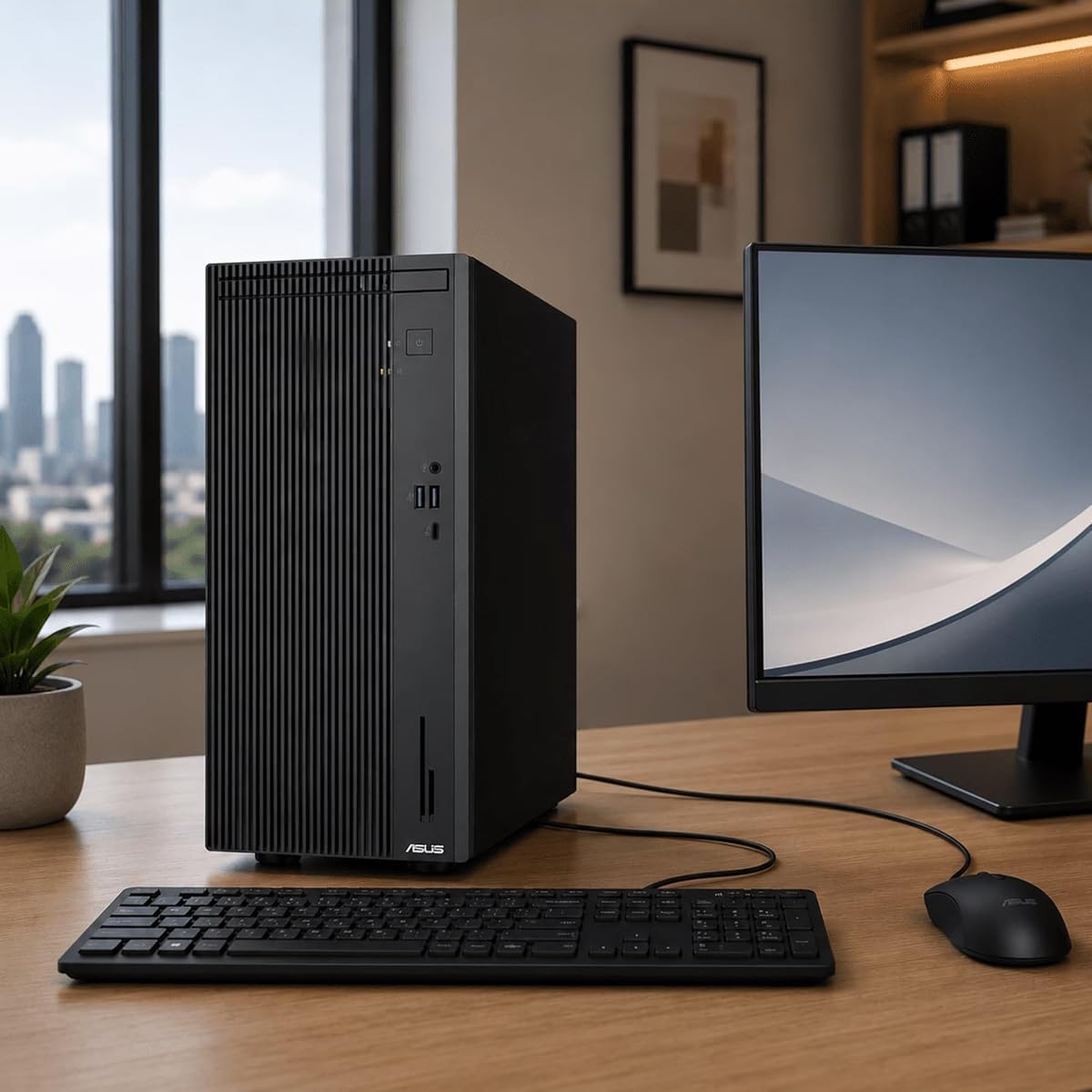
This ASUS V500 Business Tower stands out as a top choice for professionals seeking reliable desktop power. It boasts a perfect five-star rating reflecting its consistent performance and user satisfaction across various business applications.
We may earn a commission when you buy through this link, at no additional cost to you.
The 10-core Intel Core i7 processor ensures seamless multitasking for demanding office software and creative tools. Its 16GB DDR5 RAM allows smooth operation with multiple browser tabs and applications open simultaneously without lag.
While it lacks discrete graphics for gaming, the integrated graphics handle 4K video streaming and light creative tasks well. The storage configuration offers a good balance of speed and capacity for everyday document and media management.
Business users will appreciate the included keyboard and mouse bundle that ensures immediate setup upon unboxing. This desktop delivers robust productivity capabilities making it a standout option for office environments and home workstations.
The combination of 10 cores and 16 threads ensures that complex workflows run smoothly without system slowdowns.
Multiple USB ports and video outputs allow easy connection to peripherals and dual monitor setups.
We may earn a commission when you buy through this link, at no additional cost to you.
The ASUS ROG G700 Gaming Desktop PC offers an exceptional entry point for gamers wanting modern performance without overspending. Its high rating highlights user satisfaction with its gaming capabilities and overall system reliability.
We may earn a commission when you buy through this link, at no additional cost to you.
Equipped with the latest Intel Core Ultra 7 processor and NVIDIA GeForce RTX 5060 graphics it handles modern titles effectively at high resolutions. The generous 32GB DDR5 RAM ensures future-proofing for upcoming game engines and multitasking needs.
Storage speed is a key advantage with the 1TB NVMe SSD providing quick load times for applications and games. The included RGB keyboard and mouse add aesthetic value while maintaining functional quality for daily use.
Gamers looking for a ready-to-play setup will find this system compelling given its bundled accessories and robust hardware. It represents a balanced investment for those prioritizing gaming frame rates and system stability on a budget.
The RTX 5060 graphics card delivers smooth frame rates in popular esports and AAA titles today.
32GB of high-speed DDR5 memory ensures the system remains responsive as software demands increase.
We may earn a commission when you buy through this link, at no additional cost to you.
This ASUS ROG GM700 represents the pinnacle of desktop gaming technology with its powerful AMD Ryzen and Radeon combination. The system is designed for enthusiasts who demand maximum frame rates and visual fidelity in their gaming experience.
We may earn a commission when you buy through this link, at no additional cost to you.
The Ryzen 7 9800X3D processor excels in gaming scenarios due to its specialized cache architecture that reduces latency significantly. Paired with the RX 9070 XT Prime OC graphics card it handles ray tracing and high-resolution rendering with ease.
Storage is plentiful with a 2TB NVMe SSD ensuring ample room for large game libraries and quick access to files. The 32GB DDR5 RAM further supports heavy multitasking allowing streamers to run multiple applications smoothly.
Enthusiasts will appreciate the advanced thermal design that keeps components cool under sustained heavy loads during gaming sessions. This PC stands as a benchmark for performance-oriented builds willing to invest in top-tier hardware components.
The combination of 3D V-Cache CPU and high-end GPU ensures unparalleled performance in demanding games.
Two terabytes of PCIe Gen 4.0 SSD storage provide near-instant load times and ample capacity.
We may earn a commission when you buy through this link, at no additional cost to you.
The ASUS S501MER Desktop PC focuses on delivering reliable performance for everyday productivity tasks and general computing needs. Its competitive rating suggests users find it dependable for office work and media consumption at home.
We may earn a commission when you buy through this link, at no additional cost to you.
Powered by the Intel Core i7-14700 processor this system handles multiple browser tabs and office applications with efficiency. The 16GB DDR5 RAM provides sufficient headroom for moderate multitasking without slowing down system responsiveness.
Connectivity is modern with Wi-Fi 6E support ensuring stable wireless speeds for cloud-based work and video conferencing. The inclusion of both HDMI and DisplayPort outputs allows for flexible multi-monitor setups to enhance workflow efficiency.
Users seeking a no-fuss desktop for business or education will find this model well-suited to their requirements. It balances performance and cost effectively making it a practical choice for general desktop computing tasks.
Wi-Fi 6E capability ensures fast and stable internet connections for cloud apps and streaming.
Multiple M.2 slots allow future upgrades to storage capacity as data needs grow over time.
We may earn a commission when you buy through this link, at no additional cost to you.
This ASUS V500 model distinguishes itself with an impressive 32GB of RAM ideal for heavy multitasking and virtual environments. Its perfect rating indicates strong customer satisfaction regarding its reliability and performance in daily use cases.
We may earn a commission when you buy through this link, at no additional cost to you.
The integrated Intel UHD Graphics support 4K resolution on two monitors simultaneously making it excellent for trading or coding. This capability allows users to maintain high visual clarity across multiple screens without needing a dedicated GPU.
Storage performance is enhanced by the PCIe SSD ensuring quick boot times and fast application launches for productivity. The 13th Gen i7 processor provides the necessary computational power to drive these displays and applications smoothly.
Professionals needing a dual-screen workspace without high costs will find this configuration highly practical and efficient. It serves as a solid bridge between basic office PCs and high-performance workstations for general users.
HDMI and DisplayPort outputs enable seamless connection to two 4K monitors for expanded workspace.
32GB of RAM ensures that memory-intensive applications run smoothly without system resource conflicts.
We may earn a commission when you buy through this link, at no additional cost to you.
The ASUS ROG G700 (2026) brings next-generation cooling technology to the gaming desktop market. While new to the market it sets expectations high for thermal management and sustained performance under load.
We may earn a commission when you buy through this link, at no additional cost to you.
A 240mm liquid cooler combined with a quad-fan system ensures that CPU temperatures remain low even during extended gaming. This thermal solution allows the processor to maintain high boost clocks without throttling due to heat buildup.
The NVIDIA GeForce RTX 5070 provides powerful graphics performance capable of handling demanding AAA titles effectively. Its integration with the dual-glass chassis creates a striking visual appeal that matches the internal performance capabilities.
Gamers who prioritize thermal stability and system longevity will appreciate this engineering focus on advanced cooling solutions. It represents a forward-looking choice for those seeking high-end features in a ready-built desktop package.
Liquid cooling keeps the CPU cool enabling sustained high performance during intense gaming sessions.
Dual-glass design with RGB lighting creates a visually striking gaming centerpiece for any room.
We may earn a commission when you buy through this link, at no additional cost to you.
This ASUS V500 variant adds value by including a high-speed USB flash drive alongside the main desktop unit. While the rating is lower it still represents a functional solution for basic office and home computing needs.
We may earn a commission when you buy through this link, at no additional cost to you.
The processor choice matches the top model ensuring fast task execution for standard business applications and web browsing. Windows 11 Pro offers enterprise-level features like BitLocker encryption that enhance security for sensitive data.
The bundled storage device facilitates easy data transfer between devices which is convenient for users on the move. Connectivity options remain robust with USB ports and video outputs catering to standard workstation requirements.
Buyers looking for a complete bundle at a lower cost will find this specific configuration appealing for its extras. It provides a practical solution for small offices needing secure and efficient desktop computing capabilities.
The included USB flash drive simplifies transferring files between different workstations or locations.
Windows 11 Pro adds extra security and management tools suitable for business environments.
We may earn a commission when you buy through this link, at no additional cost to you.
The ASUS ROG Strix G700 stands out as a monster workstation offering unprecedented storage and memory configurations. Its perfect rating reflects the enthusiasm of users needing such extreme specs for professional workloads.
We may earn a commission when you buy through this link, at no additional cost to you.
With 11TB of total storage this machine handles vast media libraries and datasets effortlessly. The 128GB DDR5 RAM ensures that even the most memory-hungry applications run simultaneously without any performance degradation.
The Core Ultra 9 processor delivers top-tier compute power suitable for rendering and compiling complex projects. While the GPU is strong it is secondary to the raw data handling capabilities of this specific build.
Content creators and engineers requiring massive local storage and memory will find this system unmatched in its class. It is a specialized tool for those whose primary need involves handling large files and complex computations.
Eleven terabytes of storage provide ample room for years of media and project files.
Ultra 9 CPU and 128GB RAM deliver exceptional speeds for professional heavy computing tasks.
We may earn a commission when you buy through this link, at no additional cost to you.
This variant of the ASUS V500 takes memory capacity to the extreme with a full 64GB of DDR5 RAM. It caters to users who run virtual machines or heavy data processing tools alongside daily work tasks.
We may earn a commission when you buy through this link, at no additional cost to you.
The combination of high RAM and fast SSD ensures that large datasets load quickly into memory for processing. While graphics are integrated the CPU handles general workloads efficiently ensuring system responsiveness during heavy usage.
The dual monitor support allows for extensive multitasking which complements the high RAM capacity well. This setup is particularly useful for developers and analysts needing to run multiple environments simultaneously.
Professionals prioritizing memory availability over graphical power will find this specific configuration uniquely suited to their needs. It bridges the gap between consumer desktops and professional workstations for high-memory tasks.
64GB of RAM supports running multiple virtual machines without performance compromises.
Ample memory ensures smooth operation when working with large datasets and complex software.
We may earn a commission when you buy through this link, at no additional cost to you.
The ASUS Business Desktop PC delivers a focused solution for corporate environments with its compact and efficient design. Its perfect rating highlights its success in meeting standard office requirements without unnecessary complexity.
We may earn a commission when you buy through this link, at no additional cost to you.
Windows 11 Pro ensures enhanced security features that are critical for protecting business data and network integrity. The 16GB DDR5 memory provides ample speed for multitasking across productivity applications and browsers.
Storage speed ensures that the system boots quickly and handles file transfers efficiently for daily office tasks. The physical footprint is designed to fit comfortably on most office desks without taking up too much space.
Business managers looking for reliable and secure desktop solutions will find this model highly practical and efficient. It offers a balanced blend of performance and security suitable for modern workplace needs.
Windows 11 Pro provides advanced security tools ideal for corporate data protection.
Small tower design saves valuable desk space in crowded office workstations.
We may earn a commission when you buy through this link, at no additional cost to you.
Selecting the right desktop requires evaluating hardware components against your specific usage requirements and budget constraints.
The central processing unit drives overall system speed and multitasking ability so look for models with higher core counts for professional work. Modern processors from Intel and AMD offer significant improvements in efficiency and speed for daily tasks.
Prioritize multi-core CPUs if you run heavy applications to ensure smooth performance during demanding workloads.
Random Access Memory determines how many programs can run simultaneously without slowdowns affecting your workflow efficiency. For general office work 16GB is sufficient but creative professionals benefit from 32GB or more for complex projects.
Ensure the system uses DDR5 memory for faster data transfer rates and improved future compatibility.
Solid State Drives offer significantly faster boot times and file access compared to traditional hard drives improving responsiveness. Aim for at least 1TB of NVMe storage to accommodate operating systems and application libraries comfortably.
Consider expandable storage options if your data requirements grow over time.
Integrated graphics are adequate for office and media tasks but gamers need dedicated GPUs for high frame rates. Dedicated cards allow for advanced features like ray tracing which enhances visual realism in modern games.
Select a GPU that matches your primary usage goals to avoid unnecessary expenditure.
Modern desktops should offer a variety of USB and video ports to connect peripherals and multiple monitors easily. Check for HDMI and DisplayPort options if you plan to use dual screen setups for productivity.
Verify Wi-Fi speeds to ensure fast and reliable network access for cloud computing.
Windows 11 Home provides a solid base for most users but Pro versions offer better security and management tools. Businesses should consider Pro editions for enhanced encryption and remote management capabilities.
Ensure the license is included to simplify the initial setup and activation process.
Effective cooling systems prevent thermal throttling which can reduce performance during extended usage sessions. Look for models with optimized airflow or liquid cooling solutions for high-performance gaming desktops.
Proper thermal design ensures system longevity and consistent performance over time.
Desktop towers vary in size so measure your available space to ensure the unit fits comfortably on your desk. Smaller form factors may offer less internal expansion potential but save valuable office space.
Consider the aesthetic of the case to ensure it matches your workspace design.
Place your desktop in a well-ventilated area away from direct sunlight to prevent overheating and ensure the cooling fans function correctly. Keeping the intake vents clear of dust helps maintain internal component longevity and consistent system performance.
Regularly update your operating system and drivers to ensure compatibility with the latest software applications and security patches. Using high-quality surge protectors can safeguard your hardware from power fluctuations that might cause damage to internal components.
Organize your files efficiently on the SSD to maximize storage performance and keep your workspace clutter-free. Periodic maintenance such as clearing temporary files and managing startup programs helps keep the system running smoothly.
Most models allow RAM upgrades as they feature accessible slots for expansion. Check specific documentation for maximum capacity limits and ensure compatibility with DDR5 standards before purchasing new memory modules for your system.
Windows 11 Pro includes advanced security features like BitLocker and remote management tools beneficial for business environments. Home versions lack these specific enterprise features but provide all the standard tools needed for everyday personal use.
Yes most models support at least two displays through HDMI and DisplayPort connections. Check the specific port count on the back of the unit to ensure you can connect the number of screens you require.
Many business and gaming bundles include a basic wired keyboard and mouse right out of the box. Gaming variants often provide RGB accessories while business models focus on standard ergonomic input devices for productivity.
Business units are generally designed for quiet operation while gaming PCs may have louder fans under heavy load. Advanced thermal designs help keep noise levels reasonable even during demanding tasks like rendering or gaming.
Standard warranty terms typically cover one year for hardware components though some models include extended protection plans. Always check the seller page for details on additional coverage options and specific support terms.
All units feature multiple USB ports allowing easy connection to external hard drives and flash storage. These connections are useful for backing up data or expanding total storage capacity without internal installation.
Pre-built units often have proprietary power supplies which can make upgrades difficult or impossible without replacement. It is best to choose a model with sufficient wattage for your needs to avoid compatibility issues.
This guide highlights ten distinct options ranging from reliable office towers to high-performance gaming rigs tailored for different user needs. Selecting the right system depends heavily on your specific workload and budget constraints.
Prioritize memory and processing speed if you handle complex tasks while graphics performance should take precedence for gamers. Ensure connectivity meets your peripheral needs to avoid bottlenecks in your daily workflow.
Prices and availability change frequently so verify the current status and offers before completing your purchase. Regularly checking product pages ensures you secure the best deal on the specifications you require.