
Lenovo Chromebook S330 Laptop
4.2Editor score
Very affordable entry level price
Up to 10 hours battery life
Includes 100GB cloud storage
Finding a reliable machine for daily tasks does not require a massive budget. Modern technology offers affordable devices that handle browsing, streaming, and office work with ease. Whether you are a student, a remote worker, or a casual user, there is a perfect fit for your specific needs without breaking the bank.
We have analyzed ten top-rated models available right now to bring you this comprehensive list. Our evaluation focuses on performance, battery life, display quality, and overall value for money. Each product has been selected based on user feedback, technical specifications, and real-world reliability in everyday scenarios.
Each pick below highlights key strengths and potential trade-offs to help you decide quickly. We include detailed specs and pros and cons for every model. Please note that prices and availability can change rapidly, so verify current details before making your final purchase decision online.
4.2Editor score

4.3Editor score

4.5Editor score
As an Amazon Associate we earn from qualifying purchases.
The following table provides a side-by-side look at the ten selected models. Compare key specifications like processor type, memory, storage, and display size to find the exact match for your daily computing requirements and budget constraints.




The HP Chromebook 14 stands out as a top contender for everyday users seeking reliability. With a rating of 4.3 stars, it balances performance and portability effectively. The long battery life ensures you can work through a full day without hunting for an outlet.
We may earn a commission when you buy through this link, at no additional cost to you.
Its Intel Celeron N4120 processor handles browsing, docs, and streaming smoothly. The anti-glare display makes it comfortable for indoor and outdoor use. Connectivity is robust with Wi-Fi ac and Bluetooth support for modern peripherals and accessories.
While the storage is limited to 64 GB, cloud integration via Google Drive mitigates this for most users. The 14-inch screen offers a good balance between visibility and portability for travel or commuting to classes.
This model is ideal for students and home users who prioritize battery life over heavy local storage. If you need a dependable machine for basic tasks, this Chromebook delivers excellent value and ease of use daily.
Enjoy up to 14 hours of battery life so you can work uninterrupted from morning until night without charging.
Chrome OS provides automatic updates and built-in security to keep your data safe from viruses and malware threats.
We may earn a commission when you buy through this link, at no additional cost to you.
The Amzboy 15.6 offers a rare find in the budget category: a Full HD screen with Windows 11. Its high 4.8 rating reflects user satisfaction with the display and battery design. This model is perfect for those who need a larger screen without spending much.
We may earn a commission when you buy through this link, at no additional cost to you.
Powered by an N4020 CPU, it manages daily Zoom calls and web browsing efficiently. The fanless design means it operates silently, which is great for quiet libraries or bedrooms. You can also expand storage easily via the external slot.
One trade-off is the limited RAM, which might slow down heavy multitasking. However, for standard word processing and streaming, it performs admirably. The Type-C fast charging adds a modern touch to this affordable unit.
If you need a larger display and Windows compatibility on a strict budget, this laptop is a strong choice. It brings essential features like FHD resolution and quick charging to users who typically settle for lesser specs.
Experience a spacious 15.6 inch Full HD display that makes viewing documents and watching videos more immersive.
The fanless solid-state design ensures absolute silent operation so you can focus without distracting noise from the system.
We may earn a commission when you buy through this link, at no additional cost to you.
This 2026 edition HP laptop brings modern AI features to a budget-friendly device. Although specific ratings are not yet listed, the specs suggest a focus on productivity and connectivity. It includes a Microsoft 365 subscription which adds significant value for students and workers.
We may earn a commission when you buy through this link, at no additional cost to you.
The Intel N150 processor handles daily tasks smoothly while Wi-Fi 6 ensures fast wireless speeds. The Natural Silver finish adds a professional look that suits various environments. Ports are well-chosen including USB-C and HDMI for versatile connectivity needs.
While the screen is HD rather than FHD, the anti-glare coating helps reduce eye strain. The inclusion of Copilot AI indicates forward-thinking support for assisted writing and research tasks. It balances form and function well for everyday use.
Ideal for professionals needing a reliable tool with software perks included. The combination of a modern OS and AI tools makes this a smart pick for those wanting a bit more than just basic computing power.
Preloaded with Windows 11 and Copilot AI to help with research, summaries, and everyday productivity tasks efficiently.
Enjoy faster more reliable wireless performance with Wi-Fi 6 that keeps you connected with high speeds everywhere.
We may earn a commission when you buy through this link, at no additional cost to you.
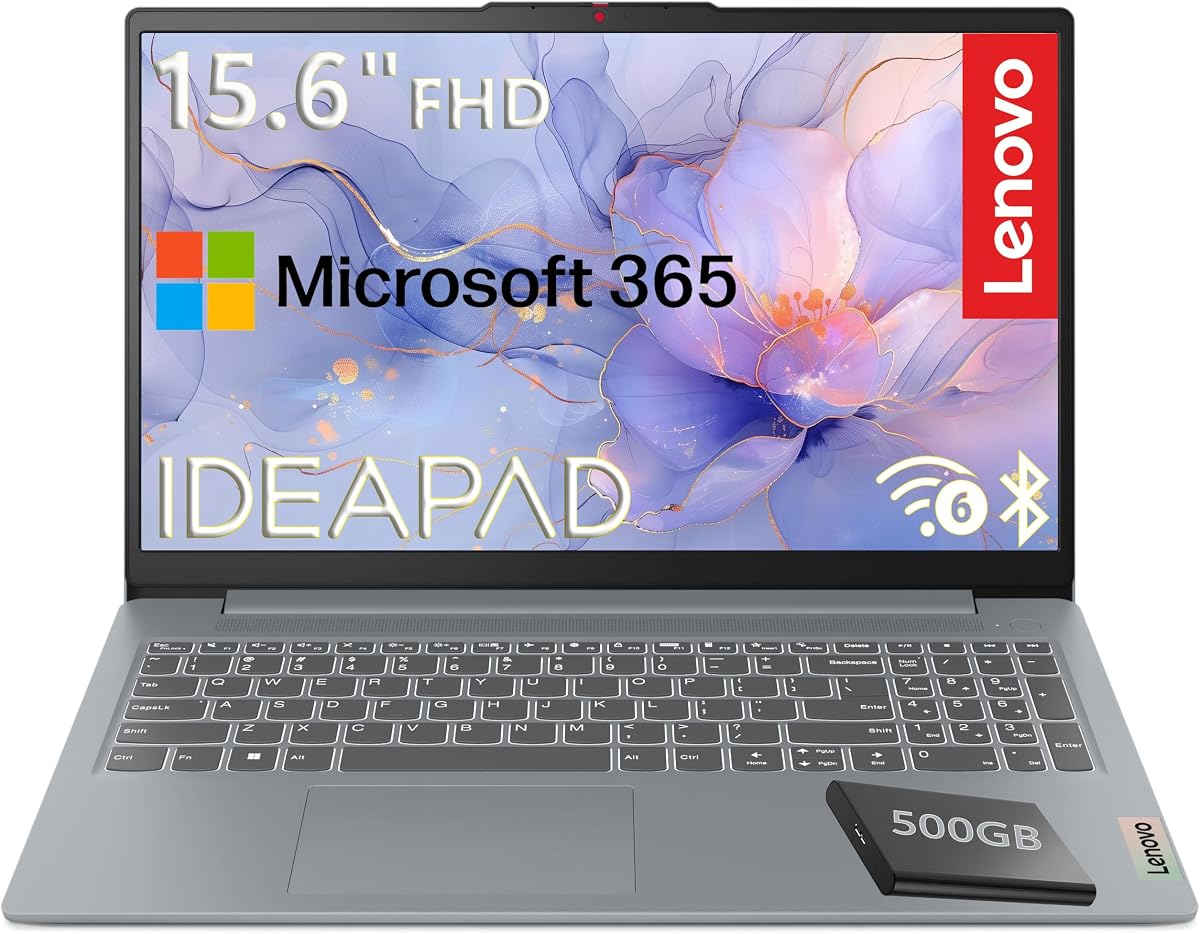
This Lenovo model solves the common budget issue of storage by including a 500GB external hard drive. Rated at 4.2 stars, it offers a robust package for families and students needing more local space. The Intel N100 processor provides reliable performance for schoolwork.
We may earn a commission when you buy through this link, at no additional cost to you.
The 15.6-inch Full HD display ensures crisp visuals for media and tasks. It also features military-grade certification for durability, making it suitable for travel or rough handling. Connectivity is comprehensive with multiple USB ports and an SD card reader.
The external drive might be slightly cumbersome but provides essential bulk storage without cloud dependence. Windows S mode streamlines security but limits app sources which might require switching for some users. Overall it balances specs well.
Best for families or users needing significant offline storage space. The combination of FHD screen, durable build, and extra storage makes this a practical choice for shared home use or heavy file management.
Get 128GB UFS plus 500GB portable external hard drive storage for fast boot times and quick application launches for files.
MIL-STD-810H military grade certification ensures durability through 20 rigorous test items for reliable everyday performance.
We may earn a commission when you buy through this link, at no additional cost to you.
This Chromebook stands out with 8 GB of RAM which is rare at this price point. The 4.4 rating suggests it handles multitasking better than standard 4 GB models. The Intel N100 processor ensures smooth operation for web apps and media streaming.
We may earn a commission when you buy through this link, at no additional cost to you.
Universal Flash Storage offers faster speeds and lower power consumption than older eMMC drives. The anti-glare display helps maintain visibility in bright environments like classrooms or sunny cafes. Chrome OS keeps the system secure and up to date automatically.
While it runs Chrome OS which relies heavily on internet apps, the cloud-first approach suits most everyday users. The lack of FHD is a minor compromise given the performance benefits of higher RAM. It is responsive and efficient.
Recommended for power users on a budget who need better multitasking capability. If you run many tabs simultaneously, the extra RAM here ensures the system stays fluid and responsive throughout your workday.
8 GB LPDDR5 RAM memory is power efficient and provides speedy responsive performance for multitasking and apps.
Chrome OS runs Chrome OS designed by Google that has never had a virus and keeps everything automatically up to date.
We may earn a commission when you buy through this link, at no additional cost to you.
The S330 is one of the most affordable Chromebooks available today. It is perfect for basic browsing, email, and document viewing. Its 4.2 rating reflects solid reliability for simple daily tasks without complex performance demands.
We may earn a commission when you buy through this link, at no additional cost to you.
Weighing just 3.3 lbs it is incredibly portable for travel. The battery lasts up to 10 hours which covers a typical school day. Google Drive cloud storage compensates for the low local storage capacity by saving files online securely.
The 32 GB local storage requires good cloud discipline but works well for streaming users. Setup is instant with just a Google account needed. It lacks power but excels at simplicity and value for money.
Perfect for young students or seniors needing a simple device. If your needs are limited to light web tasks this laptop offers the lowest cost of entry into reliable everyday computing.
Enjoy 100 GB of cloud storage via Google Drive available for 2 years to keep your stuff accessible online.
This computer is less than 1 inch thick and 3.3 lbs light making it perfect for day to day work.
We may earn a commission when you buy through this link, at no additional cost to you.
This model targets productivity with a dedicated Microsoft Copilot key and noise reduction audio. It is rated 4.5 stars indicating strong user satisfaction with its workflow tools. The 14-inch micro-edge display offers a modern look for any workspace.
We may earn a commission when you buy through this link, at no additional cost to you.
The Intel N150 processor handles editing documents and streaming efficiently. It includes a 1-year Microsoft 365 Personal subscription adding value for word processing needs. The willow green top cover gives it a distinct professional aesthetic.
While the screen is not FHD, the brightness and color coverage are adequate for most tasks. The AI features help with summaries and research which boosts daily output. It balances modern software support with essential hardware.
Ideal for students and professionals who need office software and AI assistance. If you value integrated productivity tools over raw gaming power, this laptop provides the right balance for daily office work and learning.
Access Microsoft Copilot instantly with the dedicated Copilot key for faster assistance on research and summaries.
Stay connected with Wi-Fi 6 and Bluetooth 5.4 for faster wireless speeds and seamless pairing with accessories.
We may earn a commission when you buy through this link, at no additional cost to you.
This Lenovo Chromebook brings a touchscreen to the affordable tier. The 4.2 rating reflects user appreciation for the display quality and responsiveness. The 8-Core MediaTek processor delivers class-leading battery life and performance for Chrome OS apps.
We may earn a commission when you buy through this link, at no additional cost to you.
Touch navigation makes interacting with Android apps intuitive and easy. The IPS technology ensures wide viewing angles which are great for sharing screens or media consumption. Privacy shutter and dual-array mics secure your video calls effectively.
While battery life is good, it may not match the 14-hour claim under heavy use. However, the screen quality and modern processor make it a fun device for students. It handles remote learning and online classes well.
Best for those who want a modern touchscreen experience on a budget. If you interact often with touch-based apps or need a clear display for remote learning, this model delivers those specific features effectively.
Natural finger touch navigation makes the most of Chrome OS and supports online class and remote learning.
MediaTek Kompanio 520 processor elevates CPU and graphics performance in everyday activities for home and professionals.
We may earn a commission when you buy through this link, at no additional cost to you.
This slim laptop prioritizes portability with a sleek natural silver chassis. It features DDR5 RAM which is faster and more efficient than older generations. Wi-Fi 6 ensures you stay connected with reliable speeds on the go anywhere.
We may earn a commission when you buy through this link, at no additional cost to you.
The dedicated Copilot key helps with quick tasks and summaries on the fly. Video calls are clear thanks to the temporal noise reduction camera and dual microphones. It balances modern input features with essential computing power.
Battery life supports up to 11 hours of video playback which covers most travel days. The 128GB SSD offers quick boot times for your daily workflow. While not the cheapest it offers modern tech for the price.
Recommended for students traveling between classes or remote workers. If you value a lightweight build and modern DDR5 memory alongside Windows 11 this laptop supports mobility and productivity well.
Enjoy faster more reliable wireless performance with Wi-Fi 6 and all the essential ports you need daily.
Stay clear and confident in virtual meetings with the HP True Vision 720p HD camera featuring temporal noise reduction.
We may earn a commission when you buy through this link, at no additional cost to you.
This model stands out with 12GB of RAM which is high for this price range. It runs up to 1.5 times faster than entry-level 8GB laptops when multitasking. The Pentium Gold processor ensures efficient power usage for long sessions.
We may earn a commission when you buy through this link, at no additional cost to you.
The 15.6-inch FHD IPS screen delivers vibrant colors and wide angles. Rich connectivity includes full-function USB-C and HDMI so you rarely need extra adapters. A physical privacy slider adds peace of mind for video calls.
While the processor is not top-tier the memory allows for more background processes. This makes it suitable for students who keep many apps open. The lightweight build ensures it fits easily into bags.
Best for users who need maximum multitasking power on a budget. If you prefer working with multiple tabs and documents open simultaneously the extra RAM here provides a smoother experience than most peers.
With 12GB high-speed memory this notebook laptop runs up to 1.5× faster than entry-level 8GB RAM laptops.
Includes 2× USB 3.2 1× Full-Function USB-C and HDMI to connect monitors and peripherals without extra adapters.
We may earn a commission when you buy through this link, at no additional cost to you.
Selecting the right budget laptop requires balancing performance needs with cost constraints. This guide outlines the critical factors to consider to ensure you get a reliable device for daily tasks.
Choose between Windows and Chrome OS based on your workflow. Windows offers broader software compatibility for legacy apps and gaming while Chrome OS provides simplicity and security with automatic updates. If you rely heavily on specific desktop programs check compatibility before deciding.
If you need advanced software stick to Windows. If you mostly browse and use cloud apps Chrome OS is efficient and secure.
Look for processors like Intel N100 or N150 for modern speed. Older Celeron or Pentium models still work for basic tasks but struggle with heavy multitasking. Ensure the CPU matches your typical workload to avoid frustration during peak usage.
Opt for newer N-series chips for future-proofing performance and battery balance.
RAM determines how many apps you can run simultaneously. 4GB is acceptable for light browsing but 8GB or more prevents slowdowns when switching tabs. Multitaskers should prioritize higher memory specs to maintain system fluidity.
Aim for 8GB RAM if you often work with many open windows.
SSDs or UFS storage offer faster boot times than older eMMC drives. Cloud integration helps when physical space is limited but local storage ensures access offline. Check for expandability options like SD card slots for extra room.
Prioritize SSDs for speed and consider cloud storage for bulk files.
A Full HD 1080p screen offers better clarity than HD 720p. Anti-glare coatings reduce eye strain during long viewing sessions. Screen size affects portability so 14 inches is a good middle ground for travel.
Choose FHD resolution for sharper text and media enjoyment.
Battery life varies by usage but look for models claiming 10 hours or more. Real-world tests often show lower results than claims so read user reviews for accuracy. Fast charging features are valuable when you are constantly on the move.
Select devices with fast charge and long battery for true all-day use.
Ensure the laptop has enough USB-A and USB-C ports for your peripherals. Wi-Fi 6 support guarantees faster internet speeds for streaming and video calls. HDMI ports allow easy connection to external monitors for expanded workspaces.
Check for Wi-Fi 6 and enough USB ports to match your devices.
Durable materials like MIL-STD-810H certification indicate robustness against drops. A lightweight design under 4 lbs makes commuting easier. Keyboard comfort matters for typing long documents so test if possible or read feedback.
Look for lightweight designs and reinforced chassis for daily durability.
Keep your laptop clean by wiping the screen with a microfiber cloth regularly. Dust accumulates on vents and can cause overheating so use compressed air to clear it periodically. Avoid placing liquids near the device to prevent accidental spills.
Manage your storage by deleting unused apps and files to maintain speed. Cloud services offer extra space but ensure important documents are synced securely. Regular restarts help clear memory and keep the system running smoothly.
Protect your laptop by using a protective sleeve or case when traveling. Adjust screen brightness to save battery life during outdoor use. Update your operating system and apps to benefit from the latest security patches.
Yes Chromebooks are excellent for everyday tasks like browsing email and streaming. They are secure fast and require minimal maintenance. If you rely on Microsoft Office check for compatible web versions before buying.
Most Windows models include a subscription to Microsoft 365. Chromebooks can run web versions of Office. Some support Android apps but full desktop Office is limited on Chrome OS devices.
Use cloud storage like Google Drive or OneDrive for files. Many models include microSD slots for extra space. USB drives are also a quick option for transferring large data sets.
For basic browsing and streaming 4GB is sufficient. However if you keep many tabs open you may experience slowdowns. 8GB is recommended for smoother multitasking.
Most models include HDMI ports or USB-C with DisplayPort support. Check the specific product specs to confirm connectivity options. This allows you to connect to larger screens for work.
A well-maintained budget laptop can last 3 to 5 years. Battery life may degrade faster but the device remains usable. Regular updates and clean storage help extend its functional life.
We explored ten top picks ranging from the versatile HP Chromebook to the spacious Lenovo FHD model. Each offers distinct strengths like battery life or touchscreen support. Your choice should depend on your specific daily workflow and budget.
Prioritize storage and display quality if you work with media often. If you need simple browsing Chrome OS is efficient. For office work Windows with 365 provides better software integration.
Prices and stock change often so verify details before purchasing. These laptops prove you do not need to spend a fortune for reliable everyday computing. Choose the one that fits your needs best today.