
Cosmo Mini 100 Copy Stand
4.3Editor score
Compact portable design for photos
Adjustable column from 11 to 16 inches
Floating Magnet Board included
Smartphone holder compatible
Made in the USA
This guide compares the top copy stands for film scanning and photo digitizing to help you find the right tool for your archival and creative projects.
Choosing the right copy stand is essential for anyone looking to digitize photos, documents, or film negatives accurately. A good stand provides stability, alignment tools, and compatibility with your camera or smartphone to ensure high-quality results without expensive equipment.
We evaluated ten top-rated copy stands based on build quality, adjustability, and ease of use. Our selection includes options for hobbyists, professionals, and everyone in between, focusing on models that offer reliable performance for scanning and digitizing tasks.
Each product entry highlights key features, pros, and cons to help you make an informed decision. Note that product availability and specifications may change over time, so always verify details before purchasing to ensure the best fit for your needs.
4.3Editor score

4.6Editor score

4.8Editor score
This side-by-side comparison highlights the key specifications and capabilities of each copy stand to help you quickly identify the model that best suits your digitizing requirements and workspace constraints.




The Kaiser 205411 Copy Stand RS 2-XA stands out as a reliable solution for those who need consistent precision in their digitizing workflow. With a rating reflecting user satisfaction, this model offers a sturdy base and adjustable components that cater to both casual and more serious photography needs.
We may earn a commission when you buy through this link, at no additional cost to you.
Its non-reflective matte gray base board features printed fine grid and inch/cm scales, ensuring accurate alignment every time. The column is rotatable by 180 degrees, and the camera arm adjusts horizontally and vertically, allowing for versatile framing of documents, photos, or small objects without moving the base.
While it is priced higher than many budget options, the durability and precision justify the investment for users who plan to digitize frequently. The lack of included lighting is a minor trade-off, as it allows buyers to customize their setup with kits that match their specific lighting requirements.
If you prioritize build quality and precise adjustments over cost, this Kaiser model is an excellent choice. It is particularly well-suited for hobbyists or professionals who need a stable platform for capturing high-resolution images of flat artifacts without worrying about shake or misalignment.
The matte gray base with grid lines ensures that every document or photo is positioned correctly for capture.
Rotatable column and adjustable arm let you frame your subject perfectly regardless of camera type.
We may earn a commission when you buy through this link, at no additional cost to you.
The Cosmo Mini 100 is an excellent entry-level copy stand designed for anyone who needs a quick and easy way to digitize small items. Its compact size and simplicity make it ideal for students, hobbyists, and casual users who want to preserve photos or checks without investing in heavy equipment.
We may earn a commission when you buy through this link, at no additional cost to you.
Assembly takes under one minute, and the adjustable column allows you to set the height between 11 and 16 inches. The included Floating Magnet Board ensures that originals stay flat, which is crucial for clear digital copies. The smartphone holder makes it easy to use modern cameras for archiving.
While it is not built for professional or large-format work, its limitations are acceptable for its intended use. The baseboard is small, which limits the size of objects you can scan, but for photos and jewelry, it performs very well. The affordability makes it accessible for those just starting out.
If you are looking for an inexpensive, portable solution for small-scale digitizing tasks, the Cosmo Mini 100 is a strong recommendation. It offers everything you need to get started with photo scanning and document digitizing without overwhelming you with complex features.
Assembles in under one minute so you can start digitizing right away without tools.
Built-in holder aligns your phone perfectly for consistent overhead shots.
We may earn a commission when you buy through this link, at no additional cost to you.
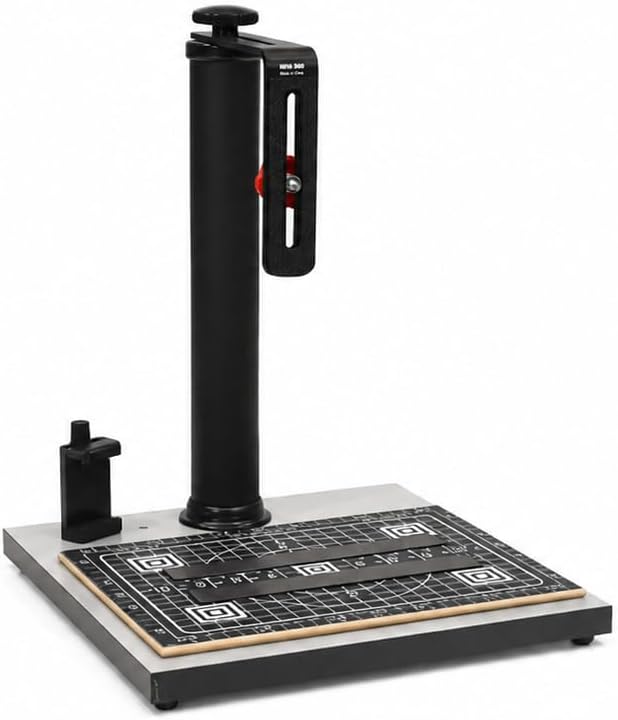
The Cosmo Mini 300 expands on the Mini 100 by offering a larger base and more robust support for cameras up to 3 lbs. It maintains the compact and portable design that users love, making it a great upgrade for those who need more stability without sacrificing portability.
We may earn a commission when you buy through this link, at no additional cost to you.
Its baseboard measures 12 by 9.5 inches, providing more room for documents and larger photos. The Floating Magnet Board helps keep originals flat, and the adjustable aluminum bracket allows for both vertical and horizontal positioning. This flexibility ensures that you can frame your subject accurately.
While it is slightly heavier than the Mini 100, the added weight contributes to better stability during capture. The steel column with durable powder coating ensures longevity, and the grid lines on the magnet board aid in precise alignment for consistent results.
For hobbyists who want a balance between portability and performance, the Cosmo Mini 300 is an excellent choice. It handles small DSLR cameras well and provides the necessary adjustments to digitize old photos effectively without the need for a bulky scanner.
Supports cameras up to 3 pounds, allowing use of higher quality lenses.
Grid lines and magnet strips ensure your subject is always flat and centered.
We may earn a commission when you buy through this link, at no additional cost to you.
This Copy Macro Stand is built with film digitization in mind, offering a stable platform for capturing 135 and 120 negatives. Its construction focuses on eliminating camera shake, which is critical when working with small film frames that require high magnification and precision.
We may earn a commission when you buy through this link, at no additional cost to you.
The aluminum base includes leveling feet to ensure the stand is perfectly flat on any surface. The quick-release plate makes mounting and unmounting your camera fast and secure, saving time during batch scanning sessions. The column height is fixed at 450mm, optimized for standard film scanning setups.
While it lacks the floating magnet board found in other models, it excels at film work where stability is paramount. The bubble level helps you align your camera perfectly to avoid lens tilt, ensuring that your digital copies are free from distortion and ready for archival.
If your main goal is digitizing film negatives or slides, this stand provides the specialized stability you need. It is a reliable tool for photographers and archivists who prioritize image quality and precision in their film digitization projects over document scanning capabilities.
Design focuses on stability for small negatives, reducing shake and blur.
Mount and unmount camera quickly for efficient workflow during digitizing sessions.
We may earn a commission when you buy through this link, at no additional cost to you.
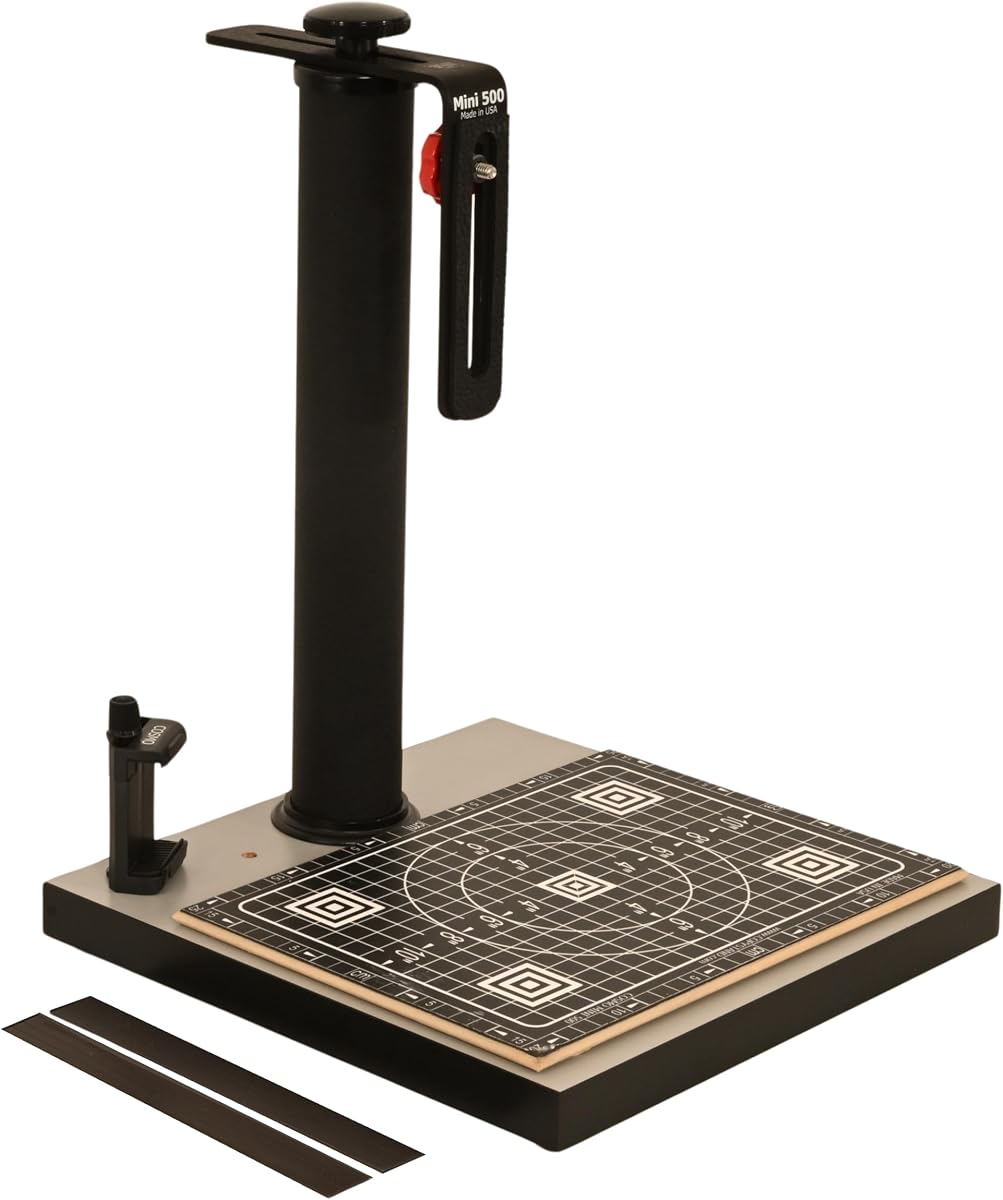
The Cosmo Mini 500 is designed for those who need a sturdier platform for creative projects beyond just photos. Its square baseboard and adjustable bracket system make it suitable for digitizing slides, negatives, artwork, calligraphy, and even tattoos. The integrated phone holder adds convenience for smartphone users.
We may earn a commission when you buy through this link, at no additional cost to you.
The baseboard measures 12 by 12 inches, offering a good balance of size and stability. The Floating Magnet Board ensures that paper items stay flat, while the aluminum L-bracket allows for horizontal travel to fine-tune your framing. The fixed steel column provides rigidity for heavier camera setups.
While it weighs 9 pounds, the added weight contributes to better stability when using DSLR cameras. The design is portable enough for hobbyists but robust enough for regular creative work. The grid lines on the magnet board help with accurate alignment and sizing.
For users who need a versatile stand for various creative and archival projects, the Cosmo Mini 500 is a reliable option. It handles everything from sketches to presentations, making it a great all-in-one tool for studios and home offices alike.
Suitable for digitizing artwork, calligraphy, and tattoos with consistent alignment.
Fixed steel column supports heavier setups without wobbling during capture.
We may earn a commission when you buy through this link, at no additional cost to you.
This variant of the Cosmo Mini 500 features a slightly larger baseboard, making it ideal for digitizing documents and small objects with precision. The Floating Magnet Board includes a 0.5-inch precision grid, which helps users align their subjects accurately for consistent digital copies.
We may earn a commission when you buy through this link, at no additional cost to you.
The baseboard measures 13 by 12.5 inches, providing enough space for standard documents and larger photos. The adjustable bracket allows for both vertical and horizontal positioning, ensuring you can frame your subject perfectly without cropping important details. The phone holder supports modern smartphones for quick captures.
While it shares many features with the other Mini 500 model, the larger baseboard is the key differentiator. It handles documents better than smaller stands, and the rigid steel column ensures stability during capture. The construction is durable, promising long-term use for archival projects.
If you often digitize documents and need precise alignment tools, this stand is a strong candidate. It combines stability with flexibility, making it easy to capture high-quality images of papers and objects without the hassle of a traditional flatbed scanner.
0.5-inch grid lines ensure consistent framing and sizing across multiple documents.
Steel column and larger base reduce movement, keeping documents flat and clear.
We may earn a commission when you buy through this link, at no additional cost to you.
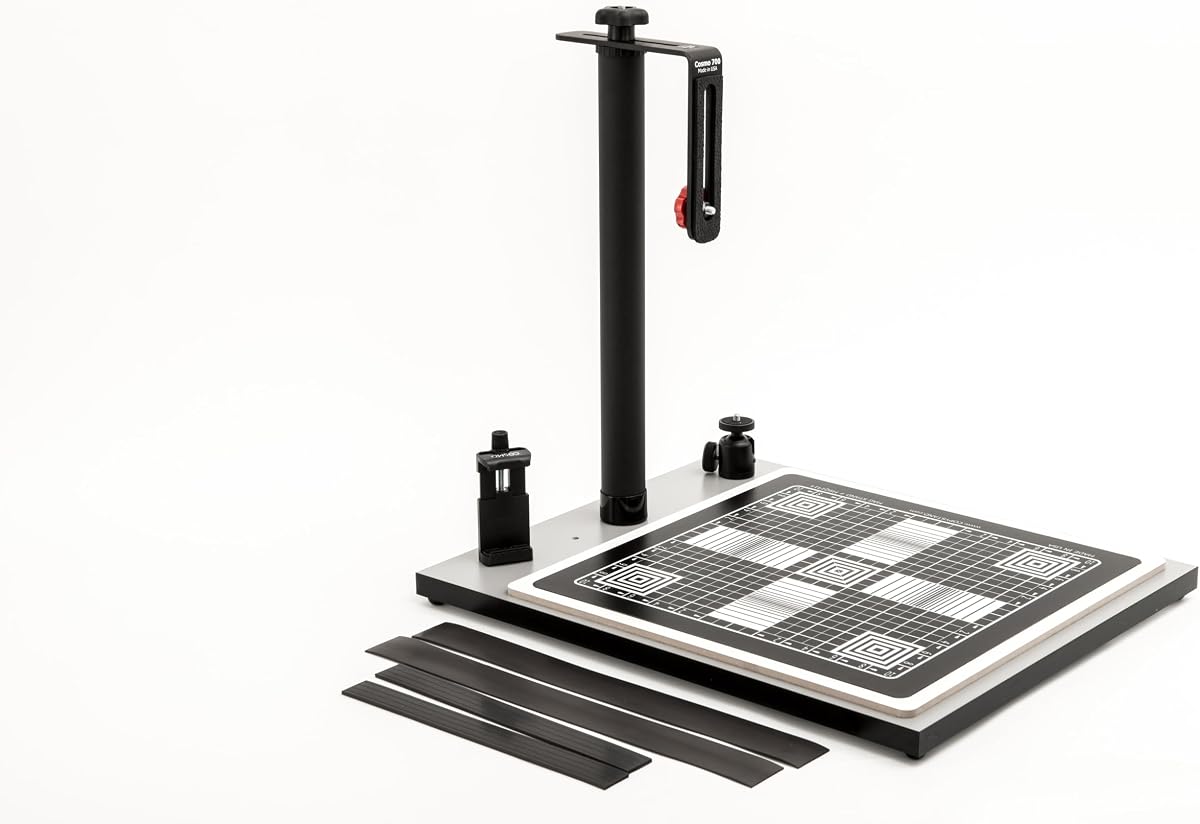
The Cosmo Mini 700 is designed for users who need to digitize larger items, such as food plates, large documents, and 3D objects. Its substantial baseboard and large Floating Magnet Board make it a versatile tool for food photographers, online sellers, and art students.
We may earn a commission when you buy through this link, at no additional cost to you.
The baseboard measures 15.5 by 18.5 inches, providing ample space for oversized subjects. The included 15 by 15 inch Magnet Board ensures that large photos or documents stay flat. The ball head included with the stand allows for smooth angle adjustments to capture the perfect shot.
While it is heavier at 14 pounds, this adds to its stability for larger setups. The steel column and aluminum bracket are built to handle DSLR cameras under 3 lbs. The precision grid lines help with focusing and sizing, ensuring consistent results across multiple shots.
If you need a stand that handles large subjects with precision, the Cosmo Mini 700 is an excellent choice. It bridges the gap between compact stands and full-size studio rigs, offering enough space and adjustability for professional-quality overhead shots.
Large base accommodates plates and 3D items that smaller stands cannot handle.
Grid lines and ball head ensure accurate framing and angle control for every shot.
We may earn a commission when you buy through this link, at no additional cost to you.
This Cosmo Mini 700 variant holds a high user rating, making it a top choice for food vendors and online sellers who need consistent product photography. The large magnet board and spacious baseboard ensure that items like chef plates and large photos are captured perfectly every time.
We may earn a commission when you buy through this link, at no additional cost to you.
The baseboard measures 15.5 by 18.5 inches, providing enough room for large documents and plated dishes. The included Floating Magnet Board helps keep originals flat, while the ball head allows for precise angle adjustments. It supports modern smartphones and DSLR cameras for flexibility in shooting.
The precision grid lines are essential for sizing and positioning, helping you achieve professional results. While it is heavy, the weight contributes to stability, which is crucial for capturing sharp images. The durable build ensures it withstands daily use in a busy workflow.
For users focused on e-commerce or social media content, this stand offers the best combination of size, stability, and precision. It simplifies the process of capturing high-quality overhead shots, making it a valuable tool for anyone who needs to present products clearly.
Large size and precise alignment help online sellers present products professionally.
Strong user rating reflects reliable performance and ease of use for various tasks.
We may earn a commission when you buy through this link, at no additional cost to you.
The Kaiser RS1 Copy Stand is a professional-grade tool designed for users who need the highest level of precision and stability. Its extra-wide vibration-resistant column ensures that even heavy camera setups remain steady, eliminating shake during capture for flawless digital copies.
We may earn a commission when you buy through this link, at no additional cost to you.
The roll-off spring mechanism provides weight compensation, allowing for smooth height adjustments without sudden drops. The baseboard features printed fine grids, and the column includes precise scales for consistent positioning. The interchangeability of bushings adds flexibility for different camera mounts.
While it is significantly more expensive than other options, the features justify the cost for serious professionals. The build quality is robust, ensuring long-term durability in a studio environment. It handles heavy SLR cameras with ease, providing peace of mind for critical projects.
If you work in a professional setting and need a copy stand that offers maximum stability and adjustability, this is the ideal choice. It removes the variables of camera shake and misalignment, allowing you to focus entirely on the quality of your digitized images.
Roll-off spring allows smooth and safe camera adjustments without sudden movements.
Extra-wide aluminum column ensures stability for heavy professional camera setups.
We may earn a commission when you buy through this link, at no additional cost to you.
The Photography Copy Holder Mag Stand is designed for quick and easy copying on a desk. It lacks a column but offers a flat, magnetic surface that ensures documents stay perfectly flat for capture. Its high user rating reflects its simplicity and effectiveness for basic digitizing needs.
We may earn a commission when you buy through this link, at no additional cost to you.
The baseboard measures 16 by 12 inches, providing enough space for standard documents and photos. The surface is printed with 0.5-inch precision grids to aid in alignment and sizing. Two magnetic strips keep originals secure, allowing you to move the stand to find the target for shooting.
While it is not a full copy stand with a vertical column, it excels at quick copying tasks where portability is key. You can place it directly under your camera or phone, making it ideal for situations where you need a simple, reliable solution without complex setup.
If you often copy documents and photos at your desk and value simplicity, this mag stand is an excellent choice. It offers the essential features needed for consistent results, making it a great companion for anyone looking to digitize quickly without the overhead of larger stands.
Perfect for placing directly on a desk for fast document and photo copying.
0.5-inch grids help align and size your documents accurately for capture.
We may earn a commission when you buy through this link, at no additional cost to you.
Choosing the right copy stand involves understanding your specific needs, from the size of your documents to the camera you plan to use. Here are key factors to consider to ensure you select a model that fits your workflow and delivers consistent results.
The baseboard is the foundation of your copy stand. Look for a size that accommodates your largest documents or objects without cluttering your workspace. Materials like melamine or wood offer durability and resistance to warping. A non-reflective surface ensures that no unwanted glare interferes with your shots.
A baseboard that matches your typical project size will make alignment easier and improve overall efficiency.
Adjustable height is essential for framing your subject correctly. Ensure the stand can reach a height that allows your camera to capture the entire object without distortion. Some stands offer fixed heights, while others allow vertical and horizontal adjustments for more precision. Consider the space you have available for storage.
Choose a height range that fits your camera and workspace to maintain consistency across all your digitizing tasks.
Your copy stand should support the camera or smartphone you intend to use. Check the weight capacity to ensure it can handle your device securely. Many stands come with dedicated phone holders or universal mounting plates. This compatibility ensures that your shots remain stable and aligned.
Select a stand that matches your current device to avoid buying extra adapters or mounts.
Many modern stands include Floating Magnet Boards with grid lines. These features help keep documents flat and aligned for accurate copies. Magnetic strips prevent shifting during capture, which is crucial for high-quality digitization. Look for grids that allow for precise positioning of your subject.
A magnet board with grid lines saves time and improves the quality of your scanned images significantly.
Copy stands made from aluminum or steel offer better stability than plastic alternatives. A solid build reduces vibrations and ensures that your camera remains steady during capture. Consider the weight of the stand; heavier models are more stable but less portable. Check for warranties or guarantees provided by the manufacturer.
Investing in a durable stand ensures that it will last through years of digitizing projects without failing.
If you need to move your stand frequently, look for models that assemble quickly and are lightweight. Some stands can be set up in under a minute, while others require more complex assembly. Portability is key for those who work in multiple locations or have limited desk space.
Choose a design that balances stability with ease of movement to fit your daily workflow needs.
Prices vary significantly across copy stands, from budget-friendly options to professional-grade models. Determine your budget based on how often you will use the stand and the quality of results you need. Higher-priced models often offer better features and durability, which can be worth the investment for frequent users.
Find a model that offers the features you need without overpaying for capabilities you will not use.
Some stands come with accessories like ball heads, lighting kits, or quick-release plates. These can enhance your workflow by adding flexibility and convenience. Consider whether you need these extras or if you can add them later. Additional features should align with your specific digitizing requirements.
Evaluate these additions to ensure they provide real value to your specific use case.
Start by setting up your copy stand on a stable surface. Adjust the column to the appropriate height for your camera or smartphone. If your stand includes a magnet board, place your document on it and align it using the grid lines. Secure the camera mount and ensure it is positioned directly over the subject.
For best results, ensure the lighting is even and does not cast shadows. Use the leveling features on the stand to make sure your camera is perfectly aligned with the base. Take test shots to check framing and focus before digitizing your full batch. This ensures consistency across all your images.
After use, clean the baseboard and magnet board with a soft cloth to remove dust. Store the stand in a dry place to prevent rust or damage. Regularly check the knobs and screws to ensure they remain tight and functional. Proper care extends the life of your stand and maintains its precision.
A copy stand is a tool designed to hold a camera or smartphone above a flat subject for digitizing. It is commonly used for scanning documents, photos, film negatives, and artwork. The stand ensures stability and proper alignment, allowing for consistent high-quality captures without a traditional flatbed scanner.
Yes, many copy stands come with built-in holders or adapters for smartphones. These holders ensure that your phone is aligned perfectly with the subject. Using a smartphone can be a convenient and affordable alternative to DSLR cameras for casual digitizing projects.
For film scanning, you typically need a light source to illuminate the negatives or slides. Some stands offer optional lighting kits, while others require you to use external light boxes or LEDs. Ensure the light is even to avoid hotspots or shadows in your digital copies.
Use the grid lines on the stand or a bubble level to ensure your camera is aligned with the base. Position your camera directly over the subject and adjust the height until it fits the frame perfectly. Many stands include adjustable arms or brackets to help with this precise positioning.
Yes, many copy stands are designed to be compact and portable. Models like the Cosmo Mini series are lightweight and can be assembled quickly. If you plan to move your setup often, look for a model that is easy to disassemble and carries well.
Melamine or wood bases are popular because they are durable and resistant to warping. Non-reflective finishes are preferred to avoid glare. Ensure the material is smooth to prevent scratches on your documents. Aluminum columns are also preferred for their stability.
We have reviewed ten top copy stands that cater to various needs, from budget-friendly options to professional-grade models. The Kaiser 205411 and Cosmo Mini 700 stand out as excellent choices for those requiring precision and versatility in their digitizing tasks.
When selecting a stand, prioritize build quality, adjustability, and features that match your specific projects. Whether you are archiving old photos or creating content for e-commerce, the right stand can significantly improve your results and save time.
Remember to check current prices and availability before making your purchase to ensure you get the best deal. With the right equipment, digitizing your photos and documents becomes a seamless and rewarding process that preserves your memories for years to come.