
THUSTAR 8MP Document Camera & Webcam 4K
4.4Editor score
Adjustable image reversal and brightness
Foldable design for easy storage
Dual microphones for clear audio
Finding the right document projector for classroom use is essential for modern educators who need to share materials clearly. These devices transform physical documents into digital images that students can see on large screens easily.
We evaluated ten top models based on resolution, connectivity, ease of use, and compatibility with common software. Our goal was to identify options that work well for live demos and remote teaching scenarios.
Each pick below highlights key strengths and ideal use cases for different teaching environments. Please note that pricing and availability can change over time so check current listings before purchasing.
4.4Editor score

4.5Editor score

4.6Editor score
As an Amazon Associate we earn from qualifying purchases.
The following table provides a quick side-by-side look at the core specifications and capabilities of each model reviewed in this guide.





The IPEVO V4K Ultra High Definition 8MP USB Document Camera stands out as a top choice for educators needing sharp visuals. With a 4.5 star rating, it delivers clear live images up to 3264 x 2448 pixels.
We may earn a commission when you buy through this link, at no additional cost to you.
Its high frame rate ensures smooth streaming at up to 30 fps in full HD, minimizing interruptions during lessons. The Sony CMOS Image Sensor helps reduce noise and improve color reproduction, which is vital for dimly lit classrooms.
While the multi-jointed stand offers great flexibility, it may require tightening after heavy daily use. This is a minor trade-off for the simplicity it brings to adjusting camera angles quickly.
Teachers who need reliable live demos or remote teaching tools should consider this model. It works with various software on Mac, PC, and Chromebook, making it versatile for different classroom setups.
The 8 Megapixel camera captures ultra high definition images that students can read easily from the back of the room.
High frame rates keep video moving smoothly so there are no freezes when switching between documents or objects.
We may earn a commission when you buy through this link, at no additional cost to you.
The Apollo Overhead Projector Horizon 2 offers a classic solution for classroom projection with 2000 lumen output. It features an open head design that allows easy placement of transparency materials for quick presentations.
We may earn a commission when you buy through this link, at no additional cost to you.
Its LCD display and VGA connectivity provide straightforward setup for older classroom systems. The USB port adds modern flexibility for connecting to newer computers or devices when needed.
While effective for basic projection tasks, this model uses older technology compared to newer digital document cameras. Educators looking for seamless digital integration might prefer more advanced options.
Schools with existing overhead setups or those seeking a budget-friendly projector will find this unit useful. It remains a solid choice for straightforward visual sharing without complex software needs.
The 2000 lumen output ensures images are visible even in rooms with moderate ambient light conditions.
With VGA and USB ports, you can connect to a wider range of computers and display devices easily.
We may earn a commission when you buy through this link, at no additional cost to you.
The IPEVO VZ-X Wireless 8MP Document Camera provides exceptional versatility with three connectivity modes including Wi-Fi, HDMI, and USB. Its 4.6 star rating reflects high satisfaction among users needing mobility during presentations.
We may earn a commission when you buy through this link, at no additional cost to you.
With up to nine to twelve hours of battery life, teachers can use it throughout a full class without needing an outlet. The wireless range allows movement around the room to capture objects from different angles freely.
The swiveling head and multi-jointed stand offer excellent freedom to adjust height and orientation as needed. Buttons on the camera body let you tweak the feed instantly without a computer nearby.
For schools investing in mobile teaching tools or remote conferencing setups, this camera is worth the premium. Its compatibility with iOS, Android, and web conferencing software makes it future-ready for hybrid learning.
Wi-Fi mode lets you move up to 33 feet away from the display device to capture items across the room.
A single charge lasts for multiple sessions so you never have to pause teaching to plug in cables.
We may earn a commission when you buy through this link, at no additional cost to you.
The THUSTAR 8MP Document Camera & Webcam 4K offers a compelling package for budget-conscious educators needing high-quality visuals. It supports ultra-high-definition images and videos up to 2448P with 30fps streaming.
We may earn a commission when you buy through this link, at no additional cost to you.
Its adjustable image brightness buttons let you manually tweak exposure by 10 degrees per click to handle difficult lighting. The 14 ring lamp beads with three brightness levels help capture clear images in dark or bright rooms.
Some users note the auto-focus might jump when moving objects under the lens, requiring manual adjustment. However, the manual focus button allows one-time locking to prevent unwanted shifts during demos.
For those seeking an affordable yet capable tool for distance education, this camera delivers strong performance. The foldable design saves desk space, and dual microphones improve audio clarity during live sessions.
Adjusting the LED brightness helps avoid glare on reflective materials like glossy paper or laminated sheets.
When folded, the camera occupies minimal space so you can move it between classrooms or store it easily.
We may earn a commission when you buy through this link, at no additional cost to you.
The INSWAN INS-2 UHD 4K 13MP Document Camera is tailored for professional educators who need to display large formats clearly. It captures crisp 4K Ultra HD images using a 13MP Sony sensor for excellent detail.
We may earn a commission when you buy through this link, at no additional cost to you.
Art instructors and those teaching with two-page spreads will appreciate the A3 size capture area. The anti-glare sheet reduces reflections so images remain legible even on shiny surfaces.
While the software offers valuable tools like OCR and annotation, Mac users need OS 13.5 or higher for compatibility. This requirement might limit some older systems in school labs or libraries.
If you require a plug-and-play device with built-in software for enhancing lessons, this camera fits well. It works seamlessly with major conferencing apps and supports flexible angle adjustments for diverse teaching materials.
The high-resolution sensor picks up fine details in artwork or small text across wide pages effortlessly.
Built-in software allows you to annotate images or record videos directly without needing extra programs.
We may earn a commission when you buy through this link, at no additional cost to you.
The Lumens DC166 SXGA 6X Optical Document Camera Projector offers dedicated features for classroom interaction and content storage. It supports high-resolution UXGA, SXGA, and XGA outputs for clear projection results.
We may earn a commission when you buy through this link, at no additional cost to you.
Educators can record videos with one touch and store up to 120 JPEG images internally for quick recall. The SD card slot extends memory capacity up to 32 GB for additional lesson materials.
Despite these useful features, it holds a lower rating than some competitors, suggesting potential limitations in ease of use or reliability. Users might find the interface less intuitive compared to newer plug-and-play models.
Schools with interactive whiteboards will find this unit compatible with most systems. It remains an option for those needing optical zoom capabilities without relying on digital interpolation methods.
The 6X optical zoom lets you focus closely on small text or objects while maintaining true image quality.
Internal memory and SD cards allow saving content without needing a constant computer connection.
We may earn a commission when you buy through this link, at no additional cost to you.
The Epson PowerLite 118 LCD Projector delivers reliable performance for classroom environments with a strong 4.9 star rating. Its 3LCD technology produces vibrant images that capture student attention during lessons effectively.
We may earn a commission when you buy through this link, at no additional cost to you.
With a durable design providing up to 17,000 hours of lamp life, schools benefit from reduced maintenance and replacement costs. This longevity makes it ideal for high-usage settings where downtime must be minimized.
The projector uses a 4:3 aspect ratio which is standard for many older classroom displays. While this ensures compatibility, it may not match newer widescreen content formats without some cropping or stretching.
Educators needing a ceiling-mountable solution with long-lasting lamp performance should consider this model. The built-in speaker and HDMI connectivity simplify setup for engaging visual presentations without extra hardware.
The 17000 hour lamp life means fewer replacements over years of regular classroom use and presentations.
Moderator function lets up to 50 users connect at once enabling interactive sessions across devices.
We may earn a commission when you buy through this link, at no additional cost to you.
The DLP Business Projector 3300 Lumens shines in daytime settings where bright ambient light usually washes out images. With 3300 lumens, it ensures slides and documents remain clear during sessions with windows open.
We may earn a commission when you buy through this link, at no additional cost to you.
Its DLP technology enhances contrast and delivers natural color presentation suitable for professional or teaching materials. This helps visual aids stand out and keeps content readable for the entire group.
Some DLP projectors show a rainbow effect to sensitive viewers, though this varies by user perception. The quick start design reduces wait times so lessons begin promptly without extended warm-ups.
Business and education spaces needing bright visuals during normal daylight hours will find this unit effective. Its simple wired setup makes deployment quick and hassle-free for temporary or permanent installations.
3300 lumens output ensures content remains visible without needing to darken the room completely.
Fast startup and straightforward cable connections get your presentation running immediately.
We may earn a commission when you buy through this link, at no additional cost to you.
The Epson PowerLite E20 LCD Projector features a flexible construction that makes display placement straightforward in varied room layouts. Its 4.8 star rating points to high user satisfaction with image quality and reliability.
We may earn a commission when you buy through this link, at no additional cost to you.
3LCD technology produces true-to-life images that enhance teaching materials. The 5-watt built-in speaker helps engage audiences without requiring external audio systems in smaller spaces.
While it offers a respectable 12,000 hour lamp life, this is lower than some competing models. The 4:3 format remains standard but may not suit widescreen content without adjustment.
Educators needing easy ceiling mounting and dependable performance will find this projector suitable. It transfers video and audio through a single HDMI cable for cleaner setups and minimal cable clutter.
Flexible construction makes it easy to display from virtually anywhere in the classroom or training room.
True-to-life colors help maintain accuracy in diagrams and photos used for educational purposes.
We may earn a commission when you buy through this link, at no additional cost to you.
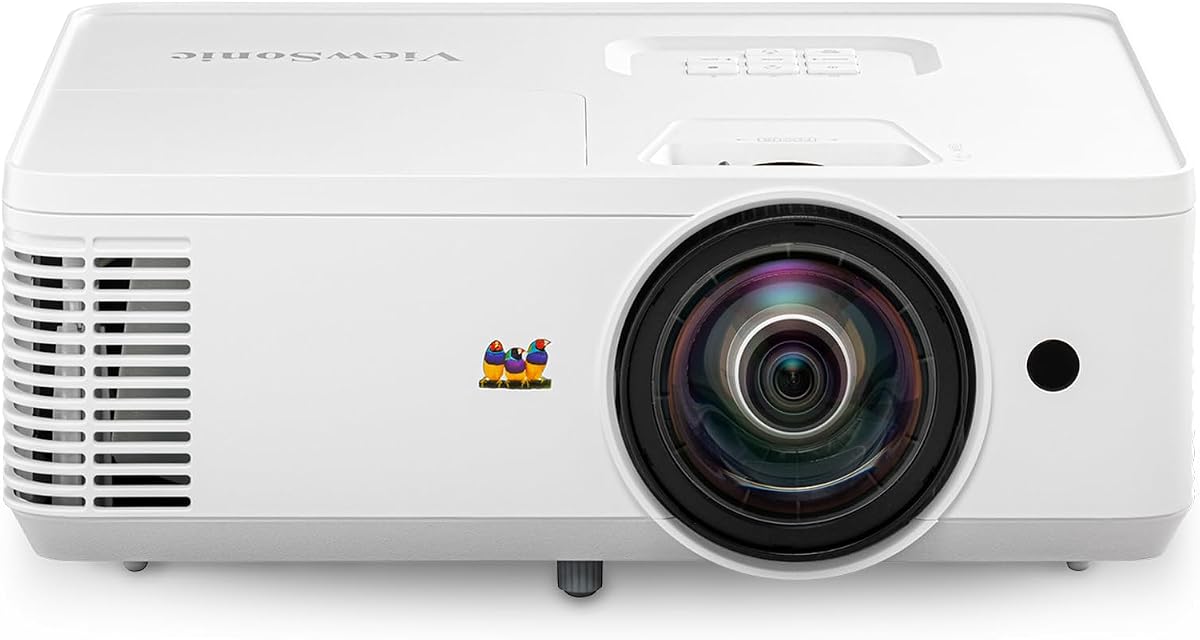
The ViewSonic PS502W WXGA Short Throw Projector excels in tight spaces where traditional projectors cast shadows or need long distances. Its 0.5 throw ratio lets you project 100 inches from just 4.5 feet away.
We may earn a commission when you buy through this link, at no additional cost to you.
With 4,000 ANSI lumens and SuperColor technology, images stay punchy and vibrant even with moderate ambient lighting. This ensures details are visible and content remains engaging during daytime sessions.
The WXGA resolution is standard for business use but may limit very fine text detail compared to higher-end models. However, vertical auto-keystone correction simplifies setup for a perfectly squared display quickly.
For small classrooms or meeting rooms needing bright large images, this projector delivers strong value. Instant power on and off capabilities remove wait times so you can start presentations immediately without delays.
The short throw ratio maximizes floor space by allowing large screens from very close distances.
4000 lumens and SuperColor technology maintain image quality in typical classroom lighting conditions.
We may earn a commission when you buy through this link, at no additional cost to you.
Choosing the right document projector for classroom use involves assessing several key factors to ensure it meets your teaching and technical needs.
Resolution determines how sharp text and images appear on the screen. Look for models with at least 8MP or full HD capability to ensure readability from the back of the room.
Higher resolution helps maintain clarity when zooming into details without pixelation or blur.
Connectivity impacts how easily the projector integrates with your existing tech. USB is common for document cameras, while HDMI supports external displays and older systems.
Wireless options add flexibility for mobile teaching but may require compatible network setups.
Brightness measured in lumens is critical if your classroom has windows or ambient light. Higher lumen counts ensure images stay visible without needing to dim lights.
Internal LED lights on document cameras help capture clear images even in low light.
Plug-and-play features reduce setup time and technical hurdles. Look for models that auto-install drivers and work with common software like Zoom or Teams.
Simple stand designs allow quick adjustments without complex calibrations during lessons.
Ensure the projector or camera works with your school’s computers, Chromebooks, or tablets. Check system requirements like OS versions and USB-C support.
Wide compatibility prevents issues when switching devices between classrooms.
Schools need equipment that withstands daily use. Consider build quality and lamp life for projectors to minimize replacements.
Models with replaceable parts or robust stands last longer under heavy traffic.
Built-in microphones and recording options streamline distance learning and presentations. These features reduce the need for extra equipment.
Look for noise reduction to keep audio clear during live demos.
If you move equipment between rooms, lightweight and foldable designs save space and effort. Consider battery life for wireless setups.
Compact units fit easily in carts or storage cabinets without cluttering workspaces.
Start by connecting your document projector to a compatible display device using the correct cable. Power on the unit and ensure the lens is clean and free of dust for clear images.
Adjust the camera stand or projector focus to center your document on the screen. Use built-in brightness or LED controls to handle reflections or shadows on paper materials.
After each session, cover or store the lens to prevent dust accumulation and wipe surfaces with a soft cloth. Regular checks on cables and connections extend the lifespan of your equipment.
A document camera captures real-time images of physical documents or objects, while a standard projector displays content from a connected computer. They can work together, but document cameras focus on live capture for teaching.
Most modern document cameras support Chromebooks through USB and UVC standards. Always check specific system requirements like OS version to ensure full compatibility without extra drivers.
Adjust the LED brightness or angle on the document camera to minimize reflections. Some models include anti-glare sheets that can help diffuse light on shiny surfaces.
Wireless options work well in controlled networks with strong signals. For critical lessons, wired connections provide more stable performance without lag or interference risks.
Standard projector lamps often last between 10,000 and 17,000 hours depending on usage and model. This translates to several years in a typical classroom schedule before needing replacement.
Many document cameras output via HDMI or VGA which work with older projectors. You may need adapters if your display lacks modern ports.
The top picks highlighted in this guide offer reliable solutions for diverse teaching needs from budget-friendly cameras to premium wireless options.
Prioritize features like resolution and compatibility with your existing tech stack to ensure smooth daily operation and long-term value.
Always check current pricing and availability before purchasing since offers and stock levels may change over time.