
TP-Link TL-SG105
4.7Editor score
Five Gigabit ports
Fanless metal design
Energy efficient technology
This guide compares the top ten Eero Ethernet switches to help you choose the best network expansion solution for your home or business needs efficiently.
Finding the right Eero Ethernet switch is essential for expanding your network coverage and ensuring stable connections throughout your home. Modern networks require reliable hardware that supports high-speed data transfer and integrates seamlessly with existing systems.
We compared ten top-rated switches based on port count, speed capabilities, power over Ethernet support, and ease of setup. Our analysis focuses on performance, durability, and compatibility with Eero mesh systems to provide a comprehensive overview.
Each pick highlights key features and real-world performance metrics to help you make an informed decision. Note that availability and specifications may vary over time, so verify details before purchasing to ensure they meet your current requirements.
4.7Editor score

4.8Editor score

4.4Editor score
The following comparison table provides a side-by-side overview of all ten products to help you quickly identify the best match for your network expansion needs.



The Amazon eero PoE Gateway stands out as a premium solution for users needing both routing and power-over-Ethernet capabilities. It combines a robust router with a 10-port switch, making it ideal for complex setups.
We may earn a commission when you buy through this link, at no additional cost to you.
Its standout features include two 10 GbE ports and eight 2.5 GbE PoE ports, allowing for high-speed wired connections and powering multiple Eero access points without external injectors.
While it offers exceptional performance and seamless integration with Eero systems, the higher cost might be a consideration for budget-conscious buyers. However, the consolidated hardware saves on additional equipment.
This gateway is perfect for large homes or offices requiring advanced networking features. It delivers reliable performance and is highly recommended for those investing in a full Eero ecosystem.
Integrates directly with Eero apps for centralized management and setup without third-party tools.
Supports 10 GbE ports for future-proofing your network with ultra-fast wired connections.
We may earn a commission when you buy through this link, at no additional cost to you.
The TP-Link TL-SG105 is a cost-effective solution for expanding your network with five Gigabit ports. It offers reliable performance with a plug-and-play setup that requires no configuration.
We may earn a commission when you buy through this link, at no additional cost to you.
Its fanless metal design ensures quiet operation and durability, making it suitable for home offices or living areas. The energy-efficient technology helps reduce power consumption over time.
While it lacks PoE support and has fewer ports than some competitors, it excels in simplicity and value. The lack of advanced features keeps the price low and the experience straightforward.
This switch is ideal for users needing a simple, reliable expansion for wired devices. It provides excellent value for money and is highly recommended for basic networking needs.
No software or configuration is needed for quick installation and immediate use.
Shielded metal casing protects ports and ensures long-term reliability in various environments.
We may earn a commission when you buy through this link, at no additional cost to you.
The NETGEAR GS308EP is a top choice for those needing Power over Ethernet capabilities with manageable features. It offers eight Gigabit ports with a 62W power budget for connected devices.
We may earn a commission when you buy through this link, at no additional cost to you.
Its Easy Smart managed interface allows for VLAN configuration and traffic prioritization, making it suitable for small businesses. The fanless design ensures silent performance in any environment.
While the management interface is basic compared to enterprise switches, it provides essential controls for network efficiency. The power budget is sufficient for most access points and IP cameras.
This switch is perfect for users needing PoE with some management flexibility. It balances cost, performance, and features effectively, making it a top recommendation for versatile networking.
Delivers power to compatible devices over Ethernet cables, simplifying installation.
Provides essential tools for VLANs and QoS to optimize network traffic and security.
We may earn a commission when you buy through this link, at no additional cost to you.
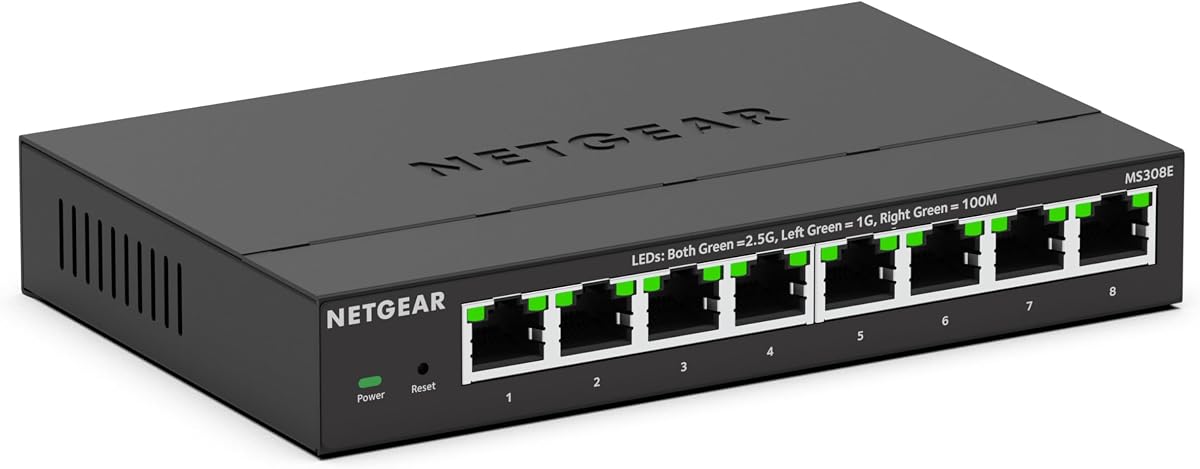
The NETGEAR MS308E brings Multi-Gig capabilities to the desktop with eight 2.5G Ethernet ports. It supports higher speeds than standard Gigabit switches, ideal for future-proofing networks.
We may earn a commission when you buy through this link, at no additional cost to you.
Its Easy Smart managed interface allows for traffic prioritization and VLANs, enhancing network control. The compact metal design ensures durability and quiet performance in any setting.
While it requires Cat5e or Cat6 cabling for optimal speeds, the investment pays off in faster data transfer. The managed features add flexibility for small office environments.
This switch is ideal for users needing more than Gigabit speeds. It offers a great balance of performance and manageability for those looking to upgrade their network infrastructure.
Supports 2.5Gbps per port for significantly faster wired connections than standard switches.
Provides basic management features for optimizing network performance and security.
We may earn a commission when you buy through this link, at no additional cost to you.
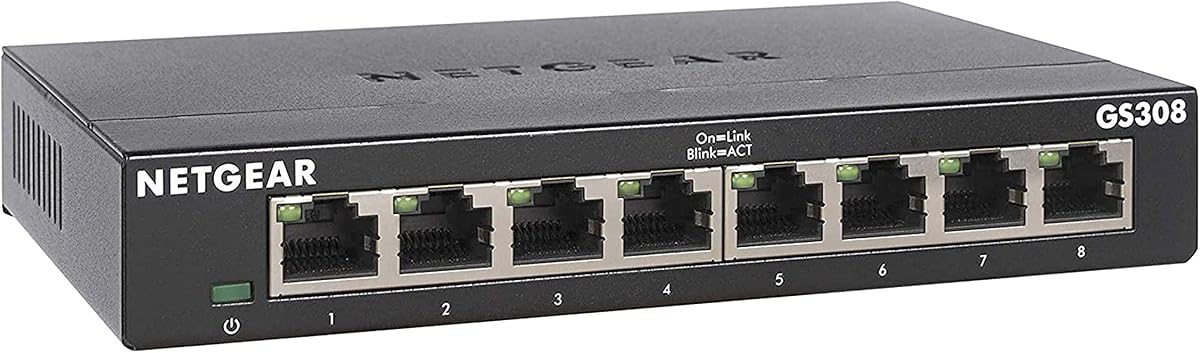
The NETGEAR GS308 is a straightforward unmanaged switch offering eight Gigabit ports for expanding your network. It provides reliable connectivity with a simple plug-and-play setup.
We may earn a commission when you buy through this link, at no additional cost to you.
Its compact metal design and fanless operation ensure it fits discreetly in any space without generating noise. This makes it suitable for homes or small offices requiring basic expansion.
While it lacks advanced management features, its reliability and port count make it a popular choice. The durable build ensures longevity in daily use environments.
This switch is perfect for users needing more ports without complexity. It delivers consistent performance and value, making it a solid choice for basic networking needs.
Provides ample ports for connecting multiple wired devices efficiently and reliably.
Requires no configuration or software, allowing for immediate use out of the box.
We may earn a commission when you buy through this link, at no additional cost to you.
The NETGEAR GS305E offers managed features in a compact five-port design. It allows for traffic prioritization and VLAN configuration, suitable for small networks needing control.
We may earn a commission when you buy through this link, at no additional cost to you.
Its fanless design ensures silent operation, making it ideal for home offices. The metal casing provides durability while maintaining a sleek appearance.
While the port count is limited, the managed features add value for users needing network control. It balances functionality with a small footprint effectively.
This switch is best for small setups requiring basic management. It provides a good balance of features and simplicity for those needing more than plug-and-play options.
Allows you to prioritize specific traffic types for better performance and reliability.
Designed to fit easily in tight spaces without sacrificing performance or features.
We may earn a commission when you buy through this link, at no additional cost to you.
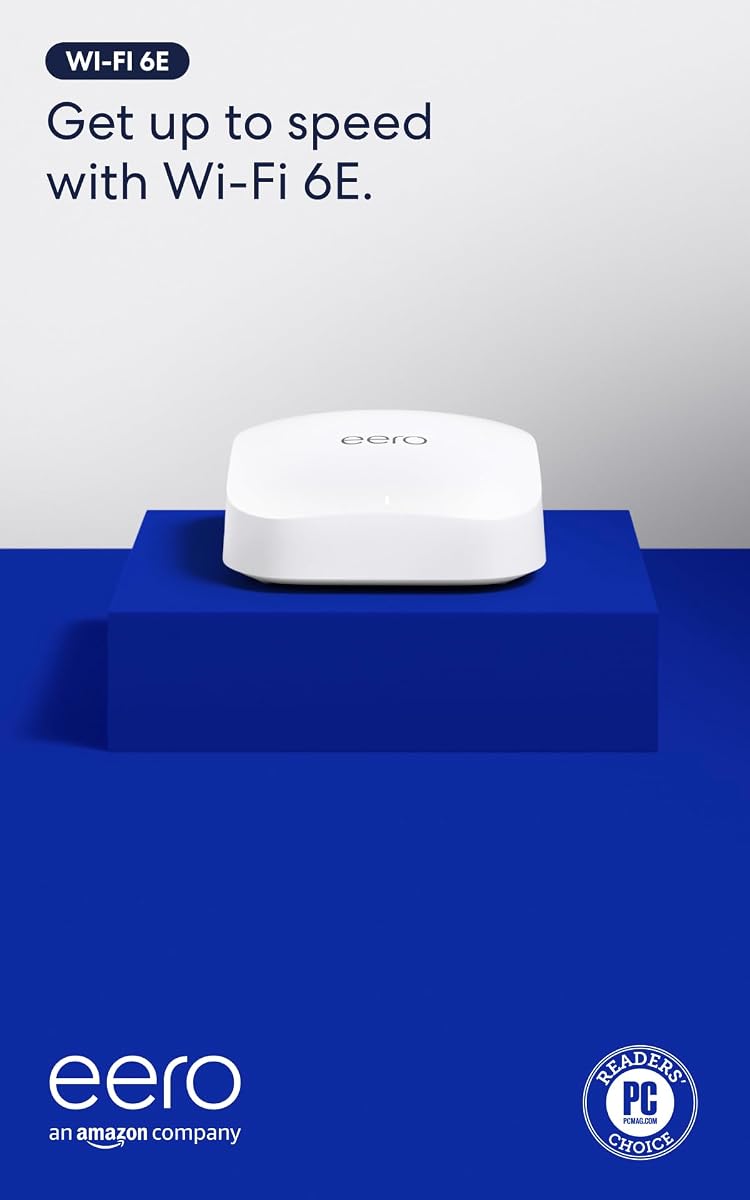
The Amazon eero Pro 6E is a high-performance mesh router supporting Wi-Fi 6E and 2.5 Gbps wired speeds. It offers excellent coverage and capacity for large homes.
We may earn a commission when you buy through this link, at no additional cost to you.
Its TrueMesh technology intelligently routes traffic, reducing dead spots and ensuring reliable connections. The system supports over 100 devices, ideal for busy households.
While it is more expensive than standard routers, the performance and ecosystem integration justify the cost. It acts as a gateway for expanding wired networks.
This router is perfect for users needing top-tier wireless performance. It provides a robust foundation for a modern network and supports extensive device connectivity.
Uses the 6 GHz band for less interference and faster speeds compatible with latest devices.
Intelligently directs traffic to maintain strong and stable connections throughout the home.
We may earn a commission when you buy through this link, at no additional cost to you.
The Amazon eero 6 provides solid Wi-Fi 6 performance at a mid-range price point. It supports up to 75 devices and offers good coverage for smaller to medium homes.
We may earn a commission when you buy through this link, at no additional cost to you.
Its built-in Zigbee hub eliminates the need for extra smart home devices, simplifying your setup. The TrueMesh technology ensures reliable connections throughout your space.
While it lacks the speed of higher-end models, it delivers consistent performance for most users. The ease of use and ecosystem integration are strong points.
This router is ideal for users needing reliable Wi-Fi 6 without breaking the bank. It balances performance, features, and cost effectively for typical household needs.
Built-in Zigbee hub connects compatible smart devices without needing a separate hub.
Provides faster speeds and better connection handling for multiple devices.
We may earn a commission when you buy through this link, at no additional cost to you.
The Amazon eero PoE 7 is a next-generation access point offering Wi-Fi 7 technology. It delivers wireless speeds up to 3.9 Gbps and supports over 200 devices.
We may earn a commission when you buy through this link, at no additional cost to you.
Its tri-band design enhances multi-gigabit backhaul speeds, ensuring smooth performance for data-intensive workflows. The mountable design allows for flexible placement options.
While it requires a PoE gateway for power, it provides a cleaner installation without separate cables. The future-proof technology ensures compatibility with upcoming devices.
This access point is perfect for users wanting the latest Wi-Fi performance. It offers robust capacity and speed, making it an excellent choice for modern networks.
Delivers ultra-fast wireless performance for high-demand applications and future devices.
Uses Power over Ethernet for simpler installation without separate power cables.
We may earn a commission when you buy through this link, at no additional cost to you.
The Amazon eero 7 is an affordable entry into Wi-Fi 7 technology for mesh networking. It supports internet plans up to 2.5 Gbps and covers large homes efficiently.
We may earn a commission when you buy through this link, at no additional cost to you.
Its TrueMesh software optimizes connections, and it is backward compatible with all eero devices. The dual-band design balances performance and cost effectively.
While full Wi-Fi 7 benefits require compatible devices, the router is ready for the future. It offers strong performance and integrates well with the eero ecosystem.
This router is ideal for users looking to upgrade to Wi-Fi 7. It provides excellent coverage and speed for modern networks and supports extensive device connectivity.
Utilizes Wi-Fi 7 features to optimize connections across multiple bands simultaneously.
Works seamlessly with older eero devices for easy network upgrades and expansion.
We may earn a commission when you buy through this link, at no additional cost to you.
Selecting the right Eero Ethernet switch involves evaluating several factors to ensure compatibility and performance. This guide outlines key considerations for making an informed decision.
Determine how many devices you need to connect and the required speed. Most switches offer Gigabit speeds, but some support 2.5G or 10G for faster transfers.
Choose a switch with enough ports to connect all your wired devices without needing additional hardware.
If you use IP cameras or access points, a PoE switch can power them through the same cable. Look for switches with sufficient wattage to power all devices.
PoE switches simplify installation by eliminating the need for separate power adapters for devices.
Unmanaged switches are plug-and-play and ideal for basic setups. Managed switches offer features like VLANs and QoS for more control over traffic.
Select managed switches if you need to prioritize traffic or segment your network for security.
Consider the size and mounting options. Desktop switches fit on shelves, while wall-mount options save space. A fanless design ensures quiet operation.
Pick a design that fits your installation space and operates quietly in your environment.
Ensure the switch works seamlessly with your existing eero network. Some models offer deeper integration with the eero app for management.
Compatible switches enhance the user experience by integrating with your current system settings.
Metal casings offer better protection against heat and physical damage. Look for warranties to ensure long-term reliability.
Invest in a durable switch to minimize replacement costs and ensure stable performance.
Prices vary based on features like PoE and speed. Determine your budget and prioritize features that meet your current needs.
Balance cost with required features to avoid overspending on unnecessary capabilities.
Start by connecting the switch to your router or modem using an Ethernet cable. Ensure you use Cat5e or Cat6 cables for optimal performance.
Plug the switch into a power outlet if it requires external power. For PoE switches, ensure the power supply matches your device requirements.
Once connected, your devices should automatically receive network access. If using a managed switch, log in to the interface to configure settings.
An Eero Ethernet switch expands your network by providing additional ports for wired devices. It allows you to connect more computers, consoles, and smart home devices to your internet connection.
If you are using Eero PoE access points, a PoE switch is recommended to power them directly. This simplifies installation by reducing the need for separate power outlets near each device.
Managed switches are not necessary for most home users but are useful if you need traffic prioritization. For simple setups, unmanaged plug-and-play switches are sufficient.
Yes, most Ethernet switches work with any router. They are standard networking devices that function regardless of the brand of your router.
Gigabit switches support speeds up to 1 Gbps per port. Multi-Gig switches support higher speeds like 2.5 Gbps, providing faster data transfer for compatible devices.
Unmanaged switches do not require any software installation. Managed switches have a web interface but typically do not require dedicated client software.
Wall-mount switches usually come with brackets. Secure the bracket to the wall using screws, then snap the switch into place for a clean installation.
In conclusion, selecting the right Eero Ethernet switch depends on your specific needs for speed, ports, and power. The top picks offer excellent options for budget, premium, and managed requirements.
Prioritize features like PoE if you plan to use access points or cameras. For general use, a reliable unmanaged switch provides great value and simplicity.
Remember to check current specifications and availability before purchasing. This ensures you get the most suitable switch for your network setup today.