
WD 2TB My Passport
4.6Editor score
Hardware encryption included
Password protection enabled
Ransomware defense software
This guide compares the top encrypted secure external hard drives for 2026, focusing on hardware encryption, FIPS validation, and rugged designs to protect
Securing your data requires robust hardware solutions that go beyond simple software locks. An encrypted secure external hard drive offers military-grade protection directly within the device, ensuring your files remain safe from unauthorized access even if the drive is lost or stolen.
We evaluated ten top-rated models based on encryption standards, build quality, and ease of use. Our analysis focuses on hardware-based encryption, FIPS compliance, and physical durability to help you choose the right drive for your specific security needs and budget constraints.
Each pick highlights unique strengths from portable USB drives to desktop units with advanced access controls. Remember that pricing fluctuates frequently, so check current listings before purchasing to ensure you get the best value for your investment in data security.
4.6Editor score

4.5Editor score

4.8Editor score
The following table provides a side-by-side comparison of all ten models evaluated in this guide, highlighting key specifications and unique features to help you make an informed decision.



The Apricorn 1TB Aegis Padlock stands out as a top choice for users needing reliable hardware encryption without software dependencies. With a strong rating of 4.5 stars, it delivers on its promise of robust security through military-grade algorithms validated by FIPS standards.
We may earn a commission when you buy through this link, at no additional cost to you.
Its standout feature is the hardware keypad which allows direct PIN entry without needing admin rights or drivers on any computer. The brute force self-destruct mechanism ensures that repeated failed attempts will erase data, providing peace of mind against physical theft attempts.
While the drive is built to withstand physical attacks with tough epoxy coating, it does carry a higher price tag than standard external drives. However, for those prioritizing security over cost, the trade-off is justified by the level of protection offered.
This drive is ideal for professionals traveling with sensitive data who need immediate access without compromising on security protocols. It remains a solid recommendation for anyone seeking a balance between portability and enterprise-level encryption standards.
The onboard keypad eliminates the need for software installation, making it compatible with any operating system instantly.
Multiple failed PIN attempts trigger a self-destruct feature that wipes the drive to prevent unauthorized data access.
We may earn a commission when you buy through this link, at no additional cost to you.
The Apricorn 2TB Aegis Padlock Fortress offers expanded storage capacity with verified security compliance for government and enterprise use. Its FIPS 140-2 Level 2 validation ensures it meets rigorous standards for cryptographic modules which is essential for regulated industries.
We may earn a commission when you buy through this link, at no additional cost to you.
Manufacturing in the USA adds a layer of supply chain security that many organizations require. The integrated USB cable reduces clutter and ensures you always have the right connection ready for secure transfers anywhere.
Users might find the physical bulk slightly larger than standard portable drives but this supports the rugged construction needed for high security environments. The keypad remains durable and resistant to wear even with frequent usage over time.
Choose this model if you need verified compliance and domestic manufacturing for your data storage requirements. It is particularly suited for contractors working with government agencies who must adhere to strict security protocols.
Level 2 validation ensures the drive meets specific security requirements for federal information systems.
Made in the USA to meet supply chain security standards required by many federal contracts.
We may earn a commission when you buy through this link, at no additional cost to you.
The Apricorn 5TB Aegis Fortress L3 represents the pinnacle of portable security with FIPS Level 3 validation for tamper resistance. This level of protection is often required for classified data storage where physical security is just as important as digital encryption.
We may earn a commission when you buy through this link, at no additional cost to you.
Having separate admin and user modes allows for granular control over who can access what data on the drive. The read-only modes ensure that critical files cannot be altered by unauthorized users even if they gain temporary access to the drive.
The high price reflects the advanced security features and massive storage capacity but may be excessive for casual users. Weight is also a consideration as the rugged build adds bulk that makes it less suitable for daily carrying compared to lighter drives.
This drive is best suited for government agencies or enterprises handling highly sensitive information. It is a definitive choice for those who cannot compromise on the highest available security standards for portable storage.
FIPS Level 3 ensures the drive resists physical tampering attempts through advanced sealing and detection.
Admin and user modes allow administrators to set specific permissions for different types of users.
We may earn a commission when you buy through this link, at no additional cost to you.
The WD 2TB My Passport is an excellent entry point for users needing basic security without breaking the budget. It offers hardware encryption and password protection that secures your files effectively for everyday use cases.
We may earn a commission when you buy through this link, at no additional cost to you.
Included backup software provides defense against ransomware which is a critical feature for protecting important documents and media files. The slim durable design makes it easy to slip into a laptop bag for daily commutes.
While it lacks the hardware keypad of more expensive models it still offers sufficient protection for non-government data. Users should ensure they set strong passwords since the drive relies on software for encryption management.
This drive is perfect for students and home users who need reliable storage and basic security features. It offers great value for money while delivering on the core promise of keeping personal data safe from unauthorized access.
Included software helps detect and stop ransomware attacks before they can encrypt your personal files.
Provides essential hardware encryption at a price point accessible to general consumers.
We may earn a commission when you buy through this link, at no additional cost to you.
For those needing more storage space the WD 5TB My Passport offers a substantial increase in capacity while maintaining security features. It is ideal for backing up large photo and video libraries that require protection from theft or loss.
We may earn a commission when you buy through this link, at no additional cost to you.
The included backup software continues to provide ransomware defense ensuring your extensive media library remains safe from malicious software. Password protection adds a necessary layer of security for sensitive personal or family documents.
As with the smaller model this drive relies on software for encryption which is fine for general use but less secure than hardware locks. The larger size makes it slightly bulkier but still portable enough for occasional transport.
Choose this if you need significant space for backups and basic password security. It suits home media servers or personal archives where capacity is the priority alongside standard consumer-grade encryption.
5TB offers enough space for extensive media collections and full system backups without worrying about space.
Software-based encryption is user-friendly and sufficient for most personal data protection needs.
We may earn a commission when you buy through this link, at no additional cost to you.
The Apricorn 2TB Aegis Padlock DT provides advanced access controls that allow administrators to manage user permissions effectively. This is useful for businesses where multiple employees need to access shared data without compromising overall security.
We may earn a commission when you buy through this link, at no additional cost to you.
Force enrollment ensures that users set their PINs immediately upon connection which prevents accidental exposure of data. The data recovery PIN feature allows admins to reset access if a user forgets their credentials without losing data.
Setting up the modes requires some initial configuration which might confuse casual users. However for organizations with security protocols this level of control provides necessary flexibility and oversight over data usage.
Select this drive for environments with shared access requirements. It is a reliable choice for teams needing controlled access and robust recovery options for PIN management.
Separate modes allow admins to restrict user access rights effectively.
Built-in recovery PINs prevent permanent lockout from forgotten credentials.
We may earn a commission when you buy through this link, at no additional cost to you.
Designed specifically for stationary use the Apricorn 2TB Desktop Padlock offers high security in a robust aluminum enclosure. It fits well on office desks where physical access is controlled but data security must remain high.
We may earn a commission when you buy through this link, at no additional cost to you.
TAA compliance makes it suitable for government procurement processes that require trade agreements act standards. The solid aluminum body adds durability and helps dissipate heat during long-term operations.
This drive is not intended for portable use due to its size and form factor. It is best used as a secure local backup device for workstations handling sensitive data.
Choose this for office environments requiring compliant stationary storage. It delivers enterprise security features with the reliability needed for daily business operations.
Meets Trade Agreements Act standards required for government contracting.
Solid aluminum construction protects the internal drive from physical stress.
We may earn a commission when you buy through this link, at no additional cost to you.
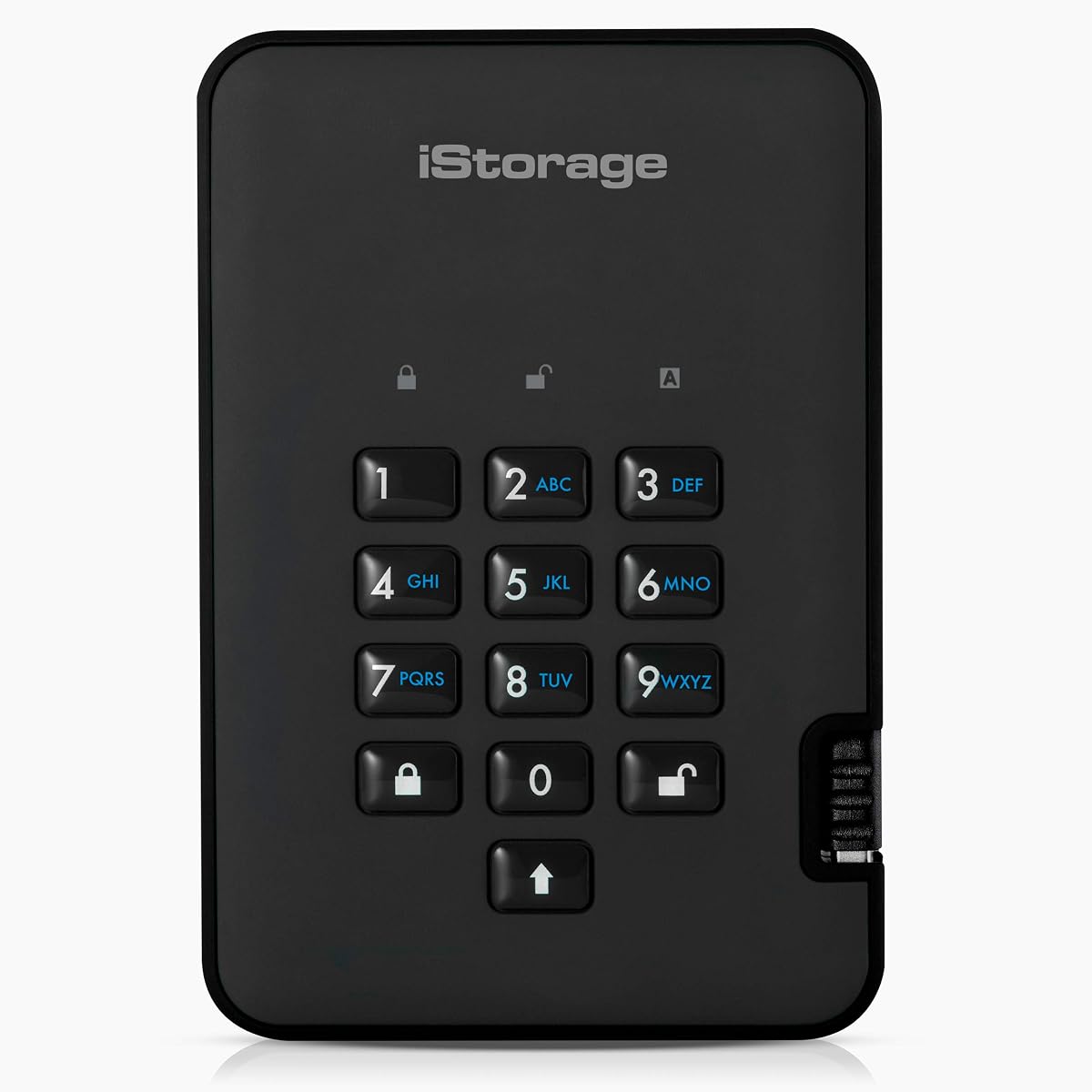
The iStorage diskAshur2 combines hardware encryption with environmental resistance making it ideal for field work. Its IP56 certification protects against dust and water splashes ensuring functionality even in challenging physical conditions.
We may earn a commission when you buy through this link, at no additional cost to you.
The secure microprocessor meets Common Criteria EAL 5+ standards which is a high benchmark for hardware trust. Transfer speeds are fast and compatibility is broad supporting Linux and Android without software installation.
PIN entry is required for every access which is secure but might be slower than fingerprint alternatives. Users should ensure they choose strong PINs as brute force attempts are limited but not impossible over long periods.
This drive is perfect for construction sites or field research where durability is as important as security. It is a strong contender for mobile professionals working in less controlled environments.
IP56 rating ensures the drive works even with exposure to dust and water.
Works on Linux and Android systems without requiring additional drivers.
We may earn a commission when you buy through this link, at no additional cost to you.
The DataLocker DL4 FE brings modern connectivity and high security standards to portable storage. Its FIPS 140-3 validation ensures it meets the newest federal standards for cryptographic module security.
We may earn a commission when you buy through this link, at no additional cost to you.
The interactive touchscreen simplifies complex setup processes allowing users to configure passwords without software. USB-C and USB-A compatibility ensures it works with older and newer computers equally well.
The price point is higher than most due to the SSD technology and advanced compliance features. It is best suited for enterprise environments where the latest security protocols are mandatory.
Choose this if you need SSD performance with the highest compliance standards. It is an excellent option for modern office environments needing future-proof security.
Interactive touchscreen simplifies password setup and management without software.
FIPS 140-3 validation meets the most current federal security requirements.
We may earn a commission when you buy through this link, at no additional cost to you.
The Apricorn 4TB Aegis Padlock SSD combines massive storage with high-speed performance and robust security features. Its SSD technology delivers read-write speeds significantly faster than traditional hard drives improving workflow efficiency.
We may earn a commission when you buy through this link, at no additional cost to you.
Admin and user modes allow organizations to manage access securely while maintaining high transfer speeds for large datasets. The brute force defense ensures that even with fast access attempts security remains uncompromised.
The cost is high reflecting both the storage capacity and the speed benefits. It is not suitable for casual users but excellent for professionals working with large video or data files securely.
Select this for high-performance secure storage needs. It is the best choice for professionals needing both speed and security in a single drive.
Solid state technology provides read and write speeds up to 350 MBPS.
4TB capacity supports large project files without compromising on security.
We may earn a commission when you buy through this link, at no additional cost to you.
Choosing the right encrypted drive depends on your specific security needs, capacity requirements, and budget constraints. Understanding key factors helps narrow down the best option for your use case.
Look for drives using hardware encryption such as 256-bit AES XTS to ensure your data is scrambled physically within the device. This prevents unauthorized access even if the drive is connected to another computer without credentials.
Hardware encryption is superior to software encryption because it does not rely on the operating system which could be compromised.
FIPS 140-2 or 140-3 validation confirms the cryptographic module meets strict federal security standards. This is critical for government contractors and businesses requiring compliance with federal regulations.
Higher levels like Level 3 offer tamper resistance which physically protects the cryptographic key from extraction.
Keypads offer direct PIN entry without software making them compatible with any computer instantly. Biometric or touchscreen options add convenience but may add cost or complexity to the device.
Choose keypads for maximum compatibility and simplicity especially when using public or shared computers.
Storage capacity should match your backup needs ranging from 1TB for documents to 5TB for media. SSD drives offer much faster speeds than HDDs but come at a higher price point.
Consider transfer speeds if you handle large files regularly to avoid bottlenecks during backups.
Rugged designs with epoxy coating or aluminum enclosures protect against physical attacks and drops. Environmental ratings like IP56 provide protection against dust and water for field work.
A robust build ensures the drive survives travel and harsh conditions without data loss.
Ensure the drive works with your operating system without requiring admin rights or software installation. Most hardware encrypted drives are OS independent supporting Windows, macOS, and Linux natively.
Check for USB-C compatibility if you use modern laptops that lack traditional USB-A ports.
Look for features like self-destruct or lockout after repeated failed PIN attempts to prevent password guessing. This protects your data even if someone tries to guess your access code.
Automatic locking after a few failed attempts adds an essential layer of defense against brute force attacks.
A solid warranty and responsive support are vital for secure devices that may need troubleshooting. Ensure the manufacturer offers reliable assistance in case of drive failure or PIN issues.
Warranty length often reflects the manufacturer's confidence in the drive's durability and reliability.
Begin by setting up your PIN or password according to the manufacturer instructions before storing sensitive files. Most drives require an initial setup using a configuration tool or the onboard keypad to establish security credentials.
Always eject the drive properly from your operating system before unplugging to prevent data corruption or hardware errors. Sudden removal while data is being transferred can damage the file system or encryption keys.
Store your drive in a dry cool place when not in use to avoid heat damage or moisture intrusion. If the drive has a physical keypad keep it clean and dry to ensure buttons respond correctly when needed.
Hardware encryption is built into the drive and encrypts data at the controller level, making it more secure and faster. Software encryption relies on the computer and operating system and can be compromised if the OS is hacked.
Hardware encrypted drives can be opened on any computer that supports USB. You only need to enter the PIN on the keypad to access data without installing software on the host system.
Most drives offer a recovery PIN or master key option to reset access. However if you lose both the PIN and recovery options you may permanently lose access to your data due to the security design.
Drives with FIPS 140-2 or 140-3 validation are required for government data. Check specific agency requirements to ensure compliance before purchasing any hardware for official use.
Hardware encrypted drives usually work as plug-and-play devices. You do not need to install drivers unless you are using specific configuration software which is optional.
Most drives include a reset option in their configuration software or via the keypad. Be careful as factory resetting typically erases all data and encryption keys on the device.
Our top picks range from the budget-friendly WD My Passport to the premium Apricorn Aegis Padlock SSD, catering to different security and performance needs. Each model offers unique advantages depending on whether you prioritize compliance speed or capacity.
Prioritize FIPS validation and hardware encryption if you are handling sensitive or regulated data. For general users, a strong password and standard hardware encryption provide adequate protection against common theft or loss.
Always check the current pricing and stock status before purchasing to ensure you get the best deal. Prices fluctuate frequently based on demand and supply so comparing options at the time of purchase is recommended.