
MNN 15.6 FHD Portable Monitor
4.3Editor score
1080P full HD display
Lightweight slim design
Dual type-c connectivity
Portable with cover
Plug and play setup
Finding the right external display for your MacBook Neo can significantly enhance your productivity and visual experience. Whether you are traveling or working from a fixed location having a second screen allows you to multitask efficiently without sacrificing portability or image quality.
We have carefully evaluated ten top rated portable monitors based on compatibility, screen quality, connectivity options, and overall build durability. Our analysis focuses on models that seamlessly integrate with macOS systems while offering versatile features like USB-C power delivery and high refresh rates for diverse use cases.
Each selection in this roundup highlights specific strengths ranging from budget friendly travel solutions to premium high resolution panels designed for creative professionals. Please note that product availability and pricing may fluctuate over time so checking the latest details before purchasing is always recommended for the best value.
4.3Editor score

4.8Editor score
4.8Editor score
As an Amazon Associate we earn from qualifying purchases.
This comparison table provides a side-by-side overview of all ten selected monitors to help you quickly identify key specifications and features that align with your specific requirements for screen size, resolution, and connectivity options.


This VisionOwl portable monitor stands out as an exceptional choice for users seeking a high quality external display that pairs seamlessly with modern laptops. With its 16 inch 2.5K resolution and 144Hz refresh rate it delivers stunning visual clarity and smooth motion making it ideal for both professional work and entertainment.
We may earn a commission when you buy through this link, at no additional cost to you.
The standout feature is its 16:10 aspect ratio which matches many modern MacBooks perfectly eliminating black bars during mirroring. The 8-bit plus 2FRC IPS panel offers over 1 billion colors ensuring accurate reproduction essential for designers. Additionally the 470 nits brightness ensures visibility even in well lit environments.
While it offers premium features the slightly higher price compared to basic HD models is a trade-off to consider. The weight of 1.48 pounds is manageable but might be noticeable for ultralight travelers. However the included accessories like cables and power adapter add significant value to the package.
This monitor is perfect for professionals who need color accuracy and gamers who want high refresh rates in a portable form. If you value a seamless display experience without compromises on quality the VisionOwl offers a compelling solution that justifies its position as a top rated pick.
The 16:10 aspect ratio ensures your content fills the screen when mirroring to compatible laptops without black bars.
The 144Hz refresh rate provides fluid motion reducing blur during fast-paced gaming or video playback.
We may earn a commission when you buy through this link, at no additional cost to you.
The MNN portable monitor delivers solid performance at an entry level price point making it accessible for students or budget conscious professionals. Its 15.6 inch Full HD display provides adequate clarity for general productivity tasks like document editing or web browsing while maintaining a compact form factor.
We may earn a commission when you buy through this link, at no additional cost to you.
One of its most practical features is the inclusion of a scratch proof smart cover which doubles as a stand for portability. The dual Type-C ports allow for versatile connectivity supporting plug and play functionality with devices that support USB Power Delivery for seamless charging and video transmission.
The glossy screen can be prone to reflections in bright environments which may affect visibility depending on your workspace conditions. Additionally the 60Hz refresh rate is standard for office work but might not satisfy gamers looking for smoother motion rendering during competitive play.
If you need a reliable secondary screen without spending a significant amount this monitor is an excellent choice. It covers the essential bases of connectivity and portability while the included cover adds an extra layer of convenience for travelers moving between locations.
Priced competitively this monitor offers essential features for daily tasks without compromising on build quality.
The durable PU leather cover protects the screen and functions as a stand for flexible viewing angles.
We may earn a commission when you buy through this link, at no additional cost to you.
InnoView offers a reliable portable monitor solution that balances features and price effectively for general users. The 15.6 inch screen provides sufficient space for multitasking while the included protective case ensures safe transport during commutes or business trips. It supports a wide range of devices from laptops to game consoles.
We may earn a commission when you buy through this link, at no additional cost to you.
The built-in speakers add convenience for video calls or media consumption without needing external audio devices. Connectivity is flexible with two full function Type-C ports and one HDMI port allowing you to choose the best connection method based on your available ports and power requirements.
The speaker output is functional but may lack depth for music or immersive gaming which is typical for portable units. Also while it supports pass through charging you may need to verify your device supplies enough power to avoid flickering during intensive tasks.
For anyone looking for a versatile second screen that works across multiple platforms this model is worth considering. It strikes a good balance between essential features and affordability making it a practical addition to any mobile workstation setup.
Integrated speakers allow for basic audio playback without carrying additional speakers or headphones.
Multiple ports ensure you can connect to various devices regardless of their specific output capabilities.
We may earn a commission when you buy through this link, at no additional cost to you.
This InnoView model emphasizes portability with an ultra slim design that slides easily into bags. The built-in stand allows for quick setup without needing extra accessories which is great for impromptu work sessions. It uses a reliable IPS panel that ensures decent color accuracy for everyday tasks.
We may earn a commission when you buy through this link, at no additional cost to you.
The enhanced contrast ratio helps produce deeper blacks and clearer details compared to standard budget models. The protective sleeve helps keep the screen safe from scratches and dust during travel which is a thoughtful addition for frequent users on the go.
While it performs well for general use it lacks some advanced features like HDR that might be desired by creative professionals. The stand adjustment is limited compared to external stands so finding the perfect angle might take a few tries.
If your priority is a lightweight and easy to setup screen this monitor fits the bill well. It provides solid performance for its size and price making it a reliable choice for students or remote workers who travel often.
The thin profile makes it one of the easiest monitors to pack in a laptop sleeve or backpack.
Improved contrast ratio delivers better depth to images compared to standard portable displays.
We may earn a commission when you buy through this link, at no additional cost to you.
The cocopar monitor brings high end features to a portable form factor appealing to users who demand quality. Its 2.5K resolution combined with 110% sRGB coverage makes it a strong contender for content creators who need reliable color reproduction while on the move.
We may earn a commission when you buy through this link, at no additional cost to you.
The full metal chassis not only looks premium but also adds durability and better heat dissipation. The 144Hz refresh rate ensures smooth motion which is a significant advantage for gaming or scrolling through dynamic content compared to standard 60Hz panels.
While it is relatively light for a 16 inch screen the price point reflects its premium features which might be steep for basic users. Some users may need to tweak settings for optimal performance depending on their operating system configuration.
This monitor is ideal for power users who want desktop level quality without the bulk. If you value color fidelity and smooth motion in a travel friendly package this model offers a compelling blend of performance and portability.
Wide sRGB coverage ensures colors look true to life for editing photos or designing graphics.
The all metal build provides a sturdy feel and better protection for travel compared to plastic alternatives.
We may earn a commission when you buy through this link, at no additional cost to you.
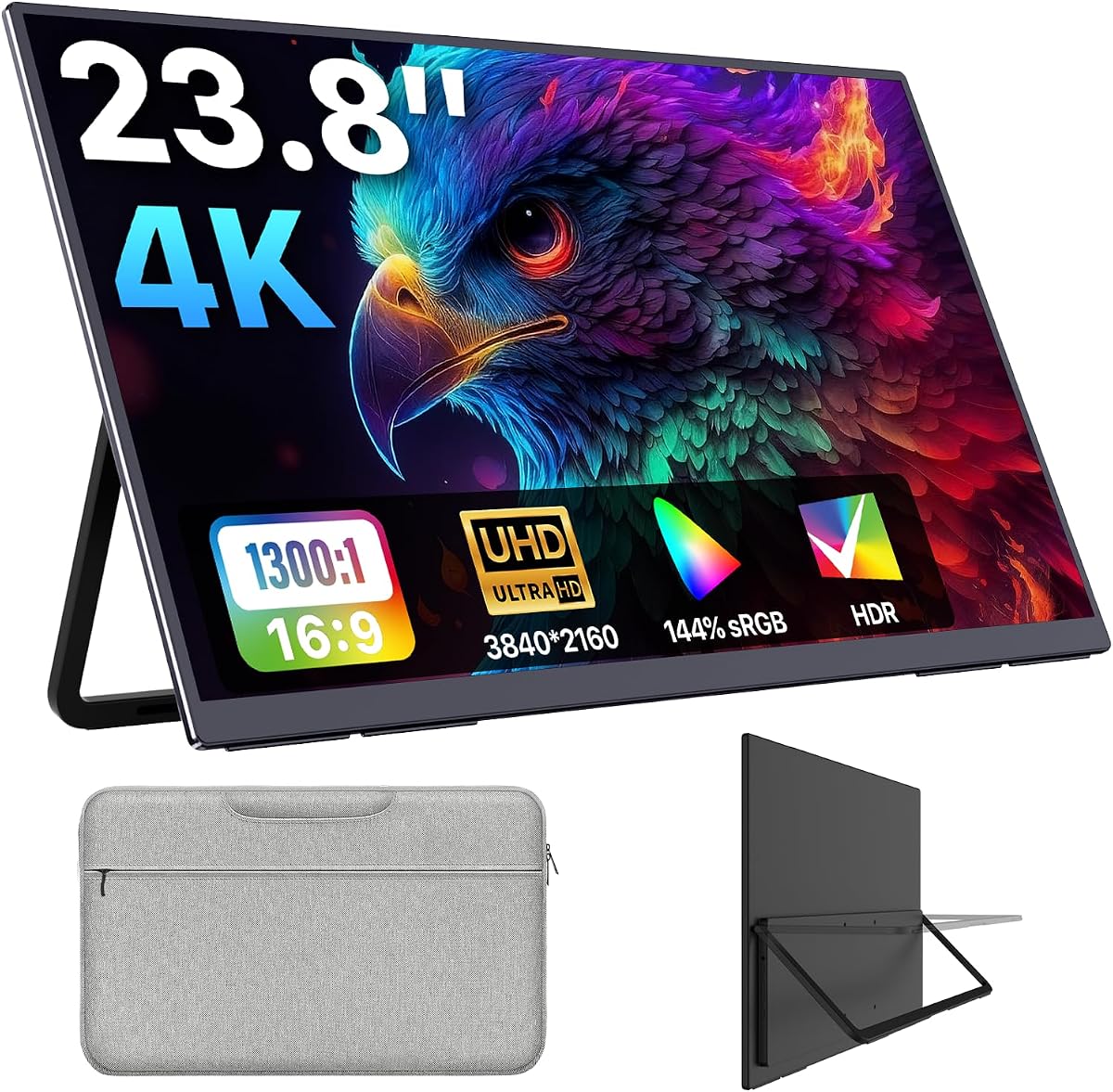
The Upperizon monitor offers a true 4K experience in a portable package which is rare in this category. The 23.8 inch screen provides ample real estate for complex workflows like coding or video editing without needing external monitors. The anti-glare coating helps reduce reflections in various lighting conditions.
We may earn a commission when you buy through this link, at no additional cost to you.
With 144% sRGB coverage it delivers vibrant colors that are essential for creative work. The large screen size combined with 4K resolution ensures text is crisp and details are sharp making it a great tool for professionals who need precision.
Due to its size and resolution it is heavier than smaller models which might impact true portability. It also requires a powerful computer to drive the 4K signal so checking your device capabilities is necessary before purchasing.
If you need a massive high resolution screen on the go this monitor is unmatched. It brings the clarity of a desktop 4K monitor to a portable size making it perfect for power users who refuse to compromise on screen real estate.
The 3840×2160 resolution allows you to see fine details without needing to zoom in often.
Anti-glare coating ensures the screen remains readable even under bright indoor or outdoor lights.
We may earn a commission when you buy through this link, at no additional cost to you.
KEFEYA offers a compact solution specifically designed to augment smaller laptops without adding much bulk. The 14 inch size makes it easy to attach to 13 inch MacBooks or other ultrabooks allowing for a seamless dual screen setup that travels easily in tight bags.
We may earn a commission when you buy through this link, at no additional cost to you.
The 180 degree rotation feature allows you to position the screen in various orientations which is useful for different working scenarios. Plug and play support means you can start using it immediately without worrying about software installation or driver updates.
The smaller screen size means less total space for multitasking compared to 16 inch models. While it is versatile for travel it may feel cramped for users who rely heavily on wide spreadsheets or large timelines.
This extender is perfect for those who travel with compact laptops and need a bit of extra space. Its simplicity and ease of use make it a great accessory for business travelers who need quick productivity boosts without complex setups.
Designed to match smaller laptops it provides an extra screen without making the setup bulky.
Rotation capability allows you to adjust the screen for better viewing in different positions.
We may earn a commission when you buy through this link, at no additional cost to you.
This kksmart monitor offers an intermediate size between standard 15 and 24 inch screens which can be ideal for balanced workspaces. The frameless design provides a modern look and maximizes the viewing area without adding unnecessary bezel bulk.
We may earn a commission when you buy through this link, at no additional cost to you.
With a 100Hz refresh rate it delivers smoother visuals than standard 60Hz models making it suitable for dynamic content. The high sRGB coverage ensures good color performance which is beneficial for general media consumption and creative tasks.
The non-standard size might make it harder to find specific accessories or cases compared to common 15 inch models. Additionally availability can vary so you may need to check stock before planning a purchase.
If you want a middle ground size that is larger than most portables but still manageable this is a good choice. It balances performance and form factor well offering a decent upgrade for users needing more screen real estate than standard laptops.
The 18.5 inch screen offers a comfortable balance between portability and workspace needs.
Minimal bezels maximize the screen area for a cleaner and more immersive visual experience.
We may earn a commission when you buy through this link, at no additional cost to you.
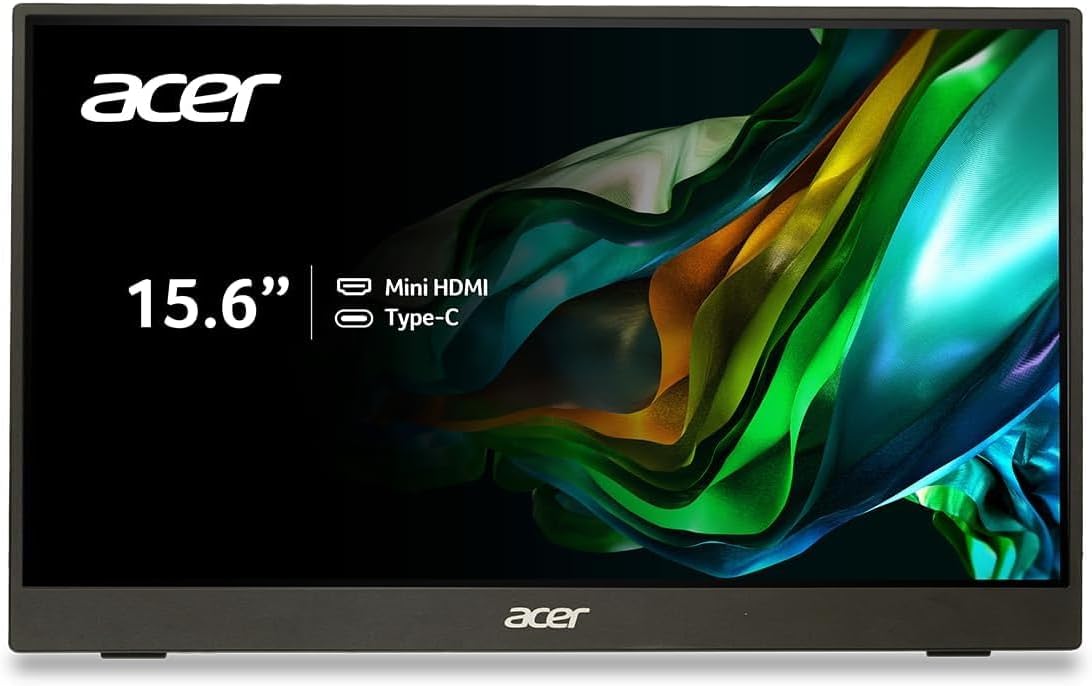
Acer brings its reputation for reliability to the portable monitor market with this slim and affordable model. The IPS panel ensures good viewing angles and accurate colors for general work tasks. AMD FreeSync technology helps reduce screen tearing which is beneficial for media consumption.
We may earn a commission when you buy through this link, at no additional cost to you.
Its slim design fits easily into bags and the VESA compatibility allows for flexible mounting setups if you have an arm or stand available. It is a straightforward option for users who want a basic second screen without extra features.
The contrast ratio is standard so deep blacks might not be as strong as premium models. It lacks advanced features like HDR or high refresh rates which might limit its appeal for gamers or creative professionals.
For users seeking a dependable and simple external display from a well known brand this monitor is a solid choice. It covers the essentials well and is a good fit for office work or casual travel use.
Known for quality electronics Acer offers a consistent experience with a solid warranty and support.
AMD FreeSync syncs the refresh rate with your content to prevent visual stuttering during video.
We may earn a commission when you buy through this link, at no additional cost to you.
ASUS ZenScreen models are recognized for durability and long term support which is reflected in the three year warranty. The anti-glare surface helps reduce reflections making it easier to work in various lighting conditions without eye strain.
We may earn a commission when you buy through this link, at no additional cost to you.
TUV certified flicker free and low blue light technologies ensure a comfortable viewing experience during long work sessions. The hybrid signal tech supports power and video transmission through USB-C which simplifies connectivity for many users.
It can be more expensive than generic options but the extra warranty and eye care features justify the cost for many professionals. The design is practical but not as sleek as some newer models available on the market.
If you value long term reliability and eye protection features this monitor is a strong candidate. It is a safe investment for frequent travelers who need a dependable screen that will last for years of use.
A three year warranty provides peace of mind and long term security for your purchase.
The matte finish minimizes glare and reflections for better visibility in bright environments.
We may earn a commission when you buy through this link, at no additional cost to you.
Selecting the right portable monitor involves balancing screen quality, connectivity, and portability to suit your specific workflow needs. This guide breaks down key factors to consider before making a purchase.
Resolution dictates the clarity of text and images while screen size affects how much content you can see simultaneously. For MacBook users a 15 to 16 inch screen with at least 1080P resolution is a sweet spot for portability and workspace. If you need more detail for design work consider higher resolutions like 2.5K or 4K.
Prioritize at least Full HD for sharp text and comfortable viewing during long sessions.
Modern MacBooks rely heavily on USB-C so ensure the monitor supports USB Power Delivery for single cable connection. HDMI is useful for older devices or consoles but USB-C allows for both video and charging which reduces cable clutter.
Look for monitors with dual USB-C ports for maximum flexibility with different power sources.
Refresh rate impacts how smooth motion appears on screen which is crucial for gaming or dynamic content. While 60Hz is sufficient for office work 120Hz or higher offers a noticeably smoother experience. Response time affects ghosting so lower values are better for fast moving visuals.
Choose higher refresh rates if you plan to use the monitor for gaming or video editing.
Color gamut coverage like sRGB or DCI-P3 determines how accurate colors appear which is vital for creative work. Higher accuracy ensures your designs look correct when exported to other devices. Look for IPS panels as they generally offer better color consistency than TN panels.
Aim for at least 99% sRGB coverage for reliable color reproduction in professional tasks.
Since these monitors are meant to travel check the weight and thickness to ensure they fit in your bag easily. A metal chassis offers better durability and heat dissipation but may add weight. Also consider if a protective case is included to prevent damage during transit.
Balance durability with weight so the monitor remains easy to carry daily.
The aspect ratio affects how content fills the screen when connected to your MacBook. Most MacBooks use 16:10 which matches well with similar aspect ratios in monitors. Standard 16:9 monitors might have small black bars but are often more affordable.
Select an aspect ratio that matches your laptop for the most seamless mirroring experience.
Spending long hours in front of a screen can strain your eyes so features like flicker free and low blue light are beneficial. These technologies reduce harmful rays and prevent eye fatigue making work more comfortable. Look for certifications like TUV Rheinland for added assurance.
Prioritize monitors with certified eye care tech if you work long hours regularly.
Prices vary based on features so determine your budget before shopping to avoid overspending on unnecessary specs. A good warranty can save money on repairs later so check the terms carefully before buying. Often higher cost models come with better support packages.
Invest in a monitor with a solid warranty to protect your purchase long term.
To connect your portable monitor to your MacBook Neo simply plug the USB-C cable into the monitor and your laptop. If your device supports USB Power Delivery the monitor will receive power automatically. Adjust display settings in System Settings to extend your desktop or mirror screens as needed.
Clean the screen regularly using a soft microfiber cloth to avoid scratches or smudges. Avoid using harsh chemicals that could damage the anti-glare coating. Store the monitor in its protective case when not in use to prevent dust buildup and physical damage during transit.
For best performance avoid placing the monitor in direct sunlight for extended periods as heat can affect the screen. If you notice flickering ensure your power source is stable or use a separate adapter. These simple steps will help maintain the longevity and quality of your display.
Yes most modern portable monitors support plug and play with MacBooks without needing extra drivers. You just need to connect via USB-C or HDMI and adjust display settings in macOS. Ensure your MacBook supports USB-PD for single cable power and video transmission.
It depends on your device and monitor model. Some monitors draw enough power from a USB-C connection while others may need a separate adapter. Check the monitor specs for USB-PD requirements before planning your travel setup.
Many portable monitors support HDMI so they can connect to consoles like PlayStation or Xbox. Look for models with 120Hz refresh rates for smoother gameplay. Always check the specific input support before purchasing for console use.
Go to System Settings and click Displays to manage resolution and arrangement. You can choose to extend or mirror the screen depending on your preference. Ensure your resolution is set to the native resolution for sharp text.
Models with high resolution and wide color gamuts like 2.5K and 100% sRGB are suitable for editing. Always check for color calibration options. While good for mobile editing desktop monitors still offer better accuracy for final output.
With proper care a portable monitor can last several years just like a desktop display. Avoid bending the screen excessively and protect it from impacts. Regular cleaning and using protective cases extend the life significantly.
We reviewed ten top options ranging from budget friendly portable screens to high-end 4K displays offering something for every user. The VisionOwl and cocopar models stand out for performance while the MNN offers excellent value for casual travelers.
Prioritize features like resolution connectivity and build quality based on your specific needs whether for work or play. A monitor that fits your workflow will provide the best return on investment over time without compromising on portability.
Remember that prices and availability change so check current listings before making a final decision. We hope this guide helps you find the perfect screen to enhance your MacBook Neo experience.