
ChaoQ Stylus Pen for Touchscreen
4.6Editor score
Lightweight aluminum body
Dual rubber tip options
Ergonomic design
Compare the top 10 fine tip stylus pens for touchscreens, featuring reviews of precision tips, battery life, and compatibility for iPad and Android devices.
Finding the right fine tip stylus can transform how you interact with touchscreens, offering precision that fingers simply cannot match. Whether you are taking notes, drawing sketches, or navigating apps, a quality stylus provides control and comfort for daily tasks.
Our team analyzed over a dozen options to bring you this curated list of the finest stylus pens available today. We evaluated compatibility, tip precision, build quality, and user feedback to ensure every recommendation meets high standards of performance and value.
Each pick below highlights specific strengths and ideal use cases to help you find the perfect tool for your device. Please note that prices and availability can change frequently, so check the current listings before making your final purchase decision.
4.6Editor score

4.6Editor score
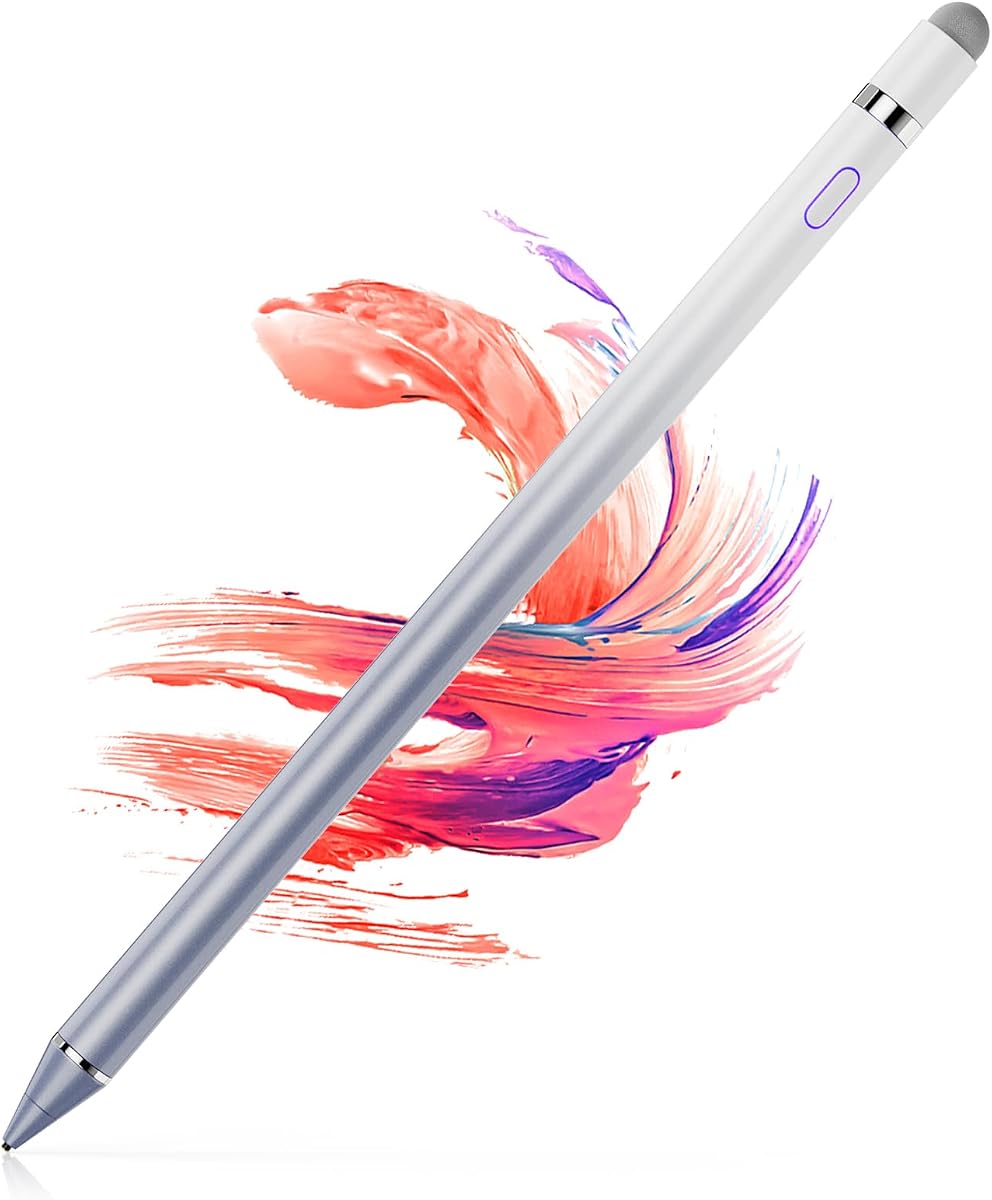
4.0Editor score
This side-by-side comparison highlights the key specifications and features of each selected fine tip stylus to help you make an informed decision based on your specific device and usage needs.
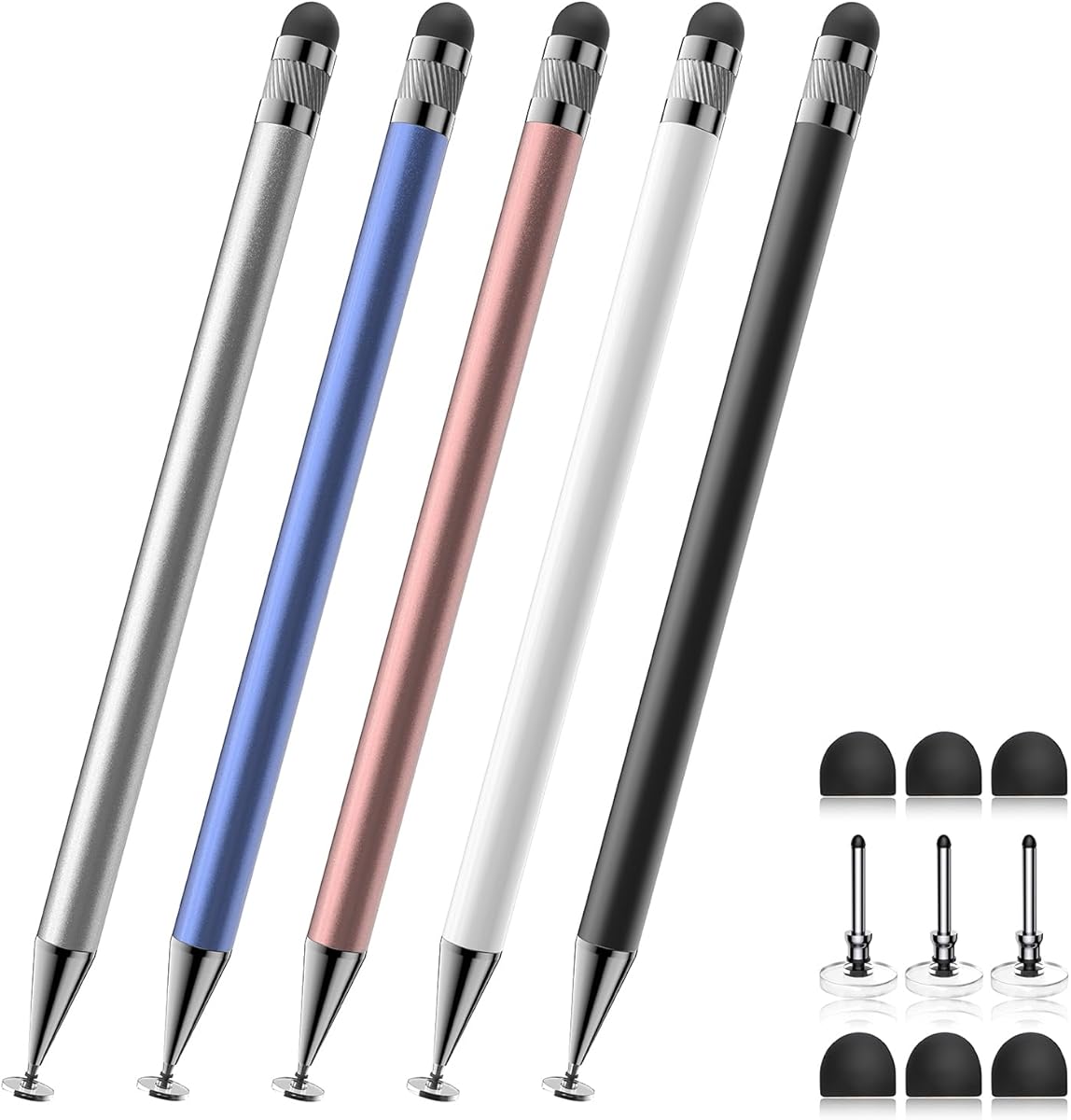


The MEKO Stylus Pen stands out as a top contender for general touchscreen users seeking versatility and precision. With a 4.6 rating from satisfied customers, this 3-in-1 tool offers a transparent disc tip for high accuracy alongside two different rubber tip sizes for varied tasks.
We may earn a commission when you buy through this link, at no additional cost to you.
Its transparent disc tip allows users to see the exact contact point on the screen, which is crucial for detailed work like drawing or precise navigation. The flexible writing angle ensures comfort during extended use, while the silicone rubber tips prevent scratches and reduce fingerprints on your device.
While it lacks active features like pressure sensitivity, its passive design means no charging is ever needed, making it always ready for use. The replaceable tips extend the life of the pen significantly, providing excellent value for students, professionals, and casual users alike.
If you need a reliable, multi-functional stylus that works across almost all capacitive screens without hassle, the MEKO Stylus Pen is our top recommendation. It balances cost, performance, and durability better than most competitors in this category.
The disc tip provides superior visibility of the contact point, enabling accurate taps and strokes that mimic traditional pen-on-paper feedback.
Package includes multiple spare tips ensuring you never run out of functional points and can switch between styles for different apps or games.
We may earn a commission when you buy through this link, at no additional cost to you.
The Bopomofo Stylus offers exceptional value by providing five distinct colorful pens in a single package, making it perfect for families or office sharing. Rated 4.6 stars, these pens feature a unique patented design that adds a touch of personality to your tech accessories while maintaining functionality.
We may earn a commission when you buy through this link, at no additional cost to you.
Each pen includes a flexible transparent disc tip and a rubber tip, allowing users to choose the touch experience that suits their needs best. The pens glide smoothly over screen protectors and are designed to minimize fingerprints and smudges compared to using bare fingers directly.
Since these are passive capacitive styluses, they do not require charging or pairing, ensuring they are ready to use whenever you need them. The durable build and anti-aging materials ensure that these pens last through daily usage without degradation in performance over time.
If you are looking for a fun, practical gift or a budget-friendly way to equip a group with styluses, the Bopomofo pack is an excellent choice. It combines style and utility in a way that appeals to students, teachers, and casual device users.
Unique looks make these styluses feel premium and personalized, adding flair to your workflow or classroom environment without extra cost.
Works seamlessly over most screen protectors without scratching, ensuring your device remains safe while you navigate or write comfortably.
We may earn a commission when you buy through this link, at no additional cost to you.
The Stylus Pen 3-in-1 is a highly versatile tool designed to meet diverse user needs, from gaming to note-taking. With a rating of 4.5, this model features an upgraded transparent disc tip that ensures high precision, while the flexible writing angle enhances ergonomic comfort.
We may earn a commission when you buy through this link, at no additional cost to you.
Its dual-sized rubber tips allow for varied interaction styles, making it easier to tap icons or scroll through pages with control. The transparent disc tip offers visibility of the contact point, reducing errors and increasing accuracy for tasks that require fine detail.
This stylus is particularly noted for being accessible to users with limited hand mobility, as it reduces the strain of using fingers directly on screens. Its replaceable tip system extends the life of the pen, ensuring long-term utility without needing to replace the entire device.
For those seeking a reliable, accessible stylus that offers both precision and comfort, this model is a strong contender. It balances performance and accessibility, making it suitable for users of all ages and physical capabilities.
The 180-degree flexible angle adapts to your grip style, reducing hand fatigue during prolonged writing or gaming sessions.
Reduced finger strain makes it ideal for users with arthritis or dexterity issues who struggle with standard touchscreen interactions.
We may earn a commission when you buy through this link, at no additional cost to you.
The Stylus Pens Universal set is designed for versatility across different types of touchscreens, including older resistive models. With a 3.6 rating, this budget-friendly option includes both silicone and hard plastic tips to cater to a wider range of devices than typical modern styluses.
We may earn a commission when you buy through this link, at no additional cost to you.
The silicone round head works well on modern capacitive screens like smartphones and tablets, providing smooth navigation and touch. Meanwhile, the hard plastic tip is specifically intended for resistive screens found on GPS devices or older navigation systems, adding unique utility to this pack.
While it may not offer the premium feel of higher-end styluses, its ability to function across different screen technologies makes it a practical backup tool. It is lightweight and easy to carry, suitable for users who encounter various devices in their work or daily routine.
If you require a stylus that can handle both modern capacitive touchscreens and legacy resistive interfaces, this dual-tip set is a practical choice. It offers broad compatibility at a low cost, ensuring you have a tool ready for almost any screen type.
Dual heads allow one tool to work on modern smartphones and older GPS devices, reducing the need to carry multiple tools.
Lightweight build makes it easy to keep in a pocket or bag, ensuring you always have a touch tool available when needed.
We may earn a commission when you buy through this link, at no additional cost to you.
The Stylus 7 Pcs set provides a comprehensive solution for households or offices needing multiple styluses without extra cost. Rated 4.6 by users, these pens are made from lightweight alloy, ensuring durability and a premium feel without adding unnecessary weight to your device.
We may earn a commission when you buy through this link, at no additional cost to you.
Each pen features a 2-in-1 design that allows for versatile use across drawing, note-taking, and general navigation. The high precision and sensitivity ensure smooth interaction with the screen, avoiding the lag that can frustrate users during detailed tasks.
The multicolor design helps distinguish pens easily among family members or colleagues, while the universal compatibility ensures they work across Apple, Samsung, and other Android devices. The ready-to-use nature means no setup or charging is ever required, keeping workflow uninterrupted.
If you need a large supply of reliable styluses that can be easily shared, this set offers excellent value and convenience. The alloy body and smooth performance make it a solid choice for daily tasks across different types of touchscreens.
Multiple colors allow easy identification when shared among family members, reducing loss and ensuring everyone has a pen available.
The alloy material resists wear and tear better than plastic, ensuring the pens remain functional through daily heavy use.
We may earn a commission when you buy through this link, at no additional cost to you.
The ChaoQ Stylus Pen bundle offers excellent value for those seeking multiple quality styluses at a budget-friendly price. With a 4.6 rating, these pens feature a sleek aluminum body that feels premium while remaining lightweight, reducing hand fatigue during extended use.
We may earn a commission when you buy through this link, at no additional cost to you.
Each pen includes dual rubber tips in different sizes, allowing for switching between detailed work and general navigation. The ergonomic design is crafted to fit comfortably in the hand, making it suitable for long writing or note-taking sessions without discomfort.
The vibrant colors add a fun element to the design, while the fingerprint-resistant tips help keep screens clean during use. Since they are passive styluses, there is no need for charging or connectivity, ensuring they are always ready when you pick them up.
If you want reliable, stylish styluses that are easy to share or keep in multiple locations, the ChaoQ bundle is a top pick. It delivers high performance and comfort without a high price tag, making it ideal for students and casual users.
The grip design reduces strain on wrist and hand, encouraging longer use without pain during note taking or gaming.
Tips are designed to minimize smudges on glass screens, keeping your display cleaner compared to standard rubber tips.
We may earn a commission when you buy through this link, at no additional cost to you.
The Stylus Pens White stands out as an active option that bridges the gap between passive and premium tools. With a 4.4 rating, it offers a magnetic design that securely attaches to compatible iPad Pro models, ensuring it is always within reach when you need to create or work.
We may earn a commission when you buy through this link, at no additional cost to you.
This stylus provides up to 9 to 10 hours of continuous use on a single charge, which can be replenished in just 40 minutes. The one-touch switch allows you to turn the device on or off quickly, saving power and streamlining your workflow.
The fine point tip ensures accuracy for drawing and writing, while the inclusion of complimentary nibs extends the usability of the pen over time. While it lacks palm rejection, the precision and battery life make it a strong choice for general productivity tasks.
For users who want the convenience of magnetic attachment and reliable battery life without a high-end price, this model offers compelling value. It balances active features with accessibility, making it a practical tool for everyday note-taking and art.
Attaches to the side of compatible iPads, preventing loss and keeping the stylus handy for quick use whenever inspiration strikes.
A full charge takes only 40 minutes, ensuring minimal downtime and consistent availability for your daily creative needs.
We may earn a commission when you buy through this link, at no additional cost to you.
The OASO Stylus Pen is designed with convenience in mind, featuring a magnetic cap that securely stores the disc tip when not in use. With a 4.3 rating, it provides a reliable solution for touchscreen interaction, combining functionality with thoughtful accessory additions like a leather case.
We may earn a commission when you buy through this link, at no additional cost to you.
The disc tip mimics the natural interaction of a human finger but offers better precision and control for scrolling and writing. Since it requires no battery or charging, you can rely on it instantly without worrying about power levels or connectivity issues.
The inclusion of an extra replacement disc tip adds to its value, ensuring you have a backup if the original wears out or gets damaged. The leather case allows for safe transport, protecting the pen from scratches and damage while you are on the move.
If you value thoughtful design details like magnetic caps and storage cases, the OASO stylus is an excellent choice. It offers practical features that enhance user experience while maintaining the simplicity of a passive stylus for daily use.
The magnetic cap secures the disc tip safely, preventing loss and keeping the pen organized when not in use.
A leather pen case is included to protect the stylus from damage during transit, making it ideal for daily commutes.
We may earn a commission when you buy through this link, at no additional cost to you.
The Stylus Pen 1.5mm is built for creators who need precision and durability in their tools. Rated 4.0, this active stylus features a 1.5mm copper tip that glides smoothly without scratching, offering lifelike accuracy for detailed art and precise note-taking on touchscreens.
We may earn a commission when you buy through this link, at no additional cost to you.
Its 12-hour battery life ensures it can last through a full day of work or creative sessions on a single charge. The magnetic cap locks securely to your device or stylus body, preventing loss and protecting the charging port from dust and debris.
While it excludes Windows devices and lacks palm rejection, it works flawlessly across iPad, iPhone, and Android ecosystems. The instant start feature allows you to begin writing or sketching without pairing, making it a reliable companion for capturing ideas on the go.
For professionals seeking a stylus with ultra-fine control and robust battery life, this model delivers premium features at a competitive level. It bridges the gap between basic and high-end tools, making it a standout choice for serious creators.
The 1.5mm copper tip provides exceptional control for detailed work, mimicking the feel of a real pen on paper.
The magnetic cap locks to the device, ensuring the pen is never lost and keeping the port dust-free between uses.
We may earn a commission when you buy through this link, at no additional cost to you.
The Stylus Digital Pen is an active stylus designed for consistent performance across a wide range of tablets and phones. With a 4.0 rating, it offers a 1.5mm diameter tip that provides a realistic writing and drawing feel, making it suitable for creative and professional tasks.
We may earn a commission when you buy through this link, at no additional cost to you.
It powers on within one second, allowing you to start working immediately without waiting for pairing or system initialization. The automatic power-off function conserves battery life when idle, while the long battery duration ensures hours of continuous use before recharging is needed.
While it does not offer pressure sensitivity like higher-end models, its active design still offers better control and precision than passive styluses. The micro USB charging ensures it is compatible with standard charging cables, reducing the need for extra adapters.
If you need an active stylus that balances performance and usability without complex pairing, this digital pen is a solid option. It provides reliable active performance for drawing and writing, making it a practical tool for a variety of touch devices.
Starts in just one second, ensuring you never miss a moment of inspiration during quick note-taking or sketching.
Active design offers better control and consistency than passive pens, making it ideal for detailed work on digital screens.
We may earn a commission when you buy through this link, at no additional cost to you.
Choosing the right fine tip stylus involves considering several key factors to ensure it meets your specific device and usage needs.
The tip material determines how your stylus interacts with the screen. Passive styluses often use silicone rubber for general navigation, while disc tips offer higher visibility and precision. Active styluses may use electronic tips for advanced features like pressure sensitivity.
Look for a tip that matches your primary use case. If you need precision for drawing, a disc tip or fine metal tip is preferable. For general tapping and scrolling, a soft silicone tip may suffice and is generally more durable.
Ensure the stylus is compatible with your specific devices. Most capacitive styluses work on iPads and Android phones, but some active pens only support specific iPad models or Samsung Galaxy devices.
Check the manufacturer specifications to confirm if the stylus supports your operating system. Some styluses exclude Windows devices or require specific Bluetooth pairing, so always verify compatibility before purchasing.
Passive styluses do not require batteries, making them always ready to use but limited in features. Active styluses rely on battery power to provide precision and may require regular charging or USB connections.
Consider how often you can charge a device. If you prefer not to worry about charging, a passive stylus is ideal. For active features, look for models with long battery life, such as 10 to 12 hours, to support full workdays.
Since you may use a stylus for long periods, the ergonomics of the body are important. A lightweight design with a comfortable grip reduces strain on your hand and wrist.
Look for styluses with ergonomic shapes or flexible angles that adapt to your writing style. This ensures comfort during extended use, preventing fatigue during note-taking or creative sessions.
Modern styluses often include extra features like magnetic caps, replaceable tips, or storage cases. These additions enhance convenience and protect the stylus from loss or damage.
Evaluate whether you need features like magnetic attachment to your tablet or replaceable nibs. These small conveniences can make a significant difference in daily use and longevity of the stylus.
Fine tip styluses vary widely in price, from budget-friendly bundles to premium active models. Determine how much you are willing to spend based on your expected usage and feature requirements.
Consider the long-term value, such as the inclusion of spare tips or accessories. A slightly higher initial cost may offer better longevity if it includes replaceable parts or durable materials.
To use your stylus effectively, ensure your device screen is clean and free of smudges. Simply touch the tip to the surface and drag to navigate or write. For models with multiple tips, switch between them by unscrewing the cap or rotating the barrel as instructed.
If your stylus is rechargeable, connect it to a USB cable using the provided port. Charge fully before first use to ensure optimal battery performance. Passive models require no charging and are ready for use immediately upon unpacking.
Store your stylus in a safe place, ideally in a case or attached magnetically if supported. Avoid dropping the tip on hard surfaces to prevent damage. Regularly clean the tip with a soft cloth to maintain sensitivity and smooth interaction with your screen.
Most passive fine tip styluses work on any capacitive touchscreen, including iPads and Android tablets. However, active styluses often have specific model requirements. Always check the product compatibility list before purchasing to ensure it supports your device.
Yes, styluses offer better precision and control, which is essential for detailed tasks like drawing or note-taking. They also prevent fingerprints and smudges on your screen, keeping your device cleaner while allowing for more accurate interactions.
Active styluses work on most note-taking and drawing apps, but features like pressure sensitivity depend on software support. Some apps may not recognize advanced features, so test the stylus with your preferred applications for best results.
Many models include replaceable tips to extend the life of the stylus. Check the product description to see if spare tips are included or sold separately. This feature ensures you don't have to replace the entire pen when the tip wears down.
Yes, most fine tip styluses are designed to work with standard screen protectors without scratching the glass. Ensure your stylus tip is soft, like silicone or disc material, to minimize friction and maintain screen quality during use.
Lag can occur due to low battery, poor connection, or software settings. For active styluses, ensure it is fully charged and within range. For passive styluses, lag is rare but may occur on devices with low sensitivity settings.
Choosing the best fine tip stylus depends on your specific needs, whether you are looking for budget-friendly options like the ChaoQ Stylus Pen or premium precision like the Stylus Pen 1.5mm.
Prioritize features that matter most to you, such as tip precision, battery life, or ergonomic comfort. Ensure compatibility with your device to avoid connectivity issues and maximize the utility of your purchase.
Always check current prices and availability before buying as deals can change. We hope this guide helps you find the perfect stylus to enhance your digital experience and productivity.