
OBDLink EX FORScan OBD Adapter
4.7Editor score
Dealership-level diagnostics
Electronic CAN bus access
Maximum data throughput speed
This guide compares the top Forscan USB OBD2 Adapter options for Ford and Mazda vehicles, highlighting speed, stability, and programming capabilities for DIY
Selecting the right Forscan USB OBD2 Adapter is crucial for vehicle owners who want reliable diagnostics. These tools connect your laptop to the car, enabling deep access to system data and hidden features that standard scanners miss.
We evaluated ten top-rated adapters based on compatibility, data transfer speed, and stability during extended sessions. Our analysis focuses on how well each device handles HS-CAN and MS-CAN protocols required by modern Ford and Mazda networks.
Each pick below highlights specific strengths like automatic switching or high-speed throughput. Prices and availability fluctuate daily, so verify current details before purchasing to ensure you get the best value for your specific vehicle model.
4.7Editor score

4.7Editor score

4.4Editor score
The following table provides a side-by-side comparison of the top ten adapters. Review key specifications like protocol support, connection type, and voltage capabilities to determine which model fits your diagnostic needs.




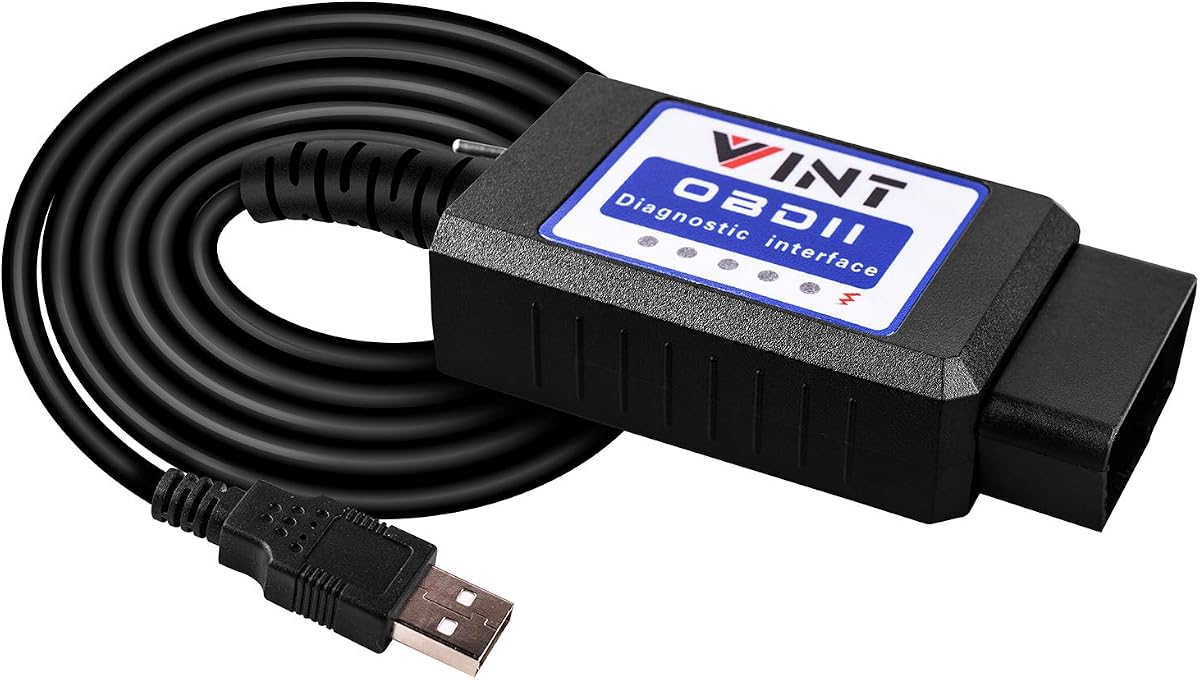
The Vgate vLinker FS stands out as the top choice for serious DIY mechanics. With a high rating of 4.7 stars, it delivers reliable performance optimized specifically for the FORScan diagnostic software. This adapter handles extended diagnostics without lag or crashes.
We may earn a commission when you buy through this link, at no additional cost to you.
Its intelligent CAN bus access automatically identifies and connects to HS-CAN and MS-CAN networks. This seamless switching allows for complete DTC retrieval and large data transfers without truncation. It supports up to 18V output for ECU programming on select older vehicles.
While it requires separate software installation and costs more than basic adapters, the stability and speed justify the investment. Users report consistent performance during live data streaming and programming tasks.
This adapter is ideal for Ford, Lincoln, Mazda, and Mercury owners who need professional-grade diagnostics. If you prioritize stability and automation, the Vgate vLinker FS is the recommended choice.
The adapter automatically switches between HS-CAN and MS-CAN buses, simplifying the process for users who might otherwise struggle with manual toggles.
Supporting data rates up to 3 Mbps, this device ensures quick retrieval of fault codes and smooth live streaming of sensor data.
We may earn a commission when you buy through this link, at no additional cost to you.
The OBDLink EX is a premium tool designed specifically for deep Ford diagnostics. It receives a 4.7 rating and is recommended by the FORScan Team. This adapter supports all Ford protocols and modules, offering dealership-level access to vehicle systems.
We may earn a commission when you buy through this link, at no additional cost to you.
It features an electronic switch that allows access to all CAN buses simultaneously. This capability enables advanced functions that are impossible with standard toggle switch adapters. The connection is rock-solid, avoiding data corruption and dropped packets effectively.
Although it is the most expensive option on this list, its maximum throughput—up to 20 times faster than toggle adapters—makes it worth it for frequent users. Stability is a key highlight, ensuring data integrity during complex tasks.
Buy this if you need the absolute best performance and are willing to pay for premium hardware. It is perfect for technicians or enthusiasts who require consistent, high-speed communication with their vehicle's ECU.
This adapter supports all Ford protocols and modules, giving you access to advanced features typically reserved for professional shop equipment.
The built-in electronic switch enables simultaneous access to CAN buses, removing the need to manually flip switches during diagnostic sessions.
We may earn a commission when you buy through this link, at no additional cost to you.
The ELM327 USB Adapter offers a budget-friendly entry point for Ford diagnostics. With a rating of 4.4 stars, it supports various protocols like J1850PWM and HS/MS CAN. It is widely compatible with Ford, Lincoln, Mazda, and Mercury vehicles.
We may earn a commission when you buy through this link, at no additional cost to you.
It features manual toggle switches for HS and MS CAN protocols. This requires a bit of user input but works reliably for standard troubleshooting. The tool supports popular Windows software like ELMconfig and FoCCCus for configuration and coding.
While you must install drivers separately and switch manually, the low cost makes it accessible for casual users. It handles basic code reading and clearing well, though it may not match the speed of higher-end options.
This adapter is ideal for those on a tight budget who still want access to hidden features. If you are comfortable with manual setup and do not need extreme speed, this is a solid value option.
Unlock features like Global Window, Bambi mode, and reverse tilt mirrors using compatible software and this USB adapter.
Runs on all 32/64-bit Windows systems from XP to 10, ensuring broad availability for desktop and laptop users.
We may earn a commission when you buy through this link, at no additional cost to you.
The OHP FORScan adapter is designed for Ford owners who want to save on dealer repair costs. With a 4.3 rating, it provides accurate diagnostics for engine, transmission, and ABS systems. It reads and interprets trouble codes efficiently.
We may earn a commission when you buy through this link, at no additional cost to you.
It supports bus speeds up to 500kbit/s and works well with FORScan software. Each fault code includes a description to help identify root causes. However, it is strictly limited to Windows operating systems and specific Ford models.
Users note that driver installation can sometimes require manual setup via Device Manager. While this adds a small hurdle, the cost savings on repairs make it a popular choice for DIYers.
Choose this if you primarily drive a Ford and use Windows. It is a cost-effective tool for basic maintenance and troubleshooting without needing a mechanic for every warning light.
Designed to empower owners to troubleshoot issues confidently and perform basic maintenance without visiting a shop.
Provides detailed descriptions for trouble codes, making it easier to understand what is wrong with the vehicle.
We may earn a commission when you buy through this link, at no additional cost to you.
This version of the vLinker FS emphasizes reliability and battery protection. With a 4.6 rating, it delivers high-speed communication optimized for FORScan. The automatic switching feature ensures seamless access to multiple CAN buses simultaneously.
We may earn a commission when you buy through this link, at no additional cost to you.
It includes advanced protection against over-voltage and battery drain, making it safe to leave plugged in. The serial buffer supports large frame communications, ensuring data integrity during extended sessions. It covers a wide range of vehicle models.
The price reflects its premium features, which may not be necessary for very basic users. However, for those needing stability during programming, this model offers significant peace of mind against battery issues.
Buy this if you want automatic convenience and battery safety. It is excellent for Ford and Mazda owners who plan to perform ECU modifications or extended live data monitoring regularly.
Sleep mode and protection features prevent the device from draining your car battery even when left connected overnight.
With speeds up to 3Mbps, this adapter ensures smooth real-time meters and faster data transfer during programming.
We may earn a commission when you buy through this link, at no additional cost to you.
This adapter is an affordable option for Ford truck owners. With a 4.0 rating, it provides basic diagnostic capabilities. It supports all Windows versions from XP to 10 and includes manual HS CAN and MS CAN switches.
We may earn a commission when you buy through this link, at no additional cost to you.
You can access features like Global Window and Bambi Mode through compatible software. However, users note that driver installation is mandatory before use. It is not suitable for non-Ford vehicles using specific newer protocols.
The lower rating suggests inconsistent performance compared to higher-end brands. While it works for simple tasks, you might face connection challenges if not configured correctly.
This is a budget choice for Ford F150 and F250 owners. If you need simple code reading and some customization without spending much, this tool may suffice with patience.
Access custom settings like tire size correction and mirror tilt features using compatible diagnostic software.
Supports major OBD2 protocols including J1850PWM and various CAN standards for broad compatibility.
We may earn a commission when you buy through this link, at no additional cost to you.
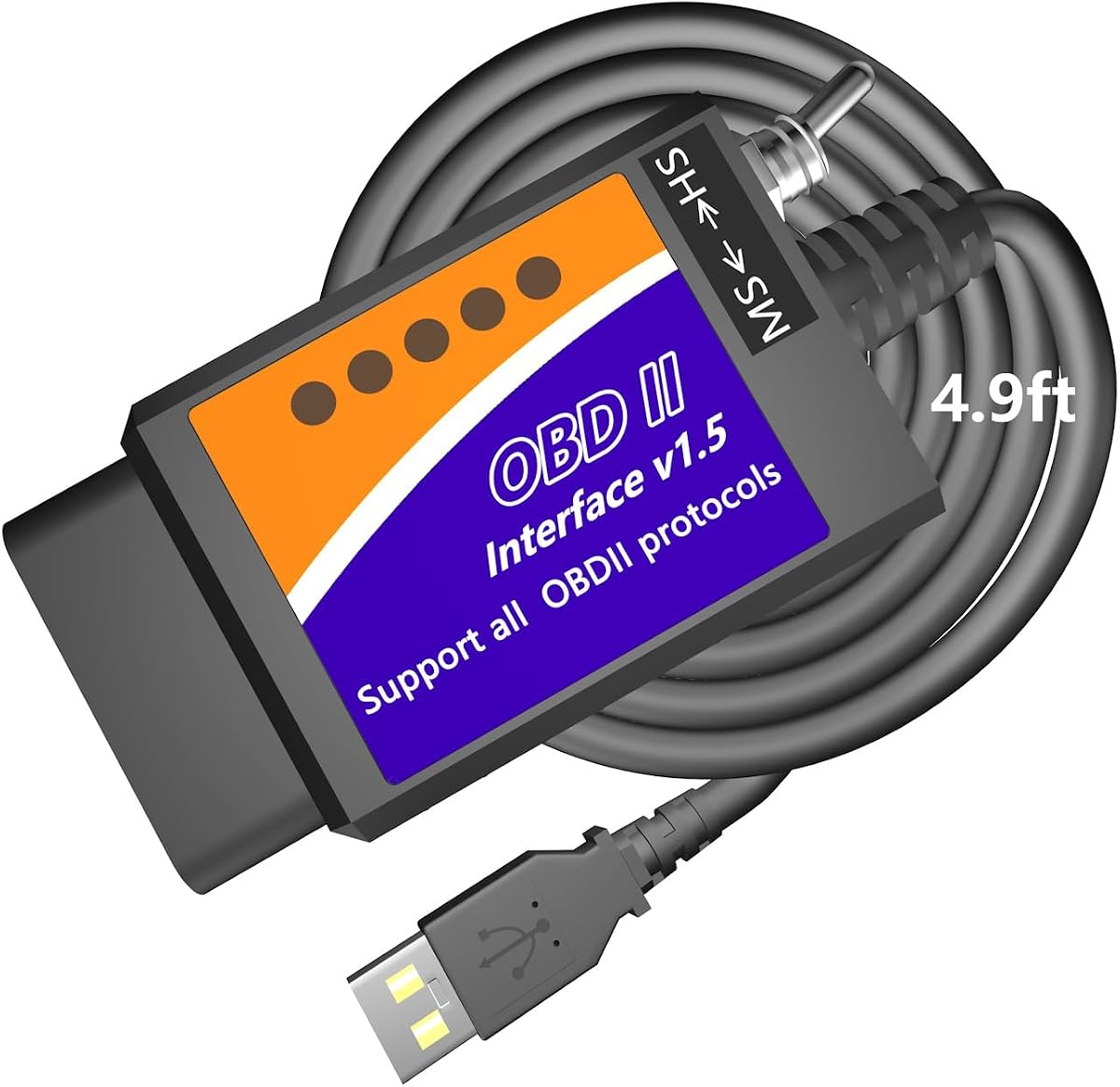
The MOCATEC adapter is designed for user comfort with its extra-long 4.9ft cable. This length allows you to place your laptop on your knees without straining. It has a 4.3 rating and works well with FORScan for feature customization.
We may earn a commission when you buy through this link, at no additional cost to you.
It supports various hidden factory configurations and real-time sensor monitoring. The toggle switch bridges access to different modules. While compatible with many models, note that support for 2025 and newer models may be limited.
The long cable is a distinct advantage over standard 3ft adapters, reducing clutter and restriction during use. It helps prevent accidental port disconnection during diagnostics.
Choose this if you prioritize physical comfort and flexibility. It is good for owners who want to customize their Ford or Lincoln vehicle without the hassle of short cables.
The 4.9ft cable prevents cramping and allows easier access to the passenger seat for live data monitoring.
Unlock and customize settings like secure idle modes and daytime running lights to match your personal style.
We may earn a commission when you buy through this link, at no additional cost to you.
The AntiBreak adapter uses a reliable FTDI chip to minimize data corruption. With a 4.3 rating, it offers a stable connection for standard diagnostic tasks. It supports the full range of OBD2 protocols for Ford vehicles.
We may earn a commission when you buy through this link, at no additional cost to you.
Manual switching between MS and HS CAN buses is required, which adds a step to your workflow. However, the hardware is robust enough for routine clearing of check engine lights and sensor monitoring.
Users must install drivers manually before connecting, which may confuse beginners. But once set up, the connection quality is consistent and avoids dropped packets during data transfers.
This is a good budget pick for those who prioritize chip quality. If you are comfortable with setup and want a stable connection without spending much, this adapter is worth considering.
The FTDI chip ensures a stable connection and helps avoid data corruption during critical programming tasks.
Switch between CAN protocols manually to access different vehicle systems and diagnostic modules effectively.
We may earn a commission when you buy through this link, at no additional cost to you.
This specific Vgate vLinker FS variant holds an impressive 4.8 rating. It is explicitly recommended by the FORS-can Team. The device supports automatic switching and high-speed data transfer, ensuring efficiency during diagnostics.
We may earn a commission when you buy through this link, at no additional cost to you.
It features an improved USB interface compatible with both 2.0 and 3.0 standards. Users appreciate the rock-solid connection that avoids dropped packets. It also supports 18V programming output for configuration and flashing tasks.
While it is not the cheapest option, the high rating reflects consistent performance. It is designed to unlock full hidden functions without needing manual intervention, simplifying the diagnostic process.
Choose this for top-tier performance and team endorsement. It is an excellent choice for anyone wanting reliable automatic switching and maximum compatibility with the FORScan ecosystem.
The device automatically accesses all CAN buses simultaneously, allowing advanced functions without manual toggling.
Supports FEPS 18V programming voltage output, enabling deeper ECU modification and configuration tasks.
We may earn a commission when you buy through this link, at no additional cost to you.
The OBD2 Adapter FORSCans is a solid choice for older Ford F150 and F250 models. With a 4.5 rating, it supports all OBD2 protocols and includes manual CAN switches. It provides consistent 500kbit/s speed for reliable data.
We may earn a commission when you buy through this link, at no additional cost to you.
It works with popular tools like ELMconfig and FoCCCus for modifying hidden settings. The manual switch helps you access specific modules safely. However, it is strictly limited to Windows environments.
This model is a favorite among truck owners who prefer a straightforward approach. While it lacks automatic features, it is robust enough for regular maintenance and code clearing tasks.
Buy this if you own an older Ford truck and use Windows. It offers a good balance of price and functionality for legacy models that do not need the latest automatic switching.
Runs at a constant speed of 500kbit/s, ensuring stable data flow during diagnostics.
Includes a built-in MS-CAN and HS-CAN toggle switch to help you navigate vehicle networks easily.
We may earn a commission when you buy through this link, at no additional cost to you.
Choosing the right adapter depends on your vehicle, software, and budget. Consider these factors to find the best tool for your needs.
Ensure the adapter supports HS-CAN and MS-CAN, which are critical for Ford and Mazda. Some adapters only support basic protocols, which limits your ability to access advanced features or program modules.
Check compatibility lists for your specific vehicle year before buying to avoid connectivity issues.
USB connections are generally more stable than wireless Bluetooth options for diagnostics and programming. Wired adapters avoid signal interference, which is vital for accurate data streaming during complex tasks.
Always opt for a USB interface if you prioritize stability over convenience.
Automatic switching adapters handle CAN bus transitions for you, saving time and reducing errors. Manual switches require you to toggle between HS and MS CAN manually, which can be tedious but works well for simple reads.
Choose automatic if you plan on doing frequent programming or diagnostics.
Most adapters are designed for Windows systems like XP through 10. Mac users may need to run Windows emulators like Boot Camp, which adds complexity to the process.
Confirm that your laptop or desktop runs a supported OS before purchasing the hardware.
If you plan on ECU programming, check if the adapter supports 18V output. Standard diagnostic tools may not provide enough voltage for flashing or advanced configuration tasks.
Look for specs mentioning high-voltage support for programming work.
Adapters do not include diagnostic software like FORScan. You must download and install these separately, which may require a license for full functionality.
Ensure you are ready to install third-party apps before buying the hardware.
Devices with chips like FTDI often offer better reliability and data integrity. Avoid cheap generic adapters that lack quality control, as they may drop connections frequently.
Prioritize well-reviewed brands with specific mention of stable hardware.
Some adapters include sleep modes to prevent battery drain when left plugged in. This feature is useful if you leave the device connected for extended periods.
Check if the adapter has low current consumption to protect your car battery.
Before connecting, install the necessary drivers on your Windows computer to ensure the system recognizes the adapter. Without the correct drivers, the tool may not appear in your device manager or software.
Plug the adapter into the OBD2 port under the dashboard. Open your diagnostic software like FORScan and select the correct COM port if automatic detection fails. Ensure your vehicle ignition is on to power the adapter.
Protect the cable from moisture and extreme heat to maintain its integrity. Regularly update your drivers and software to ensure compatibility with new vehicle firmware and features.
Most adapters listed are designed for Windows systems and do not work directly on macOS. You would need to run a Windows environment using tools like Boot Camp or a virtual machine to use them effectively.
No, the adapter hardware does not include any software. You must download the required diagnostic tools like FORScan separately. Some features may require an extended license for full access.
Some adapters support universal protocols, but most listed here are optimized for Ford, Lincoln, Mazda, and Mercury. Always check specific compatibility lists for other brands like GM or Toyota before purchasing.
Basic diagnostic functions are often free, but advanced features like module programming require an Extended License. This can be obtained through a trial or purchased directly from the FORScan developers.
This usually means drivers are missing or the COM port number is too high. Try reinstalling the driver or lowering the COM port number in the Device Manager settings to resolve connectivity issues.
Some adapters have battery protection features that allow safe long-term connection. Others may drain the battery if left plugged in without a sleep mode. Check your specific product description for battery drain details.
These are two different communication networks in a vehicle. HS-CAN handles faster systems like engine and transmission, while MS-CAN manages slower features like body electronics. You often need to switch between them for full access.
The Vgate vLinker FS leads as the top choice for its automatic switching and stability. The OBDLink EX remains the premium option for those needing maximum performance and dealership-level access.
Budget users will find the ELM327 USB Adapter offers great value with manual features. Prioritize based on whether you need programming capabilities or just basic code reading for your vehicle.
Remember that prices and availability change daily. Always verify the current listing and check compatibility for your specific vehicle model before making a final purchase decision.