
NETGEAR Nighthawk WiFi 7 Router RS700S
4.4Editor score
19 Gbps max speed
3500 sq ft coverage
10 Gig Ethernet support
Discover the top high end WiFi router models for October 2026. We compare speed coverage security and features to help you choose the right networking gear.
Finding the right high end WiFi router is essential for modern households with multiple devices. These routers offer superior speed coverage and advanced features to handle streaming gaming and smart home needs efficiently.
We evaluated ten top models based on performance reliability security and ease of use. Our analysis covers the latest WiFi 7 technology and traditional WiFi 6E options to ensure you find the best fit.
Each pick highlights key strengths and ideal use cases for different users. Remember that network conditions vary so consider your home layout and device count before making a final decision on your new router.
4.4Editor score

4.3Editor score

4.3Editor score
This side-by-side comparison highlights the key specifications and capabilities of each high end WiFi router model to help you make an informed choice for your home network.






The TP-Link BE6500 stands out as a powerful choice for those seeking next generation connectivity. With a strong rating from users it delivers reliable performance across a range of demanding applications.
We may earn a commission when you buy through this link, at no additional cost to you.
Its WiFi 7 support including Multi-Link Operation ensures devices can connect simultaneously across bands for faster throughput and lower latency. The inclusion of 2.5 Gbps ports makes it ideal for modern high speed internet plans.
While it lacks tri-band support the efficiency of WiFi 7 compensates well for most home setups. The security focus via HomeShield and CISA compliance adds peace of mind for families concerned about online safety.
This router is perfect for users who want future proof technology without paying premium prices. Its balance of speed coverage and security makes it a top recommendation for most households.
WiFi 7 features like 4K QAM and MLO provide enhanced performance on compatible devices like the latest smartphones and laptops.
Built with cybersecurity as a core requirement this router helps protect your network from threats while offering robust parental controls.
We may earn a commission when you buy through this link, at no additional cost to you.
The TP-Link AXE5400 offers excellent value for users who want WiFi 6E benefits without the premium cost of WiFi 7. It maintains a high user rating due to its stability and speed.
We may earn a commission when you buy through this link, at no additional cost to you.
Its tri-band design includes a dedicated 6 GHz channel which reduces congestion for nearby devices. The 1.0 GHz dual-core CPU and 512 MB RAM ensure smooth multitasking even with many connections.
Although it misses out on the latest WiFi 7 standards the performance is still robust for streaming and gaming. The EasyMesh compatibility allows for easy expansion if you need more coverage later.
This model is ideal for those upgrading from older WiFi 5 routers who want a significant speed boost. It provides a reliable foundation for modern home networks at an affordable price.
True Tri-Band and OFDMA technology increase capacity by four times to enable simultaneous transmission to more devices efficiently.
The EasyMesh compatible design lets you extend your network range with compatible routers or extenders to eliminate dead zones.
We may earn a commission when you buy through this link, at no additional cost to you.
NETGEAR brings a robust WiFi 7 option with its Nighthawk series which balances cost and performance well. Users appreciate the dedicated 6 GHz band for fastest devices.
We may earn a commission when you buy through this link, at no additional cost to you.
The router supports up to 9.3 Gbps which is a significant jump over WiFi 6. This allows for ultra-fast downloads and seamless streaming even when multiple users are active.
Security features like Advanced Router Protection add value without extra setup. The Nighthawk app makes it simple to run speed tests and manage connected devices from anywhere.
This choice suits tech enthusiasts who want cutting-edge specs without overspending. It is a solid performer for homes with mixed device loads and high speed internet needs.
Up to 9.3 Gbps across bands is 2.4x faster than WiFi 6 keeping every device connected at the same time with MU-MIMO.
Download the free Nighthawk app for guided setup and remote management of WiFi speed tests and device pausing.
We may earn a commission when you buy through this link, at no additional cost to you.
The NETGEAR RS700S targets serious users who demand maximum speed and coverage. Its high rating reflects the quality of its build and performance capabilities.
We may earn a commission when you buy through this link, at no additional cost to you.
With a 10 Gig WAN port it can utilize fiber plans that exceed current common speeds. The 12-stream design ensures strong reach even in large multi-story homes.
While expensive it offers features that will remain relevant for years. The Armor security trial adds immediate value though a subscription is required for continued protection.
This router is best for large homes with many smart devices and high bandwidth needs. It ensures your network can handle any future upgrade to internet plans.
Plug your modem into the 10 Gig WAN port to unlock premium fiber plans and connect gaming rigs with dedicated LAN ports.
The 12-stream design covers up to 3500 sq ft for 200 devices ensuring reliable connections throughout large spaces.
We may earn a commission when you buy through this link, at no additional cost to you.
For gamers and power users the ASUS ROG Rapture offers top-tier performance. Its specialized features focus on reducing latency and prioritizing gaming traffic.
We may earn a commission when you buy through this link, at no additional cost to you.
The 30 Gbps potential speed and quad-band design mean virtually no congestion. Triple-Level Game Acceleration boosts traffic from your PC directly to game servers for a smoother experience.
The dual 10G ports allow for wired connections that match wired fiber capabilities. It is a serious investment but provides an unmatched experience for competitive gaming.
This model is perfect for those who need the absolute best network performance. It ensures your gaming setup is not limited by network bottlenecks.
Triple-Level Game Acceleration boosts your PC gaming traffic every step of the way from your PC gaming port to the game server.
320MHz channels in 6 GHz and 4096-QAM significantly increase network capacity and throughput for heavy usage.
We may earn a commission when you buy through this link, at no additional cost to you.
Synology brings enterprise-grade features to the home market with its RT6600ax. It appeals to users who prioritize network security and organization.
We may earn a commission when you buy through this link, at no additional cost to you.
The ability to create up to five separate networks helps keep devices secure. VLAN segmentation allows you to isolate smart home devices from personal computers.
Its VPN server solution is robust for remote access to files and networks. The threat prevention tools add an extra layer of protection against online risks.
This router is ideal for tech savvy users who want control over their network. It offers professional features in a package designed for home environments.
Create and define up to five separate networks to segregate and contain vulnerable devices for better security.
The comprehensive VPN server solution provides flexible and secure remote connectivity with remote desktop and site-to-site tunneling.
We may earn a commission when you buy through this link, at no additional cost to you.
The ASUS Rog Strix GS-BE18000 delivers substantial speed and features for demanding users. It combines WiFi 7 tech with gaming optimizations effectively.
We may earn a commission when you buy through this link, at no additional cost to you.
With up to 18 Gbps speeds it handles multiple 4K streams and large downloads without dropping performance. The 2.5 Gigabit Ethernet ensures wired devices get full speed.
Its design focuses on maintaining low latency for gaming which is crucial for competitive play. The brand reputation for quality ensures reliable operation over time.
This option suits gamers who need high throughput and reliable connections. It is a powerful tool for any home with heavy internet usage.
Tri-Band WiFi 7 provides up to 18 Gbps speeds for the fastest internet plans and multiple connected devices.
Advanced gaming features help keep latency low and connections stable during intense multiplayer sessions.
We may earn a commission when you buy through this link, at no additional cost to you.
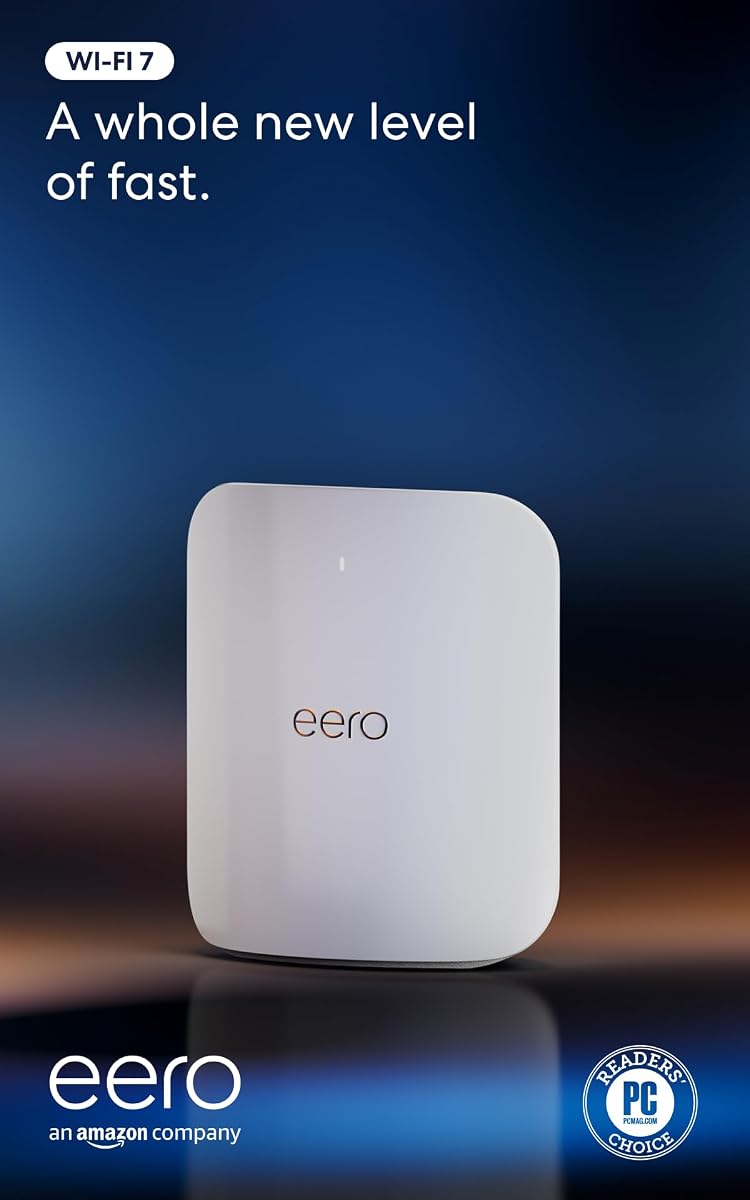
The eero Pro 7 simplifies mesh networking with its intuitive design. It is perfect for those who want seamless coverage without technical hassle.
We may earn a commission when you buy through this link, at no additional cost to you.
Its TrueMesh software dynamically finds the ideal path for data transfer minimizing interference. This ensures stable connections across different floors and rooms.
Support for plans up to 5 Gbps makes it a future-proof choice for most homes. The app guides you through setup in minutes for instant connectivity.
This system is best for users who value simplicity and reliability. It integrates well with smart home ecosystems for a connected experience.
TrueMesh software combined with TrueRoam keeps you on the optimal and most reliable WiFi connection possible throughout your home.
Use any single eero as a gateway to replace your current router or add it to extend WiFi coverage anywhere.
We may earn a commission when you buy through this link, at no additional cost to you.
The eero Max 7 combines high-speed networking with smart home integration. It supports the latest Matter and Zigbee standards for seamless control.
We may earn a commission when you buy through this link, at no additional cost to you.
With wired speeds up to 9.4 Gbps it keeps up with fiber connections. The built-in hub connects Thread devices directly reducing the need for extra bridges.
Its capacity to connect 250 devices makes it suitable for large smart homes. The app makes management simple for all users regardless of technical skill.
This router is ideal for homes that prioritize smart home automation. It ensures your network is ready for the next generation of connected devices.
eero Max 7 works as a smart home hub so you can connect Thread Matter and Zigbee devices as a controller.
Supports internet plans up to 10 Gbps with two 10 Gigabit Ethernet ports for serious wired performance.
We may earn a commission when you buy through this link, at no additional cost to you.
The NETGEAR RS90 brings WiFi 7 technology to a broader audience with an affordable price. It maintains a strong rating due to its solid everyday performance.
We may earn a commission when you buy through this link, at no additional cost to you.
Dual-band WiFi 7 provides faster speeds than WiFi 6 which is enough for most streaming and gaming needs. The 2.5 Gig WAN port allows for faster internet plans.
While it lacks advanced tri-band features it remains a reliable choice for smaller homes. The Nighthawk app simplifies management and security checks.
This model is perfect for budget conscious buyers wanting the latest tech. It ensures a reliable connection without breaking the bank on networking gear.
This dedicated dual-band router is built to keep up when everyone is online with speed for streaming and smart devices.
Plug your modem into the 2.5 Gig WAN port to unlock multi-gig internet plans for faster downloads.
We may earn a commission when you buy through this link, at no additional cost to you.
Selecting the right router involves considering several factors to ensure optimal performance for your specific needs.
The latest WiFi 7 technology offers significant improvements in speed and latency over previous generations. Look for routers with tri-band support if you have many devices to reduce congestion on the 6 GHz band.
Choosing a router with the latest standards ensures your network can handle future internet speed upgrades without needing immediate replacement.
Your home size and the number of connected devices determine the coverage you need. Large homes may require mesh systems or routers with strong antenna arrays to eliminate dead zones.
Always check the rated device capacity to ensure the router can manage all your smart devices simultaneously without performance drops.
Gaming consoles and NAS drives benefit from wired connections so check for multiple Gigabit or 2.5 Gbps ports. Future-proofing with 10 Gig ports allows you to take advantage of fiber upgrades.
Ensure the router has at least one high speed WAN port to match your internet plan speed for optimal performance.
Built-in security tools like network monitoring and parental controls are essential for protecting your family online. Some routers offer advanced threat detection that scans for malware automatically.
Prioritize routers that include a subscription trial for security services to evaluate if they meet your needs before paying extra.
A user friendly mobile app makes it easy to set up and manage your network from anywhere. Look for guided setup features that simplify the installation process.
Choosing a router with intuitive controls helps you adjust settings without technical knowledge or confusion.
Investing in a router with features like WiFi 7 and multi-gig ports ensures longevity. This prevents the need for frequent upgrades as technology advances.
A future-proof router protects your investment by supporting new devices and faster internet speeds over time.
Ensure the router supports the latest WiFi standards for your smartphones and laptops to maximize speeds. Older devices may still work but won't benefit from new features.
Check compatibility with your specific modem and ISP to avoid connectivity issues or the need for bridge mode.
High end routers vary widely in price so determine how much you are willing to spend for specific features. Sometimes a mid range model offers the best balance of performance and cost.
Consider the long-term value of the router in terms of reliability and support rather than just the initial cost.
Start by placing your router in a central location away from walls and metal objects to ensure maximum signal spread. Avoid placing it inside cabinets or behind TVs where heat can build up and reduce performance.
Use the dedicated app provided by the manufacturer to update firmware regularly for security patches and performance improvements. This ensures your router stays efficient and protected from new threats.
Monitor connected devices periodically through the router app to identify any unauthorized connections. Rebooting the router occasionally can help clear cache and restore network stability.
High end routers offer faster speeds greater device capacity and advanced security features. They support the latest WiFi standards which reduce lag and improve connection stability across multiple devices.
Yes most routers require a separate modem to connect to your internet service provider. Some cable or fiber providers offer combo units but standalone routers give you better performance.
Absolutely high end routers prioritize low latency and stable connections which are essential for gaming. Look for models with gaming features like traffic prioritization for the best experience.
Most high end routers support between 50 and 250 devices simultaneously. This capacity ensures every device gets enough bandwidth without slowdowns during peak usage times.
Mesh systems are ideal for large homes where a single router cannot cover the entire area. They use multiple nodes to create a seamless network eliminating dead zones effectively.
WiFi 7 supports faster speeds and lower latency than WiFi 6E with wider channels and advanced features like Multi-Link Operation. It is designed to handle more demanding network loads efficiently.
Many routers offer basic security features for free such as network scanning and parental controls. However advanced protection often requires a separate subscription after a trial period.
You can add a range extender or use a mesh system to expand coverage. Positioning your router centrally and upgrading antennas can also improve signal strength in larger homes.
The TP-Link BE6500 NETGEAR RS700S and eero Max 7 stand out as top choices for different needs. Each offers unique strengths ranging from raw speed to smart home integration and ease of use.
Consider your home size the number of devices and specific requirements like gaming or security when making your selection. The right router will improve your daily internet experience significantly.
Always check current availability and network conditions before purchasing to ensure compatibility. With the right high end router your home network will be ready for future challenges.