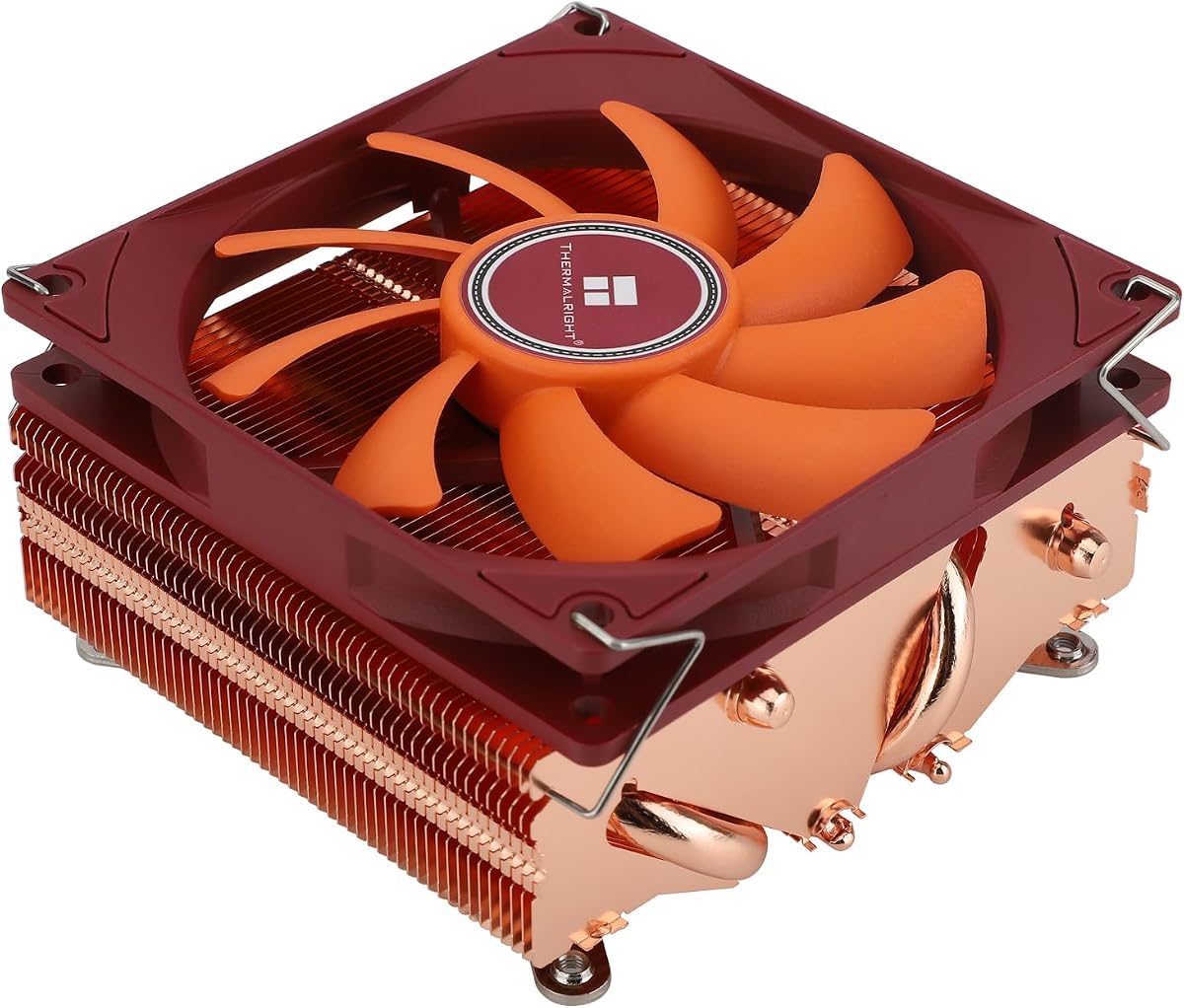
Thermalright AXP90-X53
4.5Editor score
Pure copper radiator
AGHP heat pipe tech
53mm total height
This guide compares the top ten Htpc CPU Cooler models for quiet performance and compact design in small form factor and home theater PC builds.
Building a home theater PC requires careful component selection to ensure silent operation and efficient thermal management. A high quality Htpc CPU Cooler is essential for maintaining low noise levels while keeping your processor cool during media playback and light gaming tasks.
We analyzed ten top rated models based on height compatibility, cooling efficiency, and noise output. Our selection includes low profile solutions designed specifically for tight spaces found in mini itx cases and compact media centers without sacrificing performance.
Each pick highlights specific strengths like thermal design power support and fan control options. Note that availability and pricing fluctuate frequently so verify current details before making your final purchase decision for your specific build requirements.
4.5Editor score

4.7Editor score

4.7Editor score
The following table provides a side by side overview of all ten selected models. Compare their key specifications to find the right fit for your case clearance and cooling needs.




The ID-COOLING IS-67-XT stands out as a top contender for HTPC builds needing reliable cooling without taking up much space. It holds a strong rating from users who appreciate its efficient thermal performance in compact enclosures.
We may earn a commission when you buy through this link, at no additional cost to you.
Its design features six heat pipes connected to a copper base which ensures rapid heat transfer away from the processor. The included 120mm PWM fan allows for automatic speed adjustments maintaining quiet operation during light media tasks.
While it performs well most users note the fan can become audible under heavy sustained loads. This trade-off is acceptable given the ultra-compact 67mm height which fits easily into tight ITX cases where larger coolers simply will not fit.
This cooler is ideal for builders seeking a balance between cooling capacity and physical footprint. It supports modern Intel and AMD sockets making it a versatile choice for current and upcoming HTPC system configurations.
Six heat pipes work in concert with the copper base to move heat quickly from the CPU to the fins for efficient dissipation.
At only 67mm tall this unit clears tall RAM modules and fits into cases with severe height restrictions without modification.
We may earn a commission when you buy through this link, at no additional cost to you.
Noctua is renowned for silence and the NH-L9x65 delivers on that promise with an optimized NF-A9x14 fan. It earns high marks for keeping noise levels imperceptible during normal home theater usage scenarios.
We may earn a commission when you buy through this link, at no additional cost to you.
The unit measures only 65mm in total height ensuring it clears standard memory modules on mini ITX boards. Installation is simplified by the SecuFirm2 system which provides secure mounting without risk of damaging the motherboard.
A minor drawback is the limited thermal design power capacity compared to larger coolers. However for HTPCs where CPUs rarely hit maximum thermal loads this constraint is rarely an issue in real world applications.
Investors in this cooler gain peace of mind regarding long term reliability and acoustic comfort. It is the preferred choice for those prioritizing a silent listening environment over raw cooling power.
The NF-A9x14 fan uses advanced blade geometry to push more air quietly compared to standard 92mm fans in its class.
Includes high quality mounting hardware and thermal paste ensuring a straightforward setup process for first time builders.
We may earn a commission when you buy through this link, at no additional cost to you.
For cases with severe clearance restrictions the IS-40-XT offers a solution at just 47mm tall. Users appreciate its ability to fit where other coolers cannot while still providing adequate cooling for standard processors.
We may earn a commission when you buy through this link, at no additional cost to you.
The inclusion of four heat pipes helps distribute heat efficiently across the fins. The 92mm PWM fan offers speed control though users report it can get louder when pushed to maximum RPM limits during stress tests.
Trade-offs include slightly less surface area for airflow compared to taller units. Yet for media players that do not require intensive gaming or rendering this cooler provides ample headroom for thermal stability.
This is the go to option for budget conscious builders with tiny enclosures. It balances cost and performance effectively making it a smart choice for entry level HTPC projects.
Its 47mm height allows installation in cases that are impossible for standard low profile units to accommodate comfortably.
Provides reliable thermal management without breaking the bank which is perfect for budget build scenarios.
We may earn a commission when you buy through this link, at no additional cost to you.
Thermalright brings a pure copper radiator to this segment ensuring high thermal conductivity. The AGHP technology inside the heat pipes allows the unit to work efficiently regardless of orientation inside the case.
We may earn a commission when you buy through this link, at no additional cost to you.
Users report consistent temperatures even when the case is positioned vertically. The 53mm height clears most memory sticks and the fan delivers decent airflow for its slim profile dimensions.
The main trade-off is the increased weight compared to aluminum alternatives. Care is needed during installation to avoid stressing motherboard mounting points. Performance remains solid for its size class.
This model suits builders who want premium thermal materials at an accessible price. It is a strong contender for HTPCs needing robust cooling in a very tight form factor.
Advanced heat pipes maintain performance in any orientation which is vital for non standard case mounting positions.
Copper transfers heat faster than aluminum resulting in lower CPU temperatures under identical workload conditions.
We may earn a commission when you buy through this link, at no additional cost to you.
While not strictly low profile this cooler offers exceptional value for HTPCs built in larger chassis. It delivers desktop class cooling performance at a fraction of the cost of other premium brands.
We may earn a commission when you buy through this link, at no additional cost to you.
Two 120mm fans push significant air through the heatsink keeping temperatures extremely low. The six heat pipes ensure rapid transfer from the CPU surface to the fins for maximum efficiency.
The height is too large for compact cases but works well for media centers with more space. Users should verify case clearance before buying as it needs ample vertical room.
Choose this if you need maximum cooling capacity and have the physical space. It is a high performance choice for users who want silence through low fan speeds due to high efficiency.
Two fans provide redundant airflow and lower noise per unit of air moved compared to single fan setups.
The heat pipe technology maintains efficiency regardless of how the unit is mounted in the chassis.
We may earn a commission when you buy through this link, at no additional cost to you.
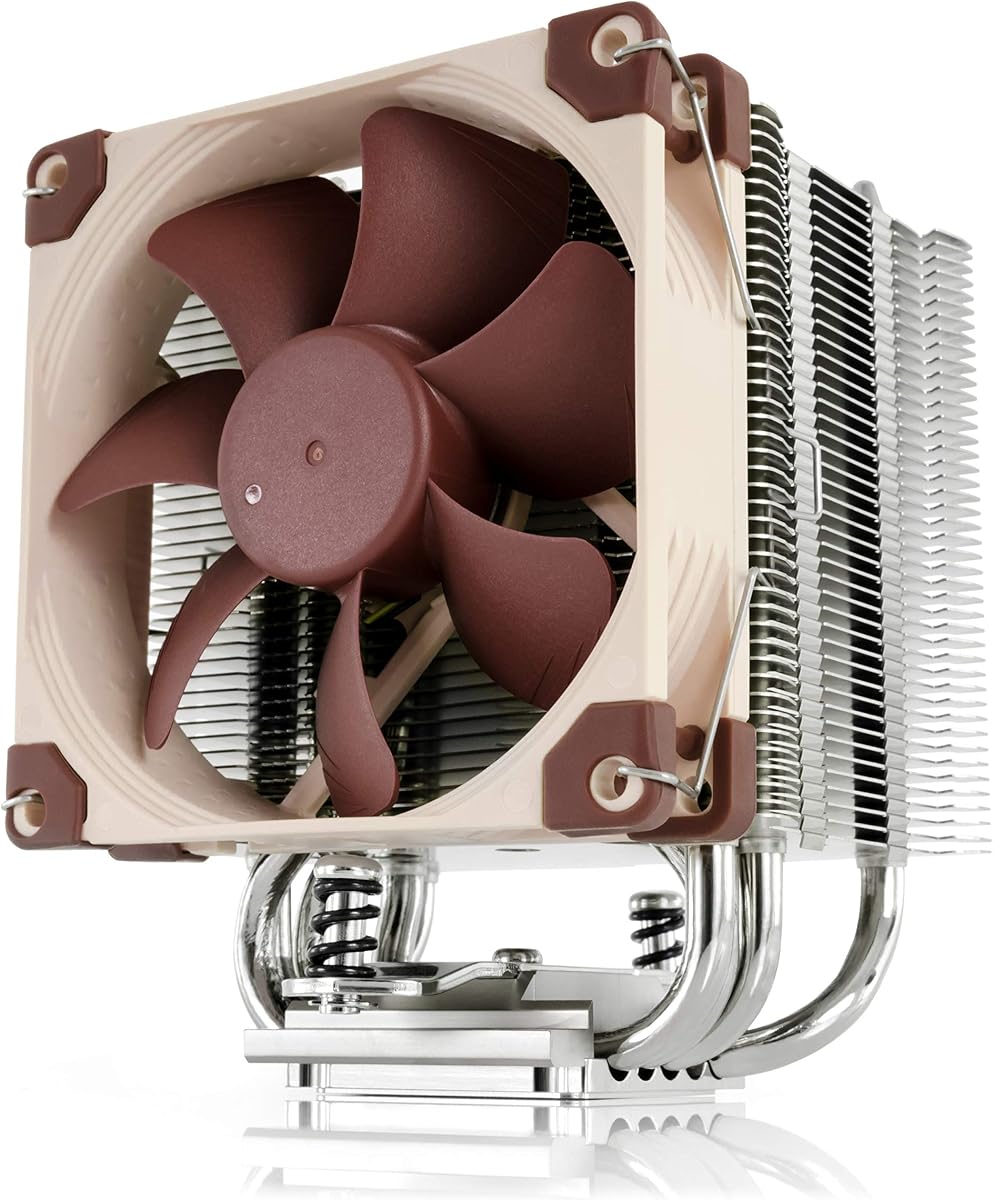
The NH-U9S balances single tower design with high performance. It is slightly taller than low profile models but fits many larger small form factor cases with room to spare.
We may earn a commission when you buy through this link, at no additional cost to you.
The optimized NF-A9 fan ensures whisper quiet operation. Installation is straightforward and the included thermal paste delivers consistent results. It supports modern sockets making it future proof.
Height may be an issue in extremely compact builds. But for ITX cases with more vertical clearance this cooler offers reliable performance with minimal acoustic impact.
This choice is for users who prioritize silence and stability. It provides a premium feel and reliable cooling for everyday computing and media tasks.
The specialized fan design moves air effectively while keeping noise to a minimum during typical workloads.
SecuFirm2 ensures secure attachment that remains stable over time without risking motherboard damage.
We may earn a commission when you buy through this link, at no additional cost to you.
Designed specifically for AM4 this unit offers ultra low height ideal for slim enclosures. It fits in cases where only 37mm clearance is available maintaining high efficiency.
We may earn a commission when you buy through this link, at no additional cost to you.
The NF-A9x14 fan keeps noise low and performance high. Build quality matches Noctua standards and the thermal paste ensures good contact. It is an excellent match for Ryzen 5 processors.
AM4 limitation is the main trade-off restricting future upgrades to newer sockets. For dedicated media PCs however this limitation is often acceptable given the acoustic benefits.
Select this for a dedicated AM4 media center. It delivers top tier quiet cooling for a very specific and common HTPC platform.
Dedicated hardware ensures perfect fit and pressure distribution on AMD AM4 boards without compatibility issues.
At 37mm tall it clears even the tightest memory modules and case ceilings.
We may earn a commission when you buy through this link, at no additional cost to you.
The NH-L12S brings a 120mm fan to low profile cooling for superior performance. Its design offers a large surface area for heat dissipation in a compact 70mm package.
We may earn a commission when you buy through this link, at no additional cost to you.
Users praise its ability to handle modern CPUs quietly. The included thermal paste and mounting kit simplify setup. It supports both Intel and AMD latest generations making it versatile.
Cost and height requirements are the main downsides. You need enough clearance and budget. But for those who need reliable performance in a smaller space it is unmatched.
Invest here for a premium HTPC experience. It combines modern socket support with top notch noise levels and build quality.
Larger diameter fan moves more air at lower speeds for quieter operation compared to smaller fans.
Supports latest Intel and AMD sockets ensuring compatibility with current CPUs for years to come.
We may earn a commission when you buy through this link, at no additional cost to you.
This unit offers strong performance for standard cases. Its height suits medium towers where low profile is not strictly required. It brings efficient cooling at a reasonable price point.
We may earn a commission when you buy through this link, at no additional cost to you.
AGHP technology ensures the pipes work in any orientation. The single 120mm fan moves air efficiently. Users find it easy to install on various platforms.
Its height is a limitation for compact HTPCs. Check case clearance carefully. It is better for standard desktops that double as media centers.
Choose this for balanced performance and value. It is a solid general purpose cooler for non compact builds.
A large 120mm fan provides ample airflow to keep temperatures low under typical usage.
Mounting kits support multiple sockets making it adaptable for different system builds.
We may earn a commission when you buy through this link, at no additional cost to you.
At 36mm this is one of the slimmest coolers available. It fits in cases where most others would clash with components. Users value its compact design and decent cooling.
We may earn a commission when you buy through this link, at no additional cost to you.
AGHP technology helps maintain thermal transfer in tight spots. The aluminum radiator keeps costs down. The fan runs quietly but may be audible under heavy loads.
Trade-off is lower thermal capacity compared to copper options. Still fine for typical HTPC workloads. It offers value where clearance is critical.
Best for minimal builds needing extreme height reduction. It balances size and cooling for tight spots without breaking the budget.
Minimal height ensures clearance for almost any RAM or motherboard component.
Offers reliable cooling for very low cost ideal for budget restricted projects.
We may earn a commission when you buy through this link, at no additional cost to you.
Selecting the right cooler involves balancing dimensions thermal performance and acoustic comfort. These factors ensure your system stays cool and quiet during operation.
The most critical factor is physical height. Measure your case's maximum CPU clearance before buying. Low profile coolers under 60mm fit most mini itx cases.
Always verify exact height requirements to avoid installation issues.
Check your processor's thermal design power. Higher TDP needs more robust cooling. For HTPCs typical CPUs are low power so 65W or 95W coolers suffice.
Ensure the cooler meets or exceeds your CPU's TDP rating.
Noise ratings in decibels matter for media centers. Look for models with PWM fans that adjust speed. Quieter fans often have larger diameters.
Prioritize models with low dB ratings for silent environments.
Ensure the cooler supports your motherboard socket type. Intel and AMD have different mounting brackets. Newer sockets need updated mounting kits.
Verify socket support on the product page before purchase.
Copper bases conduct heat faster than aluminum. Some units use full copper radiators for efficiency. Aluminum keeps weight down and costs lower.
Full copper offers better thermal transfer if budget allows.
Look for mounting systems with clear instructions. SecuFirm2 or similar systems simplify mounting. Pre applied paste saves setup time.
Simplified mounting reduces installation frustration significantly.
A long warranty signals manufacturer confidence. Noctua offers six year warranties on most units. Check terms for accidental damage coverage.
Longer warranties provide peace of mind for long term use.
Design style matters if your case is transparent. Some coolers feature black shrouds or covers. Others focus purely on function.
Choose a finish matching your build's theme.
Begin by applying a pea sized amount of thermal paste to the center of your CPU. Ensure the mounting hardware matches your socket type before securing the heatsink.
Connect the fan to the CPU fan header on the motherboard. This allows BIOS to control fan speeds based on processor temperature.
Periodically clean dust from the fins and fan blades using compressed air. Dust buildup reduces airflow and increases noise levels significantly over time.
Yes for most modern CPUs in HTPCs low profile coolers are sufficient. Most media center CPUs do not generate enough heat to overwhelm these designs. Just ensure your case has adequate airflow.
Copper conducts heat faster which moves heat from the CPU to the fins more efficiently. This means lower CPU temperatures under load. However aluminum is lighter and cheaper.
Thermal paste lasts several years but degrades over time. If temperatures rise after a few years replacing it restores cooling efficiency. Check your processor temperatures regularly to know when to replace.
Only if your case has enough vertical clearance. Many mini itx cases cannot fit tower coolers. Always check the maximum CPU cooler height in your case manual before purchasing.
PWM stands for Pulse Width Modulation. It allows the motherboard to vary fan speed. This keeps noise low when your CPU is idle and cools better under load.
Check if the cooler overhangs the RAM slots. Low profile coolers are designed to clear tall RAM. Review compatibility charts provided by the manufacturer to avoid conflicts.
We have reviewed ten models balancing size performance and price for HTPC builds. The Noctua NH-L9x65 stands out for silent operation while ID-COOLING offers value for tight budgets.
Prioritize physical clearance first then TDP needs. A cooler that fits your case is useless if it cannot handle your processor heat output.
Prices and availability change frequently. Check current listings and verify compatibility before finalizing your build to ensure a smooth installation process.