
MOSDART 64GB Metal
4.5Editor score
Affordable price point
Waterproof metal design
Built-in key ring
Discover the top keychain USB flash drives for reliable storage and portability. This guide compares speed, durability, and design to help you choose the right
Finding a reliable way to carry your files on the go is essential in our digital world. A keychain USB flash drive offers compact storage that attaches directly to your keys or bag ensuring your data is always within reach.
We evaluated ten top-rated models based on build quality, transfer speeds, and compatibility with various devices. Our analysis focuses on how well each drive protects your data while maintaining ease of use across different operating systems and hardware setups.
Each selection in this list highlights specific strengths like water resistance or dual connectivity options. Please note that availability and pricing may vary so always check the latest details before making your final purchase decision online.
4.5Editor score

4.7Editor score

4.4Editor score
This side-by-side comparison highlights the unique features and specifications of each selected drive to help you understand the differences in speed capacity and physical design across the market.



This 230GB USB stick stands out for its massive storage capacity in a compact form factor. It boasts a 4.1 star rating from users who appreciate its ability to hold large media files and documents securely.
We may earn a commission when you buy through this link, at no additional cost to you.
The drive features a robust metal shell that protects against water shock and dust making it ideal for outdoor use or travel. Its simple plug and play design ensures you can transfer data immediately without needing additional software.
While it supports standard USB ports on laptops and tablets the transfer speed is limited compared to newer USB 3.0 models. This trade-off is acceptable for users prioritizing storage volume over rapid file transfers.
If you need to carry a significant amount of data like high-resolution videos or software libraries this drive offers a reliable solution. Its keychain design ensures it stays attached to your keys so you never lose it.
The 230GB capacity allows you to store thousands of photos and hours of video without worrying about running out of space on your device.
Engineered with a metal casing and waterproof technology this drive withstands harsh environments ensuring your data remains safe during daily commutes.
We may earn a commission when you buy through this link, at no additional cost to you.
The MOSDART 64GB Metal Flash Drive is a highly rated option for those seeking reliable storage without breaking the bank. With a 4.5 star rating it is trusted by users for its durability and practical design.
We may earn a commission when you buy through this link, at no additional cost to you.
Its waterproof metal casing offers excellent protection against accidental spills and rough handling. The built-in key ring makes it easy to attach to your keys or backpack ensuring it is always handy when you need it.
While it uses the older USB 2.0 standard which limits transfer speeds it is perfectly adequate for everyday file storage and sharing. Users appreciate the exFAT format which works across different systems without reformatting.
For students or professionals who need a simple backup solution this drive delivers great value. Its compact size fits easily in a pocket and the silver finish gives it a professional look.
The metal casing and waterproof features ensure that your data remains secure even if the drive is exposed to liquids or dust during travel.
With a built-in key ring you can effortlessly attach the drive to your keys or bag so it never gets separated from your essential items.
We may earn a commission when you buy through this link, at no additional cost to you.
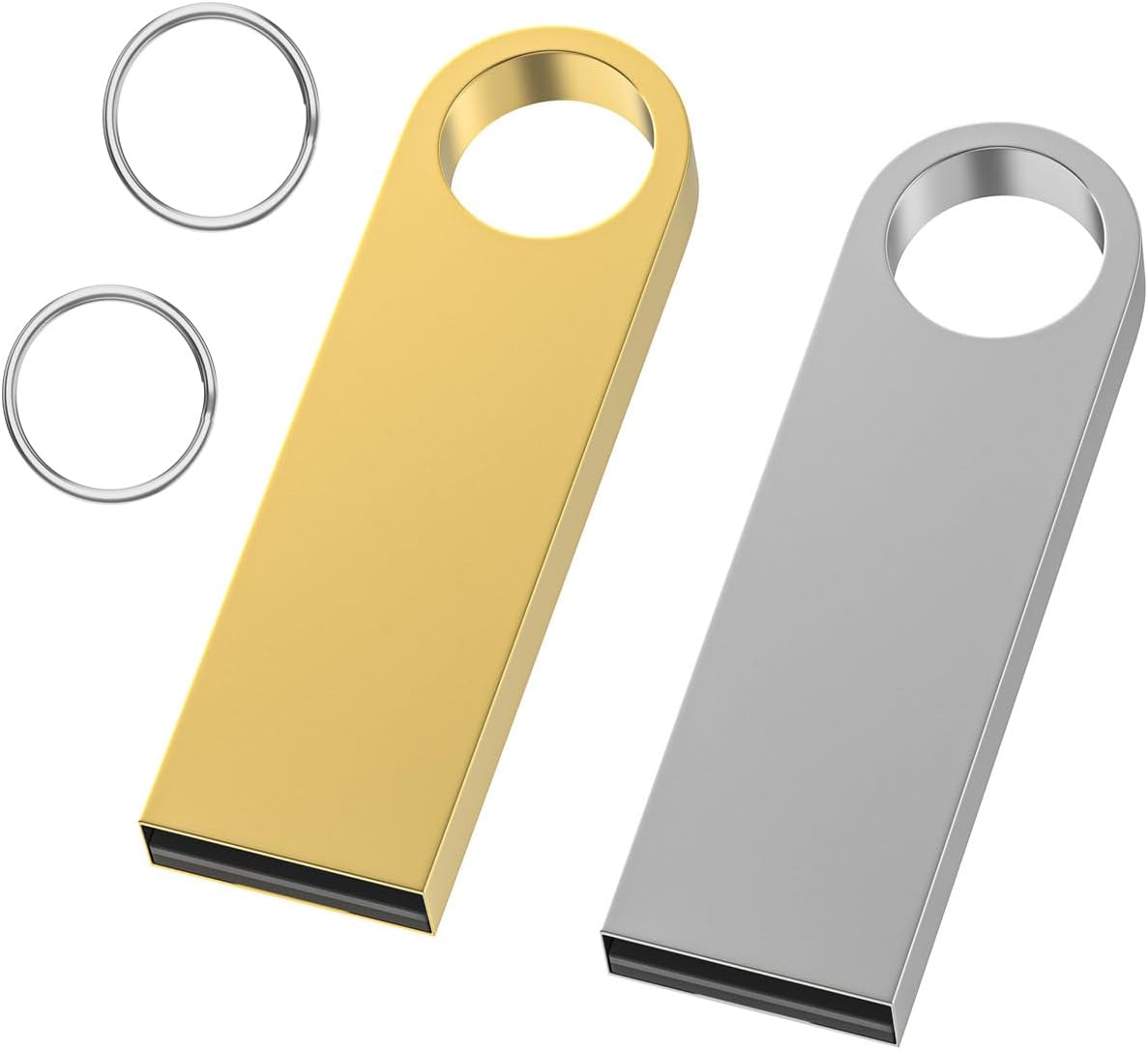
This set offers two 128GB metal flash drives which provides excellent value for users needing multiple backup options. With a 4.4 star rating these drives are praised for their sleek design and reliable performance across various devices.
We may earn a commission when you buy through this link, at no additional cost to you.
The capless design eliminates the risk of losing a protective cap while the vacuum sealed metal casing ensures water and dust resistance. This makes the drives robust enough for everyday use in different environments.
Although they operate on USB 2.0 speeds they provide stable and fast enough transfer rates for standard documents and media files. The included keychains allow for easy attachment to key rings or lanyards for secure carrying.
If you need to share files between multiple devices or keep backups separate this two-pack is a smart choice. The customizable option for logos adds a professional touch for business or promotional use.
Receiving two drives in one pack allows you to separate personal and work files or keep a secure backup of your critical data.
The sliding mechanism and metal construction protect the USB port without requiring removable caps that can easily get lost during travel.
We may earn a commission when you buy through this link, at no additional cost to you.
This dual flash drive is designed for seamless file transfer between USB-C devices and traditional computers. It holds a 4.4 star rating due to its versatility and ability to handle both Android phones and laptops effortlessly.
We may earn a commission when you buy through this link, at no additional cost to you.
Featuring USB 3.2 technology it delivers transfer speeds up to 150MB/s which is significantly faster than standard drives. The rotating metal design protects the ports while allowing you to switch between connectors without removing a shell.
The keychain included ensures that this valuable tool stays with your keys so you do not lose it in a bag. The navy color adds a distinct look compared to standard silver or black drives.
Ideal for professionals who use both smartphones and laptops this drive removes compatibility barriers. You can move photos directly from your phone to your computer without needing adapters or extra cables.
With 150MB/s speeds you can quickly move large video files or documents between devices saving time during your daily workflow.
The included keychain and compact size make it easy to carry in your pocket ensuring you always have storage available when traveling.
We may earn a commission when you buy through this link, at no additional cost to you.
This portable metal thumb drive offers a lightweight and sturdy solution for external data storage. With a 4.1 star rating it is appreciated by users for its simplicity and reliable performance across different operating systems.
We may earn a commission when you buy through this link, at no additional cost to you.
The metal body protects the internal components from physical damage while the Class-A chip ensures stable data transmission. Its design allows it to be used directly as a keychain making it easy to keep track of.
It supports plug and play functionality so no software installation is required to start using it. Compatibility extends to Windows and Mac systems making it versatile for home and office use.
For those who need a straightforward backup tool this drive meets basic storage needs effectively. Its small form factor means it takes up minimal space in your pocket or bag.
The Class-A chip provides stable and fast data transmission ensuring that your files are transferred without errors or interruptions.
Works seamlessly with desktops laptops and TVs offering a versatile solution for sharing media files across different hardware setups.
We may earn a commission when you buy through this link, at no additional cost to you.
The SAMSUNG BAR Plus is widely recognized for its speed and durability earning a high 4.7 star rating. It delivers read speeds up to 300MB/s making it one of the fastest options in this category.
We may earn a commission when you buy through this link, at no additional cost to you.
Its rugged metal casing is designed to withstand water shock and temperature changes ensuring your data stays safe in tough conditions. The key ring prevents loss and the champagne silver finish adds a touch of style.
While it is slightly more expensive than budget models the performance and reliability justify the cost for professional users. Backwards compatibility means it works perfectly with older USB ports on laptops and desktops.
If you regularly transfer large video files or work with high-resolution images this drive will save you significant time. Its robust build ensures it will last through years of daily use.
With 300MB/s read speeds you can quickly access large files without waiting for long transfer times improving your productivity.
The waterproof and shockproof design protects your valuable data from environmental hazards ensuring it remains intact during transport.
We may earn a commission when you buy through this link, at no additional cost to you.
This dual-head flash drive is optimized for users who need to move files directly to their smartphones. With a 4.5 star rating it is particularly popular among photographers and travelers who want to backup photos on the go.
We may earn a commission when you buy through this link, at no additional cost to you.
It features a longer USB-C port that allows you to plug it directly into a phone without removing the case. The swivel design includes a protective cap for the USB-C end to keep it clean and scratch-free.
The 16GB capacity is ideal for storing essential documents and a selection of photos rather than massive libraries. It works with a wide range of devices including Android phones MacBooks and iPads.
If you hate running out of space on your phone this drive provides a quick offline solution. You can free up space instantly by moving files to the drive without needing cloud storage or internet.
The longer USB-C port allows you to plug the drive directly into your phone without having to remove the protective case.
Transfer photos and videos directly to the drive to free up space on your device without needing a Wi-Fi connection or internet.
We may earn a commission when you buy through this link, at no additional cost to you.
This 2 pack offers two sleek metal USB drives which is perfect for sharing with colleagues or keeping one as a backup. With a 4.5 star rating users appreciate the premium aluminum look and durability of these drives.
We may earn a commission when you buy through this link, at no additional cost to you.
Each drive features a dedicated hole for a keychain allowing you to attach them securely to bags or lanyards. The compact size ensures they can be hidden easily in a pocket without adding bulk.
With read speeds between 18MB/s and 20MB/s these drives are suitable for transferring standard documents and smaller media files. They support a wide range of operating systems making them versatile for different work environments.
If you need multiple drives for school or office use this set provides great value. The minimalist design ensures they look professional while providing practical storage solutions for your daily needs.
The sleek aluminum body not only provides a premium look but also offers better protection for the internal storage components.
Receiving two drives allows you to distribute files between team members or keep a secure copy of your own important data.
We may earn a commission when you buy through this link, at no additional cost to you.
This 128GB drive combines high speed with advanced security features making it a top choice for business users. With a 4.4 star rating it is trusted for its ability to protect sensitive files with Lexar DataShield technology.
We may earn a commission when you buy through this link, at no additional cost to you.
USB 3.2 Gen 1 performance ensures that file transfers are fast and efficient saving you time during data backups. The design is stylish and durable allowing it to withstand daily wear and tear on your desk.
Backwards compatibility means it works seamlessly with older USB ports on most computers and laptops. This flexibility ensures you can use it with older office equipment while still enjoying modern speed benefits.
If you handle confidential business documents or creative assets this drive offers the security and speed you need. The 128GB capacity provides ample space for large project files and backups.
Lexar DataShield provides an extra layer of security for your files ensuring your sensitive data remains protected during storage.
With 150MB/s read speeds you can access large files quickly without waiting for slow transfer processes to complete.
We may earn a commission when you buy through this link, at no additional cost to you.
The JetFlash 790 offers a capless design that prevents the common issue of losing the protective cap. With a 4.6 star rating it is known for its reliability and lightweight compact form factor.
We may earn a commission when you buy through this link, at no additional cost to you.
The slide-out connector allows you to insert the drive directly into a port without any extra parts. It comes with a lanyard loop for secure carrying and includes Transcend Elite software for managing your data.
With 128GB of storage you have plenty of space for music videos and documents. The USB 3.0 interface provides faster transfer speeds compared to older USB 2.0 models making it efficient for backups.
If you want a no-fuss drive that is ready to use out of the box this is a strong option. The included software helps organize your files efficiently while the lanyard loop keeps it accessible.
The slide-out connector eliminates the need for a cap reducing the risk of losing parts and ensuring you always have access to the port.
Transcend Elite data management software helps you organize and protect your files effectively on your computer.
We may earn a commission when you buy through this link, at no additional cost to you.
Selecting the right drive involves considering several factors to ensure it meets your specific storage needs.
Capacity determines how much data you can hold on the drive ranging from 16GB to 230GB. If you carry large video files or software choose a higher capacity option to avoid frequent transfers.
Evaluate your typical file sizes to select a drive that offers enough space without unnecessary cost.
USB 3.0 and 3.2 drives offer significantly faster speeds than USB 2.0 models. Faster speeds save time when moving large media files between devices.
Look for read speeds above 100MB/s if you plan to work with high-resolution video or large datasets regularly.
Metal casings and waterproof features protect your data from physical damage and environmental hazards. This is crucial for users who travel frequently or work in rugged environments.
Prioritize drives with shockproof and dustproof ratings if your daily activities expose the device to rough conditions.
Ensure the drive works with your devices such as Windows Mac Linux or Android. Some drives offer dual connectors for both USB-A and USB-C ports for broader compatibility.
Check the interface standard to ensure it matches the ports available on your laptop or desktop computer.
Keychains or lanyards help keep the drive attached to your keys so it does not get lost. A compact design ensures it fits easily in a pocket or bag.
Choose a model with a built-in key ring or hole for easy attachment to your existing keychain setup.
Some drives include software features to encrypt or password-protect your files. This is important for storing sensitive personal or business information.
Look for brands that offer data management tools to keep your files organized and secure.
Budget options provide basic storage while premium models offer higher speeds and better durability. Compare the features against your budget to find the best balance.
Investing in a slightly more expensive drive can save money in the long run by offering better reliability and performance.
Capless designs prevent the loss of protective covers while traditional ones may offer more port protection. Consider how you handle your drives daily.
A slim profile is ideal if you need the drive to fit into tight USB ports on slim laptops.
Always safely eject the drive from your system before unplugging it to prevent data corruption. Use the eject option in your operating system rather than simply pulling the drive out.
Keep the drive clean and free of dust by using a soft cloth when needed. Avoid exposing it to extreme temperatures or moisture to ensure long-term durability.
Regularly back up your important files to multiple locations to prevent data loss in case the drive fails. Using cloud storage alongside your physical drive adds an extra layer of security.
Always use the safe eject feature in your operating system to stop all read-write operations before physically removing the drive. This prevents data loss or corruption that can occur if files are being accessed during removal.
Many modern keychain USB drives feature waterproof metal casings that protect against splashes and temporary immersion. However always check the specific product rating as not all models offer full waterproofing.
Yes most USB flash drives are compatible with both Mac and Windows systems out of the box. You may need to reformat the drive if it comes pre-formatted for a specific operating system.
USB 3.0 drives offer significantly faster data transfer speeds compared to USB 2.0 models. This makes a 3.0 drives much better for transferring large files like videos or high-resolution photos.
A quality USB flash drive can last for several years with normal use depending on the number of write cycles. Metal drives generally have better durability and longer lifespans than plastic models.
Yes you can store and run executable programs directly from a USB drive if your system allows it. However some systems may block execution for security reasons so always check your policy.
Most modern USB drives are plug-and-play and do not require additional drivers to function on Windows or Mac. They will be recognized automatically by the operating system once plugged in.
The top picks in this guide offer a range of options from affordable budget models to high-performance premium drives. Each selection provides unique benefits tailored to different storage needs and usage scenarios.
Prioritize durability and speed if you handle large files regularly while budget options work well for basic document storage. Always ensure the drive is compatible with your specific devices before purchasing.
Remember that prices and availability may change so check the latest offers before completing your purchase. Selecting the right drive now ensures you have reliable storage ready whenever you need it.