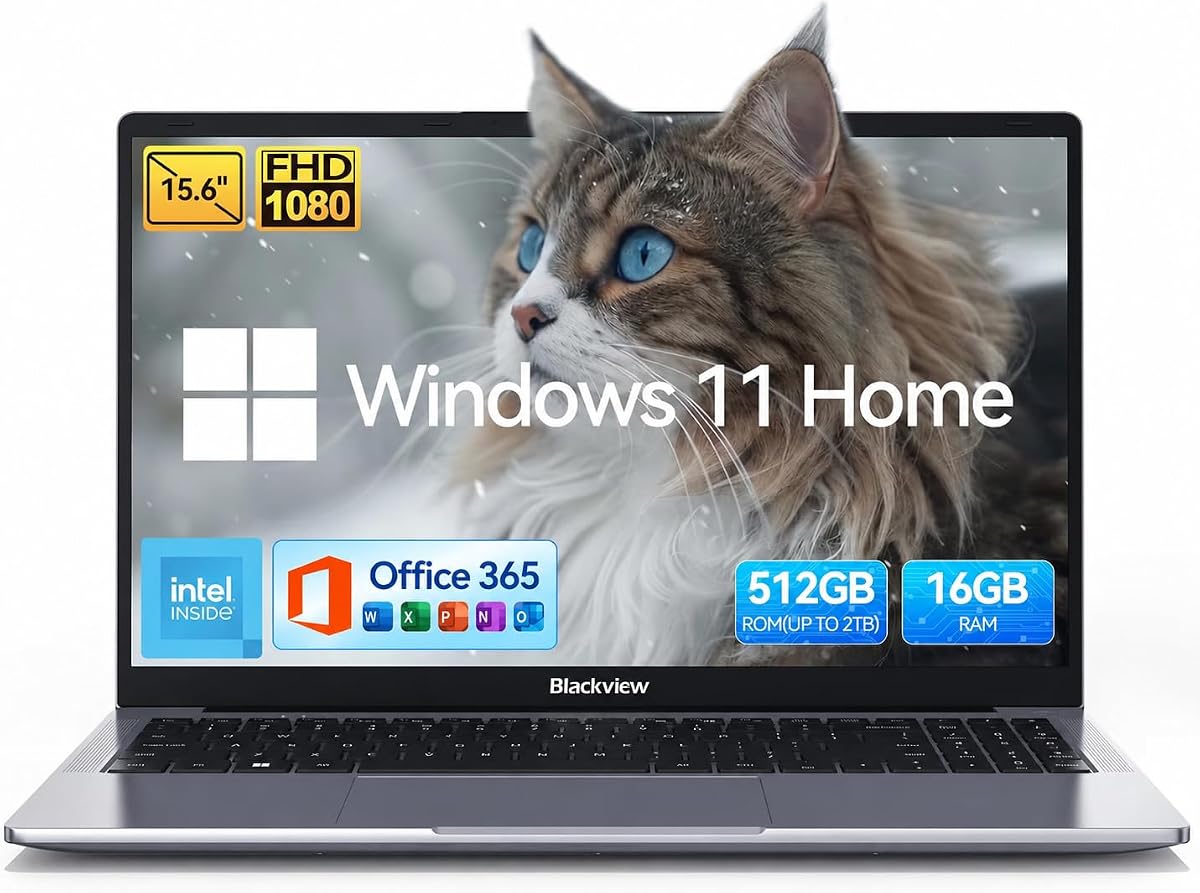
15.6 Student Laptop, Intel CPU 16GB RAM DDR4 512GB SSD, FHD Triple-Display
4.6Editor score
Triple display support
512GB SSD storage
16GB DDR4 RAM
Finding a laptop with two HDMI ports can be challenging for modern professionals who need seamless multi-monitor connectivity without dongles. This guide highlights devices that offer robust video output options for enhanced productivity and streamlined workflows.
We evaluated these laptops based on display quality, processor speed, memory capacity, and connectivity options. Each product was selected for its ability to support dual external displays or unique port configurations that maximize screen real estate.
Each pick shows key specifications, pros, and cons to help you choose the right machine for your needs. Prices and availability change frequently, so verify details on the product pages before purchasing your next workstation laptop.
4.6Editor score

4.4Editor score

4.4Editor score
As an Amazon Associate we earn from qualifying purchases.
This side-by-side comparison highlights the key specifications and unique selling points of each laptop. Review these details to find the best fit for your specific multi-monitor and performance requirements.


The Dell Inspiron 16 Plus 7640 is a standout choice for professionals needing reliable performance and a sharp display. It features an Intel Core i7 processor and 16GB of fast DDR5 RAM for smooth multitasking.
We may earn a commission when you buy through this link, at no additional cost to you.
Its 2.5K display with ComfortView Plus ensures crisp visuals and eye comfort during long work sessions. The 1TB SSD provides ample space for applications and files while enabling fast boot times.
While it lacks multiple HDMI ports natively, its versatile connectivity supports robust external monitor setups through USB-C with Thunderbolt capabilities. This flexibility makes it suitable for complex multi-screen workflows.
This laptop is ideal for power users seeking a balance of performance and screen quality. Its included onsite service adds peace of mind for business users relying on daily productivity.
The taller screen allows more vertical space for documents and spreadsheets without excessive scrolling.
Onsite and migrate services simplify setup and maintenance for business environments.
We may earn a commission when you buy through this link, at no additional cost to you.
The HP 17 Laptop delivers exceptional power with 64GB of RAM and a 2TB SSD for heavy workloads. Its large 17.3 inch screen provides ample workspace for multitasking and media consumption.
We may earn a commission when you buy through this link, at no additional cost to you.
Equipped with an Intel Core i7 processor, this laptop handles virtual machines and complex applications with ease. The HDMI port allows direct connection to external monitors for expanded productivity.
While the resolution is HD+, the size makes it suitable for presentations and data analysis. Users should note the weight and size may reduce portability compared to smaller ultrabooks.
This machine is best for stationary workstations requiring maximum memory and storage. It is perfect for developers or analysts who need extensive resources without external hardware.
Unmatched multitasking capability ensures seamless switching between dozens of browser tabs.
Direct touch input enhances navigation and presentation capabilities.
We may earn a commission when you buy through this link, at no additional cost to you.
The HP 15.6in Touch Laptop offers impressive specs with 32GB RAM and a vibrant IPS display. It is a strong contender for students and professionals needing a responsive touchscreen interface.
We may earn a commission when you buy through this link, at no additional cost to you.
The AMD Ryzen 5 processor ensures efficient performance for daily tasks and creative projects. Connectivity includes standard ports that support external monitors via HDMI for extended workspace.
While battery life may vary, the performance-to-price ratio is compelling. Users might need a dock for multiple HDMI outputs but the single port suffices for dual-screen setups.
This model is highly recommended for those prioritizing RAM and storage over portability. It serves as an excellent home or office workstation for varied productivity needs.
Intuitive gestures and precise touch controls improve interactive workflows.
Facilitates faster data entry and financial calculations.
We may earn a commission when you buy through this link, at no additional cost to you.
The BlackView Acebook 6 is a standout budget option offering triple-display support via USB-C and HDMI. It is designed for students and casual users needing multiple screens for productivity.
We may earn a commission when you buy through this link, at no additional cost to you.
Its 16GB RAM and 512GB SSD provide a smooth experience for web browsing and document editing. The compact design and low weight make it highly portable for students.
While the processor is basic, it handles daily tasks efficiently. Users may experience shorter battery life but the value proposition for multi-monitor setups is unmatched.
This laptop is perfect for budget-conscious buyers needing extensive screen real estate. It serves well for online learning and basic multitasking without premium costs.
Expand your workspace with three screens simultaneously for enhanced efficiency.
Power and data transfer through a single versatile port.
We may earn a commission when you buy through this link, at no additional cost to you.
The DELL 13th Gen Business Inspiron combines professional features with powerful specs. It features Windows 11 Pro and robust connectivity for business environments requiring security and flexibility.
We may earn a commission when you buy through this link, at no additional cost to you.
Its 32GB RAM and 2TB SSD support heavy applications and large datasets. The HDMI port allows direct external monitor connection for dual-screen workflows.
While the port layout is standard, the laptop offers essential connections for peripherals. It is built for reliability and efficiency in demanding professional tasks.
This model suits professionals needing business-grade features without extreme customization. It serves as a reliable home or office workstation for daily operations.
Enhanced security and management tools for business environments.
Ample storage ensures quick access to large files and databases.
We may earn a commission when you buy through this link, at no additional cost to you.
The HP New Core i7 15.6 Laptop is designed for mobility and performance. It balances a slim design with powerful internals for travel-friendly professionals.
We may earn a commission when you buy through this link, at no additional cost to you.
Equipped with an Intel Core i7 and 16GB RAM, it handles daily tasks with ease. The HDMI port supports external monitors for work on the go.
Battery life is optimized for all-day use. Users may find port selection limited but the core performance is excellent for business and academic tasks.
This model is ideal for travelers needing reliable performance in a compact form. It serves well for presentations and remote work scenarios.
Extended usage ensures productivity without frequent charging.
Built-in camera shutter and mic mute enhance security.
We may earn a commission when you buy through this link, at no additional cost to you.
The Dell Pro 15.6 Laptop 2026 is tailored for students needing reliable performance. Its DDR5 memory and 120Hz display offer a smooth experience for multitasking and media.
We may earn a commission when you buy through this link, at no additional cost to you.
While storage is modest, the fast NVMe SSD ensures quick boot times. The HDMI port connects to external displays for expanded project work.
Durability and a lightweight build make it easy to carry to classes. Users may need external drives for large media files.
This model is a solid choice for students prioritizing speed and mobility. It meets essential academic needs without excessive costs.
Fluid visuals enhance media consumption and casual gaming.
Faster memory speeds improve overall system responsiveness.
We may earn a commission when you buy through this link, at no additional cost to you.
The Lenovo V15 Gen 4 Business prioritizes security with TPM 2.0 and Windows 11 Pro. It is designed for users requiring robust protection for sensitive data.
We may earn a commission when you buy through this link, at no additional cost to you.
Its HDMI port and Ethernet connection provide reliable connectivity options. The 16GB RAM ensures smooth performance for business applications.
Physical security features like the webcam shutter add peace of mind. Users may find port selection standard but security features are top-notch.
This model is perfect for remote workers and businesses focused on data protection. It serves as a secure and reliable workstation.
Hardware-based encryption secures critical credentials and data.
Built to withstand harsh conditions for reliable performance.
We may earn a commission when you buy through this link, at no additional cost to you.
The Lenovo V-Series V15 Business offers exceptional performance with a Ryzen 7 processor and 40GB RAM. It handles demanding applications and multitasking with ease.
We may earn a commission when you buy through this link, at no additional cost to you.
Its HDMI port supports external monitors for expanded productivity. The large storage capacity ensures ample space for files and applications.
While not portable, it excels as a desk workstation. Users get reliable performance for complex tasks without lag.
This model is best for power users needing high memory and CPU performance. It serves as a dedicated office hub for intensive work.
Massive memory ensures seamless handling of virtual machines.
Streamlined data entry and calculation capabilities.
We may earn a commission when you buy through this link, at no additional cost to you.
The Lenovo Essential 15.6 Laptop is a budget-friendly option for basic tasks. It features DDR5 memory and a lightweight design for easy transport.
We may earn a commission when you buy through this link, at no additional cost to you.
HDMI connectivity allows for single external monitor setups. While storage is limited, it suffices for cloud-based workflows.
Build quality meets MIL-STD standards for reliability. Users may need external storage for large files but the performance is adequate for web tasks.
This model is perfect for casual users needing an affordable, reliable device. It serves well for light home use or online learning.
Modern memory technology ensures better efficiency.
Cost-effective without compromising core usability.
We may earn a commission when you buy through this link, at no additional cost to you.
Choosing the right laptop involves evaluating multiple factors beyond just the number of HDMI ports. This guide breaks down essential criteria to ensure you select a device that meets your technical requirements.
While dedicated dual HDMI laptops are rare, many modern devices offer HDMI combined with Thunderbolt or USB-C for multiple external displays. Check whether the laptop supports simultaneous output on all ports.
A powerful processor like an Intel Core i7 or AMD Ryzen 7 is essential for handling multiple screens. Ensure the CPU has enough cores to manage background tasks without lag.
At least 16GB of RAM is recommended for smooth multitasking across multiple windows. Higher RAM ensures that browser tabs and applications run seamlessly without slowdowns.
Opt for an SSD with at least 512GB of storage to ensure fast boot times and application loading. Larger capacities are preferable for storing extensive files and datasets.
Look for Full HD or higher resolution displays to maintain clarity across screens. Higher brightness and color accuracy are beneficial for creative work and presentations.
Laptops with multiple external connections often drain battery faster. Choose a model with all-day battery life to ensure uninterrupted productivity during travel or meetings.
MIL-SPEC or robust build quality indicates the device can withstand daily wear and tear. A durable chassis ensures longevity for business and heavy-use environments.
Windows 11 offers better multi-window management tools and security features. Ensure the OS supports the necessary software for your specific work requirements.
Start by connecting your external monitors directly to the HDMI ports using high-quality cables. Ensure the displays are recognized in your system settings before configuring extensions or mirroring modes.
Adjust display settings to prioritize your primary screen for taskbars and notifications. Use the extended display mode to separate applications like browsers and spreadsheets for better focus.
Keep your laptop and ports clean by using compressed air to remove dust. Avoid plugging or unplugging cables forcefully to prevent port damage and ensure long-term functionality.
Most laptops support up to three displays including the internal screen. To achieve four monitors, you may need additional docks or adapters since the total output limit is often constrained by the GPU.
Yes, HDMI ports transmit both video and audio signals. This allows you to connect directly to speakers or TVs without needing extra audio cables for a seamless setup.
Use High-Speed HDMI cables certified for your resolution and refresh rate. HDMI 2.0 cables support 4K at 60Hz ensuring optimal performance for visual clarity.
Designers prioritize USB-C and Thunderbolt for versatility and data transfer. Many laptops now offer HDMI plus USB-C outputs for multiple displays to save internal space.
Splitters typically mirror the same image rather than extend the display. For true dual monitor functionality, use separate HDMI ports or USB-C docking stations.
Integrated GPUs usually support two to three displays simultaneously. High-end dedicated GPUs allow for more screens but are often limited by physical port availability.
The 10 laptops reviewed above offer a range of solutions for multi-monitor productivity. Whether you need budget-friendly models or premium workstations, there is an option for every requirement.
Prioritize RAM and processor speed to ensure seamless performance across multiple screens. Consider display quality and port versatility to meet your daily workflow needs effectively.
Remember that availability and pricing can change frequently. Verify current details on product pages before purchasing to secure the best deal for your setup.