
Dell Precision 3581
Intel Core i7-13800H
32GB DDR5 RAM
Nvidia RTX A500
Finding the right laptop for CAD work requires balancing raw processing power with portability and display quality. Professionals need machines that handle complex 3D models and simulations without lag or overheating during critical design phases.
We evaluated ten high-performance laptops focusing on processor speed, graphics capabilities, memory capacity, and build durability. Each model was selected based on its ability to run industry-standard software like AutoCAD and Revit efficiently.
Every pick below highlights specific strengths for different workflows and budget levels. Please note that product availability and pricing can change frequently so verify current details before making your final purchase decision.

4.4Editor score

5.0Editor score
As an Amazon Associate we earn from qualifying purchases.
The following table provides a side-by-side comparison of all ten recommended laptops highlighting their key specifications to help you decide which machine fits your specific CAD workflow needs.




This Dell Precision 7680 stands out as a top choice for professional CAD work with its robust performance and reliable build quality. It earns a high rating for handling complex engineering tasks efficiently while maintaining stability under heavy loads.
We may earn a commission when you buy through this link, at no additional cost to you.
The Intel Core i9-13950HX processor paired with 32GB of DDR5 RAM ensures smooth multitasking and rapid rendering times for detailed 3D models. ISV certifications guarantee that professional applications like AutoCAD run without unexpected crashes or compatibility issues.
While the device is heavier than consumer laptops the MIL-STD-810H testing confirms it can withstand the rigors of daily transport to job sites or client meetings. The anti-glare display reduces eye strain during long design sessions which is crucial for precision work.
Architects and engineers who prioritize raw performance and reliability will find this laptop an excellent investment for their workflow. It delivers the power needed for simulations and complex drawings without compromising on durability or professional support features.
The workstation class architecture supports demanding software requirements ensuring consistent output during critical project deadlines and collaborative design reviews.
Rigorous military standard testing means the chassis and internal components can endure drops and temperature variations common in field work.
We may earn a commission when you buy through this link, at no additional cost to you.
The second Dell Precision 7680 model offers a balanced configuration for users needing dedicated graphics without the top-tier price tag. It performs well for standard CAD tasks and supports a range of creative applications effectively.
We may earn a commission when you buy through this link, at no additional cost to you.
Equipped with an NVIDIA RTX 1000 Ada GPU this system accelerates 3D rendering and viewport performance significantly compared to integrated graphics solutions. The 32GB of DDR5 RAM allows for comfortable multitasking between design software and communication tools.
Users might notice the Intel i5 processor is slightly less powerful than the i9 in other models but it remains sufficient for most 2D drafting and moderate 3D modeling tasks. The anti-glare screen provides clear visuals which helps maintain focus during extended work periods.
This configuration is ideal for students or junior engineers who need professional reliability but have budget constraints. It provides a strong foundation for growth while ensuring compatibility with essential industry software and peripherals.
The dedicated NVIDIA GPU enhances real-time rendering capabilities making complex views smoother and more responsive for designers and architects.
The FHD+ anti-glare screen ensures accurate color representation and reduces fatigue during long hours of detailed technical drawing work.
We may earn a commission when you buy through this link, at no additional cost to you.
The HP ZBook 8 G1i brings a unique blend of AI capabilities and touchscreen functionality to the CAD workstation market. Its high RAM capacity makes it particularly suitable for heavy multitasking and large dataset handling.
We may earn a commission when you buy through this link, at no additional cost to you.
Featuring 64GB of DDR5 RAM this laptop can handle multiple complex applications simultaneously without slowdowns. The Intel Ultra 7 processor supports AI-assisted workflows which can streamline certain design and analysis tasks for modern professionals.
While the touchscreen is innovative for direct interaction with design elements it may consume more power than a standard display. The 2TB SSD provides ample space for storing extensive project files and backups which is vital for large-scale engineering projects.
Creative engineers and architects who value interactive design tools will appreciate the flexibility of the touchscreen. It combines robust processing power with modern connectivity options to support a dynamic and efficient workflow environment.
The touchscreen allows for intuitive manipulation of design elements directly on the screen enhancing the creative process and precision.
Integrated AI features help optimize system performance and assist with routine tasks to boost overall productivity and efficiency.
We may earn a commission when you buy through this link, at no additional cost to you.
This renewed Dell Precision 3581 offers an accessible entry point into professional-grade CAD workstations without breaking the bank. It retains the core performance features needed for reliable design and engineering tasks at a lower cost.
We may earn a commission when you buy through this link, at no additional cost to you.
The Intel Core i7-13800H processor delivers strong multitasking capabilities and the 32GB of DDR5 RAM ensures smooth operation across various applications. The dedicated Nvidia RTX A500 graphics card provides the necessary power for 3D rendering and visualization tasks.
Buying a renewed unit means potential cosmetic imperfections but the warranty ensures functional reliability for daily professional use. The 1TB SSD offers fast storage speeds which reduces wait times when loading large project files and software.
Students or freelancers starting their career in CAD design will find this model provides exceptional value. It balances performance and cost effectively allowing users to focus on their work rather than hardware limitations.
The renewed status offers significant savings while maintaining the workstation performance required for demanding professional applications and daily tasks.
The dedicated RTX A500 card ensures stable performance in CAD software reducing glitches and improving rendering speeds for detailed models.
We may earn a commission when you buy through this link, at no additional cost to you.
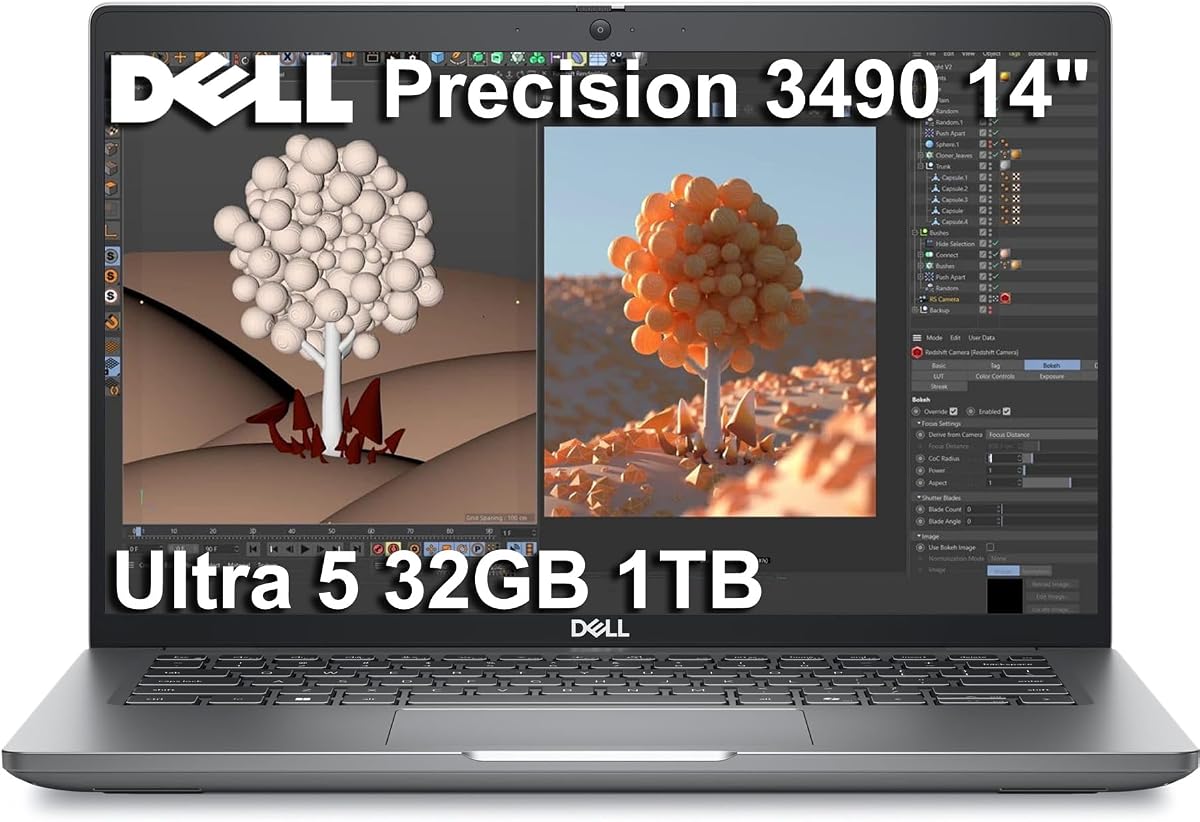
The Dell Precision 3490 is designed for professionals who need to carry their workstation to different locations frequently. It balances mobility with robust performance ensuring you can work anywhere without sacrificing reliability.
We may earn a commission when you buy through this link, at no additional cost to you.
Weighing just 3.09 lbs this laptop is significantly lighter than typical workstations while still offering 32GB of DDR5 RAM and a fast 1TB SSD. The Intel Core Ultra 5 processor supports AI productivity tools to help streamline daily workflow tasks.
While it uses integrated graphics it remains capable for many CAD applications particularly those focusing on 2D drafting or lighter 3D work. The 14 inch display is compact but sharp enough for precise detail work when external monitors are not available.
Consultants and field engineers will appreciate the portability and durability of this device. It provides a seamless work experience on the go while maintaining the security and manageability features of a professional workstation.
The compact design allows for easy transport to client sites while still providing the power needed for professional design tasks.
Built-in AI features assist with productivity tasks improving efficiency and helping users manage complex workflows more effectively.
We may earn a commission when you buy through this link, at no additional cost to you.
This Dell Precision 7780 is a powerhouse designed for users who demand the absolute best in display quality and rendering performance. Its large screen and high-end GPU make it ideal for complex visualizations and detailed modeling work.
We may earn a commission when you buy through this link, at no additional cost to you.
The NVIDIA RTX 4000 Ada GPU with 12GB of memory ensures that even the most demanding 3D scenes render quickly and smoothly. The 17.3 inch display offers a spacious canvas for multitasking and viewing large architectural plans or engineering drawings.
Portability is limited due to its size and weight but this is expected for a desktop replacement workstation. The color accuracy of the screen supports professional content creation tasks beyond just CAD which adds versatility to the device.
Senior engineers and design leads who need top-tier performance will find this laptop an excellent choice. It combines premium build quality with advanced hardware to deliver a superior experience for the most intensive professional workflows.
The high-resolution display with wide color gamut ensures accurate representation of designs critical for presentation and client reviews.
The top-tier GPU accelerates rendering tasks significantly reducing wait times and allowing for more iterative design work.
We may earn a commission when you buy through this link, at no additional cost to you.
This Dell Precision 7680 model offers a solid balance of graphics performance and general computing power for professional users. It supports demanding workflows while maintaining the reliability expected from a precision workstation series.
We may earn a commission when you buy through this link, at no additional cost to you.
The NVIDIA RTX 2000 Ada GPU provides dedicated acceleration for 3D modeling and rendering which is essential for detailed design work. Coupled with 32GB of DDR5 RAM it handles large datasets and multitasking with ease during typical workdays.
Some users might find the battery life limited when running intensive tasks so keeping a charger nearby is recommended. The large storage capacity ensures you have plenty of room for extensive project archives and software installations.
Professionals seeking a reliable middle ground between price and performance will appreciate this configuration. It delivers consistent results for engineering and design tasks while providing the durability needed for daily professional use.
The dedicated GPU ensures smooth performance in 3D applications reducing lag and improving the overall user experience.
With a 2TB SSD users can store large project files and software libraries without worrying about running out of space.
We may earn a commission when you buy through this link, at no additional cost to you.
This variant of the Dell Precision 7780 prioritizes memory capacity for users who work with massive datasets or complex simulations. The exceptional RAM amount ensures that even the most demanding applications run without memory bottlenecks.
We may earn a commission when you buy through this link, at no additional cost to you.
With 128GB of DDR5 RAM this laptop can handle multiple virtual machines and heavy 3D rendering tasks simultaneously. The Intel Core i9-13950HX processor supports these workloads with speed and efficiency for professional environments.
The 512GB SSD is smaller than other models but the high RAM compensates for speed in active work. The high brightness display makes it suitable for well-lit environments ensuring visibility during on-site work or bright offices.
Data analysts and engineers working with large scale simulations will benefit most from this configuration. It provides the raw memory resources needed for intensive computing without compromising on graphical performance or processor speed.
The massive RAM capacity allows for handling extremely large datasets and complex simulations without slowdowns or system freezes.
The 500-nit display ensures clear visibility even in bright environments which is useful for on-site review and collaboration.
We may earn a commission when you buy through this link, at no additional cost to you.
This Dell Precision 7680 configuration emphasizes memory and storage for users who need to keep large projects active locally. It supports advanced workflows with dedicated graphics and ample capacity for professional use.
We may earn a commission when you buy through this link, at no additional cost to you.
The 64GB of DDR5 RAM allows for smooth multitasking and efficient handling of large design files without performance drops. The NVIDIA RTX 2000 Ada GPU ensures that rendering and visualization tasks are completed quickly and accurately.
Users might find the weight of the laptop significant for travel but the stability it offers is beneficial for fixed workstation setups. The extensive storage capacity ensures you have room for all necessary software and project archives.
Architects and engineers who handle complex models will find this setup highly capable. It balances memory resources with graphical power to support demanding professional applications and efficient workflow management.
The high RAM and storage allow for working with large files without external storage dependencies improving productivity.
The dedicated GPU ensures smooth 3D navigation and rendering which is essential for detailed engineering and design tasks.
We may earn a commission when you buy through this link, at no additional cost to you.
The Lenovo ThinkPad P16s Gen 4 combines portability with professional-grade capabilities for modern business and design needs. It offers a large screen in a relatively lightweight package suitable for daily transport and field work.
We may earn a commission when you buy through this link, at no additional cost to you.
Featuring 32GB of DDR5 RAM and a fast 1TB SSD this laptop handles multitasking and file storage efficiently. The Intel Core Ultra 7 processor supports AI features and delivers solid performance for a range of productivity tasks.
While it uses integrated graphics it still supports basic CAD work and general productivity needs. The anti-glare display reduces eye strain and the durable build ensures reliability in various work environments.
Professionals who need a balance between mobility and performance will find this model practical. It provides essential workstation features in a design that is easy to carry and use throughout the day.
The lightweight design allows for easy transport while maintaining the processing power needed for professional tasks and collaboration.
The wide bezel and anti-glare coating provide a comfortable viewing experience which helps reduce fatigue during long design sessions.
We may earn a commission when you buy through this link, at no additional cost to you.
Selecting the right laptop for computer-aided design involves evaluating several key hardware components to ensure smooth performance and long-term reliability.
A powerful processor is essential for handling complex calculations and multitasking. Look for models with high core counts and turbo boost capabilities to ensure efficient performance.
Prioritize processors with multiple cores to support rendering and simulation tasks without slowdowns.
Dedicated graphics cards significantly improve 3D rendering and viewport performance. Workstation GPUs are optimized for stability in professional applications.
Ensure the GPU has sufficient VRAM to handle large textures and complex models efficiently.
RAM determines how many applications you can run simultaneously without lag. Aim for at least 32GB of RAM for smooth multitasking.
Higher memory capacity allows for better handling of large files and complex simulations.
A high-resolution display with good color accuracy is crucial for precise design work. Anti-glare technology helps reduce eye strain.
Choose a screen size that offers enough workspace while remaining portable.
Solid state drives provide fast boot times and quick file access. NVMe SSDs are the standard for high performance.
Ensure you have enough storage to store projects and software libraries locally.
If you travel frequently consider the weight and battery life of the device. Lighter chassis designs help with transport.
Battery life should last through a typical work session when unplugged.
Look for laptops that have been tested for durability like MIL-STD standards. Sturdy hinges and chassis protect against drops.
A solid build ensures the device lasts longer under daily wear and tear.
Check if the laptop has ISV certifications for your specific CAD software. This guarantees stability and performance.
Ensure the operating system supports all necessary professional applications.
Keep your laptop on a hard flat surface to prevent overheating during rendering tasks. Ensure proper ventilation around the vents to maintain performance.
Regularly update your graphics drivers and operating system to ensure compatibility with the latest software features. This prevents crashes during critical design phases.
Use a cooling pad if you frequently run intensive 3D applications. It helps maintain optimal temperatures and extends the hardware lifespan.
For professional CAD work 32GB of RAM is a good standard starting point. This allows for smooth multitasking and handling large files. Users working with massive datasets may benefit from 64GB or more.
Yes a dedicated GPU is essential for 3D modeling and rendering. Integrated graphics may struggle with complex tasks. Workstation GPUs provide better stability for professional software.
A 16 or 17 inch display offers a good balance of workspace and portability. Larger screens help with detail work but are heavier. Consider an external monitor for desktop setups.
Windows 11 Pro offers advanced security and management features useful for business environments. It also supports virtualization and remote desktop better. It is generally preferred for professional use.
Ensure vents are not blocked and use a cooling pad during heavy tasks. Avoid using the laptop on soft surfaces like beds. Regularly clean dust from fans to maintain airflow.
A minimum of 1TB is recommended for storing large project files. SSDs are faster than traditional drives and improve load times. More storage helps avoid running out of space quickly.
Yes ISV certified laptops ensure compatibility with specific CAD software. They reduce the risk of crashes and performance issues. It is a valuable feature for professional stability.
High-quality workstations often last 5 years or more with proper care. Durability depends on build quality and usage habits. Upgrading RAM or SSD can extend their usable life.
The ten laptops reviewed here cover a range of needs from portable designs to high-performance desktop replacements. Each option provides the necessary power for professional design and engineering workflows.
Prioritize performance features like RAM and GPU power if you work with complex 3D models. Portability matters more if you often travel to client sites or different work locations.
Verify current availability and specifications before making a purchase to ensure the model meets your exact needs. Prices and stock can vary so checking the official product pages is always recommended.