
Canon imageCLASS LBP6030w
3.8Editor score
Compact wireless design
19 pages per minute
150 sheet capacity
Discover the top laser printer with cheap toner options for 2026. We compare performance, connectivity, and long-term supply costs to help you save money.
Finding a reliable laser printer with cheap toner is essential for home offices and small businesses. We evaluated ten top models based on print quality, speed, and ongoing supply costs to help you choose the best value.
Our team analyzed user reviews, technical specifications, and manufacturer support policies. We focused on printers that balance upfront cost with affordable genuine and compatible toner options for long-term savings.
Each pick below highlights key strengths and trade-offs. Note that prices and availability change frequently. Check current listings before buying to ensure you get the best deal available today.
3.8Editor score

4.1Editor score

4.3Editor score
The following comparison table summarizes the key specifications and features of all ten reviewed models. Use this side-by-side view to quickly identify the right fit for your workspace needs and budget.





The Brother HL-L2405W earns our Editor's Choice for balancing speed, quality, and cost. It delivers crisp 30 ppm prints with robust connectivity. Users praise its reliability and ease of setup for home offices.
We may earn a commission when you buy through this link, at no additional cost to you.
Its dual-band wireless ensures stable connections. The 250-sheet tray reduces refills. Brother's Refresh subscription can save up to 50% on genuine toner. Mobile printing works seamlessly via the Brother Mobile Connect app.
While it lacks automatic duplexing, manual duplex is easy for occasional use. The compact size fits tight desks. Overall, its value and performance make it a top pick for budget-conscious buyers seeking quality.
Buy this if you need fast, reliable black and white printing without overspending on supplies. It suits small teams and home offices well. Check current availability before ordering to secure the best deal today.
Brother offers genuine TN830 and XL cartridges. The Refresh subscription helps manage costs and prevents running out of supplies unexpectedly.
Built-in dual-band Wi-Fi allows wireless printing from multiple devices. USB local connection is also available for single computer setups.
We may earn a commission when you buy through this link, at no additional cost to you.
The Canon imageCLASS LBP6030w is ideal for light printing needs on a tight budget. At 19 ppm, it handles basic documents well. Its small size fits anywhere. Users appreciate its simple wireless setup and low power usage.
We may earn a commission when you buy through this link, at no additional cost to you.
While toner costs are higher than Brother, the initial printer price is very low. The 150-sheet tray is enough for occasional use. Mobile printing works via compatible devices. It's a no-fuss choice for students or home users.
Limitations include slower speeds and manual duplexing. It lacks advanced features like Ethernet. However, for simple black and white tasks, it performs reliably. The 1-year warranty provides peace of mind.
Choose this if you print infrequently and want the lowest entry price. It's great for personal use. Verify toner availability before buying to ensure ongoing costs fit your budget.
Its compact form factor fits in small rooms. The printer is lightweight and easy to move when needed.
Uses less than 2 watts in energy saver mode. This helps keep electricity costs low over time.
We may earn a commission when you buy through this link, at no additional cost to you.
The Brother MFC-L2820DW stands out as the premium choice with full multifunction capabilities. It prints at 36 ppm and scans at 23.6 ipm. The touchscreen simplifies navigation. Cloud apps like Google Drive integrate seamlessly for quick sharing.
We may earn a commission when you buy through this link, at no additional cost to you.
Its 50-page ADF speeds up multi-page scanning. The 250-sheet tray and duplexing save time and paper. Brother's toner subscription makes ongoing costs manageable. Users love the build quality and consistent print results.
The higher price reflects its advanced features. It's larger than single-function models. For offices needing scanning and copying, the investment pays off quickly. Support remains solid with online and live chat options.
Buy this for small offices needing versatility. It handles high volumes well. Ensure your workspace has enough space for its footprint. Check warranty details when purchasing.
Auto document feeder reduces manual effort. Touchscreen enables direct cloud printing and scanning without a PC.
Dual-band Wi-Fi and Ethernet ensure stable network printing. USB provides a local backup connection.
We may earn a commission when you buy through this link, at no additional cost to you.
The Canon imageCLASS MF3010 VP offers reliable multifunction performance via USB. It includes a high-yield toner cartridge right out of the box. Print quality is sharp at 19 ppm. Users find it straightforward and dependable for basic tasks.
We may earn a commission when you buy through this link, at no additional cost to you.
ID card copying simplifies admin work. The energy saver mode keeps costs low. However, it lacks wireless, limiting device options. The paper capacity is modest. Still, it's a workhorse for shared workstations without network needs.
Its wired connection means fewer setup steps. Maintenance is minimal. For offices preferring simplicity, this model avoids complexity. The toner yield helps reduce replacement frequency. It's a pragmatic choice for specific environments.
Choose this if you need a scanner and copier without Wi-Fi. It suits quiet home offices. Verify OS compatibility before buying. Check toner availability for long-term use.
The printer comes with a toner cartridge capable of 2,300 pages. This reduces initial setup costs significantly.
One-touch ID card copying creates copies of licenses easily. Saves time on administrative tasks.
We may earn a commission when you buy through this link, at no additional cost to you.
The Brother HL-L2460DW combines high speed with automatic duplexing for efficient printing. At 36 ppm, it handles busy home offices well. The 250-sheet tray reduces refills. Users report smooth wireless connectivity and reliable results.
We may earn a commission when you buy through this link, at no additional cost to you.
Its Refresh subscription helps manage toner costs. The compact footprint fits desks easily. However, it lacks scanning capabilities. For pure printing tasks, it excels. The Brother Mobile Connect app allows remote management from smartphones.
Duplexing saves paper and time. The dual-band Wi-Fi ensures stable connections. While basic, its performance justifies the price. Support is accessible via chat or phone. It's a strong contender for document-heavy environments.
Buy this for high-volume black and white printing. It suits small teams focused on output. Verify duplex features match your needs. Check current deals before purchasing.
Automatic two-sided printing cuts paper use. It speeds up multi-page document handling significantly.
The 250-sheet tray supports longer printing sessions. Fewer reloads improve workflow efficiency.
We may earn a commission when you buy through this link, at no additional cost to you.
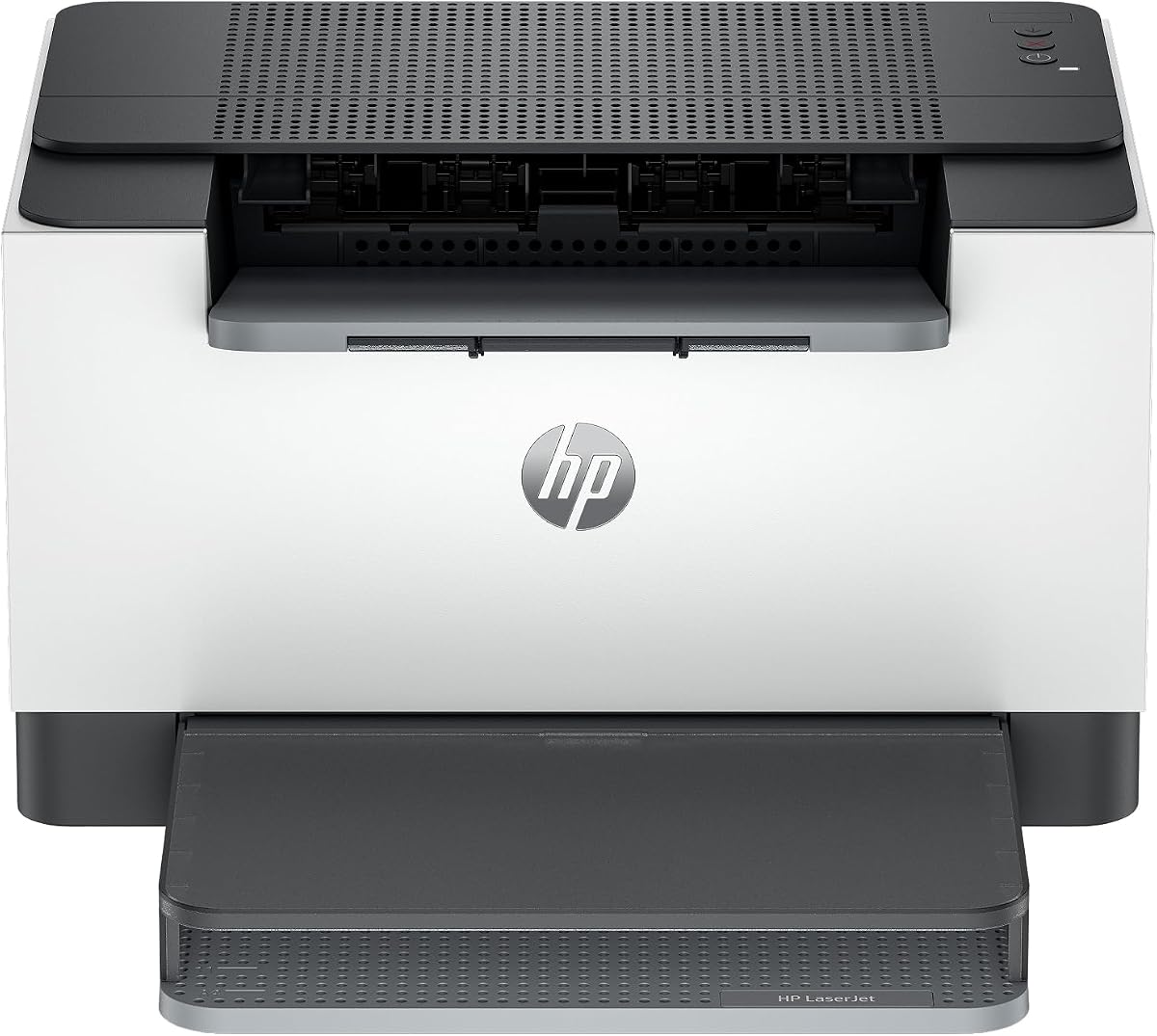
The HP LaserJet M110w is designed for small teams needing reliable wireless printing. Its size is minimal, fitting any desk. Setup is simple. The HP Smart app simplifies tasks. Users appreciate the brand reputation.
We may earn a commission when you buy through this link, at no additional cost to you.
At 21 ppm, it balances speed and size. It lacks duplex, requiring manual flipping. However, for occasional use, this is acceptable. The wireless self-reset feature helps maintain connectivity. It's a no-fuss printer.
Limitations include basic paper handling and no scanning. Still, its simplicity is a strength for focused work. Support is accessible online. It's a good entry-level option for tight spaces.
Choose this for basic wireless printing in small offices. Verify toner costs before committing. Check if duplex is required. Ensure your network supports HP wireless protocols.
The HP Smart app streamlines printing tasks. You can scan to the cloud directly from your phone.
This is among the smallest lasers in its class. It fits in cubicles or small home offices.
We may earn a commission when you buy through this link, at no additional cost to you.
The HP LaserJet M209dw delivers fast two-sided printing ideal for busy teams. It prints up to 30 ppm single-sided. Instant Ink eligibility offers a convenient supply model. Users praise the security features and reliable Wi-Fi.
We may earn a commission when you buy through this link, at no additional cost to you.
Auto duplexing saves time and resources. The dual-band connection resists interference. While it lacks multifunction, its speed compensates. The compact size works in tight spaces. HP Smart app supports remote tasks.
Instant Ink may require a subscription, but it helps manage costs. For pure printing, performance is strong. Security features protect business data. It suits small offices focused on output.
Buy this for fast wireless duplex printing. Check Instant Ink terms before buying. Ensure your network supports dual-band. Verify toner availability for non-subscription use.
This printer is eligible for HP Instant Ink. It helps manage toner costs automatically without running out.
Up to 19 ppm two-sided printing saves time. It handles double-sided projects efficiently.
We may earn a commission when you buy through this link, at no additional cost to you.
The Canon imageCLASS LBP122dw offers a balance of speed and duplexing at a competitive price. Its 30 ppm output suits small offices. The Canon PRINT app supports mobile tasks. Users find it easy to set up.
We may earn a commission when you buy through this link, at no additional cost to you.
Compact design fits home desks. The wireless duplex helps reduce paper waste. However, capacity is modest. It lacks advanced features. For simple tasks, performance is reliable. Toner options are straightforward.
It's a practical choice for moderate volume. The lack of scanning limits versatility. Still, its speed and wireless are assets. Verify compatibility before buying. It's a solid pick for budget-conscious users.
Choose this for wireless duplex printing without extra functions. Check network requirements. Confirm toner costs fit your budget. Ensure the footprint matches your desk space.
Print on-the-go with the Canon PRINT app. It supports many mobile devices for convenience.
Its compact design fits almost anywhere. Perfect for small home offices or personal use.
We may earn a commission when you buy through this link, at no additional cost to you.
The HP LaserJet MFP M235sdw brings multifunction versatility with strong security. It prints at 28 ppm and handles scanning. Ethernet provides stable networking. Users appreciate the security protections for business data.
We may earn a commission when you buy through this link, at no additional cost to you.
Its duplex speed is among the best. The HP Smart app supports mobile tasks. While larger, its features justify the footprint. It's built for offices needing reliability. Setup is straightforward for teams.
Costs are higher but match the functionality. It's a robust option for shared work. Security ensures safe printing. Check toner compatibility. It's ideal for small businesses needing full features.
Buy this for complete office functionality. Ensure Ethernet ports are available. Verify security needs. Check current pricing for value.
Built-in security protects against network attacks. It keeps your data safe during printing tasks.
Ethernet is included for stable networking. It reduces reliance on wireless for office use.
We may earn a commission when you buy through this link, at no additional cost to you.
The Brother HL-L2480DW is a compact all-in-one delivering fast performance. It prints at 36 ppm with scanning and copying. The touchscreen simplifies navigation. Users rate it highly for build quality and ease of use.
We may earn a commission when you buy through this link, at no additional cost to you.
Refresh subscription makes toner affordable. The 250-sheet tray supports moderate volumes. Its compact size suits home offices. Network setup is smooth. The Brother Mobile Connect app enables remote control.
It lacks fax, but covers most needs. Performance justifies the cost. Support is strong for issues. It suits small teams wanting efficiency. Verify features match your workflow before purchasing.
Choose this for high speed in a small package. Check toner subscription terms. Ensure desk space fits. Confirm wireless setup with your network.
The intuitive 2.7-inch touchscreen makes navigation easy. Cloud app integration simplifies document sharing.
Order supplies and track toner via mobile. It keeps you organized without visiting a PC.
We may earn a commission when you buy through this link, at no additional cost to you.
Selecting the right laser printer involves balancing upfront costs with ongoing supply expenses. This guide outlines key factors to evaluate for long-term savings and performance.
Toner costs often exceed the printer price over time. Look for models with high-yield cartridges or subscription services that lower cost per page. Check if third-party options are available and reliable for your model.
Prioritize printers with lower cost per page to maximize savings. Compare genuine versus compatible supplies carefully.
Print speed affects productivity, especially in shared offices. Models with 30 ppm or higher handle bulk jobs well. Match the speed to your typical monthly page count to avoid bottlenecks.
Faster printers reduce waiting time but may cost more. Choose a speed that fits your workflow needs.
Wireless printing offers flexibility for multiple devices. Dual-band Wi-Fi ensures stability. Ethernet may be needed for office networks. USB is useful for single-computer setups.
Ensure the printer supports your devices and operating systems. Check mobile app availability for remote printing.
Larger paper trays reduce refills. A 250-sheet tray suits higher volumes. Manual feed slots allow specialty media. Duplexing saves paper for double-sided documents.
Consider capacity based on your average print volume. Auto duplexing helps reduce long-term paper costs.
All-in-one models include scanning and copying. These save space if you need those features. Single-function printers cost less and suit pure printing tasks.
Choose based on whether you need scan or copy. Multifunction adds value if you use those features.
Some brands offer toner subscriptions that deliver supplies automatically. These can lower costs and prevent shortages. Check terms before subscribing to avoid hidden fees.
Subscriptions simplify maintenance but require commitment. Evaluate if savings justify automatic delivery.
Good warranty and support protect your investment. Look for free online, phone, or chat support. Check coverage duration and response times.
Choose brands known for reliable service. Support availability ensures quick resolution when issues arise.
Compact designs fit small spaces. Sturdy builds last longer under heavy use. Consider footprint and weight when choosing.
Balance size needs with performance features. Ensure the printer fits your workspace comfortably.
Always load paper properly to avoid jams. Keep the paper tray covered when not in use to prevent dust buildup. Align print heads regularly for consistent quality.
Use genuine or high-quality compatible toner to protect the printer. Avoid shaking cartridges before installation to prevent leaks. Store toners in a cool, dry place until ready.
Run test pages monthly to prevent toner settling. Update firmware through the manufacturer app or website. Keep the exterior clean with a soft cloth for optimal operation.
Yes, most third-party toners work well if they are certified for your model. Check reviews to ensure quality. Using them can save money, but be aware of potential warranty limits. Always compare yields before buying.
Subscriptions often offer discounted rates and prevent shortages. They calculate usage to ship the right amount. This can reduce cost per page. However, read terms to ensure flexibility. Evaluate usage before subscribing.
Home offices typically need 20 to 30 ppm for efficiency. Higher speeds help with larger documents. Match speed to your volume needs. Slower models cost less but may slow workflows.
Printers track toner by page count or sensor readings. Even if cartridges still have toner, the system may flag low. Reset the printer and check usage settings. Some models allow overrides for continued use.
Yes, switching between them is generally fine. Manufacturers recommend genuine to avoid issues. Compatible options may cost less. Always follow installation instructions and reset counters if needed.
Clean the exterior and feed rollers every few months. Dust buildup affects performance. Check internal components for debris. Regular cleaning extends printer life and prevents jams.
Toner yield and price affect cost per page most. Higher yield cartridges reduce replacement frequency. Compare total toner costs. Subscription plans may lower these costs over time.
Most modern models support mobile apps. Wi-Fi models allow remote printing. Check if your device supports AirPrint or the brand app. Setup guides explain configuration steps.
Our top picks include the Brother HL-L2405W, Canon imageCLASS LBP6030w, and Brother MFC-L2820DW. Each balances speed, supply costs, and features for different needs.
Prioritize toner subscription options and duplexing to maximize savings. Match features to your daily workflow to avoid unnecessary spending. Support reliability also matters for long-term use.
Prices and availability change frequently. Check current listings for the best deals before buying. Ensure compatibility and warranty details align with your expectations.