
Supershieldz (3 Pack) Anti-Glare (Matte) Screen Protector Designed for Lenovo Tab One (8.7 inch)
4.2Editor score
Anti-glare matte finish
Three pack value included
Reduced fingerprint smudges
Protecting your Lenovo Tab One screen is essential for maintaining its visual clarity and structural integrity over time. A good screen protector prevents scratches, reduces glare, and preserves touch sensitivity without compromising performance.
We compared ten highly rated protectors based on durability, clarity, ease of installation, and customer feedback. Our analysis highlights key features like hardness ratings, coating types, and compatibility with cases to ensure you find the perfect match.
Each pick showcases unique strengths ranging from budget-friendly film options to premium tempered glass solutions. Please note that prices and availability change frequently, so check current listings before making your final purchase decision.
4.2Editor score

4.5Editor score

4.6Editor score
As an Amazon Associate we earn from qualifying purchases.
The following table provides a side-by-side overview of all ten top-rated protectors. It highlights key specifications and unique selling points to help you quickly identify the best fit for your specific needs.


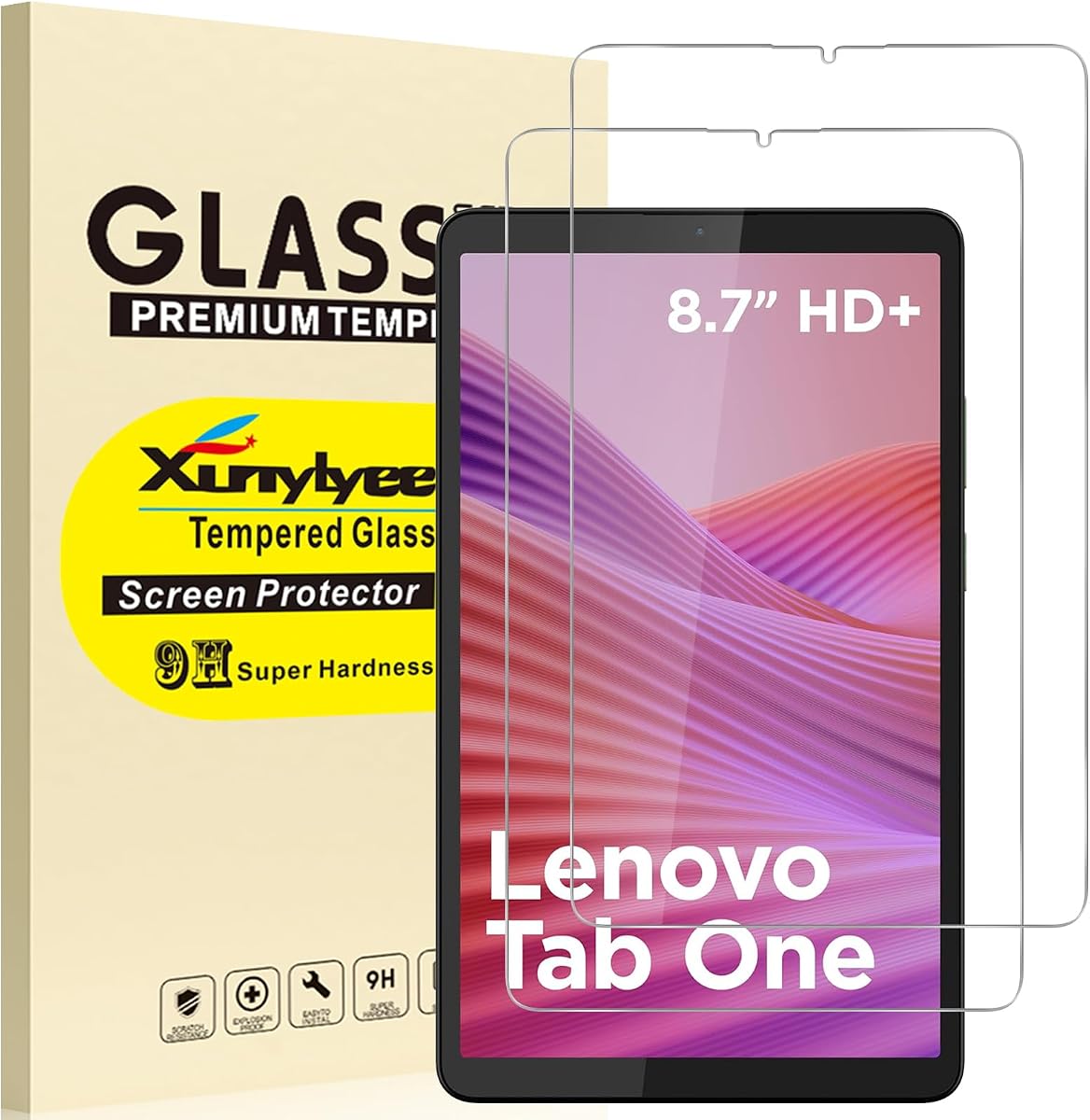


This Supershieldz option stands out as the top choice for users seeking reliable glass protection without breaking the bank. It holds a strong rating among buyers who value clarity and durability in equal measure.
We may earn a commission when you buy through this link, at no additional cost to you.
The tempered glass construction offers a nine hardness level that effectively wards off keys and sharp objects. Its hydrophobic and oleophobic coating helps minimize sweat and fingerprint marks on the surface.
While some users note that fingerprints can still appear under bright light, the coating makes them easier to wipe away compared to cheaper films. The rounded edges provide a comfortable feel during long use.
If you want a protector that balances performance and price while keeping your screen looking new, this is the recommended choice for most Lenovo Tab One owners.
The nine hardness rating ensures that everyday items like keys or coins will not scratch the screen during storage or transport.
With ninety nine point nine nine percent HD clarity, the protector maintains the vibrant colors and sharpness of your original display.
We may earn a commission when you buy through this link, at no additional cost to you.
For users who often work in bright environments, this matte film protector offers a practical solution to glare and fingerprints. It is a budget-friendly alternative to glass while still offering solid daily protection.
We may earn a commission when you buy through this link, at no additional cost to you.
The Japanese PET film is engineered to reduce reflections without making the screen look too grainy. The matte finish also means that oils from fingers are less noticeable during extended use.
Some users might notice a slight texture on the screen which is normal for matte surfaces. While it does not match the clarity of glass, it excels in reducing visual distractions.
This is an ideal pick for readers or outdoor users who prioritize visibility and comfort over maximum scratch hardness. The three pack ensures you have spares for future replacements.
The anti-glare coating diffuses light reflections making it easier to view content in sunlight or under bright office lighting.
The matte texture naturally hides fingerprints better than glossy surfaces keeping your screen looking cleaner for longer periods.
We may earn a commission when you buy through this link, at no additional cost to you.
The ProCase option delivers a premium experience with its ultra-thin design and advanced adhesive technology. It is specifically designed for the 2025 release ensuring a perfect fit that does not interfere with cases.
We may earn a commission when you buy through this link, at no additional cost to you.
Its nine hardness surface provides robust protection while maintaining a slim profile that feels almost invisible on the screen. The silicon adhesive ensures bubbles are minimized during installation and no residue remains when removed.
While the price is slightly higher than some competitors, the quality of materials and fit justify the cost for those seeking long term reliability. The shock resistant feature adds an extra layer of security against drops.
Choose this protector if you want top tier clarity and a seamless fit that works well with protective cases. It is a strong investment for keeping your device looking pristine over time.
The rounded edge integration ensures that most third party cases will fit over the screen without lifting or peeling the edges.
The high hardness surface resists scratches from daily wear and tear ensuring your screen remains smooth and clear for years.
We may earn a commission when you buy through this link, at no additional cost to you.
The Orzero protector is a solid choice for those who want a three pack value deal with good compatibility. It is designed for the 2025 models and includes helpful tools for easy application.
We may earn a commission when you buy through this link, at no additional cost to you.
With its nine hardness rating, this glass offers strong defense against scratches while maintaining high definition clarity. The included dust remover and wipes make the installation process much smoother for first time users.
Some users report that the adhesive coverage can vary slightly near the edges but this does not usually affect overall protection. The touch response remains fast and accurate throughout the usage area.
This option is great for families or users who want extra protectors on hand. It balances cost and quality effectively while providing the necessary defense for your Lenovo Tab One.
The included cleaning kit ensures that dust and debris are removed before application reducing the risk of bubbles or particles getting trapped.
The thin glass material does not interfere with the capacitive touch layer allowing for smooth and accurate input during use.
We may earn a commission when you buy through this link, at no additional cost to you.
This generic two pack focuses on providing a clean and reliable fit that works well with various cases. It uses ultra HD clear glass to ensure your screen looks as good as new.
We may earn a commission when you buy through this link, at no additional cost to you.
The oil resistant coating helps keep fingerprints from smearing across the display. With its thin profile, it maintains the original feel of the screen without adding bulk to the device.
While the packaging is simple, the product itself performs well in terms of clarity and protection. Users appreciate that the edges do not interfere with standard cases they might already own.
If you prioritize case compatibility and clarity without needing brand specific features, this is a reliable choice. It offers good value for those who want a no fuss solution.
The dimensions are precisely cut to match the Lenovo Tab One ensuring that most cases will fit properly without lifting the protector.
Ultra HD clarity ensures that colors remain vibrant and text stays sharp even with the protector in place.
We may earn a commission when you buy through this link, at no additional cost to you.
This protector is specifically designed for the TB305FU model ensuring a precise fit for your exact device. It offers shatterproof glass to guard against impact damage effectively.
We may earn a commission when you buy through this link, at no additional cost to you.
The high transparency maintains the visual quality of the screen while the responsive touch ensures smooth operation. Installation is easy with a clean removal process that leaves no sticky residue behind.
Since it is model specific, users must verify their device number before purchasing to ensure compatibility. This specificity ensures that the cutouts and edges align perfectly with the tablet.
For owners of the TB305FU, this is a targeted solution that removes guesswork about fit. It is a strong option for those who want guaranteed compatibility with their specific unit.
The shatterproof design adds an extra layer of security against accidental drops protecting the underlying screen from cracks.
The dimensions are tailored specifically for the TB305FU model ensuring perfect alignment with the screen borders.
We may earn a commission when you buy through this link, at no additional cost to you.
This protector focuses on high definition clarity and easy installation for most users. It is designed to be case friendly and offers strong protection against scratches.
We may earn a commission when you buy through this link, at no additional cost to you.
The high definition clarity and light transmittance keep the screen looking vibrant. The installation process is simplified with a one touch method that reduces bubble risk.
While the edges are somewhat fragile during transport, proper care ensures they remain intact. The overall performance is strong for daily protection needs.
If you want a high clarity protector at a reasonable price, this is a good option. It is suitable for general use where visual quality is a priority.
With ninety nine percent light transmittance the protector does not dull the colors or brightness of your original display.
The one touch installation method simplifies the process making it accessible even for those who have trouble with screens.
We may earn a commission when you buy through this link, at no additional cost to you.
This protector supports the original pencil which is essential for artists or note takers using the Tab One. It is designed for the 2025 release and maintains original touch sensitivity.
We may earn a commission when you buy through this link, at no additional cost to you.
The zero point three mm thickness ensures the screen remains responsive and smooth. It works seamlessly with stylus inputs without interfering with accuracy or pressure sensitivity.
While there is no camera cutout this provides full coverage over the front camera area. Users should ensure this fits their preferences before applying.
For users relying on the pencil for creative work, this is a vital choice. It balances durability with the precision needed for digital drawing and writing.
The surface allows the original pencil to glide smoothly without friction or loss of sensitivity during detailed work.
The absence of a camera cutout ensures that the entire screen surface is protected from scratches and impact.
We may earn a commission when you buy through this link, at no additional cost to you.
The Gerutek protector features a unique hydrophobic and oleophobic coating that repels water and oil. This helps keep the screen clean and maintains clarity over time.
We may earn a commission when you buy through this link, at no additional cost to you.
With nine hardness glass it offers strong protection against scratches. The zero point three mm thickness ensures that touch sensitivity remains high while the screen stays slim.
The coating makes cleaning easier as oils and water do not stick as readily to the surface. However, over long periods the coating may wear if cleaned with harsh chemicals.
If you prefer a screen that stays cleaner longer, this is a great choice. It is suitable for daily use where hygiene and visibility are important.
The oleophobic coating repels oils from fingers making the screen easier to wipe clean during use.
The three times stronger glass compared to film ensures that the screen can withstand daily wear and tear.
We may earn a commission when you buy through this link, at no additional cost to you.
This option combines a hard shell case with a built-in screen protector offering complete device protection. It is made of quality PU material and includes a stand for hands free use.
We may earn a commission when you buy through this link, at no additional cost to you.
The magnetic clasp ensures the case stays closed securely when not in use. The stand function allows for various viewing angles which is useful for media consumption.
While the screen protector is fixed the case provides excellent overall security against drops and bumps. It is a convenient solution for users who do not want to apply a separate glass sheet.
If you want a ready to use solution with case and screen protection included, this is the best option. It simplifies setup and ensures your device is fully protected.
Having the screen protector built into the case eliminates the need for separate installation and reduces the risk of dust entering during application.
The stand function allows you to watch videos or read hands free making the device more useful in different settings.
We may earn a commission when you buy through this link, at no additional cost to you.
Choosing the right protector requires understanding your usage habits and priorities. The following factors will help you narrow down the options to find the perfect match.
Screen protectors come primarily in two materials: tempered glass and PET film. Tempered glass offers superior scratch resistance and a glass-like feel, making it ideal for users who want high protection and clarity. PET film is softer and often cheaper, providing basic scratch protection without the bulk of glass. Choose glass if you prioritize feel and scratch resistance, or film if you want a lightweight or anti-glare option.
Most protectors advertise a hardness rating, often measured on the Mohs scale. A rating of 9H indicates high resistance to scratches from common objects like keys. Ensure the product explicitly states this rating to guarantee it can withstand daily wear without showing marks easily. A higher rating means better long-term durability for your investment.
Optical clarity is vital for a tablet meant for media consumption. Look for protectors that claim high light transmittance, typically above 99 percent. This ensures that colors remain vibrant and text is sharp without any haze. Lower quality films may dull the screen, which can be frustrating when watching videos or reading e-books.
Coatings such as oleophobic or hydrophobic layers help repel oils and water. These make the screen easier to clean and reduce fingerprint smudges. If you use your device with dirty hands or in humid environments, these coatings add significant value. Check product descriptions to confirm these features are present for a cleaner experience.
Thickness impacts how the device feels in hand. Most high-quality glass protectors are around 0.33 millimeters. Thicker protectors can feel bulky or interfere with cases, while thinner ones might be more fragile. Always check the thickness if you plan to use a protective case to ensure a good fit.
If you use a protective case, ensure the screen protector is designed to be case friendly. Some glass edges extend too close to the bezel, causing the case to peel the protector off. Look for terms like "case friendly" or "rounded edges" to guarantee your case fits properly without lifting the glass.
Some packs include multiple protectors, which is useful for backups. If you are prone to installation errors or want spares, a multi-pack offers better value. This allows you to try installing without worrying about wasting the entire purchase if a bubble forms during application.
Installation kits vary in quality. Look for items that include dust removers and wipes to ensure a bubble-free application. Some brands even offer guide frames to simplify alignment. Good packaging reduces the frustration of air bubbles or dust getting under the protector, ensuring a professional finish.
Start by cleaning your screen thoroughly before applying the protector. Use the included lint-free cloth to remove all dust and oils from the surface. Ensure the screen is completely dry to prevent bubbles from forming during the application process.
Once applied, avoid pressing too hard on the edges as this can cause peeling. Check for air bubbles in the first few minutes and smooth them out gently. If dust gets trapped, you can lift the protector carefully to remove the particle and reapply.
For cleaning, use a soft microfiber cloth to wipe the surface. Avoid harsh chemicals or abrasive materials that might damage the oleophobic coating. Regular cleaning keeps the protector clear and extends its life on your device.
Most high-quality tempered glass protectors maintain original touch sensitivity due to their thin design. However, thicker films may slightly reduce responsiveness. Check for products that explicitly mention maintaining original sensitivity to ensure smooth performance.
To remove a protector safely, lift one corner using a thin tool like a credit card. Peel it off slowly to avoid breaking the glass or leaving adhesive residue. Clean the screen with a lint-free cloth after removal.
Yes, but you must ensure the protector is case-friendly. Some protectors are cut slightly smaller to avoid edge lifting. Always check product descriptions to confirm compatibility with your specific case model before buying.
Most protectors are cut to accommodate the front camera. However, full coverage models might leave a small border. Check the product specs to ensure camera cutouts align with your tablet's camera location.
The lifespan depends on usage and material quality. Glass protectors typically last until they crack or accumulate deep scratches. Proper cleaning and handling can extend their usability for several months or even a year.
Glossy protectors offer better clarity and color vibrancy, making them ideal for media. Matte options reduce glare and fingerprints, making them better for outdoor use or office environments. Choose based on your lighting conditions.
Most bubbles can be pushed out using a soft card within minutes of application. If dust is trapped, lift the edge slightly to remove the particle. Allowing the adhesive to settle usually helps eliminate minor bubbles over time.
Our top picks highlight options for different needs, from the durability of glass to the glare reduction of matte film. The Supershieldz options offer reliable performance for most users.
Prioritize features that match your usage habits such as case compatibility or stylus support. Consider how often you work in bright environments to decide between clarity and anti-glare options.
Always verify your specific model number before purchasing to ensure a perfect fit. Check current prices and availability as deals may change frequently for the best savings.