As an Amazon Associate we earn from qualifying purchases. We may earn a commission when you buy through links on this page, at no additional cost to you. Read our affiliate disclosure.As an Amazon Associate we earn from qualifying purchases.Purchases through our links may earn us a commission, at no extra cost to you. Read our affiliate disclosure.
Light up cables for PC transform standard power connections into vibrant visual displays. These kits hide clutter while adding dynamic colors that sync with your system for a polished, gaming-ready look.
We evaluated ten ARGB extension kits based on LED density, flexibility, sync compatibility, and build quality. Each product offers unique features to suit different case styles and motherboard capabilities.
Each pick highlights key strengths and real-world usage scenarios. Note that pricing and availability may shift over time, so verify current details before purchasing to ensure compatibility.
Top 3 Picks for Best Light Up Cables for PC
Best Budget
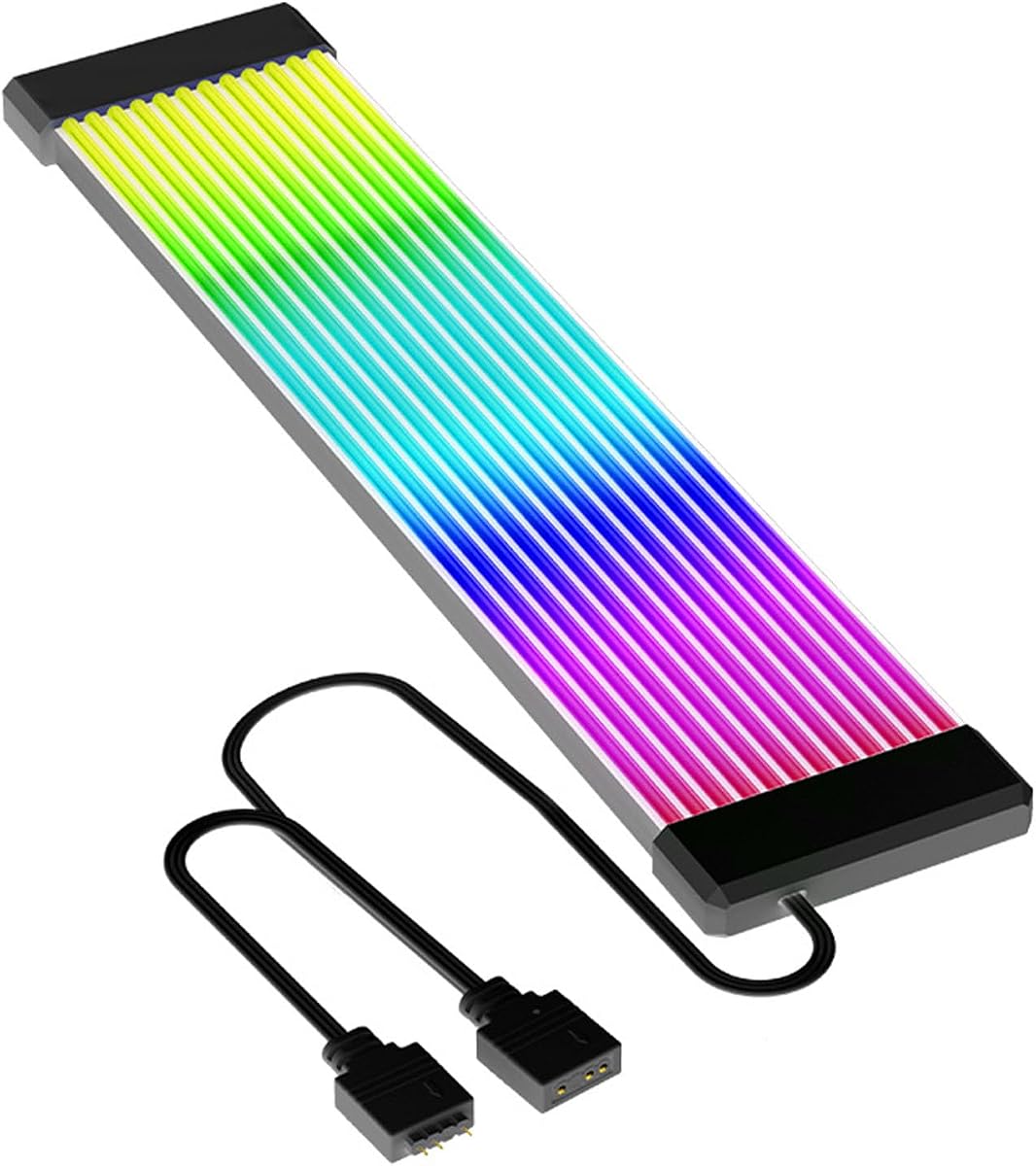
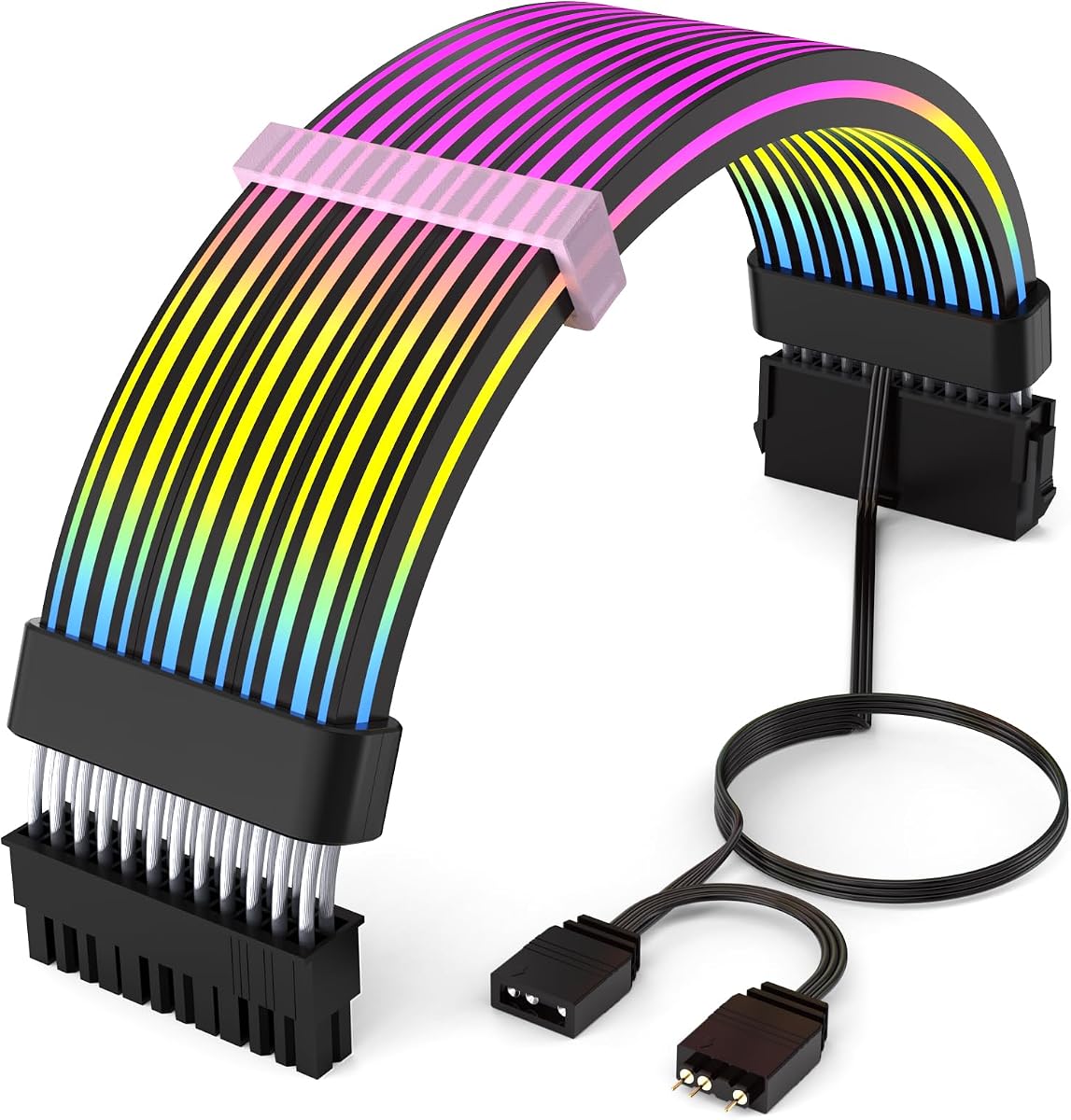
ARGB PSU Cable, ARGB PC Cable for Motherboard Power Supply Extension, 5V 3 Pin Bendable Silicone Sync ARGB Power Extension Cable for PC GPU CPU (X12 Wide (for 24 Pin Or 3×8 Pin
Top 10 Best Light Up Cables for PC in 2026 Compared
The following table compares all ten ARGB cable kits across critical specs like LED count, compatibility, and design features to help you choose the right fit.
Lian Li Strimer Wireless 24-Pin RGB Motherboard Power Cable with Controller
Wireless 2.4 GHz
Lian Li ecosystem
24-pin compatible
Improved lighting guide
The Lian Li Strimer Wireless 24-Pin cable stands out as the top premium pick for those wanting cable-free lighting control. With a 4.8 rating, it delivers a seamless experience unmatched by wired alternatives.
Pros
True wireless control
Highly reliable signal
Premium build quality
Intuitive software integration
Excellent color uniformity
Cons
Higher price point
Requires controller setup
We may earn a commission when you buy through this link, at no additional cost to you.
Its 2.4 GHz wireless signal ensures stable sync with Lian Li fans and Hydroshift II devices. The improved lighting guide extends coverage to sides, creating a truly immersive visual effect inside modern cases.
While it requires the L-Connect 3 controller, this setup eliminates extra cables from your motherboard headers. The trade-off is justified for clean builds needing full wireless functionality without clutter.
Enthusiasts building high-end systems will appreciate the reliable performance and premium feel. If you prioritize wireless control and ecosystem synergy, this Strimer is the ultimate upgrade for your rig.
True Wireless Freedom
Eliminates motherboard header clutter with a dedicated wireless controller for seamless fan and lighting management.
Enhanced Visibility
Extended light guides ensure side-facing RGB effects are vivid without needing expensive custom cable kits.
The TECWARE Flex RGB Cable Cover Kit is an accessible entry point for PC builders wanting vibrant lighting. Its 4.4 rating reflects consistent performance across various standard motherboard and GPU power cables.
Pros
Affordable price
High LED density
Flexible silicone design
Easy to install
Universal compatibility
Cons
No individual LED control
Cables not included
We may earn a commission when you buy through this link, at no additional cost to you.
With 81 LEDs per cable, it ensures uniform color flow without dark spots. The high-density silicone material allows smooth bends and protects wires while enhancing the aesthetic appeal of custom builds.
It supports standard 5V 3-pin ARGB headers for synchronization, though LEDs work as a strip rather than individually. This is acceptable for most users prioritizing smooth color transitions over complex patterns.
If you seek a simple and cost-effective way to upgrade PSU cables, this kit delivers. Its universal fit makes it a reliable choice for most gaming PCs and standard tower cases.
Seamless Color Flow
High LED density ensures bright and consistent lighting that enhances your setup without flickering or dark spots.
Flexible and Durable
Silicone material allows tight bends and a clean finish, ensuring long-lasting protection for your power cables.
This RGB Cable Extension PC Kit offers a budget-friendly solution for covering messy power cables. With a 4.5 rating, it delivers reliable lighting and flexible installation for standard motherboard and GPU connectors.
Pros
Low price
Flexible silicone
Long LED lifespan
Clean appearance
Sync support
Cons
Limited color control
Basic packaging
We may earn a commission when you buy through this link, at no additional cost to you.
The high-density LED arrangement provides bright and uniform lighting, reducing shadows for a sleek look. Its ultra-long 20,000-hour lifespan ensures the lights stay vibrant over years of continuous use.
Flexible silicone allows bending to fit tight chassis layouts, especially in compact builds. While it supports ARGB sync via 5V 3-pin headers, it lacks advanced individual LED control found in premium kits.
For those seeking an affordable upgrade, this kit effectively cleans up cable clutter. It suits casual users and budget builders wanting decent lighting without investing heavily in high-end components.
Ultra-Long Durability
High-precision LEDs offer a 20,000-hour lifespan, ensuring reliable performance and no light decay over time.
Flexible Fit
Soft silicone sleeves bend freely to accommodate various cable layouts and compact chassis sizes perfectly.
AsiaHorse ARGB PSU Cables Cover Kit stands out for its modular design that integrates seamlessly with extension cables. The 4.5 rating highlights its effectiveness in creating a clean, unified lighting system.
Pros
Addressable LEDs
Modular integration
High brightness
Wide compatibility
Durable materials
Cons
Power cord not included
Setup requires care
We may earn a commission when you buy through this link, at no additional cost to you.
It uses Addressable RGB for detailed software adjustments, supporting major brands like ASUS and MSI. With 20,000-hour durability, the LEDs maintain brightness and color accuracy over long periods of use.
The high-density bead arrangement creates a vibrant 3D effect, enhancing the look of your system. Although the power cord is not included, the modular design ensures stable connections without messy wires.
This kit suits builders wanting precise lighting control and modular integration. Its blend of performance and design makes it a solid choice for those valuing customization and a clean aesthetic.
Addressable Precision
Individual LED control allows detailed software adjustments for dynamic and synchronized lighting effects across components.
Sleek Integration
Modular wiring and strip design hide messy cables for a stable and professional look inside your case.
Sirlyr White ARGB Sleeves offer a stylish solution for white-themed PC builds. With a 4.5 rating, these sleeves provide vibrant lighting that blends seamlessly with white cases and components.
Pros
Bright uniform lighting
360-degree flexibility
Clean installation
Syncs with major brands
Cable combs included
Cons
Premium price
White color availability
We may earn a commission when you buy through this link, at no additional cost to you.
They feature 80+81 LEDs for uniform illumination and reduced hotspots. The patented flexible LED strips bend freely to fit different layouts, making installation tool-free with included cable combs.
Compatibility with major motherboard brands ensures synchronized lighting effects easily. While slightly pricier, the quality and aesthetic value justify the cost for white or glass-panel setups seeking a premium look.
If you are building a white or glass-panel system, these sleeves add visual appeal while managing cables. Their bright uniform lighting and easy setup make them an ideal choice for custom white builds.
Vibrant and Uniform
High-density LEDs provide bright lighting with smooth transitions and minimal shadowing for a polished look.
Easy Setup
Tool-free installation with included combs ensures a clean and organized interior without extra hardware.
The Asiahorse Aurora Pro RGB Cable Cover features 108 addressable LEDs, providing unmatched density for vibrant lighting. Its 4.5 rating reflects strong performance and flexibility across standard motherboard and GPU power cables.
Pros
High LED count
Smooth lighting effects
Remote and software control
Bright and true color
Flexible silicone
Cons
Setup can be complex
Size varies
We may earn a commission when you buy through this link, at no additional cost to you.
Patented high-quality LEDs ensure accurate color rendering and a 60 FPS smooth experience. The modular design hides clutter effectively, while brightness can be adjusted remotely or via software for atmosphere control.
With over 124 preset effects, users can customize lighting to match any theme easily. The soft silicone adapts to most cables, ensuring a clean and organized look without disrupting existing cable management.
This kit suits users wanting high LED density and flexible customization. Its combination of brightness and modular fit makes it a strong contender for those prioritizing visual impact over basic kits.
Unmatched Brightness
108 addressable LEDs deliver seamless lighting coordination and true-color rendering for a vibrant visual experience.
Customizable Effects
Over 124 preset effects and 60 FPS performance allow smooth, uninterrupted light shows tailored to any mood.
This ARGB PSU Cable Extension is one of the most affordable options available, offering 120 LED beads for impressive visual effects. With a 4.6 rating, it proves budget-friendly choices can still deliver strong performance.
Pros
Very low cost
Wide compatibility
120 LED beads
Easy installation
Flexible material
Cons
Basic build
Limited customization
We may earn a commission when you buy through this link, at no additional cost to you.
Its multi-interface design supports various connections including 5V 3-pin sync for major motherboard software. The bendable silicone material allows easy shaping and routing, ensuring installation is quick and hassle-free.
Though the build is basic, the flexible design and bright colors enhance aesthetic appeal effectively. Users get multiple lighting tracks flowing smoothly, creating a dazzling effect without complex setup requirements.
For those on a strict budget, this cable delivers great value. Its wide compatibility and ease of use make it a smart pick for beginners looking to upgrade lighting without overspending on expensive kits.
Affordable Performance
Packed with 120 LEDs, this cable provides impressive lighting effects at a very accessible price point.
Versatile Design
Flexible silicone and multiple interfaces allow easy shaping and routing for a wide range of builds.
Sirlyr Black 24Pin extension cable offers 4-side lighting for a 360-degree effect. The 4.5 rating indicates reliable performance and integration for black-themed gaming chassis and standard ATX setups.
Pros
360-degree light
Integrated design
Sync support
Neater look
Mini controller
Cons
Larger than average
Power supply dependency
We may earn a commission when you buy through this link, at no additional cost to you.
Its integrated design hides extension cables for a neater look while maintaining stable current transfer. The TPE/silicone material makes routing easy, and the included mini controller ensures control even without motherboard sync.
Users can achieve sound and light synchronization for an immersive gaming experience. However, the cable is larger than standard extensions, so mid-tower or full-tower cases are recommended to avoid tight spaces.
This cable suits those wanting a dark aesthetic with vibrant lighting. Its integrated look and controller support make it a solid choice for builds prioritizing style and control over compact size.
Integrated Aesthetics
Integrated design hides extension cables for a neater look with stable current transfer and better management.
Immersive Sync
Sound and light synchronization creates an immersive gaming experience with rhythmic lighting effects.
Sirlyr Black RGB PCIe 8Pin cable focuses on enhancing GPU power connections with 4-side lighting. With a 4.6 rating, it delivers a vibrant color effect that makes your graphics card stand out beautifully.
Pros
Vibrant GPU lighting
Easy installation
Flexible and durable
Sound sync
Controller included
Cons
GPU specific
Limited length
We may earn a commission when you buy through this link, at no additional cost to you.
Flexible silicone allows easy bending and routing around tight GPU connectors. It supports sound and light synchronization for gaming immersion, and the mini controller ensures control even if motherboard ARGB is unavailable.
The black finish matches well with glass side panels and dark builds. While designed for GPU cables, its durability and flexible design make it reliable for overclocking power demands and steady performance.
If you want to highlight your GPU, this cable is an excellent choice. Its combination of vibrant lighting, easy setup, and controller support makes it ideal for gaming rigs seeking visual appeal.
Stylish GPU Highlight
Vibrant color lighting makes your build stand out beautifully with a professional look for graphics cards.
Flexible Durability
Silicone material bends easily and maintains stable current transfer for reliable performance during gaming.
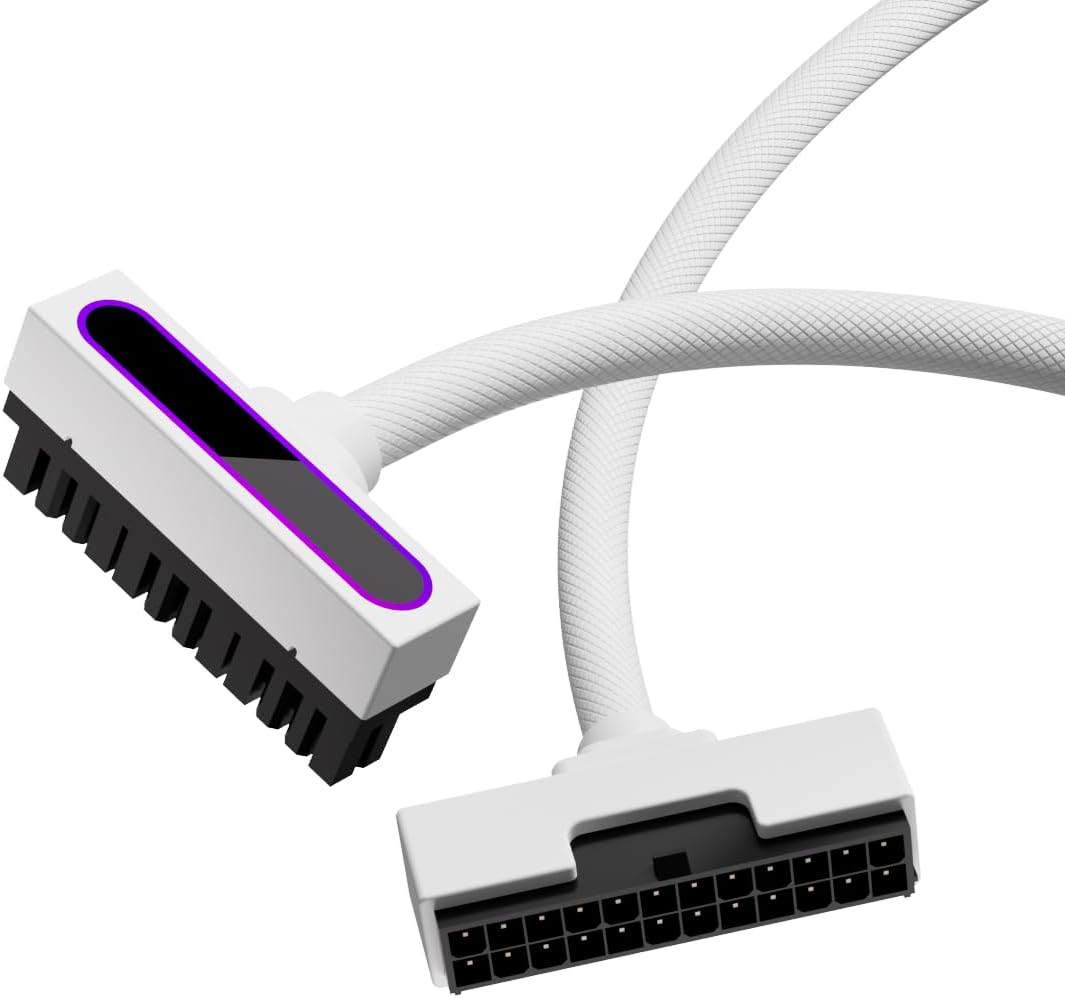
This 24PIN PSU Extension Cable simplifies builds with a 90-degree right-angle design for cleaner routing. With a 4.6 rating, it offers high-conductivity terminals for efficient power delivery and stable system performance.
Pros
Right-angle connector
High performance
Cleaner cable routing
12 dynamic modes
Durable materials
Cons
Fixed 30cm length
White color specific
We may earn a commission when you buy through this link, at no additional cost to you.
The single-cable design eliminates wire clutter, while ARGB sync provides dynamic lighting modes. Durable PVC materials ensure flexibility and scratch resistance, making installation easy without compromising longevity or reliability.
While limited to 30cm and white finish, it suits compact setups where clean aesthetics matter. The high-performance terminals support up to 900W input, ensuring power efficiency for modern high-end GPUs.
For those prioritizing cable management and performance, this cable delivers. Its unique angle and durable design make it a practical upgrade for builders needing cleaner interiors and reliable power connections.
Cleaner Routing
90-degree right-angle design eliminates clutter and ensures a neat and aesthetic interior layout.
High Conductivity
Soldered terminals reduce resistance and heat for efficient power delivery and stable performance.
We may earn a commission when you buy through this link, at no additional cost to you.
Buying Guide – How to Choose the Best Light Up Cables for PC
Choosing the right light up cables requires balancing aesthetics with technical compatibility. Use this guide to understand key factors before making your final selection.
LED Density and Brightness
Higher LED counts like 108 or more ensure uniform lighting without gaps. Look for kits with high-density arrangements to avoid dark spots and ensure vibrant color transitions.
Prioritize high-density LEDs for even, vivid lighting that stands out in any build.
Connectivity and Sync
Most cables use 5V 3-pin ARGB headers, but check compatibility with your motherboard brand like ASUS or MSI. Ensure the kit supports software synchronization for seamless lighting effects.
Verify 5V 3-pin compatibility with your motherboard to ensure smooth software synchronization.
Cable Flexibility
Flexible silicone materials allow tight bends without breaking. This helps in routing cables through compact or custom cases while maintaining a clean and professional look.
Choose flexible silicone for easy routing and tight bends in compact cases.
Installation Features
Some kits include combs or connectors to manage wires effectively. These small additions simplify assembly and keep the interior tidy without requiring extra tools.
Look for included combs or connectors to simplify installation and manage wires effectively.
Build Quality and Durability
Quality materials ensure long-term use without light decay. Lifespans of 20,000 hours guarantee your lighting stays bright over years of operation and heavy use.
Select durable materials with long lifespans for reliable performance over time.
Color and Finish
White or black finishes should match your case style. A matching finish enhances aesthetics and prevents the cables from clashing with your component colors.
Pick a finish that matches your case to enhance overall aesthetic harmony.
Price and Value
Budget options often suffice for basic needs, while premium kits offer wireless control or better sync. Balance cost against required features like individual LED control or remote usage.
Balance cost against features like wireless control or individual LED adjustments.
Connector Types
Ensure the kit covers both 24-pin and GPU connectors. Some products focus only on one type, so verify compatibility with your specific power requirements.
Confirm the kit covers both motherboard and GPU connectors to meet full requirements.
How to Use and Care for Your Light Up Cables for PC
Start by shutting down your PC and unplugging the power supply to ensure safety. Connect the ARGB cables to your motherboard headers, ensuring they match the 5V 3-pin standard for compatibility.
Route the cables carefully using provided combs or clips to avoid sharp bends. This ensures the silicone remains intact and the LEDs stay protected from physical stress during operation.
Regularly check connections for dust or wear to maintain performance. Clean the cables gently with a soft cloth to preserve brightness and ensure lasting vibrant lighting for your build.
Frequently Asked Questions
Do these cables work without a GPU power connector?
Most kits require both 24-pin and 8-pin connectors for full coverage. If your setup lacks one, check if the product supports partial installation or requires additional cables.
Can I use these with any motherboard brand?
Yes, if your board supports 5V 3-pin ARGB headers. Major brands like ASUS and MSI are compatible, but older boards might need a controller adapter for sync.
Do these cables increase power consumption?
Minimal impact, as ARGB LEDs consume very little power compared to components. The wiring is designed to handle standard power delivery without adding noticeable load.
How do I fix uneven lighting issues?
Check that connections are secure and properly aligned. Reinstall cables and verify that motherboard software settings match the ARGB profile to ensure consistent performance.
Can these cables be used for non-PC builds?
They are designed specifically for standard PC power cables. Using them outside this scope may not be safe or compatible with different power systems or voltage requirements.
Are these cables compatible with 12VHPWR connectors?
Some modern kits support 12VHPWR for GPUs. Check the product specs to confirm adapter compatibility, as standard 8-pin cables might not fit newer GPU models.
Final Thoughts on Choosing the Best Light Up Cables for PC
The top three picks cover premium, budget, and specialized needs. Whether you want wireless control or simple upgrades, these options deliver quality and visual appeal for various build styles.
Prioritize compatibility, LED density, and flexibility to ensure satisfaction. A well-matched kit enhances both aesthetics and organization without compromising on reliability or ease of installation.
Prices fluctuate, so confirm current deals before buying. Review your PC layout and cable needs to pick the best kit for a polished and vibrant setup experience.
This guide compares the top ten clear bags for stadium events, evaluating size, durability, comfort, and security compliance to help fans choose the perfect