
TP-Link AXE5400 Tri-Band
4.3Editor score
WiFi 6E 6 GHz band
Tri-Band connectivity
EasyMesh compatible range
Discover the top low latency WiFi routers for gaming and streaming. We compare speed, coverage, and features to help you choose the best network hardware for
Modern homes demand networks that handle gaming, streaming, and calls simultaneously without lag. Low latency WiFi routers ensure your data travels quickly, keeping you connected in real time. Choosing the right device means looking beyond raw speed to find stability and responsiveness.
We evaluated ten leading routers based on performance, features, and user feedback. Our analysis focuses on models that minimize delay while supporting multiple devices. This list covers options from budget-friendly picks to high-end gaming rigs.
Each pick highlights key strengths, trade-offs, and ideal use cases for your setup. While specifications are accurate, actual performance varies by environment. Prices and availability change frequently, so verify details before purchasing your new network hub.
4.3Editor score

4.6Editor score

4.3Editor score
This side-by-side comparison highlights the core specifications of each router. Use it to quickly identify which model fits your bandwidth needs, device count, and budget constraints.
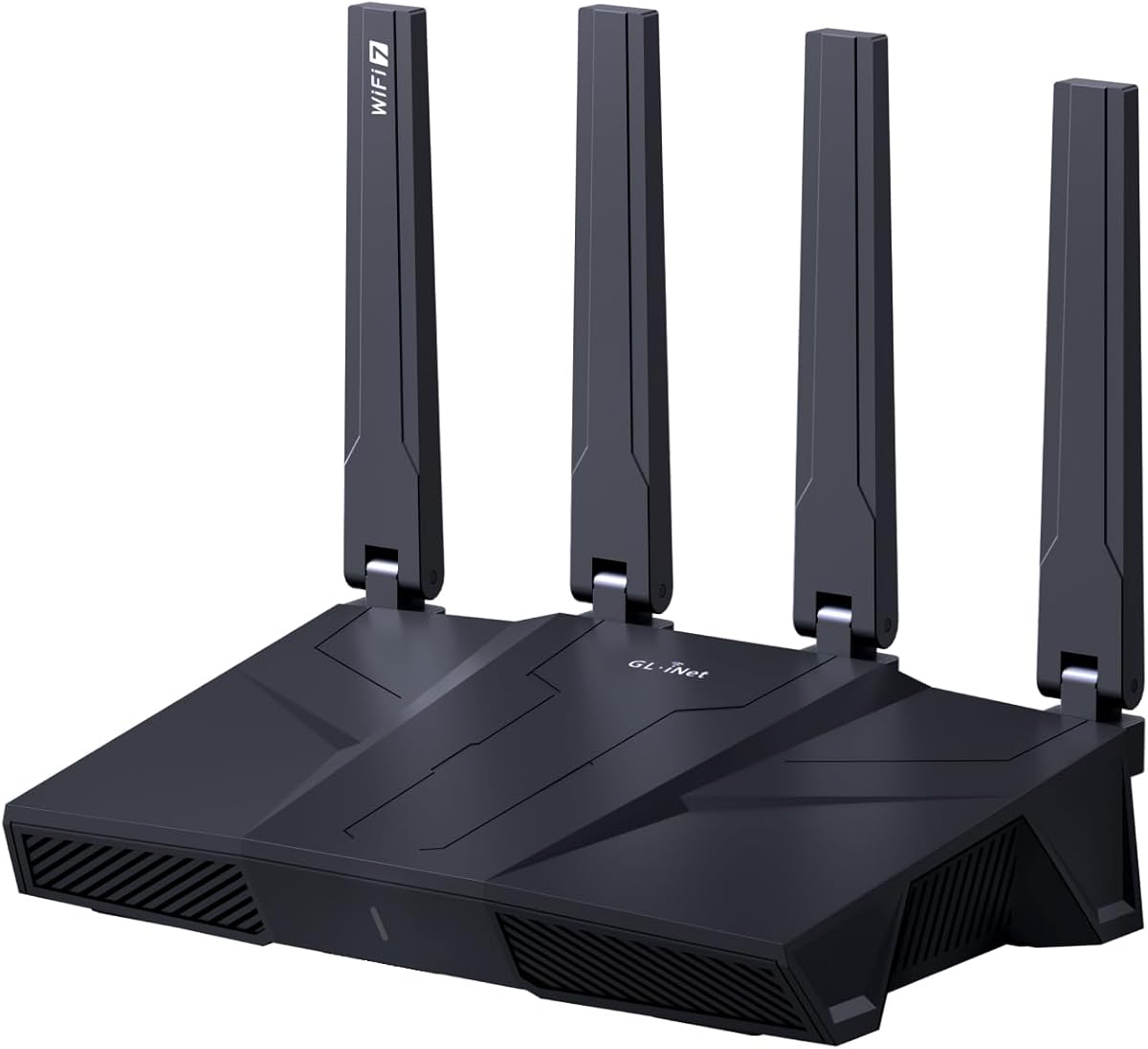


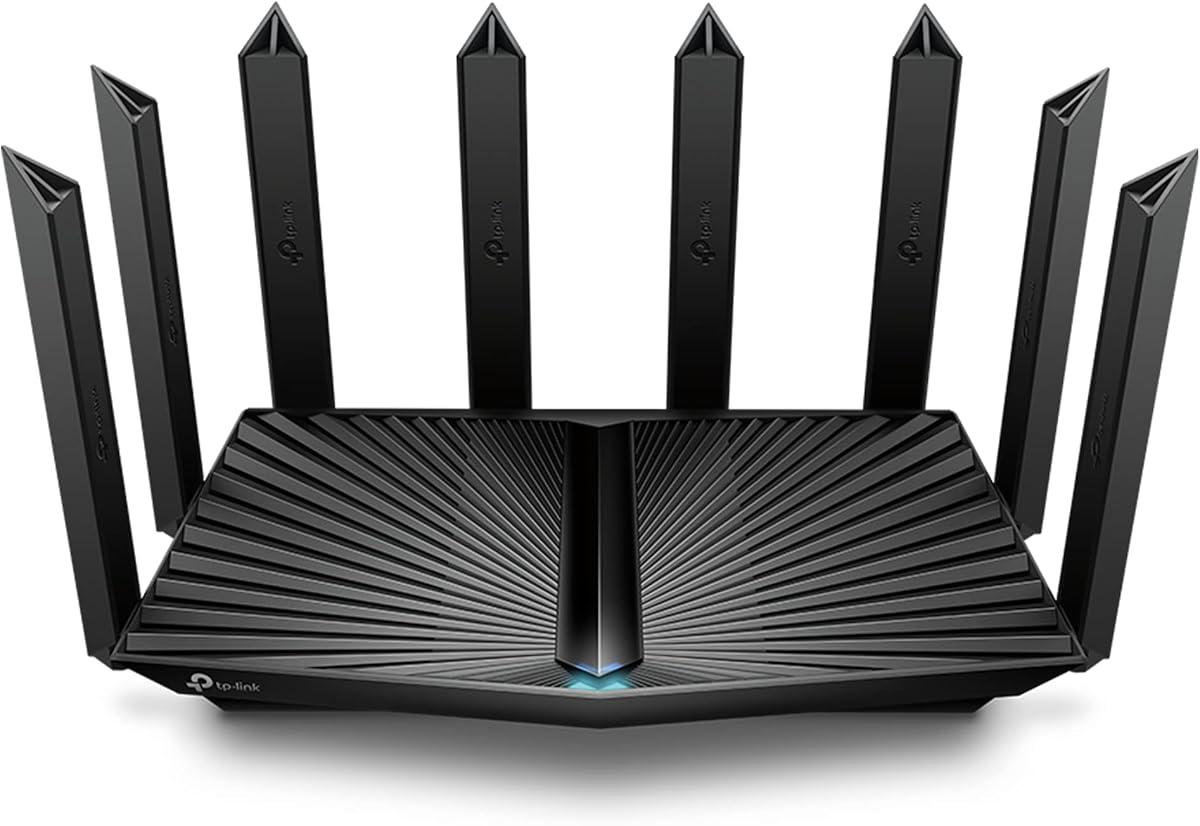

The GL.iNet GL-MT6000 Flint 2 stands out as a top choice for low latency networks. With a 4.6 rating, it delivers consistent performance for gaming and streaming. Its dual 2.5G ports ensure wired connections stay fast.
We may earn a commission when you buy through this link, at no additional cost to you.
Its standout quality is the support for OpenVPN and Wireguard at high speeds. This allows secure connections without slowing down traffic. The AdGuard Home feature blocks ads directly at the router level.
While the setup requires a firmware update, this enhances performance significantly. The learning curve for advanced settings is minor compared to the benefits of customization and speed.
Gamers and privacy-focused users should buy this router. It balances speed, security, and customization better than most competitors in this price range.
Wireguard and OpenVPN run at up to 900Mbps and 880Mbps respectively. This ensures your data stays private without adding lag to your connection.
Catering to over a hundred devices, it handles smart homes effortlessly. The storage capacity supports additional plugins for extended functionality.
We may earn a commission when you buy through this link, at no additional cost to you.
The TP-Link AXE5400 Tri-Band offers near-zero latency through its 6 GHz band. Rated 4.3, it is ideal for budget-conscious gamers. It enables more responsive gaming and video chatting without high costs.
We may earn a commission when you buy through this link, at no additional cost to you.
Its 6 GHz band brings more bandwidth and faster speeds. Tri-Band design ensures capacity increases four times for simultaneous device transmission. The housing design optimizes heat dissipation for reliability.
Limited range on the 6 GHz band is a trade-off for speed. However, EasyMesh compatibility allows extending coverage easily to eliminate dead zones in larger homes.
Families needing cost-effective low latency should choose this router. It balances performance and price well for general streaming and casual gaming.
The 6 GHz band enables more responsive gaming and video chatting. It reduces interference from other devices effectively.
TP-Link HomeShield provides network and IoT protection. Basic parental controls and QoS are included for free.
We may earn a commission when you buy through this link, at no additional cost to you.
The GL.iNet GL-BE9300 Flint 3 brings the future of wireless technology with Wi-Fi 7. It delivers ultra-fast speeds and significantly reduced latency. Its multi-link operation improves connectivity in high-density environments.
We may earn a commission when you buy through this link, at no additional cost to you.
MLO technology and enhanced OFDMA reduce latency significantly. With speeds up to 9 Gbps, it handles 8K streaming and gaming smoothly. Parental controls with Bark integration enhance online safety for families.
The cost is higher, but the speed is future-proof. The setup requires a firmware update to ensure superior user experience and performance.
Tech-savvy users wanting the latest features should buy it. It is an excellent investment for future-proofing home networks.
Wi-Fi 7 speeds up to 9 Gbps let you enjoy smoother 8K streaming. Reduced latency improves connectivity in high-density environments.
Integrated support for Bark helps parents tackle screen time and safety. Filter websites and enforce safe search easily.
We may earn a commission when you buy through this link, at no additional cost to you.
The NETGEAR Nighthawk WiFi 7 is built to keep up as your connected home grows. It delivers 9.3 Gbps speeds for streaming and gaming. The dedicated 6 GHz band prevents slowdowns.
We may earn a commission when you buy through this link, at no additional cost to you.
Its dedicated tri-band design keeps up with busy homes. The Nighthawk app allows easy management of guest networks and speed tests. Two 2.5 Gig LAN ports connect gaming rigs and NAS drives.
Bridge mode requirements might confuse some users initially. However, the speed and reliability make the setup process worth the effort for power users.
Large homes needing reliable coverage should choose this router. It supports up to 100 devices with strong signal strength.
The added 6 GHz band gives your fastest devices their own lane. Nothing slows down when multiple devices compete.
Download the free Nighthawk app to manage WiFi from anywhere. You can pause devices and run speed tests easily.
We may earn a commission when you buy through this link, at no additional cost to you.
The NETGEAR Nighthawk WiFi 7 RS90 offers dedicated dual-band performance. It is built to keep up when everyone is online. With speeds up to 3.6 Gbps, it handles streaming and smart home devices well.
We may earn a commission when you buy through this link, at no additional cost to you.
Its MU-MIMO and OFDMA let multiple devices send data simultaneously. The app allows simple management of WiFi and guest networks. The 2.5 Gig WAN port unlocks multi-gig plans.
Support for only 50 devices might limit large households. But for smaller spaces, the performance and reliability are excellent without the extra cost.
Smaller homes needing reliable WiFi 7 should choose this. It balances speed and ease of use effectively.
MU-MIMO and OFDMA let multiple devices send and receive data simultaneously. This ensures smoother performance for all connected devices.
Download the free Nighthawk app for guided setup and management. Pause devices and run speed tests easily.
We may earn a commission when you buy through this link, at no additional cost to you.
The TP-Link Archer BE230 is a dual-band router that prepares you for Wi-Fi 7. It delivers enhanced performance for all devices with Multi-Link Operation. The 2.0 GHz Quad-Core processor eliminates lag.
We may earn a commission when you buy through this link, at no additional cost to you.
It breaks the 1G barrier with dual 2.5G ports. This ensures seamless high-speed connectivity from internet to LAN devices. The 4 internal antennas focus signals toward hard-to-reach areas.
Lack of 6 GHz band limits top speeds compared to tri-band. But for most homes, the reliability and future-proofing are sufficient for daily use.
Budget-conscious users wanting next-gen features should pick this. It balances cost and advanced functionality well.
Enjoy faster speeds with Multi-Link Operation and increased reliability with Multi-RUs. This technology improves performance for all devices.
Works with EasyMesh routers to create a seamless WiFi network throughout your home. Eliminate drops and lags as you move.
We may earn a commission when you buy through this link, at no additional cost to you.
The GL.iNet GL-BE6500 Flint 3e is designed for home and gaming use. It delivers ultra-fast speeds and significantly reduced latency with MLO Technology. With speeds up to 6.5 Gbps, it handles 8K streaming smoothly.
We may earn a commission when you buy through this link, at no additional cost to you.
VPN speeds are exceptional, reaching up to 1100 Mbps. This gives complete control over gaming and working bandwidth. Parental controls help manage screen time and online safety effectively.
The setup requires a firmware update for best performance. Despite the premium price, the combination of speed and privacy features is compelling.
Privacy-conscious gamers should buy this router. It combines security and performance better than most.
Wireguard VPN and OpenVPN deliver speeds of up to 1100 Mbps. Control your gaming and streaming bandwidth securely.
Designed for extra long range WiFi with reliable signal strength for up to 2500 square feet of coverage.
We may earn a commission when you buy through this link, at no additional cost to you.
The ASUS ROG Rapture GT-BE98 Pro offers unmatched 30 Gbps speed. It uses new 320MHz channels to significantly increase network capacity. Its Triple-Level Game Acceleration boosts PC gaming traffic every step of the way.
We may earn a commission when you buy through this link, at no additional cost to you.
External dual-feeding antennas boost coverage with enhanced signal strength. Maximized wired connectivity includes dual 10G ports and quad 2.5G ports. This flexibility supports heavy bandwidth demands.
The high price makes it ideal for enthusiasts only. Average users may not need this level of speed, but performance is top-tier.
Pro gamers with high-end setups should choose this router. It is the ultimate solution for speed and reliability.
Triple-Level Game Acceleration boosts your PC gaming traffic every step of the way. From your port to the game server.
Maximized flexibility with dual 10G ports and quad 2.5G ports. Connect demanding devices with ease.
We may earn a commission when you buy through this link, at no additional cost to you.
The TP-Link Archer AX80 provides robust Wi-Fi 6 performance. It offers up to 4804 Mbps on 5.0 Ghz. Its eight high-gain antennas ensure vast coverage effectively.
We may earn a commission when you buy through this link, at no additional cost to you.
Connect more devices with lower latency thanks to MU-MIMO. The 2.5G Multi-Gigabit port breaks the gigabit bottleneck easily. OneMesh allows creating a whole home network flexibly.
It lacks 6 GHz which limits future-proofing. Still, its efficiency makes it ideal for current needs at a reasonable cost.
Budget users seeking strong 5GHz performance should buy this. It offers solid value and coverage for most homes.
MU-MIMO and OFDMA technology work hand in hand to boost throughput. Greatly increase the number of connected devices.
Flexibly create whole home Wi-Fi by adding a OneMesh supported Range Extender. Seamlessly switch between access points.
We may earn a commission when you buy through this link, at no additional cost to you.
The ASUS ROG Rapture GT-AXE11000 boosts speeds up to 11 Gbps. It is the world's first Wi-Fi 6E tri-band router. The 6 GHz spectrum available delivers lower latency and less interference.
We may earn a commission when you buy through this link, at no additional cost to you.
Its 2.5G LAN/WAN port gives top priority to all traffic. The Quad-core CPU and optimized antenna design bring computational capability to the next level. This ensures performance through engineering.
Lower ratings suggest newer models are preferred now. Still, its legacy performance and 6 GHz support make it a reliable backup option.
Users needing 6 GHz at lower cost should consider this. It remains a strong contender for legacy setups.
Wider channels and higher capacity deliver higher performance with lower latency. Less interference ensures smoother streaming.
Quad-core CPU and optimized antenna design bring computational capability to the next level. Ensures performance through engineering.
We may earn a commission when you buy through this link, at no additional cost to you.
Selecting the right router involves understanding your bandwidth needs, home size, and budget constraints. Focus on specs that prioritize low delay over raw speed.
Look for WiFi 6E or WiFi 7 to access the 6 GHz band, which reduces interference and latency significantly. Newer standards support technologies like Multi-Link Operation that optimize traffic routing.
Prioritize the latest standards to ensure your home network is ready for future devices.
Tri-Band routers offer a dedicated high-speed band for demanding devices like gaming consoles. This separation prevents congestion that occurs when all traffic shares the same frequency.
Choose Tri-Band if you have many simultaneous users or heavy streamers in the home.
Ensure the router has 2.5G or 10G ports for wired connections to gaming PCs or NAS drives. This prevents the router from being a bottleneck for high-speed internet plans.
Verify port speed matches your ISP plan to maximize throughput.
A strong CPU and ample RAM manage traffic efficiently without slowing down when many devices connect. Look for multi-core processors and at least 512MB of RAM for smooth operation.
High-end specs ensure consistent performance during peak usage times.
Check the square footage coverage to ensure the signal reaches all corners of your home. If you have a large home, consider routers that support mesh expansion.
Select a model that matches your home size to avoid dead zones.
Security services like HomeShield or Armor protect connected devices from malware and hacking. Basic parental controls and QoS settings are also essential for managing traffic and safety.
Look for routers with built-in security or easy integration of safety tools.
Routers compatible with EasyMesh or OneMesh allow you to extend range easily if needed later. This flexibility is useful if your setup grows or changes over time.
Prioritize compatibility with expansion tools to future-proof your network.
Budget-friendly models offer solid performance, while premium ones provide advanced features like higher speeds or better security. Balance what you need against what you can spend to find the right fit.
Focus on features that matter most for your specific use case.
Position the router in a central location away from walls and metal objects to ensure maximum signal propagation. Elevate it slightly off the floor to improve coverage across multiple floors.
Update the firmware immediately upon initial setup to enhance performance and security. Most manufacturers release updates that address bugs and improve connectivity stability.
Monitor connected devices regularly to identify bandwidth hogs. Use QoS settings to prioritize gaming or streaming traffic for smoother experiences.
Low latency routers use modern standards like WiFi 7 or 6E with dedicated bands to minimize delays. They prioritize traffic routing and often support features like OFDMA to handle multiple devices efficiently.
WiFi 7 provides the best performance with reduced latency and higher speeds. However, WiFi 6E also works well for gaming if your devices support it. It is best for future-proofing networks.
If your home is small enough, a single router works fine. For larger homes, adding mesh nodes ensures consistent low latency throughout. Check if your router supports mesh expansion before buying.
Yes, all routers in this guide offer Ethernet ports for wired connections. Look for 2.5G or 10G ports for multi-gigabit speeds on gaming PCs or NAS devices.
Standard VPNs can add latency. Routers with optimized VPN support like Wireguard minimize this delay. Using a local VPN server often reduces latency impacts.
2.5G ports prevent bottlenecks when your internet plan exceeds 1Gbps speeds. They allow full utilization of high-speed connections on wired devices like PCs and drives.
The GL.iNet GL-MT6000 Flint 2 stands out as our top pick for balancing speed and customization. For budget buyers, the TP-Link AXE5400 Tri-Band offers near-zero latency at an affordable price.
When selecting a router, prioritize features like dedicated high-speed bands and robust processing power. These ensure your network remains responsive even with dozens of connected devices.
Prices and availability fluctuate regularly so check current listings before purchasing. This guide helps you find a reliable network hub tailored to your needs.