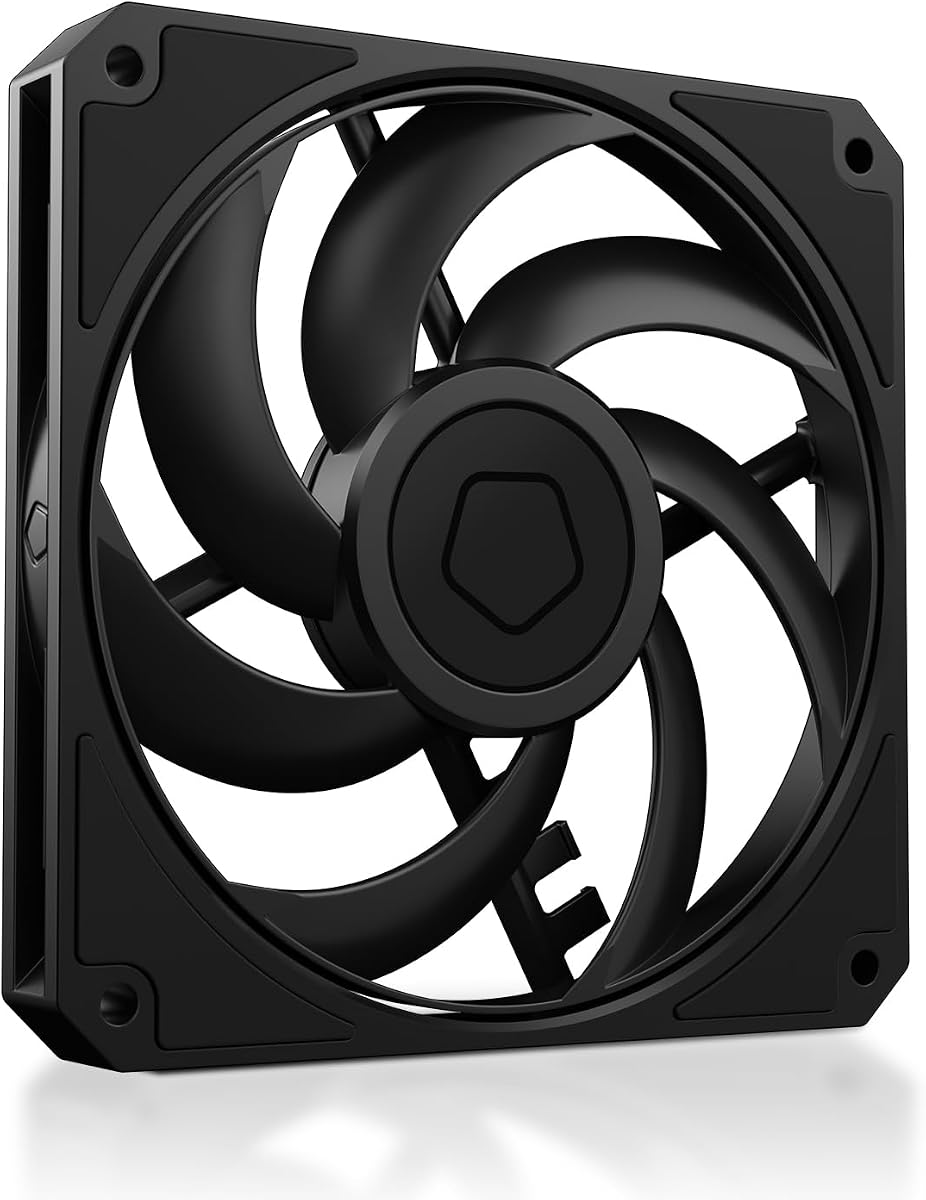
ID-COOLING AM-120-SLIM
4.8Editor score
Ultra-slim fifteen millimeter
High static pressure
Affordable pricing
This comprehensive guide compares the top 10 low profile case fans for 2026, evaluating airflow, static pressure, noise levels, and build quality to help you
Building a compact PC often means sacrificing cooling potential due to limited space inside the chassis. Low profile case fans solve this by offering slim designs that fit into tight radiators and coolers without compromising on performance. These specialized fans ensure your components stay cool even in restrictive environments.
We have analyzed the market to find the most reliable and efficient slim fans available today. Our comparison looks at critical metrics like static pressure, noise output, and bearing technology to determine which models deliver the best value. Each product was selected based on its ability to perform under pressure while maintaining quiet operation.
Every pick in this list showcases unique strengths tailored to different build requirements and budgets. Whether you need a premium silent fan or a budget-friendly option for a mini-ITX build, you will find a suitable match here. Please note that product availability and pricing can change frequently, so always verify details before purchasing.
4.8Editor score

4.9Editor score

4.8Editor score
This side-by-side comparison highlights the key specifications of each fan to help you make an informed decision based on your specific cooling needs and case constraints.



This premium slim fan stands out as the top choice for users seeking the best balance of performance and silence. It carries an excellent rating and is known for its award-winning design that minimizes noise while maximizing airflow. The construction quality ensures it will last for years even in demanding environments.
We may earn a commission when you buy through this link, at no additional cost to you.
The A-series design features Flow Acceleration Channels and an Advanced Acoustic Optimisation frame which significantly reduce turbulence and sound. This makes it ideal for low-profile CPU coolers, HTPCs, and ITX builds where space is restricted. The four-pin PWM version allows for automatic speed control via motherboard headers ensuring efficient cooling.
While the price is higher than average options, the included accessories like extension cables and y-cables add value. The trade-off is acceptable given the superior acoustic performance and longevity. Some users might find the brown color scheme less desirable for black builds but it is purely aesthetic.
Anyone building a silent PC or a compact system should strongly consider this fan. It delivers consistent cooling without the noise penalty often associated with high-speed fans. For those prioritizing quiet operation and reliability, this model is the final recommendation in this category.
The advanced frame design ensures that the fan operates at extremely low decibel levels even under load.
Included anti-vibration mounts reduce mechanical noise and provide flexible installation for various case types.
We may earn a commission when you buy through this link, at no additional cost to you.
This version of the popular Noctua fan offers the same high-performance cooling in a sleek all-black design. It is perfect for builders who want top-tier quality without the traditional brown accents. The rating remains excellent due to the proven technology inside the chassis.
We may earn a commission when you buy through this link, at no additional cost to you.
The chromax.black.swap edition includes self-adhesive anti-vibration pads in multiple colors to allow for personalization. This feature adds a unique touch to custom builds without compromising the structural integrity or acoustic performance. The fan stops at zero percent PWM enabling semi-passive operation for extreme silence.
The only drawback is the cost which is slightly higher than the standard model. However, the aesthetic upgrade and included pads justify the investment for many enthusiasts. It performs identically to the brown version ensuring you do not sacrifice cooling power.
If you are building a black themed PC and need a high-quality slim fan this is the ideal choice. It combines the best of Noctua engineering with modern visual preferences. For those seeking style and substance this model is highly recommended.
The black design and color pads let you match the fan to your specific build theme easily.
The fan can stop completely at low loads ensuring silent operation during idle or light tasks.
We may earn a commission when you buy through this link, at no additional cost to you.
The FLX variant provides a straightforward approach to speed control using a three-pin Molex connector. It is designed for users who prefer manual adjustments over automatic PWM signaling. Despite the simpler connection it maintains the high performance standards of the Noctua A-series.
We may earn a commission when you buy through this link, at no additional cost to you.
It includes Low-Noise Adaptors that allow you to fine-tune the fan speed for maximum airflow or near-silent operation. This gives you direct control over noise levels without relying on BIOS settings. The build quality is exceptional ensuring smooth and reliable operation over time.
The limitation is the lack of PWM which means you cannot use software to change speeds dynamically. For static systems or older motherboards this is not an issue but it may be a dealbreaker for some. The adaptors help mitigate noise at lower speeds effectively.
This fan is a great choice for those who want a simple and reliable cooling solution. It works well in compact builds where manual control is sufficient. For users valuing simplicity and performance this model is a solid pick.
Included adaptors let you set fixed speeds to balance noise and cooling according to your needs.
The motor design ensures minimal power consumption while delivering consistent airflow even at low speeds.
We may earn a commission when you buy through this link, at no additional cost to you.
This three-pack offers an excellent entry point for buyers needing multiple slim fans for a larger build. The fans are optimized for static pressure making them effective on radiators and heat sinks. The rating is solid reflecting their value and performance consistency.
We may earn a commission when you buy through this link, at no additional cost to you.
The PST technology allows you to daisy chain multiple fans together using a single PWM header. This simplifies cable management significantly in compact cases where space is at a premium. The installation height is only fifteen millimeters fitting into tight spots easily.
Noise levels can be a bit higher than premium brands at maximum speed but the airflow compensates for it. The plastic frame is functional but not as refined as higher-end options. For the price per fan this trade-off is generally acceptable.
Builders looking for a cost-effective way to cool a mini-ITX system with multiple radiators will appreciate this pack. It balances performance and price well for budget-conscious enthusiasts. If you need multiple fans this is the top recommendation.
Connect multiple fans with one header to reduce cable clutter and simplify control setup.
The optimized blade design pushes air effectively through restrictive components like heatsinks.
We may earn a commission when you buy through this link, at no additional cost to you.
This fan brings the slim profile to a larger 140mm size which can move more air with less noise. It is an excellent option for cases that support 140mm mounts but lack depth for standard fans. The rating remains consistent with other Arctic products in this range.
We may earn a commission when you buy through this link, at no additional cost to you.
The motor is designed to be quiet even when spinning up to maintain efficient cooling. With a height of only 16 millimeters it fits into low-profile setups easily. The PST feature again simplifies wiring for multi-fan configurations.
One limitation is that not all compact cases accept 140mm slim fans so you must check dimensions. The build quality is good but standard plastic which reflects the budget-friendly nature. For available space it offers great performance per dollar.
If you need a large diameter slim fan for better airflow this is the best choice. It helps reduce noise in SFF builds by spinning slower than 120mm equivalents. Verify your case clearance before purchasing to ensure fit.
Larger blades move more air at lower RPMs resulting in lower overall system noise.
The sixteen millimeter height ensures it fits where standard thirty millimeter fans cannot.
We may earn a commission when you buy through this link, at no additional cost to you.
This fan delivers impressive specs for a very low price making it a standout budget option. It offers high airflow and static pressure which helps it perform well in restrictive coolers. The rating reflects the high value users get for their money.
We may earn a commission when you buy through this link, at no additional cost to you.
The hydraulic bearing reduces friction and extends the lifespan while keeping noise levels manageable. It features a standard 120mm mounting and four-pin PWM connector for broad compatibility. The design is specifically targeted at Mini-ITX and SFF builds.
Noise can increase noticeably at maximum RPM but the speed range allows for quiet operation. The plastic frame is sturdy enough but lacks the refinements of premium models. For the cost it is hard to beat in terms of raw performance.
If you are on a tight budget but need effective cooling this fan is the smart choice. It balances price and performance better than many competitors. Always check your tolerance for noise at full speed before finalizing.
Strong pressure pushes air through dense heatsinks and radiators efficiently without high speed.
The cost effective design makes it easy to equip multiple fans in a system.
We may earn a commission when you buy through this link, at no additional cost to you.
Pure Wings 3 fans are known for their excellent balance of noise and airflow. The brand focuses heavily on acoustic comfort ensuring users enjoy a quiet environment. The rating is high due to consistent performance and reliable engineering.
We may earn a commission when you buy through this link, at no additional cost to you.
Seven optimized blades reduce turbulence and ensure performance under demanding configurations. The rifle bearing provides a long operating lifetime which adds to the value of the fan. It is a great choice for those seeking a clean professional look.
While often designed as standard fans some variants fit low profile cases with minor clearance checks. The sound signature is pleasant without annoying high frequencies. This makes it suitable for home theater PCs or office workstations.
Those who prioritize silent performance and reliable quality should consider this fan. It is a strong contender for general case cooling where noise matters. Verify thickness requirements before purchasing to ensure fit.
The frame design ensures that turbulence is minimized leading to quieter airflow.
Quality control and design standards ensure a product that lasts long and works well.
We may earn a commission when you buy through this link, at no additional cost to you.
This fan focuses on keeping noise levels low while maintaining adequate cooling for most tasks. The S-FDB bearing helps reduce friction and extends the service life significantly. It is a great choice for users who want silence without sacrificing reliability.
We may earn a commission when you buy through this link, at no additional cost to you.
The vibration absorbing pads on the corners help reduce mechanical noise during operation. It is designed for small form factor cases where space is extremely limited. The PWM control allows for smooth speed adjustments based on system load.
Airflow is lower than some competitors due to the lower maximum RPM but it is often sufficient. The trade-off is worth it for those prioritizing acoustic comfort over raw cooling. The price point makes it accessible for many builders.
If you are building a silent workstation or a quiet gaming PC this fan is ideal. It offers a great balance of features and cost. Check your specific needs to ensure the airflow is enough.
The bearing design ensures smooth rotation and reduces wear over time.
Rubber pads isolate the fan from the case reducing vibration induced noise.
We may earn a commission when you buy through this link, at no additional cost to you.
This fan is perfect for compact CPU coolers where space is extremely tight. The 14mm thickness allows it to fit in tight clearances without issues. The rating is high due to its specialized niche performance.
We may earn a commission when you buy through this link, at no additional cost to you.
It can spin up to 2500 RPM which helps it move air effectively despite its small size. The chromax.black.swap edition allows for aesthetic customization with the adhesive pads. It is designed for 9cm low-profile CPU coolers and small cases.
Noise can be higher at maximum speed due to the RPM but it offers a range. The quality is premium ensuring reliability even under high stress. For specific tight spots this fan is often the only viable option.
If you are building a very compact system this fan is essential for cooling. It delivers reliable performance where other fans cannot fit. Check your cooler dimensions before buying.
Fourteen millimeter thickness ensures fit in cases with extreme height limitations.
High speed allows adequate cooling despite the small surface area.
We may earn a commission when you buy through this link, at no additional cost to you.
Another option from Noctua this fan is a reliable choice for high-performance cooling. It shares the same proven design as other top models in the review. The rating is excellent reflecting the brand's reputation for quality.
We may earn a commission when you buy through this link, at no additional cost to you.
The automatic speed control via PWM ensures the fan adapts to system needs efficiently. It includes anti-vibration mounts and extension cables making installation straightforward. The slim design is ideal for CPU coolers and compact cases.
The main trade-off is the cost which is higher than budget alternatives. However the longevity and reliability often make it cheaper in the long run. The brown color is a signature trait that some may find distinctive.
This fan is a solid choice for anyone valuing dependability and low noise. It is a workhorse that will perform consistently over years of use. For long-term builds this is a recommended option.
Automatic speed adjustments ensure the system stays cool without manual intervention.
Mounts and cables included in the box save time and extra costs during build.
We may earn a commission when you buy through this link, at no additional cost to you.
Selecting the right fan involves understanding several technical factors that impact cooling efficiency and noise.
Most low profile fans measure 120mm by 120mm but vary in depth from 14mm to 20mm. Standard fans are usually 25mm thick so you must measure your case clearance carefully to avoid interference with other components.
Always verify the exact thickness of the fan against your radiator or cooler requirements before purchasing.
Airflow measures how much air moves through the fan in cubic feet per minute while static pressure indicates how well it pushes air through obstacles like heatsinks. High pressure is needed for radiators and coolers whereas airflow is better for general case cooling.
Look for higher static pressure ratings if you plan to mount the fan on a radiator or heatsink.
PWM fans connect via four-pin headers and allow automatic speed control through your motherboard or software. Three-pin fans are simpler but rely on manual voltage adjustments to change speed which offers less flexibility.
Choose PWM fans for easier management and efficient power consumption in modern systems.
Noise is typically measured in decibels and sones but lower numbers are quieter. Consider your tolerance for background noise especially if the system will be used in a bedroom or office space.
Fans with acoustic optimization features generally provide a smoother and quieter sound profile.
Bearing types such as hydraulic or S-FDB affect both noise and lifespan. High-quality bearings reduce friction and wear ensuring the fan stays quiet for longer periods of operation.
Prioritize fans with proven bearing technologies for long-term reliability.
Materials used in the frame and blades impact durability and vibration. Higher-end models often use premium plastics or metal reinforcements to reduce unwanted rattling during operation.
Check reviews for any reports of vibration or durability issues before buying.
Ensure the connector type matches your motherboard header type whether PWM or voltage. Also verify that the mounting screw pattern aligns with your case or radiator holes.
Always check the mounting specs to avoid installation issues.
Color schemes and design elements like black or brown frames affect visual appeal. If you prefer a uniform look consider black models or customizable options with colored pads.
Choose a design that fits your overall build aesthetic.
Install the fan ensuring the airflow direction matches your case layout. Most fans have an arrow on the frame indicating the correct direction to push air through.
Use anti-vibration mounts if available to reduce noise and prevent rattling. Tighten screws evenly without over-tightening to avoid warping the frame.
Clean the blades regularly using a soft brush or compressed air to prevent dust buildup. This maintains airflow efficiency and prolongs the fan's lifespan.
A low profile case fan is a slim fan designed to fit into compact spaces where standard thickness fans cannot. They are typically between 14mm and 20mm thick and maintain high performance for cooling.
Yes many low profile fans are engineered with higher static pressure and optimized blades to match standard fan performance. They are ideal for radiators and restricted coolers.
Measure the available space for the fan including width height and depth. Compare these measurements with the fan's dimensions to ensure it fits without obstruction.
PWM fans allow automatic speed control which reduces noise and power usage. For most users the benefits of automation and efficiency justify the slight cost increase.
Yes they can be used in standard cases but you may need spacers to fill the extra depth. This is often done for aesthetic alignment or cable management purposes.
Most quality slim fans have a lifespan exceeding one hundred fifty thousand hours depending on the bearing type. Proper care and dust removal help extend this life significantly.
This guide has highlighted the top ten low profile case fans based on performance noise and value. The Noctua models stand out for their premium quality and silent operation across the board.
When choosing prioritize airflow and static pressure needs based on your specific build layout. Silent operation is also critical for systems used in quiet environments.
Prices and availability change frequently so verify details before making your final purchase. Always ensure the dimensions match your requirements to avoid fit issues.