
M.2 Heatsink Cooler 2280 SSD
4.6Editor score
Double-sided clip design
Aluminum alloy construction
Thermal silicone pad included
This guide compares the top low profile SSD heatsink models for cooling NVMe drives in PS5 and tight spaces using copper and graphene tech.
Thermal management is critical for modern NVMe SSDs to prevent throttling during heavy workloads. Low profile heatsinks offer essential cooling without adding bulk to confined enclosures like gaming consoles.
We evaluated ten leading low profile heatsink solutions based on material quality, dimensions, thermal performance data, and ease of installation. Each model was assessed for compatibility with standard 2280 drives.
Each review highlights specific strengths and trade-offs to help you choose the right cooler for your build. Note that product availability and pricing fluctuate frequently across online retailers.
4.6Editor score

4.5Editor score

4.7Editor score
The following table provides a side-by-side comparison of the top low profile SSD heatsink models evaluated in this guide to help you compare key specifications quickly.




The GLOTRENDS 2-Pack M.2 SSD Heatsink leads our list with exceptional versatility and a value-packed design for budget-conscious users seeking reliable thermal management.
We may earn a commission when you buy through this link, at no additional cost to you.
Its passive aluminum fins effectively cut peak temperatures by up to twenty degrees Celsius under sustained load preventing throttling during large file transfers or game installs.
While it lacks advanced materials like graphene, the simple design ensures easy installation without tools or adhesives that might void warranties on sensitive consumer electronics components.
This option is ideal for PS5 owners or desktop users needing an affordable cooling solution that fits standard 2280 drives without requiring internal case modifications.
Fits every 2280 M.2 SSD NVMe and SATA including drives inside PS5 and PS5 Slim for broad utility.
Includes two aluminum heatsinks plus thermal pads and clasps to cool two drives simultaneously at low cost.
We may earn a commission when you buy through this link, at no additional cost to you.
This graphene-coated copper heatsink offers superior thermal conductivity compared to traditional aluminum models making it a strong candidate for demanding workloads.
We may earn a commission when you buy through this link, at no additional cost to you.
The professional air duct design increases contact area with air for heat exchange dissipating heat more quickly during intensive gaming or video editing sessions.
Installation relies on silicone thermal pads which allow easy fixing but users should ensure proper alignment before the adhesive sets to avoid complications.
Ideal for those prioritizing raw thermal performance in compact spaces like laptops or PS5 internal slots where every degree of cooling matters for sustained speeds.
Graphene coating reaches 5300W/m·K thermal conductivity outperforming pure copper and aluminum materials significantly.
Slanted slots and air ducts increase surface contact for faster heat exchange in narrow laptop or PS5 spaces.
We may earn a commission when you buy through this link, at no additional cost to you.
Designed specifically for the compact space of laptops this copper heatsink provides robust thermal management with a minimal 1.5mm profile.
We may earn a commission when you buy through this link, at no additional cost to you.
Its 100% copper body ensures efficient heat transfer while the included silicone thermal pads accommodate uneven surfaces common in consumer laptops and notebooks.
Installation options include rubber rings and high temperature insulation stickers giving users flexibility depending on their specific laptop chassis limitations or clearance.
This model is perfect for ultrabook owners needing a low profile solution that prevents overheating during multitasking without interfering with internal components.
Minimum installation height of only 1.5mm makes it ideal for laptops and narrow internal PC spaces.
100% copper cut and polished material delivers high performance heat transfer for demanding mobile workloads.
We may earn a commission when you buy through this link, at no additional cost to you.
This ultra-thin graphene copper thermal film provides extreme cooling efficiency in a package that barely adds any thickness to the drive itself.
We may earn a commission when you buy through this link, at no additional cost to you.
At only 0.5mm thick it fits perfectly into tight spaces like PS5 expansion slots while cutting peak temperatures by a significant twenty five degrees Celsius.
The dual-sided cooling application doubles heat dissipation helping prevent throttling and maintaining peak speeds during long sessions or heavy data writes.
Choose this film when space is the primary constraint and you need the thinnest possible solution without sacrificing effective thermal performance.
0.5mm profile perfectly fits compact spaces like PS5 and ultra-thin laptops without clearance issues.
Premium graphene and copper foil materials deliver ultra-high thermal conductivity to cut peak temperatures by 25C.
We may earn a commission when you buy through this link, at no additional cost to you.
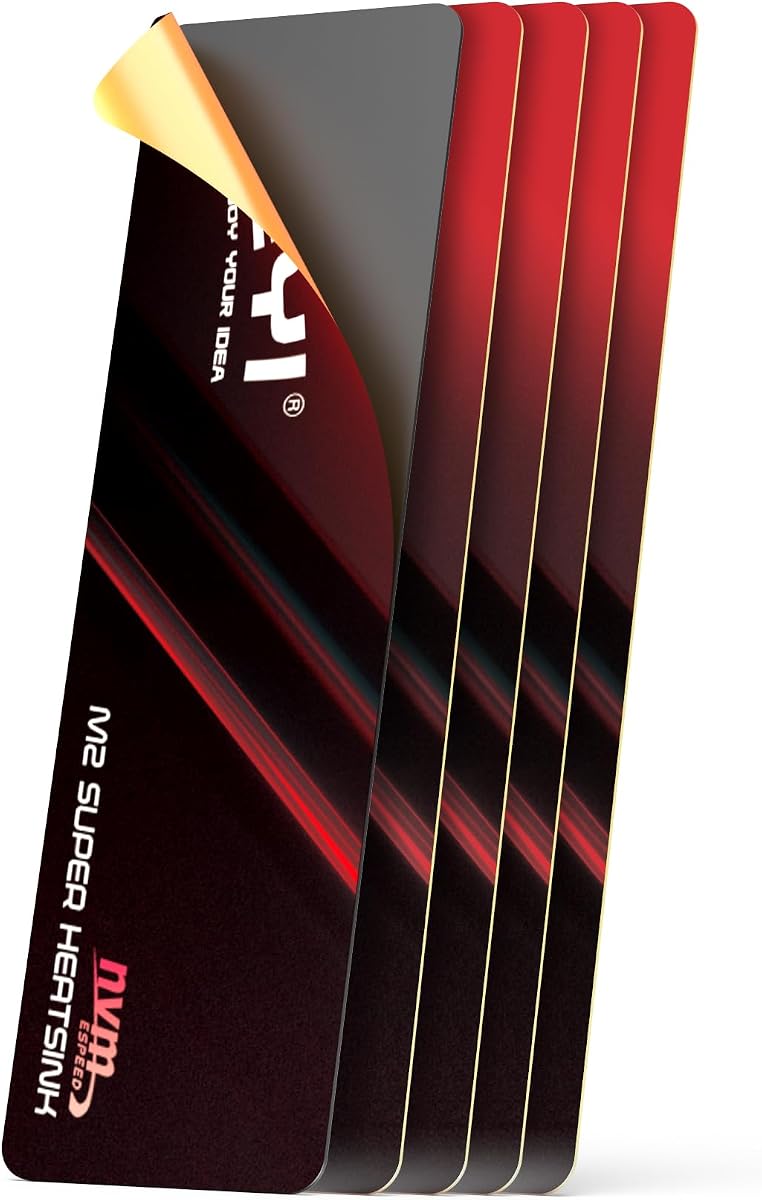
The M.2 Heatsink Cooler 2280 SSD stands out as a budget friendly option that delivers solid cooling performance without expensive features or complex designs.
We may earn a commission when you buy through this link, at no additional cost to you.
Its double-sided clip design accommodates various SSD heights ensuring stable installation and better protection of your drive during transport or use.
The aluminum alloy body with silver plating helps eliminate static electricity while the included thermal pads provide effective heat transfer without risking damage.
This cooler is an excellent choice for PS5 or PC users looking for a reliable low profile solution at an entry level price point.
Suitable for NVME SSD of various heights ensuring stable installation and better protection of your drive.
Delivers 10°C – 20°C cooling effect to keep drives at safe temps and improve computer performance.
We may earn a commission when you buy through this link, at no additional cost to you.
Adopting high quality pure copper material this heatsink offers significantly higher thermal conductivity than aluminum alloy for faster heat dissipation.
We may earn a commission when you buy through this link, at no additional cost to you.
The groove design greatly increases the heat dissipation area allowing accumulated heat to be released into the air faster during continuous operation.
With a thin design of only 1.5mm it can be installed on most computers without interference making it ideal for notebook PCs and desktops.
Choose this model if you prioritize raw material quality and efficient heat release over weight considerations for your specific storage cooling needs.
Pure copper material provides thermal conductivity much more efficient than aluminum alloy for superior cooling.
Groove design increases heat dissipation area to release accumulated heat into the air faster.
We may earn a commission when you buy through this link, at no additional cost to you.
The be quiet! MC1 provides efficient cooling that enables maximum read and write speeds for both single and double sided M.2 2280 modules.
We may earn a commission when you buy through this link, at no additional cost to you.
It lowers temperatures for the SSD allowing it to run at full performance for extended timespans which is essential for high speed gaming or storage arrays.
With ideal dimensions specifically tailored for PS5 expansion slots it offers necessary cooling power without adding unnecessary bulk to the console chassis.
This premium option is best for users seeking brand reliability and refined engineering in cooling critical expansion drives.
Enables lower temperatures for M.2 SSD allowing it to run at full performance for extended timespan.
Suited perfectly to provide necessary cooling power for PS5 memory expansions without bulk.
We may earn a commission when you buy through this link, at no additional cost to you.
Designed with a graphene coating this radiator is suitable for laptops and narrow spaces while offering high performance cooling for PS5 expansions.
We may earn a commission when you buy through this link, at no additional cost to you.
The professional air duct design increases contact area with air for heat exchange allowing faster heat dissipation than standard solid block coolers.
A slanted slot design provides a more aesthetically pleasing installation display ensuring your PS5 or PC looks clean when viewing internal components.
This model balances advanced thermal tech with visual appeal making it a strong choice for gaming console upgrades where looks and function matter.
Slanted slot design provides a more aesthetically pleasing installation display in consoles and PCs.
Increases contact area with air for heat exchange and dissipates heat more quickly in narrow spaces.
We may earn a commission when you buy through this link, at no additional cost to you.
This pure copper heatsink features exact dimensions to prevent installation misalignment and short circuits ensuring safe operation in sensitive laptop environments.
We may earn a commission when you buy through this link, at no additional cost to you.
The chemical polishing of the thermal conductive pad ensures a smooth surface with no burrs preventing damage to particles on the SSD surface.
Beyond cooling it prevents oxidation and rust while providing a long service life which protects your data storage investment over the years.
Ideal for laptop users needing a slim copper solution that comes with installation tools and a robust guarantee for peace of mind.
Exact dimensions to prevent installation misalignment and short circuits on sensitive electronics.
Thermal conductive pad undergoes chemical polishing for smooth surface without burrs to prevent damage.
We may earn a commission when you buy through this link, at no additional cost to you.
This 5mm low-profile heat sink is specifically designed to work around tight spaces on motherboards or M.2 adapters without interfering with internal components.
We may earn a commission when you buy through this link, at no additional cost to you.
Its cross-cut aluminum alloy fins provide optimal heat dissipation while the included heat resistant silicone rings secure the heatsink in place effectively.
Compatible with PS5 M.2 NVME storage upgrades it offers a straightforward solution for users needing a simple and reliable cooling upgrade.
Choose this if your priority is a low height profile and easy installation for PS5 internal storage expansions without complex modifications.
5mm low-profile height designed to work around tight spaces on motherboards or adapters.
Cross-cut aluminum alloy fins ensure optimal heat dissipation for the drive.
We may earn a commission when you buy through this link, at no additional cost to you.
Selecting the right low profile SSD heatsink involves balancing material quality, dimensions, and compatibility with your specific build or console.
Materials like copper and graphene offer significantly higher thermal conductivity than standard aluminum alloys which is critical for high-performance NVMe drives that generate substantial heat during sustained transfers.
Prioritize pure copper or graphene-coated models if you run intensive applications but consider aluminum for cost-effective general cooling needs.
Low profile is essential for enclosures like the PS5 or slim laptops where space is extremely limited. A heatsink taller than the enclosure clearance will simply not fit regardless of its cooling quality.
Always measure your available internal clearance before purchase to ensure the heatsink height matches your chassis requirements.
Most modern NVMe drives follow the 2280 form factor but some use shorter 2260 or 2242 sizes. Verify the heatsink dimensions match your specific drive length to ensure full contact.
Check manufacturer notes for explicit support of your drive model or specific console requirements like PS5 SSD slots.
Installation methods vary from tool-less clips to adhesive pads. Tools-free options simplify upgrades but may be less secure over time compared to screw-based mounting solutions.
Adhesive pads are common in thin units but can be difficult to remove later without voiding drive warranties or damaging sensitive components.
Thermal pads bridge the gap between the drive controller and the heatsink. Poor quality pads introduce thermal resistance reducing the effectiveness of even the best heatsink materials.
Look for low viscosity high thermal conductivity pads included in the package to ensure optimal heat transfer from your SSD to the cooling unit.
Determine if you need passive cooling for occasional use or active solutions for continuous workloads. Passive aluminum or copper fins work well for gaming and standard office tasks.
For sustained 4K video exports or server environments consider models with larger surface areas or graphene coatings for maximum thermal efficiency.
While function is primary many builds benefit from a heatsink that complements the internal look. Slanted slots or matte finishes can improve the visual appeal of transparent or open chassis builds.
Balance visual preferences with functional needs ensuring style does not compromise cooling efficiency or clearance requirements.
Some kits include extras like thermal pads screws or installation tools which add value and ease the setup process significantly for new users.
Verify what is included before purchase to avoid needing to source additional components separately for a complete installation.
Power down your device completely and unplug it from the wall outlet before attempting to install a new heatsink to avoid electrical damage to your components.
Remove the existing drive or clear the M.2 slot carefully applying a thermal pad to the controller chip before attaching the heatsink firmly with the provided clasps.
Check thermal performance periodically by monitoring drive temperatures during heavy load tasks to ensure the cooling solution remains effective over time.
Yes if you plan to run intensive workloads or use the drive in a PS5 without built-in cooling. Without a heatsink sustained heat can cause throttling reducing performance and potentially shortening drive lifespan.
Most low profile models are specifically designed to fit PS5 expansion slots but you must verify height clearance. The official PS5 specifications require dimensions strictly within certain limits.
Copper has higher thermal conductivity than aluminum allowing faster heat transfer but it is often heavier and more expensive. Aluminum is sufficient for most general use cases.
Peel off the protective film from the thermal pad and press it gently onto the controller and memory chips on your SSD. Ensure the surface is clean for best adhesion.
Properly installed aftermarket heatsinks using thermal pads typically do not void warranties. However using strong adhesives that leave residue may cause issues with support claims.
Most low profile heatsinks are designed for the standard 2280 form factor which is 22mm wide and 80mm long. Verify this before purchase for compatibility.
Yes these heatsinks use passive cooling without fans making them completely silent during operation. This is ideal for quiet PC builds or noise sensitive environments.
Expect temperature reductions between 10 and 20 degrees Celsius depending on the material and your airflow environment. High-performance graphene models may reach higher reductions.
Our top picks include the GLOTRENDS 2-Pack for versatility the M.2 Heatsink Cooler for budget savings and the be quiet! MC1 for premium engineering reliability.
Prioritize material quality and physical dimensions first since these factors determine whether the heatsink actually fits and performs in your specific system build.
Always verify current prices and stock availability as product offerings fluctuate frequently on online marketplaces.