
VSD Mini Macro Pad
4.1Editor score
Compact six key design
Custom RGB side lighting
USB powered operation
Discover the top macro pads for streaming in October 2026. We compare features, compatibility, and customization options to help you choose the perfect deck.
Streaming requires fast access to tools without interrupting your flow. A macro pad for streaming lets you trigger commands instantly with customizable keys for apps and scenes. These devices streamline your setup for better control during live broadcasts and content creation sessions.
We evaluated ten top models based on key count, screen customization, software integration, and build quality. Our analysis covers devices from budget-friendly options to premium decks with advanced audio controls. Each product offers unique strengths for different workflows and platform requirements.
Each pick highlights core features, ideal use cases, and real-world performance notes. Prices and availability change frequently so always verify details before purchasing. We focus on value and functionality to help you find the right tool for your specific streaming needs.
4.1Editor score

4.8Editor score

4.4Editor score
This table provides a side-by-side view of all ten macro pads. It highlights key specifications like number of keys, screen type, special features, and software support so you can quickly identify which model fits your workflow needs.


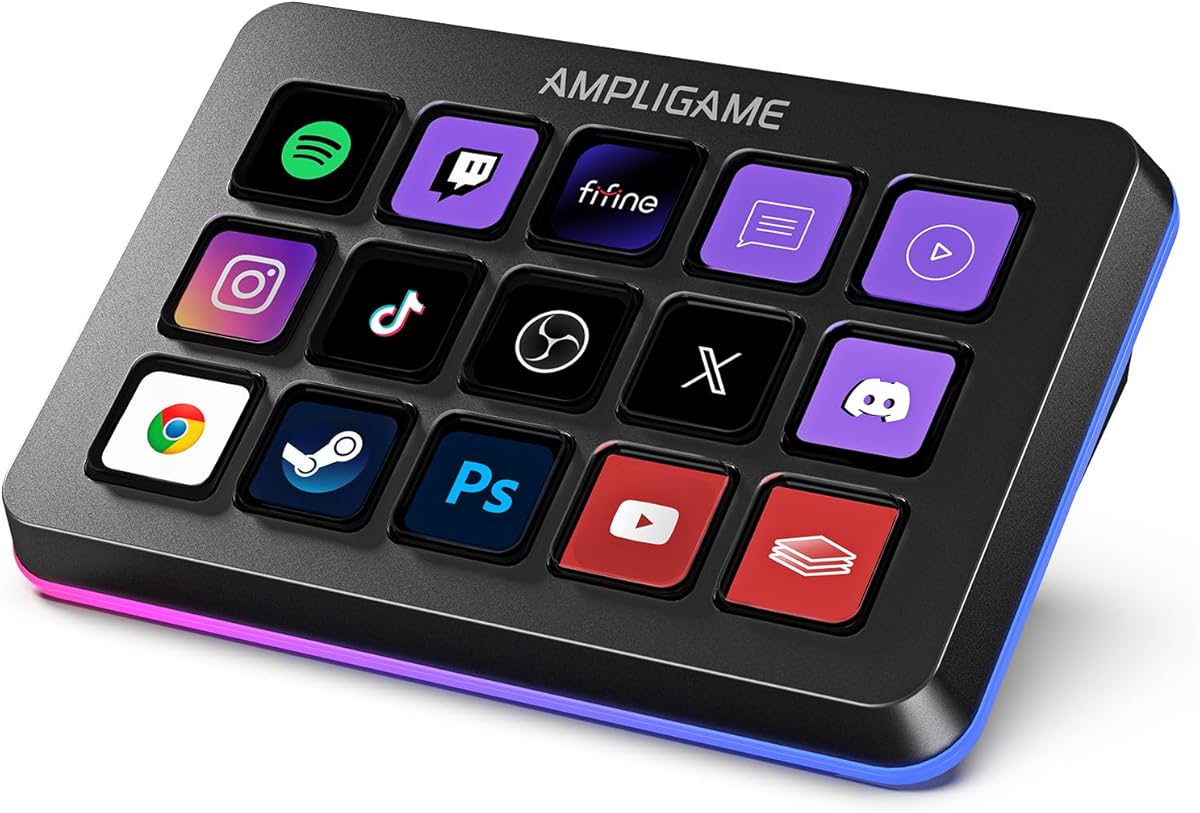


The VSD M18 is a highly capable streaming controller offering 18 programmable keys including 15 LCD screens. It achieves a strong 4.4 rating from users who appreciate its versatility and affordability for content creators.
We may earn a commission when you buy through this link, at no additional cost to you.
You can program single or multi-step sequences for apps like OBS Twitch and YouTube. The LCD keys support GIF and JPG animations for clear visual identification of each function during live streams.
While it lacks native Linux support the Windows and macOS compatibility covers most users. The RGB ring adds ambiance but firmware updates may be needed for full custom color tones beyond auto-cycle modes.
Buy this if you need many keys without high cost. It delivers professional macro control and sound board features making it a top value choice for entry level streamers seeking powerful tools.
The LCD keys allow drag-and-drop icons for instant recognition during high pressure streaming moments without guessing which key triggers what action.
Multi-step macros automate complex sequences like scene switching and audio adjustments saving seconds that matter during live broadcasts or recording sessions.
We may earn a commission when you buy through this link, at no additional cost to you.
The Stream Deck N1 adopts a vertical layout that saves valuable desk space while offering 15 LCD keys. Its 4.7 rating reflects strong satisfaction with its unique ergonomic design and multi-mode functionality.
We may earn a commission when you buy through this link, at no additional cost to you.
It offers three modes: left-hand shortcut keyboard calculator and numeric keypad. This flexibility means you can use it for math tasks or data entry without opening extra software windows during your workflow.
The plugin marketplace provides hundreds of tools including weather and calendar widgets. The 24 month warranty and available tutorial videos help ensure you get the most out of its features after purchase.
Choose this if desk space is limited or you want a left-handed solution. The vertical design and versatile modes make it stand out as an efficient companion for compact gaming or streaming setups.
Vertical orientation allows placement in tighter corners or beside monitors freeing up horizontal desk real estate for other peripherals like keyboards or mouse pads.
Beyond streaming controls the calculator and numeric modes expand utility for financial tracking or quick data entry without leaving your desktop environment during long sessions.
We may earn a commission when you buy through this link, at no additional cost to you.
The Elgato Stream Deck MK.2 remains the industry benchmark with 15 customizable LCD keys. Its 4.8 rating highlights its reliability and extensive plugin library that covers almost every streaming and productivity app available.
We may earn a commission when you buy through this link, at no additional cost to you.
One-touch triggers launch apps post to social media and adjust audio instantly. Visual feedback confirms each command executes so you never doubt your actions during live streams or important meetings.
The plugin ecosystem includes tools for Discord Spotify Philips Hue and OBS. While expensive its longevity and compatibility with new software updates make it a worthwhile investment for serious content creators.
Select this for a proven reliable system with maximum support. It sets the standard for macro control delivering consistent performance and ease of use that streamers trust for daily operations.
Thousands of community and official plugins extend functionality for social media engagement audio control and smart home integration without writing code.
Each LCD key offers tactile feedback confirming press accuracy reducing errors when switching scenes or launching critical macros in high-pressure live environments.
We may earn a commission when you buy through this link, at no additional cost to you.
The VSD M18 Deck features 18 customized macro keys offering extensive customization options. It earned a 4.5 rating from users who value its robust build and ability to execute complex sequences with single taps.
We may earn a commission when you buy through this link, at no additional cost to you.
You can assign individual or series of actions for game combos app launches or media control. The visual keys accept GIF and JPG animations for better recognition reducing mistakes during fast-paced streaming sessions.
While it requires software installation the VSD Craft application is intuitive. The surrounding RGB light ring adds style but firmware upgrades may be needed to customize tones beyond default cycling modes.
Choose this if you want high key counts at a reasonable price. Its durability and one-touch macro execution make it ideal for professionals needing reliable and quick access to workflow shortcuts.
Animated GIFs on LCD keys provide instant visual cues for complex macros ensuring you press the right function without visual search during live broadcast scenarios.
Single taps trigger multi-step commands saving critical seconds during live events where delayed responses could impact stream quality or audience engagement significantly.
We may earn a commission when you buy through this link, at no additional cost to you.
The VSD Mini Macro Pad delivers 6 customizable LCD keys in a portable footprint. Its 4.1 rating reflects appreciation for its compact form and dual side RGB lighting that enhances visual appeal without bulk.
We may earn a commission when you buy through this link, at no additional cost to you.
It supports one-touch shortcut and macro execution for OBS scene switching or media control. The USB powered design ensures continuous operation without battery concerns during extended gaming or streaming marathons.
Linux users can use open source SDK files for personalized adaptation. While fewer keys limit complex workflows its portability makes it perfect for secondary setups or travel-friendly streaming rigs.
Select this for minimal space usage. The side RGB bars and simple macro controls provide essential stream deck functionality without taking up valuable desk real estate in tight workstations.
Small footprint allows easy transport between home studio and live event setups making it ideal for streamers who move locations frequently.
Dual side RGB bars add immersive visual effect to any desk setup enhancing streaming atmosphere during dark sessions without distracting from the main camera.
We may earn a commission when you buy through this link, at no additional cost to you.
The VSD N4 Pro stands out with 10 LCD keys plus four RGB knobs for precise audio control. Its 4.4 rating highlights the benefit of tactile knobs for volume and sound adjustments without touching the keyboard.
We may earn a commission when you buy through this link, at no additional cost to you.
It features a dynamic RGB visual system that syncs with media files. The built-in passive USB dock provides extra ports for mice and drives improving connectivity directly from the controller.
The USB sound deck sends audio control commands to your computer. The 60 degree ergonomic stand ensures comfortable viewing angles during long editing or streaming sessions without neck strain.
Choose this for high-end audio control. The knobs and dock offer professional features that streamline complex workflows making it a top choice for podcasters and video editors.
Physical rotary knobs allow fine-grained volume and media adjustments without breaking focus from your live screen or camera feed.
Integrated USB dock expands available ports reducing cable clutter on desk and allowing peripherals to connect directly to the controller for cleaner setups.
We may earn a commission when you buy through this link, at no additional cost to you.
The fifine D6 offers 15 programmable buttons designed for multi-tasking. Its 4.6 rating shows users appreciate the visual operation keypad that displays apps and controls for instant access without navigating menus.
We may earn a commission when you buy through this link, at no additional cost to you.
You can create folders for different scenarios like gaming or office work. The vivid RGB ring offers nine controllable modes to match your setup aura enhancing the gaming and streaming atmosphere.
Ensure firmware and software are updated for full function. The plugin store allows easy customization of icons making workflow adjustments simple after initial installation and basic setup.
Select this for multi-tasking versatility. The visual feedback and scene organization help streamline complex workflows reducing window switching and keeping essential tools accessible during live sessions.
Dedicated folder profiles organize different workflows such as gaming editing or work keeping shortcuts structured for quick access during varied daily tasks.
Touchscreen keys display application icons confirming actions visually reducing uncertainty and ensuring commands execute correctly during high-stakes live broadcasts.
We may earn a commission when you buy through this link, at no additional cost to you.
The TreasLin VSDinside Deck offers 18 customizable keys with dynamic animated icons. Its 4.4 rating highlights the unique ability to use animations making each key distinct and visually engaging during streaming.
We may earn a commission when you buy through this link, at no additional cost to you.
It includes three modes: shortcut calculator and numeric. The rotary knob helps switch modes quickly. The marketplace provides thousands of plugins for apps like Discord Twitch and OBS streamers.
Dynamic icons bring interface to life beyond static images. The USB-C connection ensures easy setup and reliable connectivity. Note Spotify integration requires an active premium account to function properly.
Choose this for visual customization and numeric utility. The combination of animated icons and multi-mode flexibility makes it a versatile choice for users needing both streaming and productivity tools.
Dynamic GIFs allow for motion effects on keys helping distinguish complex macros visually and adding personality to your physical streaming setup.
Numeric keypad mode compensates for compact keyboards allowing data entry or spreadsheet work without needing a full-sized numpad on desk.
We may earn a commission when you buy through this link, at no additional cost to you.
The Streonor S15 features 15 customizable keys plus three non-touch status display panels. Its 4.6 rating reflects praise for the real-time data displays that show CPU GPU and system performance without opening apps.
We may earn a commission when you buy through this link, at no additional cost to you.
It supports preset control pages for scenarios like streaming or office work. Action flows allow triggering multiple commands with one key simplifying complex tasks during editing or broadcasting sessions.
Linux is not supported so Windows and macOS users are the target audience. Direct USB connection ensures stability and avoiding software conflicts by uninstalling similar controllers before setup.
Select this for real-time system monitoring. The status panels provide crucial info at a glance helping streamers manage performance resources without interrupting their primary workflow.
Real-time data displays for temperature and usage allow monitoring system health without switching away from your main application during streams.
Multi-step automation reduces manual clicking letting you execute entire workflows like scene changes and alerts with a single button press.
We may earn a commission when you buy through this link, at no additional cost to you.
The Streonor S10 brings together 10 keys a touchscreen and four knobs for audio control. It boasts a 4.9 rating from users who value its hybrid interface combining visual touch with physical precision.
We may earn a commission when you buy through this link, at no additional cost to you.
Knobs adjust volume and media playback directly. The touchscreen provides access to supported controls and info. Plugin access includes over 100 icons and scenes for extensive customization.
Linux is not supported so verify OS compatibility before buying. The mix of LCD keys and touch panels offers distinct workflows for those needing flexible command options during production.
Choose this for premium audio control and touch flexibility. Its high rating and diverse input methods make it ideal for creators needing both tactile and visual workflow adjustments.
Integrated touch panel offers quick access to settings or info without adding separate screens to desk clutter during complex production workflows.
Rotary knobs provide smooth volume and playback adjustments that feel more natural than digital sliders for precise audio mixing during live broadcasts.
We may earn a commission when you buy through this link, at no additional cost to you.
Selecting the right macro pad depends on your workflow needs and desk space. Here are key factors to consider before making a purchase.
Most pads offer between six and eighteen keys. More keys allow for complex macro setups but take up more space. Choose based on how many apps you control.
For most users ten to fifteen keys strike a good balance between flexibility and desk footprint.
LCD keys let you assign custom icons or animations. This visual feedback ensures you hit the right command during fast streams. Look for support for GIFs or PNGs.
Custom icons improve speed and accuracy by making each function instantly recognizable at a glance.
Check which apps the pad integrates with like OBS or Discord. Open-source SDKs add value for advanced users who want to code their own plugins.
Strong plugin ecosystems mean you don't have to build every macro manually.
Ensure the device works with your OS. Most support Windows and macOS but some lack Linux support. Verify requirements before buying to avoid connection issues.
Cross-platform support guarantees your controller works if you switch computers.
Durable materials ensure stability during long sessions. Look for sturdy keys and reliable USB connections. High-end models often include stands or docks for better ergonomics.
Quality construction prevents accidental presses and extends device lifespan.
RGB rings or bars enhance desk aesthetics. While not essential for streaming they add a pro look. Check if lighting syncs with your setup for immersion.
RGB can be customized to match your brand colors or stream theme.
Some pads include knobs or buttons for volume and media. This is useful for streamers managing mic and background music. Dedicated audio tools save keystrokes.
Physical knobs offer better precision than keyboard shortcuts for audio adjustments.
If you travel often compact models save space. Smaller pads with fewer keys might suit secondary setups. Check if USB power is required or battery life varies.
Portable options let you stream from any location without heavy gear.
First connect the macro pad to your PC via USB. Install the official software to begin programming keys. Start with common actions like muting mic or launching OBS.
Second customize each key with clear icons. Use GIFs or static images so you know what each button does. Group functions by workflow like streaming editing or chat.
Third keep firmware updated for best performance. Avoid liquid spills and clean keys with dry cloths. Check cable connections if keys stop responding unexpectedly.
Yes macro pads can automate office or creative workflows. They work with Excel Photoshop and browsers to launch tools or run scripts. This makes them versatile for productivity beyond streaming.
Some models support Linux via open-source SDKs but many official apps are for Windows or macOS. Always check compatibility lists before buying if you run Linux systems.
Most plug and play once you install the software. Guided tutorials and plugin stores simplify configuration. Basic macros take minutes to create for daily use.
Limits vary by model but most store hundreds of macros. Scene presets allow separate layouts for different apps. Check specs for max scene or macro storage before purchase.
Many require software installation to program keys. Some offer plug-and-play for basic hotkeys but full features need drivers. Always install from official websites to avoid conflicts.
Most support adjustable RGB effects. Higher-end models allow syncing with media or audio. Check if firmware updates unlock advanced customization beyond default color cycles.
First check USB connections and restart the device. Reinstall drivers if needed. Most brands provide support channels for troubleshooting. Warranty often covers defects or malfunctions.
Compact models with six to nine keys exist. These save space and are USB powered. Ideal for travelers or setups with limited desk real estate for multiple peripherals.
We covered ten top models ranging from budget to premium. Each offers unique features for customization and workflow efficiency. Pick one matching your key count and software needs.
Prioritize compatibility and build quality to ensure long-term use. Strong ecosystems make future updates easier. Don't overlook ergonomic stands or docks that add comfort.
Prices and availability vary so verify current offers before finalizing. Use this guide to find the right tool for your stream setup today.